Your personal brand isn't just a resume; it's a dynamic, living extension of your work and identity. In a crowded digital landscape, a generic list of links no longer cuts it. You need a central hub that not only directs traffic but also tells a compelling story, showcases your skills, and creates an immersive experience for your audience. But choosing the right tool can feel overwhelming. Do you need a simple one-pager, a visual link-in-bio, or a full-blown portfolio site?
This guide cuts through the noise. We've curated and tested the absolute best personal branding websites to help you make an informed decision. Whether you're a Bento.me user looking for a new home before the shutdown, a creator wanting to monetize, or a freelancer needing to display a portfolio, the right platform is in this list. To truly build a powerful digital identity, it's crucial to first understand the core principles and effective personal branding strategies that apply across all platforms.
Here, we move beyond marketing copy and dive into what really matters. We’ll analyze each platform based on real-world use cases, design flexibility, and critical features. This isn't just a list; it's a strategic resource designed to help you find the perfect tool to build a memorable and effective online presence that truly reflects who you are. Each entry includes detailed analysis, screenshots, and direct links so you can get started immediately. Let's find your perfect fit.
Table of contents
1. taap.bio
Taap.bio elevates the standard link-in-bio page into a dynamic, highly interactive personal dashboard, making it an exceptional choice among the best personal branding websites. It moves beyond simple vertical link lists, offering a "bento-style" modular grid where every element is a movable and resizable block. This drag-and-drop interface provides unparalleled creative freedom, allowing you to craft asymmetric, visually compelling layouts that truly reflect your personal brand.
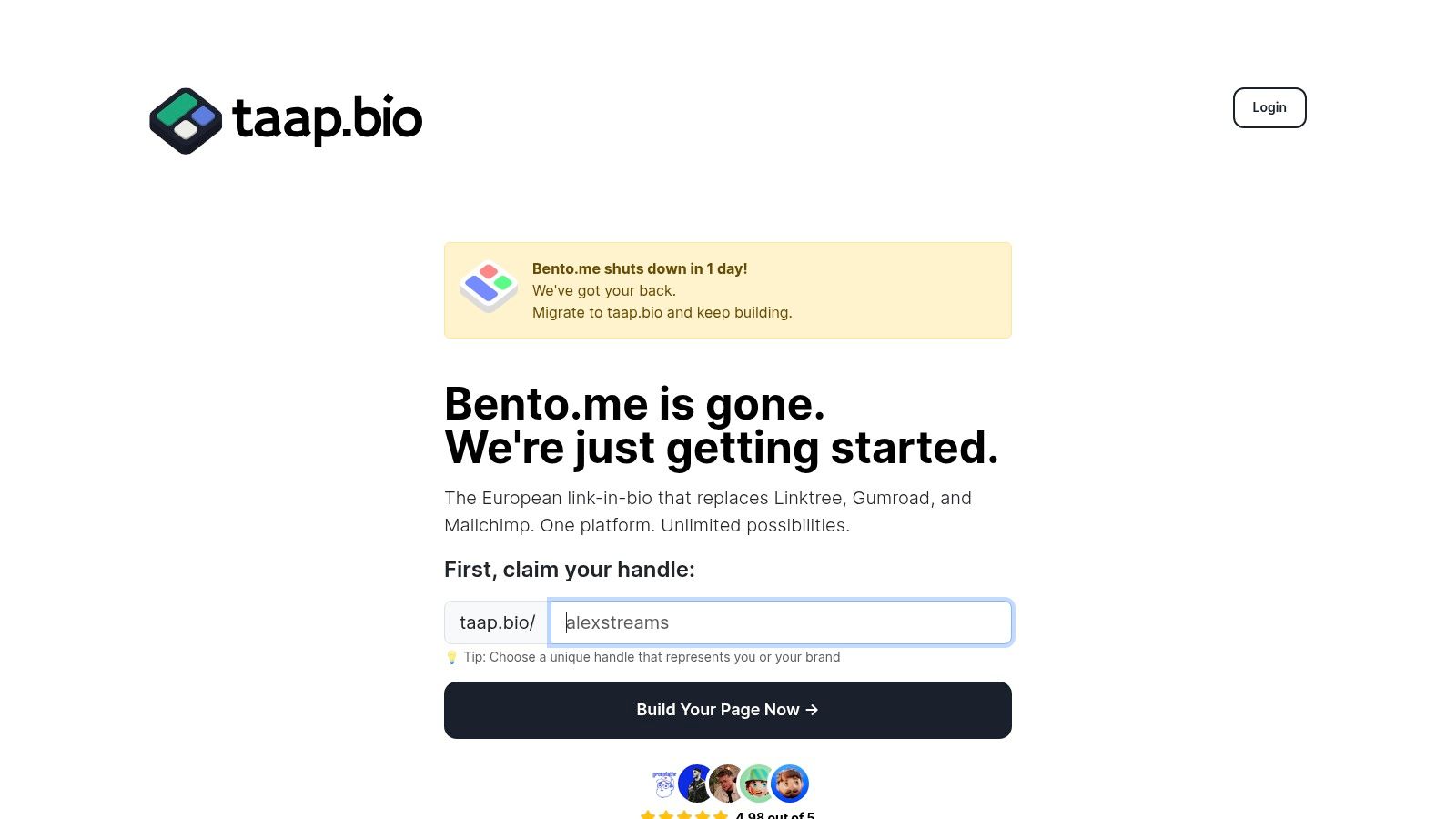
The platform’s standout feature is its collection of smart widgets that pull live data from external services, turning your page into a living portfolio. Imagine visitors not just seeing a link to your Spotify, but playing your latest track directly on your page. Similarly, you can display a real-time GitHub contribution graph, a live Instagram grid with follower counts, or interactive Figma embeds. This transforms your page from a simple redirect hub into a destination experience.
Key Strengths & Use Cases
- Deep Widget Integration: Go beyond basic links with widgets for GitHub, Instagram, YouTube, Dribbble, Behance, and Figma. The inline audio playback for Spotify and podcasts is particularly powerful for musicians and podcasters.
- Total Layout Control: Unlike rigid templates, taap.bio lets you separately edit and perfect the layout for both mobile and desktop views, ensuring an optimal experience on any device.
- Quick Migration & Setup: For those moving from other platforms, taap.bio offers a one-click Bento.me migration tool that imports your links and settings in under a minute. New users can get started quickly with a free plan that doesn't require a credit card.
- Rich Media Support: You can embed almost anything, including standard URLs, images, looping GIFs, autoplay videos, and even interactive Google Maps blocks, perfect for showcasing physical business locations.
The platform is ideal for creators, designers, and developers who want a visually striking hub that actively showcases their work rather than just linking to it. You can learn more about its positioning as one of the best link-in-bio platforms by reading their own analysis. While the free plan is robust, specific details on paid tier pricing are best found by signing up and exploring the dashboard. The potential learning curve for its advanced features is a minor trade-off for the level of customization and engagement it offers.
Visit taap.bio
2. Squarespace
Squarespace is the go-to platform when your personal brand demands a polished, professional aesthetic without the steep learning curve of more complex builders. It’s an all-in-one solution that bundles hosting, stunning templates, and powerful marketing tools into one subscription. This makes it one of the best personal branding websites for creators and consultants who want to look established from day one.
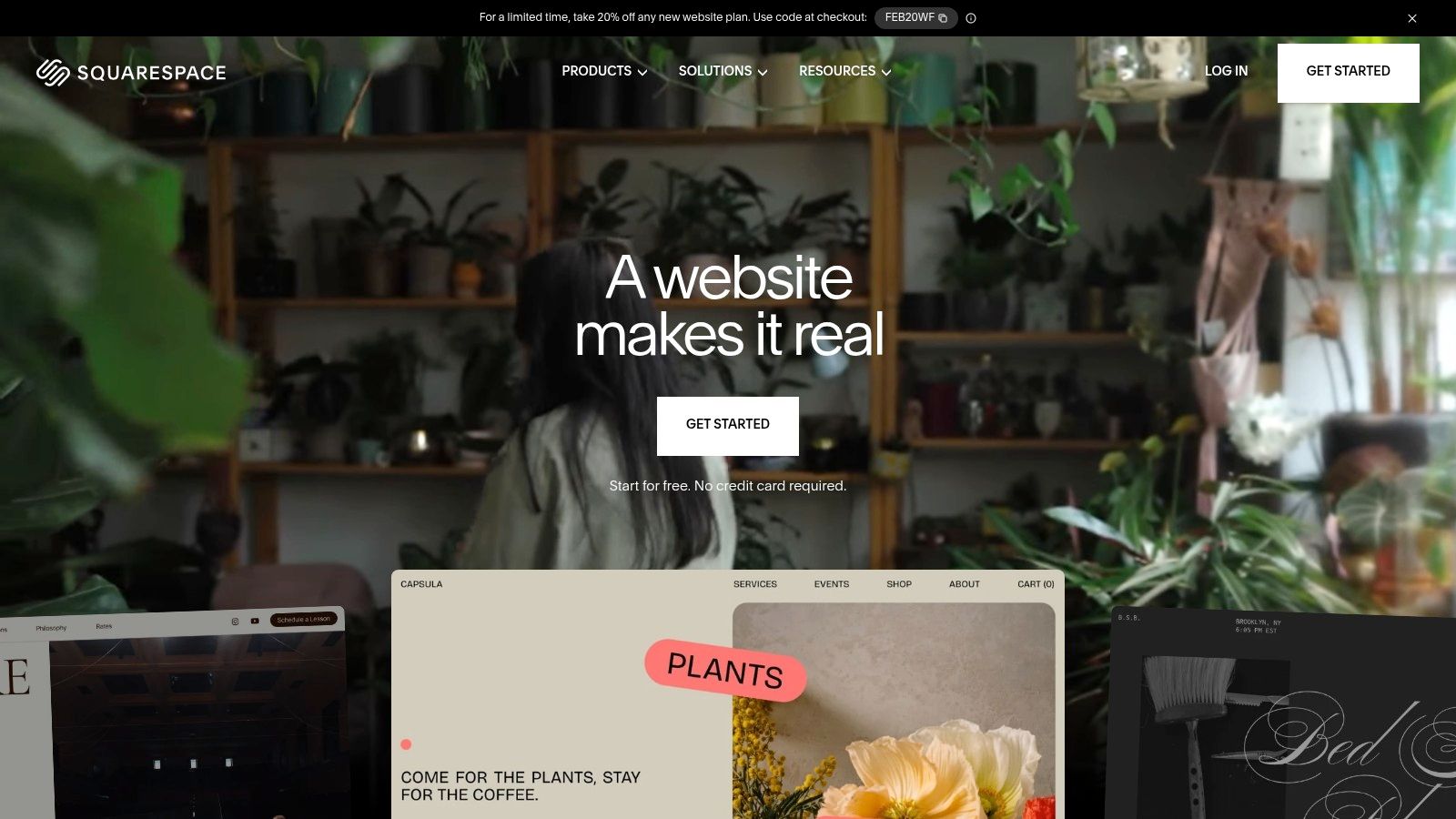
Unlike simple link-in-bio tools, Squarespace allows you to build a true digital home base. You can host a portfolio, publish a blog to establish thought leadership, and even sell digital products or book client appointments directly through the site. For service providers, its integrated scheduling and client management tools are a game-changer. These features are particularly crucial for independent professionals, a key aspect of personal branding for consultants that can elevate their practice.
Key Features & Use Cases
- Best For: Freelancers, photographers, consultants, and serious creators who need a full-featured website that’s also beautiful.
- Standout Feature: Its award-winning, mobile-responsive templates. You can achieve a high-end designer look with its intuitive drag-and-drop editor.
- Pricing: Plans start at $16/month (billed annually) for a personal site.
Pros and Cons
| Pros | Cons |
|---|---|
| Visually stunning templates | Less design freedom than Webflow |
| All-in-one platform (SEO, email) | Can become costly with add-ons |
| Excellent for non-technical users | Not ideal for a simple link page |
3. Wix
Wix stands out as a highly versatile and accessible platform, making it a powerful choice for building a personal brand from the ground up. It caters to a wide spectrum of users, from those needing a simple one-page portfolio to professionals requiring a full-fledged site with advanced functionality like bookings and e-commerce. Its AI-assisted setup and vast template library allow you to get a site live in hours, not weeks, which is why it consistently ranks among the best personal branding websites for speed and flexibility.
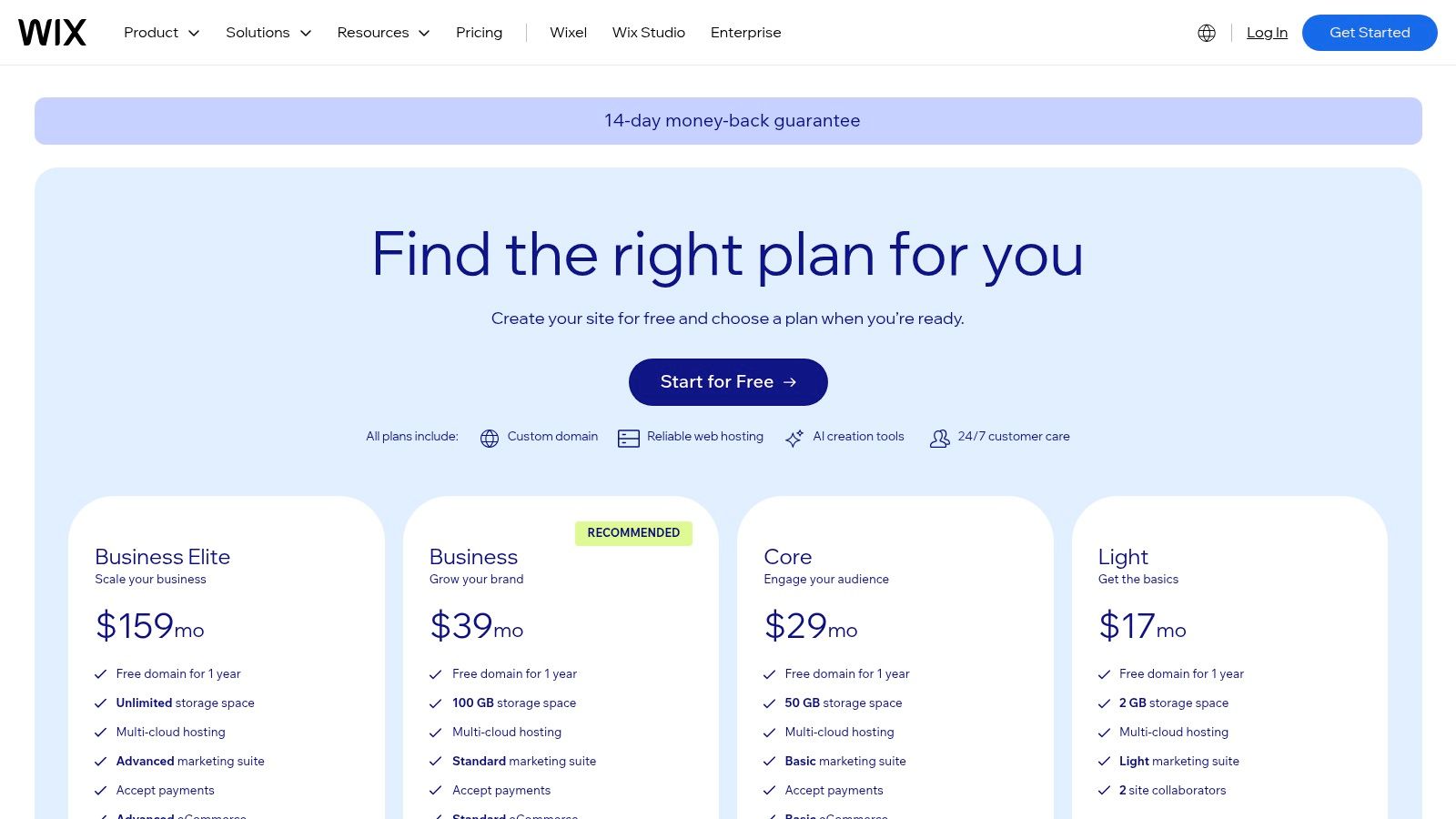
The platform's core strength lies in its App Market, which lets you add powerful features like client forms, membership areas, and event calendars with a single click. This transforms your site from a static page into an interactive hub. For professionals looking to centralize their operations, this ecosystem is invaluable, providing the tools needed to build a strong digital footprint. This approach is fundamental when learning how to build an online presence that effectively attracts and converts your target audience.
Key Features & Use Cases
- Best For: Service-based professionals, entrepreneurs, and creators who want a fast, scalable website with extensive app integrations.
- Standout Feature: The Wix ADI (Artificial Design Intelligence) can generate a personalized website for you in minutes based on a few simple questions.
- Pricing: A free plan with Wix branding is available. Paid plans start at $16/month (billed annually) for a personal site.
Pros and Cons
| Pros | Cons |
|---|---|
| Extremely fast to launch a site | Can feel heavy; performance depends on build choices |
| Huge ecosystem and help resources | Some advanced features live behind higher-tier plans |
| Flexible for both simple bios and robust sites | Templates are not interchangeable once selected |
4. Webflow
Webflow is the powerhouse platform for personal brands that refuse to compromise on design. It offers granular, pixel-perfect control over every element, allowing you to build a completely custom website without writing code from scratch. This makes it one of the best personal branding websites for designers, developers, and ambitious creators who want to build a truly unique digital presence that scales from a single page to a content-rich hub.
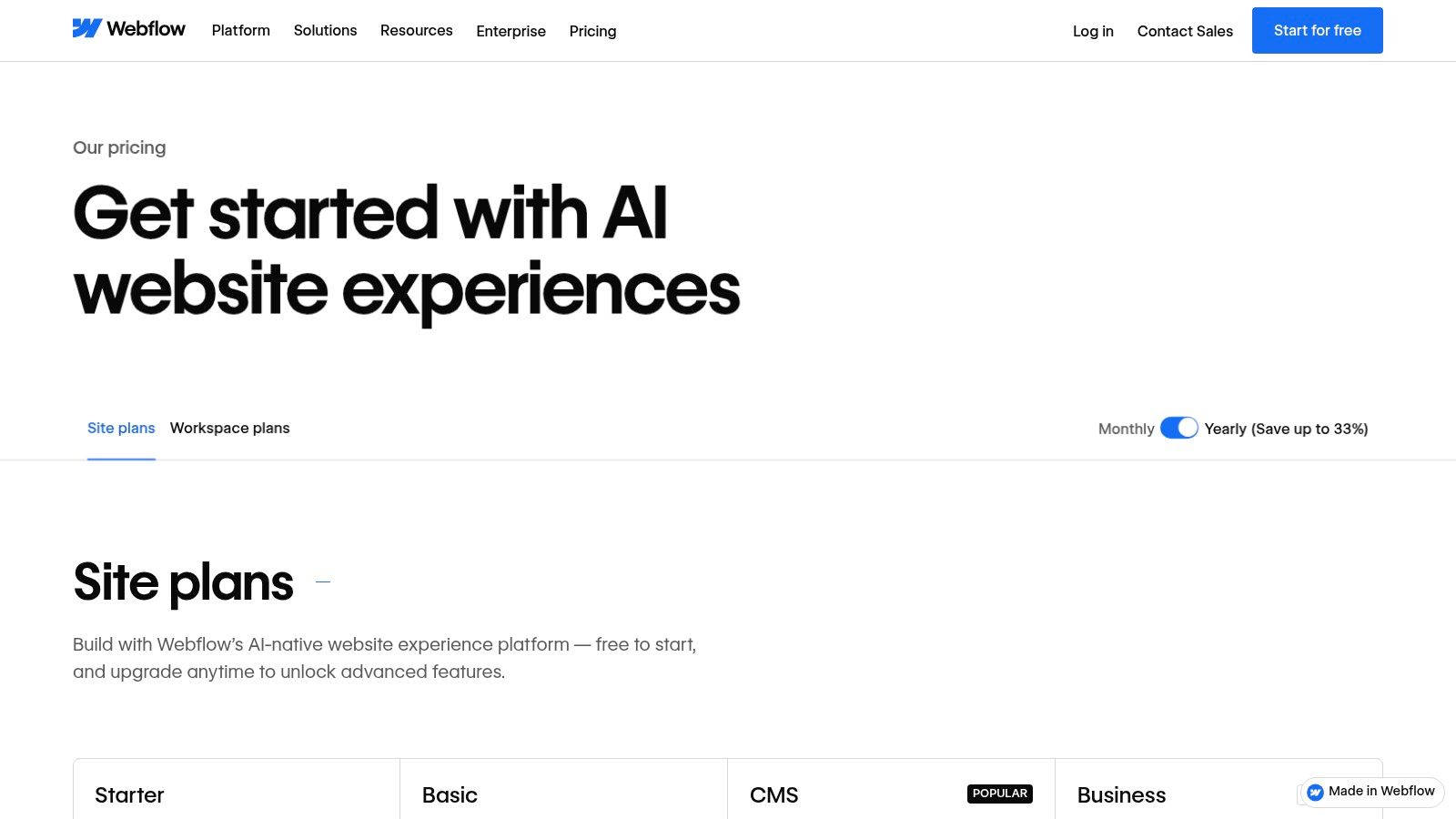
Unlike template-driven builders, Webflow gives you a visual canvas that directly translates your design into clean HTML and CSS. You can implement sophisticated animations, interactions, and a fully-featured CMS to manage a blog or portfolio. This level of customization is ideal for building a brand that stands out in a crowded market. If you're weighing your options for advanced builders, this detailed Framer vs Webflow comparison can be a helpful resource in making your final choice.
Key Features & Use Cases
- Best For: Designers, developers, and tech-savvy entrepreneurs who need total creative control without hand-coding.
- Standout Feature: Its visual CSS editor. You can directly manipulate styles, create complex layouts with Flexbox and Grid, and add rich interactions, offering unparalleled design freedom.
- Pricing: A free plan is available for learning. Paid site plans start at $14/month (billed annually).
Pros and Cons
| Pros | Cons |
|---|---|
| Near-pixel-perfect control without hand-coding | Learning curve is steeper than basic builders |
| Scales from one-pagers to content-rich sites | Some features (CMS, Ecommerce) require higher plans |
| Powerful CMS for blogs and portfolios | Can be overkill for a very simple site |
5. WordPress.com
WordPress.com offers a managed and hosted version of the world's most popular content management system, providing a powerful and scalable foundation for your online presence. It strikes a balance between user-friendliness and immense potential, making it one of the best personal branding websites for those who envision their simple site growing into a multifaceted brand hub over time. It’s an ideal starting point for building a brand with long-term ambitions.
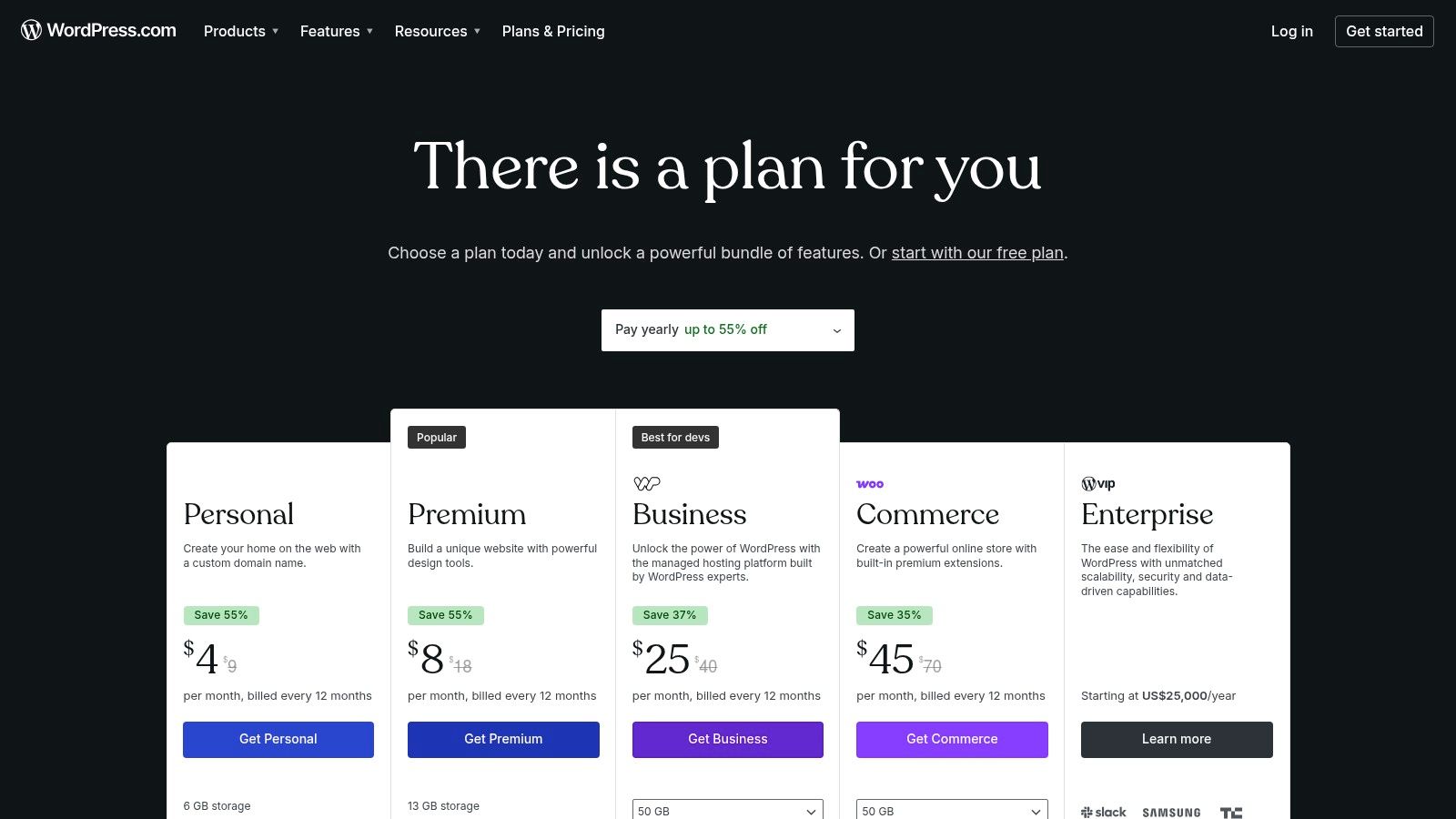
Unlike more rigid, all-in-one builders, WordPress.com allows your site to evolve. You can start with a clean, professional blog to establish your voice and later expand with a full portfolio, e-commerce store, or membership area by upgrading your plan. The platform’s block editor simplifies content creation, while higher-tier plans unlock access to the vast ecosystem of plugins and themes, giving you unparalleled control to build a truly custom digital asset that grows alongside your career.
Key Features & Use Cases
- Best For: Bloggers, writers, and entrepreneurs who want a platform that can scale from a simple personal page to a comprehensive business website.
- Standout Feature: The incredible scalability and access to the massive WordPress ecosystem of themes and plugins (on higher-tier plans), allowing for virtually limitless functionality.
- Pricing: A free plan is available with ads. Paid plans start at $4/month (billed annually) to remove ads and use a custom domain.
Pros and Cons
| Pros | Cons |
|---|---|
| Enormous theme and plugin ecosystem | Most plugins and full customization require higher-tier plans |
| Excellent scalability for future growth | Can have a steeper learning curve than simpler builders |
| Strong blogging and SEO foundation | Free plan is quite limited with ads and no custom domain |
6. Carrd
Carrd is the champion of simplicity and speed, offering a way to build elegant, single-page websites in minutes. If you need a digital business card, a straightforward portfolio, or a more robust link-in-bio page without the complexity of a full website builder, Carrd is an unmatched solution. It’s perfect for creators and professionals who need a clean, effective online presence fast, making it one of the best personal branding websites for focused, single-purpose use cases.
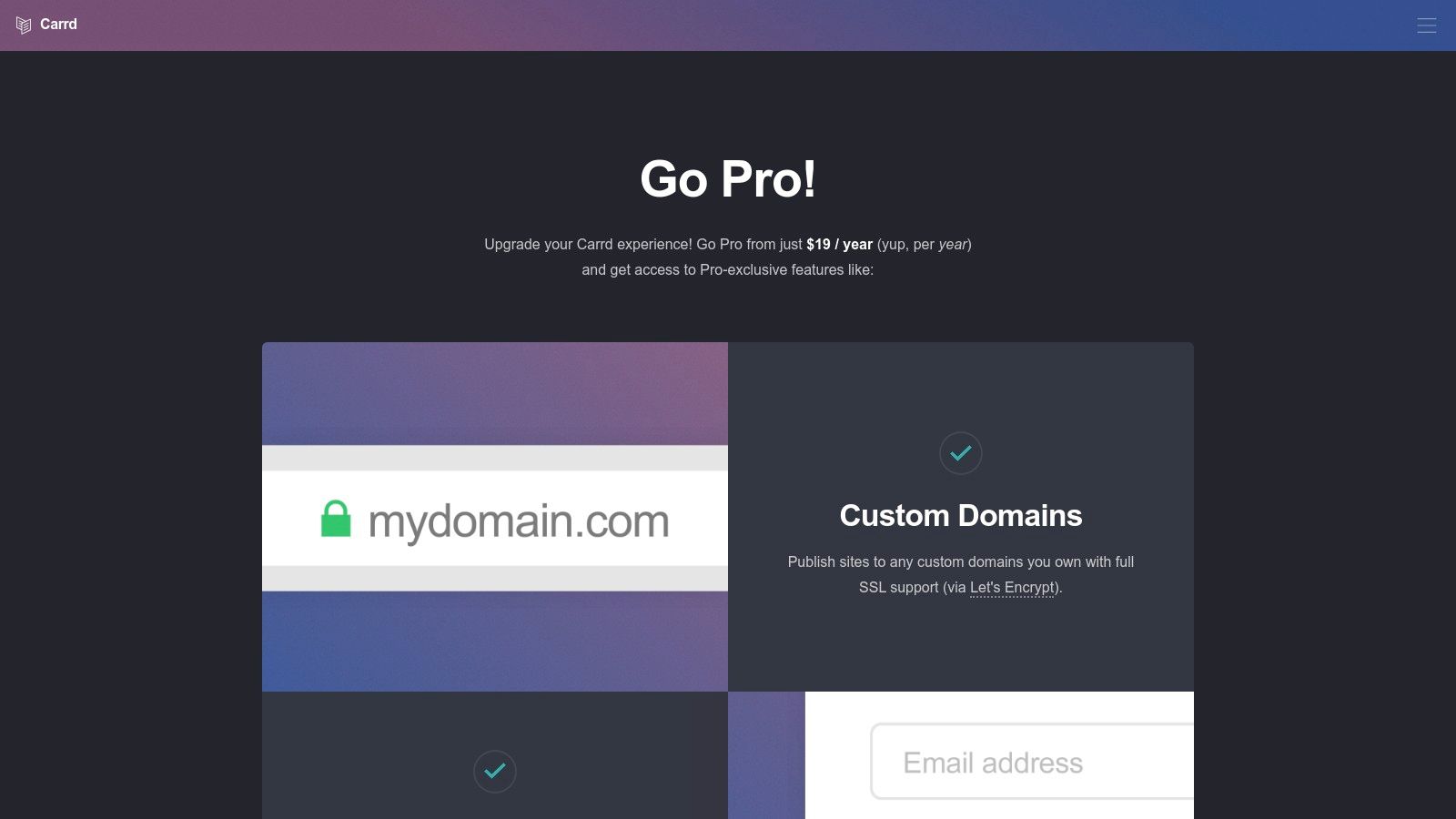
Unlike multi-page platforms, Carrd's strength lies in its constraints. By focusing exclusively on one-page sites, it delivers a highly intuitive and streamlined building experience. You can easily add forms, embeds, widgets, and even analytics to create a powerful landing page. For those needing a simple lead capture page or a central hub for their social links, Carrd provides professional results on an incredibly lean budget, and its Pro plan allows for custom domains to maintain brand consistency.
Key Features & Use Cases
- Best For: Freelancers, creators, and professionals needing a quick, stylish one-page profile, portfolio, or landing page.
- Standout Feature: Its extreme affordability and simplicity. The Pro plan allows you to build multiple professional sites for a single, low annual fee.
- Pricing: A free plan is available. Pro plans start at just $19 per year for up to 10 sites.
Pros and Cons
| Pros | Cons |
|---|---|
| Very affordable for multiple sites | Not intended for multi-page sites |
| Minimal learning curve; quick to build | Limited built-in e-commerce tools |
| Clean, responsive templates | Less complex than full CMS platforms |
7. About.me
About.me is the quintessential digital business card, designed for professionals who need a simple, elegant, and effective single-page hub. It strips away the complexity of a full website, focusing entirely on presenting your core identity: who you are, what you do, and where people can find you. This laser focus makes it one of the best personal branding websites for quickly establishing a professional online starting point.
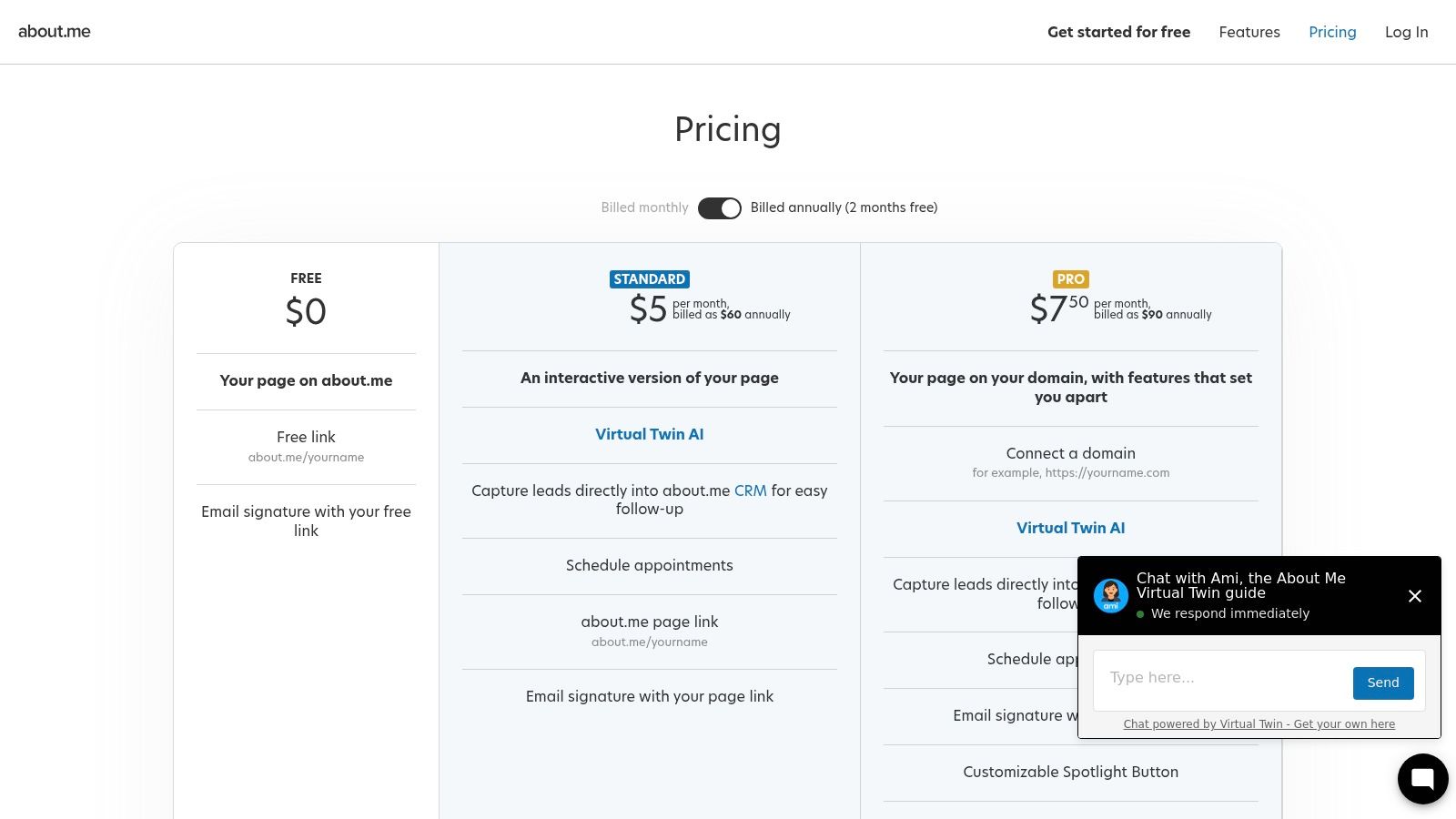
The platform shines in its simplicity and speed. Within minutes, you can create a visually appealing page centered around a high-quality headshot, a concise bio, and direct calls to action. It’s not meant for hosting a deep portfolio or a blog; instead, it serves as a sophisticated and centralized directory that points visitors to your other platforms, making it a perfect upgrade from a basic link list or a placeholder while you build a larger site. The integrated email signature generator is a clever tool for driving traffic to your new personal hub.
Key Features & Use Cases
- Best For: Professionals, speakers, and executives needing a digital business card, or anyone who wants a simple, polished "home base" online.
- Standout Feature: Its extreme ease of use and professional aesthetic. You can create a respectable page in under 15 minutes without any technical skills.
- Pricing: A free plan is available with basic features. The Pro plan starts at $9/month (billed annually) for a custom domain and advanced features.
Pros and Cons
| Pros | Cons |
|---|---|
| Extremely fast and easy to set up | Not a full website builder |
| Clean, professional-looking layouts | Very limited design and layout options |
| Great for non-technical users | Best for a single-page presence only |
8. Linktree
Linktree is the original and most recognized name in the link-in-bio space, offering a straightforward way to consolidate all your important links into one shareable URL. It serves as a digital launchpad, directing your social media audience to your blog, portfolio, e-commerce store, and latest content. For creators who need a simple, trusted, and fast solution, Linktree remains one of the best personal branding websites for centralizing an online presence.
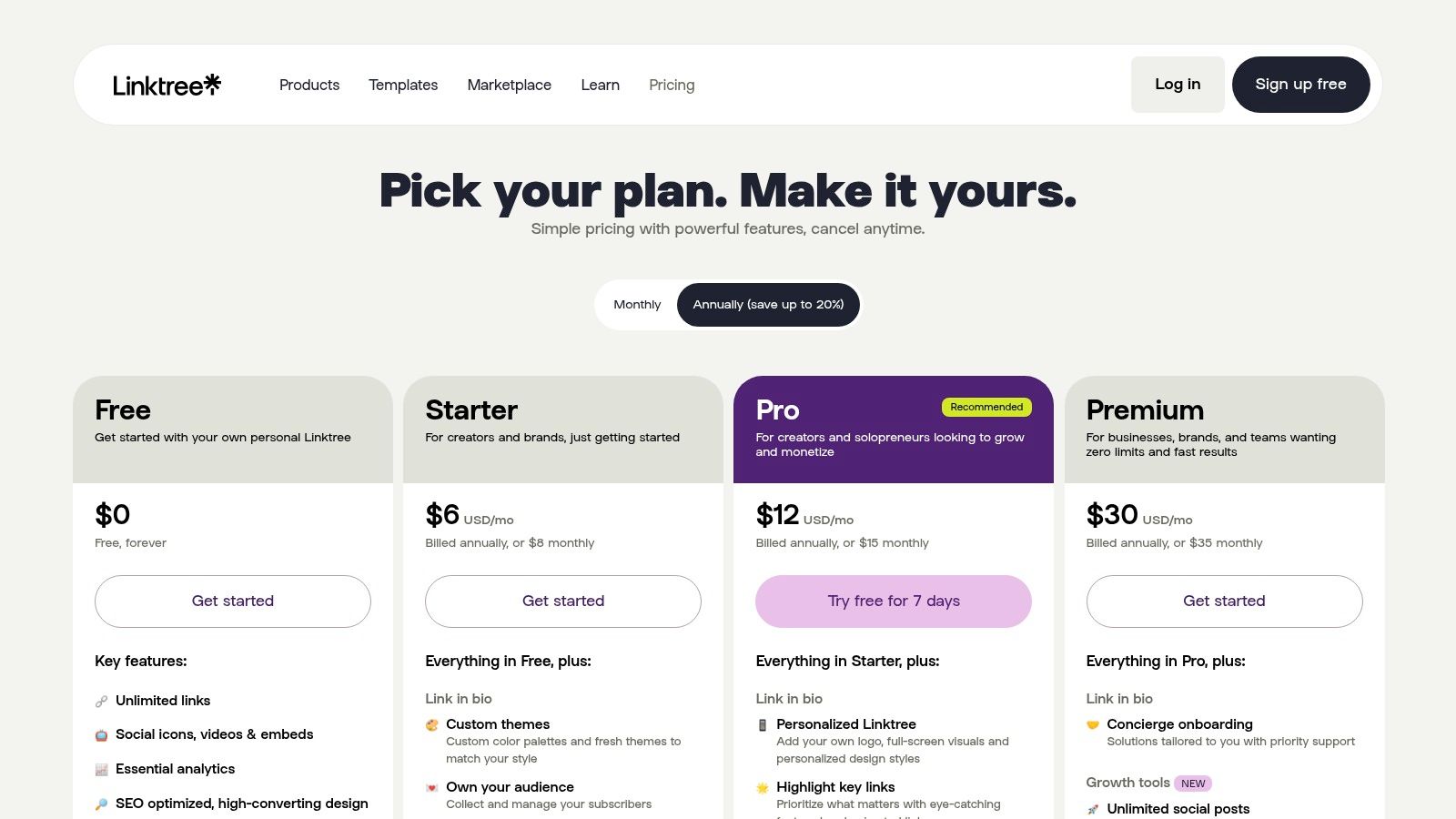
While its core function is a list of links, Linktree has evolved to include powerful features like email and SMS collection, direct monetization through digital product sales, and embeds for video and music. This makes it more than just a directory; it's a lightweight marketing tool perfect for social media profiles. The platform’s analytics provide immediate insight into which content resonates with your audience, a critical feature for any growing brand. The differences in features are a key consideration when evaluating Linktree against other tools like Beacons.
Key Features & Use Cases
- Best For: Social media influencers, podcasters, and anyone needing a simple, reliable hub to direct traffic from platforms like Instagram and TikTok.
- Standout Feature: Its ubiquity and vast integration ecosystem. Linktree is recognized by users everywhere and connects seamlessly with countless third-party tools.
- Pricing: A robust free plan is available. Pro plans with advanced features start at $5/month (billed annually).
Pros and Cons
| Pros | Cons |
|---|---|
| Ubiquitous and widely trusted | Layout is primarily list-based |
| Simple setup and easy to use | Monetization features have seller fees |
| Strong analytics on link clicks | Less visually dynamic than grid-based tools |
9. Beacons
Beacons elevates the link-in-bio concept into a full-fledged creator marketing stack. It's designed for the modern personal brand that needs more than just links; it requires integrated tools for audience engagement, content creation, and monetization. This makes it one of the best personal branding websites for influencers and consultants who want to centralize their entire digital operation.
Unlike simpler tools, Beacons provides a powerful, interconnected suite of features. You can sell digital products and courses, run an email newsletter, automate Instagram DMs, and even generate an auto-updating media kit, all from one dashboard. Its AI-powered tools for writing posts and generating ideas also help streamline content creation, allowing you to focus on building your brand instead of managing multiple disparate platforms.
Key Features & Use Cases
- Best For: Content creators, influencers, and consultants who need an all-in-one monetization and audience management platform.
- Standout Feature: Its comprehensive suite of monetization tools, including digital storefronts, email marketing, and a media kit builder, all integrated under one roof.
- Pricing: A free plan is available. Paid plans start at $25/month (billed annually) for advanced features and lower transaction fees.
Pros and Cons
| Pros | Cons |
|---|---|
| Strong monetization bundle for creators/consultants | More "platform lock-in" versus a standalone site |
| Useful if you want email + storefront + link-in-bio in one place | Feature depth can be overkill for simple bio links |
| Built-in AI tools to assist with content creation | Design customization is less flexible than a full website builder |
10. Bio.link
Bio.link offers a streamlined and powerful approach to the link-in-bio format, positioning itself as more than just a list of links. It's a mobile-first personal landing page designed for creators who want to engage their audience directly with updates, email signups, and even AI-powered chat. This focus on interaction makes it one of the best personal branding websites for those who need a simple yet effective hub to connect with their followers.
Unlike basic link tools, Bio.link integrates features typically found in more complex platforms. You can publish blog-style posts to share updates, embed content directly, and build a newsletter list without needing a separate service. Its paid tier is notably generous, offering unlimited sites, custom domains, and white-label branding, which is perfect for professionals maintaining a clean, brand-centric appearance. The built-in AI chat feature also provides a unique way to automate responses and guide visitors to key information.
Key Features & Use Cases
- Best For: Social media creators, influencers, and entrepreneurs who need a feature-rich link page with community-building tools.
- Standout Feature: A very accessible single paid tier that includes custom domains, analytics, email capture, and unlimited sites, offering incredible value.
- Pricing: A free plan is available. The Pro plan is $6/month (billed annually) and includes all premium features.
Pros and Cons
| Pros | Cons |
|---|---|
| Very affordable single paid tier | Less design variety than full builders |
| Includes posts, email capture, and AI chat | Advanced customization is limited |
| Clean, straightforward setup | Lacks deep e-commerce integrations |
11. Universe
Universe is a revolutionary mobile-first website builder designed for creators who operate primarily from their phones. It empowers you to build, manage, and grow your personal brand entirely from an iOS or Android device using an intuitive grid-based editor. This makes it one of the best personal branding websites for influencers, artists, and entrepreneurs who need to update their site on the fly without ever touching a desktop computer.
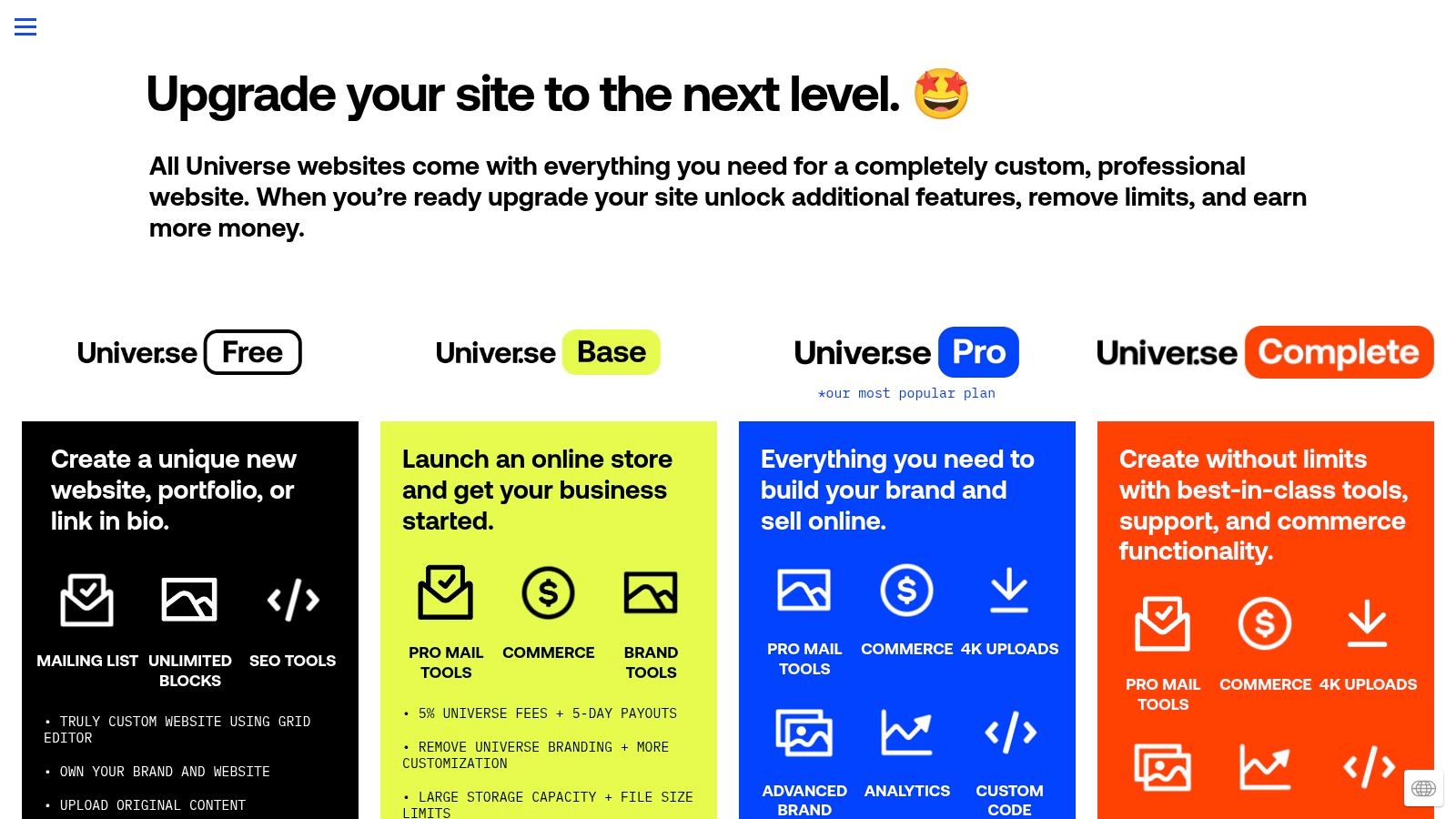
Unlike traditional builders that are desktop-centric, Universe’s entire workflow is optimized for a smaller screen, making it incredibly fast to launch a stylish link-in-bio page, a portfolio, or a simple online store. Its built-in commerce tools are surprisingly robust, allowing you to sell products, manage inventory, and even handle shipping directly from the app. For creators transitioning from simple link pages, Universe offers a significant step up in functionality without sacrificing convenience.
Key Features & Use Cases
- Best For: Mobile-first creators, artists, influencers, and small business owners who need to manage their digital presence on the go.
- Standout Feature: Its powerful iOS and Android app with a unique grid editor. This allows for creative and flexible designs that are built and updated in minutes.
- Pricing: A free plan is available. Pro plans with advanced features like custom domains and lower transaction fees start at $5.83/month (billed annually).
Pros and Cons
| Pros | Cons |
|---|---|
| Excellent for building and editing from your phone | Desktop design control is simpler and less featured |
| Very fast to launch a stylish, functional site | The ecosystem is smaller than Wix or Squarespace |
| Integrated commerce with transparent platform fees | Mobile-centric design might feel limiting for complex sites |
12. Adobe Portfolio
For creatives already embedded in the Adobe ecosystem, Adobe Portfolio is a powerful and often free way to build a visually stunning personal brand site. It’s designed specifically to showcase creative work, making it one of the best personal branding websites for designers, photographers, and illustrators who want to let their work speak for itself without wrestling with a complex website builder.
The platform’s greatest strength is its seamless integration with other Adobe products. You can sync entire projects directly from your Behance profile, which massively streamlines the process of keeping your portfolio updated. This tight-knit connection allows you to focus on creating, not coding or site management. For anyone seeking a dedicated showcase, it serves as an excellent online portfolio builder that prioritizes aesthetics and simplicity.
Key Features & Use Cases
- Best For: Designers, artists, photographers, and anyone with a Creative Cloud subscription needing a professional-looking portfolio.
- Standout Feature: Direct integration with Behance and Creative Cloud, allowing for automatic syncing of projects to your portfolio site.
- Pricing: Included with most Adobe Creative Cloud plans (starting from $9.99/month for the Photography plan).
Pros and Cons
| Pros | Cons |
|---|---|
| Included with many Adobe subscriptions | Not a full CMS; limited blogging and commerce |
| Ideal for creatives using Adobe tools | Less flexible than general-purpose builders |
| Simple to set up and maintain | Not suitable for complex, multi-page sites |
Top 12 Personal Branding Websites Comparison
| Platform | Core features | UX / Quality ★ | Value & Price 💰 | Target audience 👥 | Unique selling points ✨ |
|---|---|---|---|---|---|
| taap.bio 🏆 | Modular bento grid, smart widgets, media & map blocks | ★★★★★ (4.98/5) | 💰 Free-to-start; paid tiers (quick Bento.me migration) | 👥 Creators, musicians, designers, podcasters, freelancers, SMBs | ✨ Drag‑and‑drop resizable blocks, inline audio playback, editable mobile/desktop |
| Squarespace | Designer templates, blogging, commerce, email tools | ★★★★☆ (polished) | 💰 Monthly plans; mid-range all‑in‑one | 👥 Small businesses, freelancers, portfolios | ✨ High‑quality templates + integrated site tools |
| Wix | Hundreds of templates, AI builder, App Market, payments | ★★★★ (flexible) | 💰 Freemium; add‑ons can raise cost | 👥 Beginners to SMBs needing extensions | ✨ AI site setup + vast app ecosystem |
| Webflow | Visual CSS‑level builder, animations, CMS, hosting | ★★★★☆ (power user) | 💰 Higher tiers for CMS/ecommerce | 👥 Designers, agencies, developers | ✨ Near‑pixel control and advanced interactions |
| WordPress.com | Managed WP, themes, block editor, analytics | ★★★★ (extensible) | 💰 Free → Business for plugins/themes | 👥 Bloggers, publishers, brands that may scale | ✨ Huge plugin/theme ecosystem and extensibility |
| Carrd | Lightweight one‑page templates, forms, embeds | ★★★★ (simple + fast) | 💰 Very affordable annual Pro plan | 👥 Individuals needing quick single‑page sites | ✨ Ultra‑simple, low-cost personal pages |
| About.me | Professional bio page, CTAs, lead capture | ★★★☆ (streamlined) | 💰 Free/Pro modest pricing | 👥 Professionals wanting a digital business card | ✨ Quick, polished single‑page profile + AI profile tools |
| Linktree | Unlimited links, embeds, analytics, email capture | ★★★★ (ubiquitous) | 💰 Freemium; Pro monetization fees apply | 👥 Social users, influencers, creators | ✨ Widely recognized link‑in‑bio with monetization tools |
| Beacons | Link‑in‑bio + AI tools, email, commerce, media kit | ★★★★ (creator‑focused) | 💰 Tiered; creator monetization features | 👥 Creators selling products, courses, memberships | ✨ Built‑in monetization, auto media kit, IG automations |
| Bio.link | Mobile‑first links, posts, email capture, AI chat | ★★★☆ (affordable) | 💰 Very affordable single paid tier | 👥 Budget‑conscious creators and small brands | ✨ Simple setup + AI chat and white‑label options |
| Universe | Mobile grid editor app, commerce, newsletters | ★★★☆ (mobile‑centric) | 💰 Mobile plans; commerce fees apply | 👥 Mobile-first creators and sellers | ✨ Build/manage sites from phone with in‑app store |
| Adobe Portfolio | Portfolio themes, Behance sync, Adobe Fonts | ★★★☆ (creative focus) | 💰 Included with Creative Cloud subscription | 👥 Designers, photographers, artists in Adobe ecosystem | ✨ Tight Behance/Creative Cloud integration and fonts |
Choosing Your Hub: The Final Verdict
Navigating the landscape of the best personal branding websites can feel overwhelming, but the journey to finding your perfect digital home base boils down to a single, critical question: What is the primary story you need to tell? Your personal brand isn't just a collection of links and social media icons; it's a dynamic narrative of your skills, your creativity, and your value. The platform you choose is the stage where this story unfolds.
Throughout this guide, we've explored a diverse spectrum of tools, each excelling in its own unique way. We've seen how platforms are no longer just simple link aggregators but have evolved into powerful, multifaceted branding hubs. The decision you make today will shape how potential clients, followers, and collaborators perceive you at their very first touchpoint.
Decoding Your Needs: From Simple Links to a Full-Fledged Brand
Let's distill the core takeaways to help you make your final choice. Your decision matrix should be built around your primary goal, your technical comfort level, and your long-term vision.
- For Maximum Visual Impact & Bento-Style Creativity: If you’re a former Bento.me user or a creator who thrives on visual storytelling, a tool like Taap.bio is your clear winner. Its bento-style grid, deep customization, and interactive blocks empower you to build a memorable, engaging dashboard that feels less like a link list and more like a personal app.
- For the All-in-One Professional Powerhouse: When your personal brand is your business, and you need robust features like e-commerce, blogging, and appointment scheduling integrated seamlessly, Squarespace and Wix remain unparalleled. They offer the polish and scalability required for serious freelancers, consultants, and small business owners who need a website that does more than just link out.
- For Ultimate Simplicity and Speed: If your goal is to get a clean, functional, and stylish one-page site live in under an hour, Carrd is the undisputed champion. It’s the perfect solution for those who need a professional digital business card without the complexity or cost of a full website builder.
- For Absolute Control and Future-Proofing: For the tech-savvy creator who wants zero limitations, the combination of Webflow or self-hosted WordPress provides infinite scalability. These platforms demand a steeper learning curve but offer complete creative freedom and ownership over your digital identity.
Your Next Step: From Decision to Action
Choosing a platform is only the first step. The real magic happens during implementation. As you build, focus on clarity and user experience. Does your page immediately communicate who you are and what you do? Is the most important call to action impossible to miss? Remember, the goal is to reduce friction and guide your audience to the destination you want them to reach.
Your personal branding website is a living document, an evolving testament to your journey. The right platform is not just a tool; it's a partner in your growth. It should feel empowering, not restrictive, allowing you to adapt your digital presence as your brand, skills, and ambitions expand. Don't be afraid to start small, iterate, and refine. The most effective personal brand hubs are those that authentically reflect the person behind the screen. Choose the tool that best equips you to build your brand, your way, and start telling your unique story today.
Ready to build a personal branding website that truly stands out? If you were inspired by the dynamic, visually rich possibilities of bento-style layouts, taap.bio is the perfect platform to bring your vision to life. Get started for free and create a stunning, interactive hub that captures your audience's attention from the first click. Visit taap.bio to claim your unique URL and begin building today.