
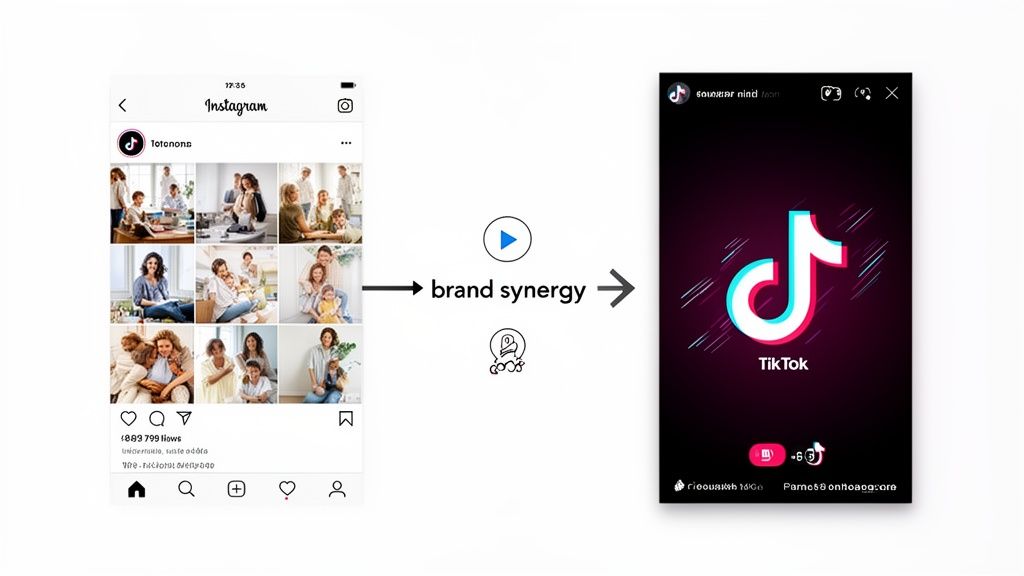
Connecting your Instagram and TikTok profiles is one of the smartest moves you can make as a creator. It's not just about getting more followers; it's about building a bridge that guides your engaged TikTok audience straight over to your Instagram world.
The most popular ways to do this are by adding your Instagram profile link to your TikTok bio, using the built-in social linking feature, or creating a central "link in bio" page with a tool like Taap.bio.
Table of contents
Why Connecting Instagram and TikTok Is a Growth Superpower
Look, just having a presence on TikTok or Instagram isn't the whole game anymore. The real growth happens when you get them working together, creating a seamless experience that turns casual viewers into loyal fans. This isn't just basic cross-promotion; it’s about crafting a well-rounded brand that keeps your audience hooked.
The best creators I see are masters at this. They use TikTok’s fast-paced, trend-driven energy to grab attention and then funnel that traffic to Instagram, where they can build a deeper connection with polished visuals and community-focused features.
Here's what that strategy unlocks for you:
- Broaden Your Reach: You'll start capturing people who might live on one platform but only dabble in the other. It's an easy way to double your potential exposure.
- Deepen Follower Connection: Let your audience see different sides of you. TikTok is perfect for raw, spontaneous content, while Instagram can showcase your more curated, aesthetic side.
- Centralize Your Brand: Create a single, go-to spot for collaborations, brand deals, and new followers to find everything you're about. If you want to dive deeper, check out our guide on how to increase social media engagement.
This flowchart really breaks down the three core strategies we're about to cover, helping you figure out which path makes the most sense for your goals.
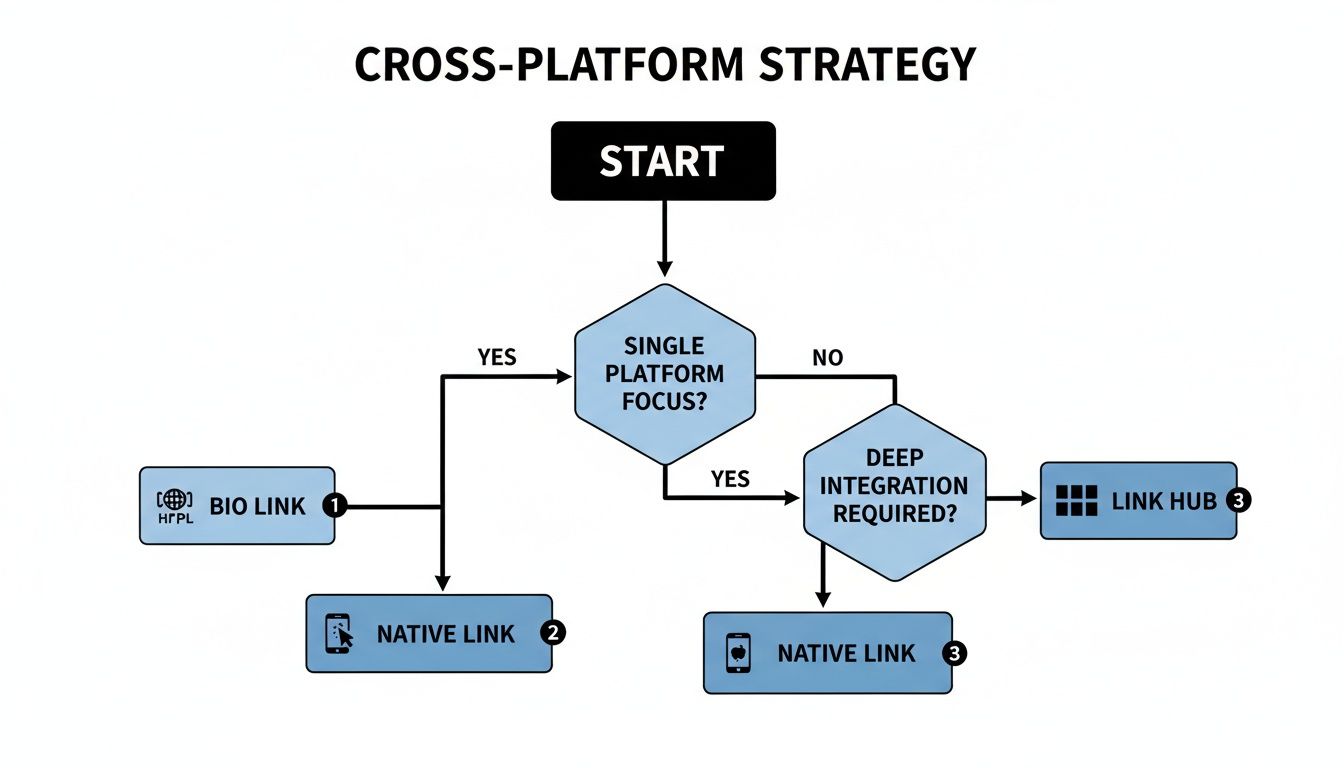
As you can see, each method offers a different level of integration—from a simple URL pasted in your bio to a fully interactive hub that brings all your content together.
Unlocking a Massive Combined Audience
The real power here is in the numbers. When you link these two platforms, you're tapping into their enormous, overlapping user bases.
Globally, Instagram boasts 2.04 billion monthly active users. Meanwhile, TikTok's ad platform alone reaches 1.08 billion adults every single month. Both platforms are magnets for younger audiences, which makes connecting them a no-brainer for any creator looking to build a powerful brand.
Using a tool like Taap.bio lets you create one shareable page that beautifully arranges your trending TikToks alongside your polished Instagram grid, giving your followers a complete picture of who you are. This guide is your playbook for making that happen.
The Tried-and-True TikTok Bio Link
This is the most direct, no-fuss way to connect your Instagram and TikTok. You simply drop your Instagram profile URL right into your TikTok bio, creating a clear path for anyone who wants to see more of your content. It's the quickest method, for sure, but getting people to actually click that link takes a bit more finesse than just copying and pasting.
Think of your TikTok bio as a tiny, powerful billboard. You get one—and only one—clickable link. Every word you write around it needs to count. This is your shot to convince a casual viewer to become a dedicated follower on another platform.
Making That Link Clickable
Getting the link itself is the easy part. Just log into your Instagram on a desktop browser and copy the URL from your profile page. Or, if you're on your phone, use the "Share Profile" button in the app to grab it.
Once you have your URL, pop over to TikTok and hit "Edit profile." You'll see a spot labeled "Website"—that's where your Instagram link goes.
But here's the thing: just having the link there isn't enough. You have to give people a reason to click it. That's where a killer call-to-action (CTA) comes in, placed right above the link in your bio.
My Two Cents: Your CTA is everything. I've seen so many profiles with a lazy "Follow me on IG" that just gets ignored. You have to offer a specific, compelling reason for someone to leave the endless scroll of TikTok. What's in it for them?
Crafting a CTA That Actually Works
The secret is to spark curiosity or promise something they can't get on TikTok. Let’s break down a few real-world examples to show you what I mean.
You're an artist:
- Skip this: My Instagram
- Try this: 🎨 Full portfolio & messy studio moments on IG 👇
You're a fitness coach:
- Skip this: Follow me for workouts
- Try this: 💪 Free weekly workout plans, only on my Instagram!
You're a small business owner:
- Skip this: Shop our stuff
- Try this: ✨ Get first dibs on our new collection drops on Instagram 👇
See the difference? The stronger versions promise exclusive content, valuable freebies, or a behind-the-scenes look. They make that click feel like a worthwhile investment of someone's time.
If you need a more detailed walkthrough, we've got a whole guide on how to add a link to your TikTok bio that breaks it down even further. This is a foundational step for any creator, but just remember its biggest limitation: you're stuck with that one, single link.
Want a cleaner, more official way to connect your accounts than just dropping a link in your bio? You're in luck. TikTok has a built-in feature that adds a slick, clickable Instagram icon right on your profile.
This native integration just looks more professional. When followers see that official icon, it signals legitimacy and trust in a way a plain text link can't. It’s a small touch, but it makes your profile feel more established and shows you’re serious about building a presence across both platforms.
The process is designed to be a simple, secure handshake between the two apps, creating a seamless bridge for your audience to cross. For developers looking to dig deeper into the API, the official Instagram integration documentation is the best place to start.
Connecting your profiles this way is also a smart strategic move when you play to each platform's strengths. While both are video powerhouses, they excel in different areas.
Platform Strengths at a Glance
| Metric | Instagram Reels | TikTok |
|---|---|---|
| Median Reach | 62% | 38% |
| Daily Videos Watched | 177 per user | 265 per user |
| AR Filter Usage | Less common | Used in ~33% of videos |
As you can see, Instagram Reels often gives you broader distribution, but TikTok is the undisputed king of sheer engagement. By linking your accounts, you can capture that high-octane TikTok engagement and funnel that audience over to your Instagram, where your content might have a longer shelf life and wider reach. It's about making the two platforms work together for you.
How to Add the Instagram Icon to Your Profile
Getting this set up is incredibly straightforward.
Just head over to your TikTok profile and tap the "Edit profile" button. From there, look for the "Social" section and you'll see an option that says "Add Instagram."
TikTok will then ask you to log into your Instagram account to authorize the connection. This is a secure, standard authentication process—your password isn't shared with TikTok. Once you log in and approve it, that little Instagram icon will pop up on your profile instantly.
A Quick Tip: Can't find the "Add Instagram" option? This sometimes happens depending on your account type or even your region. A common fix is to switch your TikTok profile to a Business Account (it's free!) in your settings. This often makes the social linking features appear.
Troubleshooting Common Hiccups
Every now and then, technology doesn't want to cooperate. If you hit a snag trying to link your accounts, here are a few quick fixes I’ve seen work time and time again.
Clear Your Cache: Dive into your TikTok settings and find the option to clear the app's cache. This is the digital equivalent of turning it off and on again—and it often works wonders for minor glitches.
Update Your Apps: Make sure you're running the latest version of both TikTok and Instagram. An outdated app is a common culprit for connection issues.
Disconnect and Reconnect: If the link ever breaks or seems to stop working, just remove the Instagram connection from your TikTok profile and then go through the process of adding it again. This simple reset usually clears up any authentication errors.
Create a Dynamic Hub with Taap.bio
Look, adding a basic link to your bio is a start. But in today's world, that’s like using a flip phone when everyone else has a smartphone. You're leaving so much potential on the table. It's time to stop sending your followers on a treasure hunt across the internet and instead, bring your entire digital world to them in one beautifully organized, interactive space.
This is where a tool like Taap.bio completely changes the game. Forget a boring, vertical list of links. Taap.bio lets you build a stunning, visually rich landing page using a modular grid system—think of it like a bento box for your online presence. Each piece—your latest Instagram posts, your viral TikToks, your new YouTube video—becomes a customizable block you can arrange on a canvas.
This isn’t just about making things look pretty; it's about creating an experience. When someone clicks the link in your bio, they don't just see a menu. They land on a mini-website that’s a destination in itself.
Go Beyond Static Links with Smart Widgets
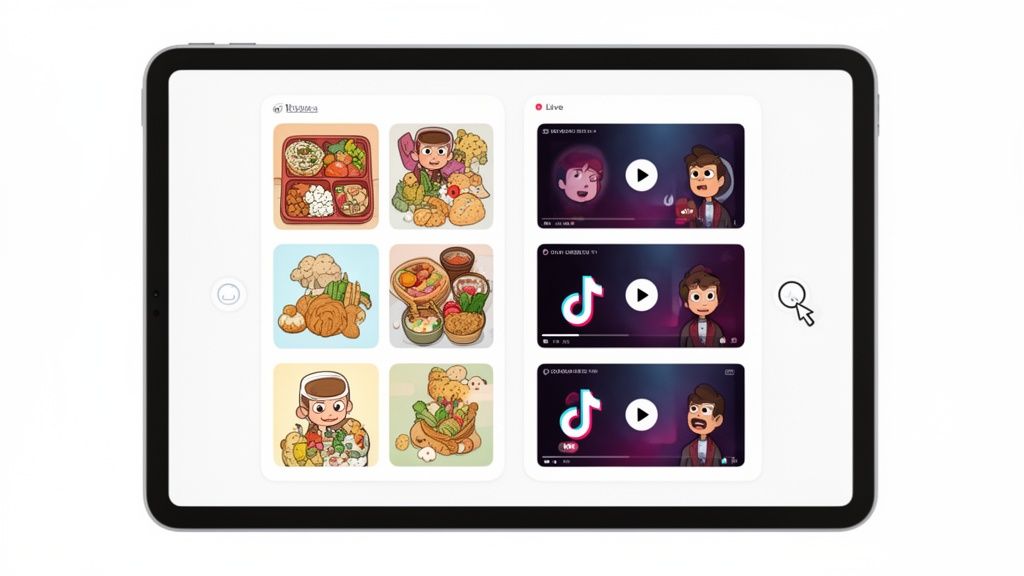
The real power here comes from smart widgets. These aren't just hyperlinks. They are live, dynamic windows into your other platforms that update automatically. This means you can create a hub where your audience can see the best of both your worlds without ever leaving the page.
Picture this: a new follower from TikTok clicks your bio link. Instantly, they see a grid featuring:
- Your Latest Instagram Photos: A widget pulls in your six most recent Instagram posts, complete with your live follower count and a follow button.
- Your Top TikTok Videos: Right next to it, another widget showcases your three latest TikToks, also with a live follower count.
- Your Other Passions: You can add blocks for your latest YouTube video, a Spotify playlist you’re loving, or a direct link to your online shop.
This setup transforms a passive click into an active exploration. Your audience gets a complete snapshot of your brand in seconds, making them far more likely to engage with all of your content, not just one platform.
A follower who sees your curated world in one place is more likely to understand your full value as a creator. It's the difference between showing them a single photo and giving them a full gallery tour.
Full Creative Control Over Your Digital Storefront
The drag-and-drop interface gives you complete control. You can resize widgets to emphasize what's most important, arrange them in a unique layout that matches your brand’s aesthetic, and customize colors and fonts. It’s your digital storefront, and you are the designer.
For a content creator juggling Instagram's polished photo grids and TikTok's high-energy videos, this ability to link Instagram to Tik Tok visually is a growth multiplier. We know that just repurposing TikTok content on Instagram can lead to a 32% drop in performance. But a Taap.bio page that displays your top TikToks alongside your recent Instagram grid keeps audiences hooked without forcing them to jump between apps. With users projected to watch 92 TikToks daily by 2025, capturing that attention in one seamless hub is crucial.
This level of customization is what sets it apart from more basic tools. You can read more about why creators are choosing this modern approach in our breakdown of the best link in bio platforms.
How to Build Your Taap.bio Hub
Setting up your dynamic page is surprisingly intuitive. You just connect your social accounts, and Taap.bio pulls in the data to power the widgets. From there, it's all about creativity.
- Add Your Social Widgets: First, drop the Instagram and TikTok widgets onto your canvas.
- Arrange Your Layout: Drag and resize the blocks to create a visual hierarchy. Maybe your Instagram grid is the star of the show, or perhaps you want to feature your latest TikTok right at the top.
- Customize Your Design: Choose your background, select your brand colors, and pick fonts that reflect your personal style.
- Add Other Essential Links: Don’t forget to include links to your website, affiliate products, or anything else you want to promote.
By creating a central hub, you make it incredibly easy for your audience to follow you everywhere. You’re not just giving them a link; you’re giving them a curated experience that tells your entire brand story in a single click.
Smart Strategies for Cross-Platform Success
Alright, you've got your profiles linked up. That's the easy part. The real magic happens when you turn that simple connection into a powerful engine for growth. It’s all about creating a smart synergy where your TikTok presence fuels your Instagram, and vice-versa.
The single biggest mistake I see creators make is just dumping their TikTok videos straight onto Instagram Reels. It rarely works. Why? Because the vibe is completely different. TikTok is all about raw, unfiltered, trend-chasing energy. Instagram, on the other hand, often rewards a more polished, aesthetic-driven feel.
To really win when you link Instagram to Tik Tok, you have to think like a bilingual storyteller—same story, different language for each audience.
Maintaining a Cohesive Brand Identity
Consistency is your best friend. Even if your content formats change, your core brand identity—your colors, your voice, your overall message—needs to feel the same everywhere. This is what makes someone instantly recognize you, whether they're scrolling TikTok or tapping through Instagram Stories.
Here’s how to nail it:
- Visual Branding: Stick to a similar color palette, go-to filters, or font styles. Keep your visuals in the same family.
- Tone of Voice: Are you funny? Educational? Deeply inspiring? Make sure that personality shines through in your captions, on-screen text, and how you speak on camera.
- Consistent Bio: Your bios on both platforms should tell the same core story about who you are and what you offer. It’s your digital handshake. For more on this, check out our guide to crafting the perfect bio for Tik Tok.
When your branding is tight, jumping from your TikTok to your Instagram feels seamless and builds trust with your audience.
Crafting Calls-to-Action That Actually Convert
So, your link is sitting there in your bio. Now what? You can't just expect people to click it. You have to tell them to, and more importantly, give them a compelling reason why. This is where a killer call-to-action (CTA) comes in.
Don't be vague. Instead of just "link in bio," get specific.
Imagine you're a musician dropping a new single. Your Taap.bio page is your launchpad. In your next TikTok, you could end by saying:
"My new track just dropped! Want to see some exclusive behind-the-scenes photos from the studio on my Instagram? Or listen to the full song on Spotify? It’s all waiting for you—just hit the link in my bio!"
See the difference? That CTA offers clear value. It gives people a juicy reason to click, driving them not only to your Instagram but also to your music. If you're looking to keep that momentum going, it's worth learning how to automate social media posts for real growth to keep your audience hooked.
Answering Your Top Questions About Linking Accounts
Alright, so you've got the methods down, but a few practical questions always pop up once you start connecting the dots. Getting these details right from the start is what separates a clunky cross-platform strategy from a seamless one. Let's dig into the common hurdles and questions I see creators run into all the time.
Is This Going to Mess With My Privacy or Security?
This is probably the number one question I get, and for good reason. The good news is, you can relax. When you use the official, built-in feature to link Instagram and TikTok, it’s a secure, platform-to-platform handshake. They aren't sharing your DMs or login info; it’s strictly a way to display your public profile.
The same goes for trusted tools like Taap.bio. They are built using secure authentication methods (like OAuth) that never ask for your password directly. You’re simply giving them permission to display the public content you already share, like your latest posts. You're always in the driver's seat and can revoke access anytime.
Can I Link My Business Instagram to TikTok?
Yep, absolutely. Whether you’re running an Instagram Business or Creator account, you can connect it to your TikTok profile without a hitch. This is true for both the native social icon feature and just dropping the URL into your bio’s website field.
Now, a common trip-up I see is when creators can’t find the "Website" field in their TikTok bio settings. If that’s you, the fix is almost always the same: you’re likely on a Personal TikTok account. Just switch over to a free TikTok Business Account in your settings. This simple flip of a switch usually unlocks the feature instantly, so you can add that crucial link.
My Takeaway: Don't stress about your account type—both personal and business profiles work. The real key is making sure your TikTok account is set up as a Business account to get that clickable link in your bio.
What’s the Best Way to Actually Get People to Click My Link?
Just having the link there isn't enough. You have to actively guide people to it. I've found that a single, quick "link in bio" mention is too easy for people to ignore while they're scrolling. The most effective strategy I've seen is a three-pronged approach—hit them with the call-to-action from every angle.
Here’s how you do it:
- Say It Out Loud: Use a verbal cue in your video. Something as simple as, "I break it all down in my latest IG post—the link is in my bio!" makes a huge difference.
- Show It on Screen: Add a text overlay or a sticker that physically points toward your profile. Visual cues are incredibly powerful.
- Write It in the Caption: Finally, reinforce the message one last time right in your caption.
This triple-threat method ensures your message lands, whether your audience is watching with sound on or off. Of course, to do any of this, you first need to grab your profile URL. If you're not sure where to find it, our guide on how to copy your Instagram link will show you in seconds.
Ready to stop sending followers on a scavenger hunt? With Taap.bio, you can turn that single bio link into a central hub for your brand. Showcase your best Instagram content, feature your viral TikToks, and connect all your important links on one beautiful, easy-to-navigate page. Build your stunning Taap.bio page for free today!


