In a crowded online space, a personal landing page is no longer a 'nice-to-have' item; it's your central hub for everything you are and everything you do. Think of it as your digital handshake, portfolio, and primary call-to-action, all rolled into one powerful, single link. But what separates a forgettable page from one that truly captivates and converts visitors into followers, clients, or fans? It all comes down to smart design, strategic content placement, and a crystal-clear purpose.
This guide moves beyond generic advice to dissect real-world personal landing page examples, revealing the specific tactics that make them so effective. We are going to break down the layouts from top-tier platforms like Taap.bio, Carrd, and Framer, analyze their content strategy, and provide actionable takeaways you can immediately apply. Maintaining a cohesive visual brand across platforms is vital for this digital asset. For instance, using an Instagram Grid Generator can help you plan your Instagram feed to perfectly align with the aesthetic presented on your personal landing page, creating a seamless brand experience.
Our goal is to help you find the best inspiration and tools for your specific needs, whether you're a freelancer, creator, musician, or small business owner. Each example includes screenshots and direct links so you can see them in action. Get ready to transform your online presence from a simple list of links into a memorable destination that drives results.
Table of contents
1. taap.bio
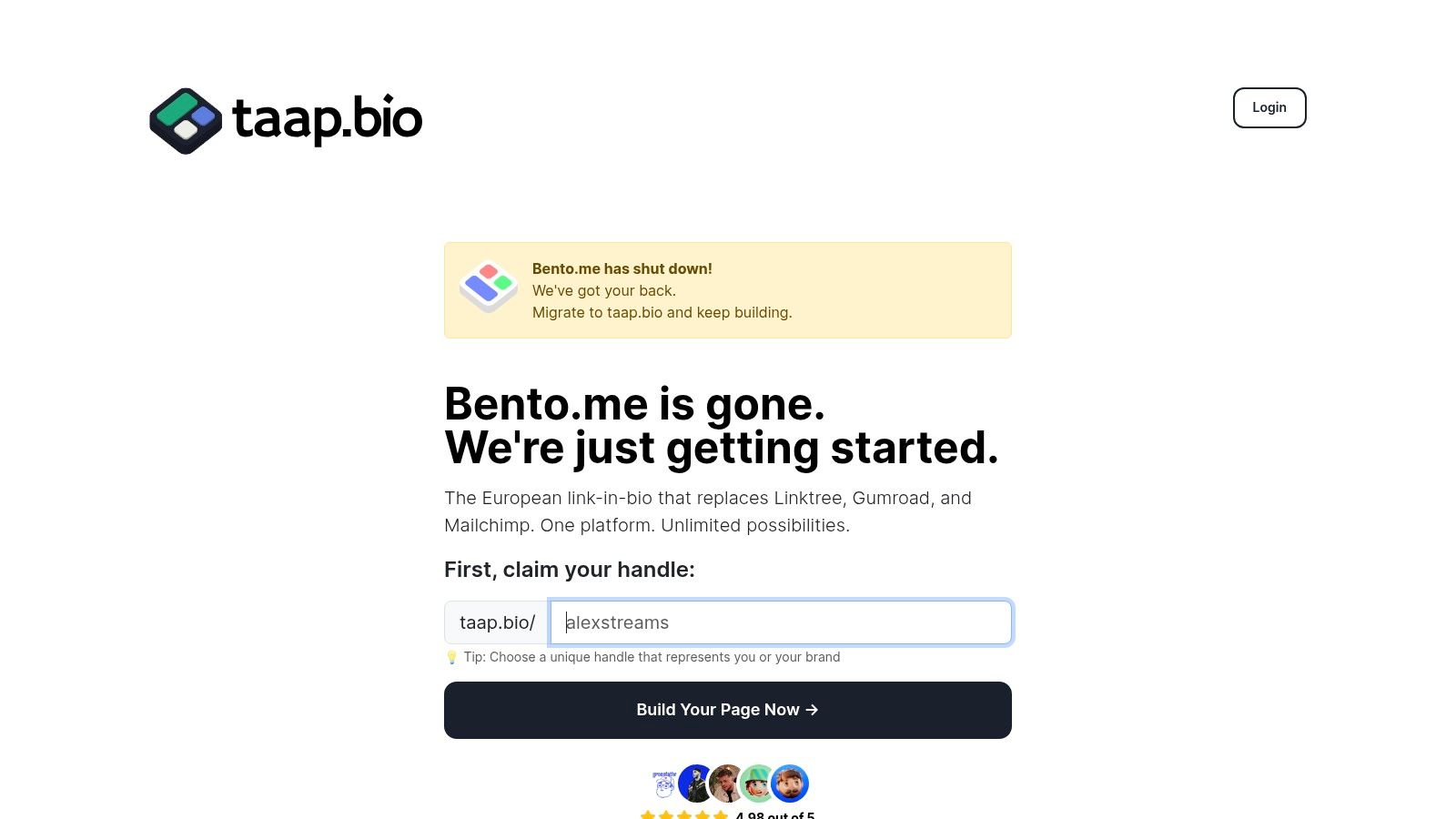
Taap.bio elevates the standard "link in bio" into a dynamic and highly visual personal landing page. It moves beyond simple link lists, offering a modular, bento-style grid where creators can build a rich, branded destination. This platform is a powerful choice for those who want their page to be an immersive extension of their brand identity, making it one of the most versatile personal landing page examples available.
Its core strength lies in its drag-and-drop canvas, which allows for fully independent layouts on mobile and desktop. This dual-canvas approach ensures your page is perfectly optimized for every visitor, regardless of their device. Instead of a one-size-fits-all design, you can strategically arrange content blocks, creating a unique and engaging user experience that directs attention where it matters most.
Strategic Breakdown: Why Taap.bio Excels
Taap.bio's architecture is built around "smart widgets" that pull in live data from other platforms. This transforms your page from a static directory into a living portfolio that updates automatically.
- Dynamic Content Integration: Embed live GitHub contribution graphs, interactive Figma prototypes, or real-time Dribbble shots. This is ideal for developers and designers who need to showcase current work without constant manual updates.
- Immersive Media Experience: Audio creators gain a significant advantage with inline playback for Spotify and podcasts. Visitors can listen to tracks, albums, or full episodes directly on your page, reducing friction and increasing engagement.
- Visual Hierarchy and Branding: The platform offers granular control over aesthetics. Customize everything from fonts and backgrounds to widget sizes and video avatars. This level of customization allows you to build a strong visual flow that guides visitors through your most important content.
For those transitioning from other platforms, Taap.bio offers a one-click migration tool for Bento.me users, importing layouts and links in seconds. This seamless onboarding is a clear signal that the platform values user time and convenience.
Key Takeaway: Taap.bio is more than a link aggregator; it's a micro-website builder. Its focus on live data widgets and separate mobile/desktop designs empowers creators to build a truly interactive and professional online hub.
Practical Application: Who is it for?
The platform is exceptionally well-suited for a diverse range of creators and professionals:
- Designers & Developers: Showcase live projects from Behance, Dribbble, and Figma, alongside your GitHub activity.
- Musicians & Podcasters: Use inline Spotify and podcast players to let fans sample your work without leaving the page.
- Freelancers & Consultants: Combine testimonial blocks, service links, and portfolio pieces to create a compelling professional snapshot.
- Content Creators: Integrate your latest YouTube videos, TikTok clips, and Instagram posts into one cohesive, brand-aligned grid.
Getting Started
Taap.bio is a European-based alternative that emphasizes ease of use and powerful features. You can begin with a free plan that doesn't require a credit card, making it accessible to anyone looking to elevate their online presence. While public pricing for advanced tiers isn't prominently displayed, the free offering is robust enough for many users to build a stunning page. If you want to understand the fundamentals of this format, you can learn more about what a bio link is and how it functions as a central hub for your online identity.
Website: https://taap.bio
2. ThemeForest (Envato Market) — Landing Page Templates
ThemeForest is a sprawling digital marketplace, not a website builder, and it’s a goldmine for anyone who wants total control without starting from scratch. Instead of paying a monthly subscription, you buy a pre-designed template as a one-time purchase. This is a powerful option if you're comfortable with basic web hosting and want a beautiful, professional personal landing page without recurring fees.
Think of it as buying a professionally designed blueprint. You get all the HTML, CSS, and JavaScript files, which you then upload to your own web hosting service. The sheer volume of choice is its biggest advantage. With over a thousand templates, you can find a design that perfectly matches your personal brand, whether you’re a minimalist developer, a vibrant artist, or a corporate consultant.
Why It's a Top Choice for Self-Starters
What makes ThemeForest stand out is the combination of professional design and affordability. For a single payment, often between $15 and $30, you get access to a template that would cost hundreds or thousands to have custom-built. This model is ideal for creating a permanent online home that you own and control completely.
Strategic Insight: The one-time purchase model is cost-effective in the long run. If your personal landing page has stable content that doesn’t require weekly updates via a complex CMS, a self-hosted template from ThemeForest can save you hundreds per year compared to subscription-based builders.
Key Features and Practical Tips
| Feature | Details |
|---|---|
| Pricing Model | One-time purchase, typically $12 - $60 per template. |
| Tech Stacks | HTML, WordPress, Bootstrap, Tailwind CSS, React, Next.js, and more. |
| Best For | Individuals with some technical confidence who want a high-end design on a budget. |
| Hosting | You must provide your own web hosting (self-hosted). |
Pro Tips for Choosing a Template:
- Check Ratings and Comments: Look for templates with high ratings and recent, positive comments. This indicates a quality product and a responsive author.
- Review the Update History: A template that is regularly updated is less likely to have outdated code or security vulnerabilities.
- Explore the Live Preview: Always use the "Live Preview" feature to see exactly how the site looks and functions on both desktop and mobile before you buy.
For those just getting started, understanding the fundamentals of what makes a landing page effective is key. You can learn more about the core principles of a landing page to help you select a template that truly converts visitors.
Website: https://themeforest.net/category/marketing/landing-pages
3. Webflow Templates Marketplace
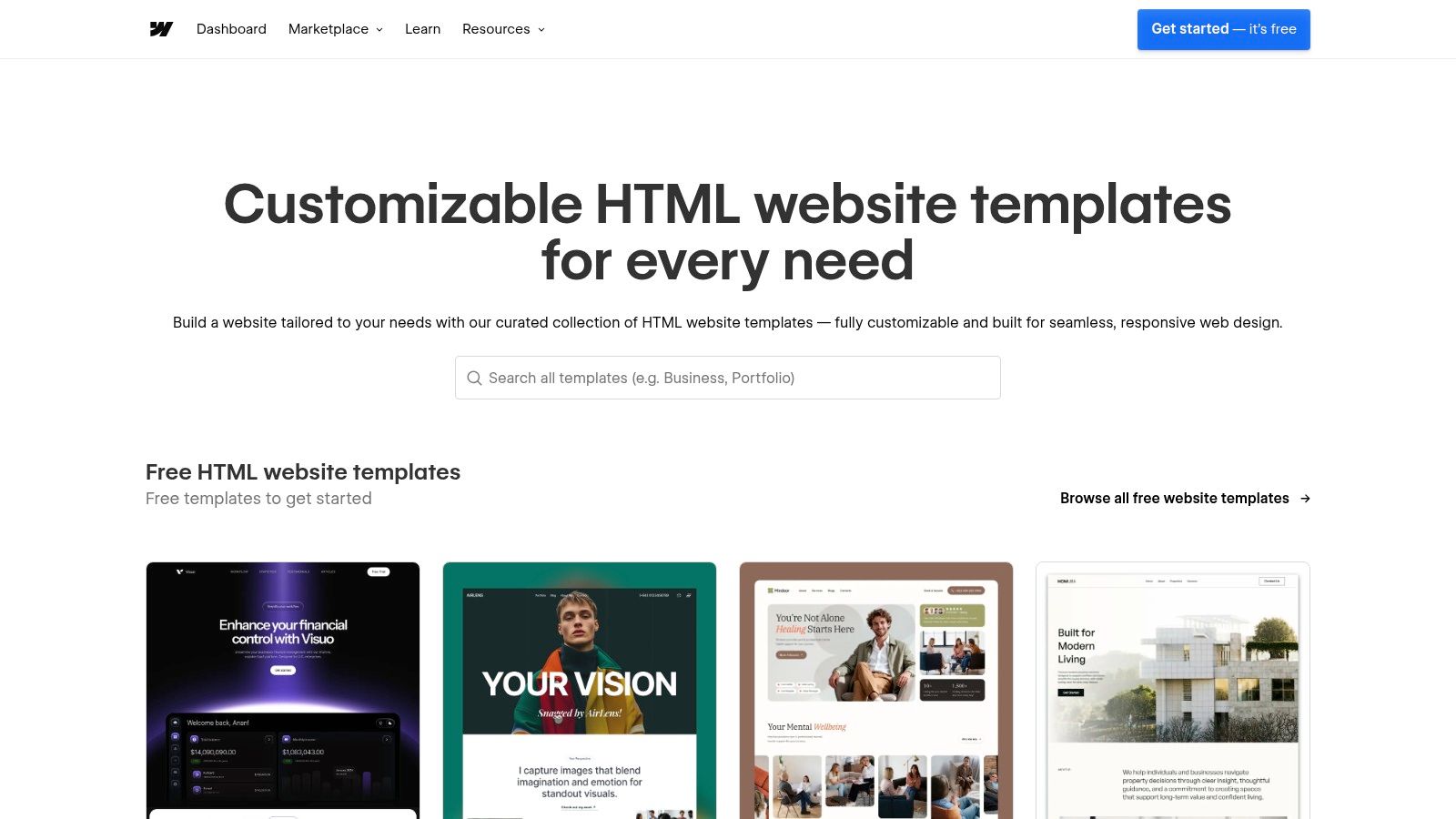
The Webflow Templates Marketplace offers a curated collection of premium, responsive templates that can be visually customized without writing code. This platform is a perfect middle-ground between simple builders and custom development, providing designer-grade templates that serve as a powerful foundation for a stunning personal landing page. You get the polish of a custom-built site with the control of a visual editor.
Think of it as acquiring a high-performance vehicle that you can visually tune to perfection. You purchase a template and then use Webflow’s best-in-class Designer to modify every element, from fonts and colors to complex animations and interactions. The marketplace’s ‘Personal’ and ‘Landing Pages’ categories are filled with sleek, modern designs ideal for creators, freelancers, and professionals who want to make a strong visual impact.
Why It's a Top Choice for Design-Focused Individuals
Webflow stands out for its unmatched design quality and customization capabilities. The templates are not just static HTML files; they are fully-fledged Webflow projects built with clean, semantic code. This means you can add sophisticated interactions and animations that bring your personal landing page to life, creating a memorable experience for your visitors without needing to be a developer.
Strategic Insight: The ability to "Preview in Designer" before buying is a game-changer. It eliminates buyer's remorse by letting you see exactly how the template is built and how easy it will be to customize, ensuring it meets your needs before you commit.
Key Features and Practical Tips
| Feature | Details |
|---|---|
| Pricing Model | One-time purchase per template, typically $24 - $129. Licensed for a single project. |
| Tech Stacks | Built natively for the Webflow platform (visual no-code editor). |
| Best For | Creators and professionals who prioritize high-end design, interactions, and full visual control. |
| Hosting | Requires a Webflow Site plan to connect a custom domain and go live. |
Pro Tips for Choosing a Template:
- Use the "Preview in Designer" Feature: This is the most powerful tool. Open the template in the Webflow Designer to inspect its structure, styles, and responsiveness.
- Check Creator Support: Look at the template details to see what level of support the creator offers. Good documentation and responsive support are crucial.
- Prioritize Responsiveness: Use the preview to check how the template looks and feels on mobile, tablet, and desktop views. A great personal landing page works perfectly on every device.
For those who value this level of visual control, exploring a no-code landing page builder like Webflow can unlock professional-level results without the steep learning curve of traditional coding.
Website: https://webflow.com/templates
4. Framer Templates Marketplace
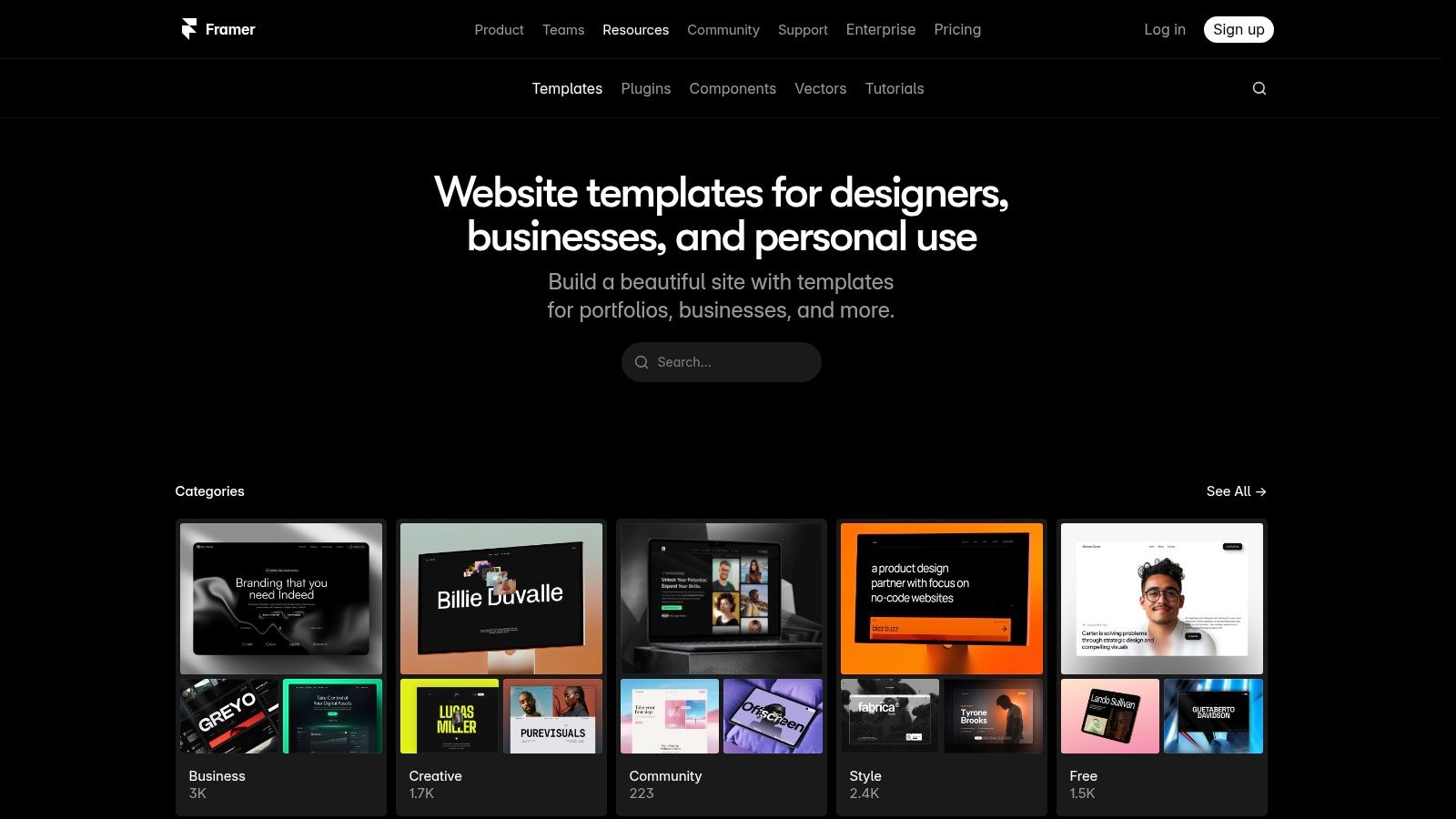
Framer is a modern design and publishing platform that excels at creating websites that feel more like interactive apps. Its template marketplace is a curated collection of sleek, animation-forward designs perfect for anyone wanting a polished and dynamic personal landing page without needing to code. It combines a powerful visual editor with integrated, high-performance hosting, making it incredibly fast to go from template to live site.
The platform is designed for creators who prioritize contemporary aesthetics and smooth user experiences. Think fluid animations, interactive components, and a clean, minimalist feel. Unlike marketplaces that just provide code, Framer gives you a template directly inside its visual editor, allowing for one-click publishing. This integrated approach simplifies the entire process, handling everything from design customization to hosting and CDN deployment for you.
Why It's a Top Choice for Modern Creators
Framer stands out by making high-end, animated web design accessible. Traditionally, creating the fluid interactions seen in Framer sites required significant development skill. Here, you can choose a professional template, customize it in a visual canvas, and publish a blazing-fast site in minutes. The editor, hosting, and template are all part of one seamless ecosystem, which is a major advantage for those who want a stunning result with fewer technical hurdles.
Strategic Insight: Framer's integrated hosting and performance optimization are key differentiators. For a personal landing page where first impressions matter, fast load times and smooth animations can significantly boost credibility and user engagement. It's a system built for performance from the ground up.
Key Features and Practical Tips
| Feature | Details |
|---|---|
| Pricing Model | Free and paid templates (one-time purchase), plus a required Framer hosting subscription (free and paid tiers available). |
| Tech Stacks | A proprietary visual editor that outputs optimized React code. No direct coding is required to use templates. |
| Best For | Designers, developers, and creators who want a highly polished, app-like personal site with minimal setup. |
| Hosting | Fully integrated and managed by Framer, with a global CDN included on all plans. |
Pro Tips for Using Framer:
- Leverage AI Features: Use Framer's built-in AI to help generate or refine text, and even create unique color palettes, speeding up the customization process.
- Start with a Remix: Many free templates can be "remixed" instantly. This copies the entire project to your dashboard, giving you a perfect sandbox to experiment with before you commit.
- Test Interactivity: Beyond the live preview, click around and interact with a template's components. The unique value of Framer lies in its animations and interactive elements, so make sure they fit your brand's style.
Website: https://www.framer.com/templates
5. Carrd — One-Page Site Builder + Templates
Carrd has carved out a niche as the go-to builder for creating simple, elegant, and incredibly fast one-page websites. It’s not trying to compete with complex, multi-page builders; instead, it perfects the art of the single-page experience. This makes it an exceptional choice for creating a personal landing page, a digital business card, a link-in-bio hub, or a focused portfolio.
The platform is built on simplicity and speed. You start with a responsive template and use a straightforward, intuitive editor to customize it. For anyone who feels overwhelmed by the complexity of traditional website builders, Carrd is a breath of fresh air. It strips away unnecessary features, allowing you to launch a professional-looking site in minutes, not days. Its affordability is almost legendary, making it accessible to absolutely everyone.
Why It's a Top Choice for Simplicity and Speed
What makes Carrd a standout choice is its laser focus on doing one thing exceptionally well: building beautiful one-page sites. Its free plan is generous enough for a basic online presence, while its Pro plans are so affordable they’re practically an impulse purchase. This combination of ease-of-use, professional templates, and low cost is unmatched for individuals who need a stylish digital hub without the overhead of a full website.
Strategic Insight: Carrd is the ultimate tool for "minimum viable presence." If you need to establish a professional online identity quickly, link to your socials, and maybe collect emails, Carrd allows you to do so with almost zero friction. Its performance-first approach also ensures your page loads instantly, creating a great first impression.
Key Features and Practical Tips
| Feature | Details |
|---|---|
| Pricing Model | Freemium. Pro plans start at just $19 per year. |
| Tech Stacks | Proprietary drag-and-drop editor. Pro allows custom HTML/JS embeds. |
| Best For | Creators, freelancers, and professionals needing a simple, low-cost personal landing page. |
| Hosting | Fully hosted by Carrd. Pro plans support custom domains. |
Pro Tips for Using Carrd:
- Leverage Sections: Use Section breaks to create the illusion of multiple pages on a single scrolling site. This is great for separating your bio, portfolio, and contact info.
- Explore Embeds: The Pro plan’s embed feature is powerful. You can add anything from a Mailchimp signup form to a Gumroad product or a YouTube video.
- Keep It Focused: Carrd excels at minimalism. Resist the urge to clutter your page. Prioritize one primary call-to-action to guide your visitors effectively.
For those who value speed and simplicity, Carrd is a top contender. To see how it stacks up against similar tools, you can explore this detailed guide on the best one-page website builders available today.
Website: https://carrd.co
6. Squarespace — Templates Gallery + All-in-One Builder
Squarespace is a premium, all-in-one platform known for its award-winning designs and ease of use, making it a top contender for creating a sophisticated personal landing page. It’s not just a builder; it's a complete ecosystem that includes hosting, analytics, and security, allowing you to launch a professional online presence with minimal technical fuss. It's the perfect choice for creators and professionals who prioritize aesthetics and want a platform that can grow with them.
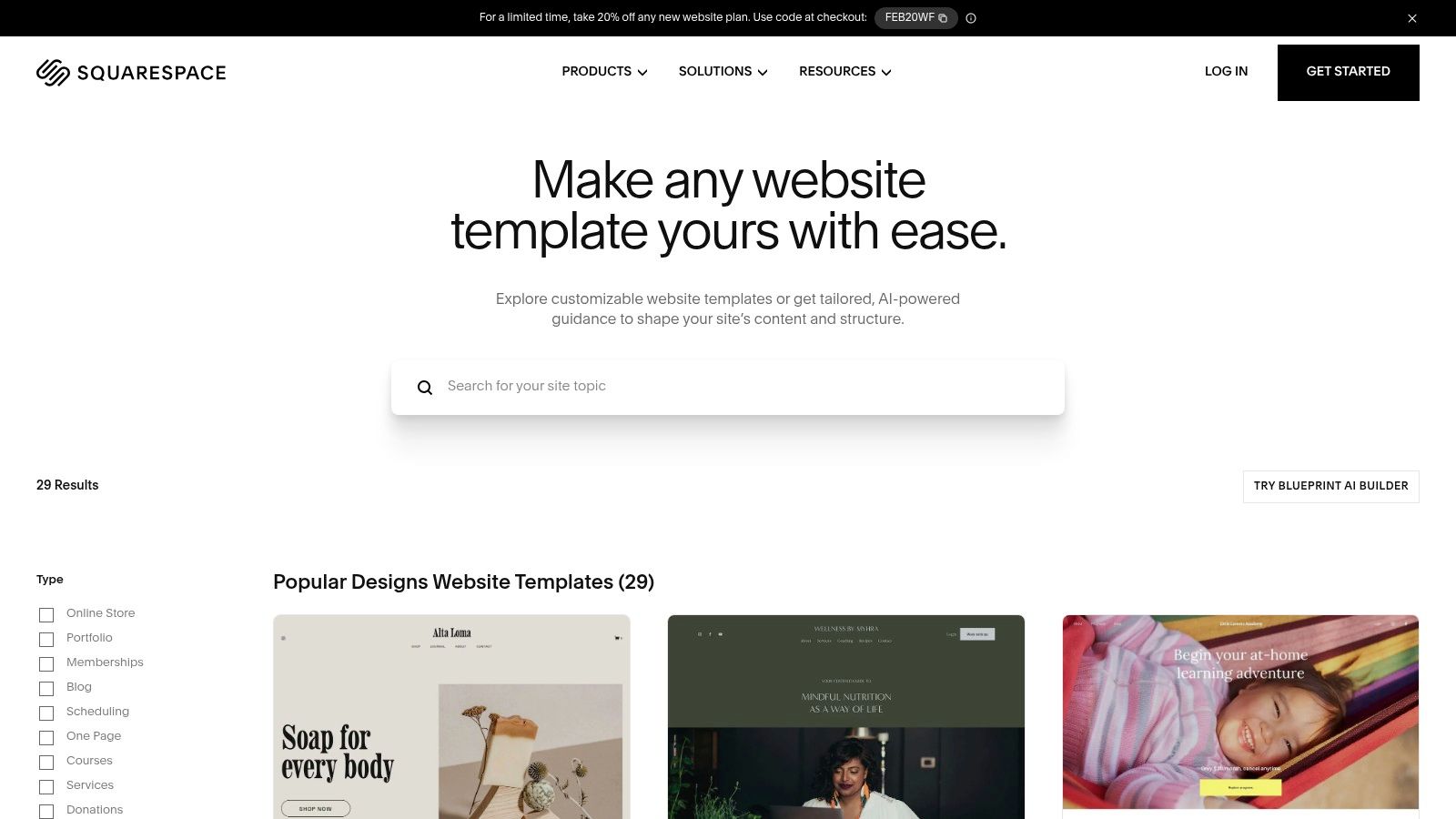
Unlike platforms focused solely on simple link lists, Squarespace provides a foundation for a more substantial digital identity. You can start with a clean, single-page layout and later expand it into a full portfolio, blog, or even an online store without ever switching services. Its templates are designer-grade and fully responsive, ensuring your page looks stunning on any device.
Why It's a Top Choice for Brand Builders
What sets Squarespace apart is its seamless integration of powerful features within a beautifully designed package. You get top-tier design out of the box, backed by a robust infrastructure. This makes it ideal for personal brands that need a landing page today but might need an e-commerce store, appointment scheduling, or a member's area tomorrow. The platform scales effortlessly to meet your ambitions.
Strategic Insight: Squarespace is an investment in your brand's future. By starting your personal landing page here, you build on a platform that can handle advanced functionality later. This avoids the "platform-hopping" that often occurs when a simple link-in-bio tool can no longer support your growing business needs.
Key Features and Practical Tips
| Feature | Details |
|---|---|
| Pricing Model | Subscription-based, starting from around $16/month (billed annually). 14-day free trial available. |
| Tech Stacks | Proprietary all-in-one platform. No coding required, but custom CSS/JS is supported on higher plans. |
| Best For | Professionals, creators, and consultants who value premium design and want a scalable, long-term solution. |
| Hosting | Fully managed and included in all subscription plans, ensuring reliability and security. |
Pro Tips for Getting Started:
- Start with a "Personal & CV" Template: Browse the template gallery and filter for designs in the "Personal & CV" or "Portfolio" categories. These are often structured perfectly for personal landing page examples.
- Leverage the Fluid Engine: Get comfortable with Squarespace's Fluid Engine editor. It gives you drag-and-drop control over your layout, allowing you to create unique, magazine-style designs that stand out.
- Use Cover Pages for Simplicity: If you only need a single, impactful page, consider using a "Cover Page" layout. They are designed to be concise, visually striking introductions to your brand.
Website: https://www.squarespace.com/templates
7. Linktree — Examples/Inspiration + Link-in-Bio Builder
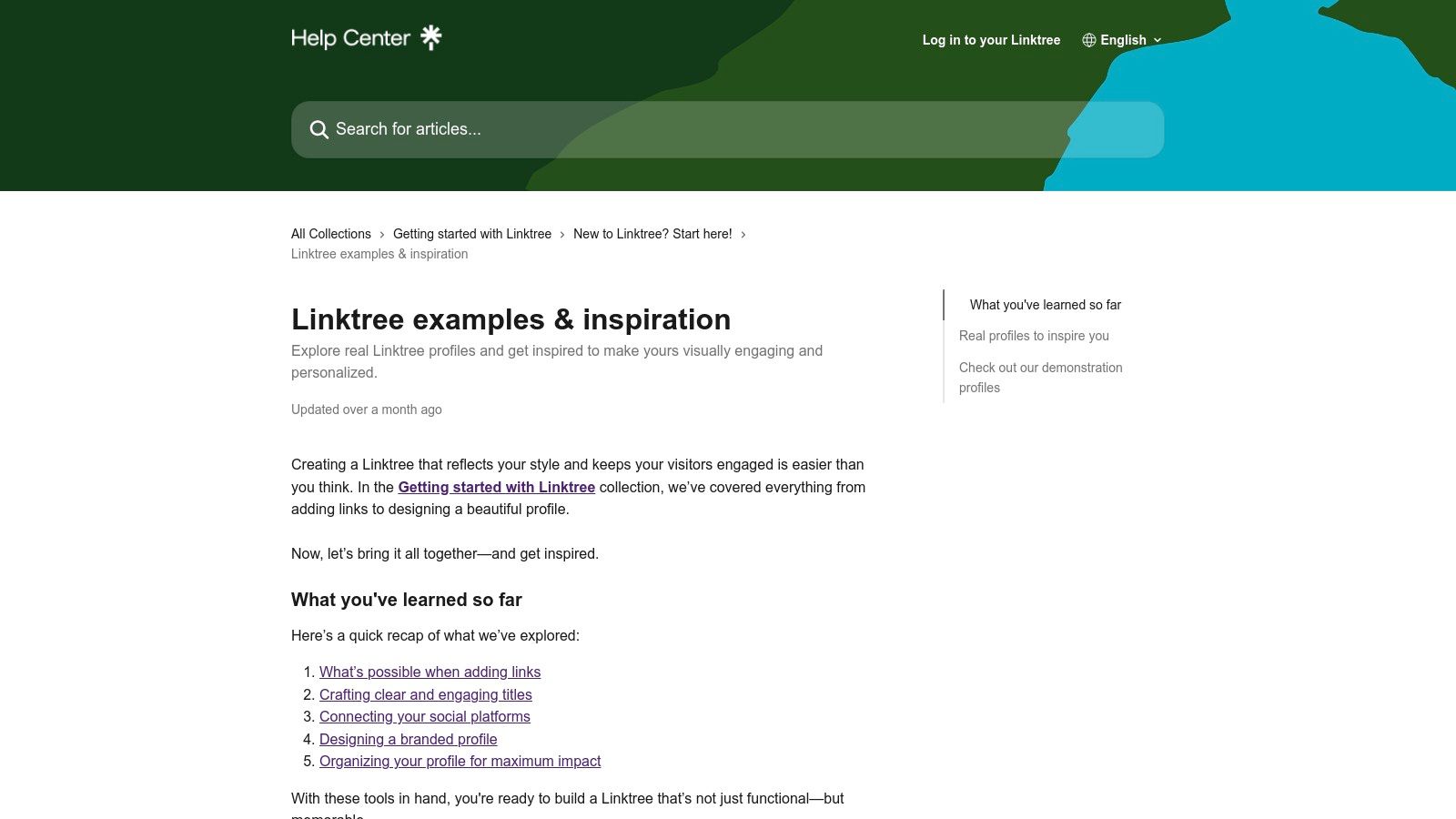
Linktree is the platform that popularized the "link-in-bio" concept, offering a fast and efficient way to create a mobile-first personal landing page. While primarily a tool, its true value for someone seeking inspiration comes from its massive user base and curated collections. The platform actively showcases top-performing and creative profiles, providing a rich, real-world library of personal landing page examples built by creators, brands, and influencers.
This makes Linktree a dual-purpose resource: it's both a builder and a living gallery. You can study how others organize their links, embed media, and express their personal brand within the platform's framework. The Examples & Inspiration hub is specifically designed to help you discover layouts and strategies that you can immediately apply to your own page.
Why It's a Top Choice for Social-First Creators
Linktree excels at speed and social integration. For creators who need to quickly direct followers from platforms like Instagram or TikTok to multiple destinations, it is often the most direct solution. Its editor is straightforward, and the ability to embed content directly from YouTube, Spotify, and other social apps makes for a dynamic, media-rich landing page with minimal effort.
Strategic Insight: Linktree’s strength is in its ecosystem and user expectations. Millions of users are conditioned to click a Linktree URL, making it a low-friction choice. Study their "Top Performing" examples to see what link text, layout, and media embeds are driving the most engagement for creators in your niche.
Key Features and Practical Tips
| Feature | Details |
|---|---|
| Pricing Model | Free plan available. Paid tiers (Starter, Pro, Premium) add customization, analytics, and commerce features. |
| Tech Stacks | Proprietary no-code builder focused on link management and social media integrations. |
| Best For | Social media creators, musicians, and influencers who need a quick, mobile-friendly link hub. |
| Hosting | Fully hosted by Linktree; no external hosting required. |
Pro Tips for Using Linktree:
- Explore the Inspiration Hub: Don't just start building. Spend time in the "Examples & Inspiration" section to see how different creators use themes, layouts, and link apps to stand out.
- Prioritize Your Top Links: Place your most important call-to-action (e.g., "Latest YouTube Video" or "Shop Merch") at the top of your list for maximum visibility.
- Use Link Apps for Engagement: Instead of just linking to your Spotify, embed a playable track or podcast episode directly on your page to capture visitors' attention immediately.
While Linktree is a dominant player, it's always wise to explore the landscape. Understanding the features and design philosophies of other platforms can help you make a more informed choice, and you can discover more by reviewing some of the top alternatives to Linktree currently available.
Website: https://linktr.ee/help/en/articles/8628237-linktree-examples-inspiration
7-Platform Comparison: Personal Landing Page Examples
| Item | Implementation Complexity (🔄) | Resources / Cost & Speed (⚡) | Expected Outcomes (📊 / ⭐) | Ideal Use Cases (💡) | Key Advantages (⭐) |
|---|---|---|---|---|---|
| taap.bio | 🔄 Moderate — canvas editor with per-device layouts; modest learning curve | ⚡ Free starter; paid tiers likely; media-rich pages may impact load | 📊 High visual polish and engagement; ⭐⭐⭐⭐ — live widgets increase freshness | 💡 Creators, designers, musicians, podcasters, freelancers, small businesses wanting a brandable mini‑site | ⭐ Rich smart widgets (live embeds, inline audio), drag-and-drop grid, strong visual customization |
| ThemeForest — Landing Page Templates | 🔄 Medium–High — purchase + self‑host/setup varies by template | ⚡ One‑time purchase; requires hosting/maintenance (cost-effective long term) | 📊 Variable quality; can be professional if vetted; ⭐⭐–⭐⭐⭐⭐ depending on author | 💡 Developers or DIY users who want a self‑hosted, single‑use template | ⭐ Huge selection across tech stacks, demos, and author support |
| Webflow Templates Marketplace | 🔄 Low–Medium — visual Designer editing; some publish setup required | ⚡ Paid templates + Webflow site plan for custom domains; fast prototyping | 📊 High design fidelity and modern interactions; ⭐⭐⭐⭐ | 💡 No‑code creators wanting designer-grade templates with animation | ⭐ Designer preview, polished templates, visual no‑code customization |
| Framer Templates Marketplace | 🔄 Low — visual editor with one‑click publish on Framer hosting | ⚡ Free & paid templates; integrated hosting/CDN enables very fast launches | 📊 Sleek, performant pages with animations; ⭐⭐⭐⭐ | 💡 Creators seeking app‑like, animation-forward personal pages with integrated hosting | ⭐ Integrated hosting, smooth animations, built‑in CMS/AI tools on higher tiers |
| Carrd — One‑Page Builder | 🔄 Very low — simple drag‑and‑drop one‑page editor | ⚡ Extremely affordable; Pro adds domains/embeds; very fast to publish | 📊 Lightweight, fast landing pages ideal for simple needs; ⭐⭐⭐ | 💡 Quick personal pages, resumes, link hubs or portfolio‑lite sites | ⭐ Low cost, speed, ease of use |
| Squarespace — All‑in‑One Builder | 🔄 Low–Medium — WYSIWYG editor (Fluid Engine) with scalable features | ⚡ Subscription pricing (no permanent free plan); reliable hosting & support | 📊 Polished, scalable sites that can grow to blog/store; ⭐⭐⭐⭐ | 💡 Personal brands that may expand into blogging, newsletters, ecommerce | ⭐ High‑quality templates, integrated analytics/commerce/SEO |
| Linktree — Link‑in‑Bio Builder | 🔄 Very low — fastest setup for link hubs | ⚡ Free tier available; paid plans add appearance/analytics; very quick deploy | 📊 Effective link aggregation and social embeds; limited layout freedom; ⭐⭐⭐ | 💡 Creators needing immediate, social‑integrated link hub and inspiration examples | ⭐ Speed to launch, large ecosystem, examples/inspiration hub |
From Inspiration to Action: Build Your Personal Landing Page Today
We've journeyed through an inspiring gallery of personal landing page examples, dissecting what makes them so effective. From the modular creativity of Taap.bio's bento grids to the structured elegance of Webflow and Squarespace templates, a powerful theme emerges: a great personal landing page is more than just a list of links. It's a strategic digital headquarters, a visual story, and your most valuable piece of online real estate.
The creators, freelancers, and entrepreneurs behind these exceptional pages understand a fundamental principle. They don't overwhelm visitors with every single link; they curate an experience. They guide their audience's attention toward the actions that matter most, whether that's listening to a new podcast episode, booking a consultation, or subscribing to a newsletter.
Recapping the Core Strategies
As we analyzed examples built with tools like Carrd, Framer, and Linktree, several key patterns for success became clear. Remember these as you begin to design your own page:
- Clarity Over Clutter: The best pages have a clear visual hierarchy. They use size, color, and placement to draw the eye to the most important call-to-action, ensuring visitors know exactly what to do next.
- Brand Cohesion: A consistent brand identity, from the color palette to the tone of voice, builds trust and recognition. Your personal landing page should feel like an authentic extension of you or your business.
- Strategic Curation: Every link and content block serves a purpose. Instead of a "kitchen sink" approach, successful creators carefully select content that aligns with their current goals and offers the most value to their audience.
- Mobile-First Design: The vast majority of your visitors will arrive via a mobile device. Every example we praised works flawlessly on a smaller screen, offering a smooth and intuitive user experience.
Your Actionable Blueprint for Success
Now, it's time to transition from inspiration to implementation. The examples in this article aren't just for admiration; they are a blueprint you can adapt. Start by defining the single most important action you want a visitor to take. Is it to join your email list? View your portfolio? Buy your latest product? This central goal will be the anchor for all your design and content decisions.
Next, choose the right tool for your specific needs. If you crave ultimate creative freedom and a bento-style layout that breaks the mold of traditional link lists, a builder like Taap.bio is an ideal choice. For those who prefer a more structured, website-like feel with robust templates, platforms like Squarespace or the template marketplaces for Webflow and Framer offer a fantastic starting point. For freelancers and job seekers looking to make a professional statement, your landing page can even function as a portfolio hub. To truly stand out, explore the best free resume website builder tools to create a dynamic, interactive online presence that complements your main page.
The key is to start small and iterate. Don't feel pressured to build the "perfect" page on day one. Launch a simple version that reflects your core message and primary call-to-action. You can always add more complexity, animations, and content blocks as your brand evolves and your goals shift. The digital landscape is dynamic, and your personal landing page should be too. Use these outstanding personal landing page examples not as a restrictive guide, but as a catalyst for your own creativity. Your unique story is waiting to be told.
Ready to turn these insights into your own stunning digital storefront? taap.bio provides the flexible bento grid canvas and powerful blocks you need to build a personal landing page that truly represents you. Start creating your unique, mobile-first experience in minutes and give your audience a single destination for everything you do.