Choosing between Beacon vs. Linktree really boils down to what you want your "link-in-bio" to do for you. Think of it this way: Beacon is designed from the ground up for creators who need to run a business, giving you powerful monetization and analytics tools right out of the gate. Linktree, on the other hand, absolutely nails simplicity and has massive brand recognition, making it the perfect choice for straightforward link sharing.
Table of contents
Your Digital Storefront: A Quick Comparison
Picking a winner here isn't about which tool is universally "better," but which one fits your specific needs right now. If your goal is just to give your followers a simple, clean list of important links, Linktree's no-fuss approach is a proven champion. It just works.
However, if you see your link-in-bio as the central command center for your entire online presence—a place to sell digital products, collect email subscribers, and truly understand who your audience is—then Beacon's incredibly generous free plan gives you a much stronger foundation to build on.
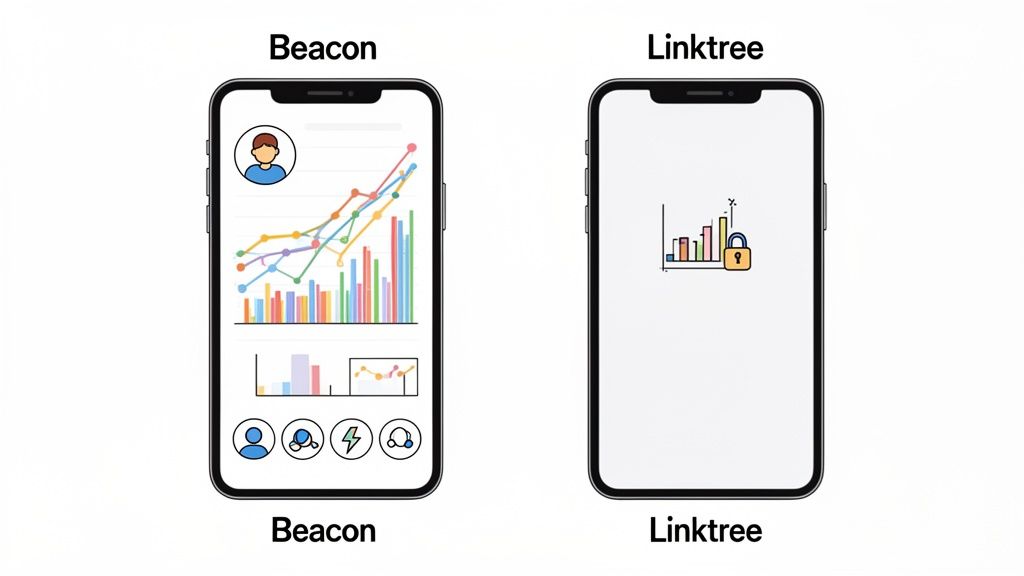
This visual gives you a quick snapshot of where each platform shines. You can see Beacon leans heavily into business tools for creators, while Linktree masters the art of clean, simple link aggregation.
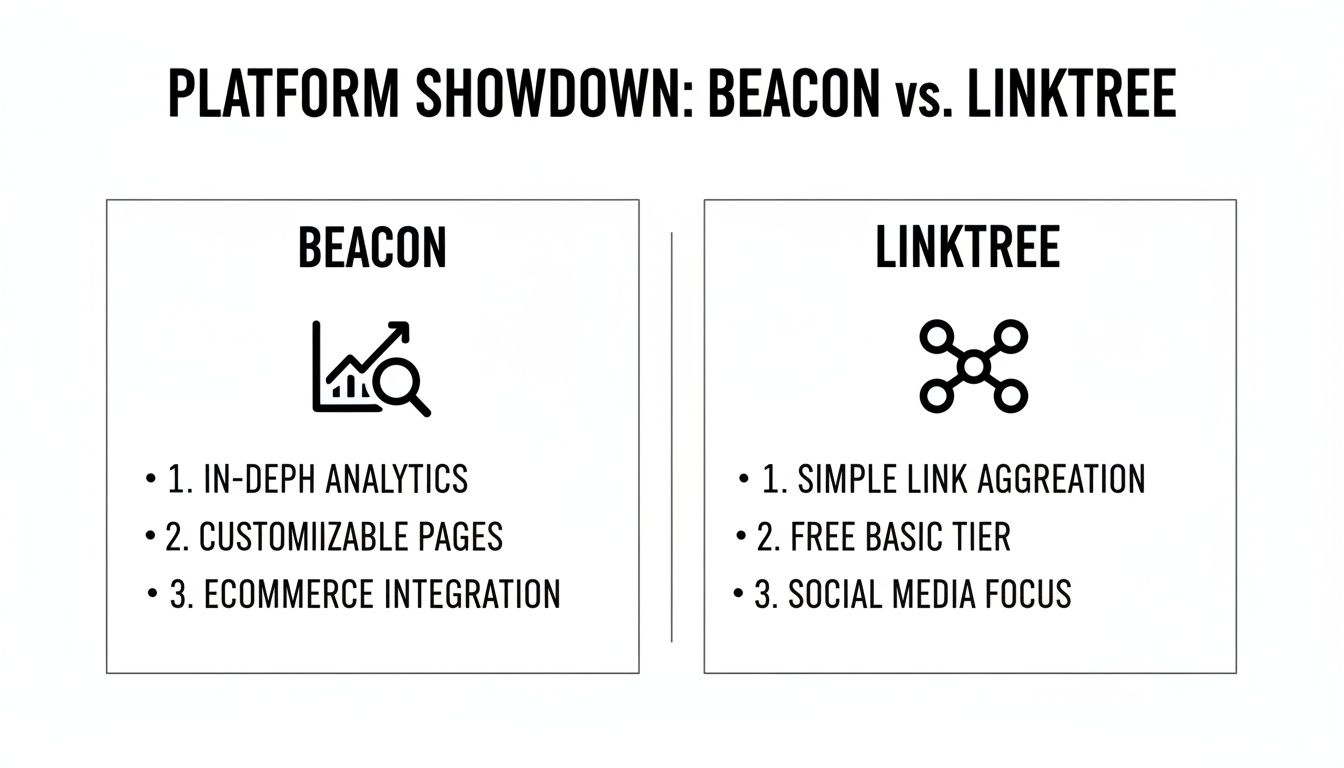
It's clear that while they both solve the "one link" problem, their core philosophies are worlds apart. This difference ripples through everything from their analytics dashboards to their monetization features.
Core Differences at a Glance
The whole link-in-bio market exploded because social media platforms are so restrictive. Thankfully, both Beacons and Linktree solve the main problem by offering unlimited links on their free plans, giving creators on Instagram or TikTok the freedom they need. You can learn more about how these platforms serve creators who feel restricted online at https://taap.bio/blog/best-link-in-bio-platform.
To cut through the noise, let's look at what each platform really offers on their free plans. It's also worth seeing how other tools integrate different functions; for example, you can explore the features of qrstar to see how QR codes can complement your link-in-bio strategy.
Here's a quick table to make the key differences crystal clear.
Beacon vs Linktree Core Differences at a Glance
| Feature | Beacon | Linktree |
|---|---|---|
| Free Analytics | Comprehensive (traffic sources, CTR) | Basic (total views, total clicks) |
| Monetization (Free Plan) | Yes (Digital Store, Tips) | Limited (Tips & Donations only) |
| Transaction Fees (Free Plan) | 9% on digital sales | 10% on tips |
| Customization | Block-based, more like a website | Theme-based, button-focused |
| Creator Tools (Free) | Email/SMS marketing, Lead Gen | Basic email collection |
As you can see, Beacon immediately gives creators focused on growth a serious advantage by including critical business tools without forcing you to upgrade. It’s built for turning followers into customers from day one.
Designing Your Bio Page: A Customization Showdown
Your link-in-bio page isn't just a list of links anymore; it's your brand's digital front door. The way you design this space has a huge impact on your visitor's experience, often determining whether they just click away or truly engage with your content. This is where the core philosophies of Beacon and Linktree diverge in a big way.
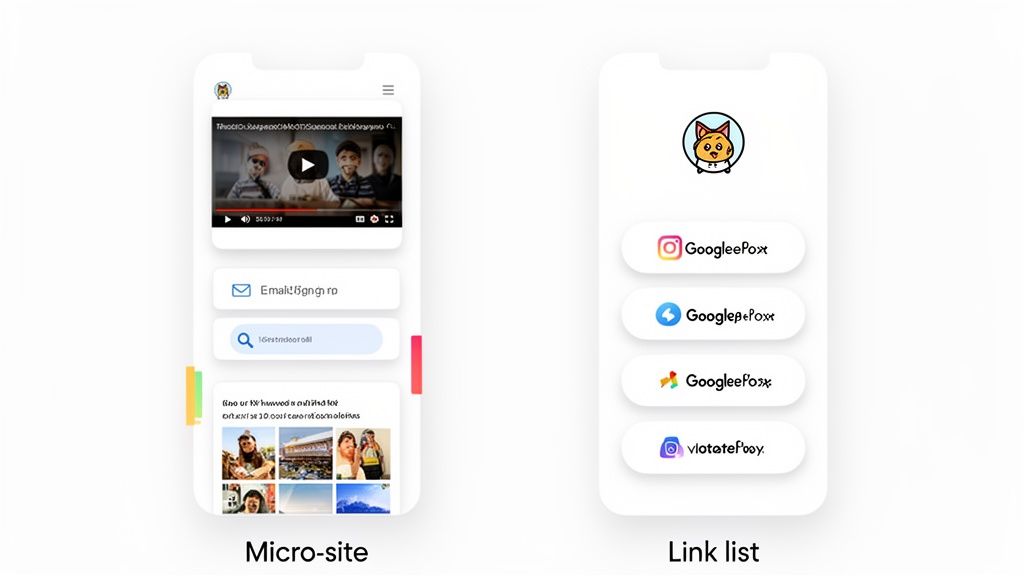
Linktree takes a structured, theme-driven approach. Its real strength is its sheer simplicity, letting you whip up a clean, professional-looking page in minutes. You pick a theme, tweak your colors and fonts, and arrange your links as neat buttons. It's the perfect solution for anyone who needs a polished, no-fuss directory without the headache.
Beacon, on the other hand, plays a completely different game. It uses a flexible, block-based system that treats your page less like a list and more like a miniature website. This modular design gives you the freedom to build a much richer, more interactive experience from the ground up.
Linktree: The Power of Simplicity and Structure
With Linktree, your customization options are all about the look and feel of your links and background. The free plan gives you a decent selection of pre-made themes, but the paid plans are where you unlock more granular control over button styles, unique fonts, and custom backgrounds.
This structured setup is incredibly user-friendly and guarantees a consistent look. You don't need a single ounce of design skill to make your page look good.
Key Customization Features on Linktree:
- Themes and Backgrounds: Pick from a library of themes or, on paid plans, upload your own background image.
- Button Styles: Fine-tune the color, shape, and outline of your link buttons.
- Font Selection: Get access to a curated list of fonts to align with your brand's typography.
- Link Thumbnails: Pop in small images next to your links to give them some visual context.
The main constraint here is the layout itself. You’re essentially locked into a vertical, top-to-bottom list. While you can animate or highlight certain buttons to grab attention, you can't fundamentally change that structure.
Key Insight: Linktree's design philosophy is all about speed and ease. It’s built for people who want to create an attractive, functional link directory fast, without getting lost in complex design tools.
Beacon: Building a Dynamic Micro-Site
Beacon’s block-based editor is what truly separates it from the pack. Instead of just adding "links," you add functional "blocks" to your page that you can drag and drop in any order. This might sound like a small difference, but it opens up a world of creative possibilities.
Think about it: you could embed your latest YouTube video directly on your page, letting visitors watch without ever leaving. Or, you could drop in an email sign-up form to capture leads right from your bio. These aren't just links; they are interactive elements that turn your page into a genuine destination.
Building a great page means thinking about how your audience will use it. You can learn more about creating intuitive layouts by exploring these mobile-first design principles to guide your block placement.
Examples of Beacon's Content Blocks:
- Media Blocks: Embed videos from YouTube or TikTok, or add a Spotify player for your latest track.
- Commerce Blocks: Create a shoppable feed from your latest posts or a digital storefront to sell products directly.
- Engagement Blocks: Add email/SMS opt-in forms, collect audience requests, or add a tipping block for support.
- Text and Layout Blocks: Use headers, dividers, and text blocks to add context and structure your page like a real website.
This modular system allows for a far more dynamic and personal layout. A musician could feature a music video at the top, followed by tour dates, a link to their merch store, and finally, their social media links. A writer could spotlight their latest article, an email newsletter sign-up, and then links to their portfolio. When it comes to Beacon vs Linktree on this point, the difference is stark: one gives you a menu, while the other gives you a canvas.
Of course, this flexibility comes with a slightly steeper learning curve than Linktree's point-and-click setup. But for creators who are serious about building a branded hub, the extra effort pays off big time in audience engagement and conversion potential.
Unlocking Audience Insights with Analytics
Your link-in-bio page isn't just a digital business card; it’s one of your most powerful tools for understanding your audience. The data it gathers tells you exactly what content is hitting the mark, where your traffic is coming from, and how people are actually interacting with your brand. When we compare Beacon vs Linktree, this is where a simple feature difference becomes a massive philosophical divide.
Beacon operates on the belief that analytics are essential for every creator, no matter their budget. That’s why its free plan comes loaded with a full suite of data insights, empowering you to make smart decisions right from the start. Linktree, on the other hand, treats deep analytics as a premium perk, keeping that crucial data locked behind a paywall.
Linktree Analytics: A Gated Approach
On its free plan, Linktree gives you the bare minimum to confirm your page is alive: total views and total clicks. Sure, it’s helpful to know people are showing up, but this data offers very little strategic value. You can see visitors are clicking, but you have no clue what they're clicking, why they're clicking, or who they even are.
To get to the good stuff—the data that actually helps you grow—you have to upgrade. The paid plans unlock more granular insights, such as:
- Individual link performance: Finally, you can see which specific links get the most attention.
- Click-through rates (CTR): Understand the percentage of visitors who click on a given link.
- Location analytics: Discover where in the world your audience is tuning in from.
This tiered model essentially forces new creators and those on a tight budget to fly blind, making it nearly impossible to optimize their strategy with hard data.
Beacon Analytics: Data for Everyone
Beacon’s approach is a complete 180. It’s built on the idea that every creator deserves access to the data they need to build their business. Because of that, its free plan includes a genuinely robust analytics dashboard that rivals what many platforms charge a monthly fee for.
With Beacon, you get complete, real-time analytics for free. We're talking visitor counts, click-through rates on every single link, visitor location data, device types, and user behavior patterns. This isn't watered-down data, either. The free plan even includes conversion tracking and email marketing performance right in the same dashboard, letting you connect the dots between clicks, sales, and sign-ups.
Key Takeaway: Beacon democratizes data by offering comprehensive, free analytics that empower creators to make informed decisions from day one. Linktree’s model restricts this power to paying customers, creating a significant barrier for anyone just starting out.
A Practical Scenario: Content Optimization
Let’s get real. Imagine you're a podcaster who just dropped a new episode. You’ve updated your link-in-bio with a link to the episode on Spotify, a link to your new merch, and a link to your weekly newsletter.
With Linktree’s Free Plan: You check your stats and see 500 views and 150 total clicks. That feels good, but what does it mean? You have no idea how those clicks were distributed. Did people rush to the Spotify link? Did anyone even notice the new merch? You’re left guessing which content actually drove engagement.
With Beacon’s Free Plan: You log in and see a crystal-clear breakdown.
- Spotify Link: 120 clicks (80% of total clicks)
- Newsletter Sign-up: 25 clicks (16.7% of total clicks)
- Merch Store Link: 5 clicks (3.3% of total clicks)
- Traffic Sources: 70% from Instagram, 30% from Twitter.
Now that is actionable intelligence. You know instantly that your audience is all-in on your podcast but might be less interested in your current merch design. This insight lets you double down on what’s working and rethink your monetization strategy—a crucial step in improving conversion rates on your landing pages. For any creator serious about growth, this kind of free, detailed analytics isn't just a nice-to-have feature; it's a strategic necessity.
Comparing Monetization and E-commerce Tools
For most creators, a link-in-bio page isn't just a digital business card—it's a cash register. The real magic happens when you turn that audience engagement into actual revenue, and this is where the core philosophies of Beacon and Linktree really diverge.
Beacon was clearly built with monetization baked right into its DNA. It gives you a surprisingly powerful set of e-commerce tools right out of the gate, even on its free plan. Linktree, on the other hand, often holds back its best direct-selling features for its paid tiers, making its free version more about collecting support than making sales.
The True Cost of Selling: Transaction Fees
Let's get straight to the point: transaction fees. These little percentages can sneak up on you and take a serious bite out of your profits, so it pays to know exactly what you're giving up on every sale.
With Beacon's free plan, you can set up a digital store and start selling products immediately. For every sale you make—whether it's an e-book, a coaching session, or a preset pack—Beacon takes a 9% transaction fee. It's simple and upfront.
Linktree’s free plan focuses more on its "Support Me" features, like tips and donations. For those transactions, Linktree charges a 10% fee. If you want to sell actual products, you'll need to connect a third-party service like Shopify, which means juggling another subscription and its own set of fees.
The Bottom Line: If you want to sell products from day one, Beacon’s 9% fee on a fully integrated storefront is a much better deal. Linktree's 10% tip fee is fine for donations, but the path to e-commerce is far more complicated and costly.
And here’s a massive differentiator: when you upgrade to Beacon's "Creator Pro" plan, that platform fee drops to 0%. You're only left with standard payment processing fees (like what Stripe charges). For any creator seeing their sales volume grow, this is a huge long-term win.
Built-in Creator and E-commerce Tools
It takes more than a simple "buy" button to build a successful creator business. You need tools for lead generation, audience engagement, and creating multiple income streams. This is another area where the platforms show their different approaches.
Let’s break down the integrated features:
- Digital Storefront: Beacon gives you a native digital store on its free plan. No need for an external platform. You can start selling right away.
- Email and SMS Marketing: This is a big one. Beacon includes email and SMS marketing tools for free. You can capture leads on your page and immediately start building a relationship with them. Linktree's free plan has some basic email collection, but you'll have to pay for any serious marketing functionality.
- Tipping and Donations: Both platforms have you covered here. They make it super easy for your audience to send a little cash your way to show their appreciation.
- Paid Content and Requests: Beacon gets creative with its monetization blocks. You can lock exclusive content that followers pay to unlock or even set up a "Requests" block to charge for personalized videos or feedback.
The difference in strategy is crystal clear. Beacon is trying to be your all-in-one business hub, giving you the tools to not just sell but to build the marketing funnels that drive those sales. If you're serious about selling online, our guide on the best platforms for selling digital products is a must-read.
Beyond just making sales, smart creators are always looking for ways to earn more from each customer. You might want to explore how to implement a high-revenue add-on item strategy to boost your average order value. When you pair a smart strategy like that with the right platform, your income can grow significantly without needing a massive audience. For creators just starting that journey, Beacon offers a much more direct and affordable path to making real money.
Taap.bio: A Visual-First Alternative
The whole Beacon vs. Linktree debate usually circles back to linear lists and sales tools. But what about the creators who feel boxed in by those vertical formats? For designers, developers, photographers, and anyone whose brand is built on a strong visual identity, a standard list of links just feels… flat. This is where a different kind of tool, Taap.bio, completely changes the conversation. It shifts the focus from a simple directory to an immersive, visual destination.
Taap.bio throws the traditional top-to-bottom scroll right out the window. Instead, it gives you a dynamic, grid-based canvas inspired by Japanese bento boxes. This simple but powerful idea lets you treat your page like a modular, magazine-style layout where you’re in complete creative control.
Beyond the List: The Bento Box Grid
The magic of Taap.bio is its drag-and-drop 'bento box' grid. Every piece of content—a link, a photo, a video, a smart widget—is a block you can move around and resize anywhere on the canvas. This means you can create striking, asymmetrical layouts that guide your visitor's eye and tell a much more interesting story.
This is a complete departure from both Beacon’s structured blocks and Linktree’s button-first design. While Beacon offers different types of content, they all have to live in a vertical stack. Taap.bio breaks you free from that line, letting you build a page that feels more like a personal dashboard or a digital artboard.
Here’s a glimpse of how the grid system creates a unique, visual-first page that simply can’t be replicated with a typical link-in-bio tool.
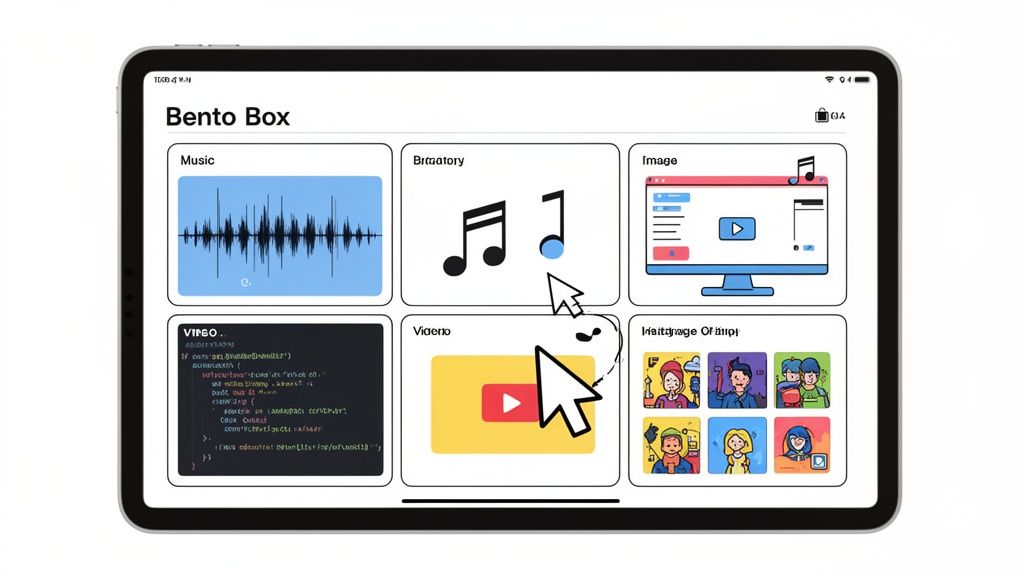
You can see how different blocks are arranged to create a sense of hierarchy and flow—something that’s impossible when you’re stuck in a single column.
Smart Widgets That Bring Your Content to Life
What really makes the Taap.bio experience shine is its smart widgets. These aren't just links; they are living, breathing integrations that pull real-time content directly from other platforms right onto your page. Your page stops being a pit stop and becomes an active, engaging hub.
Just imagine your audience dropping by your page and being able to:
- Listen to your latest Spotify track right there, with an embedded player that doesn't send them away.
- View your live GitHub contribution graph, showing off your coding activity.
- Watch your most recent YouTube videos in an embedded grid, complete with your current subscriber count.
- See your latest Instagram posts, encouraging a follow without them ever having to leave your page.
This creates a much stickier experience. Instead of just clicking away, visitors are invited to hang out and interact with your world. It's a powerful way to capture and hold their attention, which is a massive advantage over the click-and-go nature of Beacon or Linktree.
The Key Differentiator: Taap.bio isn’t a tool for making a list. It’s a platform for building an interactive visual portfolio that serves as a destination in itself. It's built for creators who want to showcase their work, not just link out to it.
Who Should Consider Taap.bio?
While Beacon is a powerhouse for business-focused creators and Linktree wins on pure simplicity, Taap.bio is laser-focused on a specific kind of user. If you see yourself in any of these roles, this visual-first approach could be a total game-changer for you.
Ideal User Profiles for Taap.bio:
- Designers and Artists: Finally, a way to showcase your Dribbble or Behance portfolio in a custom gallery that actually reflects your unique aesthetic.
- Developers and Coders: Display your GitHub activity, link to your projects, and build a tech hub that looks as sharp as your code.
- Musicians and Podcasters: Embed Spotify players for your new album or latest episode. Let people listen instantly and drive up those engagement numbers.
- Visual Content Creators: If you live on Instagram, YouTube, or TikTok, Taap.bio’s widgets let you feature your best visual content dynamically.
In the end, choosing your tool comes down to what you're trying to achieve. If your main goal is to funnel traffic, Beacon and Linktree are fantastic. But if you want to build an immersive, branded experience that pulls people into your creative world, a visual-first platform is a must-try. You can learn more and see how others are using this grid system on the https://taap.bio/ homepage. It’s a whole new way of thinking about what a "link-in-bio" can be.
So, Which One Should You Actually Choose?
Deciding between Beacon and Linktree isn't about finding a single "best" tool. It’s about figuring out what you need your link-in-bio page to do. Is it just a simple menu of links, or is it the command center for your entire online business?
Once you answer that, the choice in the Beacon vs Linktree showdown becomes pretty clear. It really boils down to your ambition.
If you just want to get up and running fast with a clean, familiar-looking page, Linktree is hard to beat. It’s the original for a reason. For beginners, influencers, or big brands who just need a simple, trusted directory of links, Linktree gets the job done in minutes. Its brand recognition means your audience instantly knows what they're looking at.
But if you're a creator who's serious about building a business—not just sharing links—Beacon is in a different league. It's built from the ground up to help you make money, grow an audience, and understand what's working.
Linktree Is Your Best Bet If...
Linktree shines when you need a reliable, no-fuss solution that just works. It’s probably the right pick for you if you're:
- A Beginner or Just Starting Out: You need a simple way to share your social media, blog, or portfolio without getting bogged down in complex features. Linktree is incredibly easy to learn.
- A Brand Focused on Simplicity: Your company just needs a polished, branded page to point customers toward your website, a new product, or your contact info. No frills needed.
- Someone in a Hurry: You need a professional-looking page live, like, yesterday. You can genuinely build a great-looking Linktree in under 5 minutes.
Beacon Is the Clear Winner If...
Beacon is for creators who see their link-in-bio as more than a landing page—it's a business hub. You should go with Beacon if you're:
- An Entrepreneur or a Savvy Marketer: You need to sell digital products, collect emails and phone numbers, and see exactly where your traffic is coming from. Beacon bakes all of this in for free.
- A Data-Obsessed Creator: You know that understanding your audience is key. Beacon gives you deep analytics right out of the box, helping you make smarter decisions without paying a dime.
- A Creator Building a Real Community: You want to offer exclusive content, let your audience send in requests, and build direct relationships using integrated marketing tools.
The Bottom Line: Choose Linktree for its elegant simplicity and lightning-fast setup. Choose Beacon if you want a powerful, all-in-one suite to grow your creator business from day one—without the upfront cost.
Got Questions? Let's Get Them Answered
Diving into a new tool always brings up a few questions. Let's clear up some of the most common ones that pop up when people are weighing Beacon against Linktree.
Can I Use My Own Domain on These Platforms?
Absolutely, but you'll need to be on a paid plan for either one. Both Linktree (on its Pro plan) and Beacon (on its Creator Pro plan) let you connect a custom domain. This is a game-changer for brand consistency, swapping out their default URL for one that's truly yours.
Which One Gives Me a Better SEO Boost?
If we're splitting hairs, Beacon has a slight advantage here. Its design is more like a mini-page builder, letting you add headers and text blocks. This gives search engines more substance to crawl, which can be a small but helpful signal.
The Real Deal: Neither of these tools is a magic bullet for your site's SEO. But Beacon's structure is a little more search-engine-friendly than Linktree's straightforward list of links, thanks to more room for on-page content and slightly faster load times.
How Painful Is It to Move from Linktree to Beacon?
It’s surprisingly painless. Beacon knows people are making the switch, so they built a "Linktree Importer" tool. You just plug in your Linktree URL, and it automatically yanks all your links over in a few seconds. No tedious copy-and-pasting required. It makes the jump feel a lot less daunting if you decide Beacon's features are a better long-term fit.
Do I Even Need a Full Website Anymore?
That really depends on what you're trying to accomplish. For many creators, a tricked-out Beacon page can act as a "micro-website"—it can handle lead magnets, digital product sales, and showcasing content all in one place.
But if you're a growing business that needs a full-blown blog, a sophisticated online store, or total design control, a traditional website is still the way to go. Think of these tools as a central hub or digital business card, not a complete replacement for a dedicated website.
Ready to build a link-in-bio that actually looks and feels like your brand? Taap.bio gives you a slick bento-box grid and smart widgets to make your content pop. Build your free page and see the difference.