A content hub is more than just a blog—it's your brand's central command center for a specific topic. Think of it as your own curated digital library, where your audience can easily find everything they need on a subject without hopping between different platforms or digging through old posts.
Table of contents
What Is a Content Hub Anyway?
Let's cut through the noise. Imagine all the great stuff you've created—your social media posts, blog articles, YouTube videos, and portfolio pieces. Right now, they might be scattered all over the web. A content hub brings all those scattered pieces together under one roof, creating a single, powerful destination for your audience.
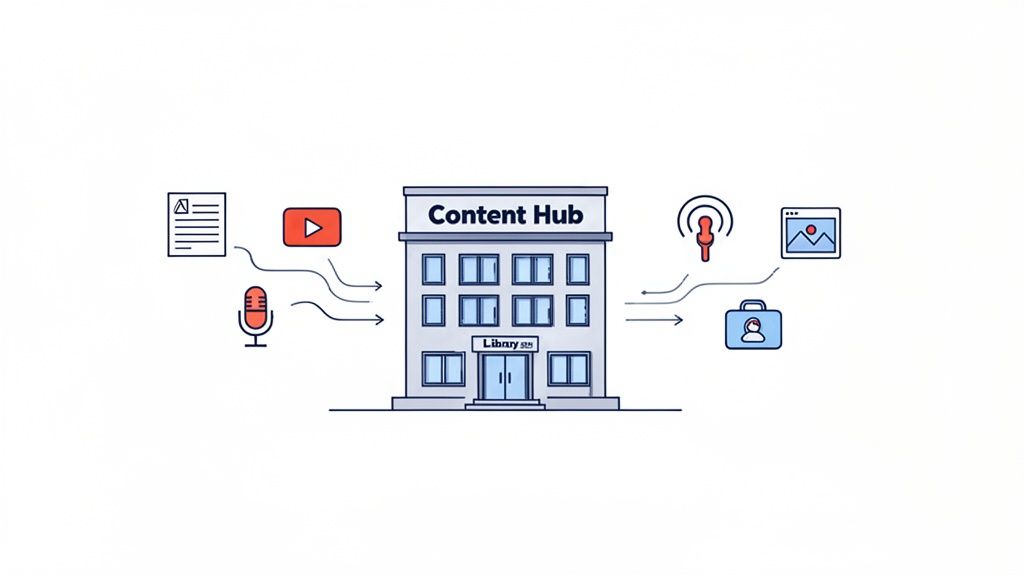
This simple shift transforms your online presence from a jumble of disconnected posts into a cohesive, authoritative resource. Instead of a chronological feed where your best work gets buried over time, a content hub is organized by relevance. This keeps your most valuable content evergreen and always within reach.
Content Hub vs Traditional Blog At a Glance
To see the difference in a nutshell, here's a quick comparison.
| Feature | Content Hub | Traditional Blog |
|---|---|---|
| Organization | Thematic (organized by topics and subtopics) | Chronological (newest posts appear first) |
| User Experience | A guided journey, easy to find related information | A linear timeline, older content is hard to find |
| Main Goal | Establish topic authority and drive engagement | Share updates, news, and personal thoughts |
| Content Lifespan | Evergreen, designed for long-term value | Timely, content can become outdated quickly |
| SEO Impact | Strong, builds topical authority | Weaker, authority is spread across many topics |
While a blog is great for sharing what's new, a hub is built to last, positioning you as the go-to expert in your field.
Shifting From Chronology to Authority
The real magic of a content hub lies in its structure. While a typical blog just stacks new posts on top of old ones, a hub is intentionally designed around a core topic. This is often called the "hub-and-spoke" or "pillar-and-cluster" model.
It's pretty simple, really:
- Pillar Content: This is your big, comprehensive guide—the cornerstone piece that covers a broad topic from A to Z. Think of it as the trunk of a tree.
- Cluster Content: These are the smaller, more focused pieces of content (like articles, videos, or social posts) that dive deep into specific subtopics related to the pillar. These are the branches, and they all link back to the trunk.
This structure does two incredible things. First, it sends powerful signals to search engines that you're an expert on the subject. Second, it guides your audience through a logical learning path, keeping them engaged and on your site longer.
The results speak for themselves. Question-based searches around a single topic can generate around 31,420 searches per month. By providing clear, organized answers in a hub, you can capture a slice of that traffic and attract thousands of new visitors.
A content hub isn't just a place for your content to live; it's a strategy designed to establish your expertise, improve user experience, and dominate search rankings for your niche.
For creators, this strategy isn't limited to text. Your "hub" can be a visually engaging link-in-bio page that showcases your latest videos, designs, podcasts, and social posts. These pages centralize your entire digital identity, which is essential for anyone trying to understand the full meaning of a link in bio and its true potential.
By bringing everything together, you create a seamless and professional experience that turns casual visitors into a dedicated community.
Why Every Modern Creator Needs a Content Hub
Let's be honest: just making great content isn't enough anymore. If you're publishing your best work across a dozen different platforms, it's getting scattered and lost in the noise. Your brilliant ideas are buried in endless feeds, here today and gone tomorrow.
This is precisely why a content hub isn't just a "nice-to-have"—it's the strategic move that turns you from another creator shouting into the void into the go-to resource in your niche. It’s your digital home base.
A content hub is a powerful statement. You're not just posting one-off articles or videos; you're building a curated library that showcases the depth of your knowledge. This organized, intentional approach is what separates fleeting creators from those who build a lasting brand.
Establish Yourself as the Expert
Picture someone discovering you for the first time. Do they find a random jumble of posts, or do they land on a beautifully organized resource that answers all their questions about a topic? A content hub delivers that second experience, guiding them through your best work and proving, without a doubt, that you know your stuff.
This is also a massive win for SEO. When you connect a main "pillar" guide to all your related "cluster" content, you create a powerful web that search engines absolutely love. You're essentially telling Google, "Hey, when it comes to this topic, my site is the definitive source." This is how you start climbing the rankings for the keywords that matter most.
A single piece of content might get a few likes, but an entire library of focused content shows your audience you have true expertise. It builds trust.
The results speak for themselves. Brands that adopt this model have seen organic search traffic jump by 50-300% compared to just publishing standalone content. The data is clear: organizing your knowledge is one of the smartest things you can do for growth.
Create a Superior User Journey
A great content hub does more than just organize your work; it transforms the user experience. Instead of a quick, passive visit, you invite people on a journey of discovery. They click from one piece to the next, diving deeper into your world and staying on your site much longer. This is how you build a real community, not just a list of followers.
By centralizing everything, you also present a more polished and professional brand. Think about it: when you're looking for the best platforms for content creators, who do you trust more? The person with a messy collection of links, or the one with a clean, organized hub that’s easy to navigate? You're not just sharing content; you’re curating an experience.
Here’s what that improved journey does for you:
- Increased Engagement: Visitors don't just consume one piece and leave; they stick around to explore everything you have to offer.
- Lower Bounce Rates: Because you're giving them a clear path to more relevant information, they have no reason to hit the "back" button.
- Higher Conversion: With a clear, intuitive journey, it's so much easier to guide people toward your goals, whether that's signing up for your newsletter or buying your latest product.
Bottom line? A content hub is your most powerful asset for building a digital presence that actually attracts, engages, and converts people for the long haul.
Breaking Down the Anatomy of a Content Hub
So, what exactly makes a content hub tick? To really get it, we need to pop the hood and look at the engine inside. The best, most effective hubs all run on a surprisingly simple yet powerful framework: the hub-and-spoke model.
Think of it like a solar system. At the very center, you have the sun—this is your pillar page. It's the big, foundational piece of content that covers a broad topic from a high-level perspective. It’s the definitive guide, the one-stop shop, the piece that holds everything else in its orbit.
The Pillar Page: Your Content's Sun
Your pillar page is the main gateway for anyone exploring your core topic. Let's say you're a creator who's all about sustainable fashion. Your pillar page might be something like "The Ultimate Guide to a Sustainable Wardrobe."
This guide wouldn't get bogged down in every tiny detail. Instead, it would touch on all the key areas—thrifting, ethical brands, fabrics, mending—giving a complete and authoritative overview. This signals to both your audience and search engines that you're a serious player in this space.
Cluster Content: The Orbiting Planets
Revolving around your central pillar page are your cluster content pieces. These are the planets in your content solar system. Each one takes a deep dive into a specific subtopic you introduced on the pillar page.
Following our sustainable fashion example, your cluster content could look like this:
- A blog post on the "Top 10 Online Thrift Stores for Vintage Finds"
- A YouTube tutorial on "How to Spot Truly Sustainable Fabrics"
- A downloadable PDF checklist: "5 Simple Ways to Repair and Upcycle Your Clothes"
Each of these is a valuable, standalone piece of content. But here’s the magic: every single piece of cluster content links back to the main pillar page. This internal linking is the gravity that holds your entire content universe together.
This structure does a few brilliant things at once. It passes authority back to your core page, makes it incredibly easy for users to navigate from a broad overview to specific details, and tells search engines that your site is a comprehensive resource. This kind of smart organization shares principles with other disciplines, like understanding what is modular design in creative fields.
Here’s a quick look at how this structure directly benefits you as a creator.
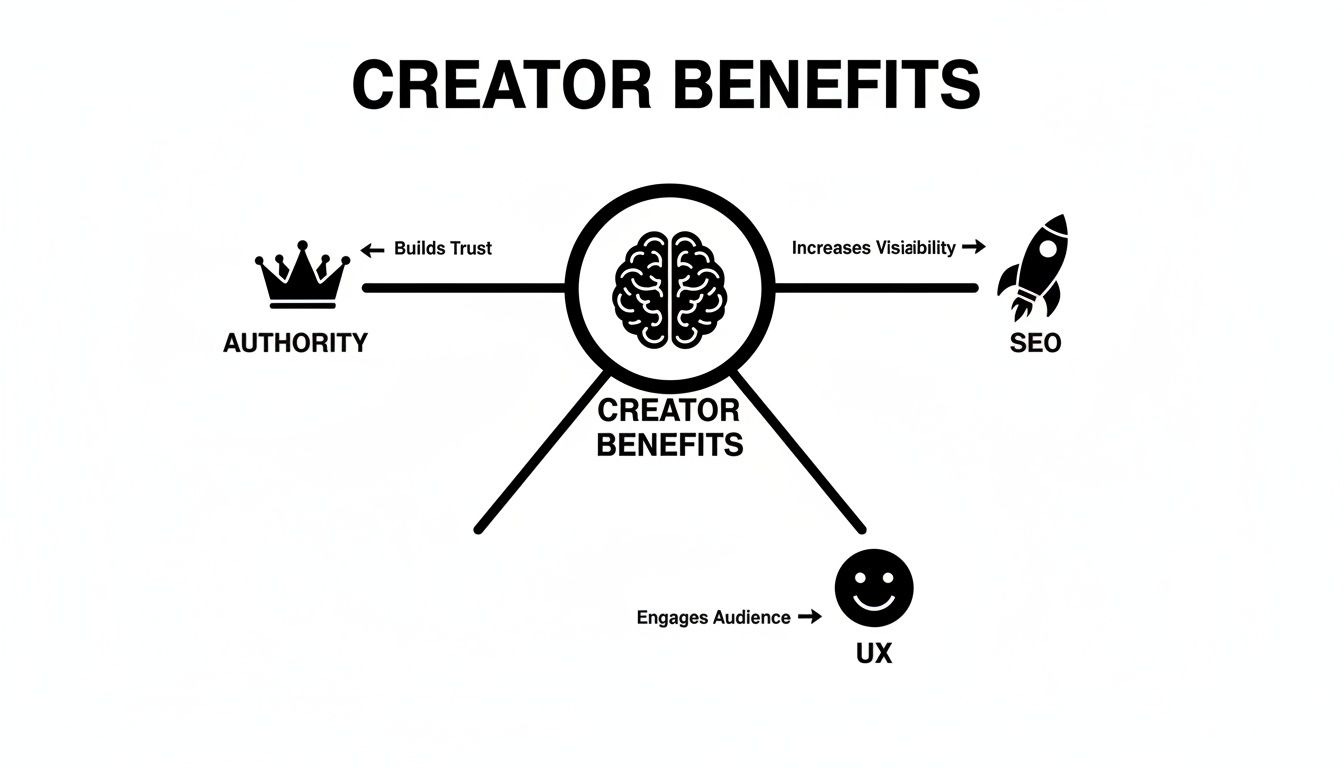
As you can see, a content hub isn't just a random collection of posts. It’s a strategic system for building trust, getting seen, and keeping your audience hooked.
The Evolution to the Visual Content Hub
The fundamental idea of a content hub has always been about bringing your digital world under one roof. It’s a powerful concept. But for creators juggling a dozen platforms, a simple hub for blog posts just doesn't cut it anymore. We've entered the era of the visual content hub, a much more dynamic and frankly, more interesting take on the original model.
Think of it less like a library of articles and more like an interactive dashboard for your entire brand. This approach swaps out those boring, long lists of links for a modular, visually engaging experience that instantly shows people who you are and what you do. It's not a reading room; it's your personal gallery.
From Static Links to a Dynamic Destination
The biggest change here is the shift from passive signposting to active engagement. A traditional link-in-bio page is essentially a directory—its only job is to send people away. A visual content hub, on the other hand, is a destination. It’s a place where your audience can hang out and interact with your work without ever having to leave the page.
How? Through smart widgets and embeds that pull in live feeds from the platforms you care about most.
- YouTubers: Instead of a generic link to your channel, you can embed your latest videos as playable thumbnails right on your page.
- Podcasters: Let visitors listen to your latest episode on the spot with a built-in audio player. No need to open another app.
- Instagram Creators: You can showcase your recent posts in a live, updating grid that keeps your page fresh without you lifting a finger.
This simple change transforms your page from a basic list of URLs into a rich, immersive portfolio that tells your whole story in a far more compelling way.
Take a look at how platforms like Taap.bio are turning this concept into a reality, giving creators a slick dashboard for their entire social media world.
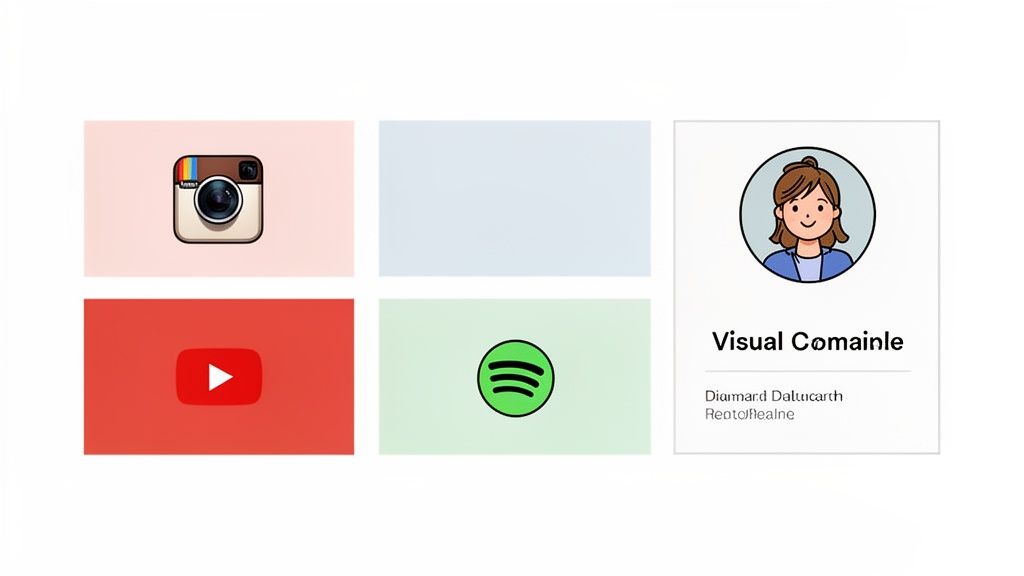
You can see right away what this creator is all about. It’s a holistic view of their brand, not just a handful of links fighting for attention.
The Power of Visual Organization
What makes this evolution possible is the embrace of modular, grid-based layouts. Tools like Taap.bio give you the freedom to arrange content blocks however you like, creating a visual hierarchy that instinctively guides your audience's attention. Got a new product launch or a portfolio piece you're proud of? Make that block bigger and put it front and center.
This is more than just making things look pretty. Consider this: researchers have found that B2B buyers get through 57% to 70% of their research before they even think about making contact. When you present your work in a clean, professional, and visually organized way, you make that research phase a breeze for them. It builds trust from the very first click. For some great ideas on how to pull this off, check out these grid layout design examples.
The modern visual content hub is your digital storefront, your portfolio, and your media kit, all rolled into one dynamic and beautifully organized page.
Ultimately, this is the solution for creators who get it. In today's crowded space, how you present your content is just as important as the content itself. This approach makes sure your online presence isn't just seen—it's experienced.
How to Build Your Own Visual Hub
Ready to see how all this theory translates into a real, functioning page? Building an impressive visual hub is more straightforward than it sounds. The idea isn't to just throw a bunch of links on a page; it's about creating a visual dashboard that tells your story and invites people in. Let's get practical and walk through how to do it with a tool like Taap.bio.
Create Clear Content Clusters
First things first, you need a plan. A great content hub has a clear structure, not just a random jumble of links. Think of your page in terms of sections, almost like chapters in a book. You can use simple text blocks to create headers that guide your audience through your world.
These sections become the "clusters" we talked about, neatly organizing your content into buckets that make perfect sense to a first-time visitor. This simple step is what transforms a basic link page into something that feels like a professional portfolio.
So, where do you start? Map out the most important parts of your online presence. For most creators, a few core categories will do the trick. A great starting point usually includes these three:
- My Work: This is your portfolio showcase. Use link blocks with big, eye-catching visual previews for your key projects, case studies, or proudest achievements.
- Latest Content: Think of this as your "what's new" section. Here, you can drop in smart widgets that automatically pull in your most recent posts from your go-to platforms.
- Connect With Me: Make it easy for people to find you. This is the spot for all your social profiles and contact info.
By defining these areas right from the start, you create an experience that just feels right. Visitors instantly get what you're about and know exactly where to click next. This kind of intuitive structure is fundamental to any good landing page, and you can dive deeper with our guide on finding a simple landing page builder.
Use Smart Widgets to Automate Your Hub
Here’s where the magic really happens. A truly effective visual hub works for you, and that’s where dynamic content comes in. Smart widgets automatically update your page with your latest work, keeping your hub fresh without you having to lift a finger. This is what turns a static page into a living, breathing showcase.
In your "Latest Content" cluster, you could place a YouTube widget showing your 4 most recent videos right next to a Spotify widget featuring your newest podcast episode. Just like that, you've created a rich, multi-format feed that shows off the full scope of what you do.
A visual content hub is not just a collection of links; it’s an automated, real-time reflection of your brand's activity across all your most important channels.
To help you connect these ideas to the tools at your disposal, here’s a quick breakdown of how Taap.bio's features align with the core principles of a great content hub.
Mapping Taap.bio Features to Content Hub Principles
| Content Hub Principle | Taap.bio Feature/Widget | Example Use Case for Creators |
|---|---|---|
| Centralization | Link & Social Widgets | Group all your social media profiles (Instagram, TikTok, X) in one clear "Connect With Me" section. |
| Categorization | Text & Spacer Blocks | Use Text blocks as bold headers like "My Portfolio" or "Latest Videos" to create distinct content clusters. |
| Automation | YouTube & Spotify Widgets | Automatically display your latest YouTube videos or podcast episodes, ensuring your hub is always up-to-date. |
| Visual Hierarchy | Resizable Block Layout | Make the block for your new product launch or lead magnet twice as large as others to make it the main focal point. |
| Engagement | Contact & Email Forms | Add a direct contact form so potential clients or collaborators can reach out without ever leaving your hub. |
This table shows that building a hub isn't about learning a new, complicated system. It's about using simple, modular tools in a smart, strategic way to guide your audience's journey.
Establish a Strong Visual Hierarchy
Finally, let's talk about design. You need to guide your visitor's eye. With a modular builder like Taap.bio, you're not locked into a boring, single-file list. You can resize and rearrange blocks to create a visual flow that directs attention.
Got a huge announcement or a cornerstone piece you want everyone to see? Just make that block larger than the rest. It's a simple move, but it instantly creates a focal point, drawing the eye exactly where you want it to go. This level of control is what elevates your page from a link list into a strategic tool that makes sure your best work gets the spotlight it deserves.
Got Questions About Content Hubs? Let's Clear Things Up
Even after seeing how powerful a content hub can be, it's totally normal to have a few questions swirling around. Let's walk through some of the most common ones I hear, so you can feel confident and ready to build something that truly showcases what you do.
Isn't This Just a Fancy Name for a Website Homepage?
Not at all, and it's a great question. Think of it this way: your homepage is like the front door and living room of your house. It gives guests a general feel for who you are and points them toward different rooms, like your "About" page or "Services" page. It’s a broad welcome.
A content hub, on the other hand, is more like a dedicated workshop or studio in that house. It's a space laser-focused on one specific topic. While your homepage serves your entire brand, the hub is where you meticulously organize all your content—articles, videos, podcasts, tools—around a single subject to create an undeniable source of expertise.
Your homepage answers, "Who are you?" A content hub answers, "What do you know?" It’s the difference between a friendly handshake and a deep, engaging conversation.
Can a Link-in-Bio Tool Really Be a Content Hub?
Absolutely. In fact, for a modern, multi-platform creator, it's often the best kind of hub. A visual hub built with a tool like Taap.bio nails the core principle: bringing scattered content into one clean, organized destination. It’s a model built from the ground up for the way the creator economy actually works.
Instead of just being a list of links that sends people away, it uses smart widgets to pull your latest YouTube videos, Instagram posts, and podcast episodes right onto the page. This turns your link-in-bio from a simple signpost into an interactive destination. Your audience can watch, listen, and engage with all your best stuff in one spot, making it the perfect command center for a personal brand.
How Much Content Do I Need to Get Started?
This is the best part: you don't need a mountain of content to launch. Not even close. From the get-go, organization and quality will always trump sheer quantity. The "hub-and-spoke" model is your best friend here, as it lets you start smart and build momentum without getting overwhelmed.
Here’s a simple, practical way to begin:
- Start with one pillar piece of content. This is your big, foundational guide on a topic you know inside and out.
- Create just 3-5 smaller "cluster" pieces. These are shorter posts or videos that dive into specific sub-topics and always link back to your main pillar.
- For a visual hub, you can start even simpler. Just add widgets for your 3-4 primary platforms (like YouTube, Instagram, and your portfolio) and a handful of your most important links.
The trick is to start with a tight focus. You can—and should—add more spokes to your hub over time as you create more content.
What Numbers Should I Be Watching for My Hub?
The right metrics really depend on the kind of hub you've built. But no matter the format, the goal is always to measure how well you're holding your audience's attention and guiding them where you want them to go.
For a traditional, article-based hub, you'll want to keep an eye on:
- Organic Traffic: Are people finding your pillar and cluster pages through search?
- Time on Page and Bounce Rate: A high time-on-page and low bounce rate are gold—it means people are actually reading and engaging.
- Keyword Rankings: Are you starting to own the search results for your main topic?
For a visual hub on a platform like Taap.bio, the metrics are more direct and action-oriented:
- Click-Through Rates (CTR): Which links and widgets are getting the most love?
- Total Page Views: How many people are visiting your central hub?
- Direct Engagement: Are people actually hitting "play" on your embedded Spotify or YouTube widgets?
In either scenario, if your numbers are heading in the right direction, it's a clear sign your hub is doing its job: keeping your audience hooked and connected to your brand.
Ready to build a visual content hub that makes an impact? With Taap.bio, you can create a stunning, modular page that brings your entire digital world together in one link. Get started for free and turn your link in bio into your brand’s true command center. Create your visual hub at https://taap.bio.