Putting a full video in your bio link completely changes the game. It’s the difference between handing someone a business card and giving them a front-row seat to your personal show. Instead of just listing places people can go, you bring your best content directly to them, right on your bio page. This single move can stop the endless scroll and turn a casual tap into a genuine connection.
Table of contents
Your Bio Link Isn't a Menu—It's Your Main Stage
For too long, we’ve treated the bio link like a boring old signpost. You know the drill: someone clicks your bio, lands on a plain page of text links, and then has to click again to get where they actually want to go. Every extra click is a chance to lose them. It's clunky, it adds friction, and it wastes the precious attention you worked so hard to earn.
Think about it. You create a killer Reel or TikTok that hooks thousands, and your reward is sending that hyped-up audience to a static, uninspired list? That’s a huge missed opportunity. The old way just doesn't honor the energy you build on social media.
The Power of an Embedded Video
Embedding a video directly in your bio link isn't just a design choice; it's a strategic one. When a video plays right on your page, it creates an instant, personal handshake that a button or a text link simply can't replicate.
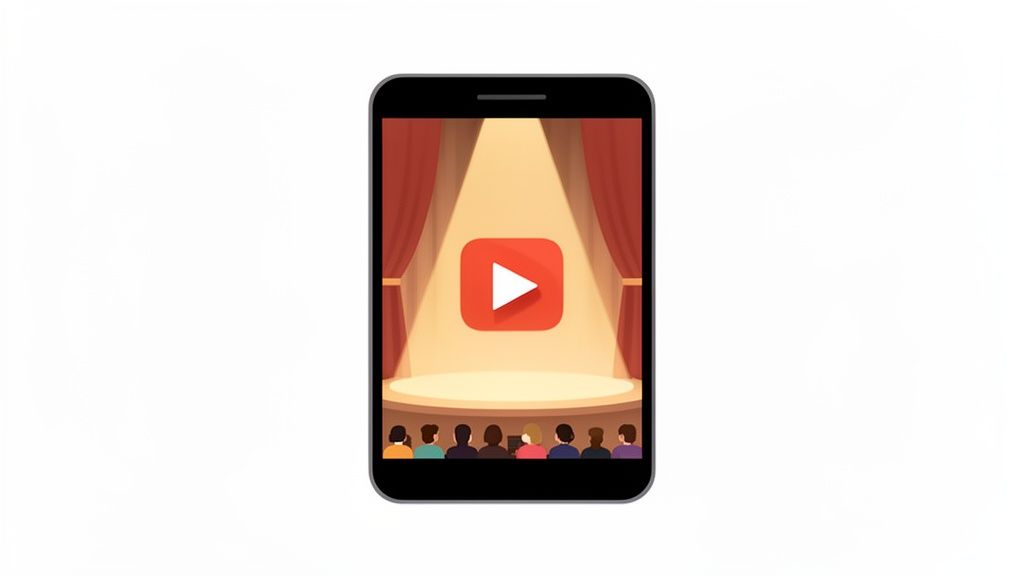
Your bio link page shouldn't be a hallway with a bunch of doors. It should be the destination. An embedded video turns this page into your personal theater, giving you a powerful stage to welcome every visitor.
This approach delivers some serious wins:
- Tell Your Story Instantly: A 30-second video can convey your vibe, mission, or what you offer far better than a wall of text ever could.
- Keep People Around Longer: Great video content makes visitors stick around. The longer they stay, the more likely they are to explore your other links and calls-to-action.
- Make It Easy for Them: Your audience can get your core message without having to navigate away, creating a smooth, impressive experience.
Everyone Gets a Professional Hub Now
This kind of powerful online presence isn't just for big brands anymore. The link-in-bio market has exploded, with 31 million Instagram users now using these tools to build out their digital storefronts. What's really interesting is that 77% of these users are profiles with under 5,000 followers. This shows just how much these platforms are helping smaller creators and businesses look just as polished as the major players.
Tools like Taap.bio hand you the canvas to design a media-rich, dynamic experience that turns your bio link into the ultimate first impression. If you want to dive deeper into how this space is evolving, check out our guide on the meaning of link in bio.
Choosing the Right Video for Your Bio
Dropping a video into your bio isn't just about plugging a gap on your page. It’s a deliberate, strategic play to grab someone’s attention and show them what you're all about in seconds. Before you even touch an upload button, the first—and most important—decision is what story you want that video to tell. The right video has a clear purpose and speaks directly to the people you’re trying to reach.
Think of it as your digital handshake or elevator pitch. If you’re a musician, maybe it’s the most explosive 30 seconds of your latest music video, meant to get people straight over to your Spotify. If you're a freelance designer, it could be a lightning-fast reel of your best work, instantly showing off your skills and encouraging potential clients to get in touch.
Align Your Video with Your Goals
Your video needs a job. What do you want it to accomplish? Are you trying to build trust? Show off a new product? Or just give a friendly introduction? Each one of these goals calls for a completely different kind of video. A business coach might feature a powerful client testimonial to build instant credibility, while a brand selling physical goods could use a quick, clean product demo that solves a real problem for their audience.
Here are a few classic approaches and how they work in the real world:
- The Welcome Video: A short, high-energy clip where you personally greet visitors. This is pure gold for personal brands, consultants, and creators who want to forge a human connection right from the start.
- The Product Showcase: A crisp, professional demo showing your product in action. It’s the perfect choice for SaaS companies or e-commerce brands that need to show what their product does and why it's so valuable, fast.
- The Behind-the-Scenes Glimpse: Raw, authentic footage that reveals your creative process or just a bit of your personality. This approach works wonders for artists, makers, and anyone whose personal story is a core part of their brand.
Prepare Your Video for Prime Time
Once you’ve landed on the perfect clip, there are a few things you need to do before it goes live. These small tweaks are often the difference between a polished, professional experience and one that feels clunky. Don't just throw the raw file up there; a little prep work ensures your full video link in bio makes the best first impression possible.
A great video is only half the battle. How you present it—from the first frame to the final export—is what determines whether people will actually hit play.
First off, trim your video for maximum impact. Let’s be real: attention spans are brutally short. Cut straight to the good stuff. You want to deliver value and hook them in 15 to 60 seconds, long before their finger gets the itch to scroll away.
Next, design a compelling thumbnail. This is your video's billboard. It's often the only thing someone sees before deciding whether to watch. Create a custom thumbnail that’s bright, clear, and maybe has a bit of text to spark curiosity. If you want to dive deeper into connecting your YouTube channel with your bio, check out our guide on creating a powerful link in bio for YouTube.
Finally, export with the right settings. For the web, an MP4 file with H.264 encoding is the gold standard. Stick to a 1080p resolution—it keeps the video looking sharp without creating a massive file that will bog down your page's load time.
How to Embed Your Video Seamlessly
Alright, this is where the magic happens. We're about to take your static bio link and turn it into a dynamic, engaging stage for your best content. The goal is to place your video front and center on your Taap.bio page, making it the undeniable star of the show.
Forget boring, linear lists of links. Taap.bio's flexible grid system gives you total control to create a visual hierarchy. You get to decide exactly where your visitor's eyes go first. The drag-and-drop editor feels completely natural, letting you position your video to take up a huge chunk of the screen or nestle it next to a critical "subscribe" button. This is your chance to build a page that actually feels like you.
Before we jump into the editor, a little prep work goes a long way. Getting these three things right will make the entire process smoother and your final result far more effective.
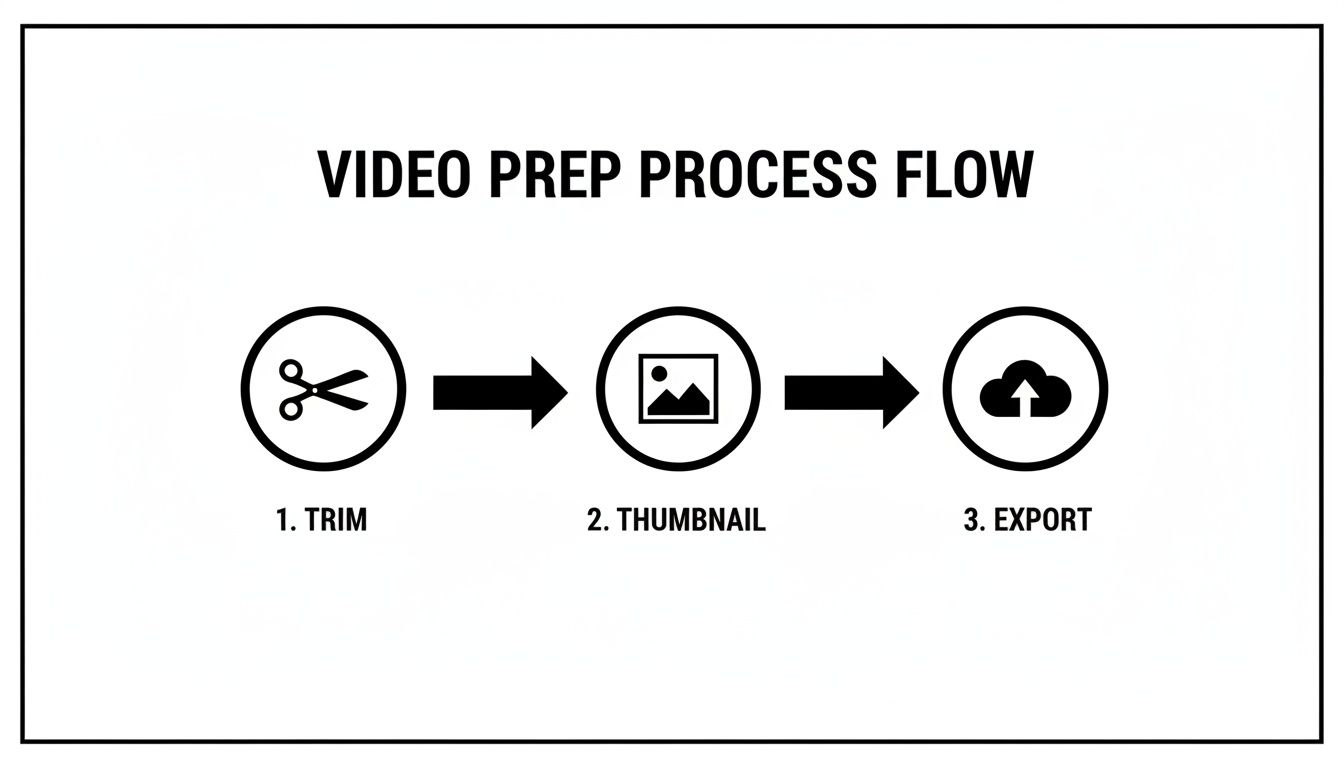
Nailing this simple workflow—trimming for impact, designing a killer thumbnail, and exporting in a web-friendly format—sets you up for a win before you even log in.
Positioning and Sizing Your Video Block
The real power of putting a full video in your bio link isn't just that it's there; it's how it's there. Taap.bio uses a bento-grid design, giving you that slick, magazine-style layout. Think of your video as the headline story. Should it be a big, cinematic banner at the top? Or maybe a tall, vertical block on the side that complements a grid of your latest photos?
You've got two main ways to get your video onto the page:
- The Media Block: This is your go-to if you're self-hosting or using a platform like Vimeo. Just upload your file or paste the link, and you unlock a bunch of customization options right inside Taap.bio.
- The YouTube Widget: An absolute game-changer for YouTubers. This does more than just embed your video—it can pull in your channel info, recent uploads, and even your sub count. It essentially creates a mini-hub for your YouTube presence right on your page.
If you really want to become a pro at this, check out our deep dive into the link in bio grid to see all the creative layouts you can build.
Configuring Playback for a Perfect User Experience
Once your video is in place, the final tweaks are what separate a clunky page from a truly seamless experience. You don't want visitors fumbling for the play button or getting hit with unexpected audio. This is where you dial in the settings to meet your goals.
A well-configured video should feel like it was always meant to be there, not like a clunky add-on. The whole point is to remove any friction between your visitor and your message.
Here are the key settings you'll want to master:
- Inline Playback: This one is non-negotiable. It makes the video play directly on your Taap.bio page instead of kicking people over to YouTube or another site. This keeps your audience right where you want them: on your turf.
- Autoplay and Mute: Want to instantly stop the scroll? Autoplaying your video (always on mute!) is one of the most powerful tools you have. It brings your page to life without being obnoxious. The mute is crucial for respecting your visitor's experience.
- Looping: Got a short, punchy brand animation or a quick product showcase? Looping it can create a mesmerizing effect that holds attention, turning a simple video into a dynamic background element.
By thoughtfully combining your video's placement with these playback settings, you create an experience that’s not just visually stunning, but incredibly effective from the very first second someone lands on your page.
Getting the Details Right: Advanced Video Customizations
Just dropping a video onto your bio link page is a start, but making it feel truly professional? That's all in the details. Moving past the default settings is what will make your page feel less like a list of links and more like a custom-built experience for your audience.
The little things—how your video starts playing, who it's for, and how it's framed—make an enormous difference. These advanced tweaks are what make your full video link in bio not just look slick, but also perform smarter for every single person who lands on your page.
Fine-Tuning Autoplay and Accessibility
Autoplay is a great way to snag attention, but you've got to use it thoughtfully. A video that silently springs to life can stop a scroller in their tracks. But it's not a one-size-fits-all solution, especially for visitors on a shaky mobile connection or a tight data plan. You have to be strategic.
This is your chance to think like a UX designer. What’s the goal here? Is your video a looping, ambient background, or is it the main event you need people to sit down and watch?
And speaking of your audience, adding captions is a must. Seriously. A whopping 85% of social media videos are watched on mute. Captions make sure your message actually gets across, whether someone has a hearing impairment or is just trying to watch your video in a loud coffee shop. YouTube and other hosts can auto-generate them, but always—always—proofread them for weird mistakes.
Think of your video settings as a conversation with your audience. Autoplay on mute says, "Hey, look at this!" without shouting. Captions say, "I want to make sure everyone can be part of this."
Optimizing for Mobile vs. Desktop
Here’s a pro tip that so many people miss: your bio link page should not look the same on a laptop and a phone. A huge, cinematic video that's breathtaking on a 27-inch monitor will just feel clunky and slow on a smartphone. The fact that Taap.bio lets you create different layouts for each device is a game-changer.
Go ahead and think big for your desktop layout. Use a wide video block as a hero banner to set the tone the second someone lands on your page. This is your shot to create that "wow" moment for anyone visiting from their computer.
For mobile, however, the strategy needs to be completely different. Speed and ease-of-use come first.
- Shrink the Video: Resize your video block to be more compact. A smaller square or even a vertical video block often fits much more neatly into a mobile-friendly grid.
- Kill the Autoplay: I'd strongly consider turning off autoplay for the mobile version. It saves data and helps your page load faster for people who are out and about.
- Push Up the CTAs: Make sure your most important call-to-action buttons are right below or next to the video. No one wants to scroll forever to find the "buy now" link.
By creating a tailored experience for each device, you're giving every visitor the best possible version of your page. It’s this kind of thoughtful design that makes your full video link in bio impressive on a big screen and perfectly usable in the palm of their hand.
Turning Video Views into Meaningful Action
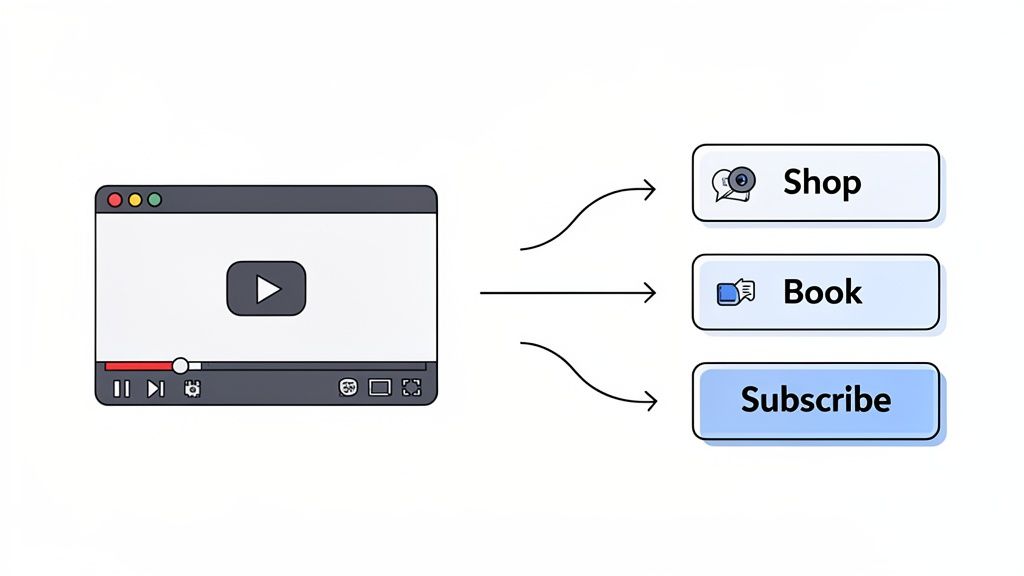
A great video grabs attention, but let's be honest—that's only half the battle. The real magic happens when you turn that viewer into a customer, a subscriber, or a client. Your video is the hook, but a crystal-clear Call-to-Action (CTA) is what reels them in.
Without a direct next step, even your most captivated fan will just keep scrolling. This is where a flexible grid system, like the one in Taap.bio, becomes a game-changer. You can place your action buttons right next to your video, creating a path that feels completely natural for your audience to follow. It’s less of a list and more of an interactive experience.
Think about it: a slick product demo playing right beside a big, bold "Shop Now" button. Or a warm welcome video sitting directly above a "Book a Discovery Call" link. That kind of proximity is incredibly effective. You're capturing their interest and immediately giving them a way to act on it.
Crafting CTAs That Actually Convert
The words you use on your buttons matter more than you probably think. Generic phrases like "Click Here" or "Learn More" are tired and easy to ignore. Your audience is busy; they need to know exactly what they’re getting.
Let’s look at some simple swaps that make a huge difference:
- Instead of "Services," try "Explore My Packages." It’s more inviting and sets a clear expectation.
- Instead of "Contact," use "Get a Free Quote." This offers immediate value and feels way less intimidating.
- Instead of "Subscribe," go with "Get Weekly Insights." This tells them why they should subscribe, making the offer much more compelling.
Small tweaks like these can seriously boost your click-through rates. If you’re looking for more ways to get people to take action, check out our guide on how to improve social media engagement.
Measuring What Matters Most
So, you’ve set up your video and your CTAs. How do you know if it's actually working? This is where you stop guessing and start looking at the data.
Your analytics aren't just a bunch of numbers—they're direct feedback from your audience. Listening to what the data tells you is the single fastest way to improve your page.
First, jump into your Taap.bio analytics. You can see exactly which links are getting the clicks. Is the "Shop Now" button next to your latest video outperforming everything else? That’s a massive clue telling you what your audience wants to see more of.
At the same time, open up your YouTube or Vimeo analytics. Pay close attention to metrics like viewer retention and watch time. If most people are bouncing after 10 seconds, your intro needs work. If they watch the whole video but don’t click anything on your page, your CTA probably isn't strong enough.
By combining your link-in-bio clicks with your video engagement stats, you get the full story. This is how you fine-tune your approach and perfect your full video link in bio strategy.
Got Questions About Bio Link Videos? Let's Clear Things Up
Putting a full video in your bio link is a game-changer, but I get it—it can feel like a big leap. You've probably got a few questions swirling around. Let's walk through the common concerns I hear from creators all the time, so you can move forward with confidence.
Will a Video Wreck My Page Speed?
This is probably the #1 worry I see. You've worked hard to get someone to click your link, and the last thing you want is for them to bounce because of a slow-loading page.
The good news? It's not the problem you think it is, as long as you're smart about it. Modern tools like Taap.bio are designed for rich media. Plus, browsers have gotten pretty clever—they usually mute autoplaying videos by default, which drastically reduces the initial load. The real trick is in the prep work: compress your video file, keep it punchy, and use different layouts for mobile and desktop to ensure a snappy experience for everyone.
Can I Just Drop in a TikTok or an Instagram Reel?
It's tempting to just grab a link from your latest Reel and call it a day, right? While you technically can, you're giving up a ton of control.
My advice? Take the extra step. Download that vertical video and upload it to a dedicated host like YouTube or Vimeo. This small effort is a massive upgrade. It gives you access to professional features like true inline playback (where it plays right there on the page), perfect looping, and much better quality control. You just don't get that polished feel from a basic social media embed.
What's the Perfect Video Length?
So, how long should your bio link video be? Think short and sweet. You’re aiming for the 15 to 60-second range.
In the world of bio links, attention is everything. You have a precious few seconds to make an impact. This short timeframe is the perfect window to deliver a knockout intro, demo a product, or flash your portfolio without your visitor's thumb even thinking about scrolling away.
Pro-Tip: If your main video is a longer piece (like a podcast or tutorial), don't try to cram it all in. Instead, create a killer trailer from it. Then, stick a bold Call-to-Action button right beside it—something impossible to miss like "Watch the Full Episode"—to send them to the main event.
This approach gives your audience a valuable preview without demanding too much of their time upfront.
How Do I Use Videos from Other People?
What if you've got a fantastic video testimonial from a client's Instagram story? First things first: always ask for permission.
Once you have their blessing, don't just link to their post. Ask them to send you the original video file. This lets you upload it to your own host, giving it that same clean, professional presentation as the rest of your content. And if you're ever looking to share your own profile link back, our simple guide on how to copy your Instagram link has you covered.
Ready to stop just listing links and start creating an experience? Taap.bio provides everything you need to build a dynamic, media-rich page with a flexible grid, powerful widgets, and seamless video. Go build the bio link you've always wanted. Start for free at https://taap.bio.