

Knowing how to repost on Instagram is more than just a handy trick—it’s a cornerstone of a solid growth strategy. It's all about sharing another user's content, either to your Story or your Feed, using the platform's own tools. Think of it as a way to build a stronger community and keep your content calendar fresh with posts that have already proven to be hits.
Table of contents
The Art of the Repost and Why It Matters for Growth
Reposting isn't just about filling empty space on your profile. When you do it right, it's a powerful way to boost your brand and connect with your audience on a deeper level. Featuring user-generated content (UGC) is the perfect example. You’re not just posting a picture; you're building rock-solid social proof.
By showcasing content from real people who love your brand, you turn your followers from a passive audience into active, valued members of your community.
Done thoughtfully, reposting helps you:
- Create a vibrant community by shining a spotlight on your followers and making them feel like a real part of your brand's journey.
- Keep your content calendar full with amazing, high-quality posts you know people will love.
- Strengthen your brand’s message by letting happy customers and fans share their authentic experiences. This kind of endorsement is often far more convincing than a standard branded post.
But before you share anything, there's a golden rule: always ask for permission. This simple flowchart breaks down the essential steps for ethical reposting.
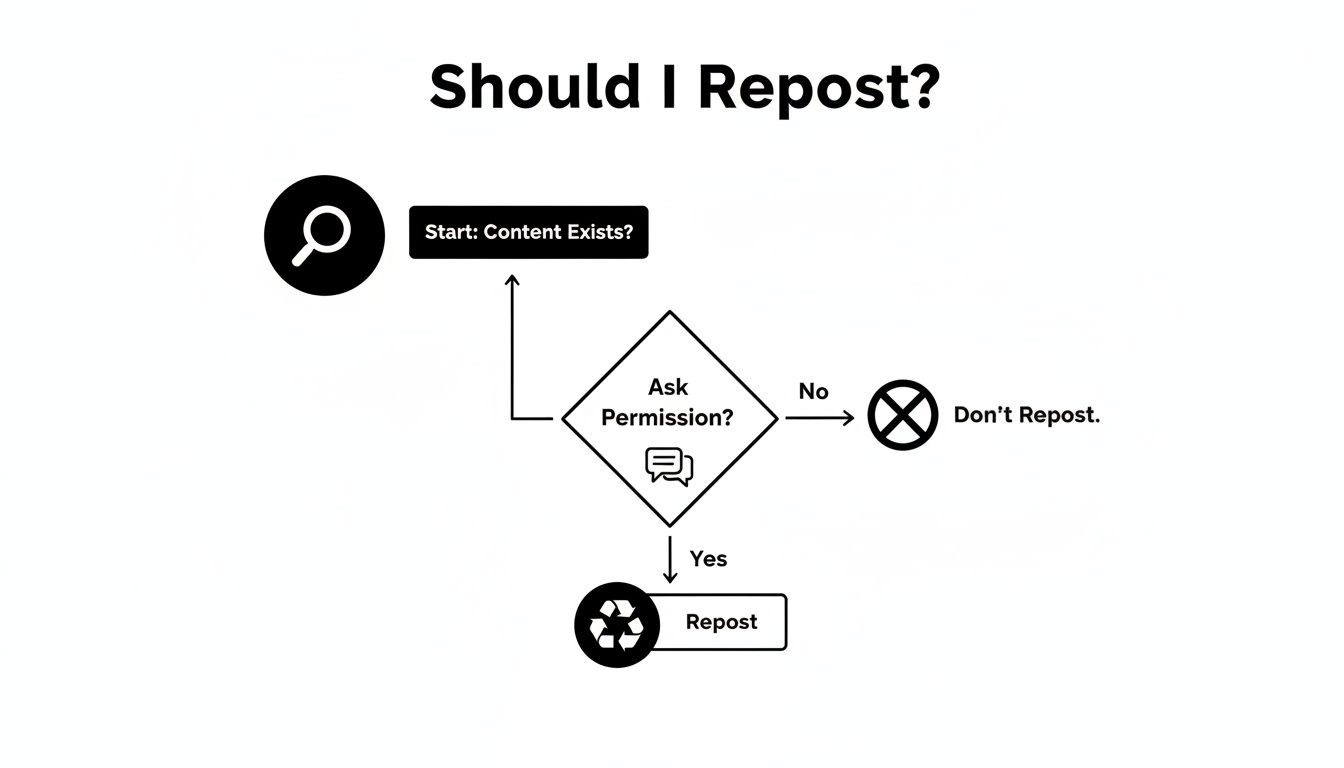
As the chart makes clear, getting the green light from the original creator is the most crucial step in the whole process.
The Impact of Strategic Reposting
When Instagram officially rolled out its native Repost feature back in August 2025, it was a game-changer. Brands that jumped on it early saw a 35% increase in profile visits from their reposted content. Even more impressive, smaller brands with around 1K-5K followers found that a whopping 74.5% of their Reel impressions came from reposts.
These numbers don't lie. Reposting isn't just filler—it's a direct route to getting more eyes on your profile and building stronger social media engagement.
The Golden Rule: Permission First, Credit Always
Before we even get into the "how-to" of reposting, let's talk about the absolute number one rule: you must get permission. Think of it as the unwritten—and sometimes written—law of the Instagram community.
Sharing someone else's content without their explicit say-so isn't just bad manners. It's a fast track to damaging your reputation and can even land you in hot water over copyright.
How to Ask (Without Being Awkward)
Getting the green light is usually pretty straightforward. The best route? A simple, polite DM. Don't overthink it.
A friendly message is all it takes. Try something like this:
"Hey [Username]! We're huge fans of this photo and know our audience would love it. Would you be cool with us sharing it on our feed? Of course, we'll give you full credit in the caption and tag you in the post!"
This approach is direct, respectful, and shows you value their work. Honestly, most creators are happy for the extra exposure, but you have to ask first.
Once you’ve got the "yes," giving proper credit is just as important. This is how you build good will and show you’re a genuine member of the community, not just someone taking content.
Pro Tip: Proper credit isn't just a tag buried at the bottom of your caption. It means making it crystal clear, right from the first line, who the original creator is. No ambiguity.
Here’s how to give credit that creators will appreciate:
- Credit Up Top: Kick off your caption by immediately acknowledging the creator. Something as simple as "📸: @[Creator's Username]" or "An incredible photo from the talented @[Creator's Username]" works perfectly.
- Tag the Post: Don't forget to tag them directly in the photo or video. This sends a notification their way and makes it easy for people to click through to their profile.
- Be Transparent: Using a hashtag like #regram or #repost is a good look. It tells your audience that you’re curating great content from the community.
Following these steps is non-negotiable for ethical content sharing and is a cornerstone of any solid influencer marketing best practices. It protects you, celebrates other creators, and ultimately builds a stronger brand.
Sharing Posts to Your Instagram Story
Sharing a post to your Story is probably the easiest and most flexible way to repost content on Instagram. It’s the platform's own built-in sharing feature, and it works beautifully for just about anything—from shouting out a customer’s awesome review to boosting a partner’s big announcement.
All you have to do is tap the little paper airplane icon sitting right below the post and choose "Add post to your story." Simple as that.
Once you do that, you're in the creative driver's seat. This is your chance to inject your own brand's flavor and context into the share, turning it from a basic repost into a genuinely engaging part of your own Story.
Make the Story Your Own
After the post pops up in your Story editor, don't just rush to publish it. Instagram gives you a whole box of tools to play with, so you can add your unique voice and get your followers to interact. Think of the original post as the starting point, not the final product.
Here are a few ways to really make it pop:
- Drop in some text overlays to explain why you’re sharing the post and what it means to your audience.
- Use interactive stickers—things like polls, quizzes, or Q&A boxes—to get a conversation started right away.
- Slap on some GIFs or music that match your brand's vibe and the tone of the original post.
A quick pro tip I always use: Tap on the background behind the post while you're in the editor. It will cycle through a bunch of solid colors, which is a super-fast way to make it fit your brand’s look instead of settling for that default gradient.
By adding these little touches, you're doing more than just reposting—you're curating and adding value. It’s a fantastic way to point your audience toward something important without just being a megaphone. For example, you could share the post and then add a link sticker pointing back to your profile, which is a clever little trick for driving traffic.
If you aren't sure where to find that link, we have a simple walkthrough on how to copy your Instagram link. This one extra step makes it dead simple for new followers to find you.
Using the Native Repost Feature for Your Feed
Instagram has been testing a native “Repost” feature for the feed, and it’s a total game-changer for featuring user-generated content. Unlike a temporary Story share, this method places curated content right onto your permanent grid, creating a polished, community-focused feel for your profile.
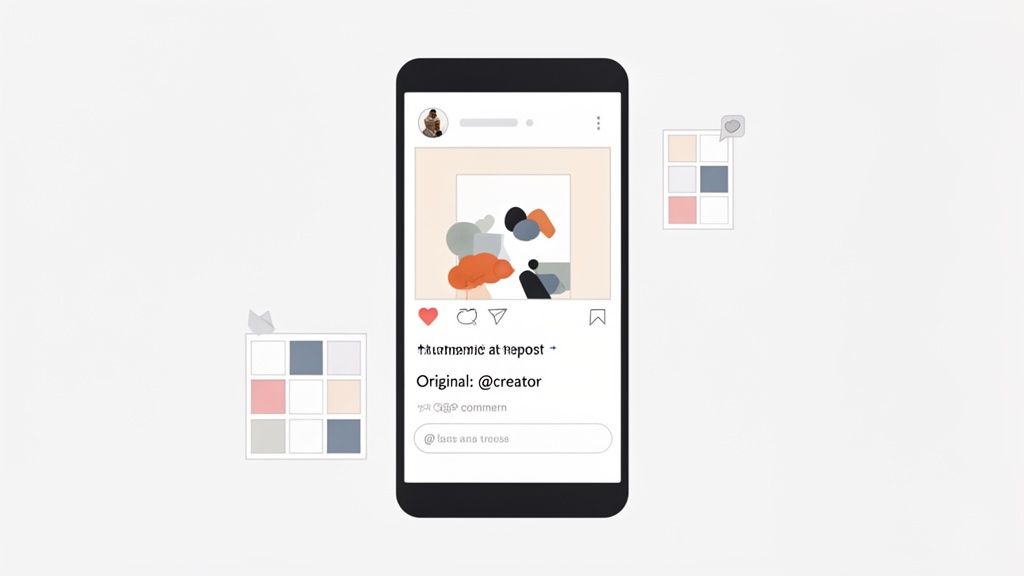
What's great is that when you repost this way, the platform handles the attribution for you. The original creator’s username is displayed right on the post, making it crystal clear where the content came from. This kind of built-in transparency is a massive win for building trust and keeping your sharing practices ethical.
Think of it this way: this is your shortcut to powerful social proof. When a happy customer posts a fantastic photo with your product, reposting it to your feed is the best kind of endorsement you can get.
How It Works and What to Expect
The process itself is designed to be super straightforward. Once you find a public post you have permission to share, you'll see a "Repost" option. Tapping this will share the original post—photo, video, and caption included—within a specially designed frame on your profile.
From there, it slots right into your grid just like any other piece of content you've created yourself. Your followers will see it pop up in their feeds, with the original creator’s handle featured prominently.
The real magic happens with consistency. When you regularly feature content from your community, you transform your feed from a simple promotional tool into a dynamic showcase of brand love. That’s far more compelling than just talking about yourself.
Don't underestimate the impact this can have on engagement. Reposted content, especially Reels, often performs incredibly well. In fact, reposted Reels have been shown to drive an average interaction rate of 2.08% for influencers, outperforming both carousels (1.7%) and single photos (1.17%). As audiences in the US, India, and Brazil continue to dominate content sharing, getting this right is more important than ever. You can dig into more of these fascinating Instagram engagement statistics on SproutSocial.com.
Ultimately, mastering the native repost feature is about so much more than just filling up your content calendar. It’s a strategic play to build a stronger community, amplify your brand’s voice, and celebrate your biggest fans.
When to Bring in Third-Party Reposting Apps
Instagram’s built-in sharing tools are great for quick, on-the-fly reposts. But what if you need more firepower? That’s where third-party apps come into the picture. They offer a level of creative control and advanced features that Instagram just doesn't provide natively.
For example, a common frustration is the default frame Instagram adds to Story reposts. Many third-party apps let you get rid of it completely, giving you a much cleaner, more professional look that aligns with your brand's aesthetic.
Another huge win is scheduling. Imagine being able to gather a whole week's worth of amazing user-generated content and schedule it to go live automatically. These tools keep your feed fresh and engaging, even when you're offline. If you're serious about this, you should explore some of the best social media aggregator tools that can really systemize this for you.
A Quick Word on Security
Before you download anything, we need to talk about account security. This is critical.
Never, ever use an app or service that asks for your Instagram password directly. That's a massive red flag. Legitimate, trustworthy apps use Instagram’s official API to connect to your account, which means you can grant them access securely without ever revealing your credentials.
Always do your homework. Head to the app store and read the most recent reviews and ratings. A couple of negative comments are one thing, but if you see a pattern of users complaining about bugs, security issues, or strange account activity, run the other way.
Your account security is non-negotiable. If an app feels sketchy or demands your password, delete it immediately. It's never worth the risk.
The right reposting strategy can have a massive impact. Depending on an account's size, reposts now drive anywhere from 30.2% to a staggering 74.5% of all Reel impressions. It's clear that curating great content is a powerful way to grow. You can discover more about these Instagram statistics on quorage.com.
Showcase Your Best Reposts with Taap.bio
So you’ve put in the work to build a powerful, community-focused presence on Instagram. What's next? All that effort deserves a central hub where it can truly shine, and that’s your link-in-bio.
Think of it this way: after carefully curating and sharing incredible content on your Instagram, the final piece of the puzzle is to feature it where it can grab attention and get people to act.
This is where you graduate from a basic, boring list of links. Imagine your absolute best-performing reposts featured prominently on your link-in-bio page, giving visitors a dynamic, instant preview of the amazing content you share. It’s the perfect way to seamlessly connect your Instagram activity to everything else you do online.
Create a Dynamic Visual Hub
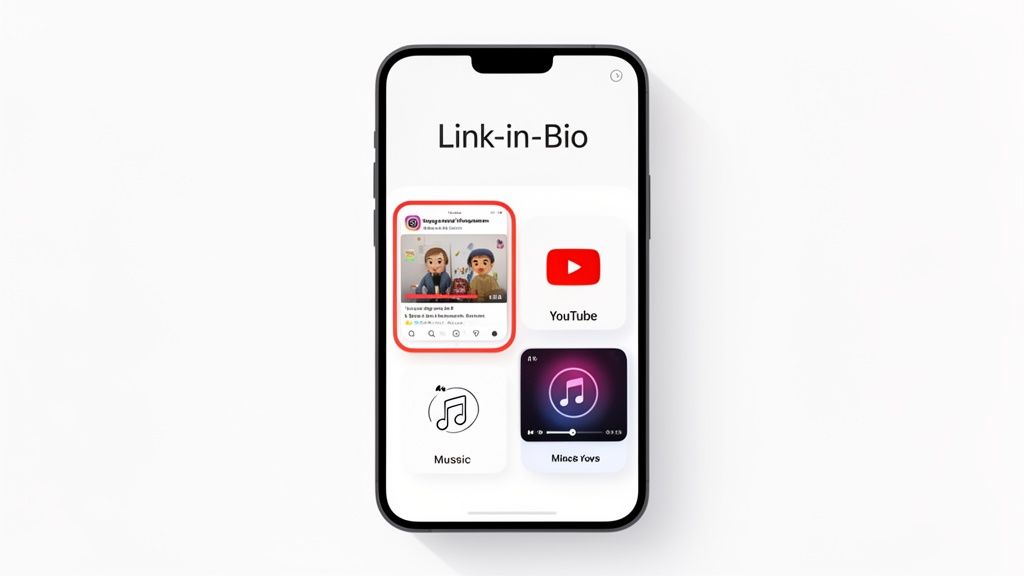
With a smart link-in-bio tool, you can build a stunning, bento-box style grid that brings your curated content to life. Picture a block showcasing your most viral user-generated content sitting right next to your latest YouTube video, a link to your portfolio, or even your favorite Spotify playlist.
When you integrate your Instagram feed directly, your link-in-bio page stops being a static menu. It transforms into an active, engaging extension of your brand that's always fresh.
This approach turns your brilliantly curated Instagram feed into the star of a personalized landing page that actually converts. It’s not just about knowing how to repost Instagram content; it’s about making that content work for you. You can build a custom, visually appealing page that showcases your reposts and so much more using a platform like Taap.bio.
By automatically featuring your latest Instagram posts, you give new visitors a compelling reason to dive into your profile and hit that follow button. This powerful synergy between your reposting efforts and your link-in-bio creates a cohesive and professional online identity, turning casual browsers into loyal fans.
Common Reposting Questions Answered
As you start sharing content from other creators, a few questions inevitably come up. I see them all the time.
First, can you repost from a private account? The short answer is no. Instagram’s built-in sharing features are designed to work only with public posts, respecting user privacy settings.
Another big one: does the original creator get a heads-up? Absolutely. When you share someone's post to your Story, Instagram automatically tags them, sending them a notification. It’s a seamless way to give credit where it's due.
But what about the algorithm? Will reposting hurt your reach? Quite the opposite, actually. When done right, reposting is a powerful form of community engagement. It signals to the algorithm that you're an active, valuable part of your niche, which can ultimately boost your visibility. Think of it as a win-win—you get great content, and you lift up another creator.


