That little url for twitter tucked into your bio? It's way more than just a link. It's one of the most powerful assets any creator has, a digital command center born from a simple platform limitation.
Table of contents
Why Your Twitter URL Is a Strategic Asset
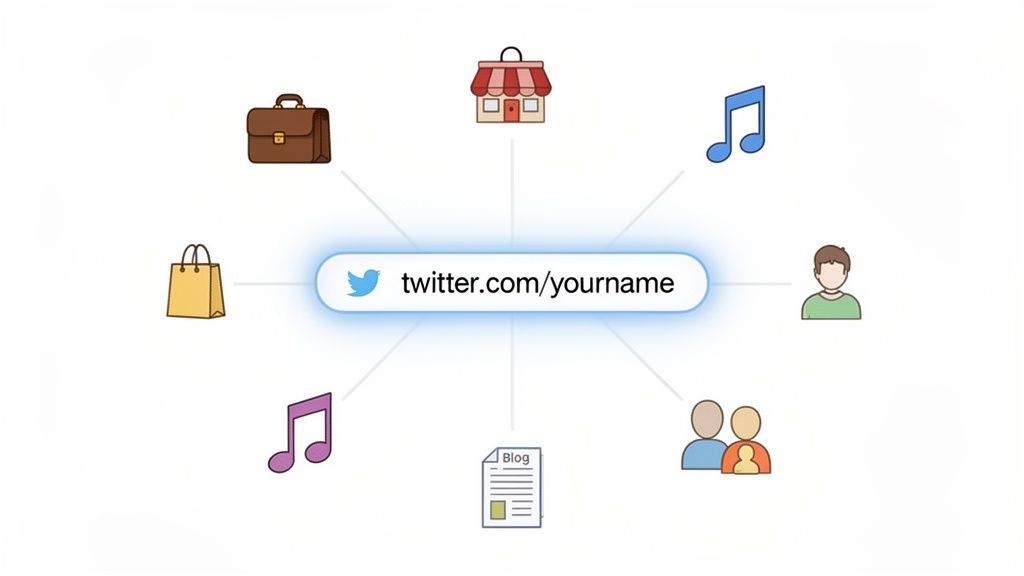
Before we get into the nitty-gritty of finding and copying your URL, let's talk about why it’s so important. That tiny string of text is the key to connecting all the dots of your online world. It's how you turn casual followers into a real community that explores everything you have to offer.
The Birth of the Link-in-Bio Industry
It’s wild to think about, but the entire "link in bio" industry exploded because of one simple constraint. Back in 2016, Twitter gave you just one link in your bio. That’s it. This forced creators to get scrappy, and innovators saw an opportunity. They built platforms that could turn that single URL into a launchpad for dozens of destinations.
The impact has been incredible. The global Link in Bio Platform market hit USD 1.62 billion and is on track to reach a staggering USD 4.24 billion by 2033. All from the need to make that one link do more.
Your Twitter URL isn't just a signpost; it's a gateway. When used with a tool like Taap.bio, it becomes the interactive front door to your entire digital world—your portfolio, shop, music, and other socials.
Turning a Link into a Hub
When you put your Taap.bio link in your Twitter profile, you’re not just sharing a link—you’re creating a seamless experience. No more sending your audience on a scavenger hunt across the internet. Instead, you give them one clean, organized place to find everything.
This single move can transform your strategy. Suddenly, you can:
- Consolidate your content: Pull your latest YouTube videos, Spotify playlists, and blog posts all under one roof.
- Monetize your audience: Guide followers directly to your online store, affiliate links, or service pages.
- Grow your community: Make it easy for people to find and follow you on your other social profiles.
Mastering your Twitter URL is a fundamental step in learning how to build an online presence that actually connects with people and gets results.
How to Find and Copy Any Twitter URL
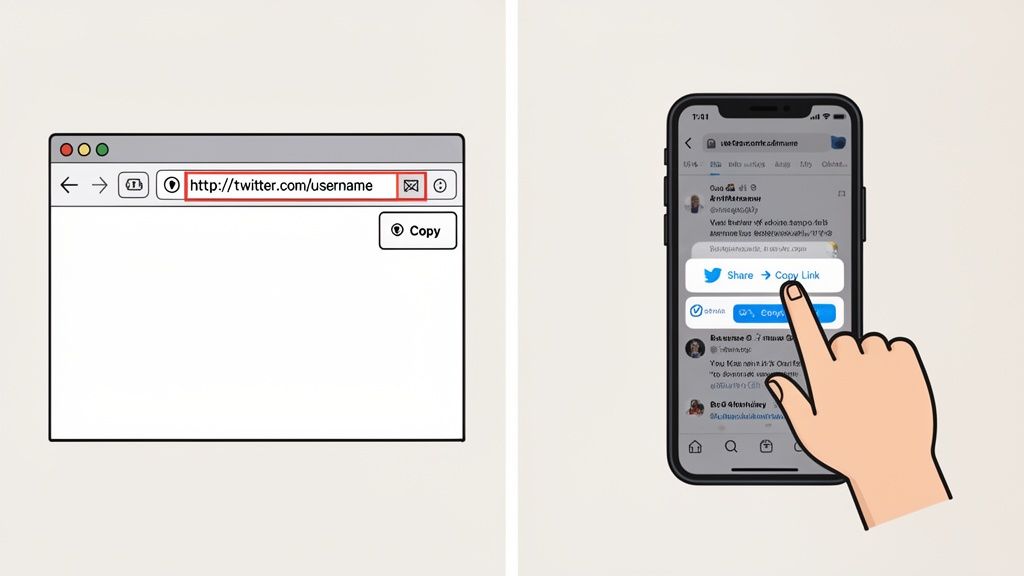
Let's get down to business and grab the exact url for twitter you need. Whether you're trying to link to your main profile or a specific viral tweet, the process is simple. The exact clicks just change a little depending on whether you're on your computer or your phone.
Nailing Down Your Profile URL
Think of your profile URL as your digital address on X. It's the essential link you'll pop into your Taap.bio, email signature, or anywhere else you want people to find you.
If You're on a Desktop Browser:
The easiest way by far is right in front of you. Just navigate to your profile page by clicking the Profile button in the main menu on the left. Now, look up at the address bar at the very top of your browser window.
That's it! The URL you see there is your direct link. Just highlight the whole thing, right-click, and hit "Copy." It should look clean and simple, like https://x.com/yourusername.
From the Mobile App (iOS & Android):
When you're on the go, the process is just as quick.
- First, tap your profile picture in the top-left corner and then select Profile.
- On your profile page, look for the three-dot menu icon (...) up near the top right.
- Give that a tap, and from the menu that pops up, choose Share.
- Finally, select Copy link. Your profile URL is now ready to paste wherever you need it.
Grabbing the Link to a Specific Tweet
What if you want to point people to a single post? Maybe it's a huge announcement, a key update, or a reply you're proud of. For that, you need a tweet’s unique URL, often called a "permalink."
My Takeaway: A permalink is gold. It’s a permanent, direct link to a single piece of content. Using it ensures your audience lands on that exact tweet, not just your crowded timeline where they might get lost.
Thankfully, finding it is a breeze on both desktop and mobile.
Just find the tweet you want to share and look for the Share icon—it’s the one that looks like an arrow pointing up out of a box. Click or tap that, and a menu will appear. Simply select Copy link.
The URL you get will look a bit more complex, something like https://x.com/yourusername/status/1234567890. That long string of numbers at the end is the tweet's unique ID.
With this link in hand, you can embed the tweet on your blog, share it in a newsletter, or feature it on your link-in-bio page using some of the great options from our guide on social media aggregator tools. Once you get the hang of these two methods, you'll have full control over where you send your audience.
Understanding Different Twitter URL Formats
Not every url for twitter you grab will look the same, and that’s perfectly fine. But knowing the subtle differences is the secret to sharing clean, reliable links that always work. Ever seen a link starting with x.com instead of the old-school twitter.com? Or one with a bunch of extra numbers and letters at the end? Let's break it all down.
The most common change you'll see is the domain name itself. After the big rebrand, links can start with either https://twitter.com/username or https://x.com/username. Here's the good news: they are 100% interchangeable. One isn't better than the other; x.com is just the newer version. Both will always take your visitors to the exact same profile.
Profile Links Versus Tweet Permalinks
Beyond the domain, the URL's structure tells a story about where it's going. You’ll mostly be dealing with two main types: profile links and tweet permalinks.
Profile URL: This is your main address. It’s clean and simple, like
https://x.com/TaapBio. This link takes people straight to your profile page where they can see your bio, header image, and your latest tweets.Tweet Permalink: This one is different. It points to a single, specific tweet. You'll recognize it by the extra
/status/and a long string of numbers that follows, like this:https://x.com/TaapBio/status/1234567890123456789.
You might also bump into mobile.twitter.com links. These usually pop up when sharing from an older mobile browser. They work, but for a professional look on your Taap.bio page, it’s always better to stick with the standard x.com or twitter.com format.
Key Takeaway: For a clean and professional look on your Taap.bio, always aim to use the direct profile URL (
x.com/username) or a specific tweet permalink. Pro tip: snip off any extra characters at the end, like?s=20. Those are just tracking parameters from the share function and aren't needed.
Twitter and X URL Format Comparison
To make it even clearer, here’s a quick reference guide to the most common Twitter/X URL formats you'll encounter in the wild.
| URL Format | Example | Where It Leads | Best Use Case |
|---|---|---|---|
| Standard Profile | https://twitter.com/username |
Main profile page | Adding your X account to a bio link page or business card. |
| New Profile | https://x.com/username |
Main profile page | Same as above; it's just the modern version. |
| Tweet Permalink | https://x.com/user/status/123... |
A single, specific tweet | Sharing a specific post, announcement, or piece of content. |
| Mobile URL | https://mobile.twitter.com/user |
Main profile page | It works, but it's best to edit it to the standard format. |
This table should help you quickly identify what kind of link you have and decide if it's the right one for your needs.
Knowing how to wrangle these URLs is a small but crucial skill, especially when building out your link-in-bio page. This concept has exploded into a massive industry for a reason. If you want to learn more, our guide breaks down a popular question: "what does Linktree do" and shows how these simple pages can transform your online presence.
Ultimately, getting your links right ensures you're always presenting a polished, professional digital front door.
How to Fix Common Twitter URL Problems
A broken link can feel like slamming a door in your visitor's face. When your Twitter or X link fails, you might lose a follower, a key connection, or even a sale. Let's walk through the most common reasons these links break so you can keep your audience engaged and your Taap.bio page working perfectly.
From my experience, the single biggest culprit is a username change. The moment you update your handle, your old URL (x.com/OldUsername) becomes a dead end. Seriously, it does not redirect. This is a crucial detail many people miss. You have to be diligent about immediately updating your link on your Taap.bio, in your email signature, and everywhere else you've shared it.
Another frequent problem I see is linking to content that's no longer public. If a visitor clicks a link to a tweet you've since deleted, or a profile you've switched to private, they'll just hit a frustrating error page. It's a good habit to double-check that anything you're linking to is still live and accessible to everyone.
Why Your Link Might Show an Error
Getting ahead of these issues is the secret to a professional and seamless user experience. Here’s a quick rundown of what might be going wrong, so you can diagnose the problem in seconds.
- You Changed Your Username: Your original URL is now a digital ghost town. The only solution is to grab the new URL with your updated username and replace the old one everywhere.
- Your Account Is Private: The link itself isn't broken, but it only works for your approved followers. Anyone else will be blocked.
- The Tweet Was Deleted: Linking to content that no longer exists will just show visitors a "This post is unavailable" message.
This handy diagram breaks down the different URL structures you'll encounter for profiles, individual tweets, and mobile links.
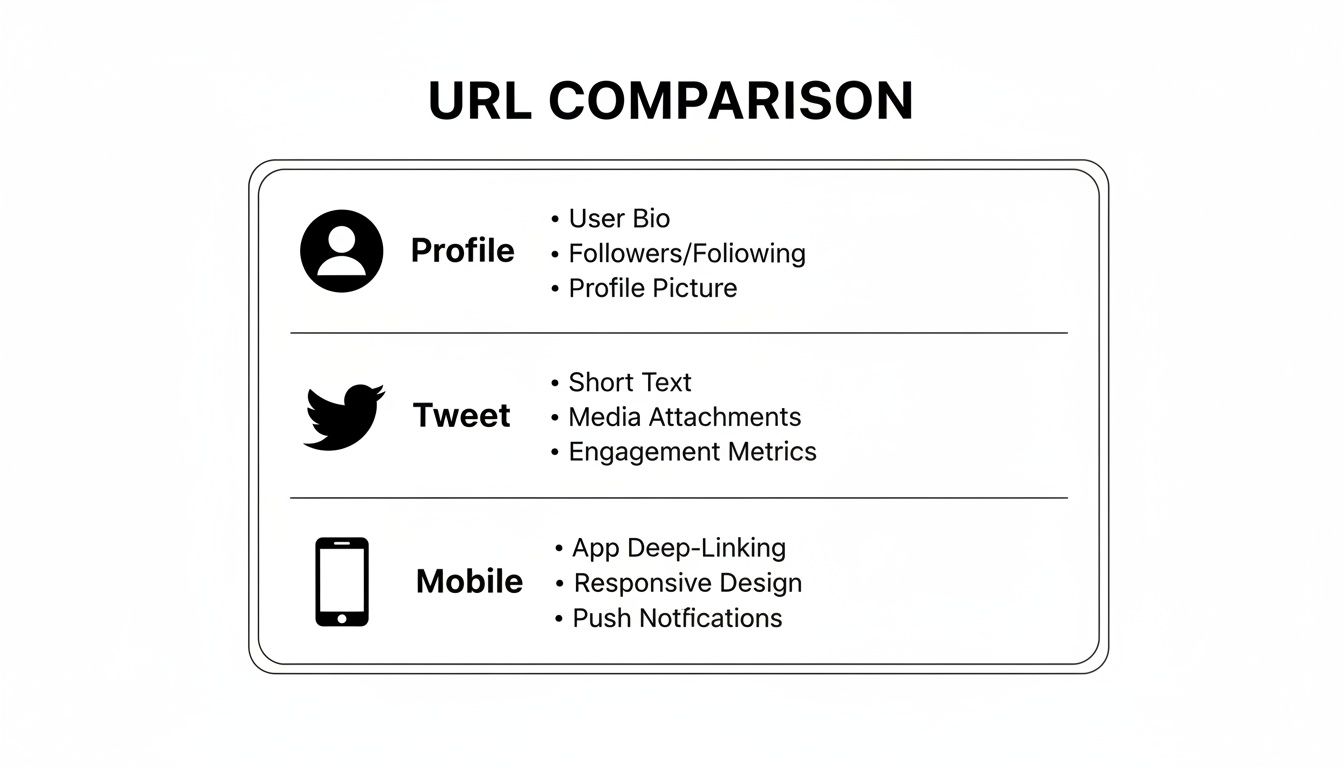
Getting familiar with these formats will help you spot a bad link before it ever goes live on your page.
Never underestimate the power of a working link-in-bio. That simple Twitter URL helped create a social media management market that’s projected to reach $118 billion by 2031. This incredible growth is fueled by tools that were born from Twitter's original single-link limitation, now driving billions in creator-led e-commerce. You can see how the top social media management tools compare and how they continue to shape the creator economy.
Putting Your Twitter URL to Work with a Link-in-Bio Tool

Okay, so you've tracked down your url for twitter. Now it's time to make that link pull its weight. Just dropping a plain text link on your page is a missed opportunity. The real magic happens when you transform that simple URL into a living, breathing part of your online hub, and that's exactly what a tool like Taap.bio is built for.
Instead of a boring link, you can embed a live Twitter widget right onto your Taap.bio page. Think of it less as a link and more as a direct portal to your Twitter presence. Visitors get a glimpse of your profile banner, can read your bio, and—most importantly—can tap "Follow" right then and there, without ever having to leave your page. It's seamless.
Find the Perfect Fit for Your Design
What’s great about this approach is the design flexibility. You're not stuck with a one-size-fits-all block. Taap.bio gives you a few different widget styles, letting you pick the one that fits perfectly with your page's unique "bento-box" aesthetic.
- Full Profile Snapshot: This gives visitors the full picture—your banner, bio, and follow button. It's a fantastic preview of who you are.
- Minimalist Handle Display: A much cleaner, more compact option that just shows your username and a follow button. Perfect for a sleek look.
- Tweet Embed: Have a specific tweet that's getting a ton of engagement or perfectly captures your brand? Pin it right to your page for everyone to see.
This turns your link-in-bio page from a static list of links into a dynamic showcase that tells a much richer story. It’s all about creating an engaging experience that makes people want to connect with you.
Your Taap.bio page stops being just a menu of links and becomes a destination in its own right. By embedding your Twitter presence, you’re creating an interactive digital business card that truly captures who you are online.
Strategically using your url for twitter can have a bigger impact than you might think. For instance, while Instagram has more users, Twitter has always been a powerhouse for driving referral traffic. Link-in-bio tools have amplified this, adding an extra 10-15% to Instagram referrals and funneling audiences into unified e-commerce experiences now worth over $1.3 billion. You can dive deeper into these numbers in the full Parse.ly report.
This kind of deep integration is what makes Taap.bio such a powerful link-in-bio alternative. You're not just listing links; you're building a more cohesive and interesting online presence.
Got Questions? Let's Clear Up Some Common Twitter URL Mysteries
Even when you think you've got the hang of it, a few tricky questions about Twitter URLs always seem to surface. Getting these details right is key to making sure your links look professional and actually work, especially when you're adding them to a powerful tool like your Taap.bio page.
Twitter.com or X.com: Does It Really Matter?
Nope, not one bit. Functionally, they are identical.
Whether you use twitter.com/username or x.com/username, anyone clicking the link will land on the exact same profile. The x.com address is just the newer version reflecting the platform's rebrand. Feel free to use whichever one you prefer; they'll both work perfectly in your Taap.bio widget or anywhere else you drop the link.
I Changed My Username—What Happens to My Old URL?
This is a big one, and it trips a lot of people up. The moment you change your Twitter handle, your old URL is toast. It breaks immediately.
It does not redirect to your new profile. Instead, anyone who clicks twitter.com/oldusername will hit a dead end—that frustrating "This account doesn’t exist" page.
This is why it's so important to be proactive. As soon as you change your handle, you need to go update your Twitter link everywhere: your Taap.bio page, your email signature, your business cards, everywhere. It's the only way to avoid broken links and make sure your audience can still find you.
Can I Link Directly to a Specific Reply?
Absolutely. Every single tweet on the platform—including replies, quote tweets, and everything in between—has its own unique URL. Just find the specific post, click the "Share" icon, and hit "Copy link."
This is a fantastic way to highlight a specific conversation, show off some positive feedback you received, or point your followers to a key comment in a long thread. Instead of just sending them to your main feed, you can feature precise moments of engagement right on your page.
Ready to put that perfect Twitter URL to work? Taap.bio helps you embed your live profile, showcase your best tweets, and build a beautiful bento-box page that tells your entire story. Build your free page today and see what's possible.