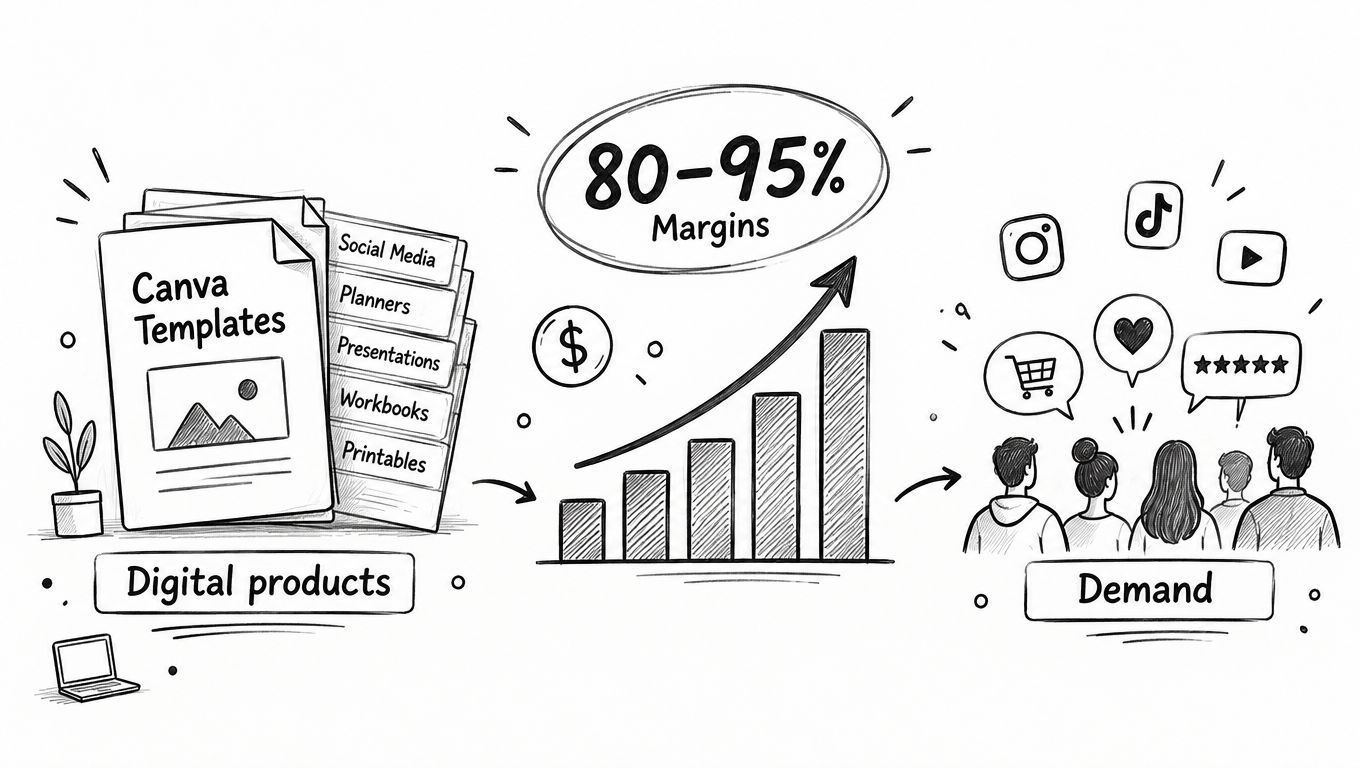
Selling Canva templates can become a practical income stream when you treat each design as a reusable digital product, not a one-off project. Create once, sell repeatedly, with no inventory, packaging, or shipping to manage.
Table of contents
Why Selling Canva Templates Works Right Now
The opportunity comes down to basic economics. A finished template can be delivered instantly to buyers anywhere in the world, while the cost of producing another copy is essentially zero. That gives digital products a serious margin advantage over physical goods, where every sale eats into your profit with materials, storage, postage, and handling.
Demand also comes from recurring business tasks. Coaches need workbooks, real estate agents need listing presentations, and small businesses need social media graphics every single week. Most buyers aren't looking for artistic inspiration. They want a reliable shortcut that saves time and helps them publish professional-looking content without hiring a designer.
Research shared by Jotform's guide to selling Canva templates points to more than 220 million active Canva users across 190 countries, many of whom already understand how editable designs work. That familiarity removes a huge barrier for customers and makes a Canva template far easier to adopt than unfamiliar design software.
One creator interviewed by Believe in a Budget reported growing an email list from roughly 200 subscribers to more than 1,400 with a free media-kit template, then earning over $1,000 per month within a year of selling templates. Those results aren't guaranteed, but they show how a useful freebie can build an audience and lead naturally to paid products.
The strongest template businesses sell saved time, not just attractive pages.
Before you start creating, check buyer intent on Etsy, Pinterest, or Canva searches. Look for repeated needs like Instagram carousels, pitch decks, planners, and wedding signage. Then pick one audience and solve a specific workflow really well.
- Digital files can be sold repeatedly without manufacturing costs.
- Niche products are easier to describe and promote.
- Bundles can increase order value as your catalog grows.
Read also: the most profitable digital products and compare templates with other downloadable offers. Reinvest early sales into better previews, customer support, and email capture, then build a focused shop around proven demand.
The best templates don't start with a blank canvas — they start with a specific problem someone desperately wants solved. A coach needs a polished workbook by Friday. A realtor needs listing posts every week without starting from scratch. Search Etsy, Pinterest, and Canva for phrases people keep repeating, then pick one audience and one task to own. If you want to sharpen your focus even further, this guide on developing a clear buyer persona will help you nail down exactly who you're building for.
Here's the thing that makes Canva templates such a smart product: your buyers already know the platform. Canva has over 220 million active users across 190 countries, according to Jotform's guide to selling Canva templates. That means nobody needs a tutorial on how Canva works. Your template just needs to save them time.
Some categories that consistently perform well:
- Social media kits for coaches, artists, and small businesses who need to post consistently without burning hours on design.
- Resumes and media kits for freelancers who want to look professional without paying a designer $200.
- Business documents like pitch decks, workbooks, price sheets, and client onboarding guides.
A useful template removes a repeated task from someone's week. That's the entire value proposition.
Build for Fast Customization
Design with the post-purchase moment in mind. The second someone opens your template, they should know exactly what to do. Add a clearly labeled "Start Here" page. Group related elements together. Name your pages instead of leaving them as "Page 1, Page 2." Use obvious placeholders like "Your Business Name" or "Insert Tagline Here."
Keep fonts, colors, and image areas easy to swap. Buyers want to make your design theirs — not rebuild it from zero.
Package everything with a short PDF that includes the Canva template link and basic editing steps. Before you list it, test that link in a separate account. Confirm every text box is actually editable. Then hand the file to someone who's never seen it before and watch them try it. Five minutes of usability testing now saves you from a flood of "how do I edit this?" messages later.
Price Against Utility
Don't price based on how long it took you to design. Price based on the time and outcome your template delivers. A focused mini-pack typically lands between $5 and $15. A solid collection with real range goes for $15 to $30. A full business kit or detailed workbook can command $30 to $45.
Think about it this way: a ten-page Instagram pack for a solo consultant might sell for $12, while a complete brand presentation with multiple formats and page variations could easily justify $39. Study comparable listings. Note their page counts, included features, and how they present the offer. Then make yours the obvious choice through a strong thumbnail and a description that leaves no confusion about what's inside.
Start with one focused product. Collect every buyer question that comes in. That feedback is pure gold for your next release.
A strong template deserves a buying experience that feels just as simple. If visitors must jump between a link page, checkout tool, email platform, and download service, every extra screen creates another chance to leave.
For creators who sell Canva templates, taap.bio brings those tasks into one drag-and-drop bento page. You can display products, collect emails, accept payments, deliver files instantly, and add paid bookings without stitching together separate services such as Linktree, Gumroad, Mailchimp, or Calendly.
The following infographic visualizes the path from identifying a buyer problem to creating an editable, appropriately priced Canva product.
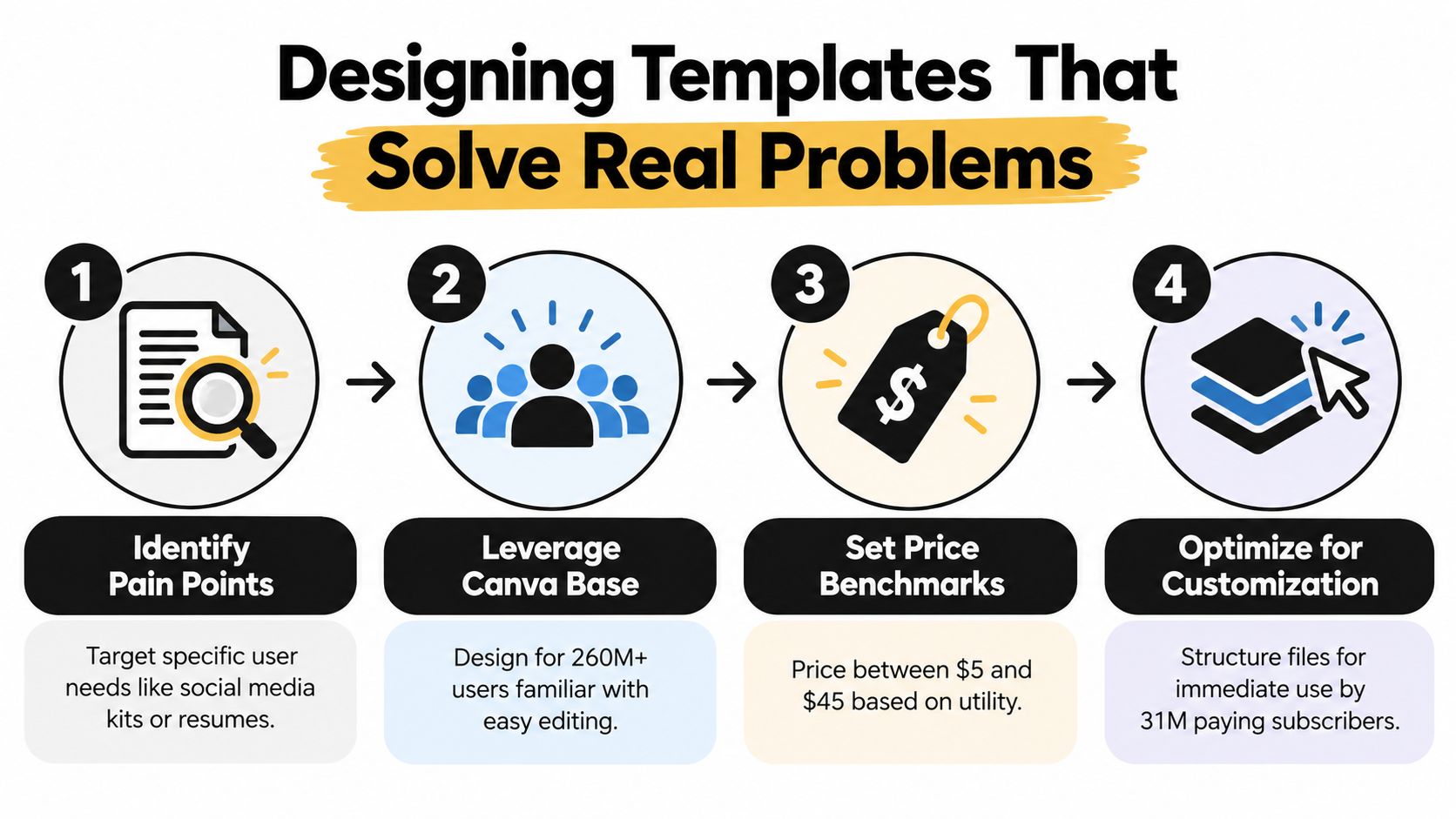
Its key insight is practical: specific problems, familiar editing tools, sensible pricing, and easy customization work together to make a template easier to buy and use.
Keep Checkout and Delivery Together
Set up your page in this order:
- Add a product block with a clear thumbnail, outcome-focused title, price, and short description.
- Upload a PDF containing the Canva template link, editing instructions, and support details.
- Connect checkout so the buyer receives that file immediately after payment.
- Add an email signup widget offering a related freebie, such as five Instagram post designs.
- Review the page on mobile and complete a test purchase before promotion.
A buyer searching for a realtor listing kit should be able to see the preview, understand the included pages, pay, and receive access without opening another website. That single-screen path protects momentum.
Every redirect asks customers to make another decision. Keep the purchase path short.
taap.bio also provides real-time analytics for individual widgets, helping you identify whether visitors click the product, join your list, or abandon before checkout. If you need a deeper setup checklist, read this guide to building a digital product delivery system.
Start with one focused product and one free signup incentive. Once sales arrive, improve the thumbnail, description, and page order based on actual clicks rather than guesswork.
Here's the rewritten section:
Price your templates based on the value they deliver—specifically, the time they save your buyer—not on how many hours you poured into creating them. A $15 Instagram pack is a steal for a consultant who'd otherwise burn an entire afternoon every week designing posts from scratch. A 50-page brand kit? That's easily worth $45 or more. Start by checking what comparable products charge, then refine once you've got real sales data and buyer feedback in hand.
Fees eat into margins fast when you're selling products under $20. A marketplace cut that looks trivial on a single order compounds into real money at scale.
| Sales | $15 Price With 10% Fee | 0% Platform Fee |
|---|---|---|
| 100 | $1,350 | $1,500 |
| 500 | $6,750 | $7,500 |
That $750 difference across 500 sales funds new designs, ad campaigns, or months of tool subscriptions. taap.bio charges 0% platform fees, so creators keep the full sale price—minus standard payment processing.
A strong price attracts buyers, but a healthy margin keeps the business alive.
A straightforward pricing ladder works well:
- $5 to $15 for focused mini-packs with a single use case.
- $15 to $30 for useful collections spanning multiple formats.
- $30 to $45 for comprehensive workbooks, business kits, or larger bundles.
Bundles lift average order value without making individual items feel overpriced. Package Instagram posts, Stories, and Pinterest pins together as one $29 content kit rather than listing each separately.
Cash flow directly impacts growth. Instant payouts let you cover software, promotion, and production costs without waiting through a drawn-out payout cycle. An email signup widget that exports contacts as a CSV gives you a portable audience you own—ideal for launches and seasonal offers.
For a more complete framework, read this guide to digital product pricing strategy. Then pick one price point, run it for 30 days, track conversion rate and revenue per visitor, and change only one variable at a time. That approach turns pricing from a gut call into a repeatable business decision.
Marketing work begins long before you hit publish. Load a rich media widget onto your Taap.bio page showing a quick preview of your template in action, then place the product block and email signup right next to it. Someone scrolling through can see the design, understand what they're getting, and drop their email without ever bouncing to another tab.
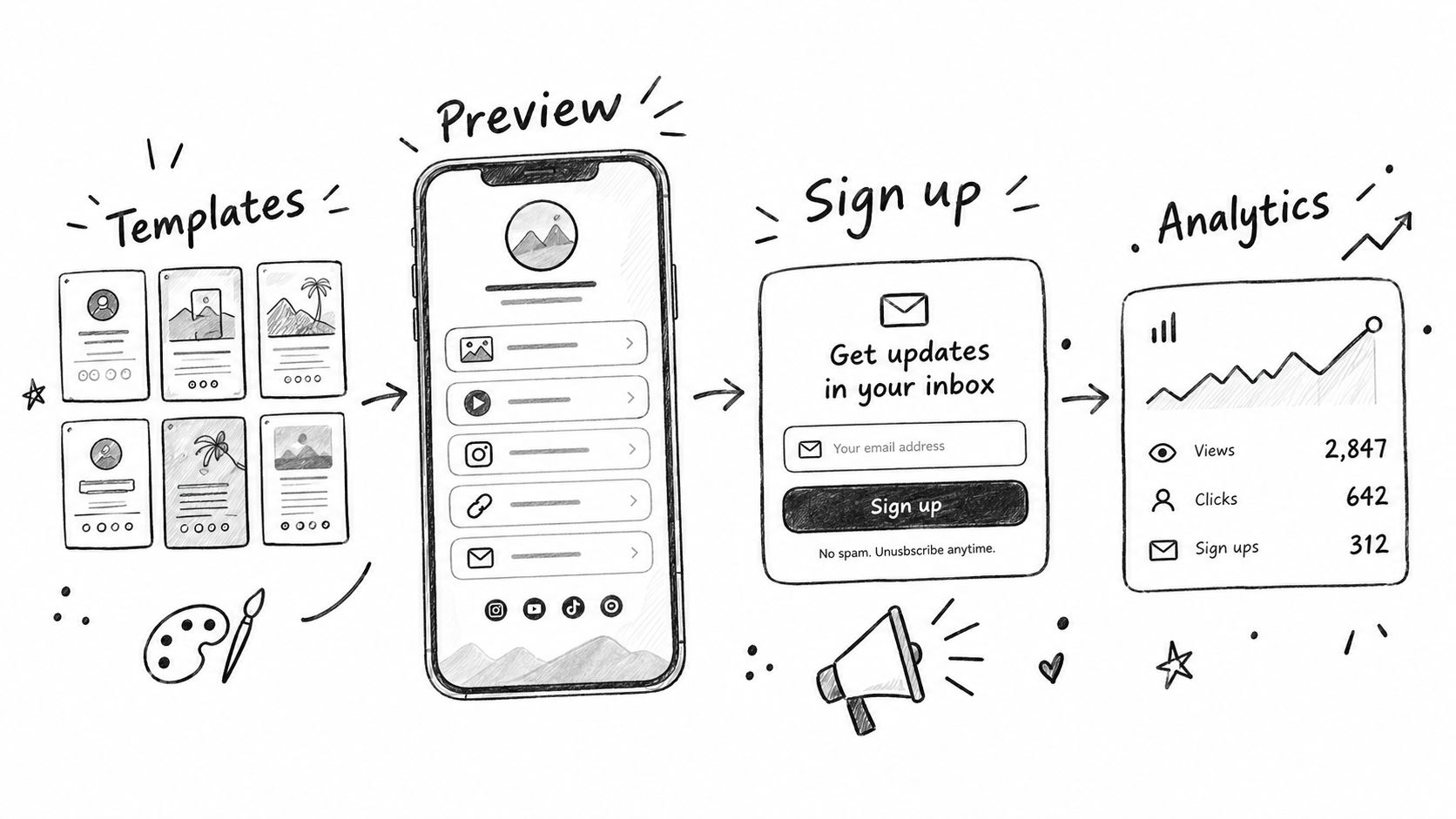
Draw visitors in from Pinterest, Instagram Reels, TikTok, and Etsy search. A short screen recording turning a blank canvas into a polished carousel tends to sell the idea faster than any static mockup ever could. If you're still validating what to build, this Etsy product research guide is a solid resource for checking what's actually moving in the digital goods space.
Turn Visits Into Subscribers
Offer something free that still feels valuable, like five branded Instagram posts they can drop straight into their own account. Taap.bio's signup widget captures addresses in one tap, and the CSV export means your list stays portable no matter what happens to a social account or platform down the line.
Dig into this guide to building an email list for practical list-building tactics. Lead with genuinely useful Canva tips, then weave in product launches, bundles, or seasonal drops once there's trust in the inbox.
Stop guessing and start measuring. Taap.bio's analytics reveal which widgets are pulling clicks and whether visitors end up buying, subscribing, or ghosting. Change one thing at a time so you know what's working:
- Push the product block above the signup form.
- Swap a flat thumbnail for a live page preview.
- Rewrite the CTA around a result, something like "Get the Realtor Listing Kit."
Your link-in-bio page should function as a shop, a sales page, and a list-building tool — all at once.
Some buyers will want customization or one-on-one help. Drop in a paid booking widget so consultation requests come with upfront payment and automatic calendar invites baked in. Review your numbers every week, lock in the layout that converts hardest, and push that single page across every channel you've got.
Can I Sell Templates With Canva Elements?
Yes — but read Canva's content license before you publish anything. Your design needs to bring original value to the table, and what buyers actually get is an editable template link, not the raw Canva assets themselves. Don't promise exclusive ownership over individual graphics, photos, or fonts, because that's not how Canva's licensing works, and it'll land you in hot water.
What Should My Delivery PDF Include?
Keep it lean and actually useful. Think template link, clear access instructions, a few editing tips, your usage terms, and a support email. Nothing more.
Before you go live, test that template link from a separate account — not your creator one. Then run a real purchase through your store end to end so you catch any broken links or missing files before a customer does.
A clear delivery file prevents more support tickets than a ten-page instruction manual ever will.
What If a Buyer Cannot Download the File?
Start by confirming the payment actually went through, then resend the delivery email or link. If the problem persists, work through the usual suspects: product attachment is correct, file permissions allow access, and the buyer's email address is right.
With taap.bio, built-in checkout and instant digital delivery cut out most of these headaches entirely. No manual sending, no "check your spam folder" ping-pong.
How Should I Handle GDPR?
Only collect customer information you actually need, be upfront about why you're collecting it, and make your privacy policy easy to find. Taap.bio stores data in France with GDPR-friendly defaults built in, plus you can export email contacts whenever you need to.
How Can I Sell Canva Templates With Fewer Tools?
One page does it all — storefront, checkout, file delivery, email capture, bookings, and analytics — when you use taap.bio.
Taap.bio helps you sell Canva templates with instant delivery. Launch your creator store.