86.5 million active buyers and 5.6 million active sellers were on Etsy worldwide as of December 31, 2025. You can sell Canva templates there, but only if you separate original design work from licensed Canva content and deliver editable templates through the correct Canva link rather than treating the design as a standalone file.
That distinction is where most template businesses become fragile. A polished listing can still create refunds, buyer complaints, or licensing problems if the underlying assets were used incorrectly. The durable approach combines a specific buyer outcome, a documented asset workflow, profitable pricing, and a post-purchase system that doesn't leave your entire business dependent on Etsy search.
Table of contents
The Uncomfortable Truth About Etsy Template Income
Etsy does not create passive income. It gives you access to demand, then charges you to compete for attention while buyers compare countless similar shops. The platform reported 86.5 million active buyers and 5.6 million active sellers worldwide as of December 31, 2025. Gross merchandise sales per active buyer reached approximately $121 over the trailing twelve months, according to Etsy's 2025 annual filing.
The same filing reported a 3.4% year-over-year decline in active buyers and a 1.5% decline in active sellers. That does not erase the opportunity. It does expose a weak business model: a generic template, a thin listing, and the assumption that Etsy search will supply steady sales. Your product needs a clear customer, a defensible use case, and enough margin to support design time, revisions, delivery problems, and customer support.
Sell the outcome, not the file
A generic background makes the buyer invent a purpose. An editable wedding invitation suite delivers a defined result. A real-estate social-media kit or a small-business pricing guide does the same. Buyers pay to complete a task faster and present their business or event more professionally. They are not paying for pixels alone.
Choose one customer and one urgent use case before opening Canva. “Canva templates” describes a category, not a product strategy. “Editable listing presentation for independent real-estate agents” identifies a buyer, shapes your preview images, improves keyword relevance, and gives the description a clear promise.
Practical rule: If the buyer cannot explain the template's job after reading the first image and title, the niche is too broad.
Build a discovery system
One listing rarely produces a dependable business. Research the language buyers use, create related products for the same audience, refresh designs for relevant seasons, and show accurate previews that make the delivered product easy to understand. Decorative mockups that hide the actual templates create uncertainty and invite support requests.
Use Etsy search suggestions to collect buyer language. Then examine competing listings for repeated use cases, missing features, and unclear delivery instructions. Build a focused product group before expanding into unrelated categories. Several products serving the same customer give your shop more ways to solve one buyer's problems.
Your catalog also needs operating rules. Record the asset source and licensing status, calculate whether each sale can cover platform costs and support time, and define how buyers receive the editable template. Legal compliance and unit economics determine whether polished designs become a business or remain unpaid production work. Better positioning brings more relevant visitors, while clear delivery and dependable support protect the customer experience after purchase.
Building a Legally Compliant Canva Template Business
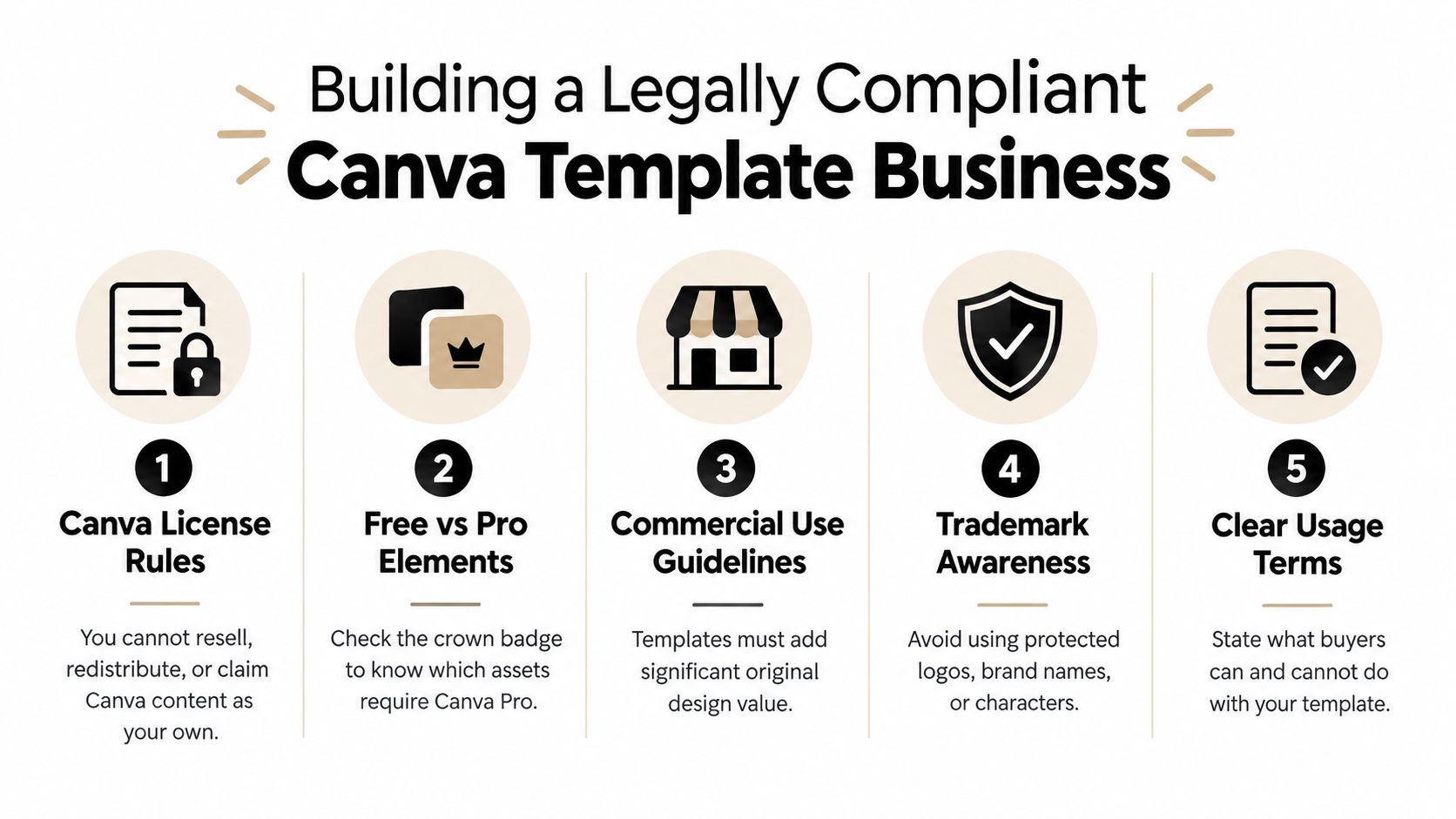
Canva content isn't a free stock library that you can repackage however you like. Canva's licensing documentation says you can't resell, redistribute, or claim Canva-provided content as your own, and it places specific restrictions on Pro content, branded content, and editorial-use-only material (Canva's licensing explanation).
The central decision happens before you design. Decide whether your product will contain only original and permitted Free Content, or whether it will include Pro content that remains inside Canva and is delivered through a Canva template link. Don't create first and investigate licensing after the listing is live.
Use a pre-production audit
Create an asset ledger for every template set. Record the asset name, where it came from, its license category, whether it can remain editable, and whether the buyer receives a link or an exported file. Add your own copy, layouts, typography decisions, illustrations, and graphics to the ledger as original contributions.
Then apply this decision framework:
- Original assets and permitted Free Content: These can support an off-platform product architecture when the final design adds genuine original value and doesn't redistribute the underlying Canva content by itself.
- Pro content inside an editable Canva template: Keep the Pro content inside Canva and deliver the product as a Canva template link. Don't flatten it into a PDF, PNG, or JPG as though the buyer were receiving transferable ownership of the asset.
- Standalone stock assets: Never extract a Canva photograph, illustration, font, or element and sell it independently. Combining library content into a meaningful design is different from selling the library content itself.
- Existing Canva templates: Don't lightly edit an existing Canva template and list it as your own. Canva's agreement states that existing templates can't be resold as-is.
- Restricted commercial material: Check branded and editorial-use-only content before using it in a product intended for commercial or promotional work.
Canva's Content License Agreement is the document to consult when a product uses mixed assets. Review the applicable terms again when Canva changes its licensing language, because a workflow that was acceptable under an earlier interpretation may not remain safe.
Protect the business around the product
Your listing should explain what the customer receives, including an editable Canva link, a PDF guide, permitted customization, and any usage limitations. Don't promise ownership of Canva assets, unrestricted resale rights, or a file format that your license doesn't support.
A separate account is essential for testing. Buy or access the product as a customer would, download the delivery PDF, open the link, confirm that the correct template is copied, and check what happens when a buyer lacks access to a required asset. For broader operational planning, these business formation tips from Coto & Waddington can help you think through the business layer beyond the design itself.
If you collect customer emails through a separate storefront or delivery experience, document consent and retention practices. The GDPR compliance checklist is a useful reference for creators serving buyers in the European Union.
Designing and Packaging High-Quality Listings
A sellable template begins with a constrained brief. Choose one buyer outcome, one visual direction, and one practical workflow. A real-estate social-media kit might include listing announcements, open-house posts, price-change graphics, and story layouts. Those assets work together because they support a real publishing routine.
Create the layouts from scratch. Use descriptive buyer-language keywords in the title, tags, and opening lines of the description, but don't force irrelevant phrases into the listing. “Editable real-estate social-media kit in Canva” communicates the audience, format, and delivery method more effectively than a stylish title that only describes the color palette.
Design for editing
An editable template should be easy to customize without damaging its hierarchy. Keep text areas obvious, use sensible placeholder copy, make photo replacement intuitive, and avoid decorative elements that collide with the fields buyers need to change. The buyer should understand which parts are intended for customization before opening the file.
Your listing media has a specific job. Show the actual pages, demonstrate the editable areas, identify the included formats, and state what the customer can and can't do with the product. A laptop mockup can establish context, but it shouldn't replace a readable preview of the design itself.
The delivery package should contain:
- The Canva template link: Use the template-link workflow so the customer works from their own copy rather than editing your master file.
- A clear PDF guide: Include access instructions, editing guidance, included pages, and a support policy.
- Usage terms: Explain whether the buyer may use the finished output for their own business, and state that the underlying Canva content isn't being transferred as standalone property.
- Troubleshooting guidance: Address common questions about signing in, replacing images, changing text, and handling assets that require Canva access.
- A support route: Tell buyers where to send a question and what information helps you diagnose a delivery problem.
For help refining the listing language, use this guide to write product descriptions that clarify value and delivery. The description should reduce uncertainty before purchase, not bury essential conditions beneath promotional language.
Test before promoting
Run the complete purchase flow with a separate account. Confirm that Etsy delivers the correct PDF, that the PDF opens properly, and that the Canva link produces the expected editable copy. Check every page for missing fonts, locked elements, accidental placeholder text, and assets that shouldn't be exposed as independent downloads.
Don't promote a listing until that test passes. A broken link creates support work at the exact moment a buyer expects instant access, and a confusing delivery document can turn a good design into a poor customer experience.
Mastering Etsy Economics and Pricing Strategy
Page count is a weak pricing rule. A compact template that solves an urgent, expensive problem can be worth more than a large bundle of repetitive pages. Set your price around the full cost of running the product, including Etsy charges, payment processing, advertising exposure, refunds, support time, taxes, and the hours spent creating and maintaining the listing.
Etsy charges a listing fee for each item and a transaction fee based on the sale, with additional costs potentially applying to payment processing and attributed Offsite Ads orders. Check the current Etsy fee schedule before publishing prices, because these deductions determine whether a sale produces useful margin.
Make the margin visible
A $9 digital product example estimates approximately $1.31 in standard fees, leaving about $7.69 before design time, support, tax, refunds, and advertising costs (Canva's guide to creating products for sale). The figures are less important than the calculation. Gross revenue is not contribution margin, and a product can look profitable until labor and buyer support are included.
A low-priced product has little room for fixed charges, refunds, or access questions. A bundle can improve the economics when it adds coordinated layouts, complementary formats, clearer instructions, or specific usage rights. Repeating similar pages does not create enough value to justify a higher price.
Build a spreadsheet with these columns:
| Input | What to track |
|---|---|
| Product price | The amount the buyer pays |
| Etsy charges | Listing, transaction, and other applicable fees |
| Payment processing | The processing formula for your market |
| Advertising exposure | Whether an attributed order carries an Offsite Ads charge |
| Refunds | Refund frequency and amount returned |
| Support time | Minutes spent resolving access and editing questions |
| Contribution margin | Revenue remaining after variable costs |
Compare a single template, a niche bundle, and a commercial-use bundle. The last option requires precise terms and rights that buyers can understand. Do not label a product “commercial use” if buyers could interpret that as permission to redistribute the editable template or its underlying Canva assets. Per the same Canva guidance, describe exactly what the customer may do with the finished work and what remains restricted.
Price for the job completed
Use cost-plus pricing to account for labor and overhead instead of pricing from competitor listings alone. This cost plus pricing example for bakers shows how direct costs, target margin, and production effort can shape a viable price, even though the product category differs.
Track impressions, visits, favorites, conversion rate, average order value, refunds, and profit across comparable groups of visits. Change one meaningful variable at a time, such as the first image, title wording, bundle structure, or price. Paid promotion cannot repair an offer that fails to communicate value or convert organic traffic.
For a wider framework, use this digital product pricing strategy to connect customer value, offer structure, and operating costs. The correct price leaves enough margin to support buyers, fix delivery problems, and improve the catalog.
Converting Etsy Buyers into Owned Customers
Etsy should be your discovery channel, not the entire customer relationship. Search rankings can change, buyers may never see your other products, and the marketplace controls the checkout context. You need a permitted, transparent post-purchase path that helps customers find related products and choose how to hear from you.
The delivery PDF is the natural place to introduce that next step. After giving the buyer the Canva access link and instructions, invite them to visit a creator storefront for complementary products, updates, email signup, or paid setup help. Make the invitation useful, and state clearly what the buyer is clicking.
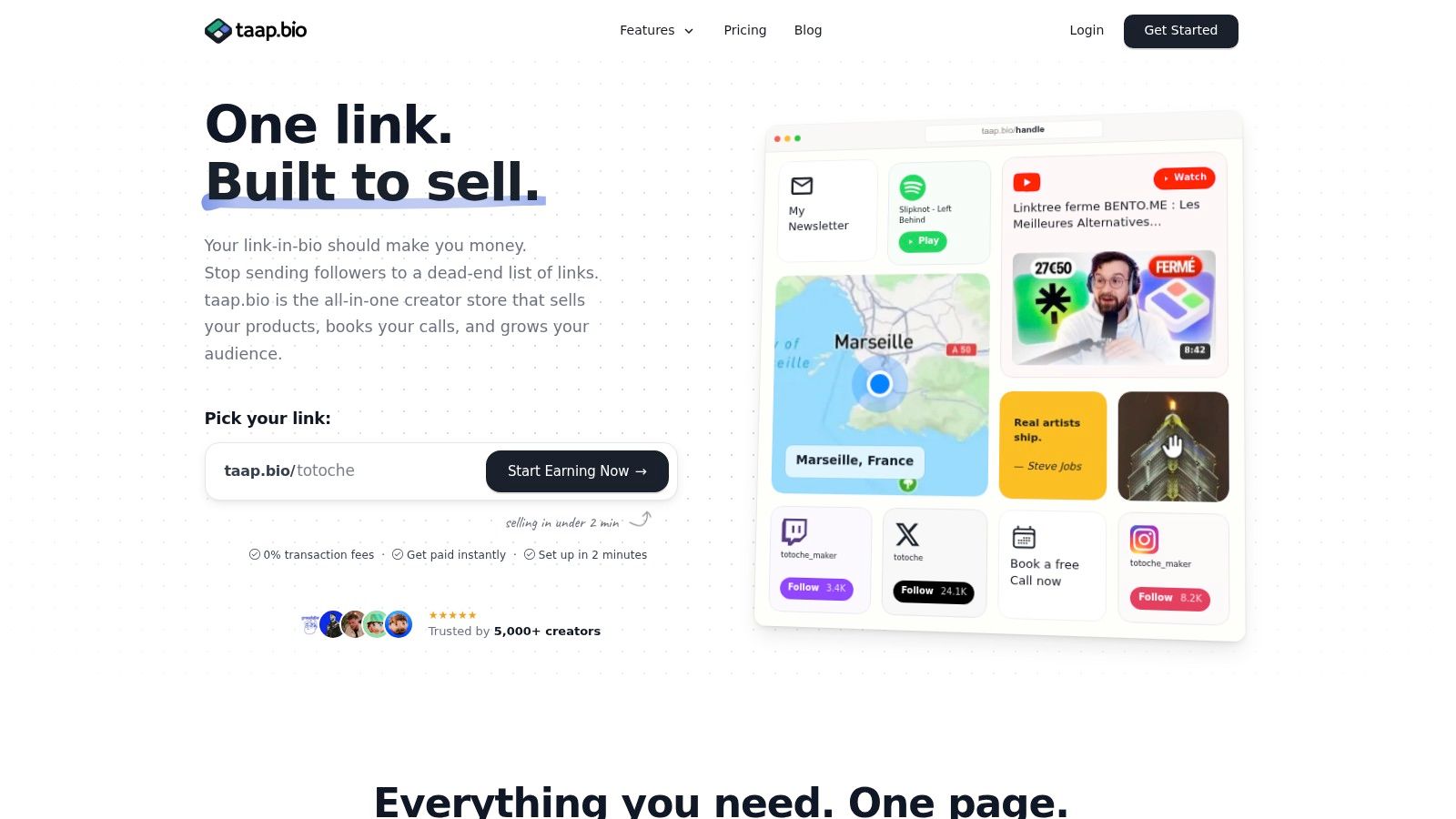
A creator storefront such as taap.bio can combine a drag-and-drop bento layout, digital-product checkout, automatic file delivery, paid bookings, email capture, and widget-level analytics on one page. It can also provide a branded destination where a template buyer sees the next relevant offer instead of having to search through an Etsy shop.
Design the post-purchase path
Don't treat email capture as an afterthought. Give the buyer a reason to subscribe, such as product updates, new coordinated templates, editing guidance, or access to a relevant free resource. Use clear consent language and keep the offer separate from the instructions needed to access the purchase.
A practical sequence looks like this:
- The buyer downloads the Etsy PDF.
- The PDF delivers the Canva link and explains access.
- A separate section introduces a related product or storefront.
- The customer can join an email list, purchase a companion product, or book paid assistance.
- Your analytics show which destination receives attention and which offer earns action.
The guide to collecting email addresses can help you build that consent-based step without turning the delivery document into a cluttered sales page.
Etsy remains valuable because buyers already search there. Your owned layer gives those buyers a clearer route to repeat purchases, updates, and services. Keep the Etsy listing accurate, deliver exactly what was promised, and use the post-purchase experience to deepen the relationship rather than misleading customers about the original transaction.
The strongest model separates acquisition from retention. Etsy introduces the product to a buyer with existing intent. Your own page and permission-based audience help you continue serving that buyer when the next relevant need appears.
Your Roadmap to a Sustainable Template Empire
A sustainable template business isn't a pile of attractive files. It's a connected operating system. The marketplace brings discovery, the design solves a defined problem, the license architecture protects delivery, the price funds support, and the post-purchase path creates another opportunity to help the same customer.
Start with one product that passes four tests:
- The buyer is specific: You can name the person, business, or event the template serves.
- The outcome is obvious: The listing shows what the buyer can create after editing.
- The assets are documented: Your ledger identifies original, Free, Pro, branded, and restricted elements.
- The margin is credible: Your spreadsheet includes marketplace charges, payment costs, support time, refunds, and promotion.
Then test the mechanics before expanding. Purchase the listing through a separate account, verify the PDF and Canva link, ask a friend unfamiliar with the product to follow the instructions, and record every point of confusion. Those questions become your support page, listing copy, or onboarding video.
Scale through related problems
Don't jump from wedding invitations to real-estate kits to fitness planners because each category looks popular. Build depth around one audience first. A real-estate seller might need listing presentations, social graphics, open-house materials, pricing guides, and client follow-up documents. Each related product can strengthen the others through shared language and cross-selling.
Seasonal updates should improve a proven use case rather than distract from it. Refresh previews when the product changes, remove unavailable assets, and review license terms as part of each publication audit. Accurate maintenance is more defensible than releasing a large catalog and abandoning it.
Your digital products business roadmap should account for three stages: validate demand on Etsy, improve profitability through packaging and pricing, then build a direct audience and complementary offers. Scale only after the delivery and support process works for the first product.
The best first move is deliberately small. Create one legally sound template, publish one precise listing, calculate its contribution margin, and test the complete buyer experience. If the product earns attention but creates confusion, fix the system before adding inventory. If buyers understand it and the economics work, expand into adjacent problems for the same audience.
taap.bio gives creators a single page for digital-product checkout, automatic file delivery, email capture, paid bookings, and analytics, with 0% platform fees on sales according to its product information. Build the post-purchase layer for your Etsy templates, then visit taap.bio to create your creator storefront.