The most popular advice about selling Notion templates is incomplete: build something useful, upload the duplicate link, and promote it on social media. That process can produce a product, but it doesn't automatically produce a business. A template sale depends on positioning, conversion, net revenue, delivery, onboarding, and support capacity just as much as database design.
The practical question isn't only how to sell Notion templates. It's whether each sale leaves enough margin, creates a good customer experience, and strengthens an operation you can keep running. That means treating the template as a configurable product, the sales page as a conversion system, and every payment as a small unit-economics decision.
Table of contents
Why Most Notion Templates Go Unsold
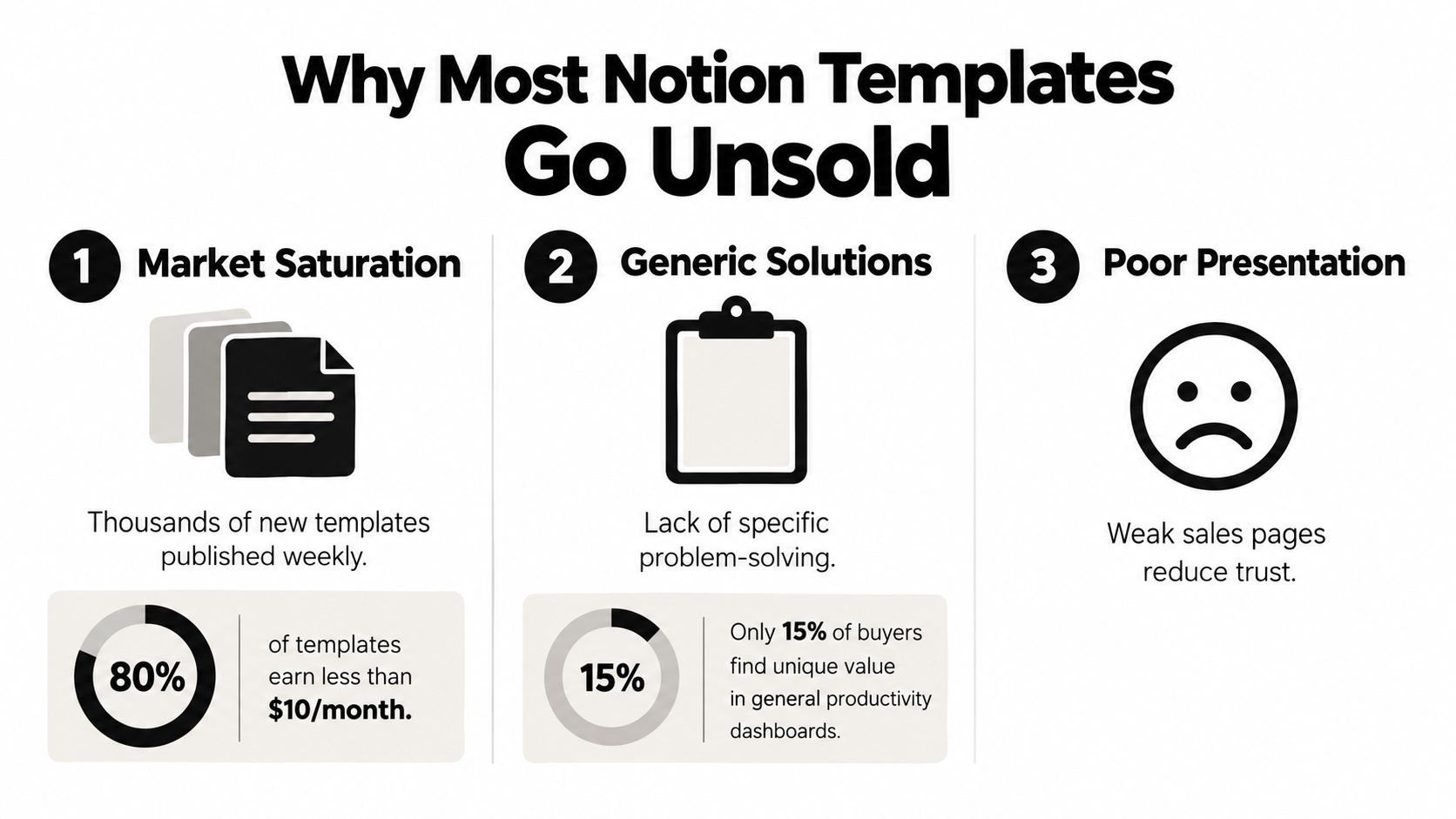
Building another polished dashboard will not create demand. A recent Modern Meeting Standard's marketplace analysis reported more than 30,000 listed templates, nearly 19,300 creators, 2,069 collections, and 345 categories. In that crowded market, usefulness is only the entry requirement. Buyers must quickly understand why your system fits their situation better than the alternatives beside it.
The market can be large while purchase intent stays narrow. Someone may browse productivity templates without an immediate reason to buy. A generic dashboard asks visitors to imagine a future benefit. A focused product identifies the user, the workflow, and the recurring problem already costing them time.
Saturation changes the job
Creators often spend weeks adding databases, views, icons, and formulas before testing whether anyone wants the underlying workflow. That order wastes effort. Start with a recurring problem, then check whether a defined audience searches for advice, shares workarounds, or asks for recommendations.
A template for “better productivity” competes with nearly every productivity system. A workspace for freelance designers to track client projects, invoices, and next actions has a clearer commercial identity. Audience research, including the principles in this guide to buyer persona development, helps you identify what customers are trying to accomplish instead of adding features based only on personal preference.
Sales also depend on unit economics. A marketplace listing may generate visibility, yet fees, taxes, refunds, support time, and delivery problems reduce what each sale contributes. An all-in-one checkout platform can collect payment, automate delivery, and protect more of the margin, provided its costs and tax handling fit your operation.
Trust matters before the checkout
Buyers cannot fully evaluate a configurable workspace from its title. Show the actual flow through screenshots, a public demonstration, and instructions that make setup manageable. Public education matters too. The history of Notion template selling shows creators building trust and distribution before the official marketplace became an important channel. Users shared workspaces organically, power users began selling through third-party platforms around 2019–2020, Notion launched its official gallery in 2020, and its affiliate program followed in 2021 (Real Growth Matters' creator-economy overview).
Practical rule: If your sales page cannot explain who the template serves, which recurring problem it solves, and what the buyer does first, the product is not ready for consistent promotion.
Designing a Product People Actually Want
A strong Notion template begins with a narrow promise. “Organize your life” is too broad to guide product decisions or help a buyer recognize themselves. “Plan a weekly content pipeline for a solo podcast” gives you a customer, a recurring workflow, and a useful boundary.
Narrow the problem before opening Notion
Write the product idea as a sentence with four parts:
- Audience: Who uses the system?
- Situation: When do they need it?
- Friction: What keeps going wrong?
- Outcome: What becomes easier after setup?
For example, a freelance project system might serve independent designers who lose track of approvals and invoice dates. That statement tells you more than a feature list. It suggests project stages, client records, deadlines, payment status, and a dashboard that surfaces the next action.
Validate the idea through conversations, community questions, comments, and your own observed workflow. You don't need to manufacture demand with a clever name. Look for repeated language that people already use to describe the problem, then use that language in the title and product page.

Build the shortest useful path
A template should guide a buyer from duplication to a meaningful first action. Remove anything that doesn't support that path. A content workflow might include an inbox for ideas, a planning view, a production board, and a publishing calendar. It doesn't need every possible business database if those additions delay the user's first win.
Design around the buyer's real sequence:
- Start page: State who the system is for and what to do first.
- Core database: Store the information the workflow depends on.
- Working views: Show only the filters and properties needed for recurring tasks.
- Examples: Include realistic sample entries so the buyer understands the intended use.
- Maintenance guidance: Explain what to archive, update, or review.
A polished visual style helps, but usability carries the product. Clear labels, sensible defaults, readable layouts, and concise instructions will serve more buyers than decorative complexity. The same principle applies to user experience design basics: reduce decisions at the moment the customer needs to act.
Package implementation, not just access
The paid product should include more than a duplicate link. Add a quick-start page, a short walkthrough, and a troubleshooting note for common permission or setup issues. Tell the buyer what isn't included too, such as custom configuration, ongoing consulting, or compatibility with workflows you haven't tested.
Test the template as a new user. Duplicate it into a clean workspace, follow your own instructions, and try the important actions on desktop and mobile. Ask a small group of people who resemble the target customer to complete the first-use path without your help. Their confusion identifies missing documentation more reliably than your familiarity with the system.
Building a High-Converting Sales Page
A sales page should reduce uncertainty before the visitor reaches checkout. Show the product in use, connect its features to a defined workflow, explain delivery, and make the purchase action easy to find. A long feature list rarely answers the buyer's real question: what will change in my working day after I buy this?
Lead with the buyer's problem
The headline should identify both the audience and the outcome. Compare these positions:
- “All-in-one Notion productivity dashboard”
- “A weekly content system for solo creators who keep losing ideas between planning and publishing”
The second gives the visitor a specific reason to continue. Follow it with a short explanation of the recurring workflow, then show the workspace through screenshots or video. Annotate each visual with what appears on screen and why that element matters to the buyer.
A practical page sequence is:
- Outcome-led headline
- Short description of the recurring problem
- Screenshots or walkthrough
- What's included
- Who it's for and who it's not for
- Setup and delivery details
- Price, refund terms, and purchase button
- Frequently asked questions
Use the page to set expectations before payment. State whether the buyer receives a duplicate link, a file, instructions, or a combination. Explain whether updates are included and how customers will receive important changes. Clear delivery terms prevent avoidable support requests and make the offer easier to evaluate.
Use one page to reduce friction
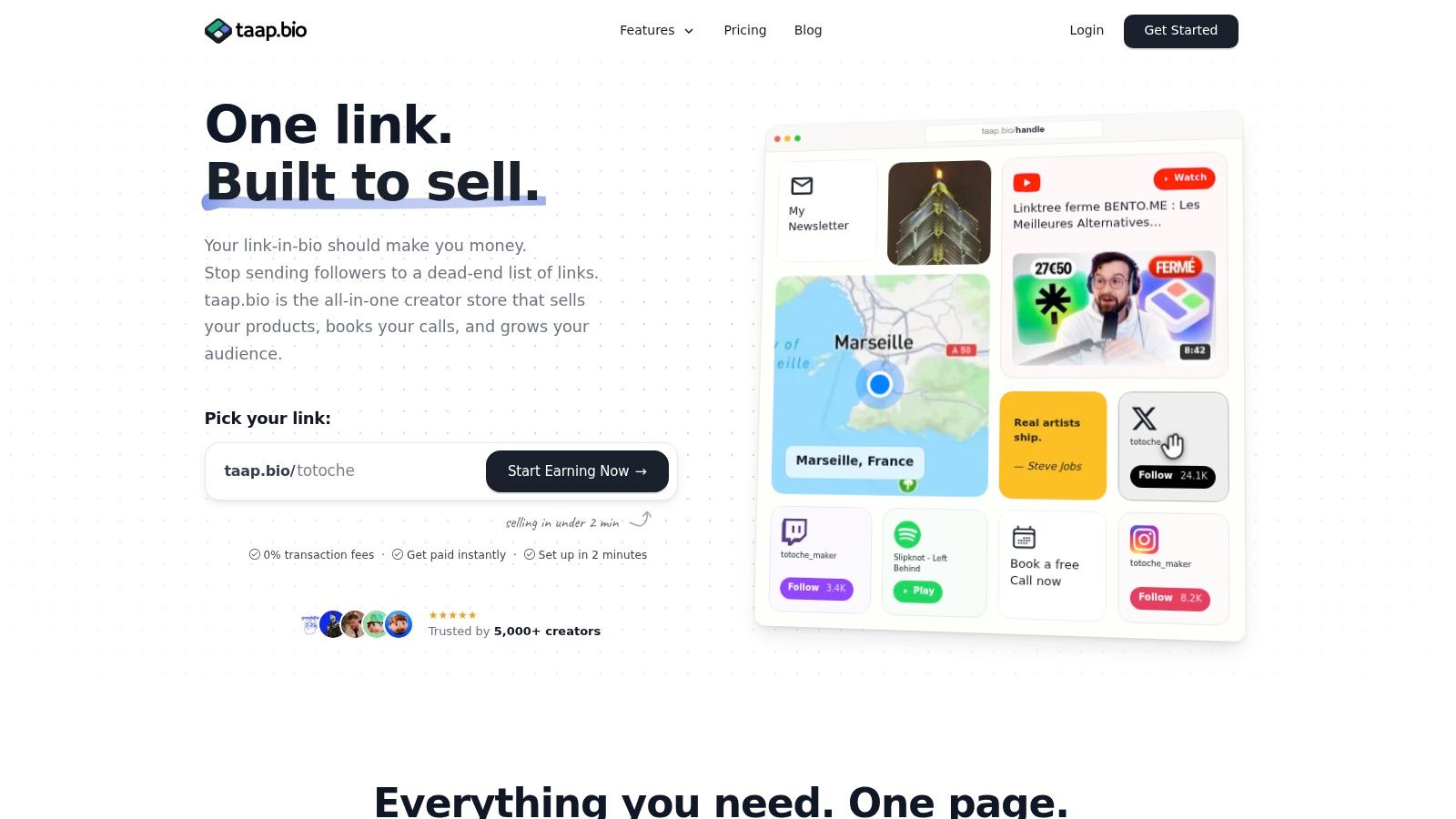
A fragmented setup can send a visitor from a social profile to a link directory, then to a product page, external checkout, email tool, and file-delivery service. Each handoff creates another point of doubt or failure. An integrated page keeps the offer, email capture, checkout, and delivery in one branded experience.
taap.bio offers a drag-and-drop bento layout with built-in checkout and instant digital file delivery. Creators can combine a storefront, scheduling, and email capture without technical setup. Its product block can present the template, collect payment, and deliver the purchased file after the transaction clears.
A digital product landing page should place the purchase block after enough context to establish value, while keeping it visible without requiring extensive searching. A free sample can work when it demonstrates the system without giving away the complete commercial product. Collect permission-safe email contacts from interested visitors so you can announce updates, publish tutorials, and follow up with people who need more time before purchasing.
Show the actual page flow before publishing:
Measure actions, not applause
Likes and views indicate attention, but they do not show whether the offer is clear. Track movement from page visit to product interaction, email signup, checkout, purchase, and delivery issue. Notion's creator dashboard also provides signals such as template views, duplications, revenue, and purchase origin, helping sellers compare discovery with actual product activity (Notion's marketplace selling documentation).
Change one page element at a time. Test the title, first screenshot, description, price presentation, or call to action. Use buyer behavior to identify the bottleneck instead of redesigning the entire page after a quiet launch. A sales page improves through measured revisions, not visual changes made without a clear hypothesis.
Pricing Strategies That Protect Margins
A template can sell regularly and still produce weak income. Pricing must account for perceived value, marketplace fees, refunds, support, delivery, taxes, and the time required to maintain the product. A low price may attract clicks, yet leave no room to operate.
Notion's marketplace charges sellers an 8% transaction fee plus $0.40 per sale. Non-U.S. creators also pay an additional 1% foreign-exchange fee when payouts are converted from USD. Creators remain responsible for reporting and paying income taxes on marketplace earnings.
See the fixed fee clearly
The percentage fee rises with the order value, while the fixed fee remains the same. As a result, the $0.40 charge takes a larger share of a $5 product than of a $49 product. Refunds, support time, payment-provider charges, currency conversion, and local tax obligations can reduce the final amount further.
Calculate the economics of every offer:
Net revenue = selling price − percentage fee − fixed fee − currency costs − applicable taxes − refund allowance − support and delivery costs
Gross sales are not income. Build a worksheet with a separate row for each cost, then compare a single template with a bundle. For another way to organize products by price point, review this guide to digital product pricing strategy, and apply its principles to your own margins. You can also compare pricing tiers before deciding how much infrastructure your offer can support.
Use a tiered offer structure
A tiered catalog gives buyers choices while keeping each product tied to a clear level of value and support.
- Entry product: One focused template, concise instructions, and a low-friction price.
- Core system: Related databases, examples, views, and a more complete implementation path.
- Bundle: Several connected workflows, deeper guidance, and ongoing update access only where you can support it.
The right price depends on the problem solved, audience, proof, and support burden. Paid Notion templates commonly fall between $5 and $49, while premium bundles can reach $79–$300 or more. Treat those ranges as reference points, not instructions to copy another creator.
Decide where the sale should happen
The Notion marketplace can provide discovery and built-in trust, but your product appears beside many competing offers and carries the seller fees above. An independent checkout gives you more control over the page, customer communication, bundles, and delivery. It also requires you to create demand and manage acquisition channels.
Using both channels may produce a stronger operating model. List a focused product where buyers already search, then direct your broader audience to a branded checkout for bundles and permission-based contacts. An all-in-one checkout can keep payment, delivery, customer records, and follow-up connected, reducing the number of failure points in the purchase process.
Judge the channel by contribution margin, not order volume. More sales are not automatically better if each purchase creates support work without enough money left to maintain the business. Recalculate after launch as refunds, support requests, taxes, and conversion patterns become clearer.
Consolidating Your Creator Tech Stack
A creator can assemble a store with separate tools for a link page, ecommerce checkout, email capture, scheduling, analytics, and file delivery. That approach offers flexibility, but it also creates several account relationships, multiple dashboards, disconnected customer records, and more places for a delivery or tracking failure to occur.
The alternative is to choose infrastructure around the customer journey rather than around individual features. If a visitor discovers your template through a profile link, the page should explain the offer, collect interest, process payment, deliver access, and record the result with as little interruption as possible.
Compare the operating model
| Platform | Base Fee | Additional Fees |
|---|---|---|
| Notion Marketplace | No separate base fee stated in the verified seller documentation | 8% transaction fee plus $0.40 per sale; additional 1% foreign-exchange fee for non-U.S. creators |
| Independent checkout | Depends on the selected service | Payment processing, service charges, currency conversion, taxes, and other operating costs may apply |
| Self-hosted stack | Hosting and software costs vary | Payment processing, maintenance, integrations, security, email, delivery, and analytics costs may apply |
| taap.bio | Service pricing may change, check the current offer | Platform and payment terms should be reviewed before launch |
The table isn't a promise that consolidation always costs less. A single platform can reduce maintenance and tool switching, but it may provide fewer specialized controls than a fully custom stack. A fragmented system can be appropriate when you need advanced automation, complex customer segmentation, or a checkout flow your chosen all-in-one service doesn't support.
Choose the simplest system that preserves control
For a small catalog, separate tools can feel manageable until an order requires manual delivery, a buyer asks for an update, or an email list becomes difficult to export. Consolidation helps when the same page can handle product presentation, checkout, instant delivery, bookings, and contact capture. taap.bio's documented product is built around a drag-and-drop bento page with those creator-store functions, along with analytics for page elements.
The practical test is operational. Ask:
- Can a buyer understand and purchase without unnecessary redirects?
- Does delivery happen automatically after payment?
- Can you export or manage permission-based contacts?
- Can you see which page elements generate action?
- Can you update the product without editing several disconnected systems?
- Do the costs still make sense at your actual order value?
Don't choose a tool because its feature list is long. Choose it because it removes a failure point you currently manage manually. More details on evaluating this model are available in the guide to an all-in-one business platform.
Legal and Operational Essentials
A Notion template is a configurable system, not a finished digital file that works identically for every buyer. That distinction changes your responsibilities. Buyers may need to configure properties, understand permissions, adapt views, and learn how the workflow fits their work. Clear onboarding, accessibility checks, and defined support boundaries are therefore part of the product, not optional extras (Eden's guide to selling Notion templates).

Document the commercial relationship
Before launch, write plain-language terms that cover the product license, permitted use, copying and redistribution, updates, refunds, and support. Don't promise personal customization if you sell a self-serve product. If your template contains third-party assets, icons, text, images, or proprietary workflows, confirm that your license allows commercial distribution.
Intellectual-property questions become more complex when you collaborate, license systems, or adapt client work. A specialist resource can help you navigate intellectual property deals, but it shouldn't replace advice suited to your country and situation. Keep records showing what you created, what you licensed, and which permissions apply to each asset.
Treat tax and privacy as operating work
Marketplace earnings are income that you need to record and report according to the rules that apply to you. Keep transaction records, payout statements, refunds, fees, and currency conversions in a consistent bookkeeping system. For cross-border sales, check whether your jurisdiction creates registration, invoicing, VAT, or sales-tax obligations. Don't copy another creator's tax setup because their location and buyer base may differ.
Collect only the customer information you need, explain why you collect it, and provide a clear privacy notice. If you use email capture, obtain appropriate permission and make unsubscribe handling straightforward. Review the privacy, security, and data-processing terms of every service in your checkout path.
Design support out of the product
Build a five-minute first-use path. Include a “Start here” page, mobile instructions, readable contrast, descriptive labels, a short troubleshooting section, and a public changelog. Check whether important databases are usable on a small screen and whether the page remains understandable without relying on color alone.
Set a support boundary before the first complaint arrives. State where buyers should ask questions, what response they can expect, which issues you'll fix, and what falls outside the purchase. A clear policy protects your time while giving customers confidence that the product has an owner.
Your Launch Checklist and Next Steps
A launch-ready Notion template must pass five tests:
- Problem fit: A defined audience recognizes the recurring problem.
- Product quality: The first-use path works in a clean workspace and on mobile.
- Sales clarity: The page explains the workflow, delivery method, price, and limits.
- Margin discipline: Net revenue accounts for fees, currency costs, taxes, refunds, and support time.
- Operational readiness: Terms, privacy information, licensing, a changelog, and support process are ready.
Start with one focused offer and a public demonstration. Track visits, interactions, purchases, and delivery issues. Use customer questions and behavior to improve the product, rather than adding features without evidence.
taap.bio combines a creator page, checkout, digital delivery, email capture, bookings, and analytics for file-based products such as Notion templates. It can reduce the tools you must connect while automating delivery and protecting more of each sale's margin.