So, you want to link your Facebook Page to Instagram? It's pretty straightforward—you can do it right from your Instagram app's settings or through the Meta Business Suite. This quick step is the key to syncing up your profiles, which unlocks a ton of cool features like cross-posting, a unified inbox for messages, and much more powerful ad tools. Think of it as the foundational move for building a smarter, more connected social media presence.
Table of contents
Why Connecting Facebook and Instagram Is a Game-Changer
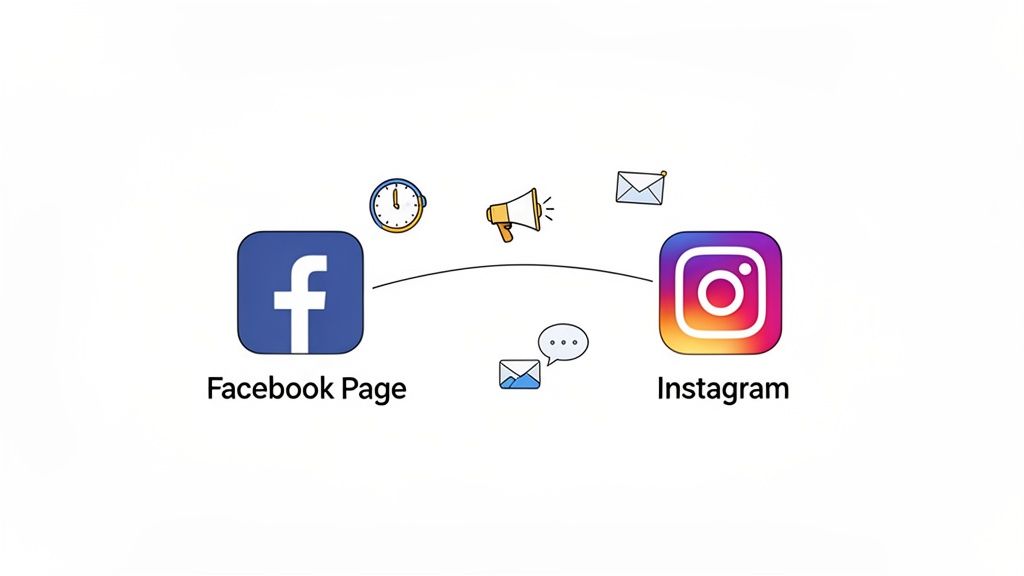
Let's be real for a second. Trying to manage multiple social media accounts separately is a massive headache. You post on Instagram, then you have to jump over to Facebook to post the same thing. Then you're checking DMs in one app and comments in another. It’s a clunky, time-sucking process. When you decide to link a Facebook Page to Instagram, you're choosing to ditch that chaos and build a single, streamlined ecosystem for your brand.
This isn't just about making your life a little easier; it’s a strategic move that underpins a modern digital strategy. Once your accounts are synced up, you gain access to a whole suite of professional tools built to grow your reach and simplify your daily grind. It’s the key that unlocks a much more cohesive and efficient way to manage your entire online identity.
Unlocking a Unified Digital Presence
Imagine building a bridge between your two most valuable social platforms. Instead of being two separate islands, your Facebook and Instagram start talking to each other, sharing data and functionality. For your followers, this creates a seamless brand experience, no matter which platform they prefer.
The benefits are immediate and genuinely impactful:
- Centralized Management: You can manage all your direct messages and comments from both platforms in one unified inbox within Meta Business Suite. Seriously, no more app-hopping just to reply to your community.
- Effortless Cross-Posting: Post a Reel, Story, or a standard post to both Facebook and Instagram at the same time. This is a huge time-saver and helps keep your content consistent across the board.
- Smarter Advertising: Run ad campaigns that target audiences across both platforms from a single dashboard. This gives you a much better handle on your budget and way deeper insights into what’s actually working.
This integration is all about working smarter, not harder. By connecting your accounts, you can easily reclaim hours every week—time you could be spending on creating great content or actually talking to your audience.
Powering Dynamic Tools Like Taap.bio
Beyond what Meta offers natively, this connection is what makes powerful third-party tools truly shine. If you’re a creator using a platform like Taap.bio, linking your accounts is the secret sauce. It’s what transforms a basic link-in-bio page into a live, engaging hub for your followers.
This sync is what allows the Taap.bio smart widget to automatically pull in your latest Instagram posts in real-time. Your page stays fresh and current without you having to lift a finger. For anyone serious about figuring out how to improve social media engagement, this is a non-negotiable step. It creates an interactive experience that keeps your visitors coming back.
The Real Benefits of a Connected Social Presence
Connecting your accounts is so much more than just ticking a box in your settings. When you link a Facebook Page to Instagram, you're actually building a powerful, cohesive engine that fuels your growth and, frankly, saves you an incredible amount of time. It’s about making your platforms work together intelligently, instead of treating them as separate chores on your daily to-do list.
The most immediate win? Your entire content workflow gets a major upgrade. Imagine shooting a great Reel and, with a single tap, having it post across both Instagram and Facebook. No more tedious downloading and re-uploading. That simple change is a game-changer for staying consistent and squeezing every bit of reach out of the content you work so hard to create.
A Unified Command Center for Your Brand
One of the best perks you'll get right away is access to the Meta Business Suite. This isn't just another dashboard to check; it’s a genuine productivity powerhouse.
Inside, you'll find a single, unified inbox that pulls in every comment and direct message from both your Facebook Page and your Instagram account. Think about that for a second: no more frantically switching between apps to keep up with conversations. You can respond faster, stay way more organized, and make sure no customer question or follower comment ever slips through the cracks. It's a small shift that makes community management feel almost effortless.
For a musician, this means managing fan comments on a new music video post on Facebook right alongside DMs about tour dates on Instagram—all from one screen. This is how you build a strong community and a professional brand.
Smarter Advertising and Deeper Insights
Beyond the day-to-day management, this integration unlocks much more sophisticated advertising and analytics. You can create and manage ad campaigns that run across both platforms at the same time, hitting a wider, more diverse audience without doubling your workload. Because the data is shared, the targeting becomes incredibly precise, ensuring your marketing dollars are spent where they'll actually make an impact.
This unified approach carries over to your performance metrics, too. You get a consolidated view of your audience's behavior, seeing how your content lands across both platforms. These combined insights give you a much clearer picture of what truly resonates with your audience as a whole, letting you fine-tune your strategy based on hard data, not just guesswork.
Real-World Impact and Measurable Growth
Since Meta officially rolled this out in 2020, it has fundamentally changed how businesses and creators approach social media. By June 2023, over 200 million Instagram business profiles had connected to their Facebook Pages, with countless users reporting a significant boost in their overall engagement. It’s a proven strategy for creating a more robust and recognizable digital footprint. You can explore more data-driven insights about social media trends on EmbedSocial.
This connection is also foundational for getting the most out of third-party tools like Taap.bio. For instance, a musician can use their Taap.bio page to feature a Spotify widget right next to an auto-updating Instagram grid. This kind of dynamic, engaging setup is only possible because the accounts are linked, turning a simple link-in-bio into an interactive showcase for their work.
Ultimately, this integration saves you hours each week while actively helping you build a stronger online presence that feels professional and totally connected.
Want to connect your Facebook and Instagram accounts but prefer doing it on your desktop? I get it. While the mobile app is handy, using a computer gives you a bigger screen and a much clearer view of all the settings, especially within the Meta Business Suite. It just feels more robust and less prone to accidental taps.
Before you start, let's get a couple of critical prerequisites out of the way. First, your Instagram account absolutely must be a Professional account—either a Business or Creator profile. Second, you need to be an admin on the Facebook Page you want to link. If you don't have these two things squared away, the connection options won't even show up, so it's always worth double-checking first to save yourself a headache.
Finding Your Page Settings
Alright, let's get this done. The most straightforward path is right through your Facebook Page settings.
Log into your Facebook account and head over to the Page you want to manage. Look at the menu on the left side of your screen and find the Settings option.
Once you click into Settings, you'll see a new menu. Scan down that list until you see Linked Accounts. This is where Meta keeps all the connections to its other platforms, like Instagram. You're in the right place.
Making the Connection
In the Linked Accounts area, you'll see a clear option for Instagram. Go ahead and click the Connect Account button. A new window will pop up asking you to log into the Instagram account you want to link.
Just pop in your Instagram username and password. This is simply to prove you own the account and to give Meta permission to link everything up. As soon as you log in successfully, the connection is made instantly. You'll see your linked Instagram profile appear on the Facebook Page, confirming it all worked.
You'll be greeted with a screen that looks something like this, which is your new mission control for both platforms inside Meta Business Suite.
This dashboard is a game-changer. It pulls your inbox, content planner, and analytics for both platforms into one unified space.
Pro-Tip: Don't be surprised if Facebook asks you to review your messaging settings right after you connect. This is actually a great feature. It lets you choose whether you want to see and reply to Instagram DMs from your Facebook Page's inbox, which is a massive time-saver.
Connecting your accounts on a desktop really solidifies your setup and immediately unlocks more powerful management tools. If you're curious about what else you can do with this new integrated setup, our guide on social media management tools is a great next read.
Ultimately, learning how to link your Facebook Page to Instagram on a desktop is more than just a technical task. You’re building a smarter, more efficient engine for your entire social media presence. Now you have a far more integrated way to manage content, talk to your audience, and see what’s working.
Linking Your Accounts Right From Your Phone
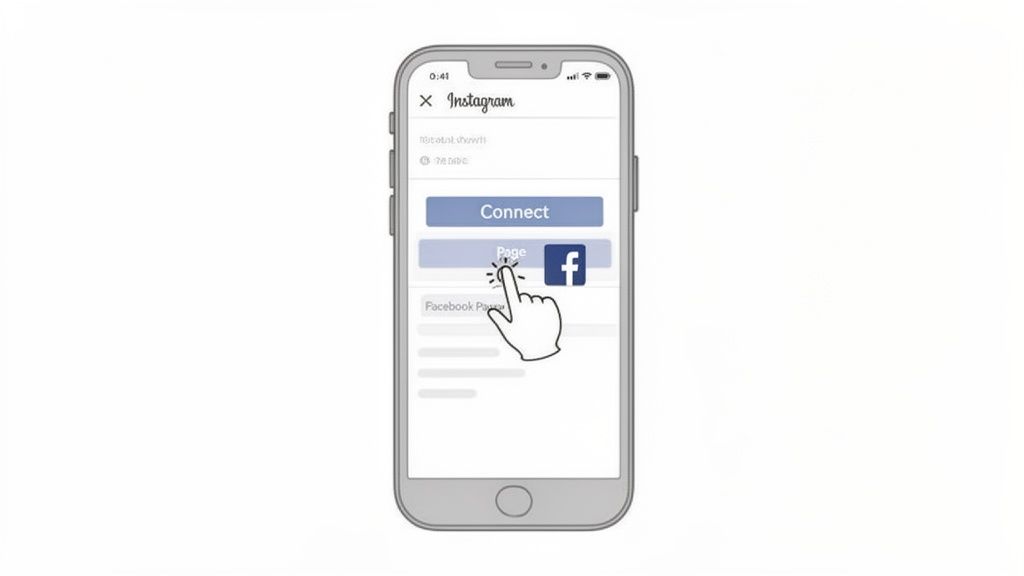
Let's be real—most of us are running our businesses and brands from the palm of our hands. Connecting your Facebook and Instagram accounts directly through the Instagram app is, by far, the quickest way to get things synced up. It’s all done right there, whether you're on an iPhone or an Android.
Here’s a pro-tip that will save you a world of frustration: before you even open Instagram, make sure you're logged into the correct Facebook profile in your phone's Facebook app. I’m talking about the profile that actually has admin rights to your business Page. This one little step helps Instagram find the right Page instantly, avoiding any mix-ups with personal profiles or old pages you forgot you had.
Getting to the Connection Hub in Instagram
Alright, let's jump into the Instagram app.
Start by going to your profile—just tap your picture in the bottom-right corner. Now, tap the three horizontal lines (the "hamburger" menu) at the top right to open up your options.
From here, the path to the right settings can sometimes shift a bit with app updates, but this is the current and most common route:
- First, tap on Settings and Privacy. This is ground zero for all your account controls.
- Next, you're looking for the Accounts Center. Meta has been moving all the cross-app management tools into this one central spot.
- Once you're in the Accounts Center, tap Profiles, and then hit Add accounts.
This will ask you to log into the Facebook account you want to link. Since you’re already logged into the Facebook app (you followed that pro-tip, right?), this should just be a quick, one-tap authorization.
Think of this as giving Instagram the green light to communicate with Facebook for you. It's this permission that powers all the good stuff, like sharing logins and cross-posting, which really makes managing both platforms feel like a single, cohesive job.
Choosing the Right Facebook Page
You’ve added your Facebook profile, but there’s one last, critical step. You need to tell Instagram which specific Facebook Page to link up with.
Head back to your Instagram profile and tap Edit Profile. Scroll down a bit to the Public business information section and look for the Page option.
When you tap it, Instagram will show you a list of all the Facebook Pages your account manages. Just pick the right one from the list, and that’s it! The connection happens instantly, and you've just unlocked a ton of powerful features for sharing content and running ads.
This mobile-first method is ideal for getting set up fast. It's the same kind of straightforward process for connecting other platforms, too. For instance, if you're trying to build a more unified social presence, you might find our guide on how to link TikTok to Instagram helpful.
How a Linked Instagram Unlocks the Full Power of Your Taap.bio
Alright, now for the part where everything clicks into place. Connecting your Facebook Page to Instagram isn't just a technical task you check off a list—it's the secret sauce that turns your Taap.bio page from a static list of links into a dynamic, always-fresh hub for your audience.
Here’s the simple breakdown: without that connection, Taap.bio is limited to showing basic, unchanging links. But the moment you sync them, you grant Taap.bio permission to talk directly to the Instagram API. This is the magic that fuels our smart widget, letting it automatically pull in your latest posts, follower count, and profile info as soon as you update them. Your visitors get your latest content without you lifting a finger.
Build a Dynamic Bento Box Layout
This is where the real creativity comes in. Once you have that live Instagram feed, you can start designing a visually stunning bento box layout on your Taap.bio page. Forget those boring, single-file lists of links. This approach lets you build a truly personalized and interactive dashboard.
Here are a couple of ways I’ve seen this work brilliantly:
- For Designers: Imagine placing a Dribbble widget showcasing your professional portfolio right next to a live feed of your latest Instagram posts. Suddenly, visitors get a side-by-side look at your polished client work and your creative, in-the-moment projects. It tells a much richer story.
- For Podcasters: What if you embedded a Spotify player with your newest episode right on your Taap.bio page? Then, you could place your Instagram profile widget next to it. Someone can listen to your podcast and follow you on Instagram in the same breath, all on one page.
This is how your page becomes a destination, not just a quick stop on the way to somewhere else. People can interact with your content from multiple platforms without ever leaving your link-in-bio. We've actually put together a complete guide on how to craft the perfect link in bio for Instagram that truly captures attention.
Your Taap.bio page becomes an interactive dashboard of your entire digital world. It’s an immediate, visual summary of who you are and what you’re currently working on, keeping your audience hooked.
The data really drives this home. With Instagram on track to hit 3 billion monthly active users by early 2026, building an integrated experience is no longer optional. After connecting their accounts, brands see a huge uptick in engagement, especially from younger audiences—a whopping 63% of Gen Z engages with brands directly on Instagram. For creators using Taap.bio, this linked setup is a game-changer, enabling real-time follower syncs and much deeper insights. You can dive into more of the latest current social media statistics on Hootsuite.
Ultimately, this simple connection takes your link-in-bio from a passive tool and turns it into an active, automated extension of your brand that works for you 24/7.
Solving Common Connection Issues
Trying to link your Facebook Page and Instagram account and hitting a wall? Don't worry, it happens to the best of us. Most of the time, what feels like a major technical glitch is actually something you can fix in a minute or two. Let's walk through the most common culprits.
Nine times out of ten, the problem comes down to permissions. If you're going through the steps and your Instagram account simply isn't showing up as an option to connect, it's almost certainly a permissions issue on the Facebook side. To make this connection, you have to be an Admin on the Facebook Page. An Editor, Moderator, or any other role just doesn't have the authority to grant that kind of access.
Your Instagram Account Type Matters
Another classic mistake is trying to connect a personal Instagram profile. All of Meta's powerful business tools—from cross-posting to ad management—are built for professional accounts. That means your Instagram profile must be set to either a Business or Creator account. If it's still a personal profile, you'll need to make the switch first. It's a quick toggle in your Instagram settings.
This little flowchart really drives home why this connection is so important, especially if you're using tools that pull in your Instagram content automatically.
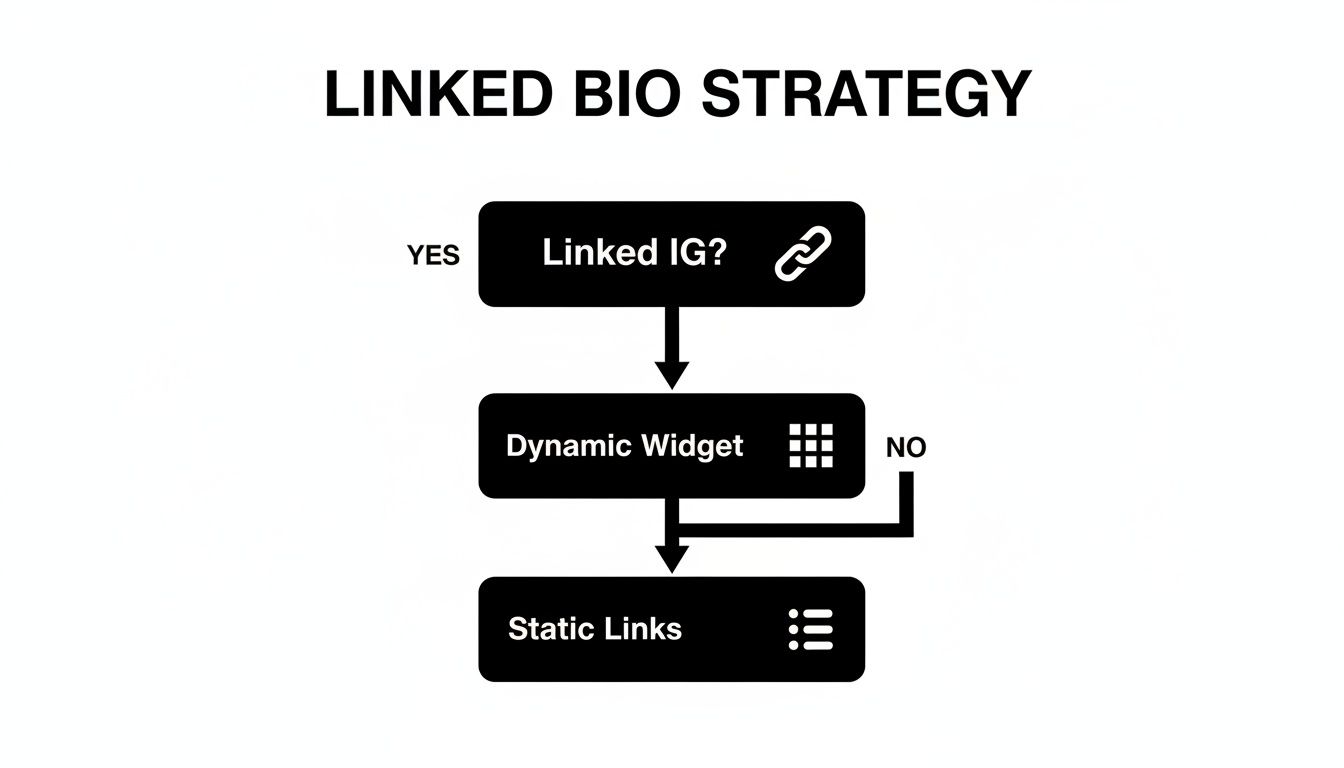
As you can see, a linked account opens the door to dynamic, auto-updating features, while an unlinked account keeps you stuck with static links. This isn't just about convenience; it has a real impact. For instance, brands have seen their engagement on Reels jump by an average of 41% just by using the cross-play feature, which this connection enables. You can find more deep-dive social media statistics on SocialPilot that back this up.
If you’ve tried everything and it's still not working, here's my go-to trick: the old "turn it off and on again." Head into the Meta Accounts Center, remove the Instagram connection entirely, and then log out of both Facebook and Instagram. Log back in and try re-linking from scratch. This simple reset often clears out any weird token or permission glitches that were stuck in the system.
Got Questions? We've Got Answers
Let's tackle a few common questions that pop up when you're connecting your Facebook and Instagram accounts. Think of this as the final check-in to make sure you're set up for success.
Can I Just Link My Personal Facebook Profile Instead of a Page?
That's a definite no. You absolutely must have a Facebook Page to make this connection work.
The whole integration is built for creators, businesses, and brands. Linking to a Page is the only way to get your hands on the powerful business tools, like the shared inbox for DMs and comments or the advanced ad-targeting options. Personal profiles simply don't have access to these features.
What Happens if I Decide to Unlink My Accounts Down the Road?
Breaking the connection means you instantly lose all the integrated features. Your unified inbox will revert to two separate ones, you won't be able to cross-post anymore, and all that valuable combined data in your Insights will vanish.
The biggest gotcha? Any ads you're running will grind to a halt. The connection is the backbone of your cross-platform advertising, so once it's gone, your campaigns are paused immediately.
Will Linking My Accounts Hurt My Post Reach?
Not a chance. This is a common myth, but linking your accounts won't ding your organic reach.
If anything, it helps. By giving you better analytics and a much smoother content management workflow, you're better equipped to post consistently and strategically. Over time, that efficiency and insight can actually lead to better engagement and a wider reach.
Ready to stop just listing links and start creating an experience? With your accounts connected, Taap.bio lets you pull in a live grid of your Instagram posts, build eye-catching bento-box layouts, and design a link-in-bio page that truly feels like you.
Head over to https://taap.bio and start building your ultimate page today.