
Tying your TikTok and Instagram together is way more than just slapping a URL in your bio. It’s a strategic play that brings two very different, very powerful audiences into a single, unified brand experience. Think of it as building a bridge that funnels the chaotic, algorithm-fueled energy of TikTok into the more polished, community-driven world of Instagram. When you get it right, you tell a much richer, more complete story to your followers.
Table of contents
Why You Absolutely Should Connect Your TikTok and Instagram
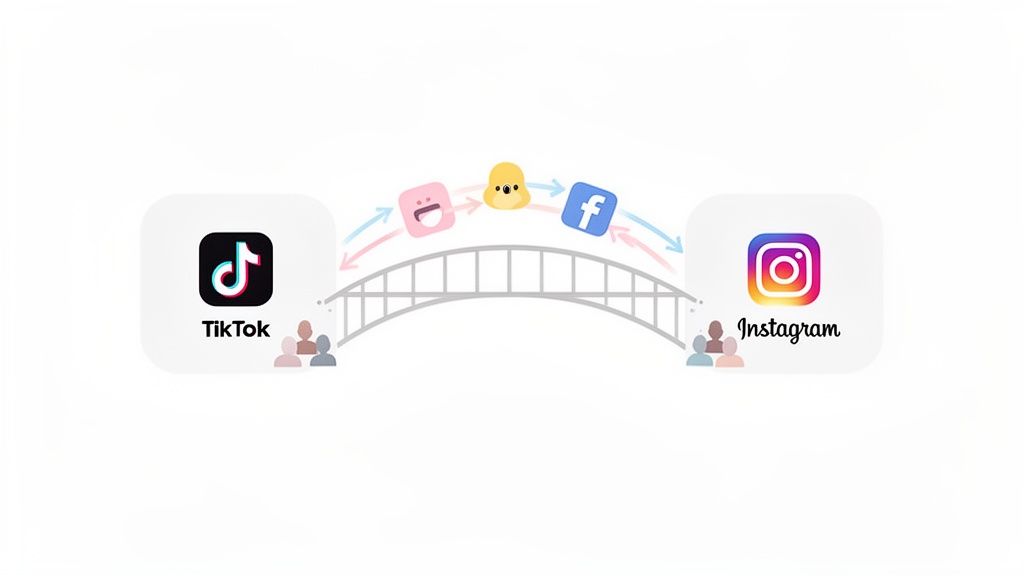
Picture your online presence as a chain of islands. TikTok is that wild, high-energy island where trends explode and videos go viral in a heartbeat. Instagram, on the other hand, is the more established island—it's where you build lasting connections and tell deeper stories through carefully curated posts, Stories, and DMs.
Linking them is like building a sturdy bridge, making it dead simple for people who discover you on one island to hop over and explore the other.
This connection really boils down to two key things:
- Funneling Your Audience: You grab all that attention from TikTok’s "For You" page and guide those people over to your Instagram, where the real relationship-building happens.
- Showing Off Different Sides of Your Brand: It lets your followers on one platform see a totally different aspect of your content or personality, giving them a more well-rounded view of who you are.
Mind the Engagement Gap
The real strategic genius of this bridge becomes crystal clear when you peek at the numbers. TikTok boasts a massive average engagement rate of 3.70%, while Instagram lags behind at just 0.48%.
Now, that doesn't mean Instagram is "worse." It just means they're built for different things. TikTok is all about raw, lightning-fast discovery. Instagram is about nurturing those connections over time. By linking them, you’re using TikTok's incredible engagement engine to fuel your Instagram community. For a deeper dive into the data, check out the full social media benchmark trends from this Socialinsider report.
By creating a single path between the two, you turn TikTok's high-discovery algorithm into a machine for growing a long-term, loyal audience on Instagram. It’s how you make those viral moments stick.
A Single Link Is Just the Beginning
Look, a direct link is a solid first step. But the real pros use a smart link-in-bio page to create a central hub for their entire online world. Instead of just sending people to one place, you can direct them to a custom landing page that beautifully showcases your best content from both platforms and more.
This simple switch transforms your bio from a basic signpost into an interactive destination. You're no longer just telling followers where else to find you; you're showing them exactly why they should care. If you want to get this part right, you’ll find some great tips in our guide on how to improve your social media engagement.
Alright, let's get your TikTok and Instagram profiles talking to each other. This is one of the easiest and most powerful things you can do to grow your audience on both platforms.
How to Add Your Instagram Link to Your TikTok Bio
Think of your TikTok bio as a bridge. You're building a direct path for all that amazing TikTok traffic to flow right over to your Instagram, turning casual video viewers into dedicated followers. Let’s walk through exactly how to build that bridge—it’s easier than you think.
The absolute best way to do this is by using TikTok's built-in social media button. It was designed for exactly this purpose and it looks great. You get a clean, clickable little Instagram icon right on your profile, sitting just below your bio. It’s impossible to miss.
To get it set up, just head over to your TikTok profile and tap the big Edit profile button. Scroll down until you see the "Social" section and tap Add Instagram. You'll be asked to log in to your Instagram to give it the green light, and once you do, that slick icon pops right onto your profile. Simple, clean, and effective.
What About the Clickable Link Option?
There's another way to do this: adding your Instagram URL to the "website" field in your bio. This is a solid option, but there’s a small catch. TikTok generally reserves this feature for accounts with over 1,000 followers. If you haven't hit that milestone yet, you might not even see the option to add a website.
If you do have access, here’s how to do it:
- First, grab your full Instagram profile URL. It’ll look something like this:
https://www.instagram.com/yourusername. - Jump back to your TikTok and hit Edit profile.
- Find the Website field and paste your link in there.
- Hit Save, and you're good to go.
This creates a live link in your bio. Honestly, this spot is prime real estate for a link-in-bio tool like Taap.bio, but we’ll dive into that a bit later. For now, the most important thing is knowing how to edit your bio. If you're a little fuzzy on where everything is, our guide on locating the bio on TikTok will get you pointed in the right direction.
I see this all the time: people just type "IG: @yourusername" in their bio text. Please don't do this! That text isn't clickable. You're forcing people to leave the app, open Instagram, and manually search for you. That's a huge barrier. Always use the dedicated social button or the website field to give them a one-tap journey.
Why This Little Link is a Game-Changer
Connecting these two platforms isn't just a "nice-to-have" anymore; it's a strategic move. The audience dynamics are just too important to ignore.
While Instagram boasts a massive 2.3 billion users, TikTok's audience is exploding at an incredible 17% year-over-year. That completely outpaces Instagram's 13% growth.
What does that mean for you? TikTok is your discovery engine—it's where new people find you. Instagram is your established community hub. By linking them, you're using TikTok's explosive growth to pour jet fuel on your Instagram presence. You can check out a deeper analysis of these trends in the latest social media marketing statistics on newmedia.com.
Connecting your profiles is how you capture new fans and bring them into your world, maximizing your reach across both ecosystems.
Smart Ways to Share TikTok Videos on Instagram
Let’s be honest: just downloading your TikToks and slapping them onto your Instagram feed is a missed opportunity. It's the lazy route, and it usually costs you views and engagement. If you really want to grow both audiences, you need to think less about re-posting and more about smart repurposing.
The biggest killer of cross-platform success? The infamous TikTok watermark. Instagram’s algorithm is smart—it knows when you’re feeding it leftovers from another app, and it’s not a fan. When it spots that watermark, it can seriously suppress your video's reach, making your potentially viral clip invisible to new followers.
Make Your Content Feel Like It Belongs
The whole idea is to make your videos feel at home on Instagram. A clunky cross-post sticks out like a sore thumb and gets scrolled past in a heartbeat. Instead, tailor the content to the specific spot you're posting it.
For Instagram Reels: This is your best bet for high-reach video. Grab the watermark-free version of your TikTok, upload it to Reels, and—this is key—add a trending audio track directly from Instagram’s library. This tells the algorithm your content is fresh and relevant.
For Instagram Stories: Stories are all about interaction. Share your TikTok clip, but then layer on Instagram's native features. Add a poll, a quiz, or a question sticker to get your followers involved. It turns a passive view into an active conversation.
For Feed Posts: If you have a really powerful video, you can post it directly to your main feed. The trick here is to write a much more detailed caption than you would on TikTok. Tell the story behind the video, ask a deep question, or share a lesson you learned.
Before you even get to sharing videos, though, you need to make sure your profiles are linked up correctly. This flowchart breaks down the first, most crucial step.
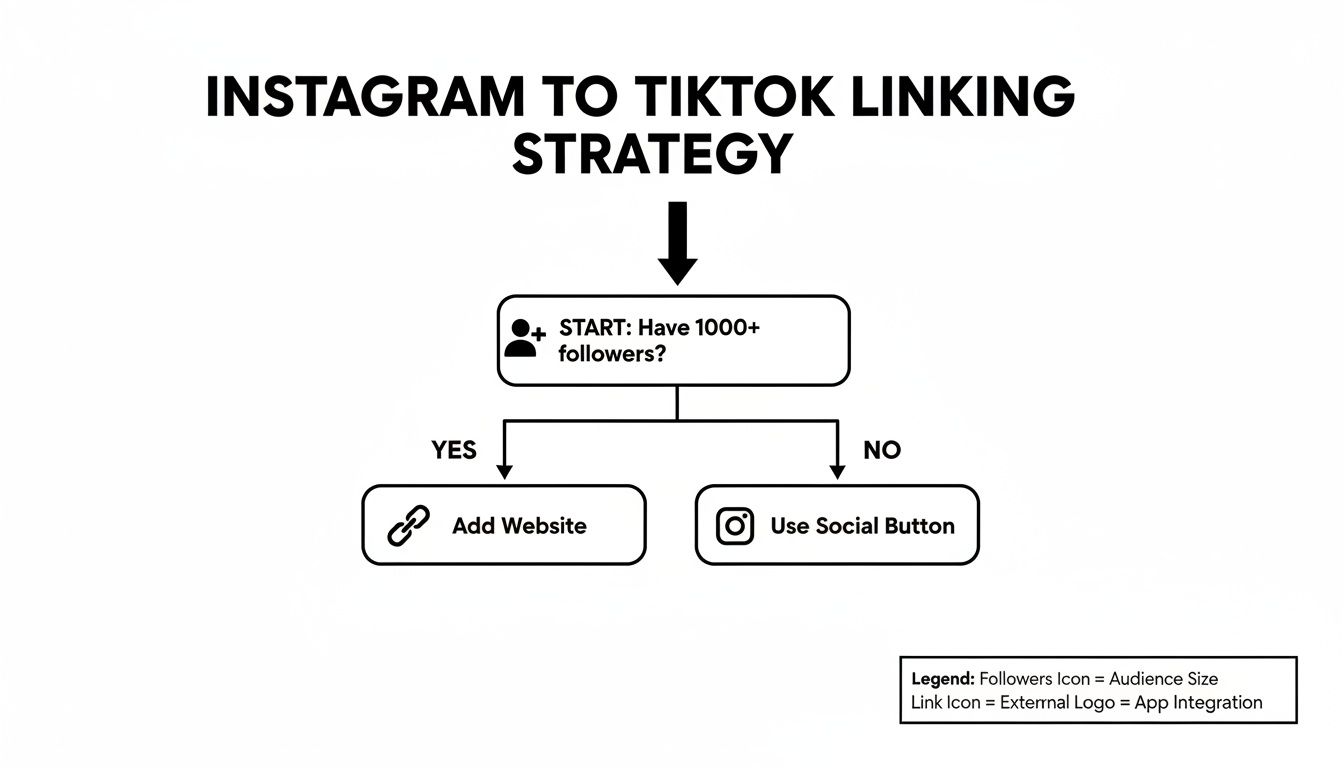
As you can see, the right way to add your Instagram link to your TikTok bio really depends on how many followers you have.
Deciding where to post your video can be tricky, as each format offers different advantages. This table breaks down the pros and cons to help you match your content to the right placement.
TikTok to Instagram Sharing Methods Compared
| Instagram Format | Best For | Pros | Cons |
|---|---|---|---|
| Reels | Reaching new audiences and going viral. | High discovery potential via the Reels tab and Explore page. Tapping into Instagram's trending audio can boost visibility. | Content needs to be highly engaging and fast-paced to compete. The algorithm can be unpredictable. |
| Stories | Engaging your current followers and sharing behind-the-scenes content. | Great for interactive features (polls, Q&As). Feels more personal and authentic. | Disappears after 24 hours. Lower chance of reaching non-followers. |
| Feed Post | Sharing evergreen content and starting deeper conversations. | Permanent spot on your profile. Allows for longer, more thoughtful captions to add context. | Lower organic video reach compared to Reels. Can feel less dynamic than other formats. |
Ultimately, a mix of all three is usually the best strategy. Use Reels for growth, Stories for community, and Feed posts for your cornerstone content.
The Simple Watermark Workaround
So, how do you ditch the watermark for good? It’s surprisingly simple. Always save the final, edited version of your video to your camera roll before you hit "Post" on TikTok.
This clean file is your golden ticket. You can then take that master copy and upload it separately to both TikTok and Instagram. This doesn't just solve the watermark problem—it also lets you customize each post with native text, effects, and trending sounds for each platform. It’s one small extra step that makes a huge difference.
Repurposing content effectively is less about efficiency and more about translation. You're not just moving a video; you're translating its message for a new audience with different expectations. A joke that lands on TikTok might need a different setup in an Instagram caption to have the same impact.
This mindset is crucial for building a strong, cohesive brand across multiple platforms. And for creators aiming to work with brands, mastering this is non-negotiable. You can learn more by checking out these influencer marketing best practices that the pros rely on. When you treat each platform like its own unique stage, you show respect for your audience—and your odds of success skyrocket.
Upgrade Your Bio with an Interactive Hub
Sure, a direct link from your TikTok bio to your Instagram profile is a start. But let's be honest—it’s a dead end. You’re giving your audience exactly one choice: follow you on Instagram or bounce. This one-track approach completely ignores the chance to show them everything else you've got going on.
It’s time to stop thinking of that bio link as a simple redirect and start treating it like a dynamic hub for your entire online world.
This is where a tool like Taap.bio completely changes the game. Instead of a boring, static list of links, you can build a stunning, interactive landing page that feels more like a mini-website or a personal dashboard. It becomes the ultimate destination for anyone curious enough to see what you're all about.
From a Boring List to a Visual Playground
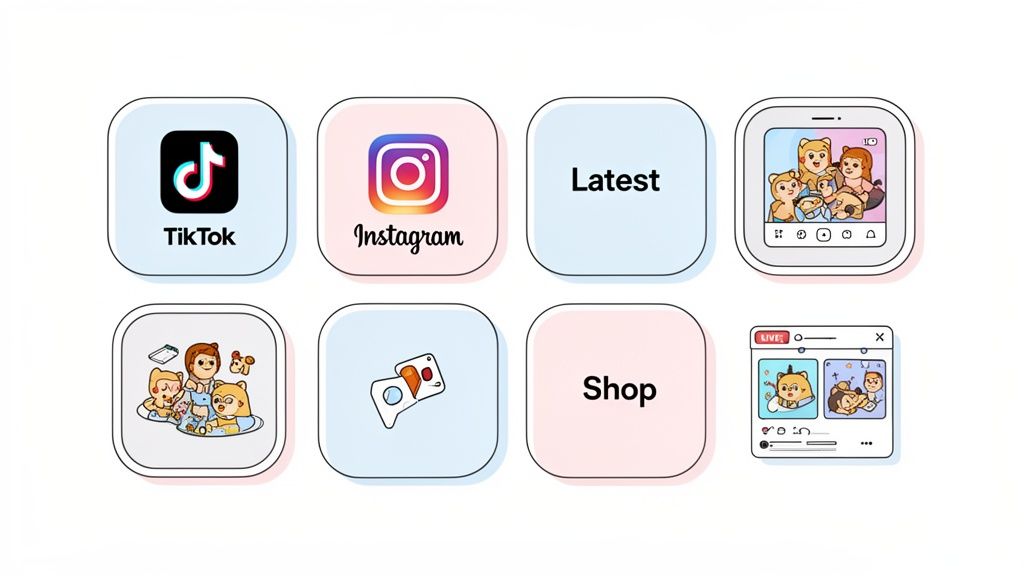
Picture this: a new fan finds you on TikTok and loves your content. They hit the link in your bio, but instead of being booted over to the Instagram app, they land on a beautifully designed page. Right there, they can see your latest TikToks sitting right next to your newest Instagram posts.
This is exactly what Taap.bio's smart widgets and its "bento box" grid layout are built for. It lets you create a visual flow that pulls people in, showcasing a live feed of your most recent content from multiple platforms in one clean, cohesive view. It’s no longer just a list of links; it’s an experience.
For instance, you could set up a dynamic photo grid to pull in your last six Instagram posts, giving visitors a real taste of your aesthetic without them ever having to leave the page. Right next to that, a TikTok widget could feature your three latest viral videos. That immediate visual context is infinitely more powerful than a plain old URL.
The goal is to stop treating your bio link as a simple redirect. Instead, view it as the front door to your entire digital world. A well-designed hub doesn't just send traffic away; it invites people in and encourages them to explore.
This method gives your followers the full picture instantly. They get the raw, trending energy of your TikToks right alongside the curated, polished vibe of your Instagram. This kind of visual storytelling builds a much deeper connection and makes them way more likely to follow you on both platforms, not just one.
Turn Your Bio Link Into a True Digital Storefront
A great link-in-bio page does so much more than just connect your social accounts. It becomes the central command for every important part of your brand.
With the right setup, you can easily add things like:
- A portfolio of your best work or creative projects.
- Your latest YouTube video, complete with a playable thumbnail.
- Direct links to your online shop or affiliate products.
- An embedded newsletter signup form to grow your email list.
This strategy keeps people engaged on your page for longer, which dramatically increases the odds they'll click around and discover more of what you offer. You’re not just hoping they stumble upon your other content; you’re laying it all out for them. To see this in action, check out how a link-in-bio grid layout can completely transform your page.
By moving beyond a single, lonely link, you unlock the real potential of that prime bio real estate. You create a richer, more engaging experience that turns casual viewers into loyal fans and even customers.
What to Do When Your TikTok and Instagram Links Aren't Playing Nice
Even the most carefully planned social media strategy can hit a snag. When you're trying to connect your TikTok and Instagram worlds, a few frustrating roadblocks can pop up. Don't sweat it—most of these are common hiccups, and I've run into (and fixed) all of them before. Let's get you back on track.
The biggest complaint I hear is the "link not clickable" bug. You paste your Instagram profile URL into your TikTok bio, and... nothing. It just sits there as dead text. This almost always comes down to one thing: your follower count. TikTok usually reserves that coveted clickable link for accounts with at least 1,000 followers. The best fix here is often just patience and focusing on growing your account to hit that magic number.
Untangling Sharing and Repurposing Headaches
Now, let's talk about sharing videos. It's incredibly frustrating when you download a brilliant TikTok, upload it to Instagram Reels, and suddenly the audio is completely out of sync. This usually happens because the two apps compress video and audio files differently.
The simplest, most reliable fix? Always work from your original, clean video file. I'm talking about the master copy you saved before adding any of TikTok's sounds or effects. Uploading that pristine version to Instagram separately sidesteps any weird conversion glitches.
This approach also solves another huge problem: that pesky TikTok watermark. Let's be real, Instagram's algorithm isn't a fan of content that screams "I was made on another app!" It's been known to suppress the reach of videos with visible watermarks. Sharing your clean file makes your content look native to Instagram, giving it a much better shot at success.
Think of it like this: each platform has its own dialect. A direct cross-post is like speaking Spanish in France—some people might get the gist, but you won't truly connect. To become fluent, you have to tailor your content for each app's unique audience and algorithm.
Here are a few other common snags and how to fix them fast:
- Your video looks blurry on Instagram. Dive into your Instagram settings. Under "Data Usage," you'll find a toggle for "High quality uploads." Flip that switch on. It makes a world of difference.
- The Instagram button on your TikTok profile vanished. This happens a lot after an app update. The fix is usually simple: go into your TikTok profile settings, unlink Instagram, and then immediately relink it. This little refresh often brings it right back.
- TikTok says "This Link Is Not Allowed." If you get this error, it could be a temporary glitch or an issue with a URL shortener. Always use the full, direct URL to your Instagram profile. The same logic applies if you're trying to figure out the right URL for Twitter or another platform—the full, clean link is always your safest bet.
Knowing what to expect can save you a ton of time and frustration. By taking a few of these preventative steps, you can create a much smoother workflow between your accounts and focus on what you do best: making awesome content that people on both TikTok and Instagram will love.
Got Questions? We've Got Answers
As you start connecting your TikTok and Instagram profiles, you're bound to run into a few common head-scratchers. I've seen these questions pop up time and time again, so let's clear the air and get you on the right track.
Does the TikTok Watermark Really Hurt My Instagram Reels Reach?
Oh, absolutely. It's one of the biggest mistakes I see creators make. Instagram's algorithm is designed to promote content made for Instagram, and it can easily spot a competitor's watermark. When it sees that TikTok logo, it's pretty much guaranteed to suppress your Reel's reach.
Your best move? Use a third-party tool to download your TikTok video without the watermark before you post it on Instagram.
Even better, get into the habit of editing your master video file and then uploading it to each platform separately. This lets you add native text, stickers, and trending audio that feel right for each app, which is a massive win for engagement.
Why Can't I Add a Clickable Link to My TikTok Bio?
This is a classic new-creator problem, and it's incredibly frustrating. TikTok usually keeps the clickable website link feature under lock and key until you hit 1,000 followers. If you haven't reached that magic number yet, you can type out a URL, but nobody can actually click it. It's a huge hurdle.
Once you cross that 1,000-follower threshold, the option should magically appear in your profile settings. It's TikTok's way of cutting down on spam. Sometimes, switching to a Business Account can unlock it earlier, but hitting 1k is the most reliable path.
A direct link to your Instagram is fine, but a Taap.bio page is smart. Think about it: one link to one place, versus one link that opens up a dynamic hub for your Instagram, YouTube, blog, and products. It’s a no-brainer.
Is a Direct Link or a Taap.bio Page Better?
A direct link is a one-way street. A Taap.bio page is a destination.
Putting a single Instagram link in your bio does the job, sure. But using a tool like Taap.bio transforms that one precious spot into a central hub for your entire brand. It gives followers the full picture and multiple ways to engage, making that single link infinitely more powerful.
Can I Automatically Share My TikToks to Instagram?
Nope, not natively. There's no built-in "auto-post" feature that will send your TikToks straight to Instagram Reels or your Feed. You have to do it manually every time.
Be wary of third-party apps that promise to do this for you. Many of them violate platform terms of service and could get your accounts flagged or even banned. Honestly, the manual approach is better anyway. It forces you to take a moment and optimize the video for each audience, which is what you should be doing for maximum growth.
Ready to stop sending followers to a boring, single link? It's time to build a stunning, "bento box" style page that truly showcases your best content. With Taap.bio, you can create a beautiful hub for your TikTok, Instagram, and everything else you do. Start building your ultimate link in bio for free at https://taap.bio.


