You’ve already done the hard part. You recorded the episodes, edited the audio, wrote the titles, uploaded the show, and pushed it out to Spotify or Apple Podcasts.
Then the usual problem shows up. People listen, but your podcast lives somewhere else. Your site sells your course, books your calls, showcases your brand, and collects your emails. Your podcast sits off to the side, disconnected from the rest of your business. That split costs you attention, trust, and momentum.
If you’re searching how to embed podcast on website, don’t treat it like a minor website tweak. Treat it like infrastructure. The player you add, where you place it, and how well it fits your brand all shape whether a listener becomes a subscriber, buyer, client, or community member.
Table of contents
Why Your Podcast Needs a Home on Your Website
A lot of creators make the same mistake. They think distribution is enough.
They publish to Spotify. They publish to Apple Podcasts. They share the episode link on Instagram Stories or X. Then they wonder why the podcast doesn’t help the rest of the business grow. The answer is simple. The audience listens on someone else’s platform, surrounded by someone else’s recommendations, branding, and distractions.
That’s why embedding matters. Podcast embedding has become a standardized feature across major hosting and distribution platforms, with services like Spotify, Apple Podcasts, Podbean, Buzzsprout, and Castbox all offering native embed functionality as of 2026, and that reflects how important website embedding has become for creator monetization strategies, according to PodcastVideos’ guide to embedding audio podcast players.
Your site should do more than link out
A homepage with a “Listen on Spotify” button is lazy. It sends people away right when you’ve earned their interest.
An embedded player does the opposite. It keeps the listener on your page while they browse your offers, read your about section, check your testimonials, or join your email list. That’s a much smarter flow for any creator who wants content to support revenue.
Put your podcast where your business lives. Don’t make your audience choose between listening and taking action.
This matters even more if you’re building a content hub instead of a random collection of links. If you haven’t thought about your website that way yet, read what a content hub actually is. It’s the right mental model. Your podcast shouldn’t be a side asset. It should be one of the main doors into your brand.
Passive listeners rarely become active customers by accident
A podcast builds familiarity. Your website turns that familiarity into action.
That action might be an email signup. It might be a coaching booking. It might be a digital product sale. But none of that happens smoothly if your audio is parked on a platform you don’t control.
So yes, learning how to embed podcast on website is a technical task. But its core value is strategic. You’re not just adding a player. You’re building a path.
Choosing Your Podcast Embedding Method
There isn’t one single way to do this. There are a few common routes, and they’re not equal.
Some are quick and free, but look generic. Some are easier if you’re on WordPress. Some give you better control. Some are fine for hobby shows and bad for serious creator brands.
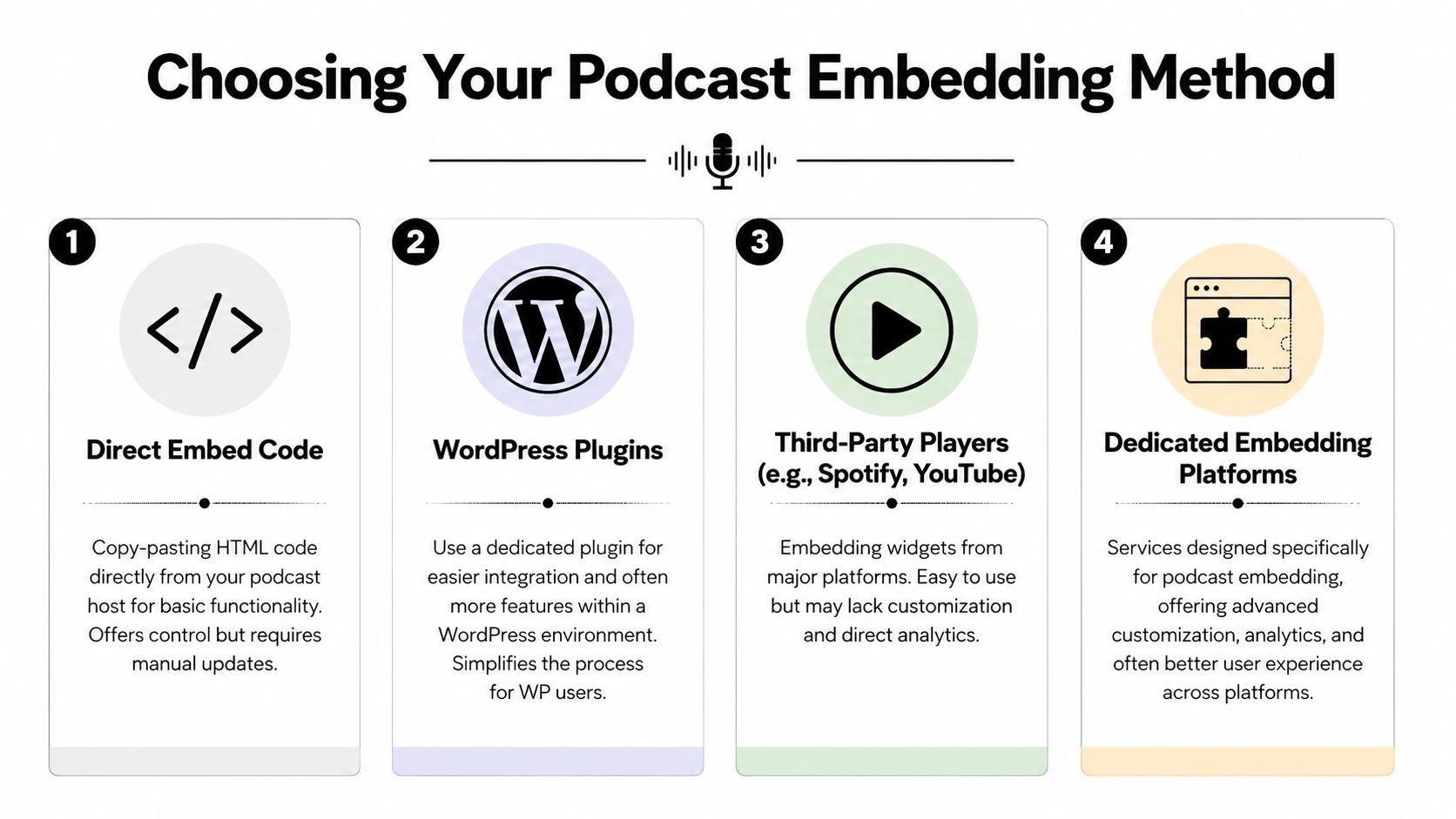
The four common options
Embed directly from your podcast host
This is the standard route. Hosts like Podbean, Buzzsprout, RSS.com, and others generate iframe embed code you can paste into your site.Use a player from a listening platform
Spotify and Apple Podcasts also offer player embeds. This is easy, but branding and layout control are usually limited.Use a third-party player with your RSS feed
Some tools pull from your feed and generate a custom player. This can work well if you want design flexibility without relying on a single listening platform.Install a CMS-specific plugin
If your site runs on WordPress, a plugin can make things easier. It can also create extra complexity if the plugin is bloated, outdated, or harder to style than you expected.
Podcast Embedding Methods Compared
| Method | Pros | Cons | Best For |
|---|---|---|---|
| Direct embed code from host | Native, widely supported, usually simple to generate | Often looks generic, limited design flexibility, manual placement | Creators who want fast setup |
| Platform player from Spotify or Apple Podcasts | Familiar interface, easy to share, trusted platforms | Sends brand attention to the platform, not your site | People who just want a basic episode player |
| Third-party player using RSS feed | More control over design and display | Another tool to manage, setup can vary | Creators who care about presentation |
| WordPress plugin | Easier inside WordPress, can add feed automation | Plugin conflicts, theme issues, extra maintenance | WordPress users who want in-dashboard control |
The technical rule people ignore
Most professional podcast embeds use iframe-based HTML code. That’s the universal standard across major platforms. If you’re using WordPress or Squarespace, the code needs to go into an HTML or Custom Code block. If you paste it into the wrong editor, it often breaks. According to RSS.com’s embedding guide, using the wrong block type leads to non-functional players in approximately 40-50% of implementation attempts among non-technical users.
Practical rule: If your player isn’t showing up correctly, stop tweaking the code first. Check whether you pasted it into a text block instead of an HTML or Code block.
My recommendation
If you want the fastest free option, use your host’s embed code.
If you want your website to feel like a coherent brand asset, don’t stop there. Basic embeds are functional, not elegant. They work. They rarely help your page feel premium.
Choose your method based on what the page is supposed to do. If it’s only there to let someone press play, basic is fine. If it’s supposed to help you sell, book, or build trust, your standard needs to be higher.
The Standard Playbook for Manual Embedding
Manual embedding is still the default move for most creators. It works, and you don’t need to be technical. But it does require you to follow the right sequence.
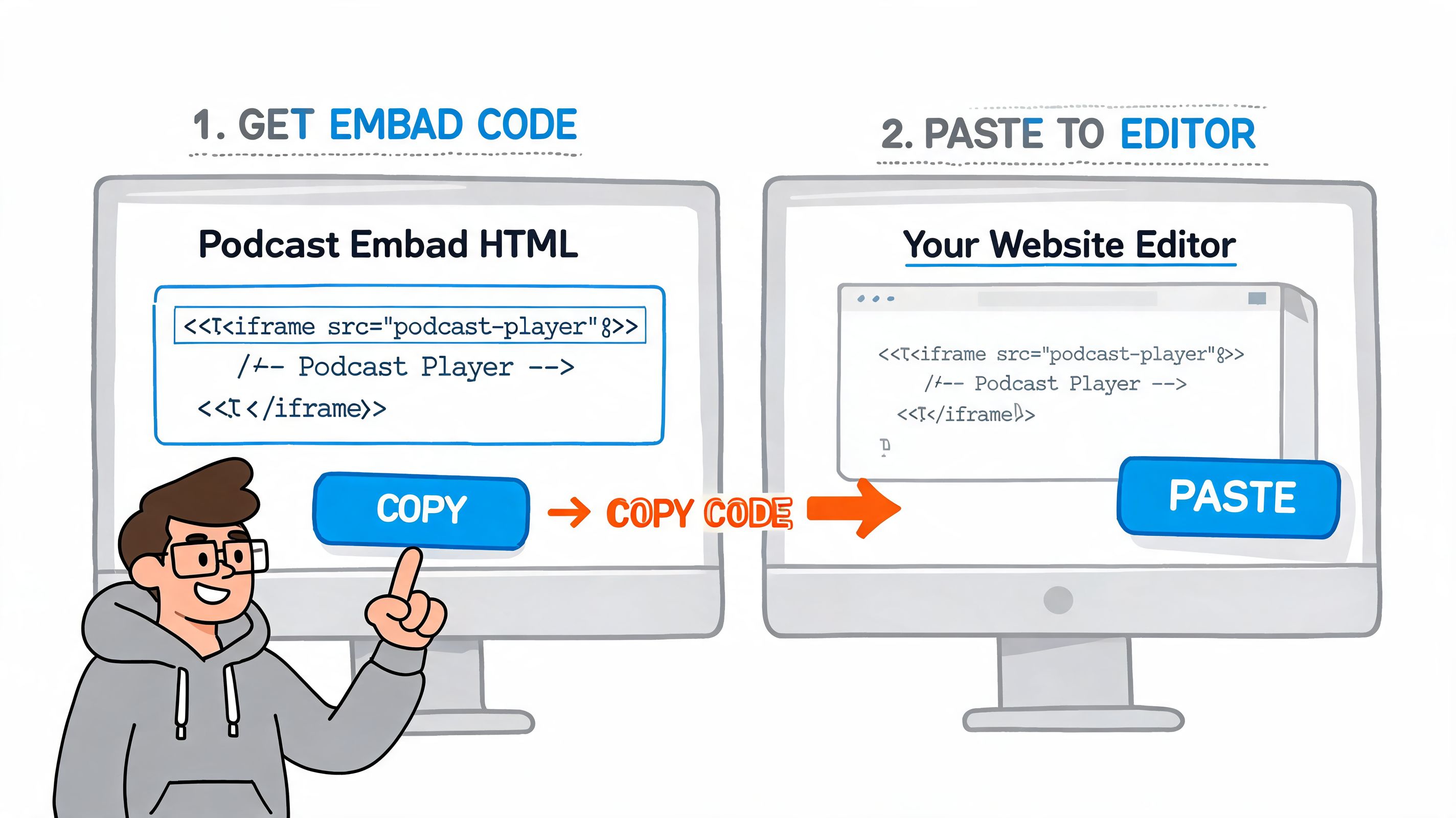
The good news is that the process is usually simple. Most platforms follow the same pattern. You find the episode, open the share or embed menu, copy the code, and paste it into your website backend.
Method one using your podcast host
This is usually the cleanest manual approach because the host is the source of truth for your show.
A host like Podbean typically lets you embed either a single episode or your full feed. That’s useful. A single episode is better for a blog post or a landing page tied to one topic. A full feed works better on a dedicated podcast page.
Use this workflow:
Open your host dashboard or show page
Go to the episode or podcast you want to feature.Find the share or embed option
Most platforms label this clearly. Look for “Share,” “Embed,” or a menu icon.Adjust the settings before copying
Some hosts let you choose autoplay, sharing controls, download permissions, font styling, or whether to display a single episode versus a feed.Copy the iframe code
This is the HTML snippet you’ll paste into your site.Paste it into the right block
On WordPress, use a Custom HTML block. On Squarespace, use a Code Block.
Here’s the part creators underestimate. The player may technically work, but still look awkward on the page. It might be too narrow, too tall, too visually loud, or completely out of sync with the rest of your design.
Method two using Spotify or Apple Podcasts
If your audience already knows you through Spotify or Apple Podcasts, this route is easy.
Spotify usually gives you customizable embed code with player size options and timestamp controls. Apple Podcasts offers mobile-responsive players that work across major browsers. That makes both options practical for quick publishing.
The workflow is nearly identical:
- Find the episode or show
- Click Share or Embed
- Copy the generated code
- Paste it into a Code or HTML block on your site
- Preview the page on desktop and mobile
A player that works on desktop and breaks your mobile layout isn’t finished. Most creators get more mobile visitors than they realize, so check the page on both screens before you publish.
Where people get stuck
Manual embedding usually breaks in one of three places:
Wrong editor block
You used a text block instead of HTML or custom code.Theme or builder conflict
The website template squeezes the iframe into a bad layout.Brand mismatch
The player works, but it looks like an afterthought.
That last one matters more than people admit. A generic player dropped into a polished site can make the whole page feel patched together.
If you’re already embedding other media, the same issue shows up with video too. The layout has to support the content, not just contain it. That’s why the design choices in this guide to embedding YouTube videos on your website matter here as well. Media blocks should feel intentional, not stuffed into empty space.
When manual embedding is enough
Manual embedding is enough if you have a simple site, a straightforward show page, and low design demands.
It’s not enough if your page is doing real work for your business. The moment your podcast sits next to products, bookings, lead capture, or brand storytelling, the quality of the embed starts affecting the quality of the whole page.
Elevate Your Player for a Professional Brand
Most podcast players are built to function first. That’s fine for a directory listing. It’s not fine for a creator website that’s supposed to build trust.
If your player is hard to use, slow to load, or visually disconnected from the rest of the page, visitors notice. They may not say it out loud. They just leave, skim, or stop taking your brand seriously.
Accessibility is not optional
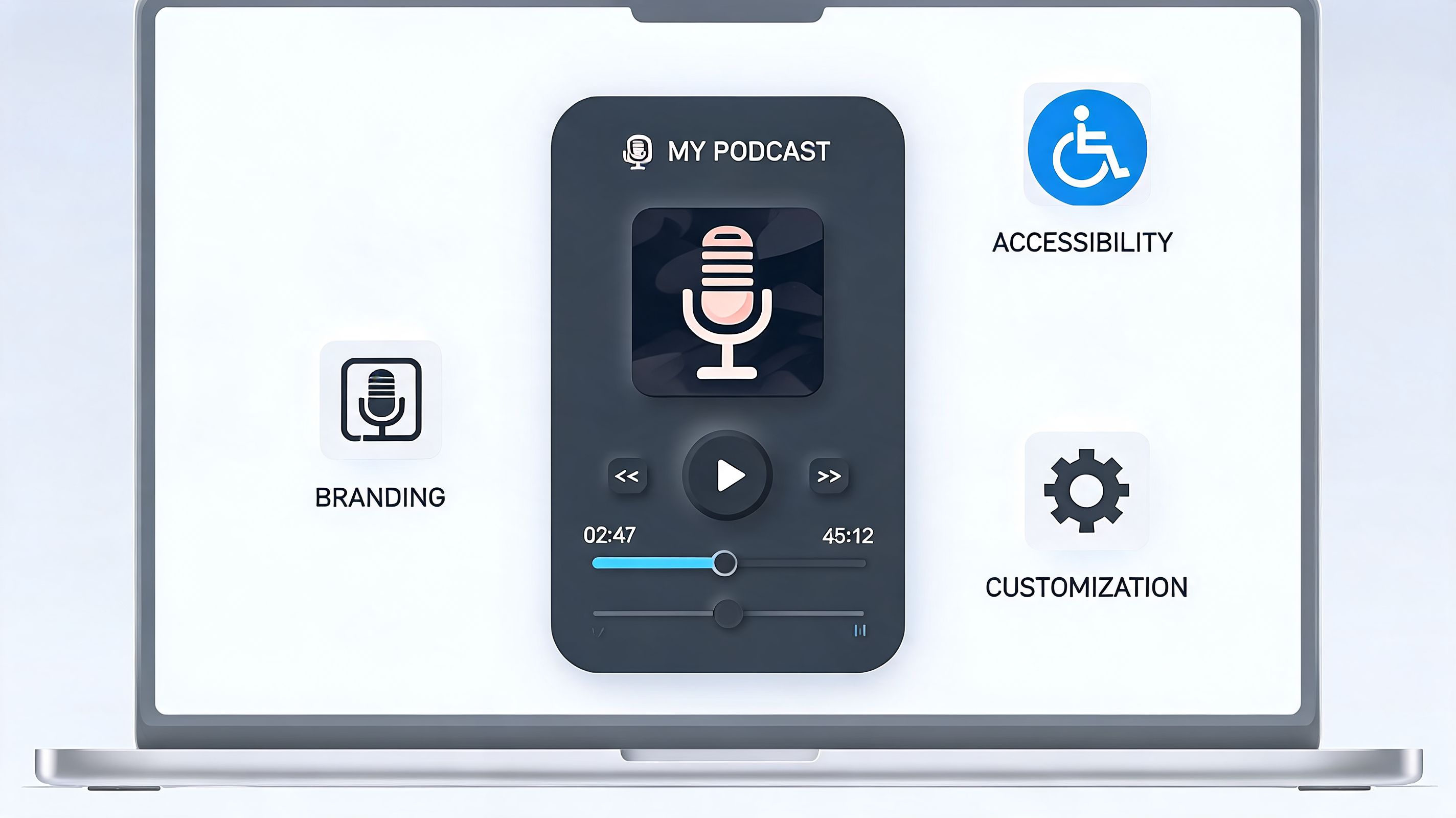
A professional embed should be usable by more than one type of visitor.
That means the player needs clear controls, readable contrast, and a layout that doesn’t become confusing on smaller screens. If you publish transcripts alongside episodes, you also give more people a way to engage with your content, search your ideas, and quote your work.
Good accessibility also improves clarity for everyone. Clean controls are easier to use. Clear labels reduce friction. Better structure helps visitors find what matters faster.
If a listener has to fight the interface, they won’t blame the interface. They’ll blame your brand.
Responsive design signals competence
A player that fits beautifully on desktop but wrecks the mobile layout makes your site look unfinished.
That sounds like a design complaint, but it’s really a business complaint. Creators don’t get judged only by content quality. They get judged by presentation. A clean mobile layout suggests you know what you’re doing. A broken one suggests you don’t.
This is one reason broader user experience thinking matters. If you want a useful outside perspective on how design choices affect engagement, Titan Blue's web design insights are worth reading. The core lesson applies here. Visitors respond to friction fast, and they leave even faster.
Performance and placement matter more than fancy features
You don’t need the most elaborate audio widget on the internet. You need one that loads well, makes sense in context, and supports the action you want the user to take.
Use this checklist when reviewing your podcast player:
Check placement first
Put the player near relevant context, not buried on a random page.Match surrounding design
Your fonts, spacing, and color palette should feel consistent around the player.Keep the page focused
Don’t crowd the player with ten competing buttons.Support mobile browsing
Test the page on your actual phone, not only in a desktop preview window.
If you’re also featuring music content, the same principle applies to audio presentation in general. A playlist, track embed, or podcast episode should all feel like part of one brand experience, making layout decisions from embedding a Spotify playlist on your site relevant. Audio blocks shouldn’t feel bolted on.
The standard should be higher
A decent embed lets someone press play.
A professional embed supports trust, usability, and brand coherence at the same time. That’s the difference between a website that hosts content and a website that strengthens a business.
The Ultimate Solution Seamless Embedding with Taap.bio
The big gap in most podcast embedding advice is simple. It talks about code, not outcomes.
You’ll find plenty of tutorials that explain where to click “Embed.” You’ll find almost none that explain how to place a podcast player inside a page that also sells products, books calls, showcases other media, and still looks like one unified brand.
That gap is real. As noted in this discussion of the creator storefront problem, existing embedding guides mention customization but don’t give strategic guidance for embedding podcasts as part of a complete visual storefront identity. That problem hits independent artists and personal brands hardest because they’re often monetizing multiple content types at once.
Why standalone embeds fall short
A standard iframe player solves distribution, not presentation.
You can paste it into a page, but you’re still left deciding where it belongs, how it fits visually, and what action comes next. If the player sits on one page, your course offer lives on another, your booking link is elsewhere, and your latest video content is off in another corner, your visitor has to assemble the story themselves.
Most people won’t.
That’s why a smarter setup matters. Instead of treating the podcast as a detached media object, the better move is to treat it as one block inside a broader creator storefront.
A more integrated approach
One option built for that kind of setup is Taap.bio’s custom landing page builder. It uses a modular grid, supports smart widgets, and lets creators arrange content blocks visually on the same page.
In practical terms, that means your podcast player can sit beside a coaching offer, a digital product, a lead capture form, or your latest YouTube content without the page feeling stitched together. The point isn’t novelty. The point is continuity. A visitor can listen and take the next action in the same environment.
Your podcast shouldn’t send people into a maze. It should pull them deeper into your world.
That matters if you’re a coach selling a session after trust-building content. It matters if you’re a musician pairing spoken content with tracks and merch. It matters if you’re a personal brand using a podcast to warm up an audience before a product launch.
Here’s a quick look at the kind of integrated page flow creators should aim for:
| Page element | Role on the page |
|---|---|
| Embedded podcast player | Builds attention and trust |
| Email signup or lead magnet | Captures interest while the listener is engaged |
| Product or course block | Gives the audience a next step |
| Booking widget | Turns warm listeners into calls or consultations |
| Social or video content block | Reinforces brand depth and proof |
A walkthrough helps make the concept more concrete:
What this changes for creators
The old way treats podcast embedding like a checkbox. Copy code. Paste code. Hope it looks fine.
The integrated way treats embedding like page design. You decide what the audio should support. You place it where it helps the visitor move naturally. You keep the branding consistent. You reduce the number of jumps people need to make.
That’s a much better model for creators who aren’t just publishing content, but building a business around it.
Turn Your Listeners Into a Thriving Community
The wrong way to think about podcast embedding is “How do I get this player onto my website?”
The better question is “How do I make listening part of my customer journey?” That shift changes everything. It changes where you place the player, what sits beside it, how the page looks, and what you want the visitor to do next.
Basic embeds are fine when all you need is playback. But if your podcast is part of your brand, offer stack, and audience-building system, fine isn’t enough. You need a page that feels coherent, easy to use, and clearly connected to the rest of your work.
If you want more traction from the show itself, this also connects directly to promotion. Driving people to a page you control is far more useful than scattering traffic across platforms. That’s why podcast promotion strategies that build owned attention matter so much. Promotion works better when the destination is built to convert interest into action.
Your podcast can do more than entertain. It can nurture trust, deepen your positioning, support your offers, and bring people into a real community. But only if it lives somewhere designed for that job.
If you want one place to showcase your podcast, digital products, booking links, and creator brand without forcing visitors to bounce between platforms, taap.bio gives you a visual page builder built for that kind of setup.