Ever wondered how people create stunning web pages without writing a single line of code? The secret is a drag-and-drop page builder. Think of it as playing with digital LEGOs—you simply grab the blocks you want and arrange them on the screen to build your page. It completely removes the technical barrier, letting you focus on your vision, not the code behind it.
Table of contents
Building Your Vision, No Code Required

Imagine building a house. The traditional way requires you to be an expert carpenter, plumber, and electrician, assembling everything from raw materials. It's complicated. A drag-and-drop page builder is like working with prefabricated rooms. You just pick what you need—a living room (text block), a kitchen (image gallery), a home theater (video embed)—and arrange them exactly how you like.
This simple shift turns a technical headache into a purely creative process. You’re no longer stuck wondering how to build something; you’re free to explore what you want to create. It’s no surprise these tools have exploded in popularity, especially for creators and small business owners who need a polished online presence without the developer price tag.
The numbers don't lie. The global market for this software hit around $5.4 billion in 2023 and is on track to reach a staggering $9.71 billion by 2032. This isn't just a trend; it's a clear signal that people want tools that empower them to build their own corner of the internet. You can dig deeper into these visual development trends over at Research and Markets.
Putting the Power in Your Hands
The biggest win here is accessibility. Not too long ago, if you wanted a custom webpage, you had two options: hire an expensive developer or get stuck with a cookie-cutter template that looked like a million other sites. Neither was ideal.
Drag-and-drop builders created a fantastic third way. They give you a visual canvas where you see your changes happen instantly. This "What You See Is What You Get" (or WYSIWYG) approach takes all the guesswork out of the equation, making the whole design process smooth and intuitive.
This is especially powerful for modern tools like Taap.bio, which brings this drag-and-drop magic to "link in bio" pages. Forget a boring list of links. You can now build a mini-website that truly captures your brand's personality. The advantages are obvious:
- Speed: Go from idea to a live page in minutes, not weeks.
- Control: Tweak, update, and change things on the fly without waiting for a developer.
- Creativity: Spend your energy on what matters—the design and user experience—not on technical roadblocks.
By demolishing the coding barrier, a drag-and-drop page builder places the design controls directly into the creator's hands. The tool does the heavy lifting, translating your visual choices into perfect, functional code behind the scenes.
Ultimately, these builders solve a core problem: they close the gap between the brilliant ideas in your head and the technical work needed to make them a reality online.
How Visual Page Builders Actually Work
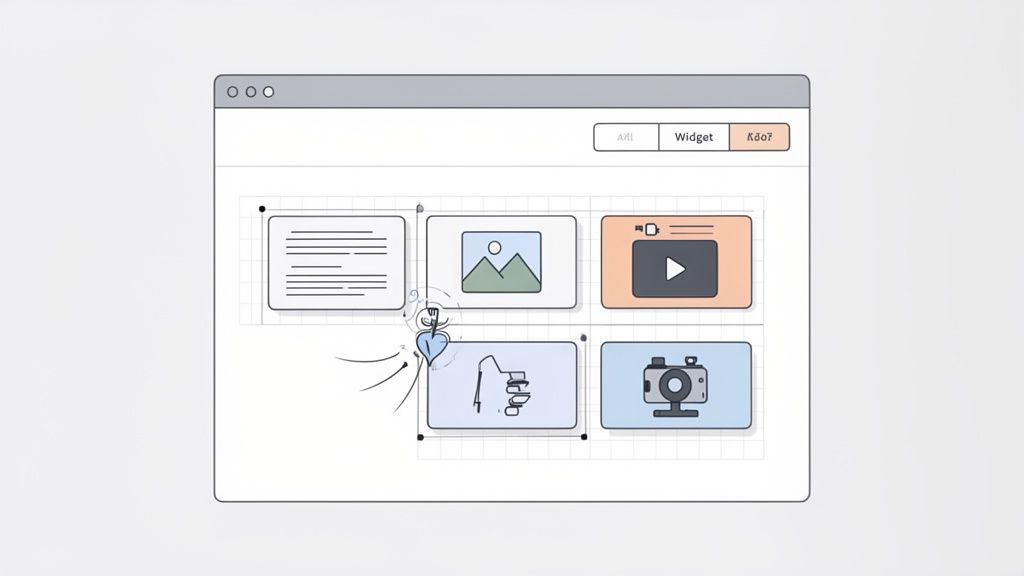
Ever wondered what’s happening under the hood when you drag a content block onto a page? It feels like magic, but it's really a smart system built for pure creative freedom. A drag-and-drop page builder isn't just one thing; it's a trio of core components working in perfect sync.
First, you have the visual interface—your creative playground. This is the canvas where you see your design come to life instantly. Backing this up is a massive library of content blocks, sometimes called widgets or modules. Think of these as digital building blocks: text boxes, image galleries, video players, and so much more.
The secret sauce holding it all together is a flexible grid system. This invisible framework is what keeps your design clean and professional, ensuring every element you add snaps into place perfectly.
The WYSIWYG Principle in Action
The whole experience is designed to feel completely natural. You pick an element from the library, pull it onto your canvas, and watch it settle neatly into the grid. This immediate feedback is all thanks to a simple but powerful idea: WYSIWYG, or "What You See Is What You Get."
This principle is the bedrock of modern page builders. It means the design you’re crafting in the editor is exactly what your audience will see when it goes live. No more guessing, no more endlessly flipping between edit and preview modes. The goal is to improve workflow efficiency with automation by cutting out all the tedious technical steps.
This instant feedback loop makes designing feel fluid and creative instead of like a chore. You can play around with different layouts, swap out elements, and tweak spacing on the fly, knowing your vision is being translated perfectly.
Breaking Free with Modular Design
Traditional web design could feel a bit like painting by numbers, forcing everything into a rigid, top-to-bottom column. Thankfully, modern builders have shattered those limits by fully embracing modular design. Instead of seeing a page as one long, restrictive document, you can now treat it as a collection of independent, movable parts.
A modular approach gives you the power to build a page piece by piece, like assembling a puzzle. Each block is its own self-contained unit that can be moved, resized, and reconfigured without wrecking the entire layout.
Platforms like Taap.bio push this idea even further with our bento-style grid. This system is all about creating dynamic, asymmetrical layouts where content blocks of different shapes and sizes come together to form a stunning visual. You can dive deeper into creating these unique layouts in our guide on what is modular design.
Ultimately, this approach gives you the freedom to build something that’s truly your own. You can design a page that doesn’t just share information but tells a visual story, guiding your visitor’s eye exactly where you want it to go.
Five Must-Have Features in a Modern Page Builder
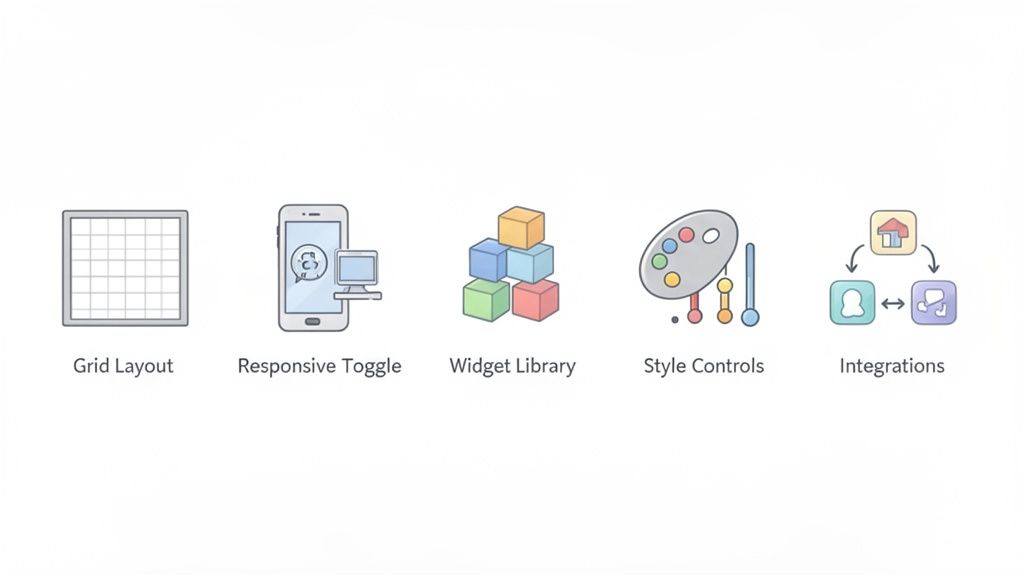
When you start looking for a drag and drop page builder, it's easy to get lost in a sea of options. But here’s the thing: only a handful of features truly separate the game-changers from the just-okay tools. A great builder doesn’t just let you move blocks around; it gives you the power to create something genuinely unique and powerful.
These five features are your non-negotiables. Without them, you'll inevitably hit a creative wall, and your page will end up feeling generic or, worse, totally unusable for half your audience. Let's dig into what really matters.
A Flexible Grid-Based Layout
The layout system is the skeleton of your entire page. So many older tools force you into a single, rigid column where everything just stacks on top of the last block. It's simple, sure, but it’s also incredibly boring and predictable.
A truly modern builder gives you a flexible, grid-based layout. Think of it less like a straight line and more like a bento box or a dynamic canvas. This structure lets you place elements wherever you want, stretch them across multiple columns, and craft compelling, asymmetrical designs that naturally guide your visitor's eye.
This is what allows you to create a strong visual hierarchy—a core principle of good design. For a deeper dive, check out our guide on how to apply visual hierarchy in web design to make your pages far more effective.
Independent Responsive Editing
Let's be real: more than 60% of all web traffic now comes from a phone. Your page has to look amazing on a small screen. But what looks perfect on a big desktop monitor often turns into a jumbled mess on a phone.
This is why independent responsive editing is so crucial. A top-tier drag and drop page builder gives you separate controls for your mobile and desktop layouts. You can completely rearrange blocks, change sizes, or even hide certain elements on mobile to create a perfectly optimized experience for every visitor.
Without this, you're stuck with a one-size-fits-all design that just doesn't work. With it, you can build two distinct, perfectly tailored experiences from a single set of content.
An Extensive Library of Widgets
Your widgets—the blocks you drag onto your page—are your creative building materials. A skimpy library means a limited design. A great page builder is packed with a rich variety of widgets that go way beyond just text and images.
Look for a tool that gives you a diverse toolkit to truly bring your page to life.
- Media Blocks: Support for crisp images, looping GIFs, and even autoplaying videos.
- Text and Links: Blocks for stylish titles, standout quotes, and links with rich, engaging previews.
- Interactive Elements: Things like embedded Google Maps for your physical location or forms to grow your email list.
A modern platform should offer a robust set of essential features and components that you can add in seconds. That variety is what transforms your page from a simple list into a real destination.
The quality of a page builder is directly tied to the quality and diversity of its widget library. The more tools you have in your toolbox, the more creative and functional your final design can be.
This is an area where platforms like Taap.bio truly excel, offering specialized widgets for pretty much any type of content you can think of.
Deep Customization and Style Controls
Your page should look and feel like you, not like a generic template. A decent builder lets you swap out colors and fonts. A great builder gives you fine-grained control over every single visual detail.
Make sure the tool you choose lets you customize:
- Typography: Full control over font families, weights, sizes, and colors for all your text.
- Color Palettes: The ability to set your brand’s exact hex codes for backgrounds, buttons, and individual blocks.
- Spacing and Borders: Controls for tweaking margins, padding, and borders to get that pixel-perfect layout.
These deeper customization options are what separate a professional-looking page from an amateur one. They ensure your online presence is cohesive and instantly recognizable.
Smart Integrations and Live Data
This is where next-generation page builders really pull away from the pack: the ability to connect with other platforms and display live, dynamic content. Instead of a boring link that just says "Check out my YouTube," a smart widget can pull in and display your latest videos right there on your page.
These smart integrations turn your page from a static directory into a living, breathing hub that's always up to date. For instance, Taap.bio’s smart widgets can show your latest Instagram posts, embed a playable Spotify track, or even showcase your live GitHub contribution graph.
This creates a far richer experience for your visitors, keeping them engaged with your content without ever having to click away.
Essential Features of Modern Drag and Drop Page Builders
To help you size up any tool at a glance, we've broken down these must-have features into a simple table. Think of this as your personal checklist for finding a builder that won't hold you back.
| Feature | Core Functionality | Why It Matters for Creators |
|---|---|---|
| Grid-Based Layout | Allows placing and resizing elements freely on a multi-column, multi-row grid. | Enables unique, visually engaging layouts that stand out and guide user attention effectively. |
| Responsive Editing | Provides separate controls to design distinct layouts for desktop and mobile devices. | Guarantees a flawless user experience for the 60%+ of visitors browsing on their phones. |
| Extensive Widget Library | Offers a wide variety of pre-built blocks for media, text, social feeds, and forms. | Gives you the creative tools to build a rich, interactive page instead of a simple list of links. |
| Deep Customization | Offers granular control over colors, fonts, spacing, borders, and other style elements. | Ensures your page perfectly matches your brand identity for a professional and cohesive look. |
| Smart Integrations | Connects to platforms like YouTube or Spotify to pull in and display live, dynamic content. | Turns your page into an always-current hub, keeping your audience engaged with your latest work automatically. |
Ultimately, a builder equipped with these five features gives you everything you need to build not just a page, but a true online home for your brand.
Real-World Examples for Creators and Businesses
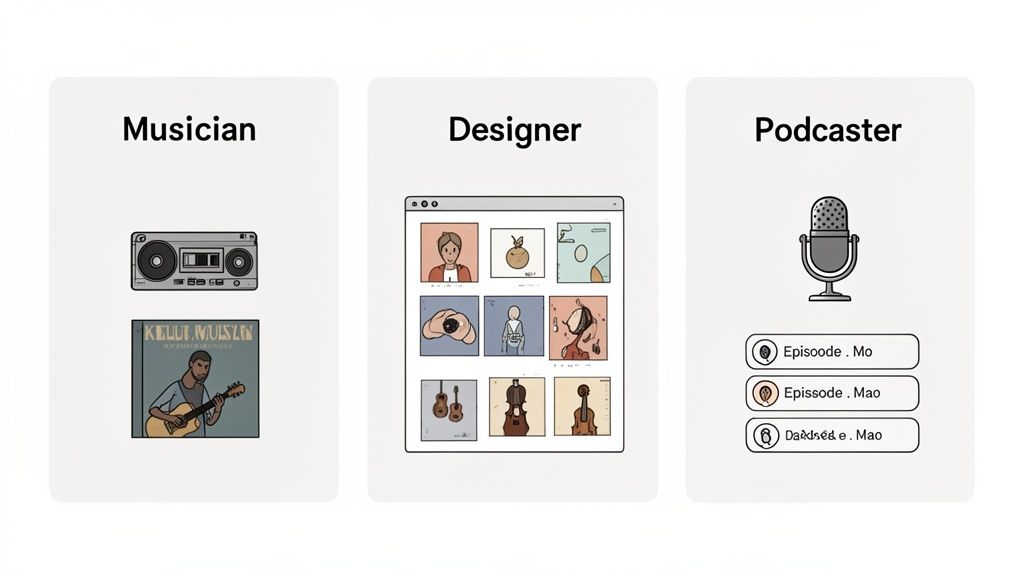
Theory is great, but seeing a drag and drop page builder in action is where the lightbulb really goes on. These tools aren't just for building websites; they're for creating focused online hubs that solve genuine problems for creators and entrepreneurs. So, let’s get practical and look at how real people are using these builders to connect with their audience and actually grow their brand.
Think about a musician gearing up for a new album launch. The old way? Their "link in bio" was a boring list of links—one for Spotify, one for Apple Music, another for the merch store. It worked, but it wasn't an experience. It made fans click away just to hear the new song.
Now, picture this instead: a slick, engaging page built with a modular, bento-style grid. The main event is a smart widget with an embedded Spotify player, cued up with the new single. Visitors can hit play and listen right there, instantly, without ever leaving the page. That's the difference a modern drag and drop page builder makes.
A Designer’s Interactive Portfolio
Let's switch gears to a freelance UX/UI designer. Their portfolio is everything, but a plain link to a Behance or Dribbble profile feels disconnected and a little lazy. They need a central space that tells their story and shows off their work in a way that feels curated and professional.
Using a builder like Taap.bio, the designer creates a custom layout that reflects their personal brand. They might place a bold block linking to their contact form or calendar right at the top. Next to it, they could drop in a live Dribbble widget that automatically populates with their latest design shots, complete with like counts. Another block could feature a glowing client testimonial styled as a standout quote.
The result is a mini-website that acts as an interactive business card. It’s no longer just a gallery; it’s a full-funnel experience where potential clients can see the designer's style, view their latest projects, and find a clear path to getting in touch—all from one beautifully organized page.
The real magic happens when a page builder transforms a passive list of links into an active, engaging destination. It allows creators to build an experience that captures attention and drives action.
This evolution from simple link aggregators to sophisticated content hubs shows just how much the market has grown. While some platforms are known for their ease of use, a new wave of specialized tools has emerged, integrating smart widgets that pull real-time data from streaming services, social media, and portfolio sites. You can get more insights on the expanding drag-and-drop builder market at datainsightsmarket.com.
A Podcaster’s Content Hub
Finally, let's look at a podcaster trying to grow their audience. Their content is scattered across a dozen platforms, which makes it tough for new listeners to find their footing. A drag and drop page builder lets them pull everything together into one powerful, easy-to-navigate hub.
Their page could feature:
- An Embedded Player: A smart widget that shows their latest episode, with a big play button for instant listening.
- Guest Information: Blocks with photos and links for recent or upcoming guests, giving listeners more context and value.
- Newsletter Signup: A clear, can't-miss-it call-to-action to join their email list for exclusive show updates.
Suddenly, their "link in bio" is the ultimate destination for the show. It’s the one place a new follower can go to listen to an episode, learn about the host, and subscribe for more, creating a smooth journey from curious visitor to loyal fan. If you're feeling inspired, you can learn how to create your own central hub with a simple landing page builder.
In every one of these cases, the drag and drop page builder is more than just a tool for arranging blocks on a screen—it's a strategic asset for building a brand.
How to Choose the Right Page Builder for You
With so many options out there, picking the right drag and drop page builder can feel overwhelming. The secret isn’t to find the one with the longest feature list, but the one that actually fits what you want to accomplish. A developer's dream tool could easily be a content creator's worst nightmare.
So, the first step is to get honest about your goals. Are you just trying to build a clean, simple hub for your links? Or are you aiming for a rich, interactive micro-site that acts as your central online presence? Knowing the answer will immediately narrow down your search.
There's a reason the website builder market is absolutely exploding. These tools are no longer just a nice-to-have; they're at the core of a modern digital strategy. The market is projected to soar from $3.57 billion in 2026 to a massive $7.67 billion by 2031. This growth is all thanks to creators and small businesses who need powerful design tools without the steep learning curve. You can see the full breakdown of the expanding website builder market at Mordor Intelligence.
Balancing Simplicity and Power
The best page builders walk a fine line between being dead simple to use and offering deep customization. A tool that’s too basic will have you feeling boxed in, stuck with the same cookie-cutter designs as everyone else. But a builder that's overly complex is just as bad—you’ll spend more time fighting the software than actually creating.
You want to find a platform that just feels right from the start. The interface should be clean, the tools should be where you expect them to be, and it shouldn't feel like a chore to use. A truly great builder, like Taap.bio, gives you an easy on-ramp but has enough power under the hood to let you build something that’s one-of-a-kind.
Prioritize True Design Freedom
One of the biggest traps you can fall into is picking a builder that locks you into rigid templates. Templates are great for getting started, but you should never be stuck with them. Real design freedom comes from a flexible layout system, like the modular or bento-style grids you see gaining popularity.
This approach lets you place and resize content blocks anywhere you want, giving you total control over the visual flow of your page. It’s the difference between coloring inside the lines and being handed a blank canvas. Don't settle for a tool that forces your vision into its predefined little boxes.
The most important question to ask is: Does this tool serve my vision, or does it force my vision to serve its limitations? A great page builder should feel like an extension of your creativity, not a barrier to it.
Evaluate the Integration Ecosystem
Let's be real: your online life is spread across a dozen different platforms. Your page builder needs to bring them all together in one place, effortlessly. Before you commit to any tool, take a hard look at its integrations—especially the "smart widgets" that pull in live, up-to-date content automatically.
- Musicians: Can you drop in a Spotify widget that actually lets people play your tracks right on the page?
- Designers: Does it have a live feed for your Dribbble or Behance portfolio?
- YouTubers: Will it automatically showcase your latest videos without you having to lift a finger?
These aren't just bells and whistles; they're what transform a static, boring page into a dynamic hub that’s always fresh. Platforms like Taap.bio are built specifically around this idea, with deep connections to the services creators rely on every day. If you're hunting for a tool that's both powerful and easy to get started with, take a look at our top picks for a drag and drop website builder that's free to start.
Insist on Independent Layout Controls
Finally, this one is a deal-breaker. Make absolutely sure the builder gives you separate controls for your mobile and desktop layouts. Something that looks incredible on your big monitor can turn into a jumbled, unreadable mess on a phone screen.
The power to rearrange, resize, or even hide certain elements just for mobile users is essential. It's the only way to guarantee a great experience for everyone visiting your page, no matter what device they're on.
The Future Is More Than a List of Links
Let's be honest: the era of the boring, single-file list of links is dead. For too long, the "link in bio" was just a digital waiting room—a functional but completely uninspired directory designed to send people away from you as quickly as possible. That's not a strategy; it's a missed opportunity.
The future of your personal landing page is something else entirely. It’s not a list of exits; it’s a destination. We’re talking about immersive, personalized digital hubs that don't just point to your content but showcase it right then and there. And what's driving this change? The very technology we've been talking about: a powerful drag and drop page builder.
Building Your Digital World
The goal isn't just to hand someone a menu of URLs anymore. It’s to tell a compelling visual story that captures the full picture of who you are and what you do. This is where modular design completely changes the game. When you break free from those rigid, top-to-bottom stacks, you can finally create a layout that guides your visitor’s attention and puts your best work front and center.
- Show, Don't Just Tell: Why link to your new track when you can embed a Spotify player and let them listen instantly?
- Keep It Fresh: Instead of a static link to your portfolio, why not use a smart widget that automatically pulls in your latest work?
- Create an Experience: Weave together text, images, videos, and even live data to build a narrative that feels alive and authentic.
This shift turns your page from a simple utility into a genuine reflection of your creative world. It’s a completely different way to think about your online presence, and you can dive deeper into these dynamic layouts by exploring the power of a link in bio grid.
The Power of Interactive Storytelling
Ultimately, this new approach is all about engagement. Think about it: when a visitor can listen to your podcast, watch your latest YouTube video, and see your new designs without ever leaving your page, you forge a much stronger connection. You’re not just giving them homework; you’re inviting them into your world.
The next generation of personal landing pages will be judged not by how many clicks they send away, but by how long they can captivate an audience. Success is measured in engagement, not just redirection.
This is exactly the creative future that tools like Taap.bio are designed for. By pairing the intuitive control of a drag and drop page builder with the visual punch of a bento-style grid and smart, live-updating widgets, you get everything you need to build more than just a page. You get the tools to build a truly compelling interactive experience—your own personal corner of the internet.
Still Have Questions? Let's Clear Things Up
Even after seeing what a drag-and-drop page builder can do, it's natural to have a few questions. I hear the same ones all the time, so let's tackle them head-on and get you building with confidence.
Do I Actually Need Design Skills for This?
Nope. Not at all. In fact, these tools were created specifically for people who aren't designers. The whole point is to handle the complicated stuff behind the scenes so you can focus on bringing your ideas to life.
That said, they aren't just for beginners. Plenty of seasoned designers use page builders to mock up ideas quickly or to hand off projects to clients who need a simple way to make their own edits. The best tools are easy to start with but give you plenty of room to grow.
Is This Going to Slow Down My Page or Kill My SEO?
This is a big one, and it's a myth that comes from the early days of page builders. A decade ago, sure, some of them spat out messy, bloated code that could really bog down a site. But things have changed. A lot.
Today's drag-and-drop builders are engineered for speed. They generate clean, optimized code and usually come with built-in settings for SEO titles, descriptions, and image alt text. Your page will be fast and totally search engine friendly.
A page made with a quality builder will be lightweight, look great on any device, and be easily understood by Google. You don't have to trade performance for creative control anymore.
Can I Make Something That Doesn't Look Like a Template?
This is where the choice of tool really matters. Let’s be honest—many builders box you into rigid templates that all end up looking the same. A template can be a fantastic starting point, but it should never feel like a cage.
If you want a truly one-of-a-kind design, you need a builder that gives you genuine freedom over the layout. Here’s what to look for:
- A Modular Grid: This is a game-changer. It lets you break out of the standard vertical list and place elements anywhere you want.
- Independent Resizing: You need the power to make blocks taller, wider, or have them span across several columns and rows.
- Deep Styling Controls: Total control over every color, font, and pixel of spacing is non-negotiable for a custom look.
This is exactly why we built Taap.bio the way we did. Our flexible bento-style grid and highly customizable smart widgets are designed from the ground up to help you build a page that feels 100% you.
Ready to build a page that’s more than just a list of links? With Taap.bio, you can create a stunning, interactive hub for your online world in minutes. Start building your free page today.