
Your social media bio is prime real estate, but simply listing links isn't enough to capture attention and drive action. The standard "link in bio" page has evolved. It’s no longer just a digital directory; it's a dynamic micro-website, a portfolio, a storefront, and a direct line to your audience, all accessible from a single, powerful URL. If your current tool feels restrictive, you’re in the right place to find a superior alternative to Linktree that truly reflects your brand and goals.
This guide is built to help you move beyond basic link lists. We'll explore 12 powerful platforms, each with unique strengths, from modular grids and smart widgets to advanced analytics and e-commerce integrations. Whether you're a content creator, a small business owner, or a designer seeking aesthetic control, the right tool can transform your bio link from a simple utility into a strategic asset. To truly maximize your presence across platforms, understanding how to effectively connect them is key; for example, you might need to learn how to link TikTok to Instagram as part of a broader strategy that your new bio link page will centralize.
We've done the deep-dive research for you. Below, you'll find a detailed, feature-by-feature breakdown of each alternative, complete with screenshots, pricing, and honest assessments of their strengths and weaknesses. We’ll cover everything from Taap.bio's innovative inline media playback to Carrd's single-page website capabilities, ensuring you can make an informed decision and upgrade your online presence today.
Table of contents
1. taap.bio
Best for: Visual-first creators, designers, and Bento.me users seeking a sophisticated, portfolio-style page.
For those who view their "link in bio" not just as a list but as a digital introduction, taap.bio stands out as a powerful and aesthetically driven alternative to Linktree. It replaces the standard vertical feed with a dynamic, bento-style modular grid. This design-first approach allows you to build a mini-website that feels more like a curated portfolio or an interactive magazine layout, breaking free from the rigid, linear structure of traditional tools.
The platform's core strength lies in its fluid, drag-and-drop canvas. Each piece of content is a movable, resizable block, giving you granular control over the visual hierarchy. Crucially, taap.bio offers separate, fully editable layouts for mobile and desktop, ensuring your page is perfectly optimized for every visitor, no matter their device. This level of customization is ideal for freelancers, artists, and small businesses who need to make a strong visual first impression.
Standout Features: Smart Widgets & Inline Media
What truly elevates taap.bio are its "smart widgets." These are not simple links; they are live, interactive integrations that pull real-time content directly onto your page.
- For Musicians: The Spotify integration is exceptionally robust, allowing inline playback of individual tracks, full albums with tracklists, and embedded podcast episodes. Visitors can listen without ever leaving your profile.
- For Creatives & Developers: Showcase your work dynamically with widgets for GitHub (live contribution graphs), Dribbble, Figma, and Behance.
- For Content Creators: Embed recent posts from Instagram, YouTube videos, and TikTok snippets that play directly on the page, increasing engagement and session time.
Practical Implementation
Onboarding is remarkably simple, with Google or email sign-up. The user interface is intuitive for anyone familiar with modern design tools. The ability to customize everything from typography and colors to using a video or GIF as your avatar provides complete brand control. For those transitioning from bento.me, taap.bio offers a one-click migration tool (available free until February 13, 2026), making it a seamless and compelling upgrade. While the platform focuses on its powerful free offering, detailed premium or enterprise pricing isn't publicly listed, which might be a consideration for future power users.
Key Takeaway: taap.bio is more than a link aggregator; it's a creative canvas. It empowers users to build a rich, interactive, and visually stunning micro-site that captures audience attention and showcases content in a far more engaging way than a simple list of links. To better understand the limitations of basic link tools, the taap.bio team breaks down what Linktree does and where platforms like theirs can offer more.
Website: https://taap.bio
2. Beacons
Beacons positions itself not just as a link-in-bio tool, but as a complete monetization and marketing hub for creators. It’s a powerful alternative to Linktree for those who have outgrown simple link lists and need an all-in-one command center to run their business. This platform shines by integrating a highly customizable link page with a suite of robust business tools directly into its dashboard.
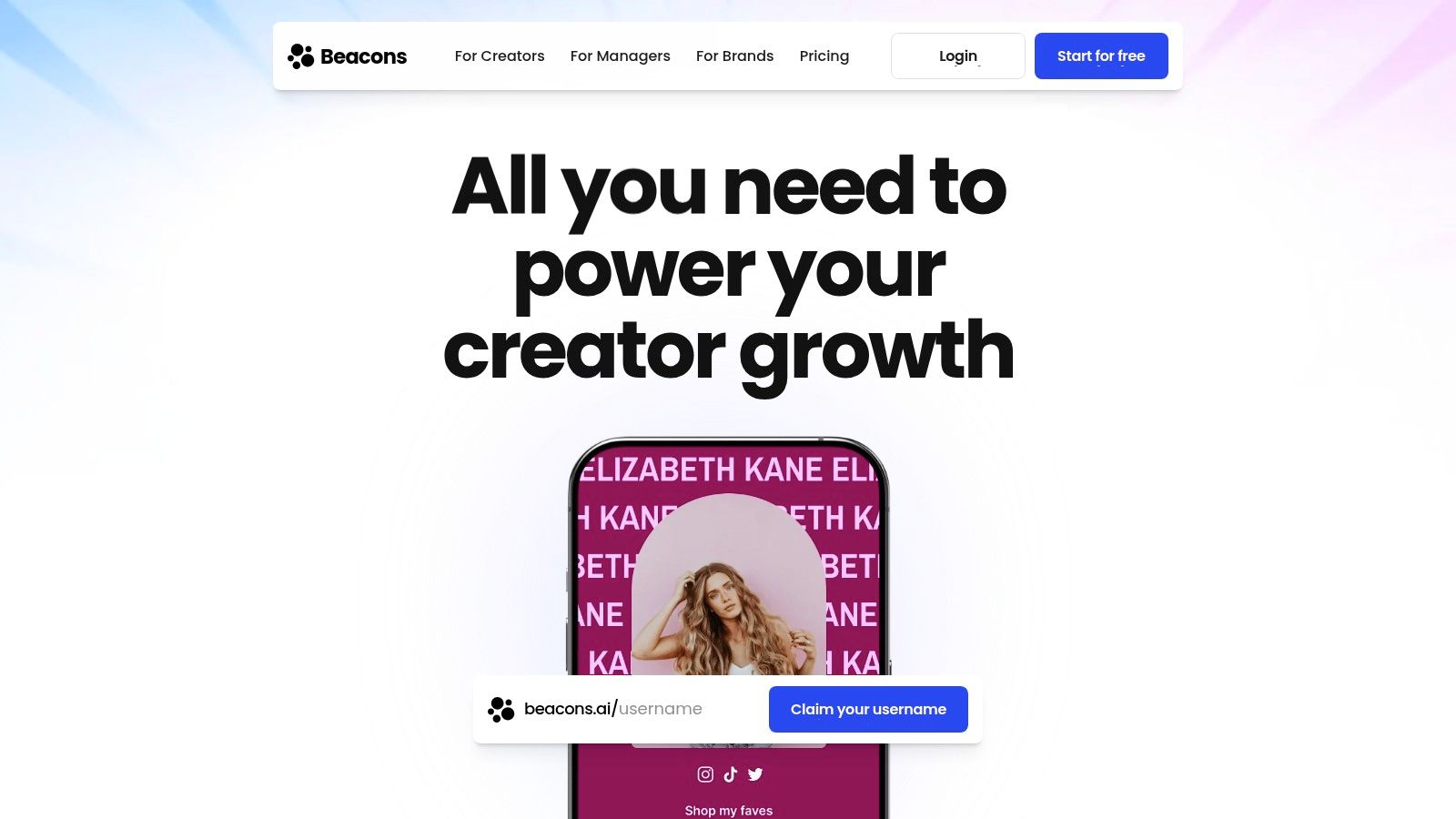
With Beacons, you can sell digital products, manage memberships, send marketing emails, and even generate invoices without ever leaving the platform. Its drag-and-drop builder is intuitive, while AI-powered helpers assist with design and copywriting, streamlining your setup process. The user experience is clean, though the sheer number of features can present a slight learning curve for total beginners.
Key Features & Use Cases
- Best For: Creators and entrepreneurs who want to consolidate their tech stack and manage their business from a single dashboard.
- Monetization Suite: The built-in store is a standout feature. You can sell anything from ebooks and presets to video courses and coaching sessions. The platform also supports tips and donations.
- Email & Audience Management: Beacons includes native email marketing tools, allowing you to capture leads and send broadcasts or automations, turning your link-in-bio page into a lead generation machine.
- AI Assistants: Leverage AI tools to help generate page copy, design themes, and even brainstorm product ideas, which is a unique advantage that saves significant time.
Pricing and Limitations
Beacons offers a very generous free "Creator" plan that includes unlimited links, a storefront with a 9% transaction fee, and basic analytics. The paid "Creator Pro" and "VIP" plans (starting at $10/month) reduce transaction fees, remove Beacons branding, unlock custom domains, and provide advanced features like email marketing automations and team access. While the free plan is powerful, serious sellers will want to upgrade to minimize fees. If you're weighing your options, our detailed Beacons vs. Linktree comparison offers a deeper analysis.
3. Campsite.bio
Campsite.bio carves out its niche by blending powerful organizational features with a straightforward, user-friendly interface. It stands as a compelling alternative to Linktree for those who need more than a basic list but aren't ready for a full-blown business suite. The platform excels at allowing users to create a clean, organized profile that functions much like a digital business card, complete with carousels and embeddable content.
The user experience feels familiar and intuitive, resembling the backend of a simple website builder. You can quickly add different link types, from standard links to embeddable media from YouTube or Spotify. Campsite.bio’s strength lies in its balance, offering advanced customization like custom CSS and in-depth analytics without overwhelming the average user. It’s a solid middle-ground tool that scales well from personal projects to small business needs.
Key Features & Use Cases
- Best For: Freelancers, small teams, and creators who need robust branding controls, link scheduling, and detailed analytics in one affordable package.
- Advanced Link Types: Go beyond simple buttons with link carousels, email opt-in forms, and the ability to embed your latest content directly onto the page. This keeps your audience engaged without forcing them to navigate away.
- Powerful Integrations: Connect your page with tools like Google Sheets to automatically track link performance or Mailchimp to grow your email list, creating a seamless workflow.
- In-Depth Analytics: The Pro plan unlocks detailed insights, including click-through rates, geographic data, and referrer information, helping you understand precisely what a link in bio meaning truly is for your audience's journey.
Pricing and Limitations
Campsite.bio has a capable free plan with unlimited links. However, its real power is unlocked with the Pro plan (starting around $7/month), which adds custom domains, advanced analytics, integrations, and removes Campsite branding. There is also an Agency plan for managing multiple profiles. While the Pro plan is feature-rich for its price, some users have noted that customer support can experience delays during peak times, and collaboration features are limited compared to enterprise-level platforms.
4. Lnk.Bio
Lnk.Bio establishes itself as a fast, lightweight, and exceptionally budget-friendly alternative to Linktree. It's designed for users who prioritize speed and simplicity over a complex, all-in-one business suite. The platform excels at providing a clean, classic link-in-bio experience backed by a massive library of themes and an attractive pricing model that includes one-time lifetime payment options. It's a go-to choice for influencers and brands who need to get a polished page live quickly without a recurring subscription.
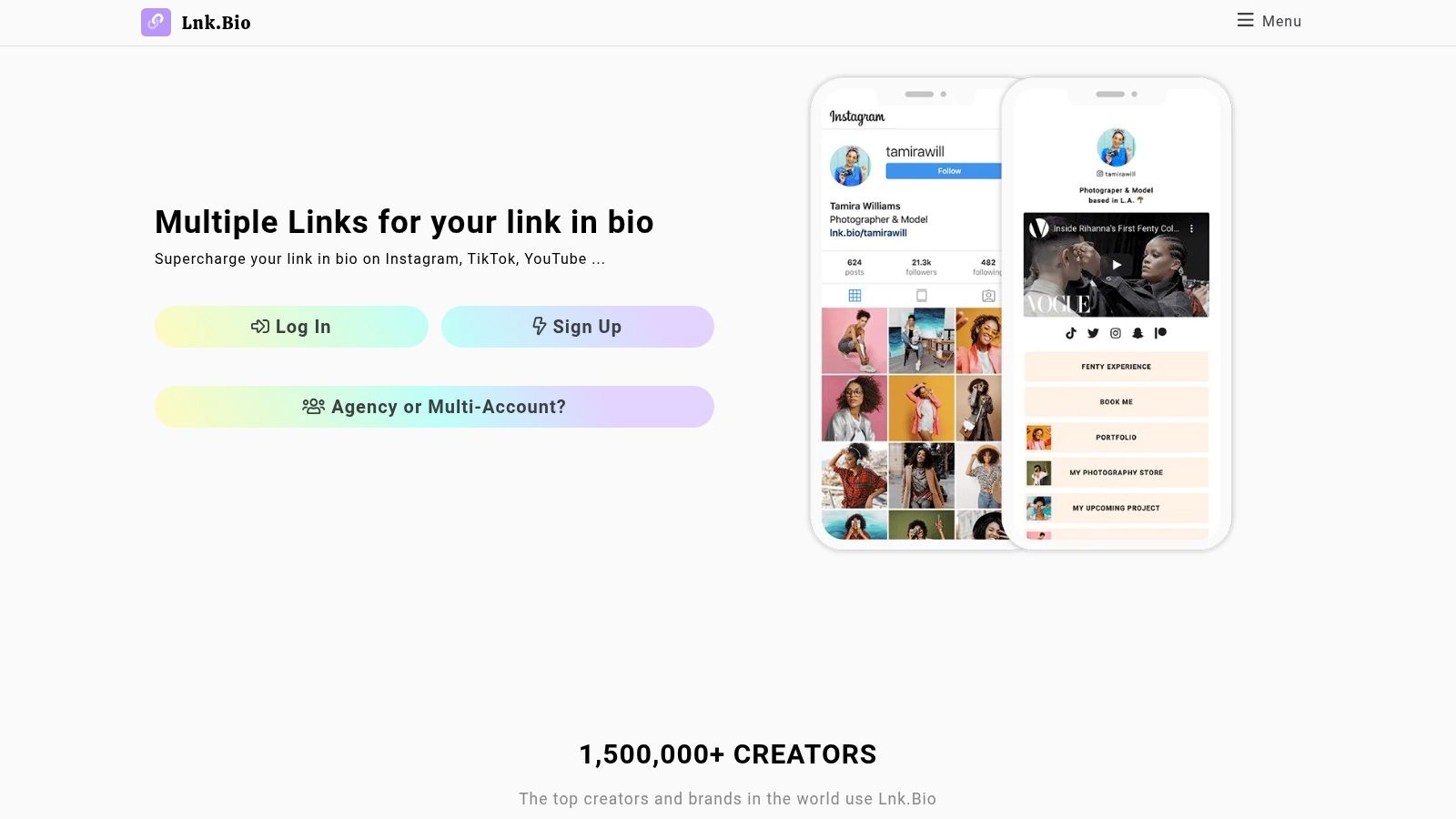
The user experience is straightforward, focusing on core functionality like adding links, embedding media, and customizing aesthetics. While it may not have the deep business integrations of platforms like Beacons, its strength lies in doing one thing exceptionally well: presenting your links beautifully and efficiently. The platform’s ability to sync with Instagram and TikTok feeds is a major plus for social-media-first creators.
Key Features & Use Cases
- Best For: Influencers, artists, and small businesses seeking a no-fuss, cost-effective solution with extensive design options.
- Massive Template Library: Get started in minutes by choosing from over 400 free themes and layouts, ensuring your page aligns with your brand identity without needing design skills.
- Social Media Sync: Automatically pull in your latest Instagram or TikTok posts to create a dynamic grid on your page, keeping your link-in-bio fresh and engaging.
- Music & Media Embeds: Easily embed content from Spotify, SoundCloud, YouTube, and Vimeo directly onto your page, perfect for musicians and video creators.
Pricing and Limitations
Lnk.Bio offers a free plan with unlimited links and access to the theme library. The real value comes from its paid plans, starting at just $0.99/month or a one-time lifetime payment of $9.99 for the "Mini" plan, which unlocks more customization. The "Unique" lifetime plan ($24.99) adds features like a custom domain and analytics integrations. While the affordability is a huge advantage, its feature depth is lighter than more comprehensive creator suites, and some advanced features are siloed into higher-tier plans.
5. Carrd
Carrd offers a different approach, positioning itself as a flexible, one-page site builder rather than a dedicated link-in-bio tool. It's an exceptional alternative to Linktree for designers, developers, and anyone who craves complete creative control over their landing page's layout. Instead of a standard list, Carrd provides a blank canvas and powerful tools to build a custom micro-site from the ground up, making it perfect for portfolios, project showcases, or highly-styled personal pages.
The platform operates like a simplified website builder, allowing you to drag and drop elements like images, video, forms, and custom widgets anywhere on the page. While it lacks the pre-built creator monetization tools of other platforms, its strength lies in its unmatched design flexibility. The user experience is straightforward for those with some design sense, though it requires more hands-on effort to assemble your page compared to a template-based tool.
Key Features & Use Cases
- Best For: Designers, freelancers, and creatives who want a fully custom, portfolio-style one-page website without the complexity of a full site builder.
- Total Layout Freedom: Break free from the single-column list. You can build complex, multi-column layouts, which is a significant advantage for visual storytelling. For those interested in advanced layouts, exploring a modern link in bio grid can offer further inspiration.
- Custom Forms & Widgets: Embed contact forms, signup forms for services like Mailchimp, and other third-party widgets directly onto your page to capture leads or add functionality.
- Multiple Sites: Pro plans allow you to build and manage multiple unique one-page sites under a single account, ideal for managing different projects or client pages.
Pricing and Limitations
Carrd’s pricing is famously affordable. The free plan lets you build up to three sites with Carrd branding. The Pro plans (starting at an incredibly low $19/year) unlock custom domains, remove branding, add form integrations, and allow for more sites and elements. The primary limitation is its nature; it's not a specialized link-in-bio product, so you won't find native creator commerce features like digital storefronts or tipping. It's a builder first, requiring you to assemble those features yourself.
6. Taplink
Taplink has established itself as a veteran in the link-in-bio space, offering a block-based system that allows for highly functional and information-rich landing pages. This platform is a strong alternative to Linktree for users who want to build more than just a list of links, incorporating elements like forms, pricing tables, and media directly onto their page. It is particularly popular among Instagram users who need a powerful micro-website that’s easy to build and manage.
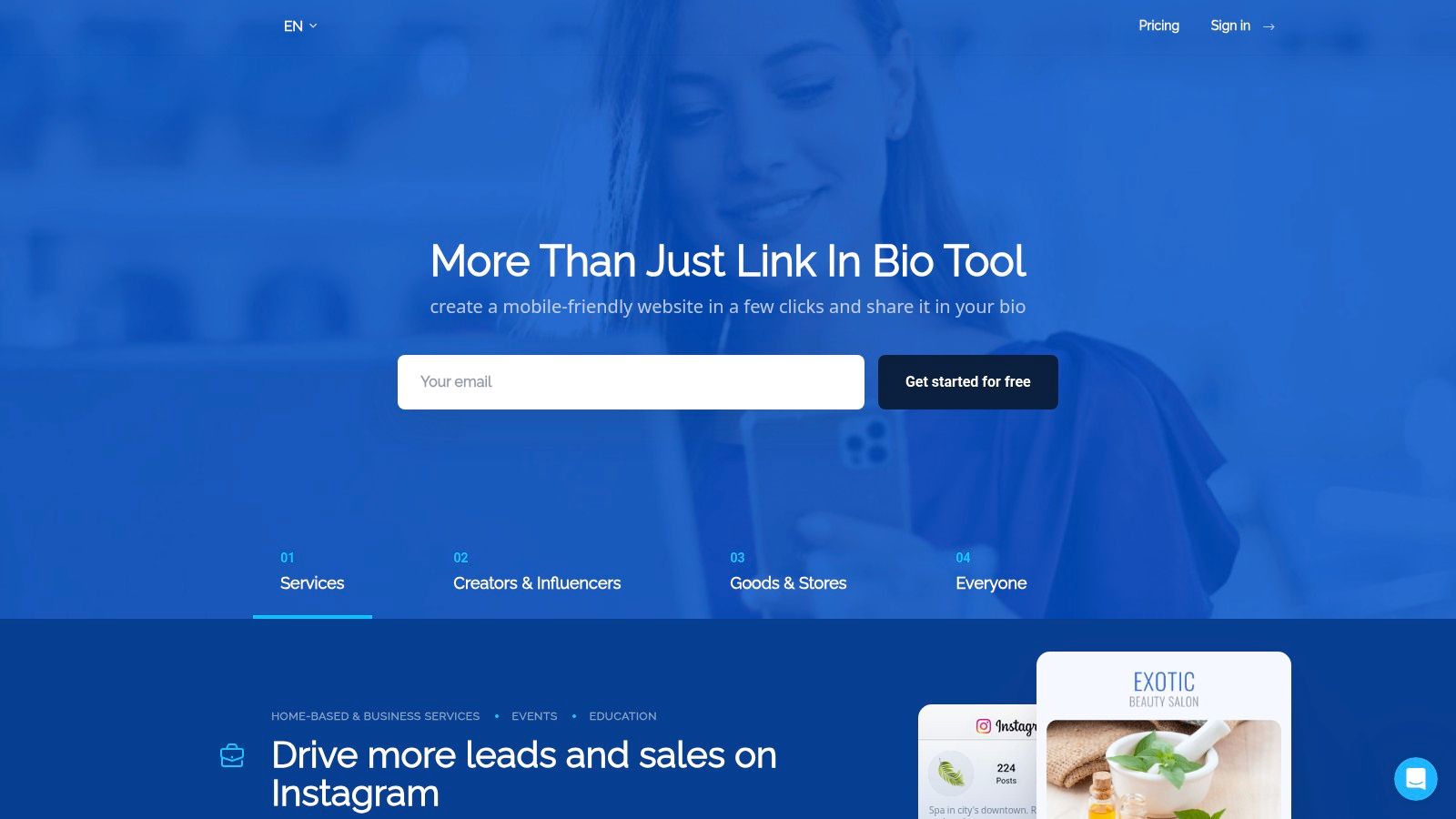
The platform focuses on providing a wide array of content blocks that you can quickly add to your page. From simple text and links to complex elements like countdown timers and opt-in forms, Taplink enables creators to build surprisingly versatile pages. Its AI page builder further simplifies the process, making it accessible even for those without design experience. The interface is straightforward, prioritizing function and speed over intricate design customization.
Key Features & Use Cases
- Best For: Small businesses, consultants, and creators who need to display detailed information like services, pricing, and FAQs on their link-in-bio page.
- Extensive Block Library: Go beyond links with blocks for text, image carousels, video, maps, social media feeds, and even payment forms to accept payments directly.
- Lead Generation & Scheduling: Capture leads with built-in forms that integrate with major email services. You can also add scheduling blocks to let clients book appointments.
- Quick Setup: The block-based editor and AI assistant mean you can have a feature-rich page up and running in minutes without touching a line of code.
Pricing and Limitations
Taplink offers a free "Basic" plan with unlimited links but limited block types. The "Pro" and "Business" plans (starting at just a few dollars per month, with discounts for longer commitments) unlock the full block library, custom domains, analytics, and payment acceptance. The value offered at its price point is a major advantage. However, its payment processing is limited to online card methods, and it doesn't support invoicing for legal entities, which might be a drawback for some businesses.
7. Milkshake
Milkshake offers a uniquely mobile-first approach to the link-in-bio concept, positioning itself as an app for creating instant, swipeable mini-websites directly from your phone. It’s an excellent alternative to Linktree for creators who prioritize speed, simplicity, and a mobile-native user experience. Instead of a single vertical list, Milkshake uses "cards" that users can swipe through, allowing you to build a more dynamic and engaging microsite with distinct sections for your bio, links, portfolio, and more.
The platform is built around beautifully designed, creator-focused templates that make setup a breeze. You simply pick a look, add your content, and publish. The entire process is intuitive and visual, requiring no desktop access or technical skills. This mobile-centric design makes it incredibly convenient for on-the-go updates, but it can feel restrictive for those who prefer editing on a larger screen.
Key Features & Use Cases
- Best For: Influencers, artists, and creators who manage their entire online presence from their smartphone and want a stylish, portfolio-like page.
- Swipeable Cards: Go beyond a simple link list by creating multiple pages (cards) for different content types. You can have a card for your services, another for your YouTube videos, and one for your favorite products, all within one link.
- Mobile-First Builder: The app-based editor is extremely user-friendly. Customizing themes, adding links, and embedding media feels as easy as posting an Instagram story.
- Insight Analytics: The app provides basic but useful analytics, including link clicks and card views, helping you understand what your audience engages with most.
Pricing and Limitations
Milkshake's core features are free, allowing you to create and publish your site on a msha.ke domain. The free version includes Milkshake branding. To remove this branding and unlock additional customization options like more themes and custom link colors, you can upgrade via an affordable in-app subscription. While its mobile-first nature is a major strength, it’s also its main limitation; complex customizations are not its forte, and there's no desktop editor.
8. Flowpage (by Flowcode)
Flowpage positions itself as a powerful mobile-first landing page, serving as a dynamic alternative to Linktree by deeply integrating with its parent company's QR code technology. This connection makes it the ideal tool for businesses and creators looking to bridge the gap between their physical and digital marketing efforts. The platform is designed not just to hold links, but to serve as the destination for a seamless offline-to-online customer journey initiated by a QR code scan.
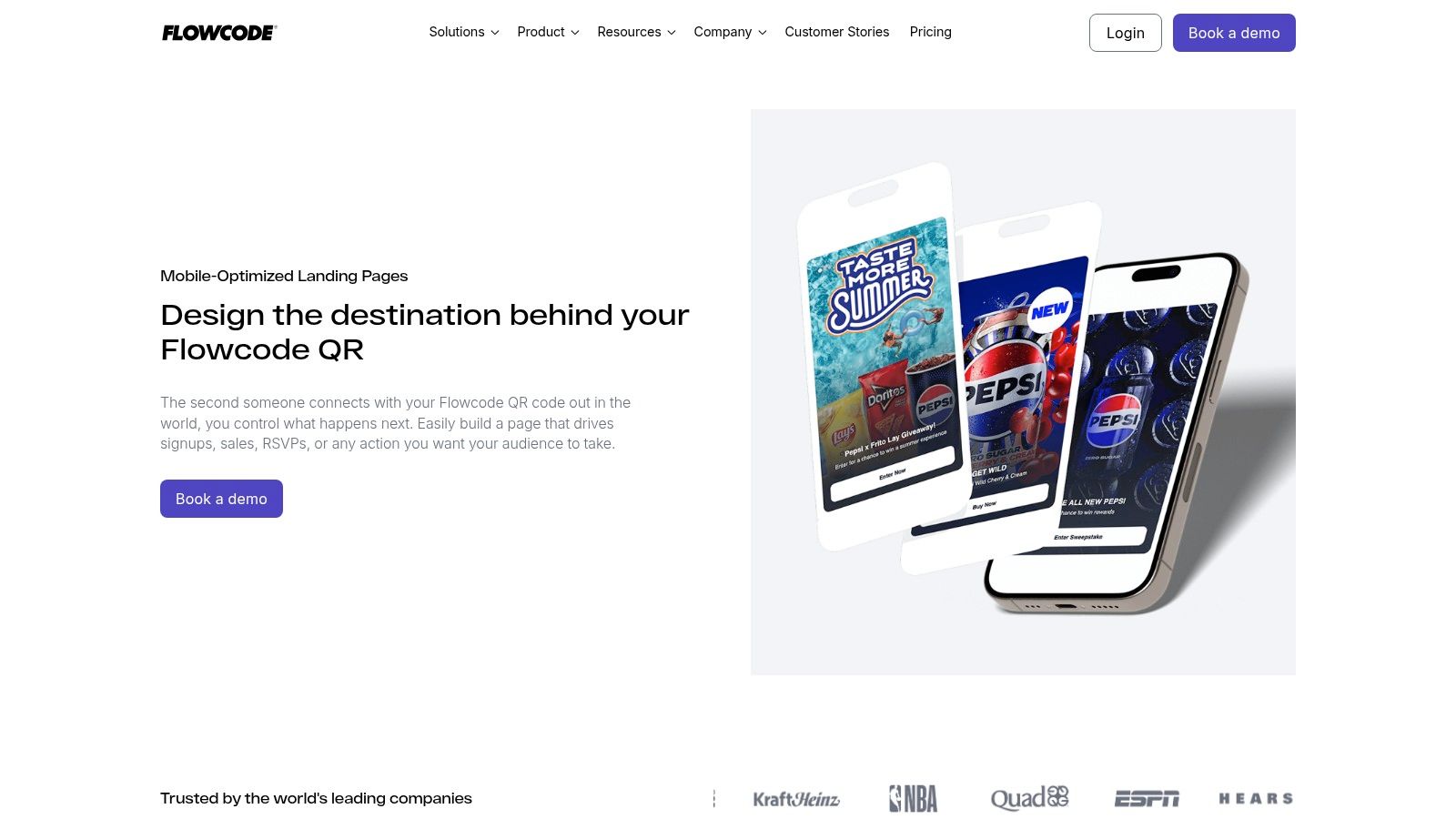
The core strength of Flowpage lies in this synergy. You can create a custom-branded QR code that directs users to a personalized Flowpage, where they can find your links, contact forms, featured content, and social profiles. The user experience is straightforward, focusing on clean layouts and rapid deployment, although the interface is more utilitarian than creatively expressive. The analytics dashboard provides insights on both QR code scans and page interactions, offering a holistic view of your campaign's performance.
Key Features & Use Cases
- Best For: Brands, event organizers, and businesses using print marketing, packaging, or in-person displays to drive online traffic.
- QR Code Integration: Every Flowpage is connected to the Flowcode ecosystem. This allows you to create dynamic, trackable QR codes that can be updated anytime without reprinting, pointing to your link-in-bio page.
- Contact Collection: Easily embed forms to capture visitor information like names, emails, and phone numbers directly from your landing page, turning offline interest into measurable online leads.
- Offline-to-Online Analytics: The platform provides unified data on how many people scan your codes and what actions they take on your Flowpage, which is a unique advantage for tracking physical marketing ROI.
Pricing and Limitations
Flowpage offers a free plan that includes a basic page and one dynamic QR code. The pricing model is centered around the capabilities of the QR codes. Paid plans (starting at $5/month) unlock more dynamic codes, advanced analytics, custom domains, and the ability to remove Flowcode branding. A significant limitation is that the feature set and pricing tiers are heavily oriented toward QR code usage, which may feel restrictive or overly complex if you only need a standalone link-in-bio page without the physical world component.
9. Squarespace Bio Sites (bio.site)
Squarespace Bio Sites enters the link-in-bio space by leveraging the platform's renowned design prowess into a focused, free tool. This is a polished alternative to Linktree for creators who prioritize aesthetics and want a simple, mobile-first page that feels premium. It’s built to serve as a streamlined introduction to your brand and offers a clear upgrade path to a full Squarespace website when you’re ready to expand.
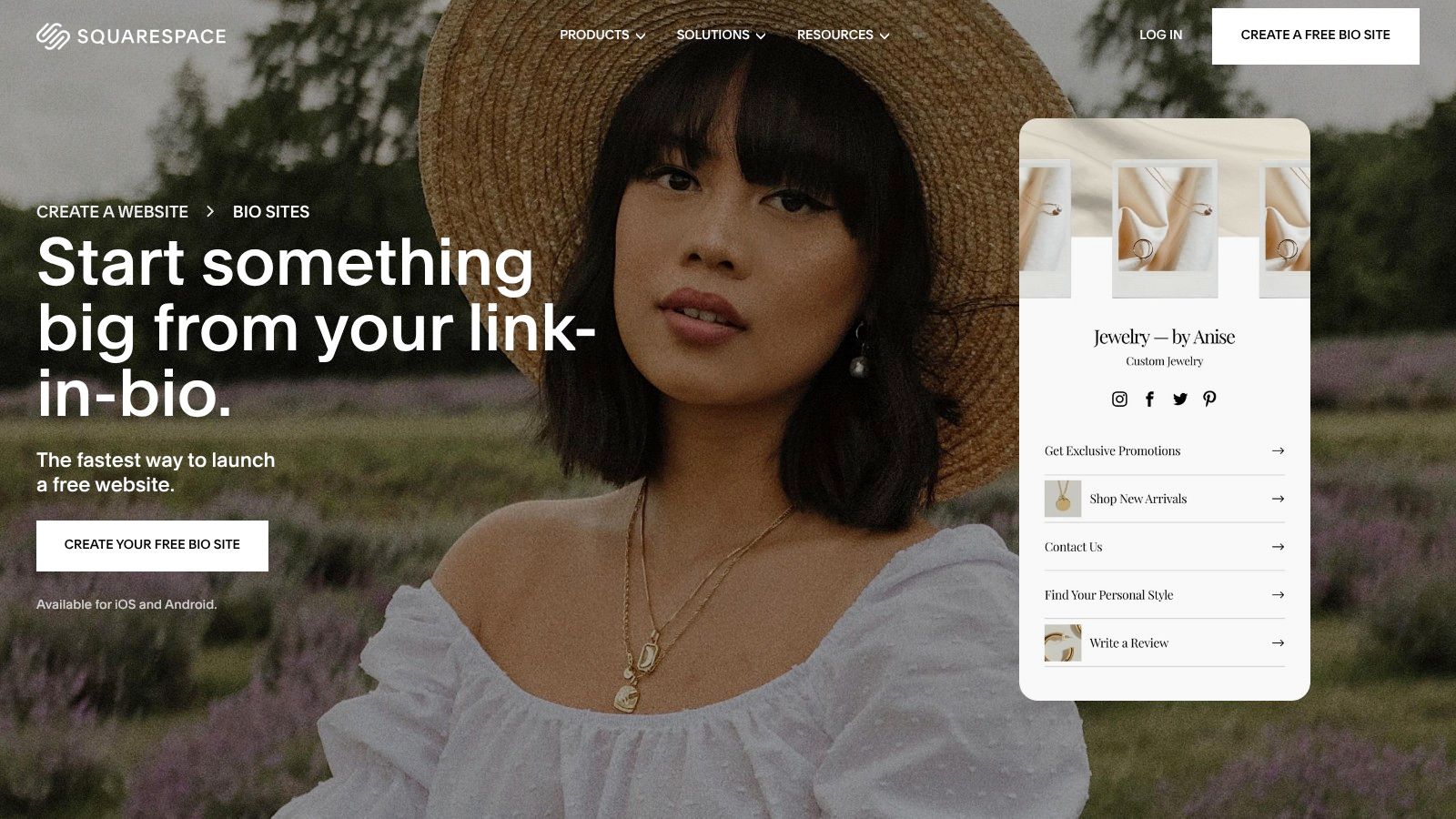
The user experience is exactly what you'd expect from Squarespace: clean, intuitive, and centered around visually appealing templates. While it doesn't have the extensive business management features of platforms like Beacons, it excels at presenting your links and core offerings in a stylish package. The direct integration with Squarespace’s commerce and scheduling tools makes it a practical choice for existing users of the ecosystem.
Key Features & Use Cases
- Best For: Designers, artists, and Squarespace users who need a visually cohesive and professional-looking link-in-bio page without a steep learning curve.
- Simple Commerce: Monetize directly from your Bio Site by selling digital products, accepting tips, offering paid content links, or connecting to a Squarespace store.
- Lead Capture: Includes built-in blocks to collect email or SMS subscribers, helping you grow your audience list directly from your bio link.
- Ecosystem Integration: Seamlessly connects with other Squarespace products like Scheduling and Acuity, making it a powerful entry point into a broader digital toolkit.
Pricing and Limitations
Squarespace Bio Sites is completely free to create and use with a bio.site URL and unlimited links. The primary limitation involves monetization; while selling is supported, Squarespace takes an 8% commission on transactions in addition to standard payment processing fees. This fee structure makes it less ideal for high-volume sales compared to platforms with lower or zero-commission plans. Its feature set is intentionally focused, so it lacks the advanced customization and deep analytics of more complex tools. Learn more at their website: https://www.squarespace.com/marketing/biosite.
10. About.me
About.me offers a classic, professional take on the link-in-bio concept, positioning itself as a personal landing page or a digital business card. It serves as a strong alternative to Linktree for freelancers, consultants, and professionals who prioritize a clean, static hub for their online identity over a dynamic, ever-changing list of links. The platform excels at creating a simple, elegant one-pager that consolidates your professional presence with a clear call-to-action.
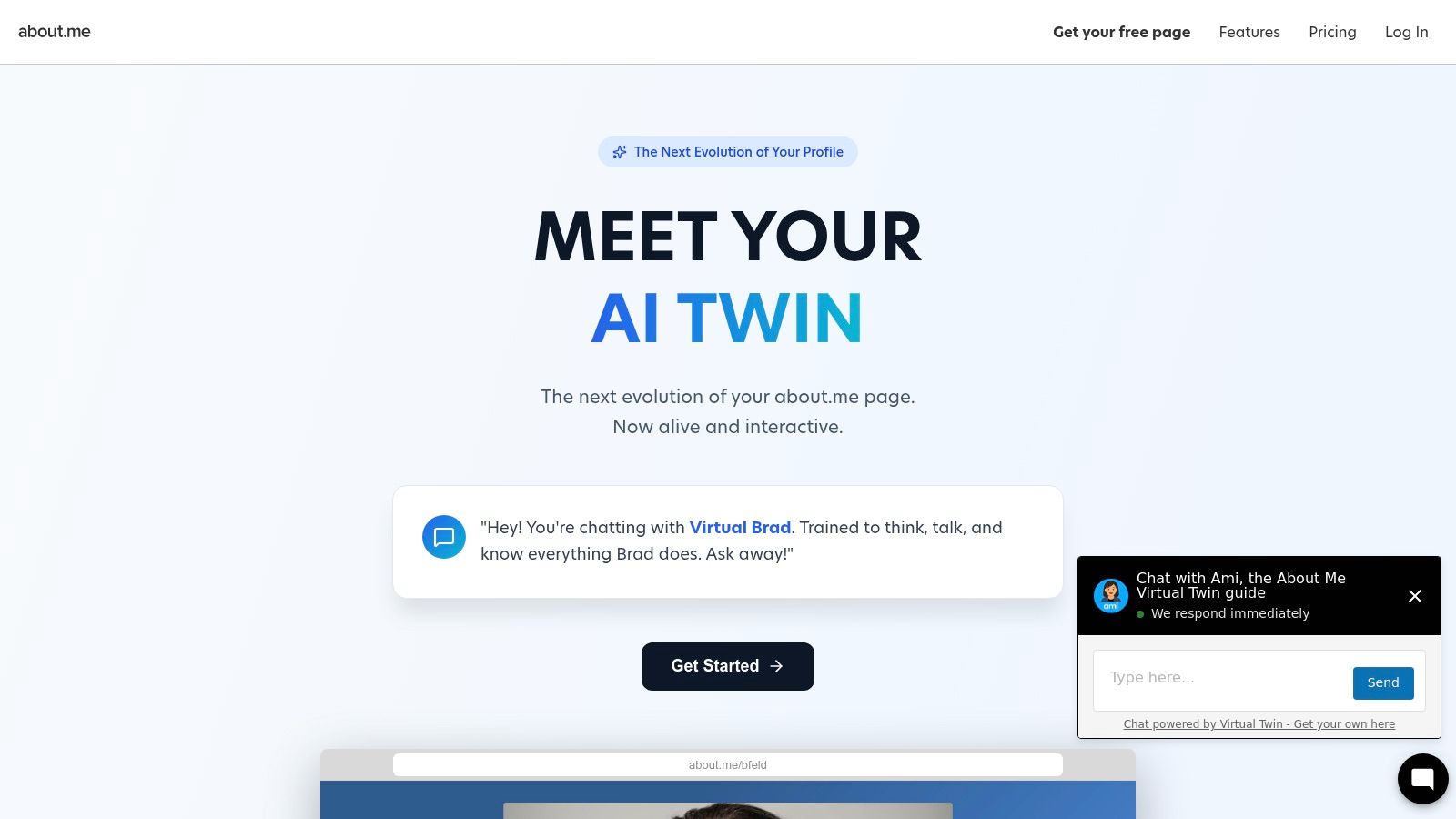
The setup process is incredibly fast, allowing you to establish a polished web presence in minutes. While it lacks the commerce and rich media embed features of more creator-focused tools, its strength lies in its simplicity and professional aesthetic. The interface is straightforward, guiding users to quickly craft a page that looks great without needing any design skills.
Key Features & Use Cases
- Best For: Freelancers, job seekers, and professionals who need a simple, elegant online hub to direct contacts to from their resume or social profiles.
- Spotlight Button: A prominent, customizable call-to-action button is the centerpiece of every page, perfect for guiding visitors to a portfolio, contact form, or booking page.
- Portfolio & Appointments: Pro users can add expanded sections like a portfolio to showcase work, embed videos, and integrate with Google Calendar to let visitors book appointments directly.
- Lead Capture: The platform includes an email signature and contact form on paid plans, making it easy to turn your personal page into a tool for generating professional leads.
Pricing and Limitations
About.me provides a basic free plan that lets you create your one-page site with their branding. The paid Pro plan (starting around $12/month when billed annually) is essential for serious users, as it unlocks custom domains, removes branding, enables the portfolio and appointment features, and provides detailed analytics. Its primary limitation is the lack of creator monetization tools like storefronts or tipping. This makes it less suitable for influencers and more focused on professional service providers.
11. Later — Link in Bio
Later is a well-established social media management tool, and its Link in Bio feature is a powerful extension of that ecosystem. It’s a compelling alternative to Linktree for brands, businesses, and creators who are already invested in a robust scheduling and analytics platform. Instead of being a standalone tool, Later’s link page is seamlessly integrated into your social media workflow, allowing you to manage everything from one place.
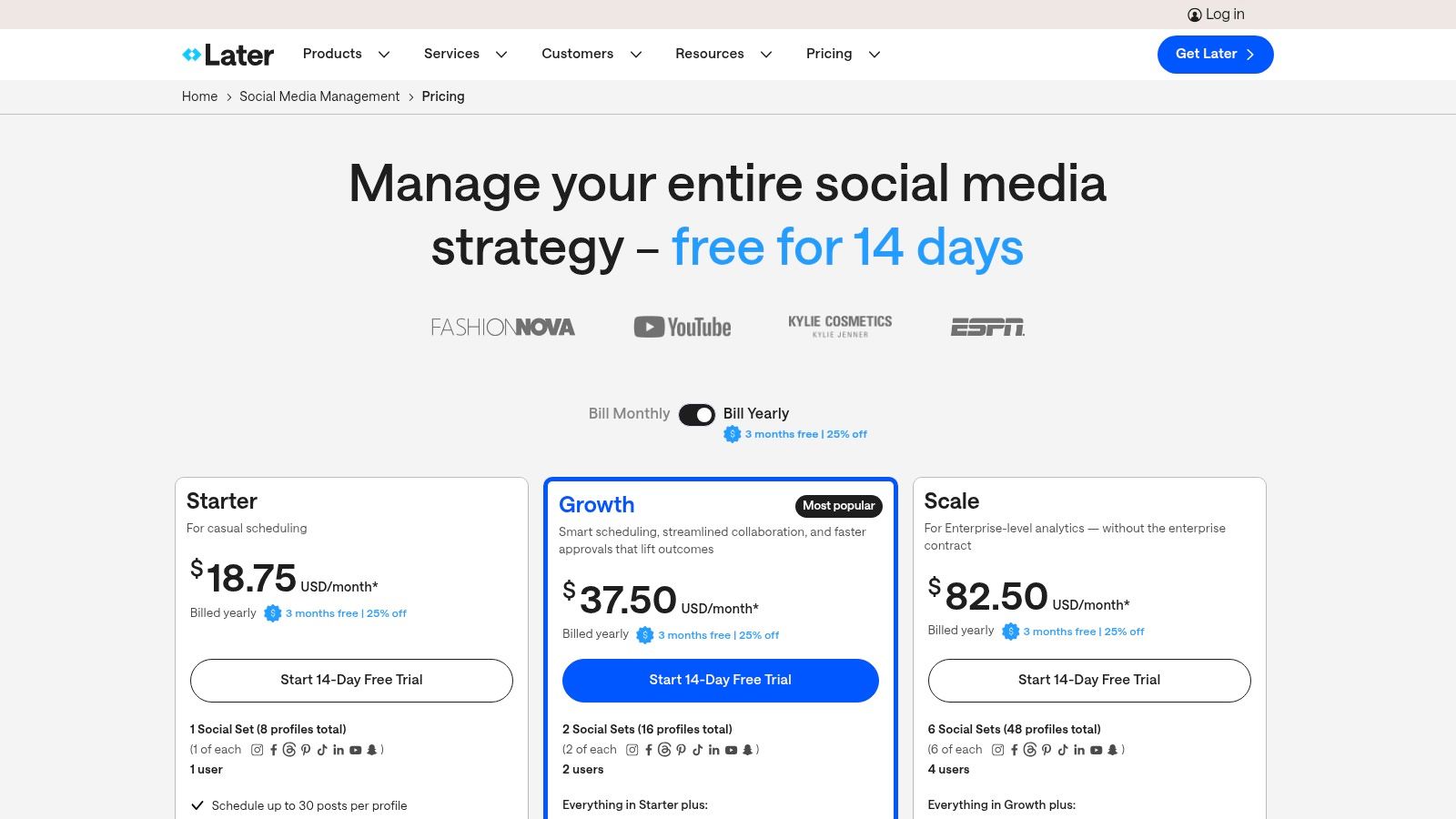
This platform excels at connecting your social posts directly to links. You can tag individual Instagram or TikTok posts with specific URLs, creating a clickable, shoppable version of your feed on your bio page. The user experience is professional and data-driven, reflecting its primary function as a comprehensive marketing suite, though this means the cost is higher than a dedicated link-in-bio service.
Key Features & Use Cases
- Best For: Marketing teams and businesses that need an all-in-one solution for social media scheduling, analytics, and a link-in-bio page.
- Integrated Workflow: The biggest advantage is its integration. Schedule a post and simultaneously update your Link in Bio page with the relevant URL, creating a streamlined content process.
- Shoppable Feed: You can recreate your Instagram or TikTok grid on your bio page, with each post linking to a product page or article, driving traffic and sales directly from your content.
- Advanced Analytics: Leverage Later's powerful analytics to track clicks and sales generated from your Link in Bio page, providing clear ROI on your social media efforts.
Pricing and Limitations
Later’s Link in Bio feature is included in all its plans, starting with the "Starter" plan at $25/month. There is no free-forever plan that includes the feature. This makes it a more expensive option if you only need a link page. However, for those who also need Later’s best-in-class scheduling, team collaboration, and deep analytics, the price provides consolidated value by eliminating the need for a separate bio link subscription. The tool is less focused on creative customization compared to others.
12. Canva — Link in Bio Websites
For the millions of creators who already live inside Canva for their graphics and videos, its link-in-bio website builder is a logical and powerful extension. It’s an ideal alternative to Linktree for anyone who prioritizes stunning visual design and brand consistency over complex monetization features. Canva leverages its core strength, a massive template library and an intuitive drag-and-drop editor, to let you build a beautiful microsite in minutes.
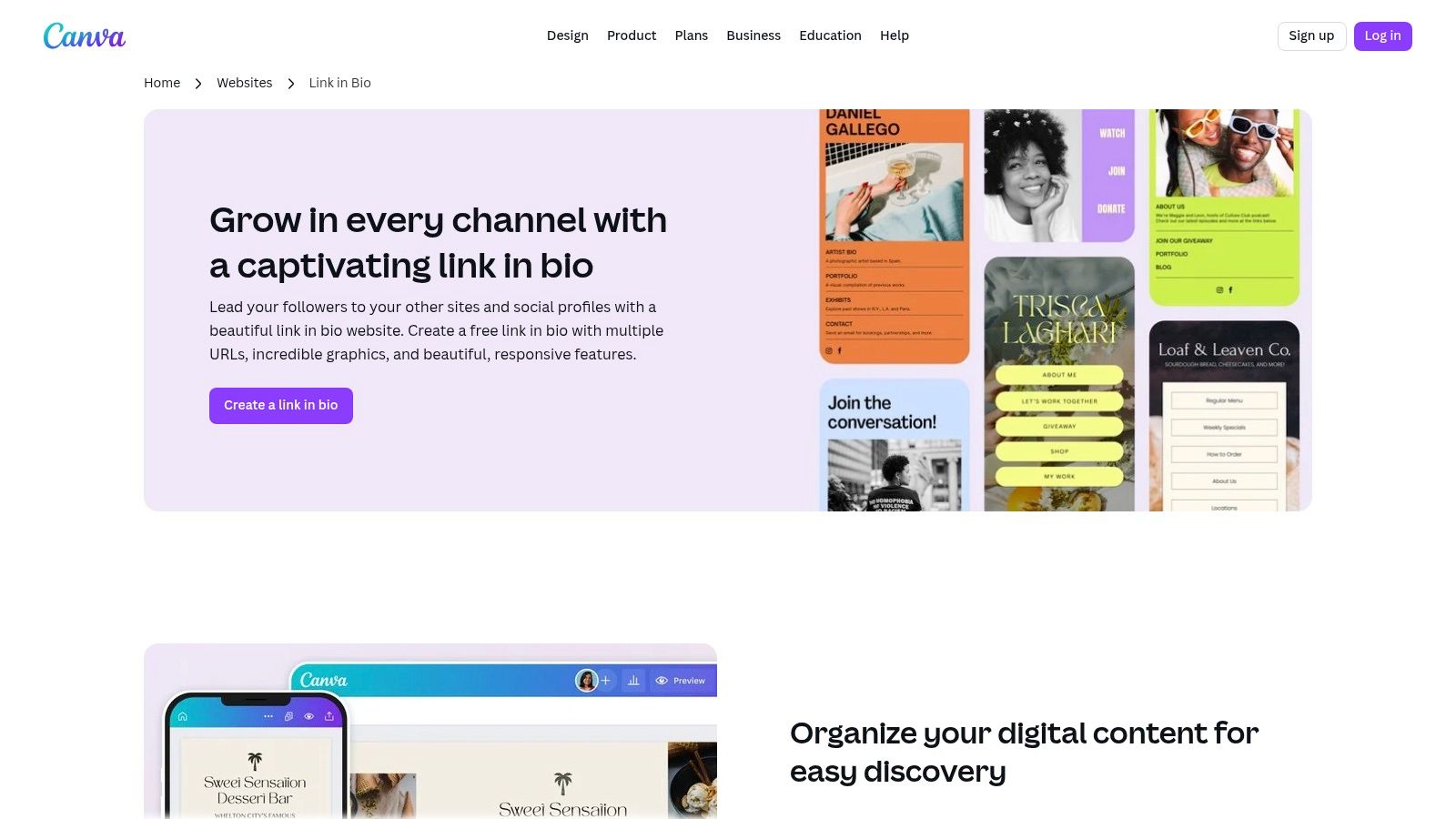
Instead of just a list of links, you can create a truly custom, on-brand landing page using familiar design tools. Add your own fonts, colors, videos, and animated elements to stand out. The process is seamless: design your page, hit publish, and you get a live link hosted on a free my.canva.site domain. It's one of the fastest ways to go from idea to a polished, functional page without any technical knowledge.
Key Features & Use Cases
- Best For: Visually-focused creators, designers, and small businesses who are already proficient with the Canva ecosystem and want a highly branded page.
- Massive Template Library: Start with thousands of professionally designed link-in-bio templates and customize every pixel. This is a huge advantage for creating a unique look.
- Seamless Design Integration: Easily pull in your existing Canva designs, brand kits, logos, and assets directly onto your bio page, ensuring perfect brand alignment.
- Simple Publishing: Go live with one click. The platform handles hosting and gives you a free Canva subdomain, with custom domain options available on the Pro plan.
Pricing and Limitations
Canva’s free plan is remarkably capable, allowing you to design and publish a link-in-bio site on a Canva domain at no cost. For a custom domain, more storage, and access to premium assets and brand kits, you'll need a Canva Pro plan (starting around $12.99/month). The primary limitation is that it's not a dedicated commerce platform; all monetization must be handled through external links to your shop or payment processor. If you're exploring the broader creator economy, you can discover more of the best platforms for content creators to complement your toolkit.
Top 12 Link-in-Bio Alternatives — Features & Pricing
| Platform | Core features | UX / Quality ★ | Price & value 💰 | Audience & USP 👥✨ |
|---|---|---|---|---|
| taap.bio 🏆 | Bento-style modular grid; drag‑and‑drop; smart widgets (Spotify, IG, YT, GitHub); separate mobile/desktop layouts | ★★★★★ Smooth physics DnD; rich inline embeds | 💰 Free page + limited-time bento.me migration; no public enterprise pricing | 👥 Creators, musicians, freelancers — ✨ live widgets & inline playback |
| Beacons | All‑in‑one creator hub: pages, built‑in store, email marketing, analytics | ★★★★☆ Feature-rich, intuitive once learned | 💰 Free + clear paid tiers; fees on some features | 👥 Monetizing creators & small businesses — ✨ built‑in commerce & CRM |
| Campsite.bio | Unlimited links, themes, custom CSS, in‑depth analytics, pixels/UTMs | ★★★★ Reliable, analytics-forward | 💰 Affordable Pro with clear limits | 👥 Creators & freelancers — ✨ strong branding & analytics controls |
| Lnk.Bio | Lightweight links, media/music embeds, 400+ templates, IG/TikTok sync | ★★★☆☆ Fast to launch, minimal UI | 💰 Very low monthly + lifetime one‑time plans | 👥 Influencers & small brands — ✨ budget-friendly + templates |
| Carrd | One‑page site builder with images, video, forms, custom domains | ★★★★☆ Highly flexible; designer-friendly | 💰 Very low annual Pro pricing | 👥 Designers & devs — ✨ full layout control for custom pages |
| Taplink | Content blocks (text, links, forms, pricing), payments, scheduling, analytics | ★★★★ Easy block-based setup | 💰 Competitive pricing; discounts for prepay | 👥 Instagram-centric creators — ✨ broad block library & payments |
| Milkshake | Mobile-first swipeable cards, creator templates, publish from phone | ★★★☆☆ Extremely simple mobile UX | 💰 Free + in‑app subscriptions to remove branding | 👥 Mobile-first creators — ✨ publish entirely from your phone |
| Flowpage (Flowcode) | Link blocks, contact forms, tagging, Flowcode QR integration & analytics | ★★★☆☆ Good QR + microsite flow | 💰 Pricing tied to Flowcode QR plans | 👥 Offline-to-online marketers — ✨ dynamic QR + scan analytics |
| Squarespace Bio Sites (bio.site) | Stylish mobile templates, tips/digital downloads, email/SMS capture | ★★★★ Polished, commerce-ready | 💰 Free to create; commerce fees (~8% + processing) | 👥 Creators wanting Squarespace path — ✨ built-in commerce & migration path |
| About.me | Clean personal one-pager, portfolio/testimonials, lead capture & booking (Pro) | ★★★☆☆ Quick professional launch | 💰 Free + affordable Standard/Pro upgrades | 👥 Professionals & freelancers — ✨ simple business‑card page |
| Later — Link in Bio | Link in Bio included with Later: shoppable feed, post linking, scheduling | ★★★★ Best when paired with Later tools | 💰 Included on paid Later plans (platform cost) | 👥 Brands & teams — ✨ social scheduling + analytics integration |
| Canva — Link in Bio Websites | Drag‑and‑drop templates, publish site, device preview, custom domain with Pro | ★★★★ Easy visual editor; massive templates | 💰 Free to start; Canva Pro for domains/advanced features | 👥 Visual creators & social managers — ✨ huge template ecosystem |
Final Thoughts
The digital landscape is no longer satisfied with a simple, static list of links. Your "link in bio" has evolved from a mere directory into your personal headquarters, a dynamic extension of your brand, and a powerful conversion tool. As we've explored throughout this comprehensive guide, the search for an alternative to Linktree isn't about finding a one-to-one replacement; it's about unlocking a new level of creativity, engagement, and strategic control over your online presence.
From the developer-friendly canvas of Carrd to the minimalist elegance of Squarespace Bio Sites, the options are vast and tailored to specific needs. You've seen how tools like Beacons and Campsite.bio cater to creators with monetization in mind, while platforms like Milkshake and Canva offer design-first, mobile-centric experiences. The key takeaway is that the "best" tool is entirely subjective, defined by your unique goals, technical comfort, and brand aesthetic.
Making Your Decision: A Final Checklist
Before you commit, step back and crystallize your priorities. This isn't just about picking a tool; it's about choosing a partner for your digital growth. A rushed decision can lead to a frustrating migration process down the line, especially for those moving away from platforms like Bento.me.
Consider these final crucial questions:
- What is my primary goal? Is it to sell products directly, capture email leads, showcase a visual portfolio, or simply consolidate my social links in a more branded way? Your core objective will immediately narrow the field.
- How important is advanced customization? Are you content with changing colors and fonts, or do you need the granular control offered by tools with custom CSS, block-based editors, or more intricate layout options?
- What is my budget for growth? Evaluate the free plans carefully. A generous free offering might be perfect now, but check the pricing for premium features you anticipate needing in the future, such as custom domains or advanced analytics.
- Which platform integrates best with my existing workflow? If you live in your email marketing software or rely on a specific e-commerce platform, look for a link-in-bio tool that offers seamless, native integrations to save you time and headaches.
Beyond the Link: Embracing the "Micro-Website"
The most significant shift in this space is the move from simple link aggregators to powerful micro-websites. This is where tools like Taap.bio truly shine, transforming the "link in bio" concept into an interactive and immersive experience. The ability to embed playable media, display dynamic content through smart widgets, and arrange it all on a modular grid gives you the power of a landing page builder without the complexity.
This evolution is critical. Your audience craves engagement, not just navigation. They want to watch your latest video, listen to your new track, or browse your products without ever leaving their social media app. The right alternative to Linktree facilitates this seamless journey, reducing friction and dramatically increasing the likelihood of conversion.
Ultimately, your link-in-bio page is a reflection of your brand's ingenuity and commitment to user experience. It's the handshake that greets new followers and the concierge that guides loyal fans. Choose the tool that not only holds your links but also tells your story, amplifies your content, and empowers you to build a stronger, more direct connection with your community. The perfect platform is out there waiting to help you make that crucial first impression count.
Ready to build a bio link that’s as dynamic and creative as your brand? taap.bio offers a modular grid, smart widgets, and inline media playback to create a truly interactive micro-website, not just a list of links. Start building your ultimate link-in-bio experience for free today at taap.bio and see why it’s a leading alternative to Linktree for creators who demand more.


