
Your bio link shouldn't be treated as a neutral list of destinations. A visitor may need to buy a digital product, book paid time, subscribe to your email list, browse your work, or reach one specific offer. The best page makes that next action obvious and keeps unnecessary steps out of the way.
That changes how you should compare link in bio tools. A polished template matters, but it won't compensate for a checkout that sends buyers elsewhere, analytics that stop at clicks, or a platform that takes a share of every sale. You also need to consider email ownership, booking workflows, privacy, data residency, payment fees, customization, and the number of separate tools you'll have to maintain.
This roundup evaluates ten platforms as parts of a creator business workflow. You'll see where each tool fits, where it falls short, and when an integrated option such as taap.bio is more practical than assembling a page builder, storefront, email platform, booking calendar, and analytics tool separately. If you're still shaping your public profile, start with this guide to write a professional social bio, then choose the page behind it based on the action you want visitors to take.
Table of contents
1. taap.bio
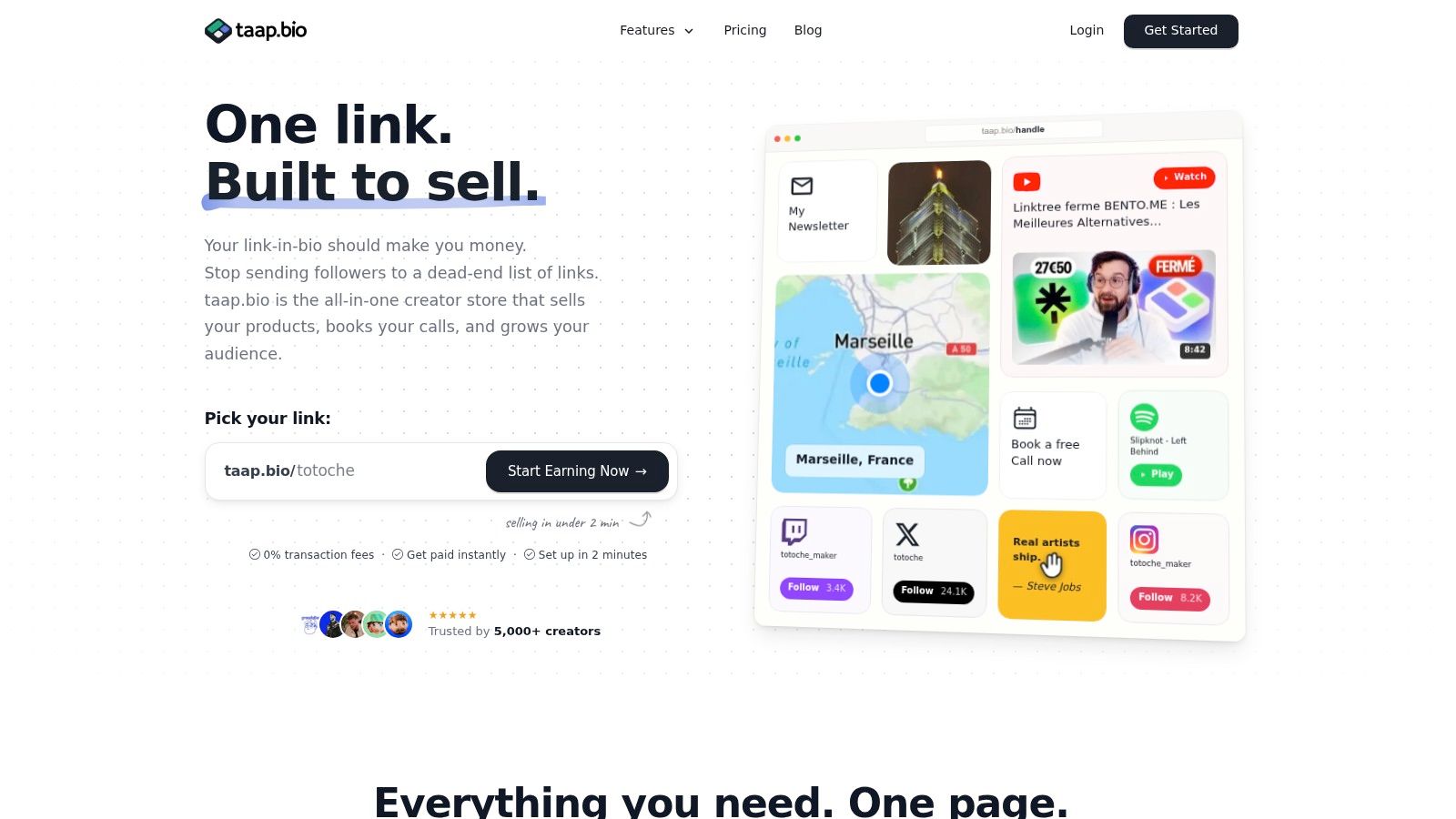
taap.bio suits creators whose bio page must support a business workflow, not just send visitors to other sites. It combines a creator store, paid booking page, email capture form, rich-media hub, and analytics dashboard in one mobile-first bento layout. You can arrange product blocks, images, video, music, maps, YouTube content, and social links without code, then direct visitors to a specific action.
The strongest case is a focused offer. Built-in checkout lets creators sell digital products and deliver files immediately after payment. Paid bookings include upfront payment, calendar availability, and automatic invitations. An email widget supports one-tap subscriptions, and contacts can be exported as a CSV. That gives creators more control over audience data than relying only on social-platform followers.
Why it fits a revenue workflow
taap.bio charges 0% platform fees on sales, although payment processor fees still apply. Connected accounts can receive instant payouts. Widget-level, real-time analytics show visitor counts and engagement without relying on third-party scripts or cookies, which supports a more privacy-conscious measurement setup.
Hosting in France and GDPR-friendly defaults make the platform relevant to creators serving European audiences. A cookie banner is not required by default, and the company states that taap.bio is ISO 27001 certified and aligned with SecNumCloud security foundations. Keeping checkout, bookings, email capture, and analytics together also reduces the number of external tools a creator must configure and maintain.
Practical rule: If your page must sell, collect subscribers, and schedule paid time, choose the platform that keeps those actions in one flow.
Pages can go live in under two minutes, and custom domain mapping supports a branded URL. Pricing is $19 per month after a 14-day free trial. Regional pricing can vary, so check the current amount for your market. The platform is not a replacement for a complex website, large inventory store, or advanced fulfillment system. That boundary makes it a practical fit for creators, coaches, musicians, freelancers, course sellers, and personal brands with focused offers.
Best for: Creators who want products, paid bookings, email ownership, privacy-focused analytics, and fewer connected tools.
Website: taap.bio
2. Linktree
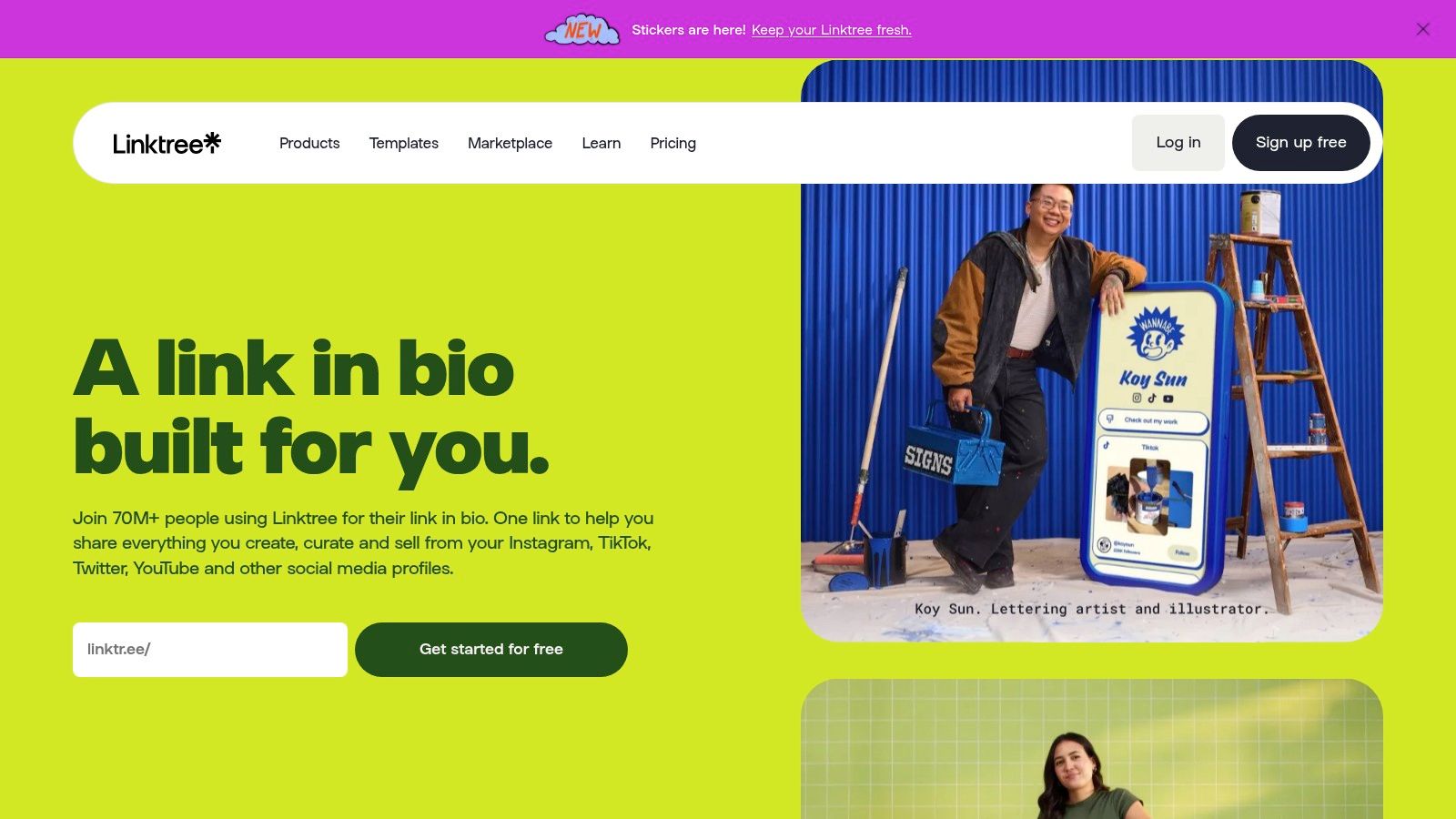
Linktree remains the safest mainstream recommendation for creators who want a recognizable page online quickly. Its scale reflects that position. A 2025 market study estimated that 31 million Instagram users used a link-in-bio tool across 62 providers, with Linktree alone representing 24.7 million users and 79.95% market share in that report (market study details). That familiarity matters because visitors generally understand what a Linktree page is before they open it.
The platform supports unlimited basic links on its free plan, while paid tiers add more themes, layout control, analytics, selling options, email and SMS integrations, QR codes, and other creator features. It can support digital products and courses, and Linktree Shop adds an affiliate-oriented commerce layer. Instagram auto-replies and social scheduling on higher tiers can also reduce manual promotion work.
Where the workflow gets expensive
Linktree is strongest as a distribution hub. It becomes less compelling when you need a tightly integrated checkout, paid appointments, and analytics that connect page activity to business outcomes. Seller fees can apply unless you're on Premium, and advanced customization and analytics sit behind paid plans.
The free plan is a sensible entry point for a musician sharing streaming destinations, a beginner linking to recent videos, or a creator testing whether a bio page improves navigation. It isn't the best default for someone who wants to protect every sale, export contacts, and avoid adding separate systems for bookings and analytics.
For a broader feature comparison before choosing a sales-focused alternative, see Linktree compared with Beacons and other creator platforms.
Best for: Beginners, established creators who value brand recognition, and teams that already use Linktree integrations.
Website: Linktree
3. Beacons
Beacons is built for creators who want a bio page to function as a lightweight business console. Alongside links and media embeds, it offers email and SMS capture, contact import and export, digital products, tipping, storefront features, and built-in analytics. Its AI tools, including the Beam assistant, support page design and creator workflows such as brand outreach and content planning.
That breadth makes Beacons a serious option for influencers selling downloads, coaches collecting leads, and creators who want a mini-CRM near their social traffic. Instead of sending visitors through a bare link list, you can place an offer, an email form, social proof, media, and monetization elements on one page.
The cost of having more controls
Beacons' advantage is also its main drawback. The interface can feel broad if your only need is a few links and a profile photo. A solo creator may spend more time configuring features than improving the calls to action visitors see first.
Platform transaction fees can apply depending on the selected plan and checkout method. That makes the pricing decision more than a subscription comparison. Calculate the effect of transaction fees on low-priced products, then compare the total against a platform that charges 0% platform fees but still passes through payment processor fees.
Beacons also deserves scrutiny on data workflow. It can help consolidate contact collection, but you should confirm the export and integration setup you need before moving your list. For a focused alternative comparison, read Beacons versus taap.bio for creator commerce.
Best for: Creators who want monetization, contact management, and AI-assisted workflows in one broad platform.
Website: Beacons
4. Stan Store
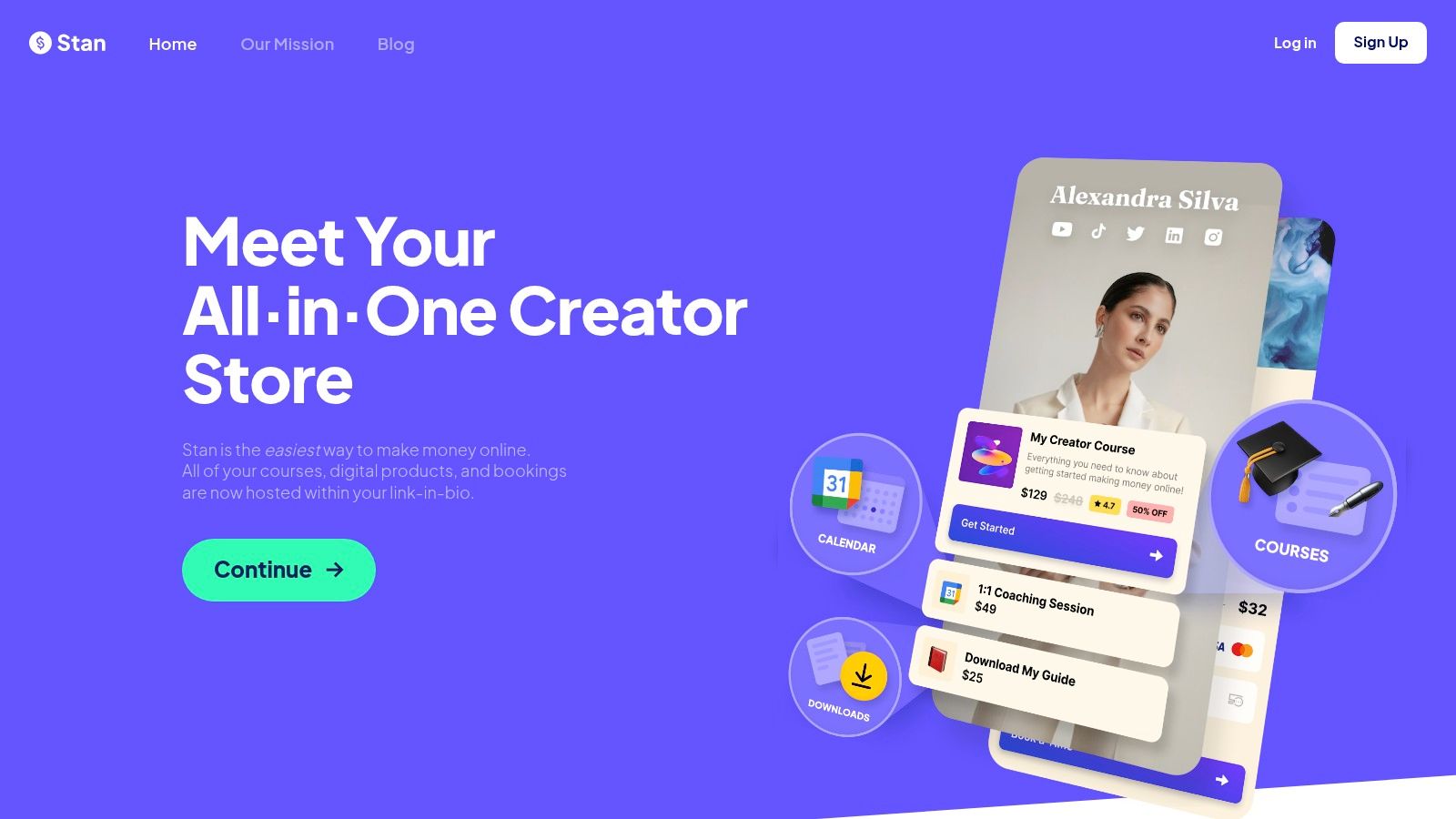
Stan Store treats the bio link as a storefront first. Its core workflow covers digital downloads, courses, webinars, memberships, communities, paid bookings, email capture, automated flows, upsells, and payment-related conversion features. AutoDM for Instagram can turn comments or direct messages into prompts that send followers toward a product or booking page.
This sales-first orientation works well for coaches, educators, consultants, and creators with a defined offer. A visitor can arrive from a social profile, review a product or service, and complete the next step without being pushed through a collection of unrelated links. Stan Store also keeps platform transaction fees at 0%, so creators pay payment processor fees rather than a separate platform cut.
Choose it for selling, not for a decorative microsite
Stan Store doesn't focus as heavily on the visual feel of a traditional link hub. Its layouts are designed to move visitors toward offers, bookings, and memberships, so creators seeking a highly editorial or media-rich page may find it less flexible than a dedicated bio-page builder.
There isn't a permanent free plan, so you'll move from a trial into a paid subscription. That can still be worthwhile if the platform replaces several separate tools and your offers generate regular revenue. Before subscribing, map every existing system it would replace, including your booking calendar, email flows, checkout, and digital delivery.
If you're comparing sales-focused platforms, taap.bio as a Stan Store alternative is worth considering when privacy-first analytics, French hosting, and a bento-style page matter as much as checkout.
Best for: Coaches, course creators, and service providers whose main bio-page goal is selling or booking.
Website: Stan Store
5. Campsite.bio
Campsite.bio is a strong fit for creators and small businesses that want a clean, fast page with better team handling than a basic link list. Its profiles behave more like compact websites, with support for multiple profiles, transfers, collaboration controls, and a top-level analytics overview on higher plans.
The platform is particularly useful when several people manage several public profiles. An agency, small brand, or creator team can organize access and profile ownership without treating one person's account as the permanent business infrastructure. Campsite also keeps the presentation lean, which helps visitors scan destinations without navigating a busy storefront.
A good reporting hub with lighter commerce
Campsite's weakness is commerce depth. It can organize links to products and services, but it isn't as strong as taap.bio, Beacons, or Stan Store for native checkout, digital delivery, and paid booking workflows. Deeper analytics are available through add-ons, so compare the plan you need rather than judging the entry tier alone.
That pricing structure makes Campsite sensible for teams prioritizing profile management and page analytics. It's less suitable for a creator who wants the bio page to own the full transaction, subscription, and appointment journey.
Use Campsite when your business already has a separate store or booking system and your main problem is presenting destinations clearly. Choose another tool when reducing vendor count is the priority.
Best for: Teams, agencies, and creators who need multiple profiles, collaboration, and a polished link hub.
Website: Campsite.bio
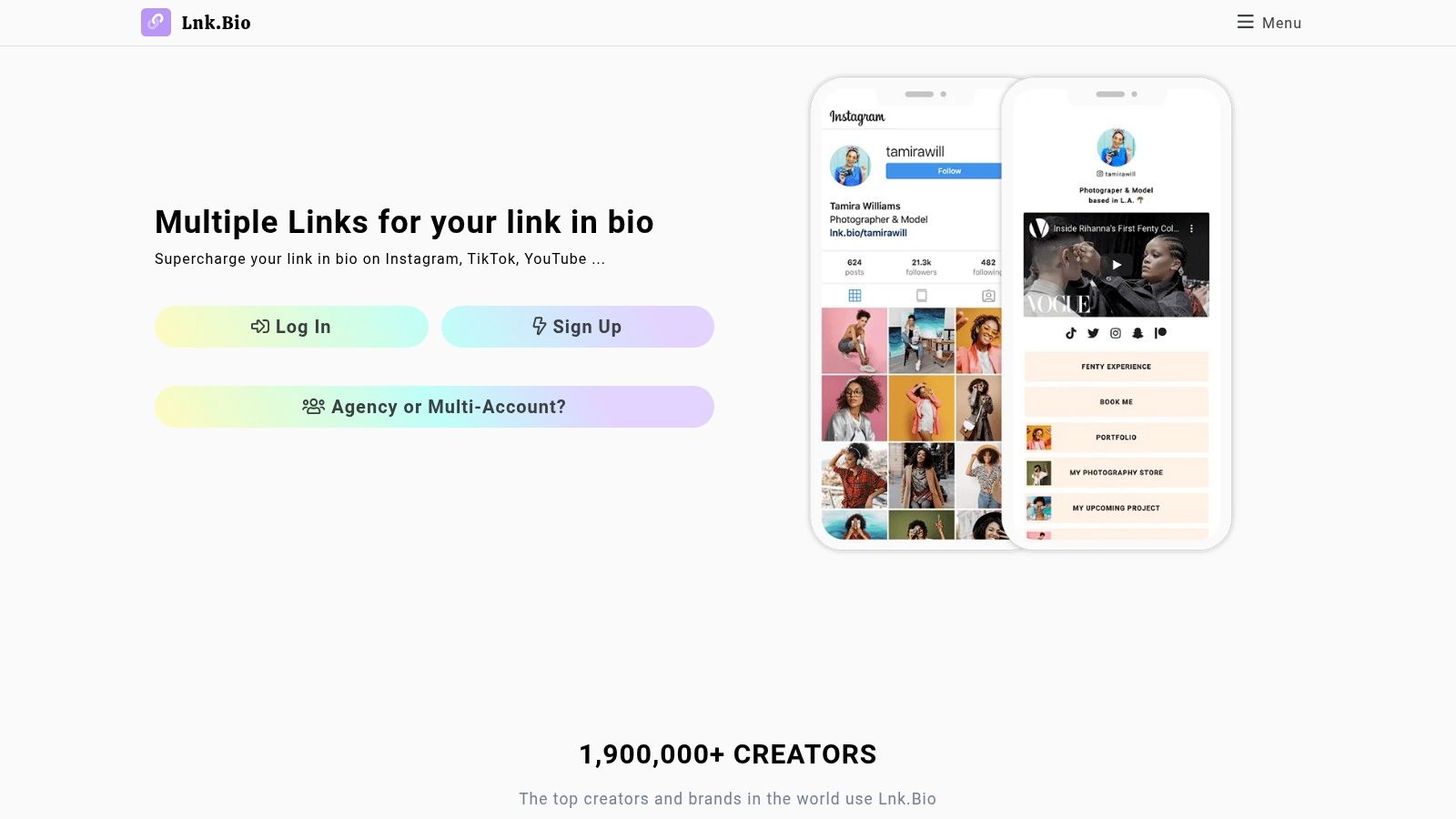
6. Lnk.Bio
Lnk.Bio stands out for pricing flexibility. It offers free, subscription, and one-time lifetime tiers, giving creators an alternative to another recurring bill. The lifetime option suits a stable, link-focused workflow, while subscription plans make more sense if you expect to need ongoing features or support.
Its customization library covers 147 supported services, more than 3,000 icons, and over 500 templates, according to its feature overview. Multi-page profiles and custom domain support provide more control than a basic button list.
A practical choice for links, not a complete business layer
Lnk.Bio works best when checkout, bookings, email collection, and delivery already run through separate services. You can direct visitors to a Shopify store, booking calendar, newsletter, or portfolio, but Lnk.Bio does not consolidate those workflows into one native commerce system. Check whether your chosen plan covers the custom-domain features you need.
That trade-off fits musicians sharing Spotify, YouTube, tour dates, and press coverage. It fits less well for consultants who accept paid sessions or want direct ownership of an exportable email audience. Separating those systems can also mean more accounts, analytics handoffs, and platform fees to manage.
For a broader comparison, read this guide to the best link-in-bio tools for different creator workflows. taap.bio is the more practical choice when checkout, bookings, email capture, and tool consolidation matter more than lifetime pricing.
Best for: Budget-conscious creators who need flexible links, embeds, templates, and lifetime pricing options.
Website: Lnk.Bio
7. Solo.to
Solo.to takes a minimalist, design-forward approach. Its pages are quick to create, visually polished by default, and suited to creators who want music, video, podcasts, and social profiles presented without a crowded dashboard. A Tip Jar adds a simple monetization path for fans who want to support an artist or creator directly.
The product also extends beyond social links. Contact capture and wallet-pass sharing can support offline networking, while business and team plans provide multi-page management. That makes Solo.to useful for artists, public speakers, freelancers, and small teams that need a clean digital card as well as a social bio page.
Know its commerce boundary
Solo.to isn't a full storefront. If you sell multiple digital products, run paid bookings, or need a native checkout and delivery sequence, you'll depend on external tools. That creates additional accounts, payment flows, and analytics handoffs.
Some advanced sharing functions also don't work inside every in-app browser. Test the page from Instagram and TikTok before making it your primary conversion URL, especially if your campaign relies on wallet passes or contact actions.
Choose Solo.to for presentation and lightweight support. Don't choose it as the central revenue system for a creator business with several monetization streams.
Best for: Musicians, podcasters, visual creators, and professionals who want a polished digital card with light monetization.
Website: Solo.to
8. Later Linkin.bio
Later's Linkin.bio is the right choice when your content planning and bio traffic already run through Later. It maps Instagram and TikTok posts to URLs or products, creating a shoppable-feed experience that matches how visual-platform audiences discover content. The direct connection to Later scheduling and analytics reduces vendor switching for teams already invested in that ecosystem.
This tool is less about building a standalone microsite and more about connecting individual posts to relevant destinations. A fashion brand can map a feed post to a product. A creator can connect a tutorial post to a course or resource. That post-level context is more useful than a generic list when the audience arrives expecting the item they just saw.
The trade-off is ecosystem dependence
Linkin.bio requires a Later subscription, and features vary by plan. If you don't need Later's scheduling and social analytics, paying for the bundle may create unnecessary cost rather than reduce it.
It also offers less flexibility as a general creator page than tools built around rich widgets, email capture, or storefront actions. A coach who needs paid bookings and a digital-product checkout may still need separate systems. A retail or content team already using Later gets much more value because the tool extends an existing workflow instead of introducing another dashboard.
Best for: Instagram and TikTok teams already using Later for scheduling, post management, and social analytics.
Website: Later Linkin.bio
9. Bio.link
Bio.link combines a modern microsite with posts, newsletter tools, embeds, QR codes, analytics, and custom-domain support. It suits creators who publish regular updates and want those updates beside evergreen links. The Pro plan supports unlimited sites and visitors, according to the product description (Bio.link plans and features), which can help users managing multiple projects or brands.
An AI chat assistant gives visitors another way to interact with the page. Use it only if your audience has recurring questions. For a focused product, booking, or subscription offer, a direct call to action will usually create a clearer path to conversion.
Better for publishing than selling
Bio.link is stronger than a basic link list for posts and newsletter growth. Its lighter commerce workflow means creators selling digital products or accepting paid bookings should test the checkout process before switching. You may still need separate tools for payments, appointments, and email ownership.
Review analytics, privacy controls, and data-residency requirements before committing. A simple subscription does not necessarily reduce operating costs if you must add checkout, calendar, email, or reporting services. Creators seeking tighter tool consolidation and a more direct revenue workflow should compare taap.bio instead.
Best for: Publishers and personal brands that need posts, newsletter growth, embeds, QR codes, analytics, and a simple microsite.
Website: Bio.link
10. Carrd
Carrd is the best design tool in this list for creators who want a highly customized one-page site and don't mind assembling the workflow themselves. It gives you full-page layout control, custom code options, forms, widgets, custom domains, and branding removal through Pro features. You can also manage multiple sites from one account on Pro tiers.
That flexibility makes Carrd more than a button list. A designer can create a branded portfolio page, a musician can build a release hub, and a freelancer can publish a focused landing page with a contact form and carefully arranged calls to action. The result can feel more like a real brand property than a standard bio template.
The manual setup is the price of control
Carrd isn't a native commerce platform. You'll embed or link to external checkout, store, booking, and email tools. That can work well for a creator with one established payment flow, but it creates more maintenance when offers change or several systems need to stay synchronized.
Carrd also demands more setup than plug-and-play link in bio tools. You're responsible for shaping the conversion path, checking forms, testing embeds, and connecting analytics. For a simple branded page, that control is worth it. For a creator trying to replace several subscriptions with one revenue-focused page, it isn't the most practical route.
Read whether Carrd is free and what its paid features unlock before comparing the subscription only on headline price.
Best for: Designers, freelancers, and brands that prioritize custom layouts and already have external commerce tools.
Website: Carrd
Top 10 Link-in-Bio Tools Comparison
| Product | Key features | UX & Security ★ | Pricing & Fees 💰 | Best for 👥 | Why choose ✨ |
|---|---|---|---|---|---|
| taap.bio 🏆 | Bento drag‑&‑drop, 10+ rich widgets, built‑in checkout & instant digital delivery, paid bookings, email capture, real‑time per‑widget analytics | ★★★★★, GDPR‑by‑default, ISO 27001, privacy‑first analytics | 💰 $19/mo after 14‑day trial; 0% platform fees; instant payouts | 👥 Social creators, musicians, coaches, freelancers, course creators | ✨ All‑in‑one revenue page, 0% fees, EU data residency, fast setup |
| Linktree | Link hub, templates, basic storefront, analytics, integrations | ★★★★, mature UX, basic→advanced analytics on paid tiers | 💰 Free → Premium; seller fees may apply unless on higher plan | 👥 Broad creator base, beginners, social-first accounts | ✨ Massive ecosystem & template library for fast adoption |
| Beacons | Bio page + mini‑CRM, AI assistant (Beam), email/SMS capture, storefront | ★★★★, rich feature set, can feel complex | 💰 Free→paid; platform transaction fees may apply | 👥 Creators focused on monetization & audience outreach | ✨ AI design/assistant + CRM‑lite for outreach & planning |
| Stan Store | Storefront for courses, downloads, memberships, bookings; AutoDM | ★★★★, sales‑first flow, strong conversion tools | 💰 Paid plans; 0% platform transaction fees (payment processor fees apply) | 👥 Sellers prioritizing direct sales & DM funnels | ✨ 0% fees + AutoDM and upsell tools for revenue growth |
| Campsite.bio | Mobile‑first profiles, multi‑profile management, team tools, analytics | ★★★★, lean pages, team features, add‑on analytics | 💰 Competitive pricing; Pro/Team tiers with add‑ons | 👥 Small teams, agencies, creators needing multi‑profile | ✨ Team/collaboration + strong analytics for the price |
| Lnk.Bio | Simple bio pages, huge embed/template/icon library, multi‑page profiles | ★★★★, simple & predictable UX | 💰 Free, subscription or one‑time lifetime options | 👥 Cost‑conscious creators and template seekers | ✨ Lifetime pricing options & large embed library |
| Solo.to | Minimalist, design‑forward pages, media embeds, Tip Jar, team plan | ★★★★, polished visuals, fast setup | 💰 Low starting price; paid upgrades for teams | 👥 Personal brands, musicians, creators wanting clean design | ✨ Minimalist aesthetic + easy Tip Jar monetization |
| Later (Linkin.bio) | Post→link mapping, shoppable feeds, integrated with Later scheduling | ★★★, good for Later users; features tied to plan | 💰 Requires Later subscription; features vary by tier | 👥 Social managers and teams already on Later | ✨ Direct integration with scheduling & post attribution |
| Bio.link | Posts/newsletter, AI chat assistant, embeds, custom domain & white‑label | ★★★★, all‑in‑one newsletter + bio UX | 💰 Low cost Pro options; clear pricing | 👥 Newsletter creators, small brands, multi‑site users | ✨ Newsletter + posts + embeds in one builder |
| Carrd | Full one‑page control, custom code, templates, Pro features for domains/forms | ★★★★, high customization, great performance | 💰 Very affordable Pro plans; multiple sites on Pro | 👥 Designers, makers wanting custom microsites | ✨ Full layout control & exceptional value for bespoke pages |
Choose the Workflow, Not Just the Link Page
Start with the action that matters most. If your primary conversion is a digital product sale, the platform should make checkout and delivery native. If it's a paid consultation, look for an on-page booking calendar, upfront payment, and automatic calendar invitations. If audience growth comes first, prioritize a one-tap email form and a clear export path for contacts.
Then audit the commercial model. Check whether the platform charges a transaction fee, whether that fee changes by plan or checkout method, and which payment processor costs remain. A 0% platform-fee promise is valuable, but it doesn't eliminate processor fees. Compare your actual offer mix, particularly if you sell low-priced downloads or frequent appointments.
Analytics should answer more than “how many people clicked?” Look for per-link or per-widget performance, visitor counts, conversion tracking, and export options. Many entry-level platforms stop at basic tap counts, while deeper attribution often requires UTM parameters, GA4, or pixel setup (link-in-bio analytics guidance). Avoid adding tracking complexity just to produce a larger dashboard. Privacy-first, cookie-light measurement can be more useful when it connects page activity to the actions you care about.
Review data handling before publishing a list-building page. Confirm where visitor and subscriber data is hosted, how contacts can be exported, whether third-party scripts are required, and whether the setup aligns with your privacy obligations. European creators and teams with EU data-residency expectations should pay particular attention to hosting location and GDPR defaults rather than treating privacy as a footer policy.
Finally, test the visitor experience. Open the page from Instagram and TikTok in-app browsers, check mobile loading and checkout, test every booking path, and verify that email submissions arrive where expected. Count the tools you'll maintain after launch. A cheaper link page can become expensive if it forces you to keep separate accounts for Gumroad, Mailchimp, Calendly, analytics, and a website builder.
Choose taap.bio when you want products, paid bookings, email capture, analytics, and a GDPR-focused setup on one page with 0% platform fees. Its bento layout, built-in checkout, instant digital delivery, booking invitations, exportable contacts, French hosting, and script-free analytics make it the most practical option for creators reducing tool sprawl. Payment processor fees still apply, and a single-page format won't replace a complex website or advanced store with inventory and fulfillment.
taap.bio gives creators a revenue-focused page for selling digital products, taking paid bookings, capturing exportable email subscribers, and measuring each widget without stitching together several services. If you want your link in bio to function as a compact business hub instead of a list of exits, visit taap.bio and start with the 14-day free trial.


