In a feed overflowing with content, a single photo often isn't enough to tell the whole story. A well-crafted collage can stop the scroll, showcase multiple products, create a compelling before-and-after, or simply give your audience a richer, more dynamic glimpse into your world. But navigating the sea of apps to find the one that fits your specific needs can be a major time sink. That’s why we’ve done the heavy lifting for you.
This guide cuts through the noise to deliver a comprehensive breakdown of the absolute best collage app for Instagram for every type of creator. Whether you're a small business owner needing polished promotional materials, an influencer crafting aesthetic stories, or a creative professional looking for advanced editing power, the perfect tool is on this list. We dive deep into each app, analyzing everything from template variety and customization options to export quality and pricing.
Forget generic feature lists. Here, you'll find an honest assessment of each app’s strengths and limitations, complete with screenshots, direct links, and practical use-case scenarios. We'll explore tools that excel at minimalist Story layouts and others that offer robust, all-in-one editing suites. For those looking to push creative boundaries beyond traditional grids, an AI image combiner can seamlessly blend multiple photos into a single, cohesive composition, offering a truly unique aesthetic. By the end of this article, you'll have a clear, actionable path to choosing the app that will elevate your Instagram content strategy.
Table of contents
1. Canva
Canva is more than just a collage app; it's an all-in-one design powerhouse that makes creating stunning, on-brand Instagram content almost effortless. Its massive library of professionally designed templates means you can produce a polished grid post, animated Story, or multi-photo Reel cover in minutes, not hours. The drag-and-drop interface is famously intuitive, making it the best collage app for Instagram if you're a non-designer who needs consistently high-quality results.
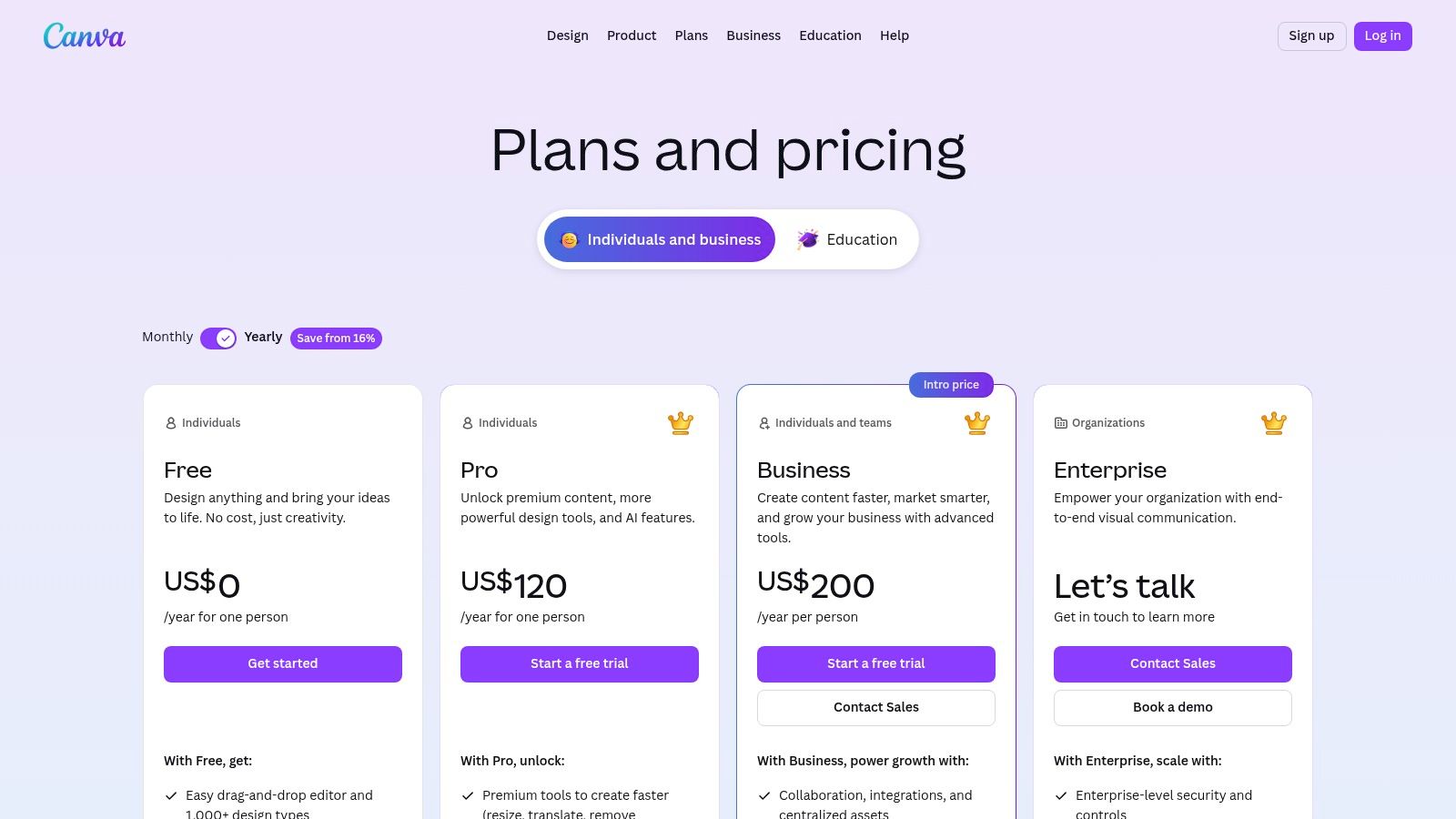
What truly sets Canva apart for serious creators is its seamless workflow. You can start a design on your laptop and finish it on your phone, ensuring productivity on the go. For those managing a brand, the Brand Kit (Pro feature) is a game-changer, allowing you to save your logos, fonts, and color palettes for one-click application. This ensures every collage perfectly matches your aesthetic.
Key Features & User Experience
Canva’s platform is designed for speed and simplicity. The search functionality is robust, letting you filter thousands of layouts by format, style, and color. Finding a template specifically for an Instagram Story is simple, and you can be confident it meets the right dimensions. If you want to dive deeper into getting your sizing perfect, you can learn more about the correct Instagram Story specs to ensure your content always looks its best.
| Feature | Best For | Platform |
|---|---|---|
| Magic Resize | Repurposing a single design for multiple platforms (e.g., Post to Story) | Web, Mobile |
| Thousands of Templates | Quick, professional-looking collages without design skills | Web, Mobile |
| Content Scheduler | Planning and automating your Instagram posts directly | Web, Mobile |
Pros:
- Incredibly user-friendly for all skill levels.
- Massive library of templates, photos, and design elements.
- One-click resizing saves hours when creating multi-format campaigns.
Cons:
- The best features like Magic Resize and Brand Kits are behind the Pro paywall.
- Can feel less specialized than a dedicated collage-only app.
Pricing: Offers a generous free plan. Canva Pro is available for a monthly subscription, which unlocks premium assets and powerful tools.
Visit Canva
2. Adobe Express
Adobe Express is the tech giant’s answer to quick, accessible design, making it a formidable contender for the best collage app for Instagram. It leverages the power of Adobe's creative ecosystem, offering a streamlined experience for users who want professional-grade assets without the steep learning curve of Photoshop or Illustrator. Its strength lies in its social-first templates and seamless integration with Adobe Stock, providing a high-quality foundation for any Instagram collage.
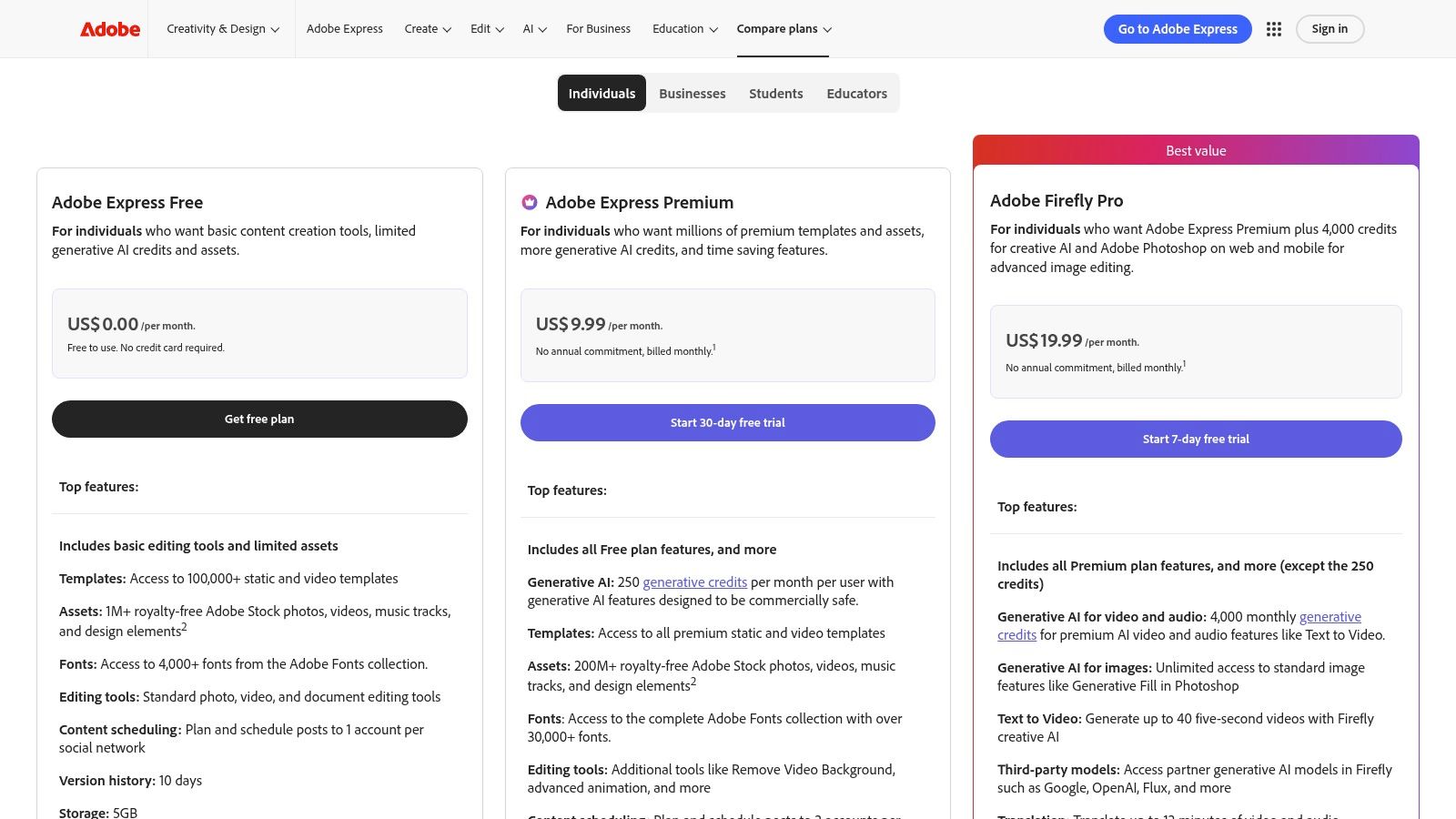
What makes Adobe Express stand out for professional creators and brands is its reliability and powerful workflow integrations. The one-click resize feature is incredibly efficient for adapting a single collage for Posts, Stories, and Reels. Furthermore, the built-in content scheduler allows you to plan and publish your creations directly to multiple social accounts, turning it into a central hub for your content strategy. This level of integration is essential for maintaining a cohesive online presence, much like how the best link in bio tools unify your digital footprint.
Key Features & User Experience
Adobe Express provides a clean, intuitive interface that feels both powerful and easy to navigate. Finding collage layouts and Instagram-specific templates is straightforward, and the platform’s performance is consistently smooth. The premium plan’s access to the vast Adobe Stock library and thousands of fonts gives creators unparalleled creative freedom to produce unique, high-impact visuals.
| Feature | Best For | Platform |
|---|---|---|
| Adobe Stock Integration | Accessing millions of professional photos and assets | Web, Mobile |
| Quick Actions | Instantly resizing images, removing backgrounds, and converting videos | Web, Mobile |
| Content Scheduler | Planning and publishing posts to multiple social media channels | Web, Mobile |
Pros:
- Seamless integration with the Adobe ecosystem and a massive stock asset library.
- Reliable performance and professional-grade design tools.
- Excellent for social media managers who need to create and schedule content.
Cons:
- The most valuable assets and features are locked behind the Premium subscription.
- Understanding stock asset licensing can be nuanced for commercial use.
Pricing: A robust free plan is available. The Premium plan unlocks all assets and features with a monthly subscription.
3. Picsart
Picsart is a comprehensive creative suite that blurs the line between a collage maker and a full-fledged photo editor, loaded with powerful AI-driven tools. It excels for mobile-first creators who want to quickly produce dynamic collages with artistic flair, from classic grids to freestyle arrangements. Its strength lies in combining foundational collage features with advanced editing capabilities, making it a strong contender for the best collage app for Instagram if you need an all-in-one solution on your phone.
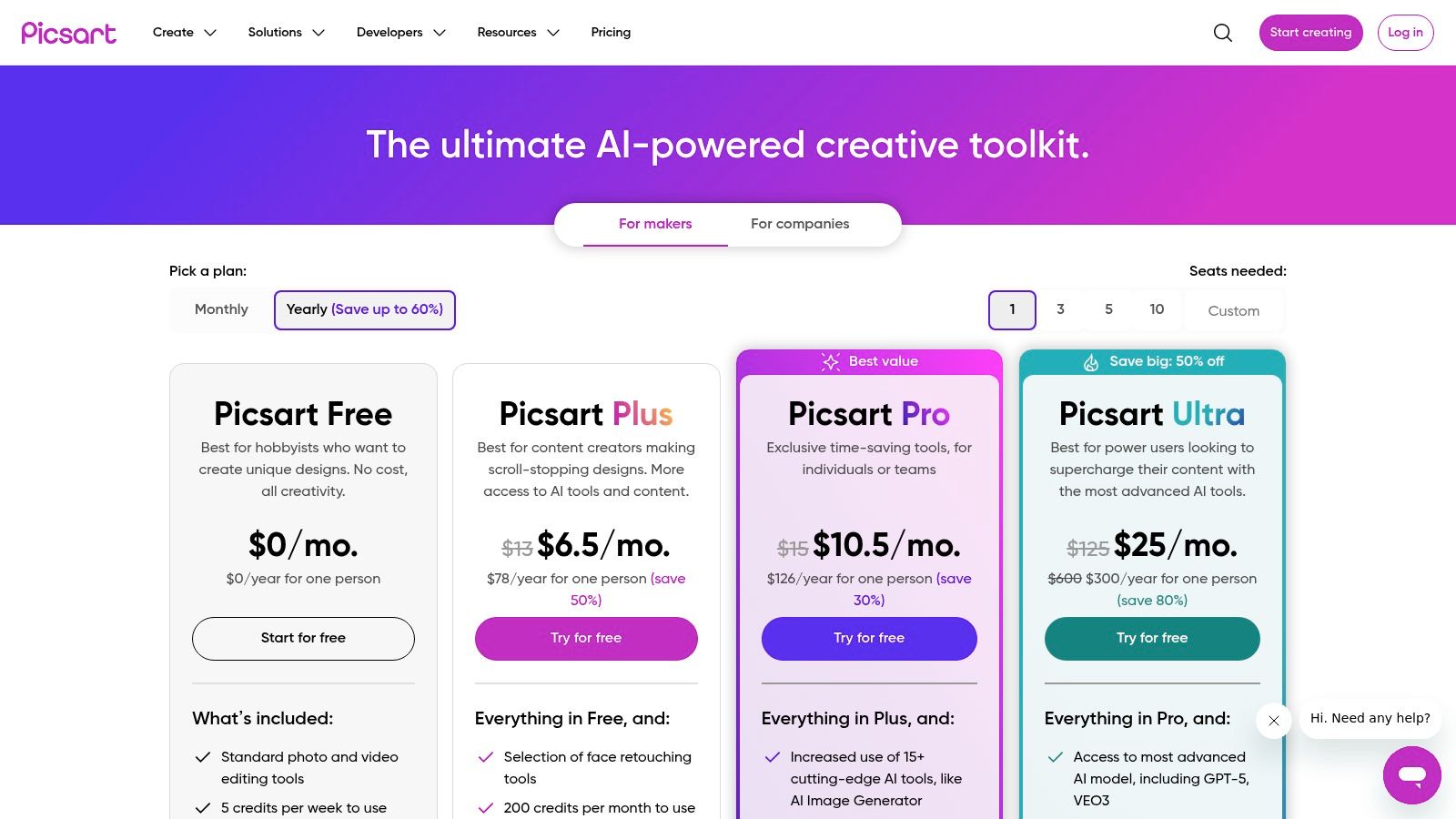
What truly sets Picsart apart is its integration of AI tools directly into the creative workflow. You can remove backgrounds, enhance photo quality, or even generate new elements with a few taps, all within the same app you use for layouts. This makes it ideal for users who love to experiment with trendy edits, stickers, and effects, supported by a massive community marketplace for inspiration and templates.
Key Features & User Experience
Picsart’s interface is vibrant and feature-rich, appealing to those who want a wide array of creative options at their fingertips. While the sheer number of tools can feel busy for minimalists, it empowers creators to go beyond simple photo arrangements. The platform is one of the many best tools for content creators looking to consolidate their creative process into a single, powerful application.
| Feature | Best For | Platform |
|---|---|---|
| AI Editing Tools | Quickly removing backgrounds or enhancing image quality in collages | Web, Mobile |
| Freestyle & Grids | Creating both structured and scrapbook-style Instagram layouts | Web, Mobile |
| Stickers & Effects | Adding a unique, trendy, and personalized touch to your collages | Mobile |
Pros:
- Combines collage-making with powerful AI photo editing features.
- The free version is very capable and offers many useful tools.
- Large mobile community provides endless templates and inspiration.
Cons:
- The interface can feel overwhelming or busy for new users.
- Advanced features and AI credits are split across different subscription tiers.
Pricing: Offers a robust free plan. Premium features are available through Picsart Gold and other subscription tiers.
4. PicCollage
For those who create exclusively on their phones, PicCollage is a mobile-first powerhouse designed for speed and fun. It cuts through the complexity of desktop editors to deliver a streamlined, intuitive experience perfect for crafting eye-catching Instagram content on the go. Its specialty lies in its vast and playful library of stickers, backgrounds, and fonts, making it the best collage app for Instagram if your aesthetic is vibrant, expressive, and dynamic.
Unlike all-in-one design suites, PicCollage is purpose-built for one thing: making great collages, fast. The user experience is incredibly smooth, from selecting a grid layout to dropping in photos and adding animated elements. Its freestyle mode is particularly powerful, giving you a blank canvas to arrange your photos and assets with total creative freedom. This allows you to build a composition that guides the viewer's eye effectively.
Key Features & User Experience
PicCollage’s interface is designed for immediate results. You can choose from hundreds of templates or start from scratch, with simple gestures for resizing, rotating, and layering images. The app’s strength is its massive marketplace of creative assets, which allows you to add personality to every creation. By using these elements thoughtfully, you can create a strong sense of visual hierarchy in your design, making your most important photos stand out.
| Feature | Best For | Platform |
|---|---|---|
| Freestyle Editing | Creating custom, scrapbook-style layouts without grid constraints | Mobile |
| Animated Templates | Making engaging video collages for Instagram Stories and Reels | Mobile |
| Sticker Marketplace | Adding trendy, unique, and playful graphics to your images | Mobile |
Pros:
- Extremely easy to use with a huge template and asset library.
- Long-standing reputation and a highly polished mobile UX.
- Fast exports perfectly tailored for direct sharing to Instagram.
Cons:
- Strictly mobile-only with no desktop or web editor available.
- The most desirable assets and features require a VIP subscription.
Pricing: Offers a free version with ads and watermarks. The VIP subscription unlocks all features, removes watermarks, and provides cloud backup.
5. PhotoGrid
PhotoGrid is engineered for the fast-paced world of social media, making it a go-to choice for creators who need to produce eye-catching content quickly on their mobile devices. It excels at both photo and video collages, offering dynamic formats perfect for Instagram Stories and Reels. Its emphasis on speed and mobile-first workflows makes it arguably the best collage app for Instagram for creators who prioritize rapid, on-the-go content production without a steep learning curve.
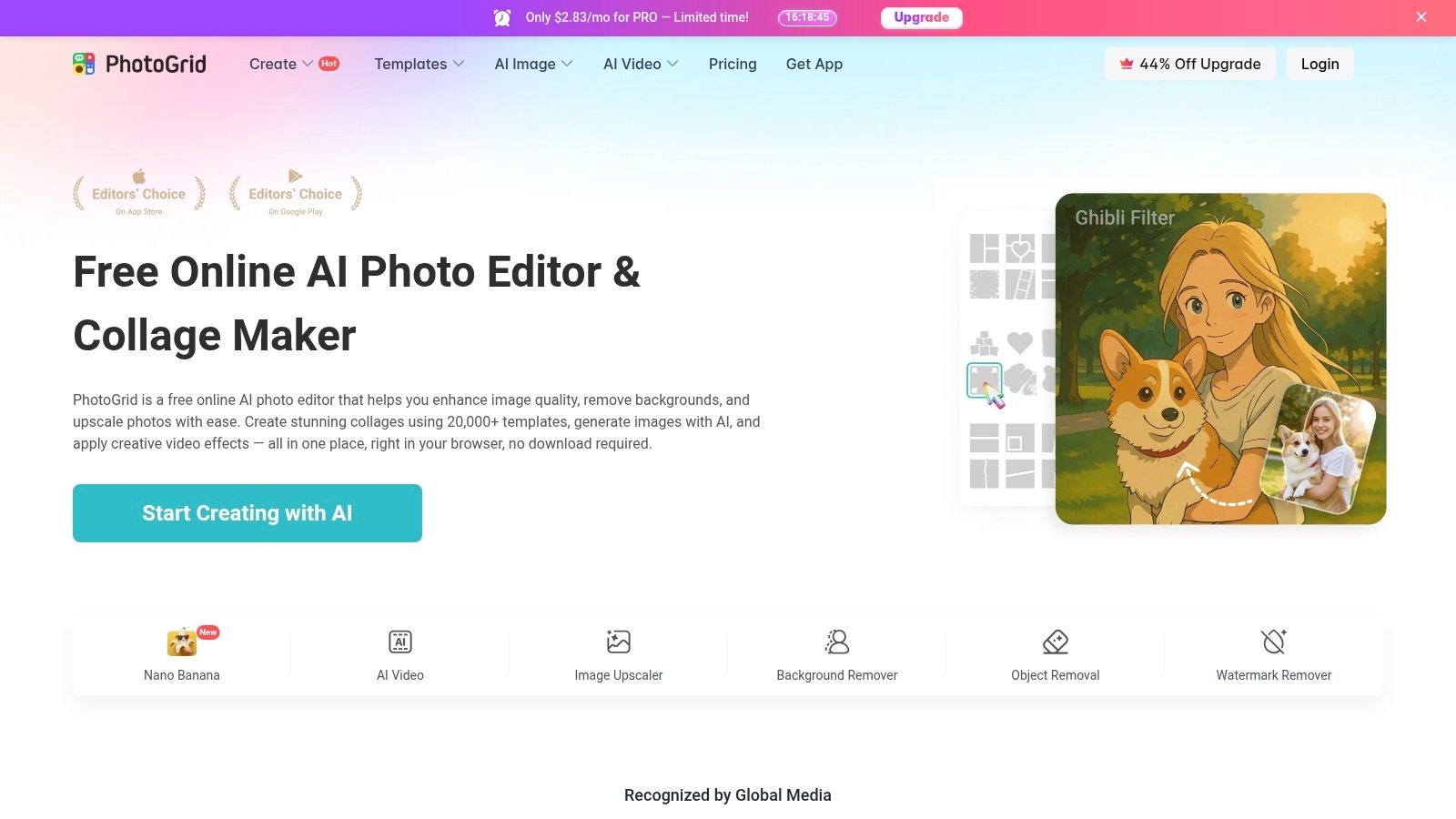
What makes PhotoGrid stand out is its robust support for video, allowing you to seamlessly mix photos and video clips into a single, engaging layout. This feature is a significant advantage for creators aiming to boost viewer retention and interaction. By creating visually interesting collages that move, you can capture attention more effectively; if you'd like to learn more about this, explore these proven strategies on how to improve social media engagement.
Key Features & User Experience
PhotoGrid’s interface is designed for immediate action, presenting users with a variety of modules from classic grids to poster and filmstrip styles. The platform incorporates AI-powered tools to simplify the editing process, automatically suggesting layouts or enhancements. Its dedication to modern social formats means you can quickly create content that feels native to platforms like Instagram and Snapchat.
| Feature | Best For | Platform |
|---|---|---|
| Photo + Video Collages | Creating dynamic Instagram Stories and Reels that mix media | Mobile |
| AI-Powered Editor | Quick edits and smart layout suggestions for faster creation | Mobile |
| Poster & Filmstrip Modes | Unique, scrapbook-style layouts beyond standard grids | Mobile |
Pros:
- Excellent support for video collages, a key for engaging Stories and Reels.
- Built for speed with a mobile-first interface perfect for on-the-go creators.
- Wide variety of creative layouts, including scrapbook and poster styles.
Cons:
- Most powerful features are exclusive to the mobile apps, with limited web functionality.
- The free version includes watermarks and ads, which can be intrusive.
Pricing: Offers a free version with ads and watermarks. A premium subscription is available to unlock all features, remove watermarks, and provide an ad-free experience.
6. InShot
InShot is a true workhorse for mobile creators, seamlessly blending powerful video editing with a surprisingly robust collage maker. While known primarily for its video capabilities, its collage function is perfectly tuned for Instagram, offering grid layouts, stylish borders, and aspect ratios tailored for Posts and Stories. This makes it the best collage app for Instagram for users who need a single, reliable tool to create both static photo collages and dynamic video content like Reels.
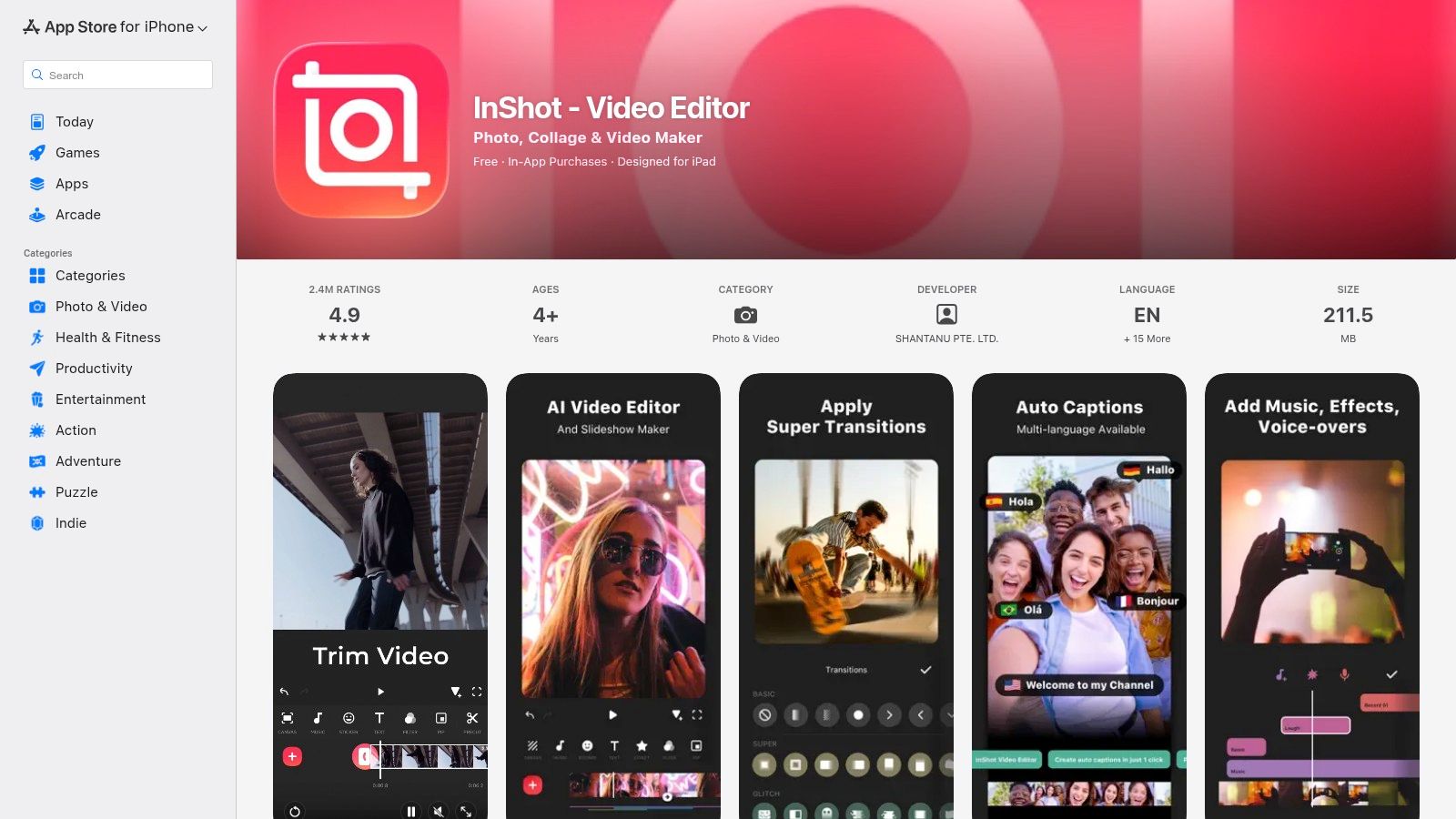
What makes InShot stand out is its all-in-one convenience. You can craft a beautiful photo collage, then switch to the video editor to add it to a Reel, overlaying it with music, animated text, and stickers from its extensive library. This integrated workflow eliminates the need to jump between multiple apps, saving time and ensuring a consistent look and feel across all your content formats.
Key Features & User Experience
InShot's interface is straightforward and built for mobile-first creation. The collage section allows you to quickly select photos and swap them into different pre-set layouts optimized for Instagram's dimensions. For video, features like auto-captions and background removal are invaluable for creating professional-looking Reels and Stories without needing desktop software. Its frequent updates keep it competitive and reliable.
| Feature | Best For | Platform |
|---|---|---|
| All-in-One Editor | Creating both photo collages and video content (Reels/Stories) | Mobile |
| Instagram-Ready Ratios | Easily formatting collages for Posts, Stories, and Reels | Mobile |
| Stickers & Transitions | Adding creative flair to both static and video content | Mobile |
Pros:
- Excellent all-in-one editor for both photo and video.
- Very popular and reliable app with frequent feature updates.
- Simple, intuitive interface perfect for on-the-go editing.
Cons:
- Watermark removal and many advanced features require a Pro subscription.
- Feels more like a video editor with a collage feature than a dedicated collage app.
Pricing: Offers a functional free version with ads and a watermark. InShot Pro is available via subscription to unlock all features and remove ads.
7. Unfold (by Squarespace)
Unfold is the quintessential tool for creators aiming for a minimalist, magazine-style aesthetic on Instagram. It excels at transforming simple photos and videos into elegant, narrative-driven Stories and posts. Its template-first approach removes the guesswork, allowing you to produce sophisticated, cohesive content that looks professionally designed. For users who prioritize clean lines and a polished look, Unfold is easily the best collage app for Instagram to elevate their brand’s visual storytelling.
Acquired by Squarespace, Unfold benefits from a robust ecosystem that now includes a feed planner and Bio Site builder, making it a more comprehensive content creation hub. The mobile user experience is exceptionally smooth and intuitive, focusing on getting your ideas from concept to completion with minimal friction. Its premium feel makes it a favorite among fashion bloggers, designers, and brands cultivating a high-end image.
Key Features & User Experience
Unfold’s interface is clean and uncluttered, centering your focus on the design templates. You can easily browse collections like "Film" or "Journal" to find a layout that matches your desired mood. The premium plans (Unfold+ and Unfold Pro) unlock the full potential of the app, including Brand Kits for saving your fonts, colors, and logos for consistent, on-brand content creation every time.
| Feature | Best For | Platform |
|---|---|---|
| Elegant Templates | Creating high-end, minimalist Instagram Stories and posts | Mobile |
| Feed Planner | Visualizing and planning your Instagram grid for a cohesive look | Mobile |
| Bio Site | Building a beautiful, simple link-in-bio page | Mobile |
Pros:
- Premium, magazine-style aesthetics that stand out.
- Incredibly smooth and focused mobile user experience.
- Ideal for creating minimalist layouts that feel on-brand.
Cons:
- The most desirable templates and features require an Unfold+ or Pro subscription.
- Deeper features like desktop asset management are tied to the Squarespace ecosystem.
Pricing: Offers a free version with a good selection of basic templates. Unfold+ and Unfold Pro are available as monthly or annual subscriptions to unlock all features.
8. Fotor
Fotor stands out as a powerful, web-first editor with a dedicated collage maker that's perfect for users who prefer designing on a desktop before posting to Instagram. Its browser-based platform is fast and accessible, offering thousands of templates that range from simple grids to artistic layouts, making it an excellent tool for planning your feed's aesthetic. The seamless transition between its web editor and mobile apps ensures you can start a project on your computer and make final tweaks on your phone.
What makes Fotor a strong contender for the best collage app for Instagram is its integration of AI-powered tools directly within the collage workflow. You can remove backgrounds, upscale low-resolution images, or apply beauty touch-ups without leaving the editor. This streamlines the creative process significantly, allowing you to perfect your source images and arrange them into a stunning collage in one place.
Key Features & User Experience
Fotor’s interface is straightforward, with clear categories for templates, grids, and photo stitching. The ability to export directly as JPG, PNG, or even PDF gives you flexibility, and free users can download their creations without a watermark, a major plus. The AI features are a highlight, although they often operate on a credit system, even for subscribers.
| Feature | Best For | Platform |
|---|---|---|
| 2,000+ Templates | Creating diverse and stylish collages for any occasion | Web, Mobile |
| AI Photo Editor | Enhancing images with background removal and upscaling | Web, Mobile |
| Browser-Based Workflow | Users who plan and create their Instagram content on a desktop | Web |
Pros:
- Excellent for desktop-based workflows with no software installation required.
- Huge variety of collage templates and grid styles.
- Cross-platform apps provide good synergy with the web editor.
Cons:
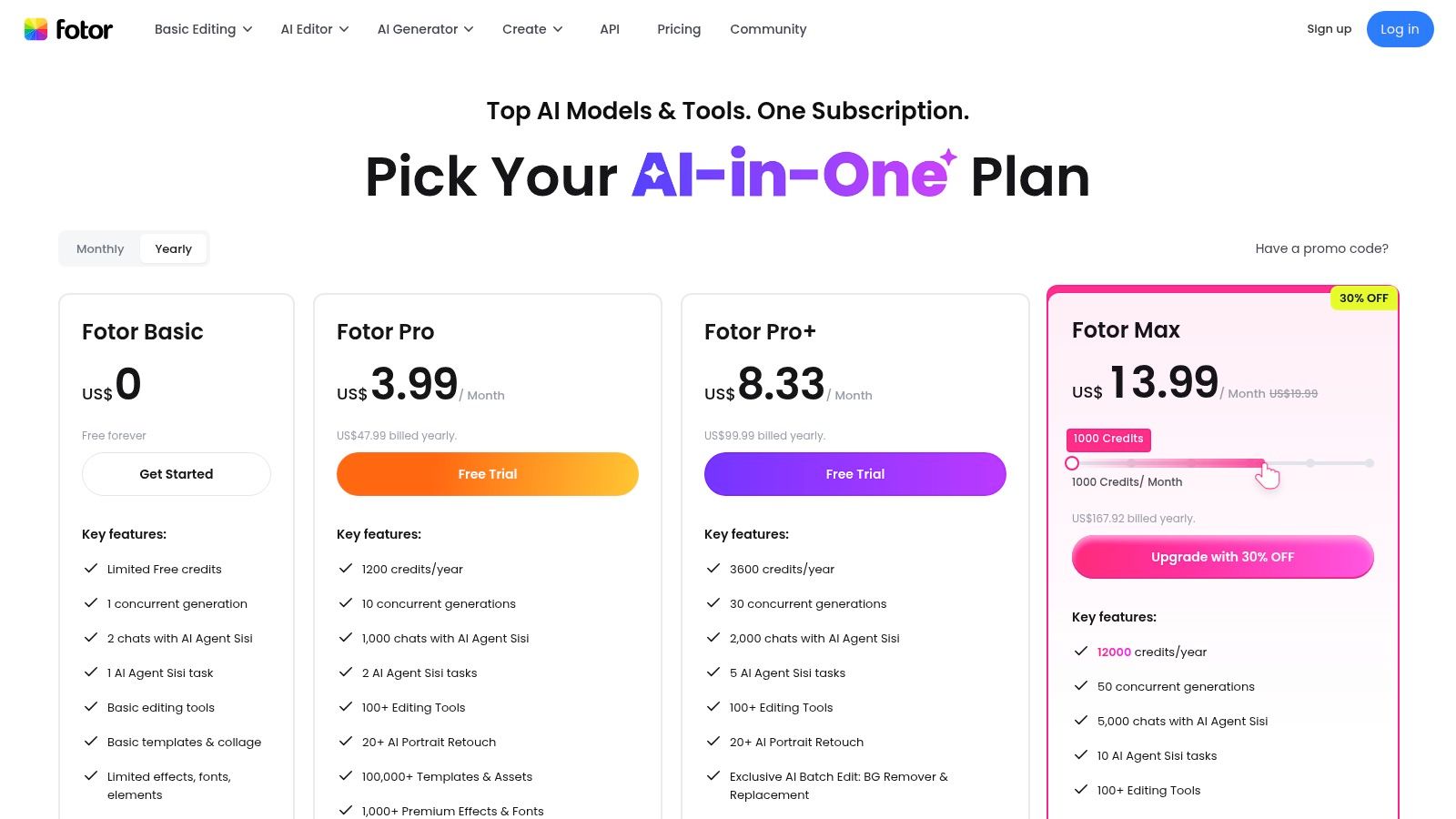
- The most desirable templates and advanced AI tools require a Pro/Pro+ subscription.
- The AI credit system can be confusing and adds an extra cost layer.
Pricing: Offers a functional free version. Fotor Pro and Pro+ are available as monthly or annual subscriptions to unlock premium assets, advanced tools, and AI credits.
9. BeFunky
BeFunky is a long-standing and robust online photo editor with a powerful, dedicated Collage Maker. It excels for users who prefer a browser-based workflow and want a little help kickstarting the creative process. Its standout "Collage Wizard" automatically suggests optimal layouts for your selected images without cropping, making it arguably the best collage app for Instagram for those who feel overwhelmed by layout decisions and want fast, attractive results.
The platform feels mature and well-supported, with helpful tutorials integrated directly into the user experience. This makes the learning curve remarkably gentle, even with its extensive feature set. For creators working with many photos at once, the batch processing tools are a significant time-saver, allowing you to edit multiple images before arranging them into a final collage.
Key Features & User Experience
BeFunky’s interface is clean and centered around its three main tools: Photo Editor, Collage Maker, and Graphic Designer. The Collage Maker is particularly intuitive, providing pre-sized templates for Instagram Posts and Stories. The AI-powered Collage Wizard is the star, analyzing your photos and generating several layout options instantly, which you can then customize further with text, graphics, and effects.
| Feature | Best For | Platform |
|---|---|---|
| Collage Wizard | Generating automatic layouts without cropping photos | Web |
| Batch Processing | Editing multiple photos with consistent settings before collaging | Web |
| Stock Image Library | Supplementing your own photos with professional stock imagery | Web |
Pros:
- Helpful AI assistance speeds up the layout design process.
- Mature, browser-based editor with a very quick learning curve.
- Useful tutorials and a straightforward workflow.
Cons:
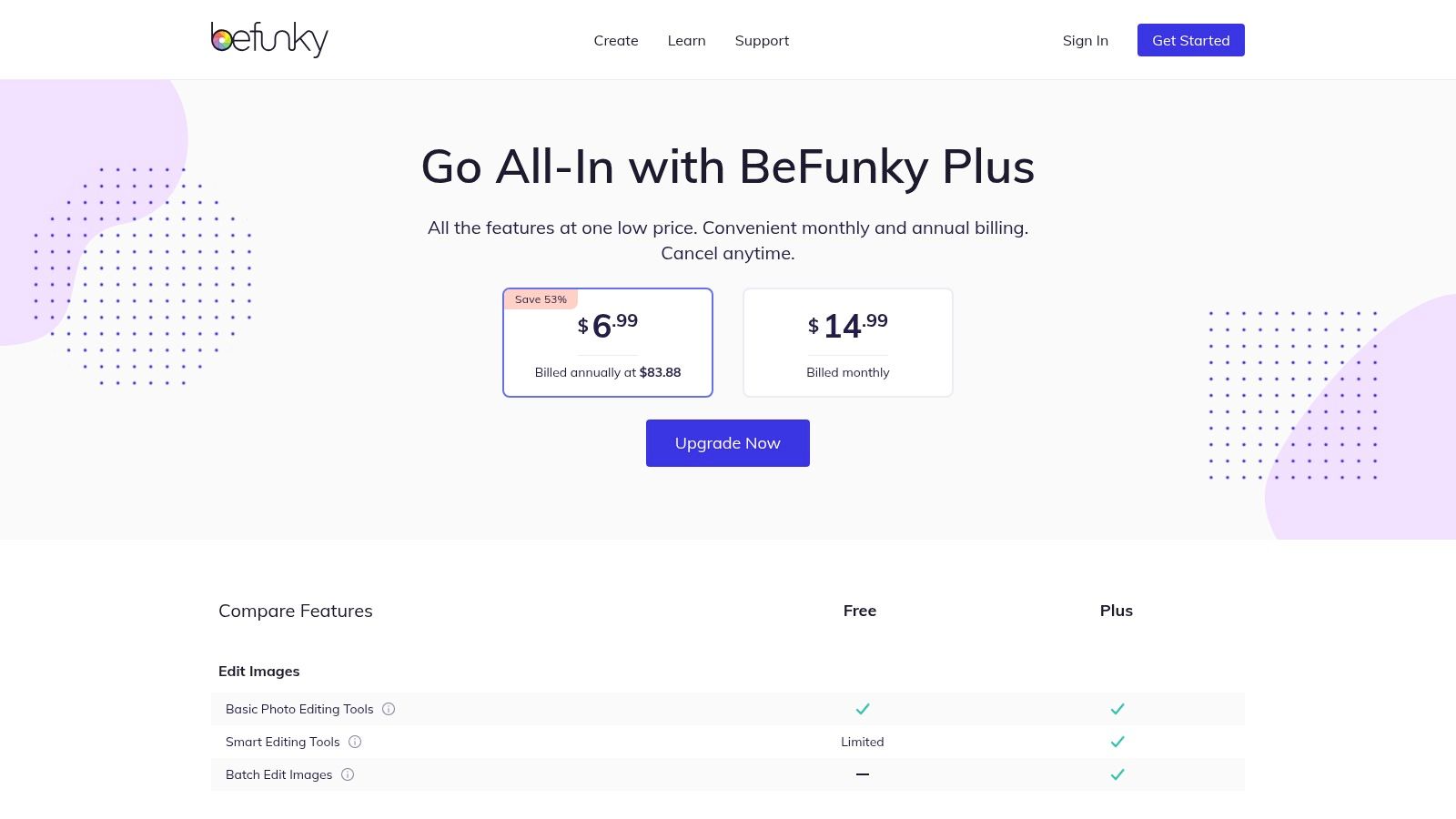
- The Collage Wizard and many of the best layouts require a paid Plus subscription.
- Free version is quite limited compared to the premium offering.
Pricing: Offers a basic free plan with ads. BeFunky Plus unlocks all features, including the Collage Wizard and premium templates, for a monthly or annual subscription.
10. Kapwing
Kapwing is a powerful, browser-based video and image editor that excels at creating social media content without requiring any software installation. Its straightforward collage templates and presets for Instagram formats (Post, Story, Reel) make it a go-to for creators and teams who value speed and collaboration. For users who want complete control over their final output, Kapwing is arguably the best collage app for Instagram if you prioritize a web-only workflow and advanced export settings.
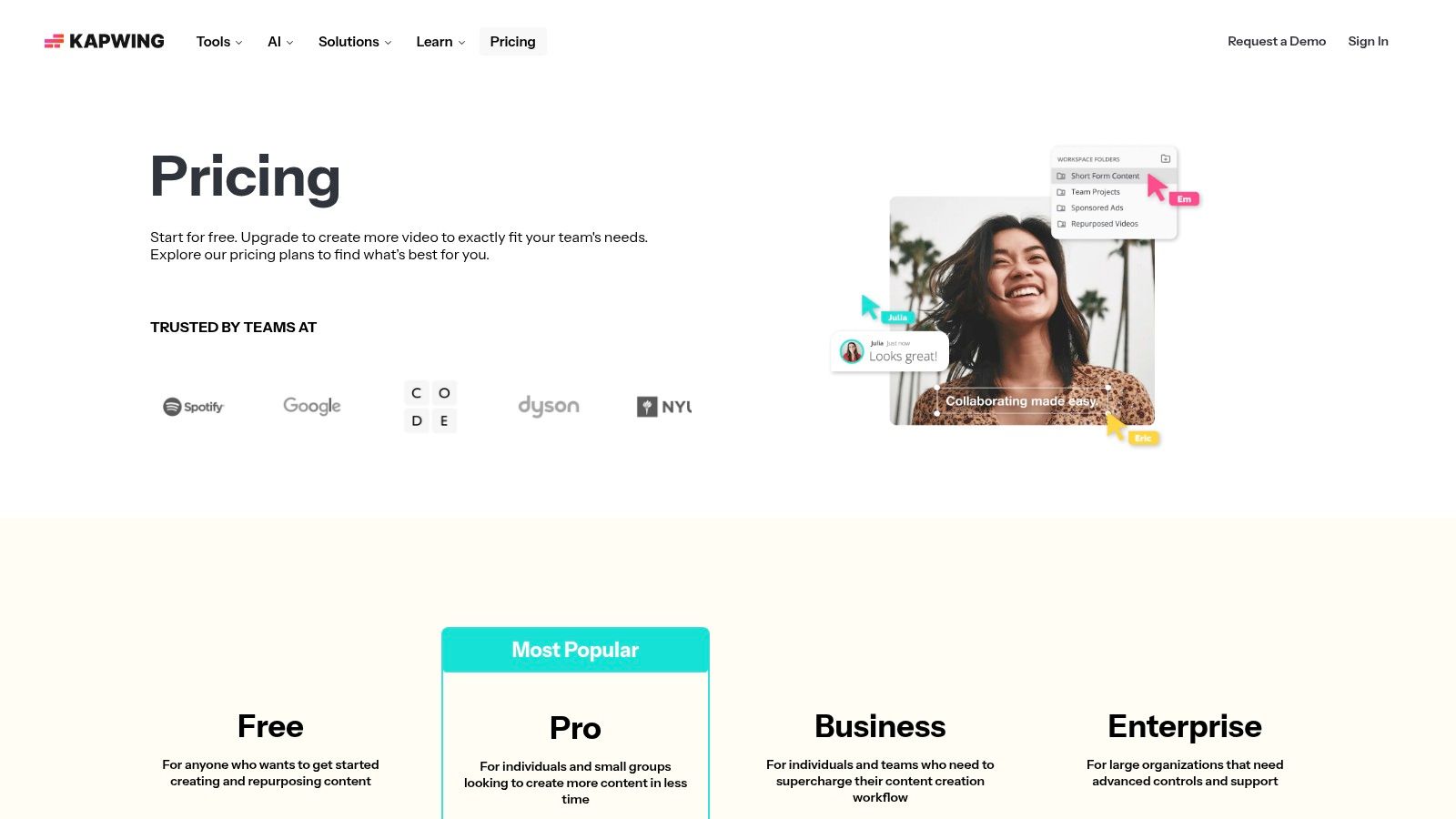
What makes Kapwing stand out is its focus on team-based creation. Features like shared workspaces, a brand kit for maintaining visual consistency, and easy access to stock assets streamline the content production pipeline. This collaborative environment allows multiple users to contribute to a project, making it ideal for marketing agencies or social media teams who need to produce high volumes of branded Instagram collages efficiently.
Key Features & User Experience
Kapwing’s interface feels more like a lightweight video editor, which gives you precise control over layers, timing, and placement. It offers canvas presets that perfectly match Instagram’s dimensions, removing any guesswork. While it includes video-centric tools like subtitles, its image collage functionality is robust enough for static posts, with paid tiers unlocking impressive 4K export quality to make your photos look incredibly sharp in the feed.
| Feature | Best For | Platform |
|---|---|---|
| Team Workspaces | Collaborative content creation for brands and agencies | Web |
| Canvas Presets | Quickly setting up a collage for a specific Instagram format | Web |
| 4K Export | Exporting ultra-high-resolution collages for maximum visual impact | Web |
Pros:
- Completely browser-based; no installation required.
- Excellent collaboration features for teams.
- Fast to assemble and export Instagram-ready deliverables.
Cons:
- The free plan includes a watermark and has export limitations.
- Key features like 4K export are locked behind paid tiers.
Pricing: Offers a free plan with limitations. Paid plans are available via a monthly subscription to remove watermarks and unlock advanced features and higher export quality.
11. MOLDIV (by JellyBus)
MOLDIV is a robust photo and video editor that shines with its extensive collage-making capabilities, particularly for creators aiming for a polished, editorial look. With a vast library of frames and magazine-style presets, it allows users to transform simple photos into stylish, high-fashion layouts perfect for an Instagram feed that needs a touch of sophistication. It's a contender for the best collage app for Instagram for those who want to create professional, magazine-quality posts directly from their mobile device.
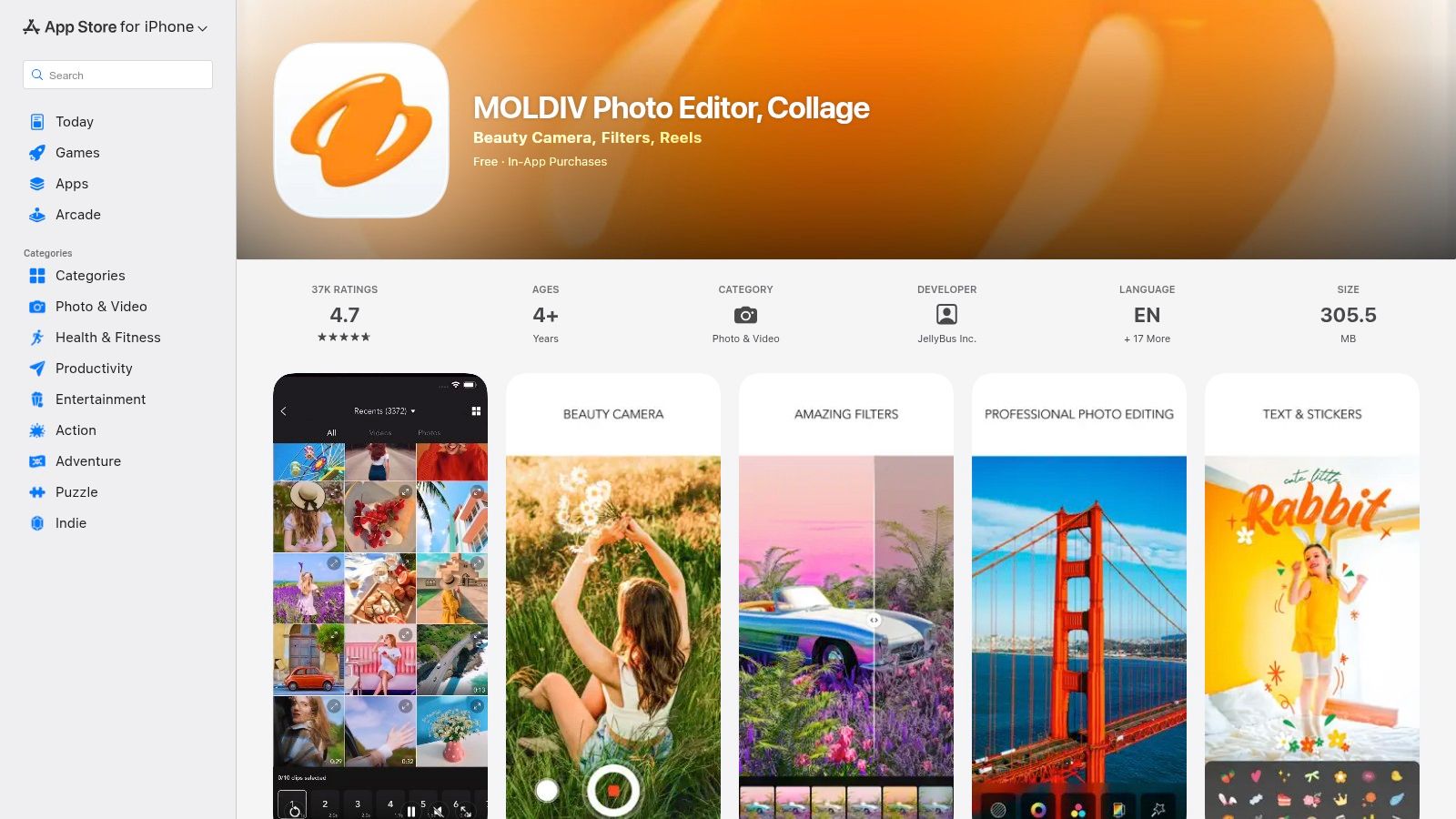
What sets MOLDIV apart is its sheer volume of curated layouts. Beyond standard grids, its 130+ magazine-style templates let you effortlessly create dynamic, visually interesting stories and posts that look like they were designed by a professional. The ability to save projects at your device's maximum resolution ensures that no matter how intricate your collage is, it will look crisp and clear when uploaded to Instagram.
Key Features & User Experience
MOLDIV's interface is packed with features but remains navigable for quick edits. You can easily select your photos and cycle through hundreds of frames, adjusting borders, backgrounds, and adding text or stickers. The app supports all essential Instagram aspect ratios (1:1, 4:5, 9:16), so your creations are always perfectly sized for the feed or Stories, eliminating awkward cropping.
| Feature | Best For | Platform |
|---|---|---|
| Magazine Layouts | Creating stylish, editorial-inspired Instagram posts and Stories | Mobile |
| High-Resolution Export | Maintaining image quality for professional-looking feeds | Mobile |
| 300+ Collage Frames | Finding the perfect grid for any number of photos or style | Mobile |
Pros:
- Huge library of collage and magazine-style presets.
- Exports high-resolution images suitable for professional use.
- Offers a full suite of photo editing tools, including filters and a beauty camera.
Cons:
- The most desirable features and layouts are locked behind in-app purchases or a subscription.
- The app's file size can be large, which may be a concern for users with limited device storage.
Pricing: Free to download with in-app purchases and an optional MOLDIV Pro subscription for full access to all features.
12. Diptic
Diptic is a classic, no-nonsense collage maker for iOS users who prioritize simplicity and control over flashy trends. It excels at creating clean, grid-based collages, offering a refreshingly straightforward experience without subscriptions or complex menus. For those who want a reliable tool for classic multi-photo layouts, Diptic is a strong contender for the best collage app for Instagram thanks to its one-time purchase model and privacy-first approach.
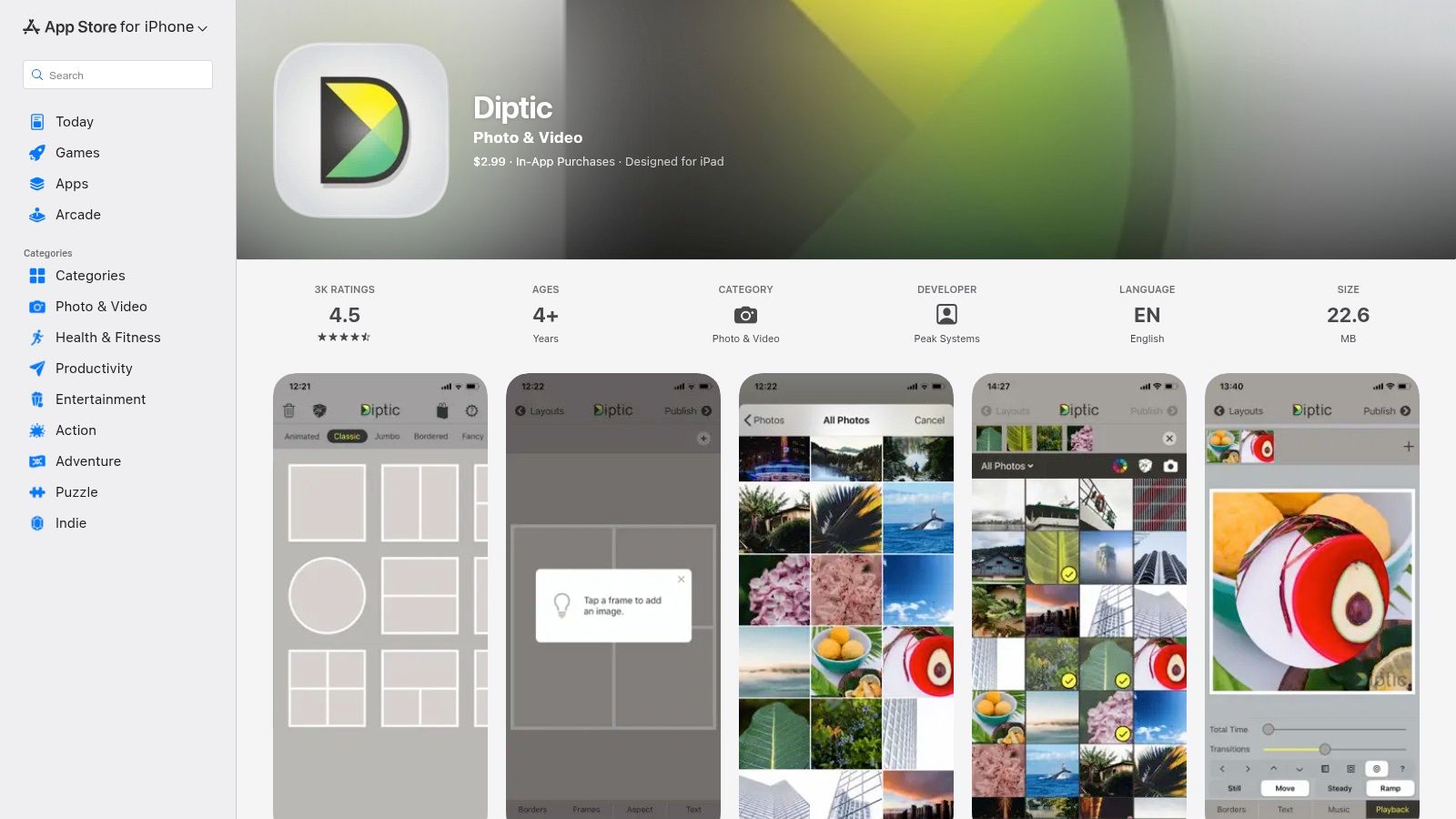
What makes Diptic stand out is its focus on the fundamentals. The app provides extensive control over borders, letting you adjust thickness, color, texture, and even rounding for a softer look. It also handles both photos and videos, allowing you to create dynamic mixed-media collages and even add music. Its commitment to user privacy, noted as 'Data Not Collected' in the App Store, is a significant plus for users wary of data-hungry applications.
Key Features & User Experience
Diptic’s interface is clean and gets straight to the point. You select a layout, tap to add your media, and then dive into customizations. The app offers over 190 layouts and supports up to nine photos or videos in a single collage, providing plenty of creative flexibility. High-resolution exports ensure your final creations look sharp and professional on your Instagram feed.
| Feature | Best For | Platform |
|---|---|---|
| 190+ Layouts | Creating classic grid-style collages with photos and videos | iOS |
| Customizable Borders | Fine-tuning the look and feel of your collage frames | iOS |
| High-Resolution Export | Ensuring your final Instagram post is crisp and clear | iOS |
Pros:
- Simple, one-time purchase with no recurring subscriptions.
- Privacy-friendly design with no user data collection.
- Clean, stable, and reliable for creating classic grid collages.
Cons:
- Only available on iOS, with no Android or web version.
- The interface is mature and functional rather than trendy or modern.
Pricing: A one-time purchase on the App Store. Additional layout packs are available as optional in-app purchases.
Top 12 Instagram Collage Apps — Feature Comparison
| Tool | Core features ✨ | UX & Quality ★ | Value & Price 💰 | Best for 👥 | Unique strength 🏆 |
|---|---|---|---|---|---|
| Canva | Drag‑drop editor, thousands of templates, Brand Kit, Magic Resize ✨ | ★★★★☆ | 💰 Freemium → Pro (team tiers) | 👥 Non‑designers, social teams | 🏆 Massive template & asset library |
| Adobe Express | Collage + social presets, Adobe Stock, fonts, scheduler ✨ | ★★★★☆ | 💰 Freemium → Premium (stock on paid) | 👥 Creatives who use Adobe ecosystem | 🏆 Deep stock + font integration |
| Picsart | Collage grids, AI tools (generator/remover), template marketplace ✨ | ★★★★ | 💰 Freemium → Credits/subscription | 👥 Mobile creators wanting AI tools | 🏆 Strong mobile AI features |
| PicCollage | Mobile grids, stickers, animated templates, cloud backup ✨ | ★★★☆ | 💰 Free → VIP subscription | 👥 Mobile‑first casual creators | 🏆 Extremely easy, sticker/font library |
| PhotoGrid | Photo & video collages, AI tools, slideshow/filmstrip modes ✨ | ★★★☆ | 💰 Freemium / in‑app purchases | 👥 Creators needing fast video collages | 🏆 Fast mobile workflows for Reels/Stories |
| InShot | Photo + video editor, collage maker, auto‑captions, transitions ✨ | ★★★★ | 💰 Freemium → Pro/add‑ons (some lifetime offers) | 👥 Social video creators (Reels) | 🏆 All‑in‑one video + collage tool |
| Unfold (Squarespace) | Story/post templates, feed planner, Bio Site, Brand Kit ✨ | ★★★★ | 💰 Freemium → Unfold+ / Pro | 👥 Minimalist / brand‑focused storytellers | 🏆 Magazine‑style, polished Story templates |
| Fotor | Web collage maker, 2k+ templates, AI upscaler & tools ✨ | ★★★☆ | 💰 Freemium → Pro/Pro+ (credits for AI) | 👥 Desktop planners & browser users | 🏆 Fast browser exports & desktop workflow |
| BeFunky | Collage Wizard (AI), batch processing, stock templates ✨ | ★★★☆ | 💰 Freemium → Plus subscription | 👥 Beginner browser users & batch editors | 🏆 AI‑guided collage suggestions |
| Kapwing | Web editor, IG canvas presets, team workspaces, 4K export ✨ | ★★★☆ | 💰 Free (watermark) → Paid (team/4K) | 👥 Teams & remote collaborators | 🏆 Pure web collaboration + export control |
| MOLDIV | 300+ frames, magazine layouts, beauty camera, hi‑res export ✨ | ★★★☆ | 💰 Freemium → In‑app purchases/subscription | 👥 Editorial Instagram creators | 🏆 Magazine‑style presets & high‑res saves |
| Diptic | 190+ layouts, border control, music in video collages, privacy ✨ | ★★★☆ | 💰 Paid (one‑time purchase + packs) | 👥 Privacy‑conscious iOS users wanting simplicity | 🏆 One‑time purchase, stable private app |
Finding the Perfect App for Your Instagram Aesthetic
Navigating the crowded market of creative tools can feel overwhelming, but the journey to elevate your Instagram presence is now much clearer. We've explored a dozen of the most powerful and intuitive collage apps available, from industry titans like Canva and Adobe Express to specialized creative powerhouses like Unfold and MOLDIV. Each one offers a unique pathway to transforming your photos from simple snapshots into compelling visual narratives.
The key takeaway is this: the best collage app for Instagram isn't a one-size-fits-all solution. It's a deeply personal choice that hinges entirely on your specific goals, creative workflow, and the unique aesthetic you want to cultivate. Your ideal tool is the one that removes friction and empowers your creativity, not one that adds complexity to your process.
How to Choose Your Champion
To find your perfect match, let's distill our findings into actionable decision points. Reflect on these questions to guide your selection:
- Are you a beginner focused on speed and simplicity? Apps like PicCollage and PhotoGrid excel here. Their vast libraries of fun, easy-to-use templates allow you to create eye-catching posts in minutes with a minimal learning curve. They are perfect for users who prioritize speed and trendy designs over granular control.
- Do you need an all-in-one content creation suite? If your needs extend beyond simple collages to include video editing, graphic design, and branding tools, then Canva or Adobe Express are your undisputed champions. Their integration of features makes them a central hub for all your social media content, ensuring brand consistency across posts, Stories, and Reels.
- Is a minimalist, elevated aesthetic your signature style? For creators who value clean lines, sophisticated layouts, and a cohesive, magazine-like feel, Unfold is in a class of its own. Its curated templates are designed to make your content look polished and professional, aligning perfectly with high-end brand aesthetics.
- Are you a mobile photographer who demands deep editing control? If you need precise control over every aspect of your image, from detailed color grading to professional-level adjustments, look no further than Picsart or Fotor. These apps blur the line between a collage maker and a full-featured photo editor, giving you the power to perfect every pixel.
Final Considerations for Flawless Execution
Once you've selected your app, remember that the creation process doesn't end when you hit "export." To truly make your content shine on the platform, technical details matter. Instagram's compression algorithms can be aggressive, often degrading the quality of an otherwise beautiful collage. This is especially true for high-resolution images. To combat this, it's crucial to understand the platform's nuances. Mastering the best export settings for Lightroom to Instagram can provide valuable insights into resolution, color space, and sharpening that translate to any image-editing workflow, ensuring your final post looks as crisp and vibrant as it did in the app.
Ultimately, the goal is to find a tool that becomes an extension of your creative vision. Experiment with the free versions, test a few different templates, and see which interface feels most natural to you. The right app will not only make your content creation process more efficient but also more enjoyable, inspiring you to push your creative boundaries and build an Instagram feed that truly represents you.
Ready to take your visual strategy beyond the grid? While these apps perfect your individual posts, taap.bio helps you weave them into a larger, more interactive story. Create a stunning, collage-like micro-landing page for your link-in-bio that beautifully showcases your best content, projects, and links in one cohesive, visually engaging space. Start building your free page on taap.bio today.