Canva has over 260 million monthly active users, making the addressable market for templates massive but competitive. To sell successfully, you need a focused product, compliant delivery, and a storefront that turns attention into purchases, not just a large volume of designs.
The popular advice says to create attractive Instagram posts, upload them to a marketplace, and wait for passive income. That approach skips the decisions that determine whether a template becomes a useful business asset or another forgotten listing. Buyers aren't paying for decoration alone. They're paying to save time, solve a recurring business problem, and get an editable result without having to design from a blank page.
Table of contents
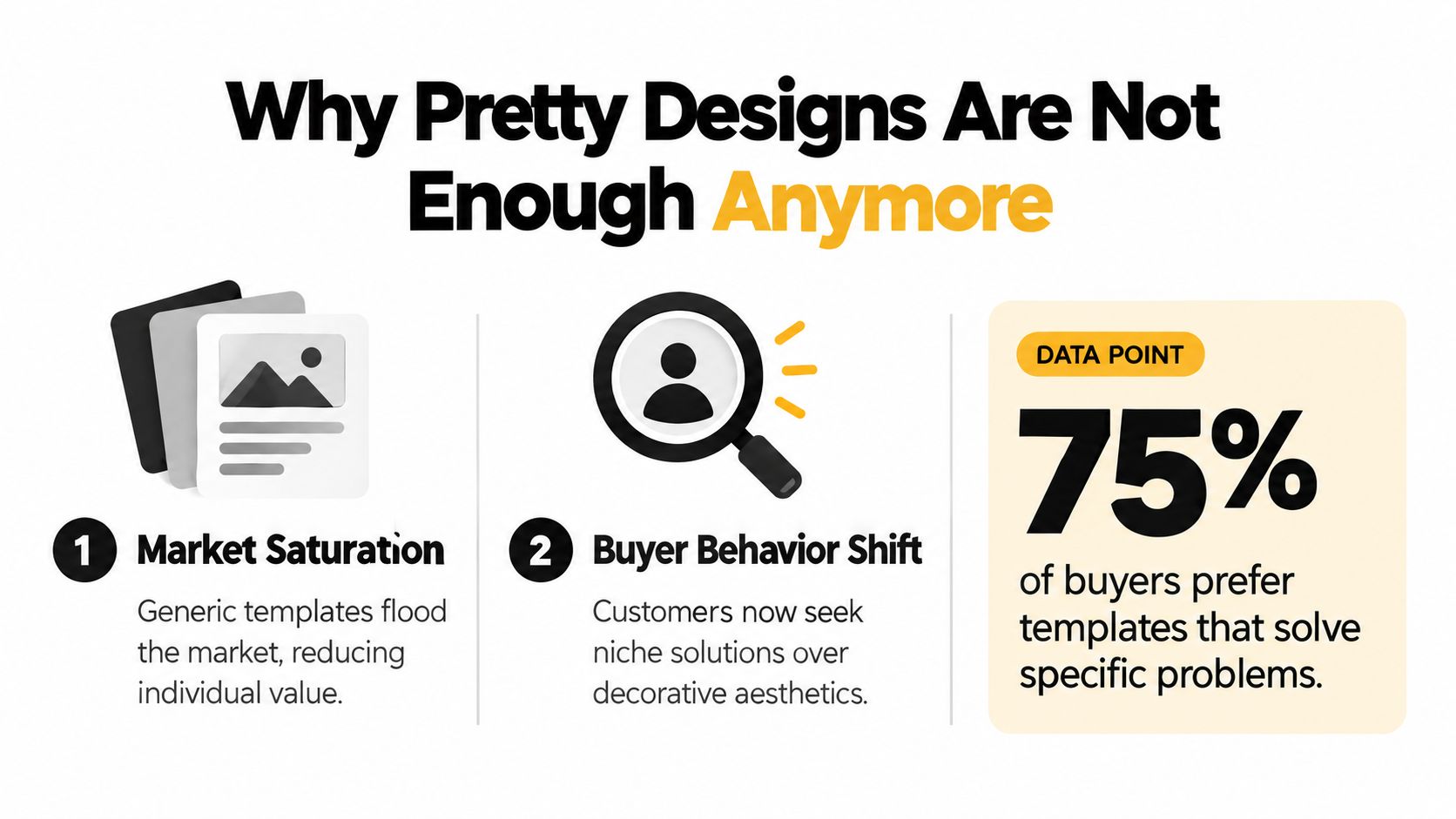
Why Pretty Designs Are Not Enough Anymore
A polished template can still fail if it doesn't help a specific buyer complete a specific task. Generic quote cards, interchangeable social posts, and broad “content packs” face intense competition because customers can find countless alternatives that look similar. Beauty earns the click. Relevance and usability earn the sale.
Canva's scale creates both opportunity and pressure. One 2026 industry summary cites 260 million monthly active users and $3.5 billion in annual revenue, while another guide reports more than 220 million active users across 190 countries and 400 million monthly visitors. These figures come from Canva's sales template overview, and they show why sellers aren't creating demand from scratch. A global audience already uses Canva for workbooks, pitch decks, social content, and business documents.
Build an asset, not a decoration
The broader digital-product market reinforces this shift. An independent 2026 analysis estimates templates and digital assets at $7.7 billion, representing 24% of total digital-product revenue, with an average price point of $29 and roughly 2,400 units sold over the lifetime of a successful product. The same analysis places design assets such as Canva, Figma, and UI kits at $1.7 billion. These figures are reported in the digital-product market analysis.
The lesson isn't that every seller can reach those outcomes. It's that templates work as scalable digital assets, not just as small design commissions. A real-estate listing kit, coach's client workbook, or course creator's launch deck can serve a repeated workflow. A generic aesthetic pack may look impressive but leave the buyer wondering what to do with it.
Trust also matters when a customer can't inspect the editable file before purchase. Clear previews, realistic examples, and precise descriptions reduce uncertainty. A practical guide to building trust online is useful here because your listing has to communicate not only how the template looks, but who it helps and what it makes easier.
Designing Templates That Solve Specific Problems
Start with a buyer who has a repeated task, not a color palette you want to experiment with. A coach may need a workbook that guides clients through a process. A property professional may need a consistent set of listing presentations, social graphics, and buyer documents. A course creator may need slides, worksheets, and launch materials that share one visual system.
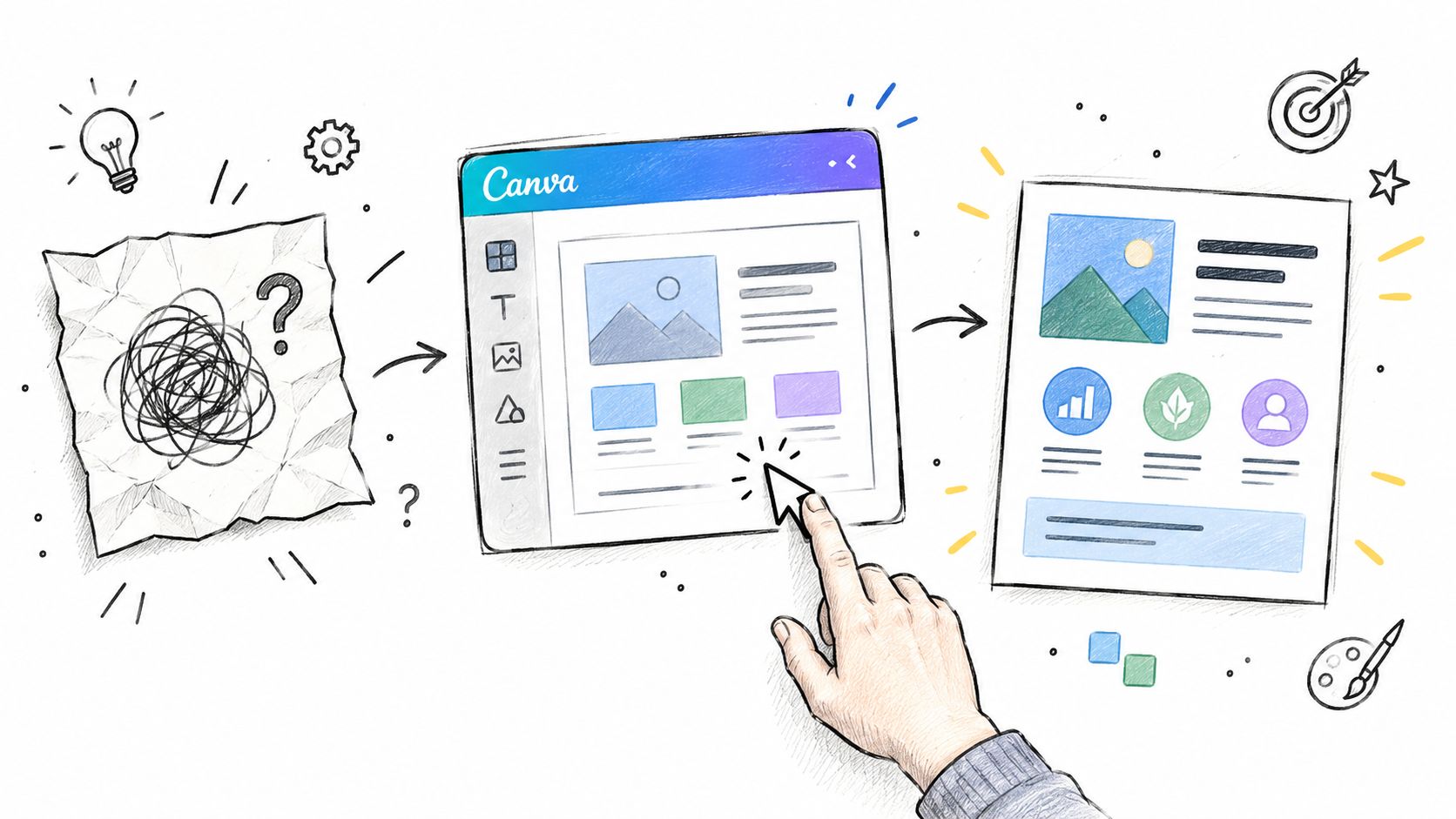
Write the problem in one sentence before opening Canva: “This helps a new consultant prepare a client onboarding experience without designing every document from scratch.” If you can't state the outcome plainly, the product may still be too broad.
Turn one task into a useful product system
Research the buyer's workflow through marketplace search suggestions, industry communities, customer questions, and conversations with people in the niche. Look for tasks people repeat, documents they recreate, and moments where inconsistent design makes them look less professional.
Then structure the product around that workflow:
- Choose a clear use case: A media kit for an influencer is more compelling than a vague “personal branding pack.”
- Group related pages: A planner, checklist, worksheet, and progress page can form a coherent system for a coach.
- Reduce editing friction: Use obvious placeholders, restrained font choices, reusable colors, and clearly named pages.
- Add guidance: A short “Start Here” page can explain how to change text, colors, images, and page order.
- Show the finished outcome: Product mockups should demonstrate the template in context, not only display isolated pages.
The buyer persona development guide can help you define the user's role, goals, objections, and buying situation before you design. That information should influence the page structure. A busy buyer wants a file that opens cleanly, makes customization obvious, and produces a credible result quickly.
A bundle should feel like a complete answer, not a pile of extra pages. If the buyer only needs one social graphic, a large pack creates noise. If the buyer is preparing a launch or client process, connected templates can justify a broader offer.
Pricing Strategies for Maximum Profit Margins
The cheapest comparable listing is a reference point, not a pricing strategy. Set your price around the task removed, the audience served, and the amount of work included in the deliverable. A niche, utility-driven template can support a stronger price than a generic Instagram pack when the buyer can see the practical outcome.
Review 20 to 50 active listings in the exact sub-niche, as recommended by this digital-download pricing framework. Note the low end, midpoint cluster, and premium band. Compare preview quality, title specificity, page count, instructions, and review history. The goal is to identify a defensible position rather than copy another seller.
The following reference bands are adapted from this digital-download pricing framework.
| Offer type | Lower band | Midpoint band | Premium band |
|---|---|---|---|
| Single Canva template | $3–$5 | $6–$12 | $13–$25 |
| Canva template bundle | $8–$12 | $13–$29 | $30–$49 |
Use the lower band while validating a simple product or serving a price-sensitive audience. The midpoint suits a focused template with a clear use case. The premium band needs substance beyond visual polish, such as coordinated pages, a complete workflow, useful instructions, or related formats.
Build a price ladder that gives buyers a clear next option:
- Entry product: One focused template for a narrow task.
- Core product: A coordinated set that completes a workflow.
- Premium product: A broader system with instructions, bonuses, or related formats.
Discounting too early can hide weak positioning. First, make the offer easy to judge. Your title, preview images, and description should explain why it costs more than a similar-looking alternative. See this digital product pricing strategy for a practical positioning framework.
“Social media templates” invites a broad price comparison. “Editable launch content kit for independent coaches” connects the offer to a specific job, making its utility and price easier to assess.
Navigating Canva Licensing and File Delivery
The most dangerous beginner assumption is that anything made inside Canva can be packaged and sold in any format. It can't. A visually finished design may still create a licensing problem if you treat Canva content as a standalone asset or deliver a format that isn't permitted.
Canva's licensing and commercial-use guidance states that templates must be original, Canva content can't be sold on a standalone basis, and templates containing Pro content can only be sold as Canva template links, not as PDFs or other flattened files.
That rule changes your delivery workflow. A PDF can be useful as an instruction sheet, but it shouldn't replace the editable Canva template link when the design includes Pro content. Your customer needs access to the permitted editable format, while the supporting document can explain how to open and use it.
Create a safer delivery process
- Build original work: Combine and arrange elements into an original design. Don't sell isolated Canva graphics, photos, or other content as though you created or own them.
- Check the elements: Review the content used in each product, especially when mixing free and Pro assets across a bundle.
- Generate the correct link: Use Canva's template-link workflow so the customer receives an editable copy rather than access to your master file.
- Package instructions separately: Provide a short guide with the access button, editing notes, support contact, and any relevant usage instructions.
- Test as a buyer: Open the delivery, use the link, edit the pages, and verify that the customer won't encounter a permission or format problem.
This is also where a digital product delivery workflow earns its place. Instant access is helpful only when the file is correct and the instructions are understandable. A fast broken delivery creates support work and damages confidence much faster than a slow but clear process.
Don't promise editable access if you're sending a flattened file. State what the customer receives, what Canva account access may be needed, and whether the product includes a PDF guide, a template link, or both.
Building Your Storefront with taap.bio
A marketplace can help people discover your templates, but it also places your offer beside competing products. A direct storefront gives you more control over presentation, checkout, customer communication, and follow-up. A creator storefront can bring the product, preview images, email signup, paid consultation option, and related offers onto one page, rather than scattering the buyer across several tools.
For a practical overview of the setup, see this guide to creating a digital product store. The page should answer the buyer's main questions quickly: Who is this for? What problem does it solve? What files are included? What happens after payment?
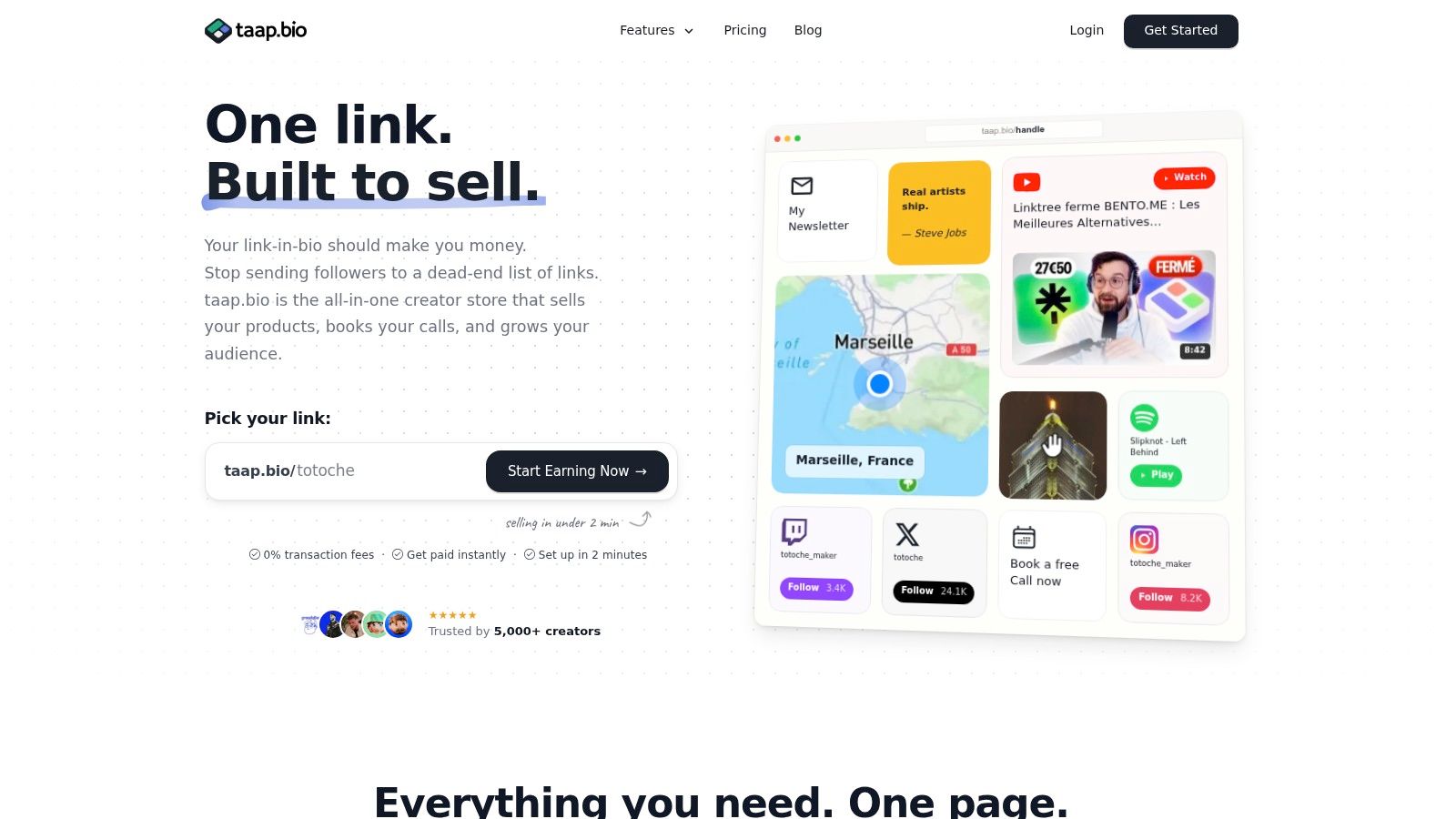
taap.bio provides a drag-and-drop, bento-style page builder with product blocks, built-in checkout, instant digital-file delivery, email capture, paid bookings, rich media widgets, and per-widget analytics. It also supports optional custom-domain mapping and GDPR-friendly hosting in France. These features let one page explain a Canva template, collect payment, deliver the permitted file format, and invite the customer to stay connected.
Build the page around buyer decisions
Lead with the product and its use case. Show a clear title, a practical outcome, several preview images, the intended buyer, the included files, and an obvious purchase action. A niche utility template needs context. “Client onboarding kit for consultants” tells visitors more than “minimal neutral brand collection.”
A useful page sequence includes:
- Product block: Name the audience and result, not only the visual style.
- Preview gallery: Show the template in a realistic work situation.
- Delivery explanation: State that the buyer receives the permitted editable format and supporting instructions.
- Email signup: Offer a relevant free resource, such as a checklist or sample page.
- Paid booking: Let buyers request customization or implementation help if that service fits your business.
- Related product: Recommend another template that supports the same workflow.
Keep checkout close to the product explanation. Fewer redirects help visitors move from preview to purchase without losing context. The platform also advertises 0% platform fees on sales, which may help protect margins on lower-priced digital products.
This walkthrough shows how a creator page can combine content, products, and conversion actions:
Place a test order before publishing. Check the payment screen, delivery message, template link, instruction document, and confirmation email from the buyer's perspective. A storefront works when the customer understands the offer and knows exactly what to click next.
Marketing Tactics That Actually Convert
A storefront cannot create demand on its own. Promotion works better when it shows a template handling a problem the buyer already recognizes, then gives them a practical reason to purchase.
Take a client onboarding kit for consultants. A post announcing a “new template” leaves the audience guessing about its value. A short demonstration can show a disorganized onboarding process, the pages that bring it under control, and the finished client-facing result. The content teaches a useful workflow while presenting the product as a reusable system.
Turn the product into useful content
Build promotion from the template itself. Behind the design content can explain why a specific page, section, or layout belongs in the kit. Problem and solution posts can compare a blank document with a structured workbook. Editing demonstrations can show colors, text, and images changing inside the file. Niche-specific advice can address workflows for real-estate professionals, coaches, course creators, or another defined audience. Customer questions can become short videos, posts, or email topics when the same issue appears repeatedly.
Search-friendly wording helps on both your storefront and social profiles. Use phrases buyers might type, such as “editable client workbook for coaches,” instead of internal design language like “minimal neutral brand collection.” Specific language attracts people with a clear task, not just people browsing attractive visuals.
Email capture gives you a channel that does not rely entirely on changing social feeds. Offer a useful sample, then explain the product, share editing tips, announce launches, or recommend related resources. Collect addresses only when you have a clear plan for what subscribers will receive.

Review the path from attention to purchase. Track which product areas receive attention, which pages generate signups, and which offers lead to sales. If visitors respond to a niche-specific product but ignore a broad pack, make the next campaign more specific. Publishing more generic designs will not solve a weak product-market fit.
Post-Sale Support and Scaling Your Business
The customer experience continues after payment. A buyer who can't find the template link or doesn't understand how to edit a page may judge the product harshly, even when the design itself is strong.
Create a short support system before sales accumulate. Include a welcome message, access instructions, editing basics, a troubleshooting section, and one clear contact route. Record a brief walkthrough if the product has several sections or unfamiliar Canva features. That small investment can prevent the same questions from arriving repeatedly.
Use feedback as a product filter
Review support requests and customer comments for patterns. If several buyers ask for a page you didn't include, consider adding it to the next version. If customers ignore a section, improve its explanation or remove it. Feedback is more useful when it changes the product rather than just confirming that people had an opinion.
A practical post-sale checklist includes:
- Confirm delivery: Test that the buyer receives the correct file and editable link.
- Invite questions: Provide one support channel and a concise response expectation.
- Request useful feedback: Ask what task the template helped them complete and where they got stuck.
- Review analytics: Compare product views, signups, checkout activity, and purchases.
- Refresh strategically: Update dated examples, improve unclear instructions, and preserve the parts customers use.
- Plan the next offer: Expand within the same workflow before jumping into an unrelated niche.
Scaling doesn't mean publishing endlessly. It means building related assets around a buyer you already understand. A consultant onboarding kit can lead to a proposal template, a client check-in workbook, and a service guide. A course creator's launch deck can lead to a workbook, lesson planner, and presentation bundle.
Practical rule: Add depth to a proven customer problem before adding more categories.
The most durable template businesses combine three disciplines: specific products, compliant delivery, and useful follow-up. A single sale becomes more valuable when it reveals what the buyer needs next, gives you permission to stay in contact, and informs a better product decision.
taap.bio gives Canva template sellers a single-page storefront with built-in checkout, instant digital-file delivery, email capture, analytics, and paid bookings for related services. Set up your product page, test the delivery flow, and visit taap.bio to turn your next focused template into a complete buying experience.