
You're probably sitting on knowledge people already ask you about, but you're still selling it one call, one DM, or one custom deliverable at a time. That works until your calendar fills up, your energy dips, or you realize every new dollar still depends on your next hour. How to create digital products to sell is really the question of how to stop trading only time for money and start packaging what you know into something buyers can purchase on repeat.
That shift is bigger than just “make a PDF and upload it.” Digital product revenue works when the product, the pricing, the checkout, the delivery, and the email capture all support each other. Digital products are now a mainstream monetization path, with the segment described at roughly $32 billion in 2026 and categories like online courses, templates, ebooks, software tools, and paid communities already pulling real demand (digital product market size summary). Online learning is just as established, with independent market summaries placing the global e-learning market around $325 billion in 2025 and projecting roughly $365 billion to $400 billion by 2026 (online course statistics). If you want a sale that doesn't collapse into busywork, you need a product that solves one problem fast and a store that doesn't make the buyer bounce.
Table of contents
From Creator to Product Seller
The easiest way to think about the shift is this, services sell your availability, digital products sell your judgment. A client pays you for a one-off deliverable, then you start over. A buyer pays once for a well-packaged asset, then they can use it without dragging you into every step.
That's why creators who already have an audience often hit a ceiling. Every new dollar means another consultation, another round of revisions, another late-night edit. A digital product breaks that pattern by letting one good answer serve many buyers, as long as the answer is packaged clearly and the buying process stays simple.
What actually counts as a product
For this guide, a sellable digital product is anything a buyer can receive instantly and use without waiting on you. That includes templates, ebooks, courses, preset packs, swipe files, mini-tools, and paid communities. It can also include a service wrapper, like a paid booking for a workshop or audit, as long as the purchase and delivery are still handled cleanly online.
The part many overlook is that the product type shapes the whole business. A template pack needs fast checkout and instant file delivery. A course needs a clean sequence and replay access. A booking product needs payment before the calendar opens. If you start with the format instead of the buyer problem, you'll waste time building something nobody urgently wants.
Practical rule: if the product can't be explained in one sentence, it's not ready to sell.
The rest of this article follows the revenue loop in order, from validation through packaging, setup, pricing, and promotion. I'd also read the basics of what counts as a digital product first, because that saves you from building the wrong thing in the wrong format, which this overview breaks down clearly.
Choosing a Profitable Digital Product Type
Don't brainstorm twenty product ideas. Pick two, maybe three, and let the market tell you which one deserves your time. The creator economy is already large and still expanding, and public market coverage says buyers keep shifting toward AI-assisted micro-products, niche templates, specialized tools, and bundles instead of generic ebooks or broad courses (creator economy market report). That matters because a “digital product” can still be too vague to sell.
A strong starting point is to match format to buyer urgency. A Notion CRM template fits solopreneurs who need a system this week. A Lightroom preset pack fits photographers who want a signature look without editing every image from scratch. A cohort workshop fits a buyer who wants accountability, feedback, and a live deadline. The right product is less about what's easy for you and more about what removes friction for your audience.
Use the right format for the right buyer
| Product Type | Price Range | Build Time | Best-Fit Creator |
|---|---|---|---|
| Downloadable template | $19 to $49 | Short | Solopreneurs, operators, designers |
| Ebook or guide | $9 to $29 | Short | Writers, educators, niche experts |
| Video course | $49 to $149 | Medium | Teachers, consultants, coaches |
| Preset or asset pack | $39 to $79 | Short to medium | Photographers, editors, visual creators |
| Swipe file or resource library | $19 to $99 | Medium | Marketers, copywriters, strategists |
| Mini-tool or spreadsheet | $49 to $149 | Medium | Analysts, operators, builders |
| Paid community | recurring or premium access | Ongoing | Leaders, specialists, niche operators |
Use the matrix to shortlist products, not to overthink. Then run each idea through two filters. First, what problem does the buyer need solved in the next seven days? Second, which audience segment do you already reach well enough to sell to without begging strangers for attention?
If you want a place to compare product ideas by monetization mechanics instead of just format, this product-ideas guide is the right companion. It will keep you from choosing a product just because it sounds easy to make.
Validating Demand Before You Build
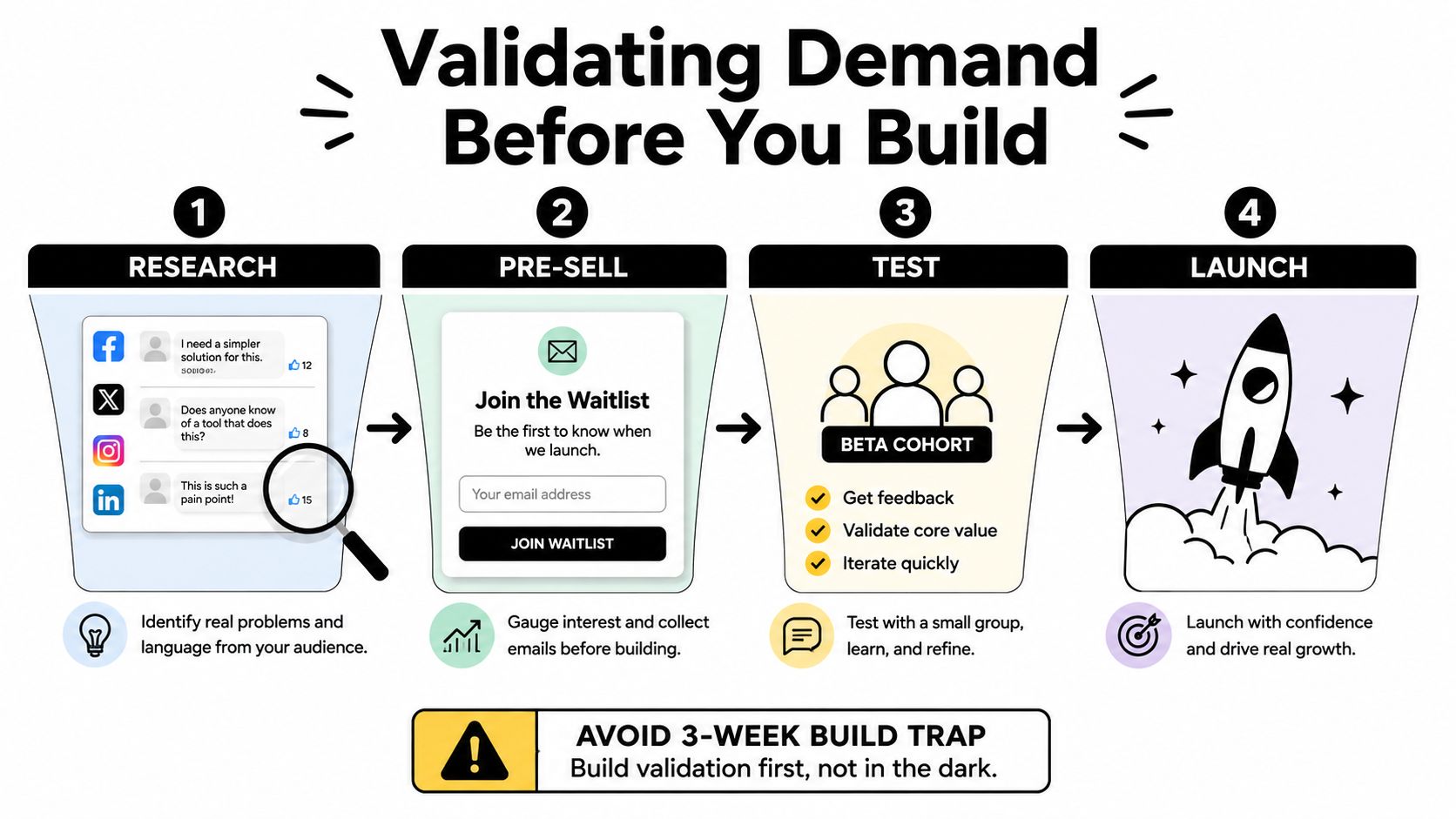
Most failed launches don't fail because the product was ugly. They fail because nobody wanted it badly enough to buy. One independent analysis reported that launches with zero market validation failed at a 91% rate, while launches with minimal validation from just 10 people showing purchase intent succeeded at a 34% rate (why digital products fail). That's the part people ignore when they rush into production.
Validate the problem before the product
Start with the questions your audience already asks. Mine comments, DMs, search suggestions, and support emails for repeated pain points. Then write a one-paragraph offer that says exactly who the product is for, what it solves, and what outcome the buyer gets. If the sentence feels fuzzy, the offer is still fuzzy.
Next, pre-sell a small beta or founding-member spot to warm contacts. Don't hide behind “interest.” Ask for a real commitment, with a clear refund promise if you miss the outcome you described. After that, test cold intent with a pinned post or small ad that drives to a waitlist and small deposit. If people won't hand over an email address, don't pretend they'll buy later.
Buyer intent beats applause. Likes, poll votes, and “this is so useful” comments don't pay invoices.
A simple rule works here. If at least 10% of your waitlist converts to paid, you're looking at real willingness to buy, not polite curiosity. That number is a practical build signal, not a magic law. Once you've got that signal, build the minimum version needed to deliver the promise, nothing more.
If you need a sharper way to define who the offer is for before you pre-sell, use this buyer persona framework. It keeps you from pitching a product to “everyone who creates content,” which is just code for nobody in particular.
Building the Product and Packaging It
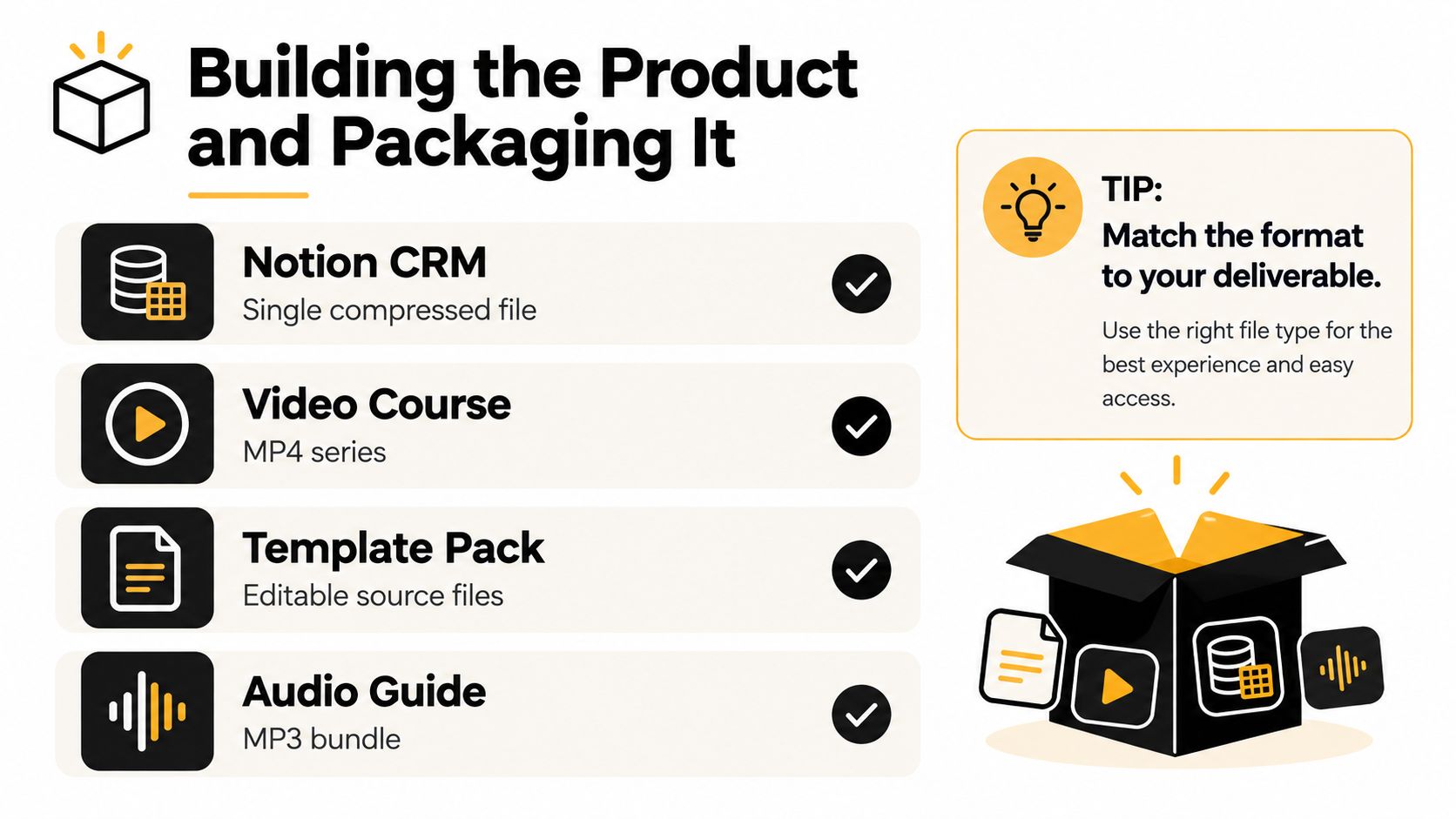
Build the deliverable the buyer consumes, not the format that's easiest for you to assemble. A template should be editable and ready to import. A course should feel like a guided path. A workshop should map to a clear transformation, not a loose talk. When the product is consumable in one sitting or one workflow, completion goes up and refund friction goes down.
Match the file type to the outcome
A Notion CRM usually works best as a compressed folder with import instructions and a quick-start page. A tutorial or lesson belongs as a streamable video plus a downloadable file. A workshop needs a calendar slot and replay access. A mini-course should be sequenced into modules, with one outcome per lesson and a worksheet where it helps the buyer take action.
The point is to lower cognitive load. Buyers don't want to assemble your product after purchase. They want to open it, understand it, and use it. Keep the first asset obvious, then place supporting files underneath it in a folder structure that makes sense at a glance.
Use cheap, boring tools if they get the job done. Canva handles templates. Loom handles screen recordings. Notion handles frameworks. Google Drive handles delivery. Don't waste a week hunting for a “perfect” stack when the buyer mainly cares whether the asset works. A one-page getting-started PDF is usually worth more than another polished bonus nobody asked for.
If the asset is editable, deliver it in two forms when possible, such as PDF plus source file. If it's a video product, make the replay easy to access and make the lesson titles match the buyer's next step. That kind of packaging is what turns a file into a usable product.
Setting Up Selling, Delivery, and Bookings
A lot of creators lose sales for no good reason. They build a product, then bolt together checkout, email, calendar, and analytics across separate tools. Every extra redirect creates drop-off. Every extra login creates confusion. A single-page creator store solves that by keeping the offer, the purchase, and the next action on one screen.
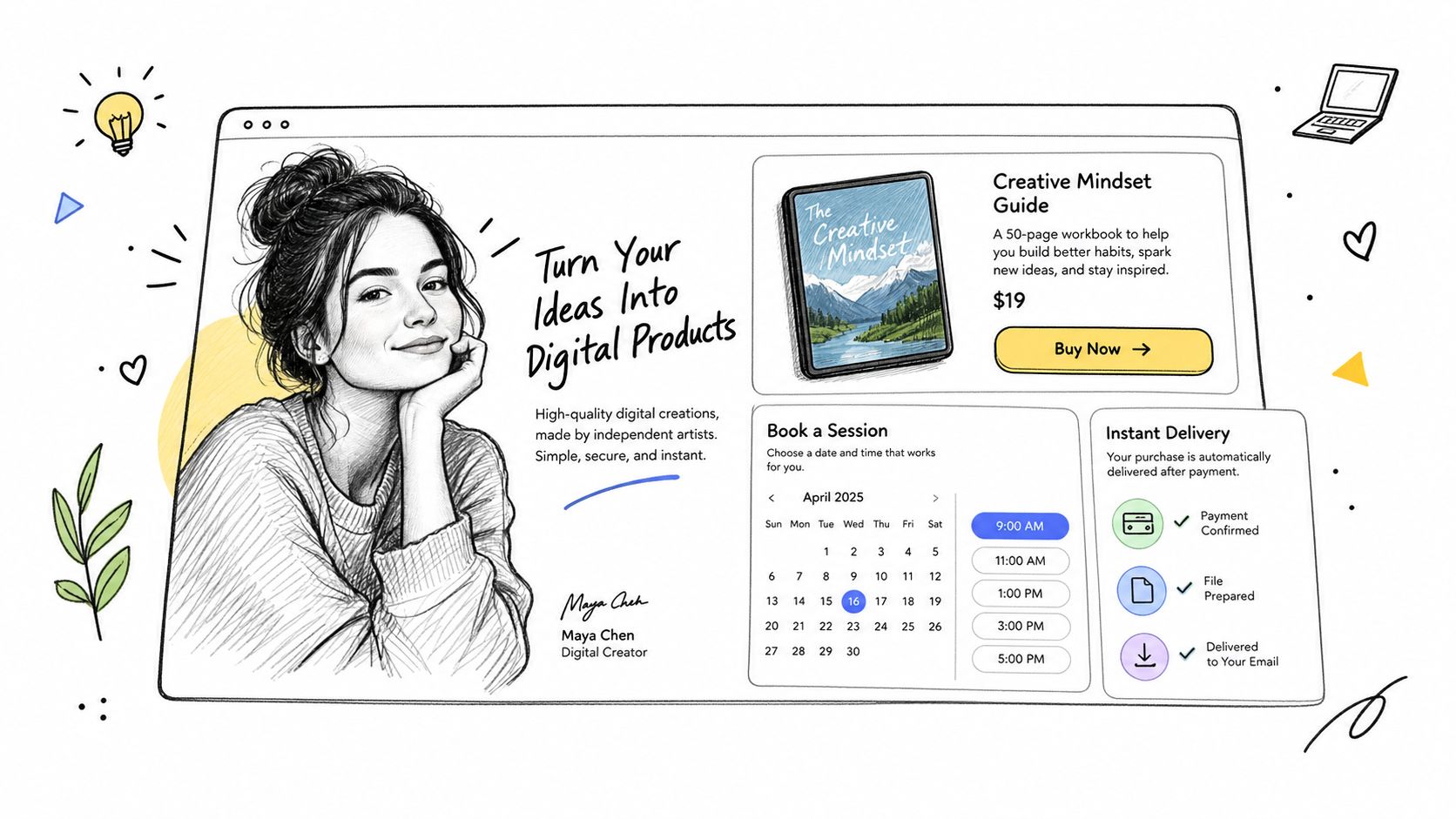
taap.bio is one example of that approach. It lets creators put a product block, a booking block, and an email capture block on the same page, with built-in checkout, instant digital delivery after payment, and analytics per block. That's the architecture you want, whether you use that setup or a similar one, because the buyer shouldn't have to hunt for the next step after they decide to buy.
Build the flow the buyer actually follows
Start with a hero section that says what you do and what the buyer gets. Add one product block with a clear buy button. If you sell sessions or workshops, add a booking block that only opens after payment clears. Then add email capture so every buyer joins your list automatically. The point isn't just to sell once, it's to keep the relationship.
The seller side matters too. If you sell a digital download, upload the file, set the price, and make sure the buyer gets the link instantly. If you sell a booking, connect payment before the slot opens, so you stop doing unpaid scheduling back-and-forth. If you sell both, keep the page simple enough that each action is obvious. Anything that forces the buyer to think harder is probably hurting conversion.
Operational truth: if delivery is clunky, refunds go up even when the product itself is good.
The technical side should also tell you what's working. You need to see views, clicks, checkouts, and revenue by block, not just a generic page visit count. That's the difference between guessing and knowing which offer deserves more traffic. If you want a delivery walkthrough for file-based products, this delivery guide is the next thing to read.
Pricing, Licensing, and Unit Economics
Price the outcome, not your effort. If you spent ten hours making a template, that doesn't mean the buyer should pay for ten hours of your life. A simple product can still be priced well if it removes a painful task or replaces a messy workflow. The cleanest way to anchor pricing is by product type, then test the market instead of guessing forever. This pricing framework covers the basics of that approach.
Price by use case, not by sentiment
A single template or prompt pack usually belongs in the $9 to $29 range. A multi-asset bundle or short course often fits $49 to $149. A cohort workshop or 1:1 booking can sit around $199 to $499 if the outcome is specific and the buyer expects live support.
Licensing needs to be explicit. Personal use, commercial use with seat limits, and agency use with resale rights should each have different prices. Don't bury the license in a vague footer and hope buyers figure it out. That causes confusion later, and confusion creates support work you don't need.
If you want the rough unit math, a $47 sale through Stripe and a creator-store setup with standard processing leaves about $43.70 before platform cost and refunds, based on the fee structure in the brief. That makes refund control a real lever, not a detail. If refunds drift above 5%, the unit breaks down. Below 3%, the product is usually behaving well.
| Price Tier | List Price | Stripe Fees (approx.) | Net per Sale | Healthy Conversion | Refund Rate Target |
|---|---|---|---|---|---|
| Entry template | $9 to $29 | Varies by order | Strong enough for volume | Test for fit | Under 3% |
| Core product | $49 to $149 | Varies by order | Strong enough for upsells | Watch for stable conversion | Under 3% |
| Premium offer | $199 to $499 | Varies by order | Funds the next product | Sell with clear proof | Under 3% |
The goal is to create a product that funds the next product. If your net per sale can't pay for traffic, content, support, and iteration, you don't have a business model yet. You have a hobby with a checkout link.
Promoting, Capturing Emails, and Legal Basics
Promotion works best when every traffic source points to one hub. Your bio link, story link, and DM reply should all land on the same page that holds the product, the lead magnet, and the booking option. Scattered links kill momentum. A single destination makes the next click obvious.
Use one hub and one repeatable promo sequence
Run a simple four-post sequence across two channels. Tease the problem. Show a result or transformation. Share a personal story about why the issue matters. Then make a direct offer. Repeating that sequence beats trying to be clever on five platforms at once.
Email capture matters because it gives you an audience you can reach again. Don't offer a generic newsletter and call it strategy. Give away a template pack, a mini-course module, or a checklist that connects directly to the paid product. That way, the lead magnet attracts the right buyer instead of random freebie hunters.
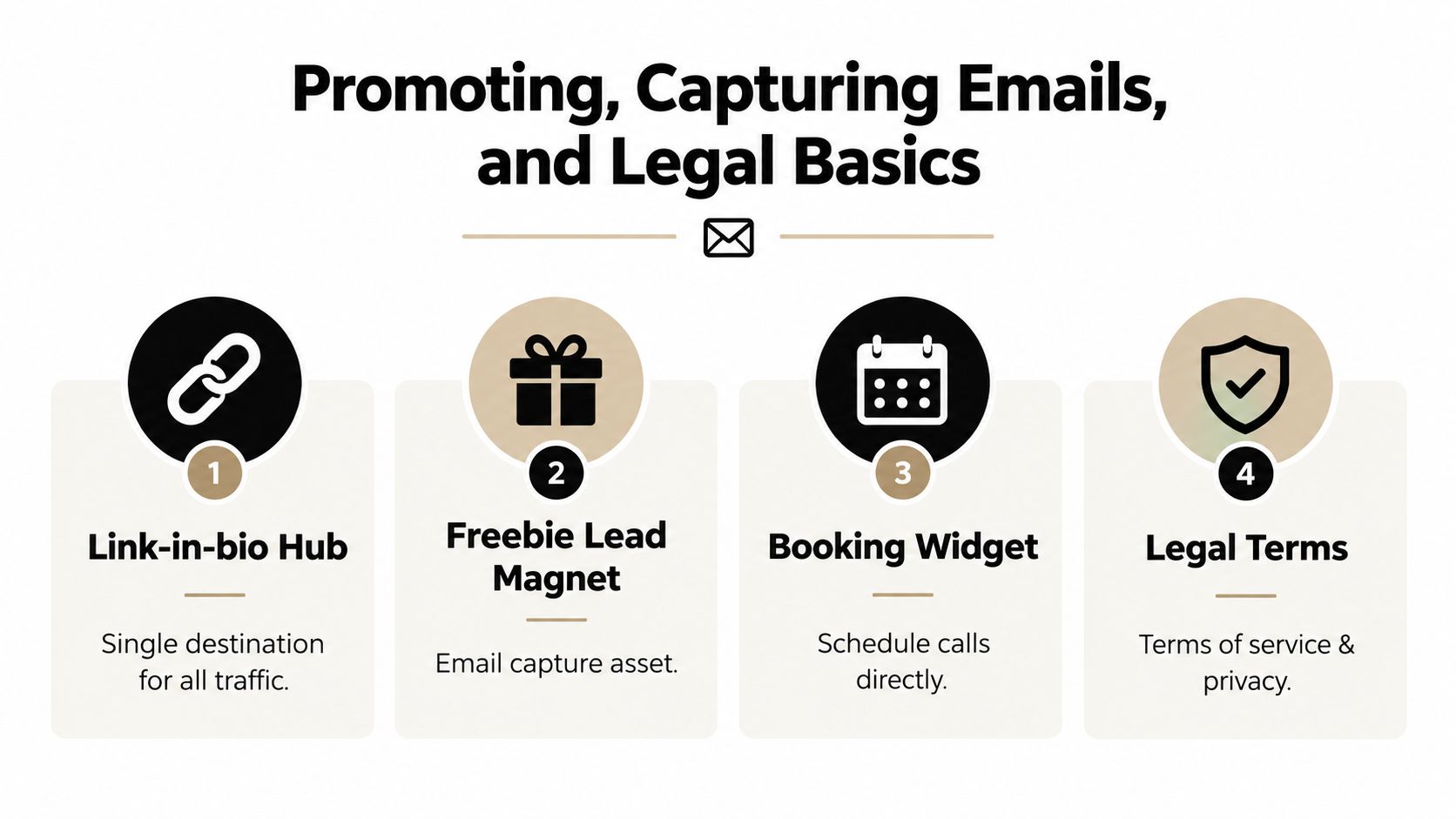
The legal basics are plain but essential. Put a clear refund policy on the checkout page. State license scope in your terms of use. Publish a privacy policy if you collect emails. Handle tax settings accurately through your payment processor. None of that is exciting, but it prevents avoidable launch problems.
Your first launch doesn't need more polish. It needs fewer places for the buyer to get lost.
Pick the product, build the landing page, and ship the first email capture this week. Don't spend another month polishing logos, renaming folders, or re-recording lessons that already work. The first sale teaches you more than another round of planning ever will.
taap.bio gives you a single page for products, paid bookings, and email capture, so you can stop stitching checkout, scheduling, and analytics across separate tools. If you're serious about how to create digital products to sell without turning the launch into a tech project, build the page, publish the offer, and see what buyers click. Visit taap.bio and put your first product, booking, or lead magnet on one screen this week.


