
Most advice about the best places to sell digital products starts with the wrong question. There isn't one universally best platform, because marketplace discovery, branded ownership, course delivery, recurring support, and social-link conversion require different infrastructure. Etsy and Creative Market can put products in front of existing searchers. Shopify and WooCommerce give you deeper control. Podia organizes learning products, while creator storefronts focus on speed and low-friction checkout.
The practical comparison is broader than a headline fee. You need to examine pricing, file delivery, checkout, audience ownership, privacy, GDPR and data residency, setup friction, payout timing, and the trade-off between built-in discovery and long-term control. A low platform fee won't help if your product never reaches buyers. A large marketplace won't build much brand equity if every customer relationship stays inside the marketplace.
This list moves from discovery-led channels toward increasingly owned and consolidated selling experiences. Choose based on the job your platform must perform, then test the complete buyer journey before moving your full catalog.
Table of contents
1. taap.bio
Best for: Creators whose sales start on social profiles, newsletters, direct messages, or personal websites.
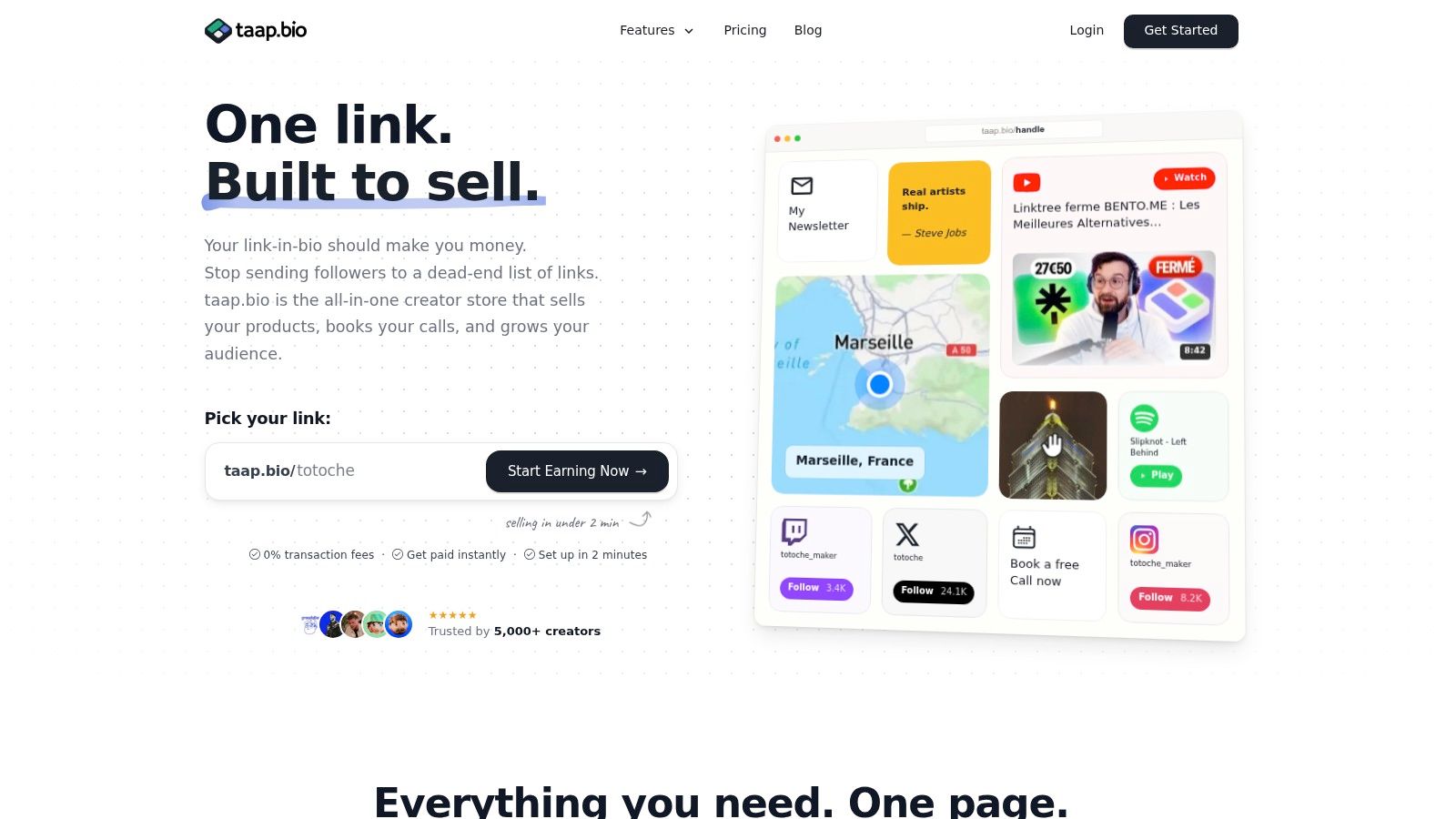
Marketplace search is the wrong reason to choose taap.bio. Its strength is converting attention you already own. Instagram, TikTok, YouTube, music profiles, and direct links can send visitors to one mobile-first bento page with product blocks, media, checkout, bookings, email capture, and analytics. You can publish quickly, connect a custom domain, and deliver a digital file immediately after payment.
The operating model is consolidation. Instead of maintaining separate tools for a link page, digital downloads, scheduling, email capture, website pages, and analytics, you manage them through one drag-and-drop store. More than ten widgets, including YouTube, Spotify, maps, videos, images, and product blocks, let the page present both your work and your offers without repeated redirects.
taap.bio charges 0% platform fees on sales, while payment processor fees still apply. It supports instant payouts to a connected account and twenty currencies. Pricing is $19 per month after a 14-day free trial, so the subscription makes more sense for creators with regular sales than for someone testing a single low-demand product. The absence of a platform cut protects margins as order volume grows, but the monthly cost remains part of the decision.
Practical rule: Choose taap.bio when you need link-in-bio conversion and owned storefront control. Choose a marketplace when you need its search traffic to create demand.
Privacy and conversion control
taap.bio hosts data in France, uses GDPR-friendly defaults, and provides analytics without third-party scripts. Cookies are disabled by default. ISO 27001 certification and alignment with SecNumCloud foundations give EU-focused creators a clearer privacy position than a stack assembled from unrelated services.
The trade-off is scope. A single-page bento store cannot replace a large ecommerce site with advanced inventory, wholesale workflows, or complex storefront customization. Check its support for subscriptions, tax requirements, and specialized product models before moving a larger operation.
For setup guidance, read how to create a digital product store. If your priority is a focused page that keeps checkout close to the offer, captures email addresses, supports paid bookings, and preserves customer attention, taap.bio is a practical fit.
2. Gumroad
Best for: Fast validation of ebooks, templates, presets, small software products, and lightweight catalogs.
Gumroad remains one of the quickest ways to turn an idea into a purchasable digital product. You get hosted product pages, embeddable checkout, automatic file delivery, customer management, and basic email workflows without building a website first. Its pay-what-you-want pricing is useful when you want to test willingness to pay, collect early buyers, or let customers choose a contribution.
The trade-off is margin. Gumroad applies a platform fee to every sale, so the convenience becomes more expensive as volume grows. Payouts also follow Gumroad's schedule and minimum-threshold rules, which can create a cash-flow delay for creators who expect immediate access to every payment.
Gumroad works particularly well for a small number of simple products. Upload the file, write a clear product page, connect a payment method, and share the link in your bio, newsletter, or social posts. You can also embed checkout on an existing website, though customization remains more limited than with Shopify, WooCommerce, or a fully owned storefront.
Where Gumroad fits
Gumroad can provide some discovery through its own ecosystem, but you shouldn't confuse that with owning the audience. Buyers experience a Gumroad transaction, and the platform controls much of the storefront environment. That makes it a good launchpad, not necessarily the best permanent home for a brand that needs deep design control, advanced automation, or a refined customer journey.
- Choose Gumroad for speed: Launch a simple download without technical setup.
- Use pay-what-you-want carefully: Treat it as a validation tool, not an automatic pricing strategy.
- Plan for migration: Export customer information where possible and build your email audience outside the platform.
Before you sell, review whether Gumroad is safe for digital product sellers and check the current terms on the Gumroad website. Gumroad is the right recommendation when your main goal is to start selling quickly and learn what buyers want.
3. Lemon Squeezy
Best for: Software, plugins, SaaS products, licenses, subscriptions, and globally distributed digital goods.
Lemon Squeezy solves a problem that ordinary download stores often leave to the seller: international tax administration. As a merchant of record, it handles global VAT and sales tax collection and remittance, reducing the operational burden for sellers who serve customers across borders. That makes it a particularly strong option for software creators who don't want to construct their own tax and compliance workflow.
Its product model also matches software economics. You can create subscriptions, trials, usage or seat-based pricing, hosted storefronts, and no-code checkout embeds. License-key generation and management give customers a more appropriate purchase and access experience than a basic file-download link.
Why software sellers should choose it
A software seller needs more than automatic delivery. Customers may need a license key, recurring billing, renewal management, and a clear way to upgrade or cancel. Lemon Squeezy brings those functions together, while built-in email and analytics reduce the need for separate add-ons.
The disadvantages are practical rather than conceptual. Payouts follow a twice-monthly cadence, which may not suit a business that needs faster access to funds. Per-transaction charges also scale with gross merchandise volume, so you should model the complete cost against your average order value and support requirements.
Lemon Squeezy gives you less of the open-ended design freedom available in Shopify or WooCommerce, but that isn't its purpose. It is a compliance and software-commerce layer, and it earns its place when licensing and tax handling matter more than elaborate visual merchandising. Review the current product and payout terms on the Lemon Squeezy website before launching a global software offer.
4. Payhip
Best for: Solo creators who want downloads, courses, memberships, coaching, and a simple storefront.
Payhip is a practical middle ground between a basic download page and a full ecommerce system. It supports digital downloads, courses, memberships, and coaching, then adds built-in checkout, file delivery, email tools, custom domains, and a store builder. Sellers can start with a free-forever plan and move toward paid tiers that exchange a monthly fee for lower per-sale fees.
That pricing path is useful because it lets you validate a product without making a large fixed commitment. As sales become consistent, you can compare the monthly plan against the transaction cost and choose a structure that better protects margin. Processor fees still apply on top of Payhip's fees, so calculate the full payment cost rather than looking only at the platform tier.
A good fit for mixed catalogs
Payhip works well when a creator's catalog is likely to expand. You might begin with a PDF guide, add a course later, then introduce a membership or coaching offer without moving to an entirely different platform. EU and UK VAT collection and reporting also reduce some administrative work for sellers serving those markets.
The design system is simpler than a full CMS, and creators who want highly customized layouts may find it restrictive. That limitation is also part of the appeal. Payhip removes much of the technical work, so you can focus on product pages, delivery, email follow-up, and customer support.
- Start cheaply: Use the free plan to test demand.
- Keep the same capabilities: Payhip provides the same feature set across plans rather than locking core functions behind higher tiers.
- Protect payout speed: Connected Stripe and PayPal gateways support instant deposits, subject to the payment processor's own rules.
For a creator who wants more product types than Gumroad supports comfortably but less complexity than Shopify, visit the Payhip digital storefront.
5. Shopify with the free Digital Products app
Best for: Brands that need a fully branded store for digital, physical, or hybrid products.
Shopify is the most capable ecommerce environment in this list for sellers who expect their operation to become broader than a few downloads. With the free Digital Products or Digital Downloads app, you can attach files to products, automate delivery, manage downloads, and apply download limits. The same admin can handle digital products, physical products, bundles, upsells, subscriptions, affiliates, and other sales workflows through Shopify's app ecosystem.
That breadth creates both its advantage and its cost. Shopify gives you theme-based storefront control, a polished checkout, multiple sales channels, and extensive automation potential. It also adds a monthly platform cost, and paid apps can expand the bill quickly. A simple template seller may pay for infrastructure they won't use.
Ownership versus operational overhead
Shopify gives you a branded domain and a stronger foundation for building your own customer journey than a marketplace. You control the store presentation, product navigation, content, and integrations. You also take responsibility for taxes unless you add a third-party merchant-of-record solution or another specialized tax tool.
The Digital Products app handles straightforward file delivery well, but courses, gated content, licensing, and complex memberships may require additional apps. That can produce a powerful system, though every extra app adds configuration, support, and compatibility work.
A full guide to selling digital products on Shopify can help you plan the setup. Choose Shopify when your digital products sit inside a wider commerce business, not merely because the platform is popular. Review the current plans and app requirements on the Shopify website before you commit.

6. WooCommerce on WordPress
Best for: Sellers who prioritize ownership, SEO flexibility, and full control over their website and data.
WooCommerce is the choice for creators who want their store to live inside a content-rich WordPress site. The core plugin is free, and its native virtual and downloadable product types support protected file delivery, download limits, and expiration settings. You can combine product pages with blog content, landing pages, email capture, SEO programs, and physical products in one owned environment.
The major benefit is control. WooCommerce doesn't take a platform revenue share, so your ongoing costs come from hosting, payment processing, security, extensions, and development rather than a marketplace commission. That can become cost-effective at scale, but only if you can manage the technical operation responsibly.
The price of independence
With WooCommerce, you manage hosting, updates, backups, security, plugin compatibility, and performance. Advanced subscriptions, memberships, licensing, tax tools, and specialized delivery may require paid extensions or developer time. Those costs don't appear in the core plugin price, but they matter to the actual operating model.
WooCommerce is a strong long-term fit for a business that treats SEO and content as major acquisition channels. A creator can publish educational articles, build topic clusters, optimize product pages, and keep the entire customer journey under one domain. That flexibility is harder to achieve inside a marketplace.
Ownership has a maintenance cost. Choose WooCommerce only if you will actively manage the site or pay someone who will.
Use WooCommerce for selling digital products on WordPress as a planning reference, then evaluate hosting, extensions, and security before installation. The WooCommerce website is the right starting point for sellers who want maximum control rather than maximum convenience.
7. Etsy
Best for: Printables, SVGs, patterns, invitations, templates, and other visual creative files that benefit from marketplace search.
Etsy wins on discovery. Buyers already visit the marketplace looking for creative products, and sellers can list instant digital downloads without building a full ecommerce site. Automated delivery, reviews, shop tools, favorites, and on-platform advertising give new sellers a faster route to buyer attention than an empty standalone store.
That access comes with a clear cost. Etsy's fee stack includes listing, transaction, and payment-processing charges, while offsite advertising fees may apply to attributed orders. Competition also appears directly beside your products, and the buyer's relationship is primarily with Etsy rather than with your independent brand.
Use Etsy for demand, not ownership
Etsy is particularly effective for products that can be understood from a thumbnail, title, and a few preview images. A planner, printable, wedding invitation, SVG bundle, or pattern can communicate its value quickly. A complex course, software product, or service package is a weaker fit because the marketplace environment doesn't provide the right delivery or education experience.
You also have less control over the checkout and storefront than you would on Shopify, WooCommerce, or a creator-owned page. Your listing optimization happens inside Etsy's search system, and visibility can change with competition and marketplace rules.
- Lead with a precise use case: Show who the file is for and what the buyer can create.
- Treat reviews as conversion assets: Deliver clear instructions and respond to support requests promptly.
- Build a second channel: Use Etsy for discovery while directing permitted audience-building activity toward an owned email list or storefront.
For a practical route into the category, read how to sell printables on Etsy, then open a shop through the Etsy marketplace. Choose Etsy when existing buyer demand matters more than brand control.
8. Creative Market
Best for: Professional fonts, graphics, templates, themes, UI kits, and other design assets.
Creative Market serves a narrower audience than Etsy, and that specialization is its strength. Buyers arrive looking for design assets and expect clear licensing, polished previews, and professional product quality. The marketplace provides a design-centric shopfront, standardized licensing guidance, seller analytics, and curation that can reduce friction for buyers comparing similar assets.
The commercial trade-off is substantial. The default revenue-share model pays shops 50% of the list price, so you must price with that split in mind. Approval is also required, which makes Creative Market less suitable for casual sellers or products outside the design category.
Choose quality and category fit
Creative Market works best when your files are ready for professional use. A font family, presentation template, website theme, icon pack, or UI kit needs accurate previews, organized files, licensing language, and reliable customer support. Buyers aren't just paying for the download. They're paying for confidence that the asset will work in a real project.
You get more targeted discoverability than on a general-purpose marketplace, but you don't get full control over the brand experience. Your shop remains inside Creative Market's environment, and a large portion of the customer relationship stays there.
Use Creative Market as a specialist distribution channel, especially if your product category matches its audience and the exposure justifies the revenue share. It can also complement an owned store, where you retain higher control and use the marketplace to reach new design buyers. Apply through the Creative Market seller platform only after preparing a portfolio that demonstrates consistent quality.
9. Sellfy
Best for: Creators who sell downloads alongside subscriptions, video, or print-on-demand merchandise.
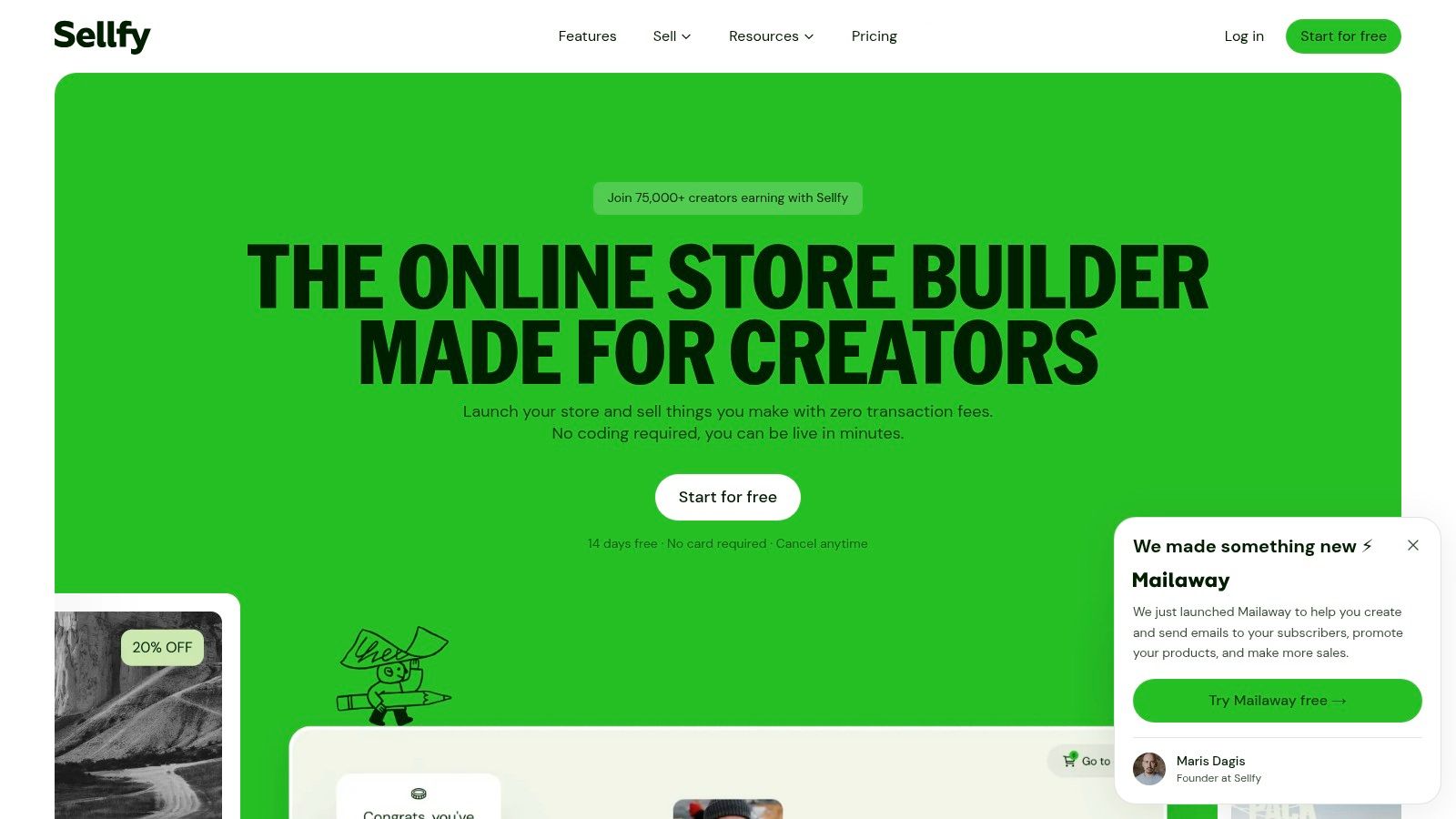
Sellfy is a hosted storefront for creators who want to combine several monetization formats without building a full CMS. It supports digital downloads, subscriptions, video-on-demand, built-in email marketing, discounts, upsells, store embeds, social-link integration, and optional print-on-demand merchandise.
That combination makes Sellfy useful for a musician selling downloads and merch, a video creator offering paid access, or an artist combining digital files with physical goods. Customers can encounter several offer types in one store and complete purchases through a consistent checkout.
Convenience with a defined ceiling
Sellfy is easier to launch than Shopify or WooCommerce because hosting and core store management are handled for you. Embeds let you place products on an existing website, while social-link integrations help creators connect profile traffic to a storefront. You won't need to assemble every basic component yourself.
The limitation is customization. Sellers who need advanced merchandising, complex catalog structures, or deep operational integrations will find fewer options than Shopify and WooCommerce provide. Sellfy also has no free tier, and plan limits or overage rules may matter as sales and content volume increase.
Choose Sellfy when your business has mixed digital formats and you value one checkout more than unlimited customization. Confirm current plan limits and product allowances on the Sellfy website before uploading a large catalog.
10. Podia
Best for: Course creators who also sell downloads, coaching, webinars, and communities.
Podia is the clearest all-in-one recommendation for a creator whose product is organized around learning and ongoing access. It combines course hosting, digital downloads, webinars and events, community spaces, landing pages, checkout, email marketing, affiliates, and upsells. That single admin reduces the need to connect a course host, email provider, storefront, and community tool.
The platform suits catalogs that grow over time. A creator can start with a guide, add a structured course, introduce coaching, and build a community without forcing customers across unrelated systems. Students and members get a more appropriate access experience than a one-time file link because the product can live behind an account and organized portal.
Compare the plan economics
Podia's entry Mover plan charges a per-sale fee, while mid and high tiers remove Podia transaction fees. Stripe and PayPal processing fees still apply, and the complete cost depends on your plan, payment provider, audience size, and sales volume. Podia also provides a 30-day free trial, which gives you time to test the publishing and checkout experience before making a larger commitment.
The platform isn't as flexible as WordPress for custom site design, and its lower tier is less attractive once sales become consistent. Still, the operational simplicity is valuable for educators who don't want to maintain a collection of plugins and integrations.
Podia is a better choice than Gumroad when the offer depends on structured lessons, student access, or community participation. It's a better choice than Shopify when course delivery is the central job. Explore the current plans and capabilities on the Podia platform.
Top 10 Platforms to Sell Digital Products, Comparison
| Product | Core features | Quality (★) | Value & Price (💰) | Target (👥) | Unique (✨) |
|---|---|---|---|---|---|
| taap.bio 🏆 | Bento drag‑drop, 10+ widgets, built‑in checkout, bookings, email & analytics | ★★★★★ | 💰 $19/mo (14‑day trial) · 0% platform fees · instant payouts | 👥 Social creators, musicians, coaches, freelancers | ✨ Single‑page store+bookings, GDPR‑by‑default, ISO27001, no cookies |
| Gumroad | Hosted product pages, embeddable checkout, file delivery, subscriptions | ★★★★ | 💰 Platform fee per sale · low setup cost | 👥 Indie creators selling templates, ebooks, presets | ✨ PWYW pricing, ultra simple launch |
| Lemon Squeezy | Merchant‑of‑record, VAT/tax remittance, licenses, subscriptions | ★★★★ | 💰 Per‑transaction fee · MoR handles taxes | 👥 Software/plugin sellers, global customers | ✨ Automated tax/VAT & license key tooling |
| Payhip | Downloads, courses, memberships, built‑in checkout, EU/UK VAT | ★★★★ | 💰 Free‑forever option or tiered plans + fees | 👥 Solo creators validating ideas & small shops | ✨ Predictable tiers; instant deposits |
| Shopify (Digital Products) | Full e‑commerce, themes, app ecosystem, digital downloads app | ★★★★☆ | 💰 Monthly plan + app costs · scalable | 👥 Brands needing full storefront (digital+physical) | ✨ Huge app marketplace & branded storefront |
| WooCommerce (WP) | Open‑source plugin, downloadable products, extensible themes | ★★★★ | 💰 Hosting & extensions cost · no platform revenue share | 👥 Creators wanting ownership & SEO control | ✨ Maximum control & extensibility |
| Etsy | Marketplace listings, instant downloads, built‑in buyer traffic | ★★★★ | 💰 Listing + transaction + payment fees | 👥 Makers of printables, templates, creative files | ✨ Immediate marketplace demand & reviews |
| Creative Market | Curated design marketplace, standardized licenses, analytics | ★★★ | 💰 50% default revenue share | 👥 Professional designers selling assets | ✨ Curation + licensing clarity for designers |
| Sellfy | Hosted store, subscriptions, VOD, merch & embeds | ★★★★ | 💰 Paid plans (no free tier) · marketing tools included | 👥 Creators selling mixed formats (downloads+video+merch) | ✨ VOD + print‑on‑demand + easy embeds |
| Podia | Courses, digital downloads, coaching, communities, email tools | ★★★★ | 💰 Monthly plans · no tx fees on higher tiers | 👥 Course creators, coaches, community builders | ✨ All‑in‑one course+community+email platform |
Choose the Selling Model Before the Tool
Start with the job your platform must perform, not the feature list you happen to see first. If buyers already search for your category and you need immediate marketplace discovery, choose Etsy for printables, patterns, and visual downloads, or Creative Market for professional design assets. Accept the reduced brand control and fee structure as the price of accessing an existing marketplace environment.
Choose Lemon Squeezy when you sell software, plugins, or SaaS and need licensing, subscriptions, and merchant-of-record tax handling. Its value comes from reducing operational complexity around global digital sales. It isn't the right choice for a simple printable catalog, but it is the most aligned option when software access and compliance sit at the center of the transaction.
For education-led businesses, choose Podia. It handles courses, downloads, coaching, webinars, communities, email, and checkout in one system. If your offer is still an idea and you want to launch with minimal setup, choose Gumroad or Payhip. Gumroad is faster for a lightweight product and pay-what-you-want testing. Payhip gives you a broader path across downloads, courses, memberships, and coaching while letting you start cheaply.
Select Shopify when digital products sit alongside physical products, bundles, advanced sales channels, or a growing ecommerce operation. Choose WooCommerce when you want maximum ownership, WordPress content, SEO flexibility, and the ability to customize the system yourself. Both options require more management than a hosted creator store, but they give you more room to build a durable branded business.
Choose Sellfy for mixed digital formats, subscriptions, video, and merchandising without the setup burden of a full CMS. Choose taap.bio when your audience arrives through social links, DMs, music profiles, or personal branding and you need a focused single-page selling hub. Its built-in digital delivery, paid bookings, email capture, analytics, 0% platform fees, instant payouts, and France-based GDPR-friendly hosting make it especially effective for creators who care about conversion, margin, and data handling in the same decision.
The marketplace versus owned-storefront choice deserves particular attention. The global digital goods market is estimated at USD 157.39 billion in 2026 and projected to reach USD 511.43 billion by 2031, with a projected 26.6% CAGR, according to HTF Market Insights' digital products market forecast. The opportunity is large, but marketplace concentration means demand alone won't guarantee results. Historical Gumroad tracking covered 146,271 products, with $206 million in total revenue, while the top 1% captured 77.3% of revenue, 44% of products generated exactly $0, and the median creator earned $72 per month, as reported in Gumroad marketplace distribution data. Those figures are a warning to choose a channel that matches your acquisition advantage rather than assuming a marketplace will create success automatically.
Your final decision should also account for the product category. A 2026 market aggregation estimates online courses at $12.8 billion, templates and digital assets at $7.7 billion, ebooks at $4.8 billion, software tools and SaaS at $4.2 billion, and memberships at $2.5 billion. The same source estimates notable channel concentration for Gumroad in templates, ebooks, and one-off downloads, Teachable in courses, Systeme.io in funnel-based selling, and Whop in communities and subscriptions. Review the digital product category and channel breakdown, but treat those estimates as directional rather than a substitute for your own margin and conversion testing.
Before migrating a large catalog, test the full buyer journey on the platform you select. Visit the page on mobile, complete checkout, confirm file access, submit an email signup, check the payout process, and run the support workflow from the customer's perspective. Then compare the actual margin, time required, privacy obligations, and audience ownership against your growth plan. The best platform is the one that performs the job your business needs today without creating an avoidable migration problem tomorrow.
taap.bio combines a mobile-first creator store, instant digital delivery, paid bookings, email capture, analytics, and 0% platform fees in one focused page. If you want to turn social traffic into purchases while keeping the customer journey simple and using France-based GDPR-friendly hosting, visit taap.bio and test your selling hub.