

Changing your Instagram name is a surprisingly quick fix you can knock out in less than a minute, right from your profile page. Whether you're on your phone or a computer, the magic happens behind the 'Edit Profile' button. This little button is your gateway to tweaking both your display name and your unique @username—a simple change that can pack a real punch for your brand.
Table of contents
Your Quick Guide to Changing Your Instagram Name
Ready for a rebrand or just a little refresh? Swapping out your Instagram identity is one of the easiest profile updates you can make. You just head to your profile, tap 'Edit Profile,' and type in your new 'Name' or 'Username.' It's something creators do all the time to align their social media handles or businesses do to reflect new branding.
But don't let the simplicity fool you; the strategic side of this is huge. Your display name, for example, is searchable and a perfect spot for keywords that connect to your niche. Think of it as a mini-headline for your account. A food blogger might switch from "Jane Doe" to "Jane Doe | NYC Foodie" to pop up in more searches from hungry locals.
A great name does more than just identify you—it helps the right people discover you. It’s your digital handshake and a massive part of your profile's first impression.
Your username, on the other hand, is your unique calling card. It forms your profile URL and is how everyone tags you in posts and comments. Changing it is a bigger deal because it means you'll need to update that handle everywhere else you've used it.
Key Considerations Before You Change
Before you hit 'save,' take a second to think through a few things:
- Brand Consistency: Does the new name you want match up with your handles on other platforms like TikTok or X? Keeping it consistent makes you much easier to find.
- Discoverability: Will this new name make it easier for your target audience to find you, or will it be more confusing?
- Link Updates: This is a big one. Changing your username breaks all old links pointing to your profile. You'll need to update it in your email signatures, on your website, and across other social media. And don't forget your link in bio! Understanding the meaning of link in bio and making sure it's always current is critical for keeping your audience connected.
This guide will walk you through every step, making sure your name change is smooth and works in your favor.
Username vs. Display Name: Which One Should You Change?
Before you jump into your profile settings, it’s crucial to know you’re dealing with two different "names" on Instagram. They look similar, but they do completely different jobs. Figuring out which one to change is the first step in getting your profile just right.
Your username—that's your @handle—is your unique address on the platform. It's what people use to tag you and what appears in your profile's URL. There can only be one of you, so no two accounts can ever share the same username. Think of it as your digital fingerprint.
Your display name, however, is much more forgiving. This is the name that shows up in bold right below your profile picture, and it doesn't need to be unique at all. This flexibility makes it a fantastic spot for keywords that help people find you through search. For instance, a life coach might use "Jenna Smith | Mindset Coach" to pop up in searches for coaching.
This visual breaks down just how simple it is to edit either one.
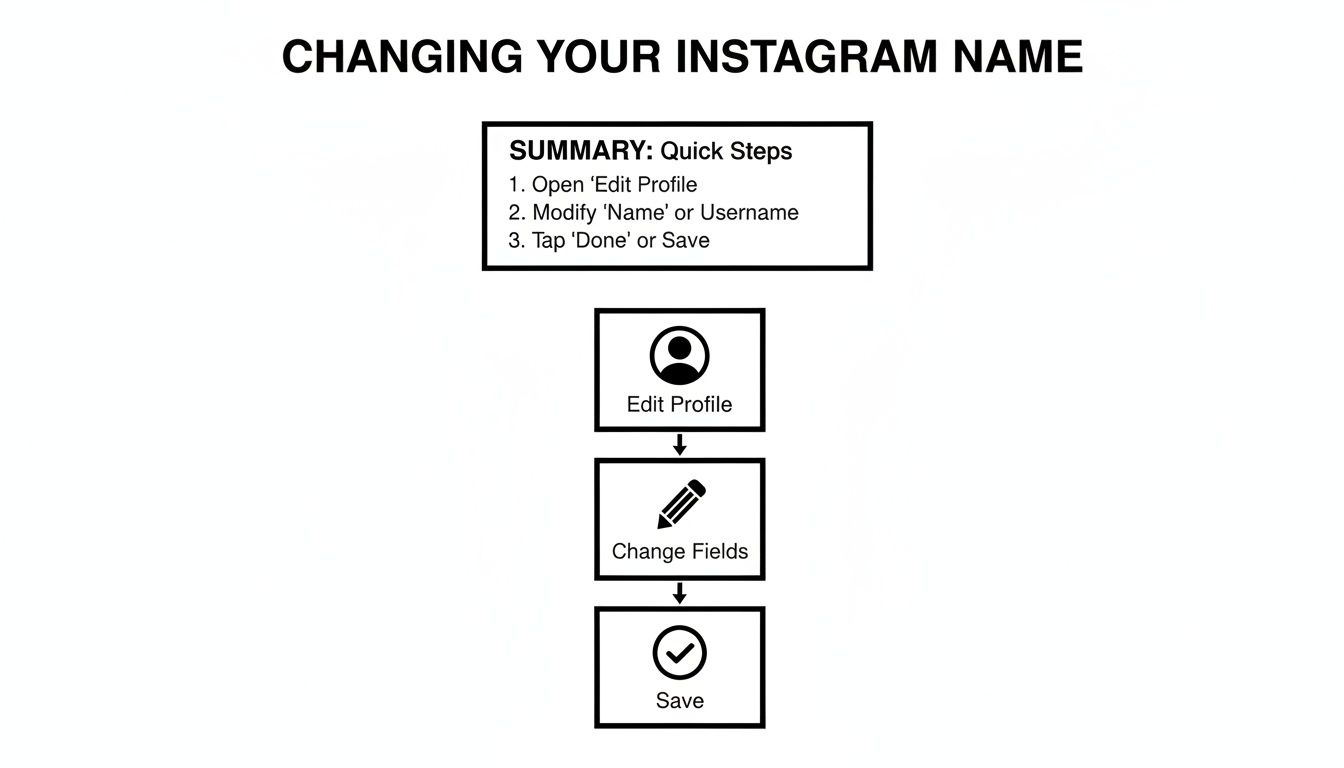
As you can see, it's really just a matter of tapping 'Edit Profile,' making your changes, and hitting save. Simple.
Instagram Username vs Display Name At a Glance
To make the distinction crystal clear, here’s a quick side-by-side comparison. It's a handy cheat sheet for understanding the core differences and how you can use each one to your advantage.
| Attribute | Username (@handle) | Display Name |
|---|---|---|
| Uniqueness | Must be 100% unique across all of Instagram. | Not unique. Can be the same as many other accounts. |
| Location | Appears at the top of your profile and in your URL. | Appears in bold below your profile picture. |
| Primary Use | Identification and tagging. | Description and search visibility (SEO). |
| Character Limit | Up to 30 characters. | Up to 30 characters. |
| Allowed Characters | Letters, numbers, periods, and underscores. | Almost anything, including emojis and special characters. |
| Change Frequency | Can be changed twice every 14 days. | Can be changed twice every 14 days. |
Basically, one is for being found, and the other is for being known. Use them both strategically.
Strategic Differences to Consider
So, which one should you update? It all comes down to your goal. Are you doing a complete overhaul of your brand, or are you just trying to add a little more context for new followers?
- Change your username when you're going through a major rebrand, your business name has officially changed, or you’ve finally outgrown that handle you made back in college. It’s a big deal since it changes your URL and how people tag you.
- Change your display name anytime you want. Seriously. It’s perfect for adding descriptive keywords, shouting out your profession, or just adding some personality with emojis. It's a low-risk, high-reward tweak.
Your username is for identification. Your display name is for description and discoverability. Treat them as separate strategic tools for growing your account.
One last thing to keep in mind: Instagram only lets you change your username or display name twice within a 14-day period. So, don't make a change lightly. This is especially true for brands aiming for consistency. If you link your Facebook Page to Instagram, for example, you'll want to make sure your branding feels cohesive across both platforms.
How to Change Your Instagram Name
Alright, let's get down to the nuts and bolts of it. Whether you're making a quick tweak on your phone or sitting down at your computer, changing your Instagram name is pretty simple. The process is slightly different depending on whether you're using the mobile app or the web version, so I'll walk you through both.
The magic happens on the "Edit Profile" screen. Think of this as the command center for your Instagram identity—it's where you'll update both your display name and your username.
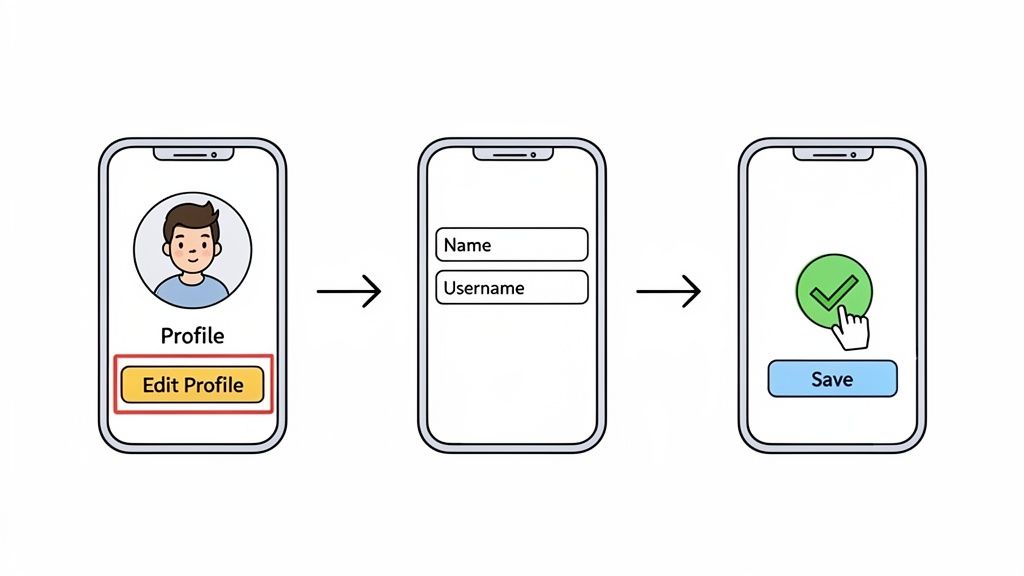
Making the Change on the Instagram App
Let's be real, most of us live on our phones. With over 98% of Instagram's active users on mobile, this is easily the most common way to handle a profile update. The app is designed for quick, on-the-fly edits.
Here's the step-by-step:
- First, pop open the app and tap your profile picture in the bottom-right corner to get to your profile page.
- Look right under your bio, and you'll spot the "Edit Profile" button. Tap that.
- This brings you to the edit screen where you’ll see separate fields for your "Name" (the display name) and "Username" (your @handle). Just tap into whichever one you want to change and type away.
- Once you’re happy with it, hit the checkmark (or "Done") in the top-right corner to save. That’s it!
Quick Tip From Experience: The second you change your username, open a new browser tab and try to visit your old URL (like
instagram.com/oldusername). It should give you a "page not found" error. This is a great little check to confirm the change went through instantly and serves as a good reminder to start updating your links everywhere else.
Updating Your Name on a Desktop
Some people just prefer the bigger screen and a real keyboard, especially to avoid typos. If that's you, changing your name on a desktop is just as easy, though the layout is a bit different.
First things first, head over to Instagram.com and get logged in.
- From there, click your profile picture in the top-right corner or side menu and select "Profile."
- Right next to your username at the top of your profile, you'll see the "Edit Profile" button. Give it a click.
- The page looks a lot like the app's edit screen. You’ll find fields for your Name and Username ready for you to edit.
- After you've made your changes, scroll all the way to the bottom and click the blue "Submit" button to make it official.
No matter which method you choose, the change is immediate. Your new name is live, and your old username is instantly released (though Instagram reserves it for you for 14 days, just in case you change your mind). This is exactly why you need to be ready to update your links across your other platforms the moment you hit save.
Navigating Common Name Change Problems
Trying to change your Instagram name should be a simple, two-minute task. But as many of us have found out the hard way, the app can be a bit finicky. Hitting a wall when you’re excited about a rebrand is incredibly frustrating, but don't worry—most of these issues are common and totally fixable.
One of the most frequent roadblocks is the classic “username not available” error. The confusing part? You search for the name, and nothing comes up. It looks like it's free. This usually happens when a username was recently deleted or changed. Instagram's system often puts a temporary hold on these handles, creating a sort of "ghost" that prevents anyone else from claiming it right away.
Understanding the 14-Day Hold
Ever changed your handle and immediately had regrets? Well, you're in luck. When you swap out your username, Instagram automatically reserves your old one just for you for 14 days. It's a handy safety net that lets you revert back without losing it to someone else.
The flip side is that no one can claim that name during the hold—not even you on a different account. So, if you're trying to snag a handle you just freed up, you'll simply have to wait out the two-week period until it's released back into the wild.
Instagram's 14-day rule also limits how often you can make changes. If you try to switch your name or username more than twice within two weeks, you'll likely get a temporary block. This is just their way of stopping spammy behavior and keeping identities consistent.
Other Glitches and How to Fix Them
Sometimes, the issue isn't an Instagram rule but a stubborn technical glitch. You tap "Done," the checkmark spins, and... nothing. The change just won't stick.
If you find yourself in that loop, here are a few tried-and-true fixes that usually work for me:
- Log Out and Back In: It’s the oldest trick in the IT book for a reason. Logging out of your account and then signing back in can clear up a lot of temporary session errors.
- Clear Your Cache: Your phone's app cache can get cluttered and cause weird issues. A quick clear-out can often resolve saving problems.
- Switch Devices: Can't get it to work on your phone? Hop on a laptop or desktop and try making the change through the Instagram website. The reverse is also true!
These small troubleshooting steps can save you a ton of headache. Once your profile is updated, the real work begins: making sure your content strategy aligns with your new identity. For more on that, check out our guide on how to improve social media engagement.
Choosing a New Name That Boosts Your Brand
Figuring out how to change your Instagram name is the easy part. The real challenge? Deciding what you should change it to. This isn't just a simple settings tweak; it's a golden opportunity to strengthen your brand. Think of your name and username as prime real estate on your profile—make it count.
The best names are sticky. They're memorable, easy to spell, and give people a clue about who you are or what you do. Imagine a travel photographer moving from a generic handle to something like @WanderlustFrames. Instantly, you know what their content is all about, and they become much easier to find.
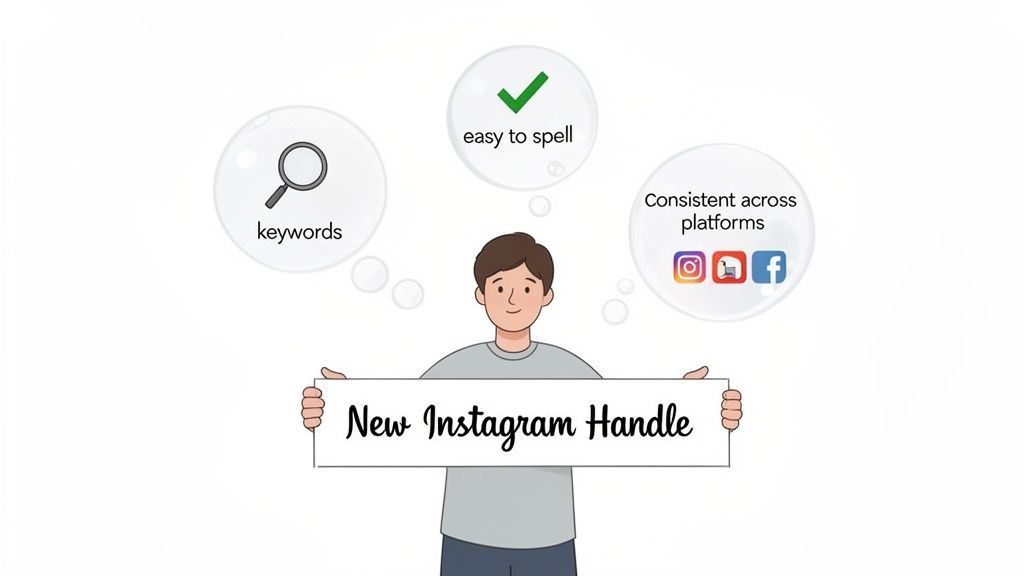
Key Strategies for a Winning Name
To get the most out of your new name, you need to think like a marketer. A strong digital identity is built on a few core principles.
Weave in Niche Keywords: Your display name is searchable, so use it. Instead of just "Jenna Smith," try "Jenna Smith | Fitness Coach." It’s a small change that makes a huge difference in attracting the right kind of followers.
Aim for Cross-Platform Consistency: If you can, snag the same handle on Instagram, TikTok, X, and your website. This is a massive win for your brand. It removes all friction for your audience, making it dead simple for them to find you anywhere.
Keep It Simple and Sayable: Resist the urge to use complex spellings, a string of numbers, or a bunch of underscores. If people can't easily say your name out loud or type it from memory, they’re far less likely to search for you or tag you in their content.
Your Instagram name is your digital handshake. It’s a core part of your brand’s first impression and sets the tone for your entire account. A strategic name is a magnet for the right followers.
It might seem like a small detail, but this change can have a massive impact. It’s a crucial first step as you learn how to build an online presence that feels polished, professional, and instantly recognizable.
Syncing Your New Identity with Your Link in Bio
So, you’ve picked the perfect new Instagram name and hit save. What's next? Don't forget one of the most crucial steps: making sure your entire digital presence reflects the change. Your link in bio page is ground zero for your audience, and if it's out of sync, you risk confusing the very people you're trying to connect with.
This is where a tool like Taap.bio really shines. Instead of scrambling to update everything manually, Taap.bio’s smart Instagram widget handles the heavy lifting for you. It automatically pulls in your new username, profile picture, and latest posts in real-time. This creates a seamless experience for your followers without any extra work on your end. Your brand stays cohesive and professional, even moments after a big update.
Building a Cohesive Brand Hub
For creators coming over from platforms like Bento.me, this kind of automation is a total game-changer. Taap.bio’s bento-box grid gives you the freedom to build a visually engaging page that truly feels like you.
Changing your Instagram username can give your profile a massive boost in discoverability, especially on a platform with over 2 billion monthly active users. But with Taap.bio, you can dynamically showcase your feed without having to change a thing on IG. The smart widget displays your six latest posts, real-time follower count, and a follow button in different formats—like tall vertical or compact.
This is a huge advantage for anyone migrating from Bento.me ahead of its 2026 shutdown. Imagine dragging the widget onto your grid, resizing it to be the star of the show, and then adding your latest Spotify tracks with listener stats or YouTube thumbnails with subscriber counts. You can find more Instagram user statistics on Recurpost.
Your link in bio isn't just a list of URLs; it's the ultimate destination for your audience. A dynamic, visually consistent page reinforces your new brand identity and keeps your community connected.
This isn't just about tidying up your links; it’s about making your rebrand count. By ensuring your Taap.bio page is perfectly in sync, you turn a simple name change into a powerful branding statement. And while you're updating things, it's a great time to grab your new profile URL—check out our guide on how to copy your Instagram link to make sure you've got the right one.
Got Questions? We’ve Got Answers.
Still have a few things you’re wondering about? You’re not alone. The whole "how do I change my Instagram name" process often kicks up some common concerns, especially when it comes to your followers and that coveted blue checkmark. Let's get you some straight answers.
The biggest fear I hear is about losing that hard-earned community. Relax. When you change your username, you will not lose your followers. Your follower count, and the list of people following you, stays completely intact. It all just moves over to your new handle seamlessly.
Verification and How Often You Can Change Your Name
Now, if you do have that blue verification badge, you need to be a bit more careful. Changing your username could mean losing your verified status. You'll likely have to go through the re-verification process all over again with your new name, so definitely weigh that before making the switch.
Another thing to keep in mind is that Instagram puts a limit on how often you can reinvent yourself. This is to stop spam and keep things from getting too chaotic.
- Display Name: You can only change this twice every 14 days.
- Username (@handle): This one's a little stricter. Once you change it, you're locked in for 14 days before you can change it again.
Here's a pro-tip: When you change your username, Instagram holds your old one for you for 14 days. Think of it as a safety net. If you immediately regret your decision, you can switch back. But after that two-week window, it’s fair game for anyone else to grab.
That 14-day hold is exactly why you need to be on the ball with updating your links everywhere else. As soon as that period is up, your old profile URL is dead. It won't redirect, and any links pointing to it will just break. Making sure your website, other social profiles, and especially your link-in-bio are updated isn't just a good idea—it's essential.
Your new name deserves a link-in-bio that looks just as good. With a tool like Taap.bio, you can create a gorgeous, bento-box style page that automatically syncs with your new Instagram profile. It's a slick way to show off your latest posts and follower count on a page you can design to perfectly match your brand.


