Let's be honest, getting people to actually talk to you online is tough. You can have the best content in the world, but if the path from "follower" to "conversation" is full of friction, you've already lost. That's where a simple WhatsApp link comes in—it's the fastest way to bridge that gap.
Think of it as a direct URL, like wa.me/1234567890, that instantly opens a chat with you. No forms to fill out, no emails to compose. Just one click, and they're in your DMs.
Table of contents
Why a WhatsApp Link Is Your Ultimate Conversation Starter
In a world drowning in digital noise, a direct line to your audience is gold. We've all been there—stuck on a website, trying to find a contact form or an email address, only to give up. A WhatsApp link completely bypasses that frustration. It turns passive lurkers on your social media or website into active participants in a real, one-on-one chat.
You’re tapping into the most popular messaging app on the planet. The growth has been insane: from 200 million users in 2013 to over 3 billion monthly active users today. In huge markets like India and Brazil, WhatsApp isn't just an app; it's the primary way people communicate, with penetration rates as high as 97%.
By putting a direct link to your WhatsApp out there, you’re meeting your audience on their home turf—an app they already use and trust every single day. This simple shift dramatically increases the chances they’ll actually reach out.
Turning Clicks into Connections
The real genius of this is how you weave it into your online presence. For creators and businesses, this is more than just a convenience; it's a strategic play to drive real engagement. Forget a boring "Contact Us" page. Imagine a bold, inviting WhatsApp block on your link-in-bio page. It’s a clear call to action that says, "I'm here to talk."
This is a game-changer for how to improve social media engagement, because it closes the loop between someone seeing your content and actually starting a conversation with you.
Of course, once they click, you need to be ready. Having a great opening line is crucial. I’d recommend checking out these essential welcome message templates to nail that first impression. A little prep work here turns a simple click into a genuine connection.
How to Create Your Own WhatsApp Link
Ready to build a direct line to your audience? Creating a WhatsApp link is surprisingly straightforward. It's all based on a simple, universal formula that has helped WhatsApp grow from 10 million users in 2010 to a projected 3.5 billion by 2026. This isn't just about personal chats anymore; with over 200 million WhatsApp Business accounts, it's a massive channel for customer communication.
The goal is to create a seamless path for your audience, taking them from your website, social profile, or email signature directly into a conversation with you.
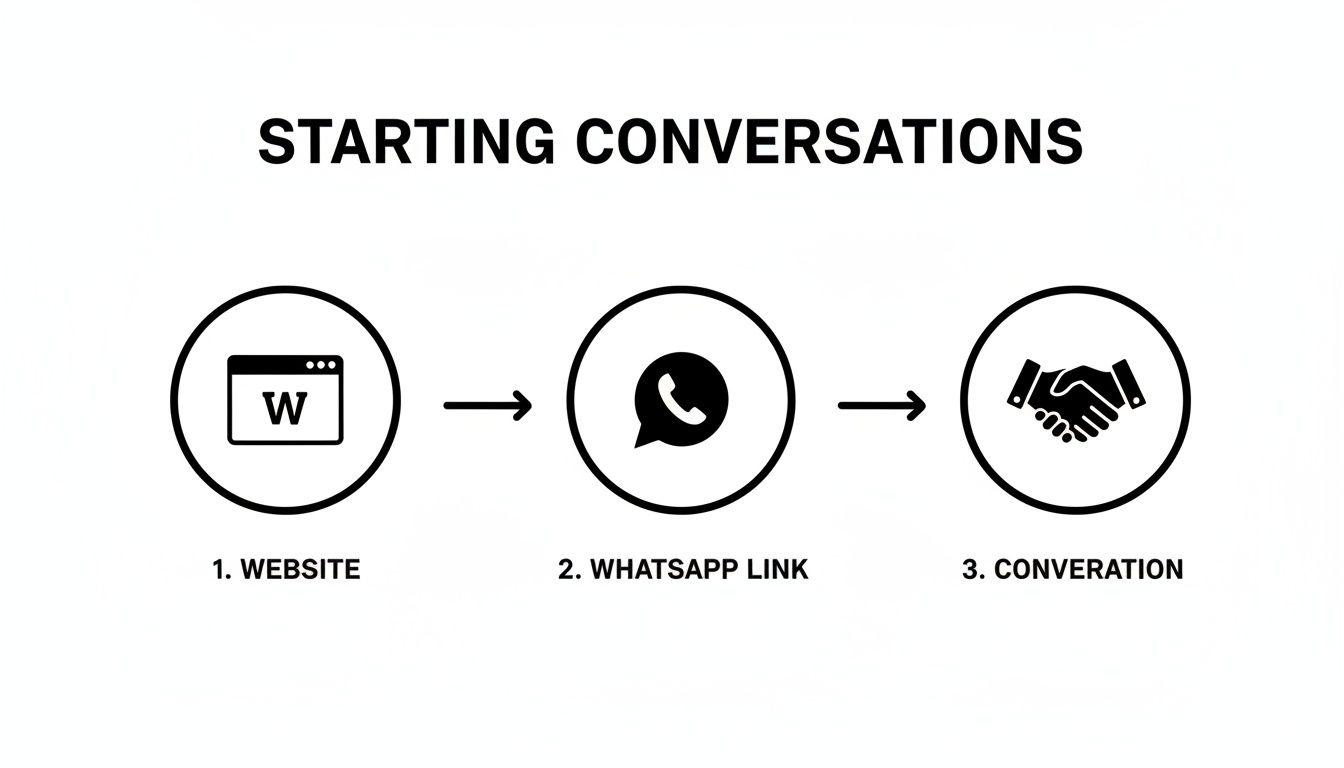
This simple bridge removes the friction—no more asking customers to save your number first. They just click and chat.
The Basic Link Structure
The standard format is clean and easy to remember. All you need is the wa.me/ prefix followed by the full phone number in international format.
Here’s the breakdown:
- The Foundation: Start with
https://wa.me/ - The Number: Add your complete phone number, including the country and area code. The trick is to leave out any special characters. That means no plus signs (+), parentheses, hyphens (-), or leading zeros.
Let's say your US number is +1 (555) 123-4567. Your link would simply be https://wa.me/15551234567.
That's it. Anyone who clicks that link gets dropped right into a chat screen with you. It’s a powerful, actionable element, and it's a key part of understanding the real meaning of a link in bio.
Adding a Pre-Filled Message for Smarter Conversations
Want to take it a step further? You can add a pre-filled message to your link. This is a game-changer because it guides the conversation from the very first click, giving users a prompt so they know exactly what to say. It's perfect for product inquiries, support requests, or specific calls to action.
To do this, just append ?text= to the end of your basic link, followed by your message. The only catch is that you need to replace any spaces in your message with %20.
My Two Cents: Don't let the
%20part intimidate you. It's just how web browsers handle spaces inside a URL. Getting this right ensures your message appears perfectly formatted for every single user.
For example, if you want the message to read "Hi! I am interested in your services," your full link would look like this:
https://wa.me/15551234567?text=Hi!%20I%20am%20interested%20in%20your%20services.
If you'd rather not manually add the %20 for every space, a dedicated WhatsApp Link Generator can build the URL for you in seconds.
WhatsApp Link Formats at a Glance
To make things even clearer, here’s a quick comparison of the two main link formats you’ll be using.
| Link Type | URL Structure | Example Usage |
|---|---|---|
| Standard Link | https://wa.me/YourNumber |
https://wa.me/15551234567 |
| Link with Message | https://wa.me/YourNumber?text=Your%20Message |
https://wa.me/15551234567?text=Hi!%20Let's%20talk. |
Keep this table handy as a reference. Whether you need a simple contact link or a targeted conversation starter, these two formats have you covered for almost any situation.
Bring Your WhatsApp Link Into the Real World with QR Codes
Your WhatsApp link is fantastic for online connections, but what about bridging the gap between your digital presence and the physical world? This is where QR codes come in, and honestly, it’s a game-changer.
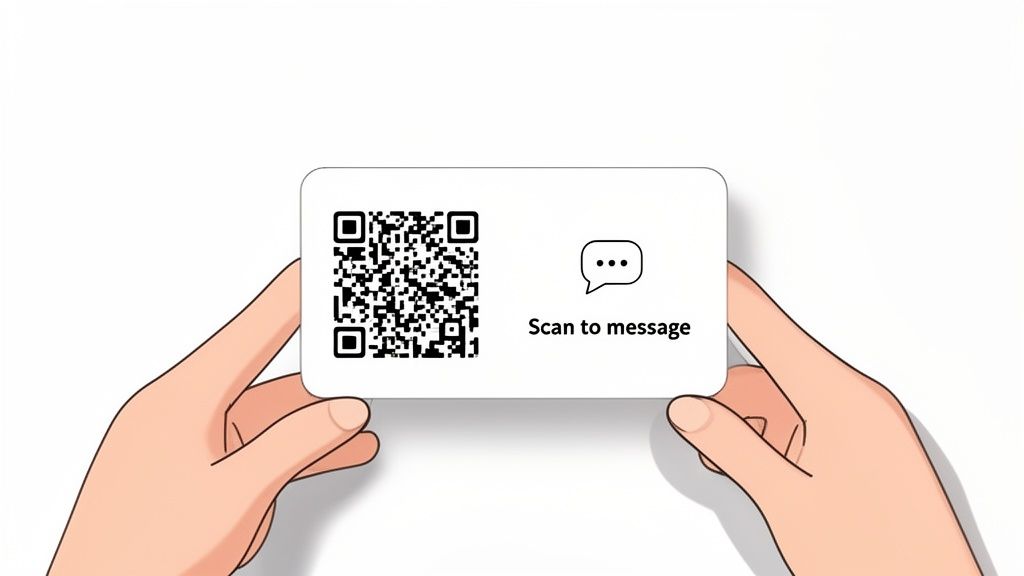
Imagine a customer is looking at your product in a store or at a trade show. How do you get them to message you right then and there, at the peak of their interest? You make it ridiculously easy. A simple scan is all it takes to open a chat. No typing, no saving numbers, just instant connection.
Where to Use Your WhatsApp QR Code
The real magic happens when you start placing these QR codes in strategic spots. Think of them as interactive shortcuts that turn your static marketing materials into active conversation starters.
I’ve seen businesses get creative with this in so many ways:
- Business Cards: Ditch the old-school phone number and add a "Scan to Chat" QR code. A new contact can message you on the spot instead of letting your card collect dust.
- Product Packaging: A QR code on your label can open a pre-filled message like, "Hi, I have a question about this product!" It’s instant, frictionless customer support.
- Event Banners & Posters: A big, bold QR code on a banner is far more effective than just printing a URL. Attendees can scan from a distance and you can capture leads in real time.
- Restaurant Menus or Tables: Let customers scan to ask about ingredients, make a reservation for next time, or even leave feedback directly.
A QR code's power lies in its immediacy. It captures a fleeting moment of interest and converts it into a digital conversation before the person moves on. It’s the same core principle behind a high-performing digital landing page designed for conversions.
Getting started is simple. Just take your complete WhatsApp link (the one with the pre-filled message, ideally) and pop it into any free online QR code generator. Many tools will even let you customize the colors and add your logo, making it a seamless part of your branding.
Supercharge Your Link in Bio with a WhatsApp Widget
Let's be honest: your link-in-bio page is some of the most valuable digital real estate you've got. But just listing a plain URL is a missed opportunity. Why not turn it into a lead-generating powerhouse with a dedicated WhatsApp widget? This goes way beyond a simple hyperlink, creating a bold, visual call-to-action that practically begs for engagement.
Tools like Taap.bio are perfect for this. Their bento-box grid lets you strategically place a prominent WhatsApp block right next to your other important content, like your Instagram feed or latest YouTube videos. By doing this, you're not just giving people a link—you're making your WhatsApp contact point impossible to ignore. If you're shopping around, we've reviewed several options in our guide to the best link-in-bio tools.
Design Your Call to Action
This is where you can get creative and make a real impact. Don't just settle for a generic "WhatsApp" label. You need to tailor the text to your audience and what you want them to do.
Think about what drives action for your specific niche:
- For Coaches: "Chat with me!"
- For Service Businesses: "Get a Free Quote"
- For Creators: "Ask Me Anything"
In Taap.bio, you can even resize the block to make it stand out. A larger, more eye-catching block naturally draws attention and gets more clicks, turning your page into a direct line for client inquiries and community interaction.
Here’s a great example of how a "Chat with me!" WhatsApp widget can sit right alongside other social media links, making it a central part of the page.
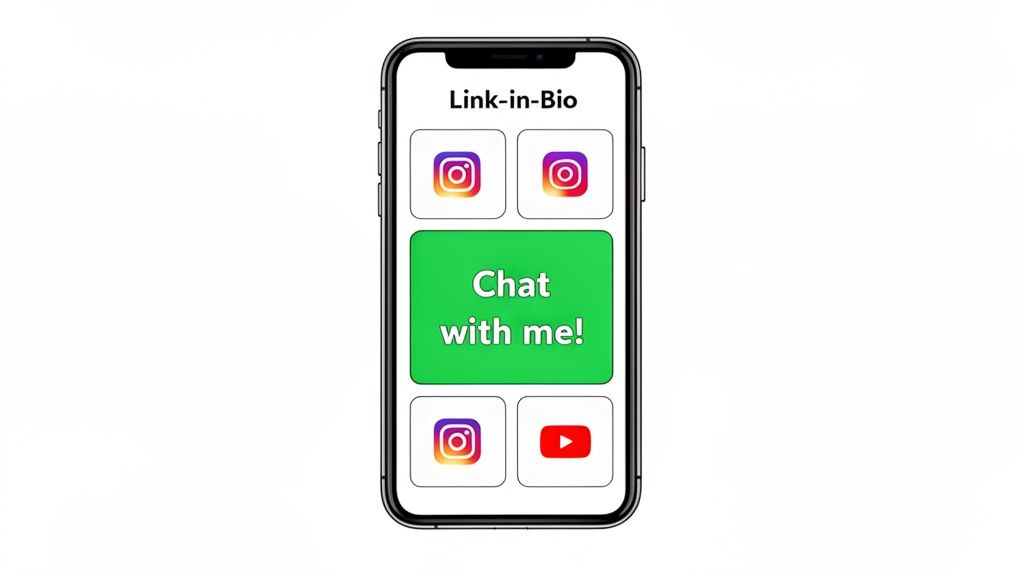
This kind of strategic placement turns a passive list of links into an active conversation starter, making it incredibly easy for visitors to connect.
By integrating a WhatsApp link this way, you're not just sharing contact info; you're actively inviting a conversation at the exact moment a visitor is most engaged with your profile.
And the results speak for themselves. WhatsApp messages have an almost unbelievable 98% open rate, and business messages can see click-through rates as high as 60%. That blows email and even SMS out of the water. When you add a pre-filled message, you also eliminate the friction that causes up to 80% of users to abandon mobile forms. You’re turning a simple click into a warm lead.
What to Do When Your WhatsApp Link Breaks
Even when you think you’ve done everything right, a WhatsApp link can sometimes throw a curveball. A broken link is a dead end for a customer, stopping a conversation before it even starts. Let’s walk through the most common hiccups I see and how to fix them, so your connections are always seamless.
The “Phone Number Isn’t on WhatsApp” Error
This is, without a doubt, the most frequent issue. Almost every time, it boils down to a simple formatting mistake. You need to be ruthless about what’s in that number string.
Go back and look closely at your link. It's incredibly easy to accidentally leave in a + symbol, dashes, or parentheses from copying it somewhere else. The link structure demands only the country code and the number itself, with zero other characters.
Jumbled or Broken Pre-filled Messages
The second most common headache is a pre-filled message that looks like gibberish or gets cut off. If you see this, you’re almost certainly dealing with an encoding problem. Characters that have special meaning in a URL—like ampersands (&), question marks (?), or even certain emojis—need to be properly URL-encoded to transmit correctly.
My Pro Tip: Before you push a link live, always test it yourself. I can't stress this enough. Send it to a friend or a secondary number and see exactly how it lands on their device. This simple, two-second check catches 99% of issues before your audience ever sees them.
Your Go-To Troubleshooting Checklist
Still stuck? Run through this quick diagnostic. It’s usually one of these three things:
- Ditch the Plus Sign: The URL should never have a
+. It should look likewa.me/1..., notwa.me/+1.... - Double-Check the Country Code: Are you absolutely sure you’re using the right one for your region? A simple typo here will break the entire link.
- Encode Your Spaces: In your pre-filled message text, every single space has to be replaced with
%20. No exceptions.
A Few Common Questions About WhatsApp Links
Once you start putting WhatsApp links out into the world, you'll inevitably run into a few practical questions. Let's clear up some of the most common ones so you can use these links with confidence and avoid any hiccups.
Do I Really Need a WhatsApp Business Account for This?
This is the first question on everyone's mind, and the answer is a simple no. You absolutely do not need a WhatsApp Business account to create a basic wa.me link. The click-to-chat feature works perfectly with a regular, personal WhatsApp number.
This is fantastic for freelancers, artists, or anyone who just wants an easy way for people to reach them without the hassle of setting up a formal business profile.
What Happens if Someone Clicks My Link but Doesn’t Have WhatsApp?
Great question. You're not going to lose a potential lead. The system is designed to handle this gracefully.
If someone taps your link on their phone and doesn't have the app, they'll be sent straight to the Apple App Store or Google Play Store to download it. It’s a smart redirect that removes all the friction.
The beauty of the
wa.mesystem is how it anticipates user needs. It creates a smooth path for everyone to connect with you, whether they're a long-time user or brand new to the app.
On a desktop computer, they'll see a web page that gives them the option to open WhatsApp Web or download the desktop app. It's a win-win. To see how different platforms handle user experience, check out our breakdown of what Linktree does and how modern alternatives compare.
Is It Safe to Put My Phone Number Out There Like That?
This is a totally valid concern. When you create a WhatsApp link, your phone number is right there in the URL for anyone to see. You're right to be cautious.
Here are a couple of tried-and-true ways to handle this:
- Get a dedicated number. For just a few bucks a month, you can get a separate SIM card or use a virtual number service (like Google Voice). This keeps your personal number completely private.
- Adjust your privacy settings. Dive into your WhatsApp settings and lock down who can see your profile picture, status, and last seen. I recommend setting these to "My Contacts" so only people you've saved can see your personal info.
With these simple precautions, you can enjoy all the benefits of direct communication without sacrificing your privacy.
Ready to transform your link-in-bio into a visual masterpiece? With Taap.bio, you can create stunning, bento-box style pages that truly stand out. Drag, drop, and design your perfect page today at https://taap.bio.