
So, what’s this “link in bio” everyone keeps talking about?
Let's get right to it. Your link in bio is that one, single, clickable URL you get to put in your social media profile. It's the simple but brilliant answer to a major headache: platforms like Instagram and TikTok don't let you put live links in your individual posts. This one link is your escape hatch.
Table of contents
What Does Link in Bio Actually Mean?
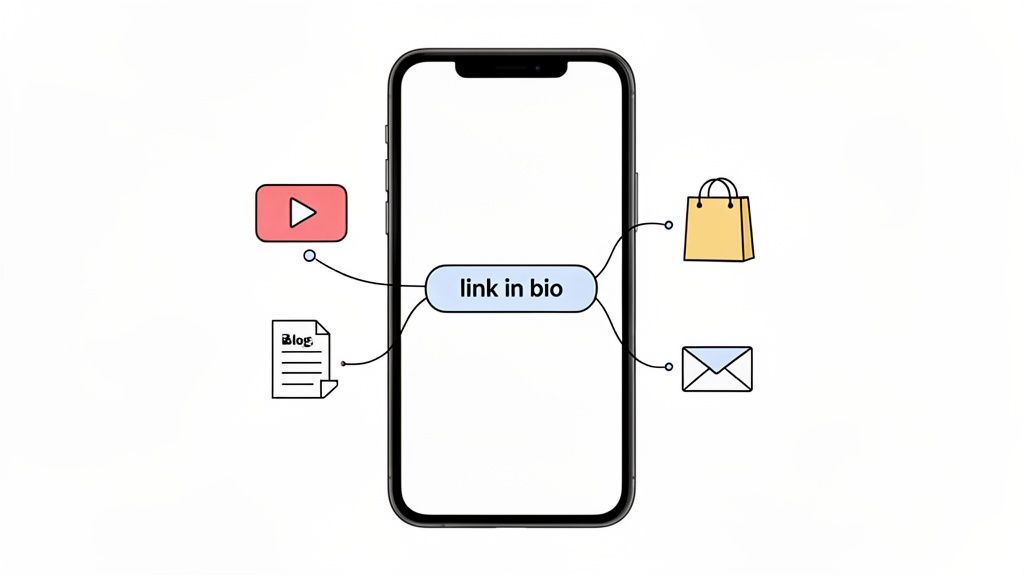
Think of it as your digital front door. It’s the central hub you point your followers to when they want to see your new YouTube video, shop your latest collection, read your blog, or sign up for your newsletter. What started as a clever workaround has blossomed into one of the most powerful tools a creator or brand can have.
From Workaround to Essential Tool
The phrase "link in bio" was literally born from a limitation. Social media platforms want to keep you on their app, so they make it tough to link out. This forced everyone to get creative, and the bio section became the go-to spot for sending traffic anywhere else. This once-scrappy solution is now standard operating procedure.
But it didn't stay just a simple URL for long. The concept has grown far beyond a static link to a homepage.
Here’s a quick look at how the link in bio has transformed over the years.
The Evolution of the Link in Bio
| Phase | Description | Primary Use Case |
|---|---|---|
| Phase 1: The Single URL | A simple, direct link to a homepage or a single destination. | Driving all traffic to one primary website. |
| Phase 2: The Link List | Tools like Linktree emerged, turning the single URL into a list of multiple links. | Consolidating several important links in one place. |
| Phase 3: The Micro-Page | The link in bio became a fully customizable, modular landing page with interactive content. | Creating an immersive brand experience directly from social media. |
What this table really shows is a shift from a simple utility to a strategic marketing channel.
Your link in bio is more than just a URL; it’s a curated experience. It’s the bridge between a follower’s passive curiosity and their active engagement with your brand, content, or products.
The Strategic Power of a Single Click
Once you grasp what a link in bio truly is, you can start to see its real power. It's your most direct shot at turning a casual follower into a dedicated customer, a loyal subscriber, or a true fan. By bringing all your important stuff together in one place, you're not just organizing—you're strategizing.
A well-optimized link in bio helps you:
- Consolidate Your Traffic: Funnel everyone from all your social channels into one organized, easy-to-navigate space.
- Create a Better User Experience: Your followers can find exactly what they’re looking for in seconds, no hunting required. For more ideas on this, check out the ultimate link in bio guide on jpkdesignco.com.
- Drive More Conversions: It gives people a straight line to your sales pages, email sign-ups, and event registrations.
Ultimately, that little link gives you back control. It lets you guide your audience's journey and tell them exactly where you want them to go next.
Why Your Link in Bio Is a Strategic Asset
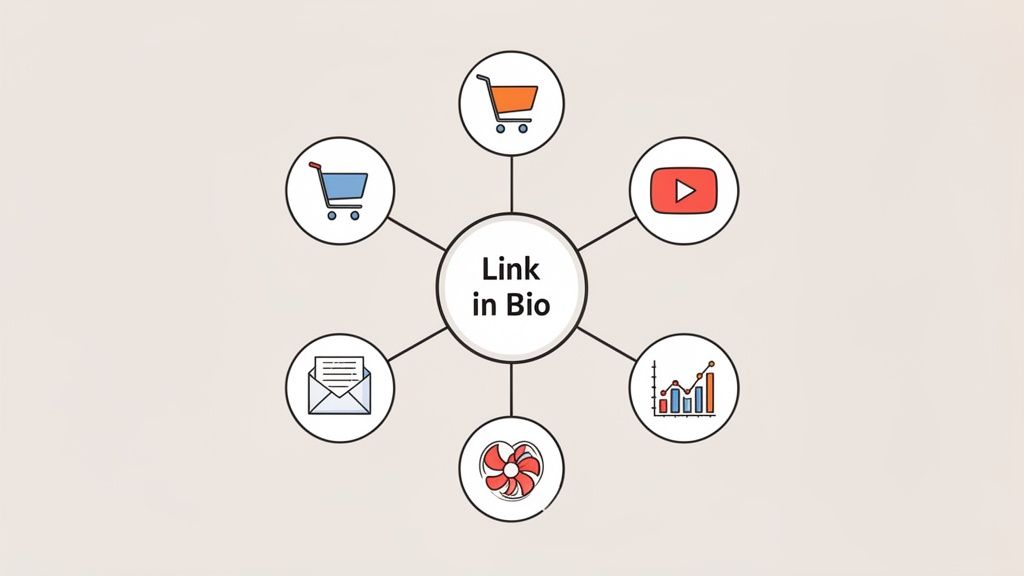
It’s easy to dismiss that single clickable URL in your profile as just another link. But in reality, it's so much more than a simple navigation tool—it's your digital headquarters.
Think of it as your own little corner of the internet where you get to call the shots. While social media algorithms decide who sees your content, your link in bio page is a space where you are completely in control. It's your chance to turn scattered followers from different platforms into a focused, engaged audience.
Your Digital Command Center
A well-crafted link in bio page does more than just list links; it’s a strategic hub that turns passive scrolling into real action. This is where casual curiosity can blossom into genuine connection and conversion.
Here’s what a great link in bio page can do for you:
- Drive Targeted Sales: Send followers directly to your new product launch, a flash sale, or a specific collection. You're shortening the path from "I want that!" to "I bought that!"
- Capture High-Quality Leads: Effortlessly grow your email list by embedding a newsletter sign-up, offering a free download, or linking to a consultation form.
- Promote Your Best Content: Funnel traffic to your latest YouTube video, blog post, or podcast episode. It ensures your most valuable work actually gets seen.
- Build a Cohesive Brand: Create a visually consistent experience that tells your brand's story way beyond what a simple social profile allows.
By putting all your important calls-to-action in one place, you make it dead simple for your audience to take that next step. This isn't just a link; it's a conversion engine.
Ultimately, grasping the strategic link in bio meaning is about a shift in mindset. Stop seeing it as a minor utility and start recognizing it for what it truly is: your single most powerful tool for turning followers into loyal customers and die-hard fans.
Moving Beyond Simple Link Lists to Dynamic Hubs
Not all "link in bio" pages are built the same. When these tools first hit the scene, the standard was a simple, vertical list of buttons. It was a perfectly functional solution for its time—a basic digital directory that did the job of collecting your links in one spot. But functional isn't the same thing as engaging.
This old-school approach often creates a "wall of buttons," forcing your followers to scan every single one to find what they're looking for. It offers no visual hierarchy or personality, giving your brand new video the same weight as your standard contact form. This is where the whole concept of a "link in bio" page has really started to change.
From Static Lists to Visual Playgrounds
The best "link in bio" pages have transformed from boring directories into exciting, mini-homepages. The modern alternative is a dynamic, modular grid—a visually rich, interactive space that acts as your brand’s digital storefront.
Think of it like the difference between a grocery list and a bento box. The list is practical, sure, but the bento box is a full experience. Every item has its own perfectly sized compartment, arranged in a way that’s both appealing and easy to dive into.
A modular grid gives you the freedom to build an immersive experience that encourages people to explore, not just click a single link and leave. It turns your page from a simple utility into a memorable destination for your brand.
This grid-based design lets you create a powerful visual hierarchy. You can make your most important call-to-action the biggest, boldest block on the page, drawing immediate attention. At the same time, secondary links can be smaller, creating a natural and intuitive path for your visitor's eye to follow.
With a grid, you're not stuck with just plain text links. You can mix and match all kinds of media, right next to each other:
- Embed your latest YouTube video right beside a sign-up form for your newsletter.
- Showcase a live feed of your Instagram posts alongside a link to your online shop.
- Feature a playable Spotify track directly above a button for your tour dates.
This approach turns your page from a passive list into an active hub, grabbing attention and keeping your audience on your page for much longer.
Now, let's break down exactly how these two approaches stack up against each other.
Link Lists vs. Modular Grids: A Comparison
The difference between a basic link list and a modular grid is more than just looks; it fundamentally changes how your audience interacts with your content. The table below highlights the key distinctions between traditional tools like Linktree and modern modular platforms like Taap.bio.
| Feature | Traditional Link List (e.g., Linktree) | Modular Grid (e.g., Taap.bio) |
|---|---|---|
| Layout & Design | Rigid, single-column vertical list. Limited customization. | Flexible grid with resizable blocks. Full creative control. |
| Visual Hierarchy | All links appear equal, making it hard to prioritize. | Emphasize key content with larger blocks and strategic placement. |
| Content Types | Primarily text-based links and basic embeds. | Supports rich media: video, audio, forms, product feeds, and more. |
| User Engagement | Encourages a single click-through, leading to high bounce rates. | Promotes exploration and interaction directly on the page. |
| Brand Expression | Often generic-looking, with limited branding options. | Creates a unique, on-brand micro-homepage that stands out. |
| Mobile Experience | A long, scrollable list that can feel tedious on mobile. | A dynamic, visually scannable experience that feels native to mobile. |
| Best For | Users with a few simple links who need a basic directory. | Creators & businesses wanting a branded, interactive content hub. |
Ultimately, while link lists were a great starting point, they feel restrictive in today's visually-driven world. A modular grid, on the other hand, empowers you to create a truly representative and effective hub for your brand, turning a simple link into a powerful marketing tool.
Optimizing Your Page for Maximum Engagement
Just having a link in bio page isn't enough. The real magic happens when you turn that page into a powerful tool for engagement, and that all comes down to smart design. Your goal is to gently guide your visitor's attention exactly where you want it to go, making it effortless for them to take that next step.
Think about it from a user's perspective. What's the single most important action you want them to take right now? Is it checking out your new product, watching your latest video, or signing up for your newsletter? Whatever it is, make it impossible to miss. Put it right at the top or use a design that makes it pop. This one simple move can make a huge difference in your click-through rates.
Designing for a Mobile World
Never forget where your audience is clicking from. The vast majority of people will tap your bio link while scrolling on their phones, which means a mobile-first design isn't just a nice-to-have—it's everything. A page that works beautifully on a phone can boost engagement by up to 50%, because a clunky, hard-to-read layout is a surefire way to lose someone's interest in seconds.
The experience has to be seamless. Buttons should be big enough to tap easily, and the text needs to be scannable at a quick glance. You only have a few moments to grab their attention before they're gone.
Creating a Cohesive Brand Experience
Your link in bio page should feel like a natural extension of your brand, not some random, third-party detour. Consistency builds trust. Use your brand’s signature colors, fonts, and logo to create a smooth, familiar journey from your social media profile to your page. It reinforces who you are and makes the whole experience feel polished and professional.
The ultimate goal is to strike a perfect balance between offering valuable options and avoiding 'decision fatigue.' Too many choices can be just as bad as too few, leading to confusion and abandonment.
To really see how far these pages have come, just look at the evolution from a simple list to a dynamic, personal hub.
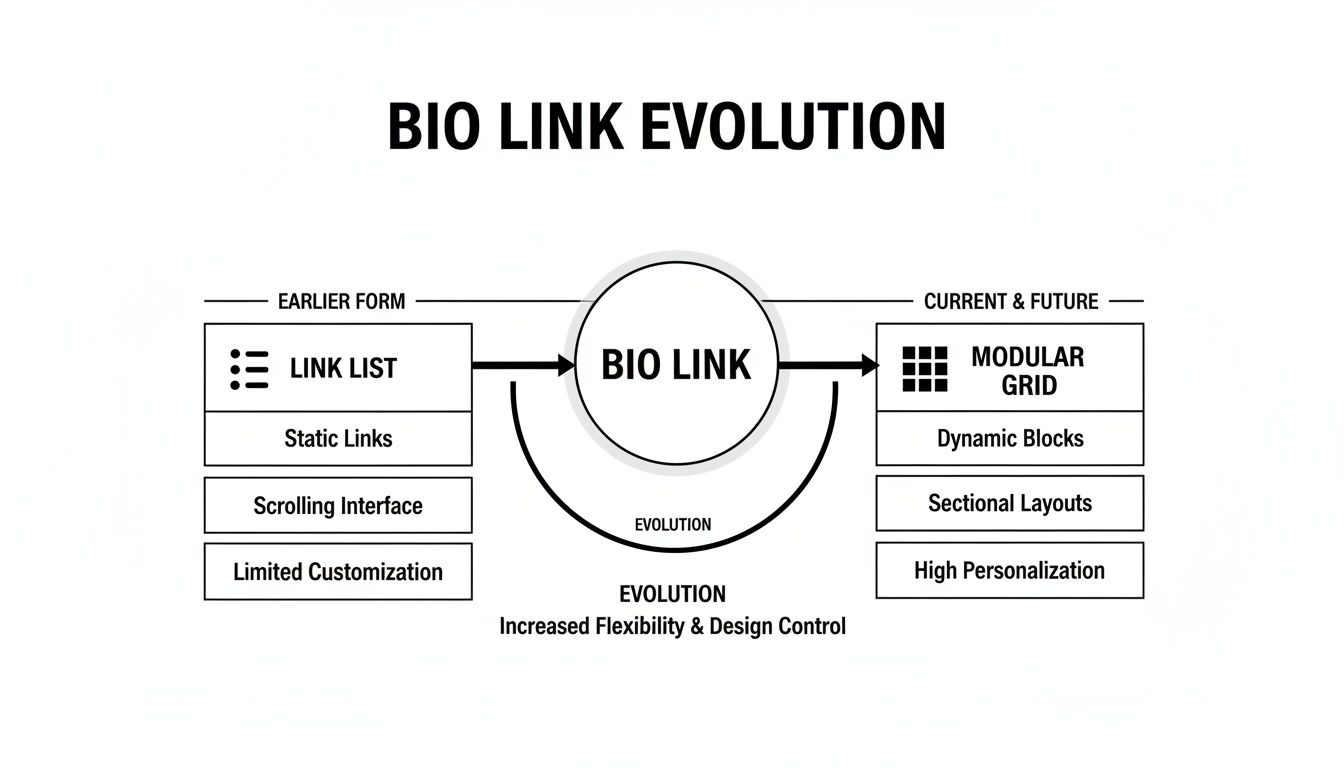
The shift is clear: we've moved from basic link dumps to engaging, modular layouts. To keep things clean and effective, most experts agree that focusing on 3-7 key links is the sweet spot. You can get more insights on tracking link in bio performance to see what really resonates with your specific audience.
Meet Taap: Your Digital Bento Box
While the first wave of link-in-bio tools was a solid start, the game has changed. We're moving beyond simple, boring lists. The new standard is all about creating a "digital bento box"—a concept that turns your page from a static menu into a living, breathing dashboard of your entire online world.
It's a fundamental shift in thinking. Your link in bio isn't just a functional pit stop anymore; it's a destination.
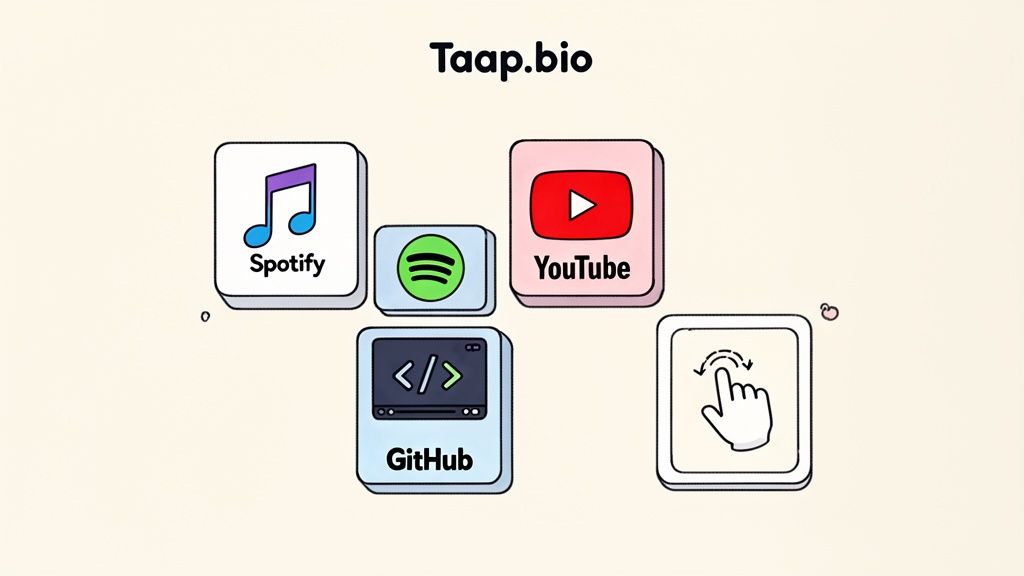
The idea is simple: give creators total freedom. Forget being stuck with a rigid, top-to-bottom template. Imagine a flexible canvas where you call the shots. With a drag-and-drop builder, you can place content blocks anywhere you want, crafting beautiful, asymmetrical layouts that immediately grab attention. That's what separates a forgettable page from a powerful brand experience.
From Static Links to Smart Widgets
The real magic happens when you swap plain old links for smart widgets. A simple link just sends someone away from your page. A smart widget, on the other hand, brings your best content directly to them, right then and there. This is the new link in bio meaning—it's not a directory, it's an interactive hub.
Think about what this means for your audience. They land on your page and can instantly:
- Stream Your Music: A visitor can hit play on your latest Spotify track or podcast episode without ever leaving.
- Watch Your Videos: Your newest YouTube video is right there, embedded and ready to watch on the spot.
- See Your Work: A developer can show off their GitHub contribution graph, which updates in real-time.
This approach transforms your page into an immersive destination. It’s no longer a brief stop on the way to somewhere else; it’s a place where your audience can actively engage with your content, increasing the time they spend connecting with your brand.
Building Your Unique Digital Space
This modular approach gives you the power to tell a visual story. You can make your most important call-to-action a big, bold block, then arrange smaller widgets around it to showcase different sides of your brand or personality. Each block is its own little compartment in your digital bento box.
When you combine this design freedom with the power of smart widgets, your link in bio page becomes so much more than a list of URLs. To see it in action, you can build your own interactive hub with a tool like Taap.bio, a platform designed from the ground up for this modern, widget-first approach. It’s all about creating an experience that’s as unique and multifaceted as you are.
Got Questions? We've Got Answers.
Even after you've got the basics down, a few questions always seem to come up as you start building your own link in bio page. Getting these details right can be the difference between a page that just sits there and one that actually works for you. Let's tackle some of the most common ones I hear.
How Many Links is Too Many?
There isn't a single magic number, but I've found the sweet spot is usually somewhere between three and seven links. This gives people enough choice to find what they're looking for—your shop, a new blog post, your YouTube channel—without paralyzing them with too many options. Think of it like a restaurant menu; too many choices can feel overwhelming.
The most important thing? Make it obvious what you want them to do first. Your number one, most critical link should be right at the top or designed to be the most eye-catching thing on the page. No one should have to guess what's most important.
Can I Use This on More Than Just Instagram?
Absolutely! The whole "link in bio" concept might have started on Instagram and TikTok because of their one-link rule, but the tool itself is a powerhouse for centralizing your digital life anywhere. If a platform has a spot for a single website link, that's where your link in bio page belongs.
You should definitely be using it on:
- X (formerly Twitter) to give your followers a roadmap beyond the character limit.
- LinkedIn to neatly package your portfolio, services, and featured articles.
- Pinterest to turn visual discovery into direct action.
- Your email signature, making it effortless for every contact to see all you have to offer.
Is a Link in Bio Page the Same as a Website?
Nope. It's better to think of them as partners in crime, each with a very different job.
Your link in bio page is the fast, mobile-friendly front porch built for a quick hello from social media. Your website is the deep-dive destination, the living room where you can share the whole story.
The best approach is to use your link in bio page to greet people at the door. It gives them a quick, curated tour of your greatest hits, and one of those "hits" should absolutely be a link to your main website for anyone who wants to stick around and learn more.
Ready to create a hub that's more than just a list of links? With Taap.bio, you can build a stunning, interactive "bento box" of your digital world with smart widgets and a totally custom grid. Start building your free page today!


