When you're weighing Beacons vs Linktree, it really boils down to a single, critical question: Are you looking for a straightforward link hub, or do you need a full-blown creator storefront?
Linktree has long been the champion of simple, clean link sharing. It's the go-to for anyone who just needs to get up and running fast. Beacons, on the other hand, is built from the ground up as an all-in-one monetization platform for creators who are serious about turning their passion into a business.
The Ultimate Link-In-Bio Decision
Your link-in-bio page is more than just a list of URLs; it's the front door to your entire online world. For years, Linktree was the undisputed king, offering a reliable, no-fuss way to put all your social profiles, affiliate links, and websites onto one mobile-friendly page. Its entire philosophy is built around speed and simplicity.
Beacons came onto the scene with a completely different playbook. It’s for the creator who wants to do more than just point people to other places. They want to sell digital products, book coaching calls, and capture emails right from their link-in-bio page. This shifts the Beacons vs Linktree debate from "which is better?" to "which one actually fits my goals?"
To help you see the difference at a glance, here’s a quick breakdown of how they compare on the things that matter most.
Beacons vs Linktree Core Feature Comparison
This table gives you a high-level overview of their core philosophies. Think of it as your cheat sheet for understanding where each platform truly shines.
| Category | Linktree | Beacons |
|---|---|---|
| Primary Use Case | Efficiently sharing multiple links | Building a creator business storefront |
| Monetization Focus | Tipping and affiliate links | Digital products, services, appointments |
| Customization | List-based layout with themes | Block-based, modular layout |
| Transaction Fees | Variable, can be up to 10% | 0%–9% depending on the plan |
| Target Audience | Beginners, influencers, brands | Entrepreneurial creators, coaches |
As you can see, Linktree is all about directing traffic, while Beacons is about creating a destination. One is a signpost, the other is a storefront.
This side-by-side look at their mobile app interfaces really drives home the difference in their approach to design and functionality.
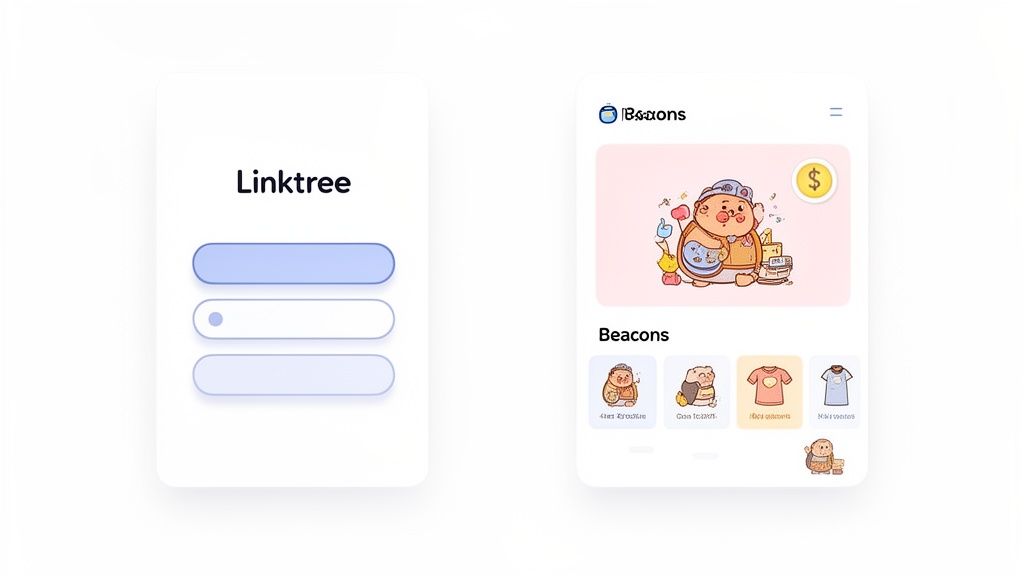
You can immediately spot Linktree's classic, button-stack design. It’s familiar and effective. In contrast, Beacons uses a more integrated block system, letting you embed things like an email sign-up form directly on the page, which is a game-changer for lead generation.
For those of you coming from Bento.me and missing that high degree of visual freedom, neither platform will feel like a perfect replacement. But figuring out their core purpose is the first step to finding a new home for your links. If your priority is rich visual storytelling with powerful integrations, it might be worth exploring an alternative like http://taap.bio/, which is built around a highly flexible, grid-based system.
Table of contents
Design and User Experience: A Tale of Two Philosophies
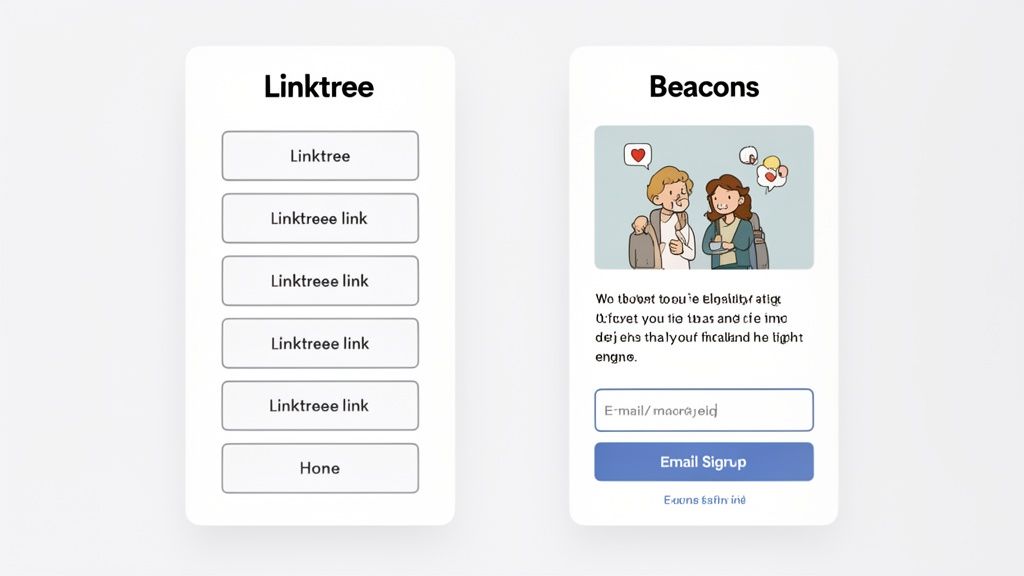
Your link-in-bio page is your digital handshake. It’s often the very first, meaningful interaction a follower has with your world beyond their social feed. That first impression hinges entirely on the user experience and design flexibility of the tool you choose.
When it comes to Beacons vs Linktree, this is where you see their fundamental differences come to life. They don't just offer different features; they represent two distinct approaches to building your online presence.
Linktree has always been about speed and simplicity. Its interface is legendary for being direct: you get a vertical stack of buttons, and you can get it live in minutes. If your goal is to set up a clean, functional page without a fuss, Linktree absolutely nails it.
But that simplicity is a double-edged sword. While it’s fantastic for pointing people to your most important links, the creative ceiling is quite low. The user experience is predictable, but every page built with it feels like a Linktree page.
Beacons, on the other hand, gives you a box of building blocks. Its modular system lets you assemble a page that feels less like a directory and more like a dynamic mini-website or a slick digital zine.
Layout Control and Customization
With Linktree, you’re essentially redecorating a room with a fixed floor plan. You have a solid set of options to make it your own.
- Backgrounds: Pick from solid colors, gradients, or upload your own branded images.
- Buttons: Tweak the shapes, colors, and drop shadows to your heart's content.
- Fonts: Choose from a library of fonts to match your brand's voice.
But no matter how much you change the paint and wallpaper, the layout is non-negotiable. Everything—a link, a video, a song—is presented as another button in the stack. To see a YouTube video, your visitor has to click a button, which then opens a pop-up player.
Beacons throws out that rigid structure entirely. Its block editor lets you mix and match content, creating a much richer and more engaging experience for your audience. You can control the flow and guide your visitor's attention.
Imagine a page that leads with a bold email signup form, flows into a text block introducing your latest project, features an embedded YouTube video that plays right on the page, and then finishes with a grid of your key links. That kind of journey transforms your page from a simple list into an interactive destination.
Key Differentiator: Linktree flattens all content into a uniform list of buttons, forcing users to click out to view media. Beacons lets you embed content—like video players and forms—directly onto the page, allowing visitors to engage without ever leaving.
The User Interface Showdown
Both platforms are easy to use, but they’re optimized for very different results. Linktree’s editor is a simple, linear dashboard where you add links one after another. It's incredibly fast.
Beacons uses a drag-and-drop block editor that feels more like a modern website builder (Webflow, anyone?). It might take a few extra minutes to get the hang of, but the creative payoff is huge. You can visually arrange text, media, and monetization blocks to craft a specific narrative.
For example, an author launching a book could use Beacons to:
- Start with a big, beautiful image of the book cover.
- Follow up with a text block sharing a juicy synopsis.
- Embed a book trailer that plays instantly on the page.
- Finish with clear call-to-action buttons to retailers like Amazon and Barnes & Noble.
You simply can't tell that kind of visual story with Linktree’s button-stack format. For anyone coming from a visually-focused tool like Bento.me, the experience in Beacons will feel much more familiar and creatively satisfying.
So, while Linktree has perfected the art of the quick and effective digital business card, Beacons gives you the tools to build a genuine, branded micro-site.
A Deep Dive on Monetization and E-commerce Tools
When you're ready to turn your passion project into a real business, the conversation shifts. It's no longer just about managing links; it's about making money. This is where the Beacons vs Linktree debate gets serious, because how a platform handles your sales can make or break your bottom line.
Linktree gives you the essentials to get started. It’s a solid foundation, letting you collect tips or point your audience to your existing storefronts on platforms like Shopify or Spring. If you're just testing the monetization waters or already have a powerful e-commerce setup elsewhere, this works perfectly.
But Beacons was built from the ground up with monetization at its core. It’s not about sending your audience away—it’s about closing the deal right then and there. Beacons effectively turns your link-in-bio page into an integrated, high-converting storefront.
Selling Digital Products and Services
The biggest difference comes down to how you make direct sales. Beacons packs a full suite of tools designed specifically for the creator economy, all built-in.
- Digital Products: Got an e-book, a pack of presets, or a handy template? You can upload and sell it directly on your Beacons page. The entire journey for your customer, from discovery to download, happens in one seamless flow.
- Appointment Booking: If you're a coach or consultant, you can embed a calendar to sell one-on-one sessions. No need to juggle a separate booking service and send people bouncing around the web.
- Paid Requests: Want to offer personalized video shout-outs or paid Q&As? Beacons has a native block for that, letting you manage and monetize custom content requests effortlessly.
Linktree, on the other hand, is more of a middleman. It does a great job integrating with services like SendOwl and Shopify, but its main function is to pass traffic along. This means your customer has to leave your Linktree, adding an extra step and a potential drop-off point in your sales funnel.
For creators building a business, the difference is clear. Linktree helps you point to where you sell, while Beacons provides the tools to build the store itself.
The Critical Role of Transaction Fees
Think of transaction fees as a hidden tax on your income. Nailing down what you'll actually pay is crucial, and a side-by-side look at Beacons and Linktree reveals a huge financial difference for serious sellers.
Linktree’s fee structure can feel a bit murky. They'll often say fees are 0% for a "limited time" on some plans, but historically, they've charged anywhere from 0.5% to 10%. That kind of variability makes it incredibly tough to predict your actual take-home pay.
Beacons is much more straightforward with a tiered structure that actually rewards you for growing. The free plan starts you off with a 9% transaction fee. While that's on the higher side, it lets you start selling immediately with zero upfront investment. The real magic happens when you upgrade.
For instance, Linktree’s Pro plan is $6/month, which appeals to the 70% of their free users who upgrade for better analytics. But check this out: Beacons' paid plans start at $10/month and dramatically cut those transaction fees. On their Business Pro plan ($42/month billed annually), the fee drops to 0%. For a creator making $50,000 in sales, that could mean saving up to $5,000 a year. You can dig deeper into these pricing models and their impact over at music.loop.fans. As your sales grow, upgrading your Beacons plan quickly pays for itself.
Tools That Fuel Your Business Growth
Beyond just selling things, Beacons gives you tools to run your operation like a pro. These are features you simply won't find on Linktree, which stays laser-focused on link aggregation.
A standout feature is the Media Kit Generator. Beacons automatically pulls your audience analytics to create a slick, professional media kit. This is a game-changer when you're pitching brand partnerships and sponsorships. It even helps you calculate fair pricing for sponsored content and generate invoices.
This "business-in-a-box" approach makes Beacons feel more like a central headquarters for your creator business. It doesn't just help you make money; it gives you the backend infrastructure to manage and grow professionally. For anyone serious about scaling their income—from digital products to brand deals—this integrated toolkit gives Beacons a powerful edge over Linktree's more focused, link-centric model.
Analytics and Audience Growth Features
Let’s be honest: knowing your audience is everything. It's the difference between guessing what works and knowing what drives growth. When it comes to analytics, Beacons and Linktree have fundamentally different philosophies. Data isn't just about counting clicks; it's about making smart decisions for your content, your products, and your strategy.
Linktree gives you the essentials, and it does it well. You get clear, straightforward data on click-through rates for each link and a basic geographic breakdown of your audience. It's perfect for answering that first critical question: what are my followers actually clicking on?
Beacons, on the other hand, aims to be your business intelligence dashboard. It doesn't just stop at clicks. It digs deeper to give you insights that connect directly to your revenue and audience-building efforts.
The Depth of Data: Beacons vs. Linktree
The real difference comes down to the questions each platform helps you answer. Linktree's analytics tell you what happened. Beacons' analytics are built to help you understand why it happened—and what you should do next.
Here’s a quick breakdown of what each tool prioritizes:
Linktree’s Focus:
- Total Views & Clicks: The basics of how many people see and interact with your page.
- Click-Through Rate (CTR): A simple way to see which links are the most popular.
- Location Data: A general idea of where your audience is from.
Beacons’ Focus:
- Revenue Source Tracking: See exactly which links, products, or services are making you money.
- Conversion Rates: Measure how effectively your digital store items are selling.
- AI-Powered Demographics: Get a much richer profile of your audience's interests and behaviors.
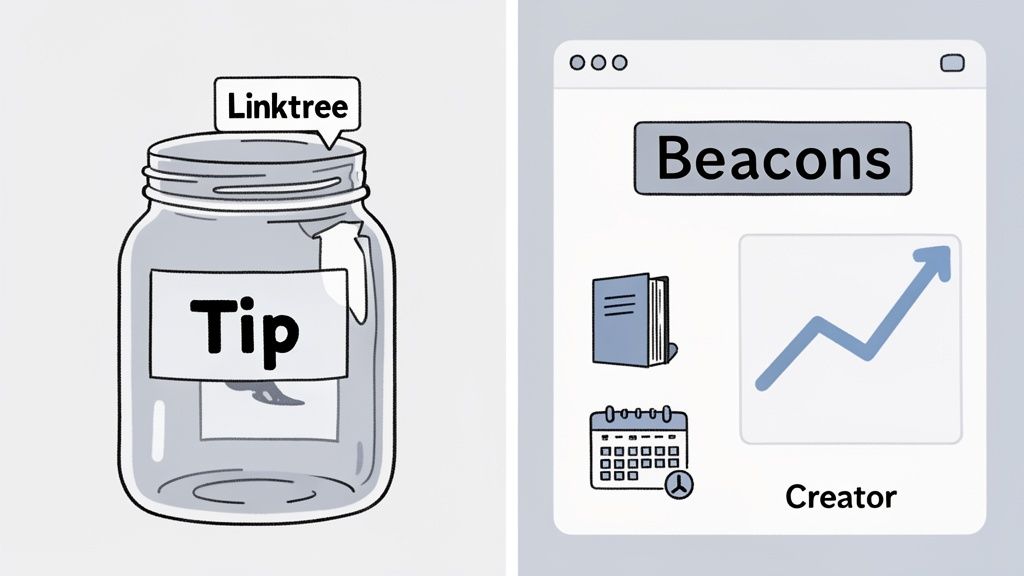
This visual from a music.loop.fans comparison really drives the point home. You can see how Beacons is built to support a wider suite of business tools, like media kits, which demand a much richer data ecosystem to function.
While Linktree highlights tipping, Beacons is shown with a whole suite of creator business tools, implying a deeper need for robust analytics to power them.
From Data Points to Actionable Strategy
Knowing your most-clicked link is useful. But knowing that a specific product converted 7% of visitors who came from TikTok? That's a game-changer. This is the strategic edge Beacons gives you. Its analytics are designed to feed directly into your monetization strategy in a way that Linktree’s more general data just can't.
Imagine a fitness coach using Beacons. They could see that their "Free 7-Day Workout Guide" has an incredibly high conversion rate among visitors from Instagram. That's a clear signal to double down on Instagram content promoting that specific guide, turning a simple insight into a powerful engine for lead generation and sales.
This isn't just theoretical. The depth of Beacons' analytics has a real impact. Case studies have shown its business intelligence features can boost user earnings by an average of 28%. In a report that analyzed 5,000 influencer pages, Beacons users also saw 18% higher audience retention, partly by using predictive analytics that forecast optimal link placements with 85% precision. You can dig into more of these performance metrics over at faqprime.com.
Key Insight: Linktree shows you traffic patterns, helping you optimize for clicks. Beacons shows you customer behavior, helping you optimize your entire sales funnel for revenue.
Audience Growth and Retention Tools
Beyond the raw numbers, Beacons also gives you tools specifically designed to grow your audience. Its built-in email and SMS marketing features let you capture leads right on your page. This creates a direct line of communication with your audience that you own, free from the whims of social media algorithms.
Sure, Linktree can connect to third-party services like Mailchimp, but Beacons makes it a native part of the platform. This tight integration means the data from your lead capture forms ties directly into the rest of your page’s analytics, giving you a seamless view of your audience’s entire journey.
Ultimately, when it comes to the Beacons vs. Linktree analytics debate, your choice depends on where you are in your creator journey. If you need simple, clean data to track link popularity, Linktree is efficient and gets the job done. But if you're running a business and need data to drive revenue, track conversions, and actively build an owned audience, Beacons offers a far more powerful and integrated solution.
Which Platform Is Right for You?
So, after all that, which one should you actually choose? Picking between Beacons and Linktree isn't about finding the "best" tool—it’s about finding the right tool for your specific goals. We’ve broken down the design, monetization, and analytics, and now it’s time to put it all together.
Let’s get straight to the point. Are you just trying to get people from Point A to Point B as quickly as possible? Or are you building a full-fledged business hub where your audience can shop, book, and engage directly with you? Answering that one question will make your decision a whole lot easier.
To help you see the path forward, think of it like this:
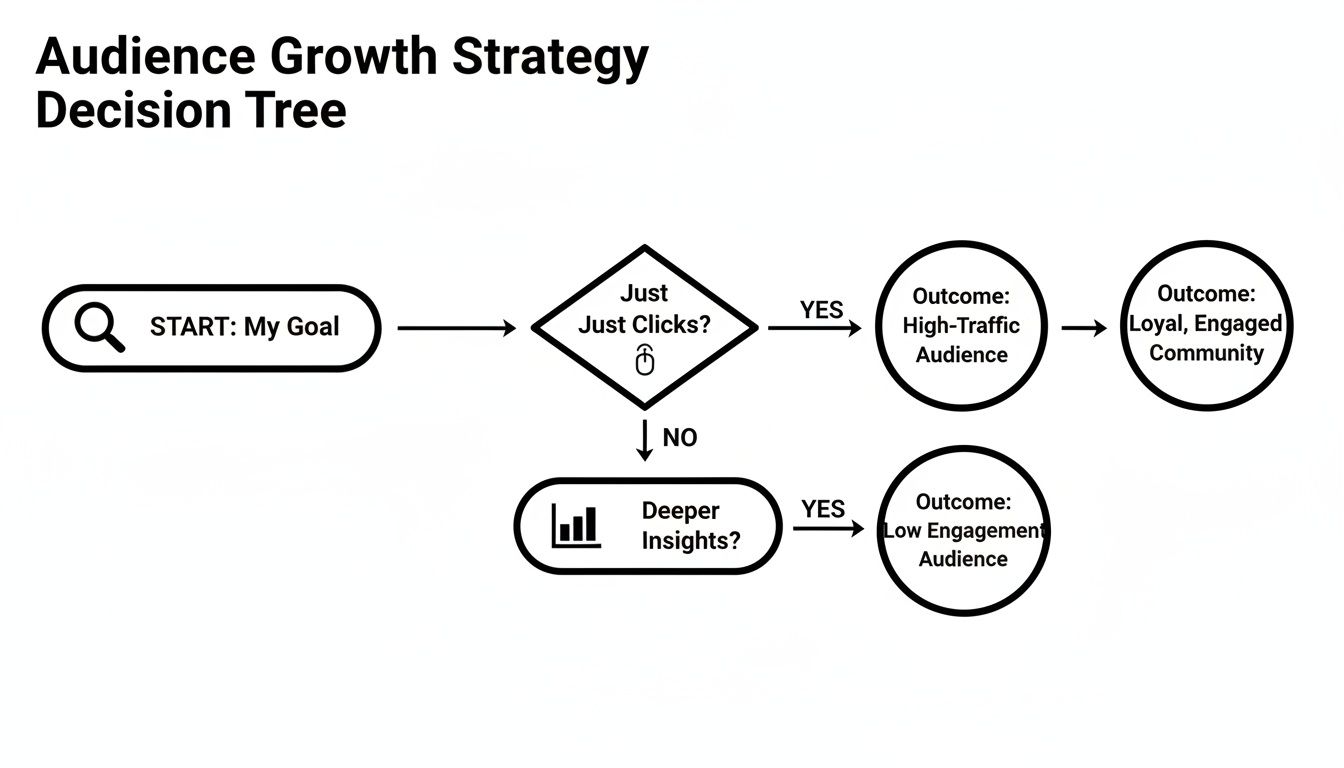
The flowchart makes it pretty clear: if your entire game plan is to drive clicks to other places, Linktree is the direct route. But if you’re playing the long game with deeper audience connection and direct sales, Beacons is the smarter move.
Linktree is for The Minimalist Influencer
If your main job is to send followers to different spots on the internet—your latest YouTube video, a new blog post, a brand collaboration, or another social profile—then Linktree is your undisputed champion. Its superpower is its simplicity and speed. You can get a clean, effective link page up and running in minutes.
Think about a lifestyle influencer who makes most of their money from brand deals on Instagram and TikTok. Their link-in-bio only needs to do one thing perfectly: funnel followers to sponsored content and affiliate links without any friction.
For this type of creator, Linktree’s simple list format is a feature, not a bug. It gives followers a dead-simple, uncluttered path to the most important links, which is exactly what you need to maximize click-throughs. The platform is reliable and instantly familiar to users, meaning your audience knows exactly what to do.
Beacons is for The Entrepreneurial Creator
On the other hand, if your vision goes way beyond sending traffic elsewhere and you’re focused on building a direct-to-consumer business, Beacons is purpose-built for you. It’s not just a list of links; it’s a command center for your entire creator operation. It’s the perfect fit for coaches, artists, consultants, and anyone selling their own products or services.
Picture a fitness coach who sells workout plans, offers one-on-one coaching calls, and wants to grow an email list. Beacons lets them handle all of that from a single page.
- Sell Digital Products: They can upload their PDF workout plans and sell them directly, with Beacons handling the file delivery.
- Book Appointments: Clients can book and pay for coaching sessions right from the page using the calendar integration.
- Capture Leads: An email signup form can be embedded directly, making it ridiculously easy to grow their newsletter.
The real win for the entrepreneurial creator is consolidation. Beacons stops you from having to duct-tape a bunch of different services together, creating a seamless experience for both you and your customers—all while offering transaction fees that actually get better as you grow.
A Note for Former Bento Users
If you’re coming over from Bento.me, the choice gets a bit more personal. Bento’s big draw was its incredible visual freedom and its unique, grid-based layout that let you tell a story. It gave creators a level of design expression that, frankly, neither Linktree nor Beacons can perfectly replicate.
If what you loved most about Bento was its distinct aesthetic and the ability to craft a truly custom visual portfolio, both of these platforms are going to feel a bit confining.
However, when comparing Beacons vs Linktree, Beacons is the clear spiritual successor. Its block-based editor offers way more layout flexibility than Linktree’s rigid, top-to-bottom list. You can arrange your content in a much more dynamic way that gets you closer to that "mini-website" vibe that Bento users loved. You won't get Bento's free-form grid, but you can build a much richer, magazine-style page.
When to Consider an Alternative Like Taap.bio
But what if that visual storytelling element is a dealbreaker? If Beacons’ blocks still feel too rigid and Linktree’s list is completely out of the question, it’s time to look at a tool built from the ground up for visual creators. This is where a platform like Taap.bio comes in.
Taap.bio is built on a modular grid system that’s directly inspired by the "bento box" concept, giving you a level of design freedom that even Beacons can't quite touch. Its drag-and-drop canvas and smart widgets—which can pull in real-time data from YouTube, Spotify, and Instagram—are perfect for creators who want their link-in-bio page to be a destination in itself.
If you’re a designer, artist, or any creator where aesthetics are everything, Taap.bio offers a compelling alternative. It truly honors the creative spirit of Bento while packing in modern, powerful integrations, bridging the gap between high-end design and functional, engaging content.
Got Questions? We've Got Answers
Choosing between Beacons and Linktree often boils down to a few key details. Let's tackle the questions that pop up most often so you can make your decision with total confidence.
Which Platform Is Better for SEO?
Let’s be clear: neither platform is a silver bullet for your main website's SEO. Your link-in-bio page lives on a separate domain, so think of it as a powerful hub for directing traffic, not a direct ranking booster.
That said, Beacons has a slight advantage here. Its block-based layout allows you to weave in more descriptive text, headers, and rich content. All that extra context helps give search engines a better sense of who you are and what you're all about.
On the other hand, Linktree's trademark simplicity means it loads incredibly fast, which is always a plus for user experience—a small but important signal to search engines. The real takeaway? Your primary SEO efforts should always be focused on your own website.
Can I Use a Custom Domain on Both Platforms?
You sure can, and for any serious creator, it's an investment worth making. Both Beacons and Linktree let you connect a custom domain on their paid plans, so you can use a URL like links.yourbrand.com. It's a small change that makes a huge difference in professionalism and brand recognition.
You'll find this feature on Linktree's Pro plan and up, while Beacons includes it starting with their Entrepreneur plan. If you're playing the long game and building a memorable brand, upgrading for a custom domain is a no-brainer.
For creators focused on long-term brand building, a custom domain is non-negotiable. It transforms your link-in-bio from a third-party page into an authentic extension of your own online presence.
As a Former Bento User, Which Tool Feels More Familiar?
This is a big one for anyone coming from the creative playground that was Bento.me. Let's be honest: neither tool perfectly captures the free-flowing, artistic grid that made Bento feel so special and expressive.
However, when you put Beacons vs Linktree side-by-side, Beacons is the clear spiritual successor. Its block-based editor gives you far more control over the layout than Linktree’s traditional, top-down list. You can arrange text blocks, images, and embedded videos to craft a page that feels more like a dynamic digital magazine.
If that highly visual, almost collage-like aesthetic was what you loved about Bento, you might find both platforms a bit confining. But Beacons definitely gives you more creative room to design a page that feels curated, not just compiled.
Are the Free Plans Good Enough to Start With?
Absolutely. Both platforms have seriously generous free plans that are perfect for getting started, but they're built for different priorities. Your choice really depends on what you need to do right now.
- Linktree's Free Plan: If your main goal is simply sharing a bunch of links with a clean look, this is for you. It’s streamlined, reliable, and does its one job incredibly well.
- Beacons' Free Plan: This plan is a powerhouse for creators looking to monetize from day one. It lets you sell digital products and gather emails without paying a monthly fee, which is a massive leg up.
The catch with Beacons' free plan is the 9% transaction fee on anything you sell. So the choice is pretty straightforward: if you just need to share links, start with Linktree. If you want to start earning money immediately without an upfront cost, Beacons is the way to go.
Ready to build a link-in-bio page that’s as unique and creative as your brand? Taap.bio offers a truly flexible, grid-based system inspired by the visual freedom of bento boxes. Ditch the rigid lists and build a stunning, interactive page that showcases your content in a way that truly stands out. Start designing your perfect page today.