If you're serious about growing your presence online, connecting your Instagram and TikTok accounts isn't just a neat trick—it's a must-do. Think of it as building a bridge between your two biggest audiences, creating a unified brand that people can follow, no matter where they discovered you first. This is about more than just adding a clickable icon; it's about crafting a seamless experience for your followers.
Table of contents
Why Connecting Instagram and TikTok Is a Game Changer
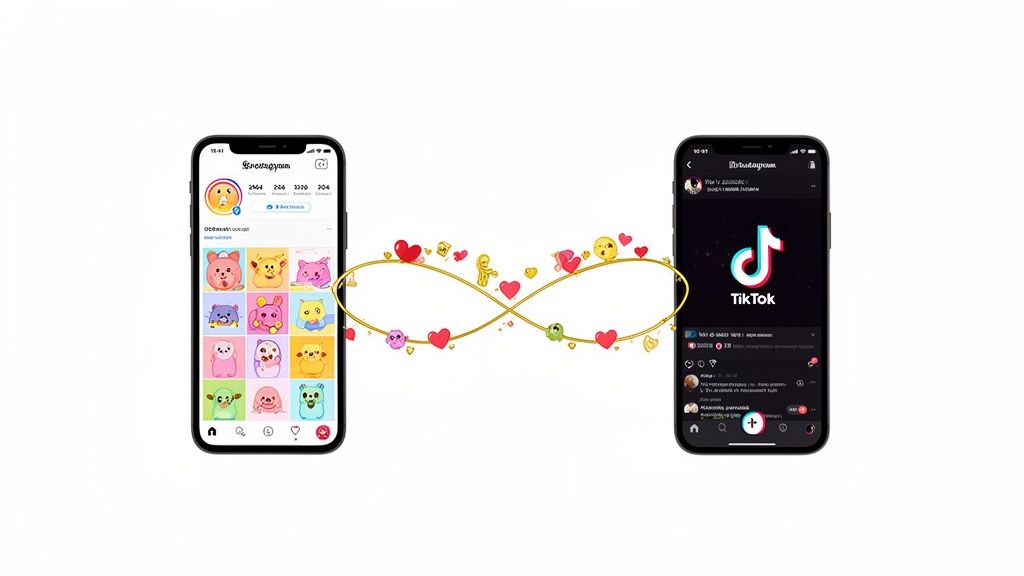
Let's get real. In today's crowded creator space, just "getting more followers" isn't enough. Linking your Instagram and TikTok is a foundational move. It’s what separates the casual posters from the serious brand builders, turning one-off viewers into a real community that sticks with you.
Picture this: someone stumbles upon your latest viral hit on TikTok. They love your vibe and want more. With a direct link to your Instagram right on your profile, you've just given them an instant way to dive deeper. They can check out your photo grid, tap through your Stories, and get a better sense of who you are. That simple click is what turns fleeting interest into genuine loyalty.
Capitalize on a Massive Audience Overlap
The magic really happens when you look at the numbers. Did you know that over half of Instagram's 2.04 billion monthly active users are also on TikTok? That's not just a statistic; it's a massive, overlapping audience waiting for you.
When you link your profiles, you’re not just hoping new people find you; you're making it easy for your existing audience to connect with you in different ways. Someone might love your chaotic, funny videos on TikTok but head to Instagram for your polished photos, behind-the-scenes glimpses, or to buy your products. By connecting the two, you’re meeting them where they are and catering to all their content cravings.
This isn't just about a clickable link. It’s about creating a seamless user journey that guides followers from discovery to conversion, solidifying your brand presence and making it easier for people to engage with everything you offer.
Create a Unified Brand Hub
The native TikTok-to-Instagram link is a great first step, but the real power move is creating a central hub for your entire brand. This is where a tool like Taap.bio comes in, transforming your bio from a simple redirect into a full-blown interactive landing page.
Instead of just one link, you can build a custom page that showcases everything at once:
- Your latest and greatest TikToks.
- A live, scrollable feed of your recent Instagram posts.
- Crucial links to your other social channels, your personal website, or your online store.
This turns your bio into a dynamic destination. For a solid walkthrough of the basics, this guide on how to link TikTok to Instagram is a fantastic starting point. Once you have that audience moving between platforms, you'll want to keep them hooked. That's why we put together our own guide on how to improve social media engagement to help you make the most of your newly connected community.
Want to bridge the gap between your TikTok and Instagram audiences? The most direct way to start is by using the native linking feature built right into the TikTok app. This is the simplest, cleanest way to add a clickable Instagram icon to your profile, giving your followers an instant path to find you on the other platform.
Think of it as the foundational first step. It’s quick, official, and doesn’t require any external tools. TikTok knows how important cross-platform promotion is, so they made this part easy.
Getting Your Instagram Icon on Your TikTok Profile
Ready to connect them? It only takes a minute.
First, pop over to your TikTok profile—just tap the Profile icon in the bottom-right corner of your screen. From there, hit the Edit Profile button sitting right under your bio and follower stats. This is where you can customize pretty much everything about your profile.
Once you're in the editing screen, scroll down a bit until you find the "Social" section. You'll see an option that says Add Instagram. Give that a tap, and TikTok will ask you to log in to your Instagram account to authorize the connection. Just enter your details, approve it, and you're good to go.
This is what your profile looks like before making the connection—a blank canvas waiting for that link.
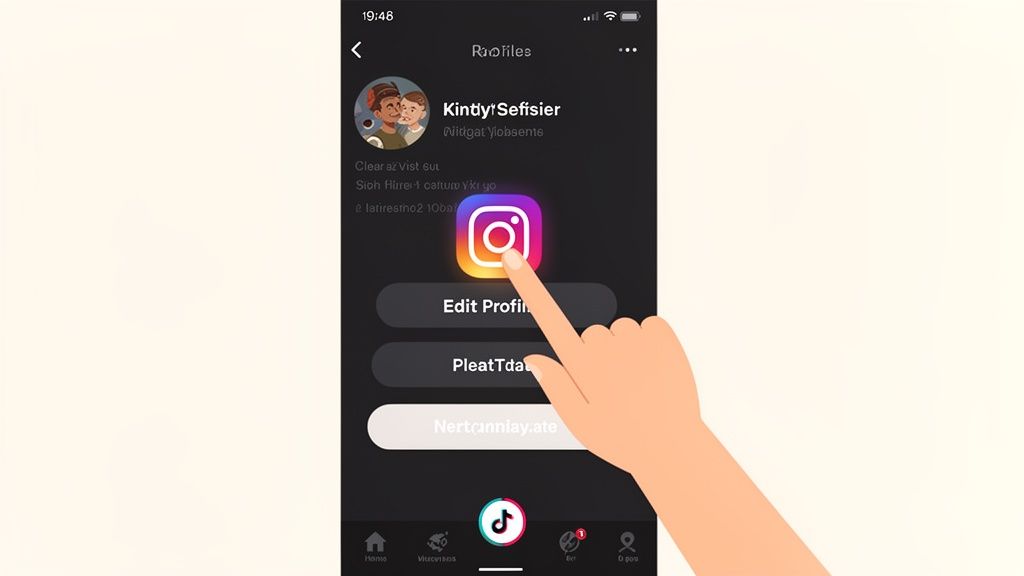
As soon as you’ve linked them, a neat little Instagram camera icon will show up on your TikTok bio. Now, anyone who lands on your page can hop over to your Instagram with a single tap.
What This Link Can (and Can't) Do for You
This native link is a fantastic starting point. It's an official, no-fuss way to signal your presence on Instagram. It’s also incredibly user-friendly for your audience.
But it’s important to recognize its main drawback: it’s a one-trick pony. You get one link to one platform. That’s it. You can't add your YouTube channel, your online shop, or your blog. For serious creators and brands, this single link just isn't enough to capture all potential traffic. This is exactly why so many people quickly move on to more robust "link in bio" solutions.
If you're curious about maximizing that single URL spot, our guide on how to add a link into your TikTok bio dives into more advanced strategies.
The native Instagram link is a signpost, not a hub. It points followers in one specific direction, but it can't show them everything you have to offer across the web. It's an essential first move, but definitely not the final play for a growing brand.
To give you a quick visual, here's how the built-in linking options on each platform stack up.
Platform Linking At a Glance
| Linking Action | Where to Find It | Primary Benefit | Main Limitation |
|---|---|---|---|
| Add Instagram to TikTok | TikTok App > Edit Profile > Social | Adds a clean, clickable Instagram icon to your bio. | Only allows for one social link (Instagram or YouTube). |
| Add TikTok to Instagram | Instagram App > Edit Profile > Links | Allows multiple external links in your bio. | Less visually distinct; links are grouped under a "Links" tab. |
Ultimately, this basic connection lays the groundwork. It confirms your presence on another key platform and funnels over your most engaged followers. With this foundation set, you're ready to build on it with smarter tools that can turn your bio into a powerful hub for your entire online world.
Smart Cross-Posting Without Losing Engagement
I've seen it happen more times than I can count: a creator downloads their latest TikTok video and tosses it straight onto Instagram Reels, only to be met with crickets. If you're just reposting your content, you're setting yourself up for disappointment and, frankly, killing your engagement. Linking your platforms effectively is about being smart, not just fast.
The hard truth is that each platform is its own world. They have different algorithms, different cultures, and different audience expectations. A straight-up repost just doesn't work. Instagram's algorithm is notorious for burying content that has a competitor's watermark, but it goes deeper than that. Your followers know when you've just phoned it in, and it feels lazy.
Adapt Your Content for Each Platform
Instead of a simple copy-paste, think of it as translating your content for a new audience. The core message stays the same, but the way you deliver it needs to fit the new environment. This one mental shift can completely change your results.
Here are a few practical ways to make your content feel native to Instagram:
- Ditch the Watermark: This is non-negotiable. Before you even think about posting on Instagram, use a third-party tool to download your original, watermark-free video file from TikTok.
- Find New Trending Audio: The song that's blowing up on TikTok might be old news on Instagram. Jump into the Reels editor and find a sound or song that's currently trending there. This simple swap can give your video a huge boost.
- Rewrite Your Captions and Hashtags: Your witty TikTok caption might not land the same way on Instagram. Craft a fresh caption tailored to your IG followers and research a new set of hashtags that are relevant to Instagram's discovery engine.
Let’s say you’re a baker showcasing a new cookie recipe. Your TikTok might be a high-energy, chaotic clip set to a popular meme sound. For Reels, you could switch to a more calming, aesthetic audio track, write a longer caption that shares the story behind the recipe, and use hashtags like #BakingTherapy and #CookieLove.
Don't just take my word for it—the data is clear. Studies have shown that just cross-posting TikTok videos as-is can cause a 32% performance drop on Instagram. Adapting your content isn't just a "nice-to-have"; it's critical for protecting your reach.
Why Tailored Content Wins
The difference in performance between native content and a lazy repost is massive. Research has shown that Instagram Reels can hit a 62% median reach compared to TikTok’s 38%—but that only happens when the content feels like it was made for Instagram. This is exactly why a strategic approach is so important.
When you take the time to adapt your content, you're not just creating one video; you're creating two powerful assets that maximize your effort while giving each audience exactly what they want.
To make sure your original content is as strong as possible, it pays to brush up on TikTok creative best practices. And if you want more tips on recycling content the right way, our guide on how to repost an Instagram post has you covered.
Go Beyond a Simple Link: Unify Your Brand With a Link-in-Bio Hub
Adding the native Instagram icon to your TikTok profile is a good first step, but let's be honest—it's basic. It’s like putting up a single road sign when what you really need is a central hub for your entire brand. To truly connect with your audience and create a seamless experience, you need to think beyond a single, static link.
This is where advanced link-in-bio tools completely change the game. They transform your bio from a simple redirect into a dynamic, engaging destination for your followers. Instead of just bouncing people from one app to another, imagine sending them to a single, beautifully designed landing page that does all the heavy lifting for you. Platforms like Taap.bio are built on this idea, swapping out the boring old list of links for something far more powerful.
The Power of a Visual Hub
Think about the standard link-in-bio page—it's usually just a vertical list of text. A tool like Taap.bio, on the other hand, lets you create something that feels more like a visual magazine cover for your brand. It uses a modular grid system, often called a 'bento box' layout, where every part of your online world gets its own customizable block. You can drag, drop, resize, and arrange these blocks however you see fit.
This approach is a massive upgrade. Instead of a simple link that just says "My Instagram," you can actually embed a live grid of your latest Instagram photos right there on the page. Next to it, you could have a feed of your most recent TikTok videos. All of a sudden, you're not just linking Instagram to TikTok; you're showcasing the best of both worlds in one cohesive spot.
This strategy turns your bio link into a true destination, not just a directory. It encourages people to stick around and explore by letting them see your latest content from every platform at a glance, which dramatically increases the time they spend interacting with your brand.
If you're curious about how different platforms stack up, we've put together a detailed comparison of the best link-in-bio tools available today that's worth a look.
A Real-World Example in Action
Let's say you're a musician. With a basic link, a fan on TikTok has to click your bio, wait for the Instagram app to open, find your profile, and then hunt for a link to your new song. That’s a lot of friction, and you lose people at every single one of those steps.
Now, imagine the experience with a bento-style page. Your Taap.bio could feature:
- A big, eye-catching block embedding your latest music video right from YouTube.
- A Spotify widget that lets fans play your new single directly on the page—no leaving required.
- A live feed of your three most recent TikToks, keeping the fun, personal vibe going.
- A grid of your six latest Instagram photos, showing off your visual aesthetic.
- Smaller, dedicated links for tour dates, merch, and your private Discord community.
This visual-first strategy makes cross-posting feel more natural by centralizing where all your content ultimately lives. The simple workflow below shows how you can adapt your content for each platform and then bring it all together.
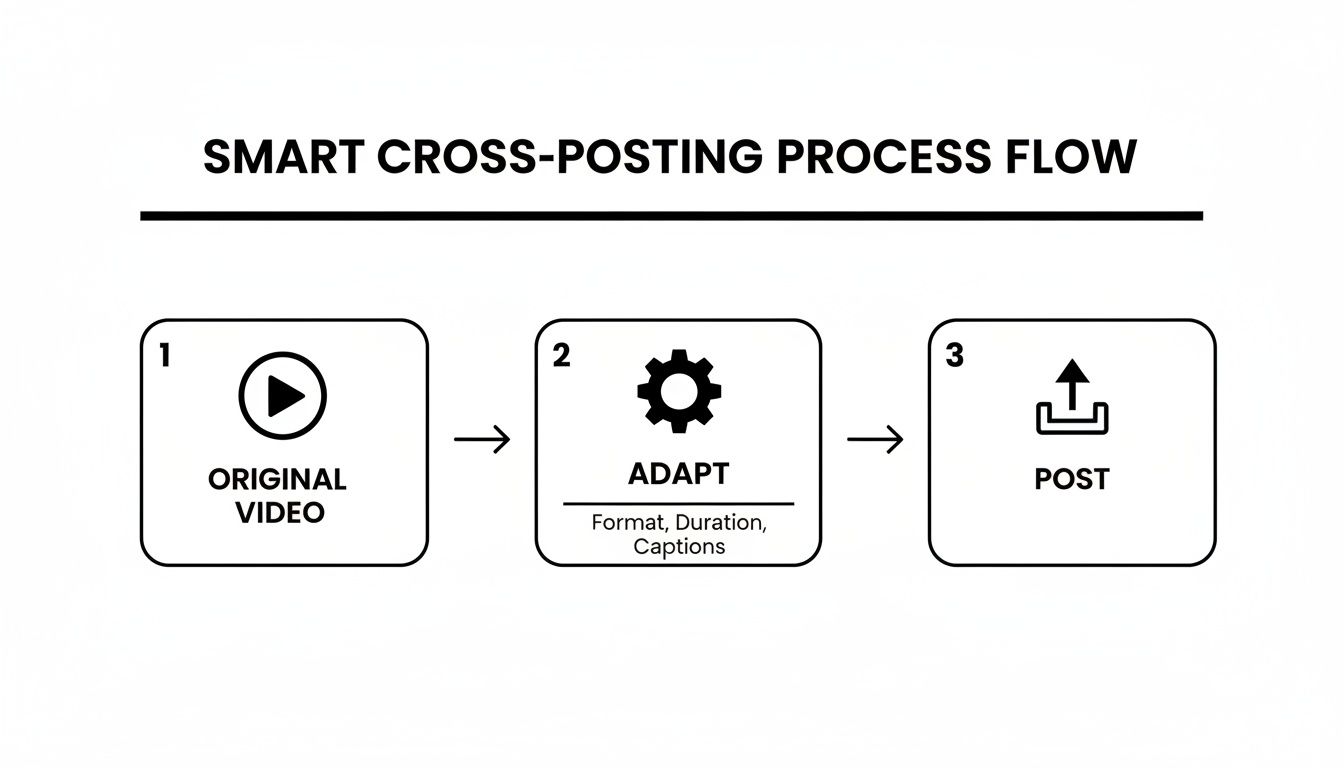
This flow highlights the importance of adapting your content, and a unified link-in-bio page is the perfect way to present those final, platform-specific posts all in one place.
Why Smart Widgets Make All the Difference
The real secret sauce behind these advanced tools is their use of smart widgets. These aren't just static links; they're live integrations that automatically pull in and display your newest content.
Your Instagram widget will always show your most recent posts. Your YouTube block will update the second you upload a new video. This kind of automation means your link-in-bio page is never stale. It becomes a living, breathing reflection of your brand that’s always current, giving your most dedicated followers a reason to keep coming back. This is how you create an automated bridge between your Instagram and TikTok content, ensuring your audience always sees what's new, no matter where they found you first.
Troubleshooting Common Linking Issues
So, you've followed all the steps to link your Instagram and TikTok accounts, but something's gone sideways. It happens. Maybe the Instagram icon is ghosting your profile, or you're caught in a frustrating login loop. Don't throw your phone just yet—these are usually common hiccups with simple fixes.
More often than not, the culprit is old data. Both apps use a cache to help them load faster, but sometimes this stored information gets corrupted and causes connection problems. A quick trip into your phone’s settings to clear the cache for both Instagram and TikTok can often work wonders.
If that doesn't do the trick, it's time to check the permissions. Head over to your Instagram settings, find the "Apps and Websites" section, and revoke TikTok's access. Then, go back to TikTok and start the linking process over from scratch. This essentially forces a clean slate and a fresh digital handshake between the two platforms, which usually sorts out any stubborn connection errors.
Proactive Best Practices for a Seamless Link
Fixing a problem is good, but avoiding it in the first place is even better. Keeping the bridge between your accounts strong just takes a little bit of regular attention.
- Keep Your Links Fresh: Running a special promotion? Dropping a new product line? Your link-in-bio page should always reflect what's current. A stale link is a massive missed opportunity, especially if a TikTok goes viral.
- Maintain Consistent Branding: This one’s huge. Your profile picture, username, and general vibe should feel familiar across both platforms. When someone clicks from your TikTok to your Instagram, they should know instantly they’re in the right place.
- Actively Push People to Your Link: Don't just let the little icon sit there and hope people click it. Call it out! Add a text overlay to your videos saying, "Full tutorial on my IG!" or mention it in the caption. You have to guide your audience where you want them to go. If you need a refresher on the basics, check out our guide on where the bio is on TikTok and how to optimize it.
A killer cross-platform strategy isn’t something you just set up and walk away from. It’s an ongoing process of directing your audience, keeping your content fresh, and making sure all the technical plumbing between your accounts is working perfectly.
By staying on top of these small details, you ensure that the connection you’ve built between TikTok and Instagram stays strong, ready to welcome every new wave of followers.
Got Questions? We’ve Got Answers
You’re not alone in trying to figure out the best way to get Instagram and TikTok to play nicely together. Let's tackle some of the most common questions that pop up when creators start bridging these two powerhouse platforms.
Can I Actually Link a Business Instagram to My TikTok?
Yes, absolutely. The good news is that TikTok doesn't care if your Instagram account is personal, creator, or business. The process is exactly the same.
You'll just head to 'Edit Profile' in your TikTok app, tap 'Add Instagram,' and then sign in with your business account's credentials. For brands, this is a no-brainer. It creates a direct path for your TikTok audience to find your shoppable posts, get product details, or slide into your DMs on Instagram.
Does Instagram Punish Me for Reposting TikToks?
In a word, yes. Instagram's algorithm has a clear bias against content with watermarks from other apps. If you upload a Reel with that tell-tale TikTok logo bouncing around, you can expect its reach to be seriously throttled.
The best practice here is to download your original, un-watermarked video file and upload that to Reels instead. Want to take it a step further for maximum impact? Find a trending audio track that’s native to Instagram and add relevant hashtags. It's a little extra work, but it makes a massive difference in performance.
You can link your accounts perfectly, but if you don't repurpose your content thoughtfully, you're leaving growth on the table. Ditching the watermark and tailoring your posts for each platform's audience is how you truly win.
Is a Link-in-Bio Tool Really Better Than Just Adding My Instagram Link?
For any creator who's serious about growth, the answer is a hard yes. The built-in TikTok feature is incredibly limiting—it only gives you one social link. That's it.
This is where a tool like Taap.bio changes the game entirely. It turns that single link into a full-blown micro-website. Imagine a page where your followers can see your latest TikToks and your Instagram grid, click through to your YouTube channel, listen to your podcast, and shop your favorite products. It’s a hub, not just a hyperlink.
What Happens to My Privacy Settings When I Link Everything?
This is a super important question. When you use the native 'Add Instagram' feature on TikTok, it simply places a public button on your profile that links to your Instagram page. It doesn't sync or merge your privacy settings in any way. If your Instagram is set to private, it will remain private.
When you bring in a third-party tool, always be mindful of the permissions you're granting. A trustworthy platform will use official APIs and will only ask for permission to display your public content. It should never ask for access to your private data or the ability to post for you. Your security always comes first.
Ready to stop sending your followers on a scavenger hunt? It's time to turn that single bio link into a powerful, interactive hub for your brand. With Taap.bio, you can build a beautiful landing page that puts your Instagram, TikTok, and all your best content front and center. Start building your brand hub today at Taap.bio.