
So, you want to add a clickable link to your TikTok bio? Let's get right to it. You've got two main paths to make it happen.
You can either grind it out and grow your Personal Account to 1,000 followers, which unlocks the feature automatically. Or, you can simply switch over to a free Business Account and get access right away. TikTok puts this little roadblock in place to cut down on spam and keep the platform clean, which is a good thing for all of us.
Table of contents
Your Quick Guide to Adding a Link in Your TikTok Bio
That one little link in your bio is arguably the most valuable piece of digital real estate you have on TikTok. Seriously. It’s the direct bridge connecting your followers from your viral video to your website, your online store, your blog, or your other social channels. It’s the ultimate call-to-action that can turn casual scrollers into dedicated fans or paying customers.
It's helpful to understand why TikTok has these rules, especially if you're just starting out. Gating the link feature ensures that accounts sending users off the app are legitimate and have built at least a small, genuine following. Your choice of which path to take really just comes down to your immediate goals.
The Follower Route: If you’re all about building an organic community and want to keep access to the entire library of commercial music and viral sounds for your videos, then setting your sights on 1,000 followers is the way to go.
The Business Route: For brands, creators, and entrepreneurs who need to start driving traffic today, switching to a Business Account is the quickest and most direct shortcut.
Before you make a move, make sure you know your way around your profile. If you're a little fuzzy on the details, our guide on where the bio is on TikTok is a great place for a quick refresher. Getting this first step right is key to transforming your profile from just a page into a powerful growth engine.
What You Need to Know Before Adding Your Link
So you’re ready to add a link to your TikTok bio? Great! But before you dive in, you need to know that TikTok has a couple of ground rules. Think of it as a quality control measure to keep the platform free of spam.
You basically have two ways to unlock that clickable link feature, and which one you choose really depends on your goals.
For Personal Accounts, there's one key milestone: hitting 1,000 followers. The moment you cross that magic number, the "Website" field will pop right up in your profile settings. This is the go-to path for creators focused on building a community organically, as it lets you keep full access to TikTok's massive library of popular sounds and commercial music.
The Business Account Shortcut
Can't wait to hit 1k followers? There's a shortcut.
Switching to a Business Account instantly gives you access to the bio link feature, even if you have zero followers. It's completely free and is the perfect move for brands, artists, or anyone who needs to start driving traffic to their site from day one.
The only catch? Business Accounts come with a more limited music library, which is something to think about if your content leans heavily on trending audio. This flowchart breaks down the decision pretty clearly.
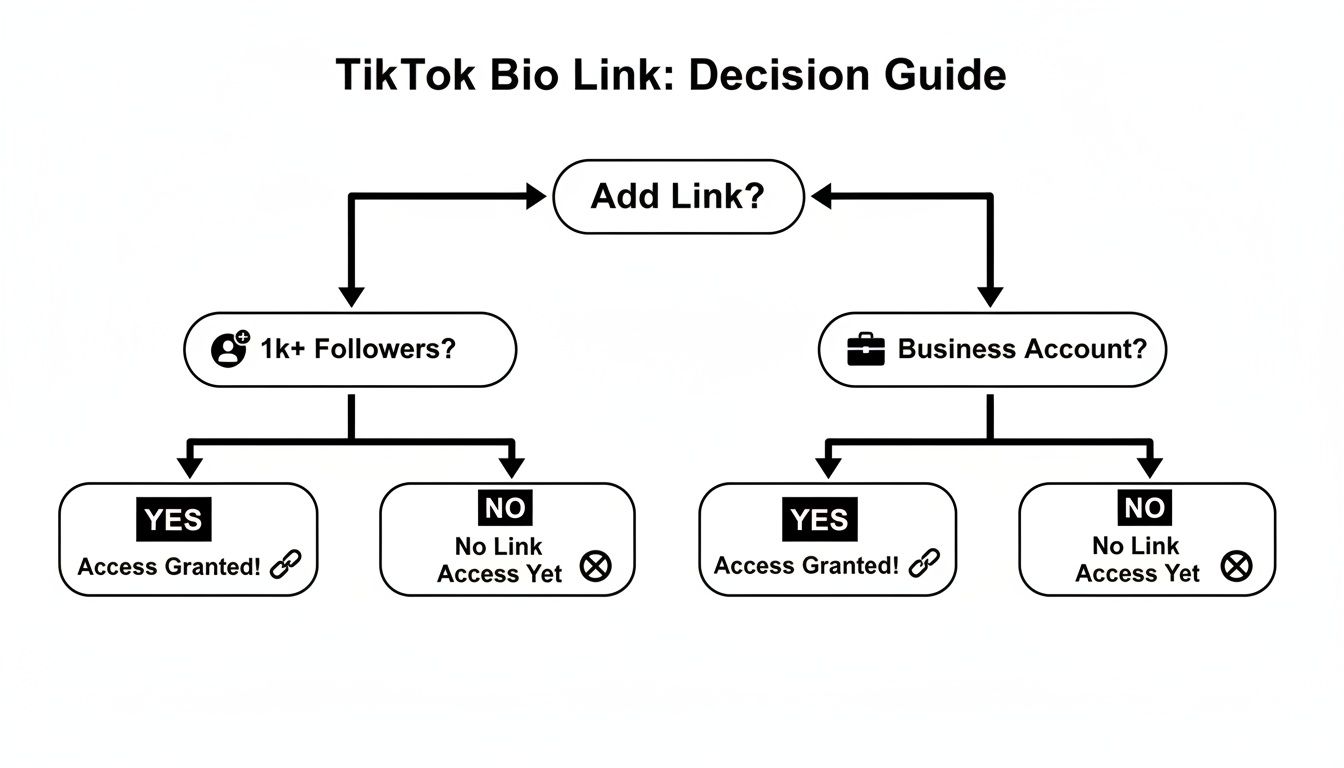
As you can see, your path to getting that link all comes down to what you prioritize: immediate business needs or long-term community building with full creative freedom.
TikTok put these rules in place for a good reason—to cut down on spam. With 1.6 billion active users and 34 million videos being uploaded every day, that 1,000-follower goal can feel like a tough climb for newcomers.
If you want to get a better handle on why this is so important, our post on the meaning of "link in bio" is a great place to start. Ultimately, these rules help keep the user experience clean, which is why figuring out your account type is the first real step.
A Practical Walkthrough For Adding Your Bio Link
Getting your link live feels like a small victory. Whether you’re on an iPhone, an Android, or peeking at the desktop site, the key is unlocking that Website field first.
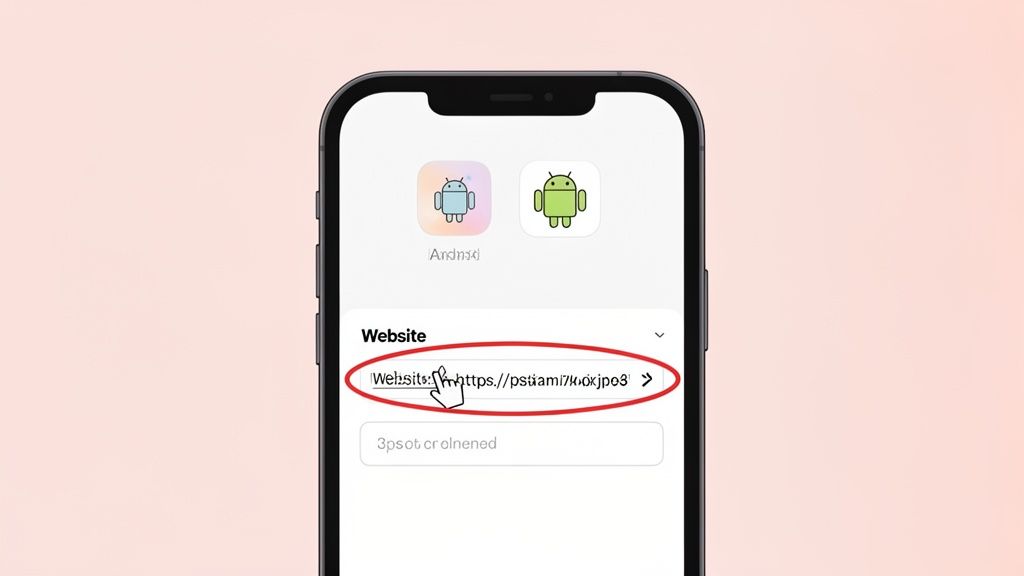
Open the TikTok app and tap the Profile icon in the bottom-right corner. You’ll land on your personal hub—where followers, drafts, and that coveted “Edit profile” button await.
Tap Edit profile, then scroll down. If you spot Website, you’re in luck. Paste your full URL—maybe your new Taap.bio page, personal blog, or shop link—and hit Save in the top-right corner.
Finding And Using The Website Field
If Website shows up, congratulations—you’ve met TikTok’s requirements. A clean paste, straight from your browser’s address bar, avoids little typos that break big plans.
Pro Tip: Before you tap Save, test the URL in your mobile browser. That extra check catches 99% of slip-ups and keeps clicks landing where you want them.
Once saved, swing back to your profile. Your link should now appear just below your bio—ready to guide anyone who taps it.
Switching To A Business Account
No Website field? It usually means you need to flip to a business account. From my own experience, this takes under a minute:
- Tap the three-line menu in your profile’s top-right corner, then choose Settings and privacy.
- Select Account, then pick Switch to Business Account.
- Follow the prompts and choose a category that matches your niche.
After that, head back into Edit profile. The Website field will be waiting for your URL, and you’re all set to drive traffic exactly where you need it.
Turn That Single Link Into Your Personal Command Center
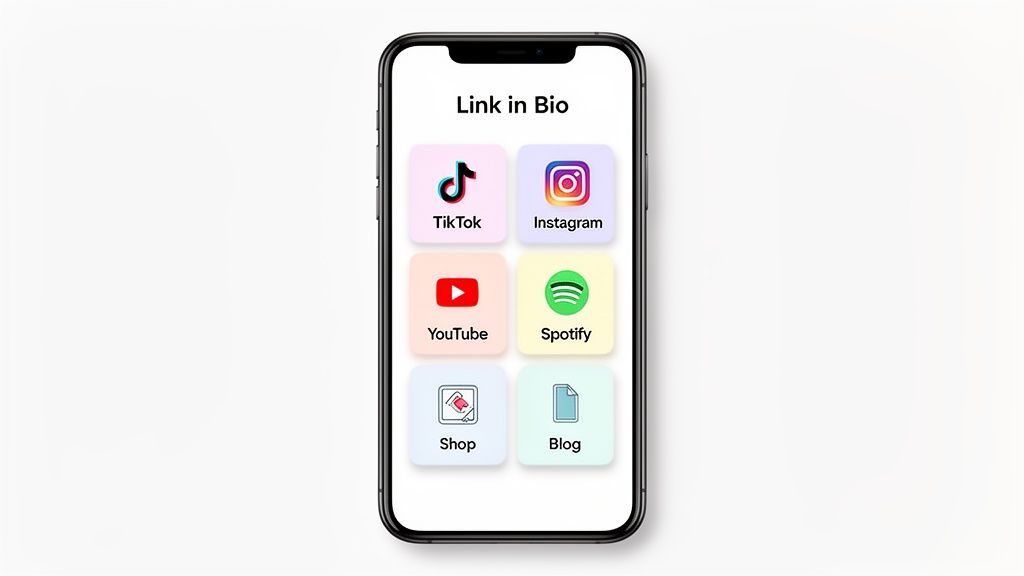
Alright, so you've figured out how to add a link into your TikTok bio. That's the first step. But just dropping a single URL in there is like having a storefront with only one item on the shelf. The real magic happens when you transform that one clickable link into a dynamic, interactive hub for your entire brand.
This is where "link in bio" tools, especially visually-driven platforms like Taap.bio, completely change the game. We're not talking about a boring, vertical list of links that looks like a grocery list. Imagine a custom landing page that works like a mini-website, all living inside that one spot on your profile.
You can show off your latest TikToks, embed your Instagram feed, or even let visitors play your new track on Spotify without ever leaving the page. It’s about creating a genuine experience, not just a list of destinations.
Go Beyond Links With Smart Widgets
The real power here comes from using smart widgets that automatically pull in live content from your other platforms. With a simple drag-and-drop builder, you can piece together a page that actually feels like you.
Think about how different people could use this:
- For developers: You could embed a live graph of your GitHub contributions right on your page to show off your coding activity.
- For YouTubers: Why not display thumbnails of your latest videos next to your current subscriber count? It’s a powerful visual nudge for new viewers.
- For designers: A grid of your latest Dribbble shots, complete with like counts, is a perfect way to attract new clients without them needing to hunt you down.
This kind of integration builds a cohesive brand experience that keeps people clicking around far longer than a simple list of hyperlinks ever could.
By transforming that single link into an interactive destination, you’re not just directing traffic—you’re inviting your audience to explore your entire digital ecosystem in one beautifully organized space.
This approach really works. I've seen countless creators boost their income by 10-15% just from optimizing their bio link with smart personalization and clear calls-to-action.
Unlike older tools that just give you a list, Taap.bio's canvas lets you arrange things like your Behance projects or Twitter banners into cool, engaging "bento grids." These visually interesting layouts are more like a fun puzzle for your visitors to explore, which keeps them on your page longer. It's a fantastic alternative for anyone looking for more design freedom. You can even embed Spotify players for tracks and podcasts, turning your page into a destination itself.
This visual strategy is what separates the pros from the amateurs. Instead of just telling people about your work, you're showing them in real-time. To see how to put this all together, check out our guide on creating a stunning link-in-bio grid. It's the best way to turn a passive profile view into a meaningful connection.
Crafting a TikTok Bio That Drives Clicks
Getting the link into your bio is the easy part. The real art is convincing people to actually tap it. Think of your TikTok bio as your elevator pitch—it’s your single best chance to turn a casual scroller into a loyal fan or a paying customer. A powerful call-to-action (CTA) is what makes that happen.
Telling people to "Click the link below" just doesn't cut it anymore. You need to spark curiosity or create a sense of urgency that connects directly to the content they just watched.
Make Your CTA Irresistible
Your CTA needs to give people a crystal-clear reason to leave the endless scroll of TikTok. Don't just tell them what to do; show them what's in it for them. Why should they bother clicking?
Here are a few examples that work:
- For E-commerce: "Shop the viral look from my last video 👇"
- For Creators: "Get my free editing presets here 🎁"
- For Coaches: "Book your free discovery call now 📲"
See the difference? Each one answers that unspoken question: "What do I get out of this?"
Your bio link isn’t just a URL; it’s a direct pipeline to your most important goal. Whether you want sales, subscribers, or sign-ups, every word in your bio should nudge visitors toward that final click.
With 1.9 billion monthly active users and 16,000 videos uploaded every single minute, your profile is incredibly valuable real estate. And since over 90% of that audience is on mobile, your link absolutely must lead to a mobile-friendly page. A tool like Taap.bio is perfect for this, letting you create a visually stunning page that keeps that mobile attention.
Finally, don't let your link get stale. Keep it fresh by updating it to match your latest viral video, a new product launch, or a limited-time promo. This makes your bio feel dynamic and gives your biggest fans a reason to keep coming back to click. Pairing a sharp CTA with a relevant link is a proven way to learn how to improve social media engagement and convert those profile views into real results.
Common Questions About the TikTok Bio Link
Trying to get your link working in your TikTok bio can be a bit tricky, but don't worry—most issues boil down to a few simple things. If you've hit a wall, you're definitely not the first.
The biggest question I hear is, "Why can't I see the 'Website' option in my profile settings?" It's a super common problem, and it almost always comes down to your account type and follower count.
Solving Common Link Issues
For a Personal Account, TikTok requires you to have at least 1,000 followers before it unlocks the ability to add a clickable link. If you're below that magic number, the option just isn't there.
The fastest way around this? Switch to a free Business Account. This simple change gives you immediate access to the website field, no matter how many followers you have.
Another classic mistake is seeing your URL show up as plain, unclickable text in your bio. This happens when you paste the link into the main 'Bio' section instead of the dedicated 'Website' field.
Remember, only the URL placed in the specific 'Website' field becomes a clickable link. Pasting it anywhere else will just show it as text.
So, what if you need more than one link? TikTok's profile only gives you that single, precious spot for a clickable URL. This is exactly why link-in-bio tools have become so essential for creators.
When exploring your options, it's a good idea to understand what different tools like Linktree do and how they work. By using that one link slot for a tool like Taap.bio, you open up a gateway to a custom landing page with all your important links, videos, and social profiles in one place.
Ready to transform your single link into an interactive masterpiece? With Taap.bio, you can create a stunning, visually engaging page with smart widgets and a drag-and-drop bento-box grid. Start building your free Taap.bio page today!


