You've made the file, polished the design, and uploaded a preview that looks good on your own screen. Then the listing goes live, the views trickle in, and the first buyer asks where the editable template is, why the ZIP won't open, or whether commercial use is allowed. That's the part most guides skip.
Learning how to sell digital downloads on Etsy isn't mainly about uploading PDFs. It's about building a product that's easy to discover, simple to use, legally defensible, and profitable after fees. Etsy can provide discovery, but it won't fix a vague offer, broken delivery, weak previews, or careless licensing.
Table of contents
Why Etsy Is Both Your Shortcut and Your Toughest Test
Etsy gives digital creators something a standalone store doesn't: buyers already searching for templates, planners, invitations, printables, and other downloadable products. As of December 31, 2025, Etsy reported 86.5 million active buyers, 5.6 million active sellers, and more than 100 million listed items across its marketplace, according to Etsy's annual filing.
That scale is the opportunity. It's also the pressure. Your product doesn't compete only with a few similar shops. It competes with a dense marketplace where the buyer can compare thumbnails, prices, formats, reviews, and licensing terms in seconds.
My view: Etsy is an excellent place to validate a digital product, but it's a poor place to run blind unit economics.
Digital downloads have one major operational advantage. There's no physical inventory, packing, or shipping workflow, so a seller can serve buyers in different countries without coordinating fulfillment. But instant delivery doesn't create demand by itself. Your listing still needs a clear buyer intent, a useful product, precise search language, and previews that remove uncertainty.
Etsy's buyer base is also international. The company reported that 74% of gross merchandise sales came from U.S. buyers and 26% came from buyers outside the United States in the same filing. That makes the U.S. market important, but it also supports designing listings for different formats, software expectations, spelling conventions, and printing contexts.
Etsy Digital Marketplace at a Glance
| Metric | What it means for digital sellers |
|---|---|
| 86.5 million active buyers | A large pool of people who may already be shopping for downloadable products |
| 5.6 million active sellers | Strong competition for attention, clicks, and purchases |
| More than 100 million items listed | Differentiation matters more than simply entering a popular category |
| 74% U.S. and 26% outside the U.S. gross merchandise sales | Listings should account for both U.S. demand and international buyers |
| Roughly half of buyers purchased once, while the other half bought on about five separate days | Related products and bundles can support repeat purchasing |
Treat Etsy as a demanding classroom, not a passive-income button. Launch narrowly, measure how shoppers respond, and keep enough margin to improve the product instead of racing toward the lowest price.
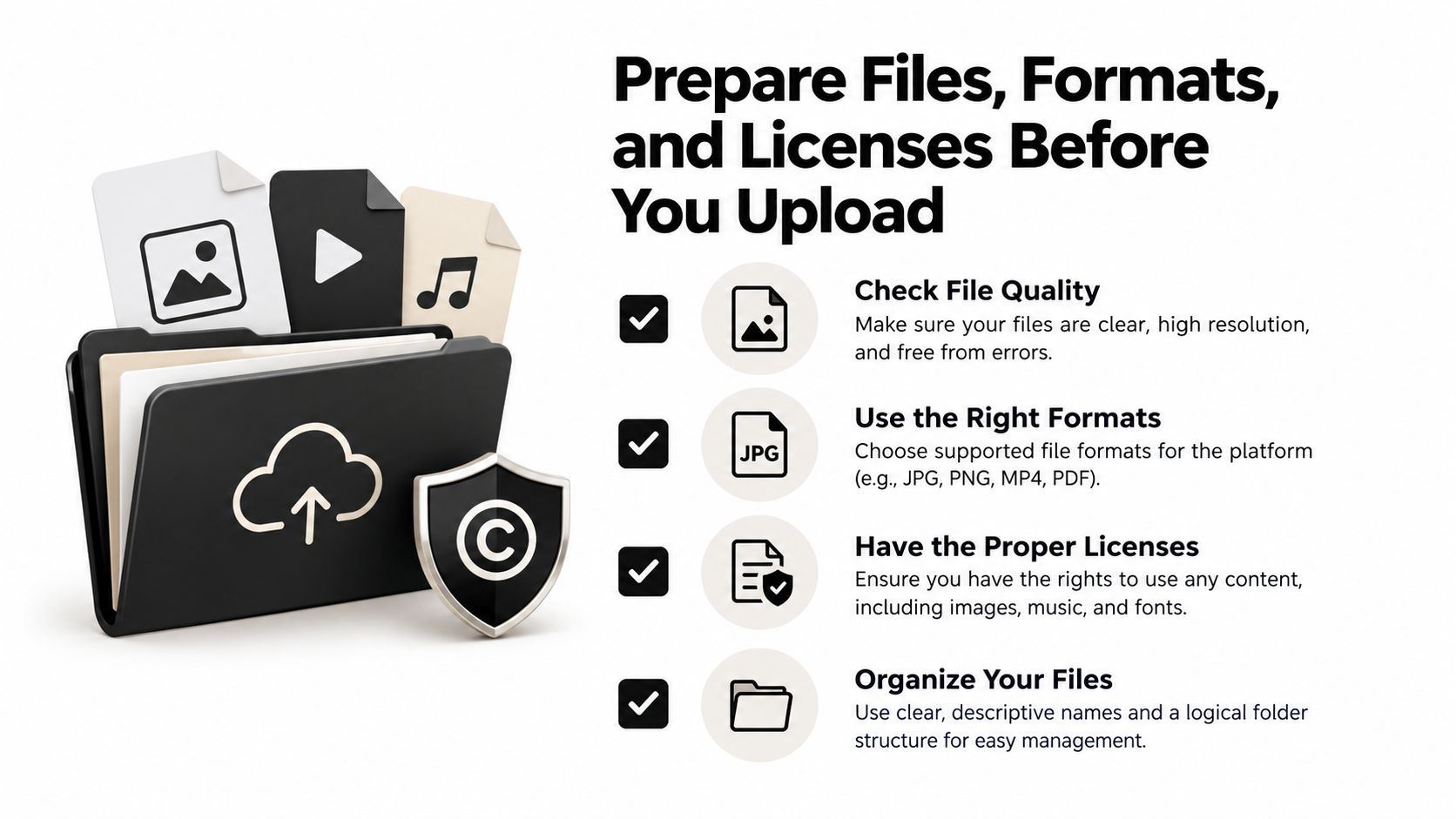
Prepare Files, Formats, and Licenses Before You Upload
The upload screen shouldn't be where you make product decisions. Before opening the listing form, decide exactly what the buyer receives, how they'll open it, and what they're allowed to do with it.
Start with a clean delivery structure:
- Choose the primary format. Use PDF for printables and guides, PNG for finished artwork, ZIP for multi-file bundles, SVG for compatible craft workflows, and a clearly labeled link document for editable templates.
- Name every file for the buyer. “Wedding_Planner_US_Letter.pdf” is useful. “Final_v7_NEW2.pdf” creates support requests.
- Include instructions. Add a short PDF explaining how to download, unzip, print, edit, or access the product.
- Test the customer journey. Open the files on the devices and software your listing promises to support. Check fonts, hyperlinks, page dimensions, transparency, and missing assets.
- Package related files together. A single organized ZIP is easier to understand than a scattered collection of ambiguously named downloads.
Etsy's file limits and supported formats can change, so verify the current upload requirements before publishing. The important principle is stable: make the product usable without a conversation with you.
Set the license before the sale
Write the commercial rules before a buyer asks for them. A personal-use license, a commercial-use license, and an extended commercial license are different offers. State whether the buyer can use the file for client work, sell finished products made with it, edit the source file, share the download, or resell the original asset.
Keep a one-page license PDF inside the package. If you're using fonts, stock illustrations, templates, photographs, characters, trademarks, or AI-assisted components, record where each asset came from and what permission covers it.
For editable templates, clarify whether the buyer receives a source file, a Canva link, or a flattened export. Don't imply unrestricted use when the buyer only receives a personal license.
A practical digital delivery workflow can help you think through the handoff, but the responsibility for accurate files and permissions remains yours. Buyers forgive a small catalog. They don't forgive a broken download or a license that contradicts the listing.
Before publishing, download your own ZIP, open every file, follow the instructions as if you're unfamiliar with the product, and confirm that the preview matches the actual contents.
Open Your Shop and Publish Your First Digital Listing
Set up the shop as if a stranger will evaluate it in one visit. Choose a name that can cover more than one product, add a readable banner, write a concise shop description, and publish policies that explain digital delivery and support. Your branding should tell buyers what kind of problem you solve, not merely what your personal style looks like.
Connect payments and select the shop's country, language, and currency carefully. Etsy uses buyer-location information to handle eligible taxes on digital purchases, and your account details affect how the transaction is presented and processed. Review Etsy's guidance on VAT for digital items before you publish internationally.
Choose the correct listing behavior
Inside the listing form, select the digital product type and choose instant delivery when the file is complete and ready to download. Don't use instant delivery for a product that requires you to personalize or create something after purchase.
Upload the final files, not the working folder. Add a primary image that shows the product in use, then use additional images to answer practical questions:
- What's included: Show the actual pages, variations, or file types.
- How it works: Explain editing, printing, software compatibility, or access.
- What size it is: State dimensions and formats clearly.
- What the buyer may do: Put the license summary in the images and description.
- What happens after purchase: Show the download and instruction process.

Review renewal and advertising choices before clicking publish. Etsy charges a listing fee whether or not an item sells, and listings can have renewal behavior that creates another charge. Optional advertising can also affect the economics of an order, so don't accept every promotional setting without understanding how it changes your payout.
Your final check should be blunt:
- Does the thumbnail communicate the product immediately?
- Does the title name the use case and format?
- Does the file open correctly?
- Does the description match the download exactly?
- Is the license visible?
- Have you stated that the item is a digital download?
- Would a buyer understand the product without messaging you?
Publish only when the answer is yes across the list. Your first listing is not a rough draft if buyers can purchase it.
Price for Profit After Etsy's Fees and VAT
The displayed price isn't your earnings. Etsy charges $0.20 per listing, a 6.5% transaction fee, and a separate Etsy Payments processing fee. For U.S. sellers, the verified base processing example is 3% plus $0.25, while processing rates vary by the seller's market. See Etsy's official fee policy before setting prices.
Here's the U.S. base math, excluding taxes, advertising, currency conversion, refunds, and other applicable costs:
| Price point | Listing fee | Transaction fee | Payment fee | Total base fees | Net before other costs | Margin before other costs |
|---|---|---|---|---|---|---|
| $3 | $0.20 | $0.195 | $0.34 | $0.735 | $2.265 | 75.5% |
| $9 | $0.20 | $0.585 | $0.52 | $1.305 | $7.695 | 85.5% |
| $10 | $0.20 | $0.65 | $0.55 | $1.40 | $8.60 | 86% |
| $25 | $0.20 | $1.625 | $1.00 | $2.825 | $22.175 | 88.7% |
The $3 file isn't automatically bad, but its fixed charges consume a much larger share of the order. The $25 bundle has the same basic fulfillment workload, yet it leaves far more room for support, design time, discounts, and product improvements.
Build an offer ladder
Don't force every buyer into one file. Create a simple progression:
- A focused entry product for one immediate task.
- A fuller bundle containing related formats, variations, or use cases.
- A higher-value version with broader usage rights or editable source files.
Tier by outcome and permission, not by stuffing random extras into a ZIP. A commercial-use template can be worth more because it supports client work. A bundle can be worth more because it removes several related tasks. The offer must explain the value in buyer language.
Etsy may automatically detect eligible buyer locations and collect VAT or similar taxes on qualifying digital purchases. The buyer pays that amount at checkout, but Etsy may deduct collected VAT before funds reach your payment account. Treat displayed price, checkout total, taxable amount, and seller payout as separate figures.
Use a spreadsheet for every product. Record price, listing fee, transaction fee, payment fee, discounts, refunds, advertising, and currency-related costs. The digital product pricing strategy guide can help structure that model, but don't copy a generic price range. Price from the buyer's outcome and your actual net revenue.
Write Listings That Rank and Convert in Etsy Search
A listing can attract traffic and still fail if the shopper cannot identify the product within seconds. Build every listing around two outcomes: a relevant impression and a confident purchase. Keyword stuffing weakens both.
Etsy says search relevance draws from titles, tags, descriptions, and attributes. Ranking also reflects demonstrated engagement, including clicks, favorites, purchases, and listing quality, as described in Etsy's search and recommendation policy.
Start with the buyer's exact intent
Use Etsy's search suggestions for real buyer language. Then compare those phrases with the categories and attributes available in the listing form. Combine a specific product with its use case, format, and audience.
A weak title says:
Digital Planner Template
A stronger title says:
Wedding Budget Spreadsheet Template, Editable Google Sheets Planner for Couples
The second version identifies the product, buyer, and workflow. Put the primary phrase near the front, then use the remaining title space to answer another relevant question. Write naturally. Repeating one phrase across every field makes the listing harder to read and wastes opportunities to describe the product.
Open the description with the buyer's task or problem. Follow with a precise inventory of the download. State compatible software, file types, dimensions, editable elements, license terms, and whether the purchase is an instant download. If the buyer must extract a ZIP file, use a specific app, or access a separate template link, say so before checkout.
Make the preview do the selling
Etsy recommends a clear, well-lit, high-resolution primary image of at least 2000 by 2000 pixels, according to its search policy. Use that image to show the product in context. Avoid a text-heavy collage that becomes unreadable on a phone.
Your listing images should answer these questions:
- What am I buying? Show the finished product.
- What's inside? Display representative pages, files, or variations.
- Can I use it? Name the software, file types, and compatibility.
- What are the boundaries? Summarize the license in plain language.
- What happens next? Explain delivery and setup instructions.
- What problem does it solve? Show a realistic use case.
- What should I do after purchase? Point buyers to the guide, related product, or support channel.
Review listing performance by separating discovery from conversion. Impressions with weak clicks usually point to a thumbnail, title, or search-intent problem. Clicks without purchases point to the offer, price, preview, or download instructions. Track those signals before changing anything.
Use Etsy search visibility guidance to strengthen the wider discovery system. Then make one diagnosed improvement at a time, rather than rewriting listings from weekly anxiety.
The Rights and AI Audit Most Sellers Skip
A product can sell well and still be unsafe to sell. Demand doesn't grant you permission to use a font, stock image, character, trademark, template, or generated asset.
Etsy requires digital items to be made or designed by the seller, and sellers must hold the necessary intellectual-property rights. Etsy also requires disclosure when a seller-prompted creation uses AI. The platform says it doesn't determine whether content infringes rights and may remove listings after a valid infringement notice, as explained in Etsy's rules for what sellers can offer.
Run a pre-publication rights audit
Create a simple asset register before a product goes live:
- Fonts: Confirm that the license permits embedding, redistribution, or inclusion in the delivered file.
- Stock assets: Verify that the license covers the way you're selling the asset, not merely its use in a private design.
- Templates and source material: Check whether resale, modification, and redistribution are permitted.
- Trademarks and characters: Remove “inspired by” wording and recognizable protected elements unless you have permission.
- AI-assisted components: Record the tool, prompts, source material, and your human edits. Disclose AI involvement where required.
- Evidence: Save invoices, license pages, agreements, and original working files in an archive.
Put plain-language rules in the download:
- Personal use: The buyer may use the product for their own noncommercial purposes.
- Commercial use: The buyer may use the finished result in their business or client work, but may not resell the source file.
- Extended commercial use: The buyer receives broader production rights, while redistribution of the original remains prohibited.
Don't promise “no restrictions” unless you genuinely mean it. If a rights claim arrives, pause the listing, preserve the original files and license records, respond factually, and ask the claimant to identify the specific asset and right at issue. Don't argue from popularity. A bestseller built from unclear assets is a liability.
For responsible AI workflows, AI tools for content creators can be part of the process, but the audit and disclosure decisions still belong to the seller.
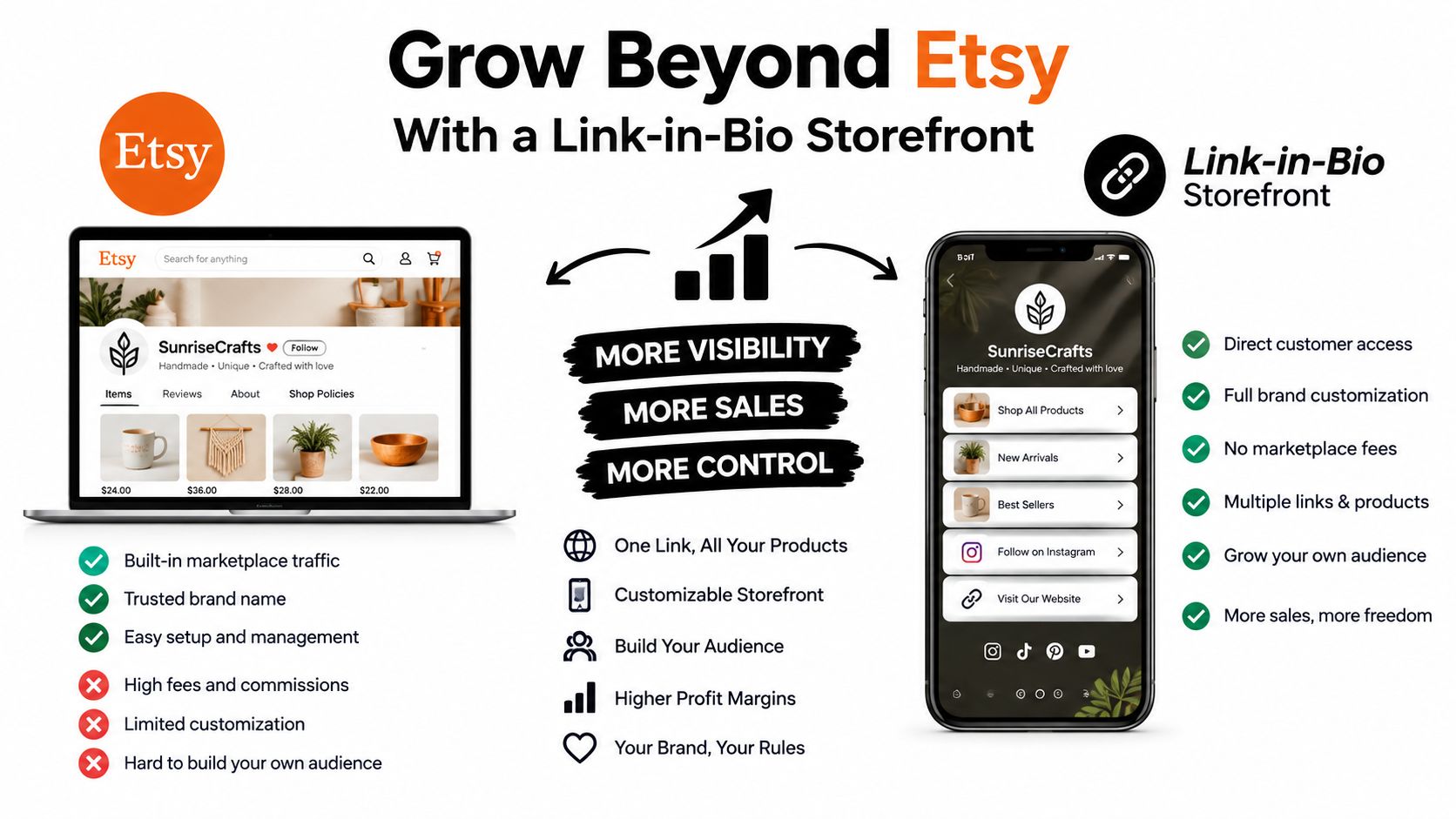
Grow Beyond Etsy With a Link-in-Bio Storefront
Etsy should be your discovery channel, not your entire business. Marketplace search can introduce a buyer to your work, but Etsy controls much of the checkout relationship, customer data, presentation, and fee structure.
A second sales channel gives you a different kind of control. You can present a product collection together, send social traffic to one branded page, capture permission-based email subscribers, and see which links receive attention. That doesn't mean abandoning Etsy. It means separating discovery from ownership.
Use each channel for a specific job
Keep Etsy focused on products that benefit from marketplace search. Use your own storefront for visitors who already know your name, follow your social content, or arrive from an email campaign.
A practical setup looks like this:
- Claim a consistent handle and create one branded landing page.
- Add the same core products, but rewrite the page copy for an audience that already knows your work.
- Connect an email capture form through a service such as Mailchimp or ConvertKit.
- Add a tagged link from social profiles to the page, then measure which products attract clicks.
- Link to the Etsy shop for marketplace purchasing and reviews.
- Review pricing parity regularly so one channel doesn't make the other look unfair.
A product priced at $25 on Etsy leaves $22.175 before other costs under the U.S. base fee example above. A direct storefront can have a different fee structure, payment cost, and audience-acquisition cost, so compare actual net revenue rather than assuming every direct sale is automatically more profitable.
A link-in-bio store can also support products that don't fit Etsy's search behavior, such as a creator's own guide, preset collection, audio pack, or booking offer. The digital-download selling guide covers the broader channel logic. Use the marketplace to meet active shoppers, then use your own page to make repeat contact and offer the next product.
Start with one narrow product, one polished listing, and one defensible license. Then model the payout, watch where buyers hesitate, and build the next offer around evidence rather than enthusiasm.
Use taap.bio to create a branded link-in-bio storefront with digital file delivery, product blocks, email capture, bookings, and analytics in one page. Add it beside your Etsy shop to give social and email visitors a direct path to your products, then visit taap.bio to set up your creator store.