You've got a folder full of polished Canva designs, a few nice mockups, and no clean way to turn them into sales. One link goes to your portfolio, another to a form, another to a marketplace listing, and every extra click gives a buyer another chance to leave. Selling Canva templates works when the product, delivery, and audience capture all live in the same flow, not when they're scattered across five tools.
That's why this business can feel simple from the outside and messy in practice. Canva's scale gives template sellers a built-in audience, with one 2026 industry summary reporting about 260 million monthly users, more than 31 million paying subscribers, over 4.5 million templates, and roughly 30 billion total designs created on the platform, alongside a reported valuation of about $42 billion in 2026 Podbase's Canva statistics summary. The buyer base is already there, people use Canva to move fast, and that leaves room for niche packs that save time for creators, small businesses, and freelancers.
The economics also fit a template business. A 2026 market analysis estimated templates and digital assets at $7.7 billion, or 24% of the digital product market, with design assets such as Figma and Canva kits contributing about $1.7 billion digital product market analysis. The same analysis put the average price point at $29 and estimated 2,400 lifetime units sold for successful products, which is exactly why bundles, delivery speed, and owned traffic matter. This is a low-ticket, repeatable model, so the seller who controls the page and the checkout usually has a stronger business than the seller who only controls the design.
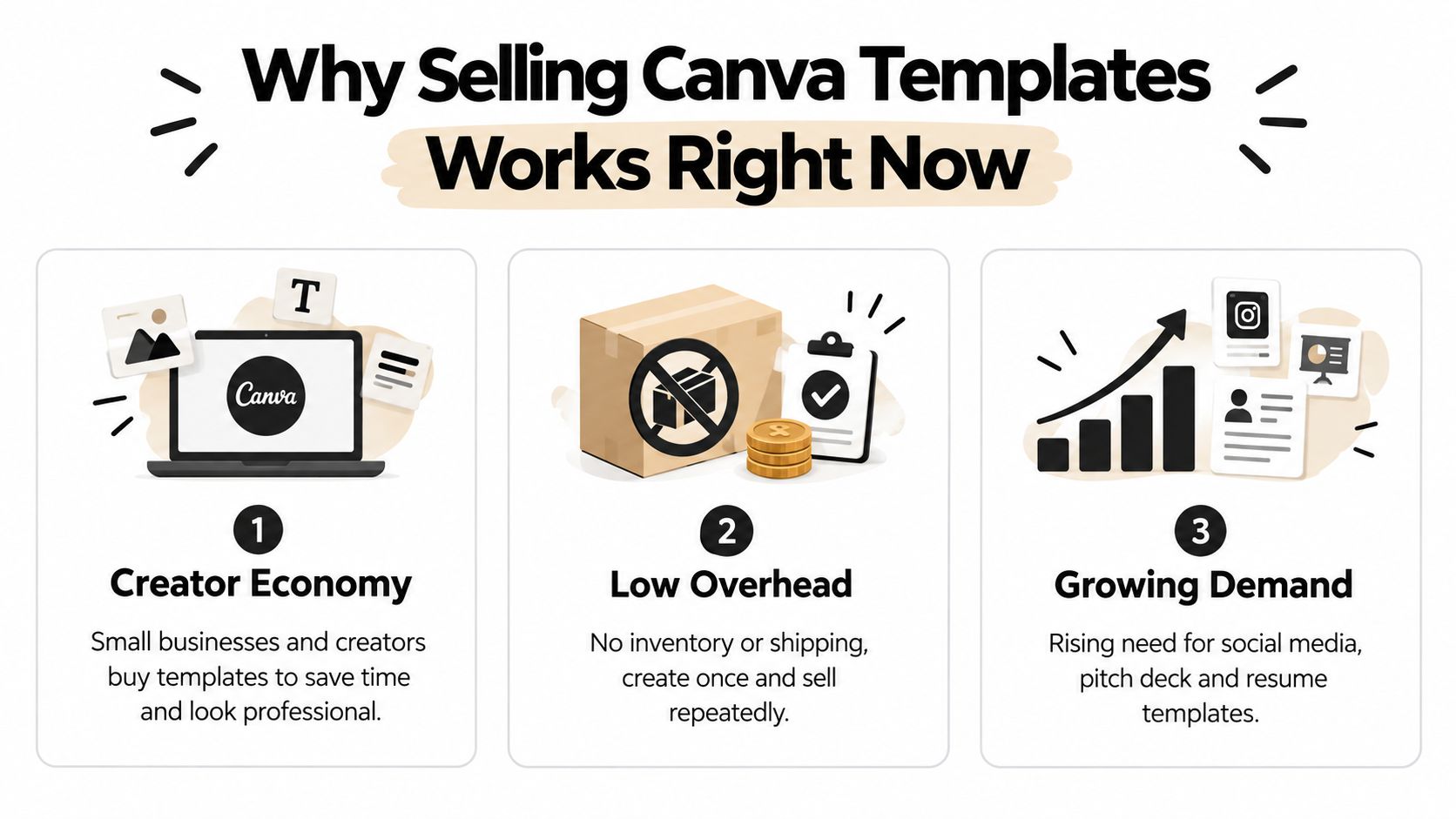
Table of contents
Why Selling Canva Templates Works Right Now
A lot of people get stuck at the same point. They can make a clean Instagram pack, a sharp pitch deck, or a sharp resume template, but they don't have a system for selling it. The result is a nice design library sitting in folders, while buyers keep paying for ready-made assets somewhere else.
The real buyers want speed
Canva templates sell because buyers aren't buying art for its own sake. They're buying time, clarity, and something they can edit without opening a design course. That's why templates keep showing up in categories like social posts, presentations, and resumes, especially for people running small operations who need polished output without custom design work.
This business model suits creators who can package a result, not just a file. A small business owner wants a pitch deck that looks credible today. A freelancer wants a portfolio or media kit that looks finished tonight. A job seeker wants a resume that's easier to customize than a blank page.
Practical rule: if your template saves the buyer from starting from scratch, it has a shot. If it only looks pretty, it usually won't convert.
The platform gives you room to niche down
Canva's size matters because it gives niche packs a real chance to find buyers. A broad audience is useful, but the stronger opportunity is often in narrower packs that solve one problem clearly. That's why one smart seller can make a small but useful presentation system for startup founders while another builds an emotionally expressive brand kit for coaches.
That also changes how you should think about pricing and distribution. You're not trying to win by being the cheapest designer on the internet. You're trying to create a product that feels specific, easy to use, and instantly relevant to a buyer who's already looking for that exact outcome.
If you want a deeper lens on choosing the right direction, the niche selection framework in taap.bio's niche guide is worth a look alongside the rest of your market research.
The biggest mistake is treating this like a one-off upload. The better approach is a single-page revenue system where discovery, checkout, file delivery, and email capture all sit together. That's where the money starts feeling repeatable instead of random.
Find Your Niche and Design Templates People Actually Buy
Start with demand, not aesthetics. Search a target phrase on a major marketplace, then look at whether the top listings already have hundreds or thousands of sales. That won't tell you exactly what to build, but it does tell you whether people are spending money in that lane.
Read the reviews like a product manager
Reviews are where buyers tell you what's missing. They complain about too many steps, awkward editability, unclear instructions, or layouts that don't fit the use case. Those complaints are gold, because they point to the gap your pack can fill.
A smart launch usually starts small. Build a first pack of 15 to 20 templates, include 2 to 3 color variations, and keep the product simple and editable so buyers can customize it quickly launch benchmark and validation guidance. If the buyer can't open it, change it, and move on in minutes, the product will feel heavier than it should.
Here is a straightforward approach:
- Search first: type the phrase you want to target into a marketplace and study the top listings.
- Compare sales signals: listings with strong traction show you where demand already exists.
- Mine the complaints: reviews reveal the feature gaps you can solve better.
- Design one focused pack: don't spread the first release across too many use cases.
- Keep edits simple: buyers want placeholders, clear layouts, and quick customization.
If you're deciding what niche to pursue, don't default to generic social-media packs. Trend coverage points toward demand that's still concentrated in resumes, presentations, and social templates, while more differentiated angles like startup presentation systems, mobile app mockup kits, or authentic brand-style packs can be easier to stand out with recent trend coverage.
For the actual design work, think in systems instead of single files. One offer can include a core pack, a few variations, and a simple style family that makes the set feel cohesive. If you ever need help with production capacity, unlimited graphic design services can be useful as a benchmark for how other creators handle throughput, although your own templates still need a clear niche and original angle.
The strongest packs are often the least fussy. Clean hierarchy, editable text, obvious placeholders, and a style that solves one buyer problem fast. That's what makes a template feel useful instead of just decorative.
The point isn't to chase the loudest trend. It's to make one pack that answers a specific search intent better than the next seller's version.

Licensing Packaging and File Delivery Done Right
This is the part that saves beginners from painful mistakes. A template is not just a design file, it's a delivery format, a licensing decision, and a support experience. If you get the packaging wrong, the customer can't use the product cleanly, and if you get the license wrong, you can create avoidable compliance problems.
The file format has to match the content
Canva's rules are explicit. Templates with Pro Content can only be sold as Canva template links, not as PDFs or other file types, and the template must be an original design Canva's help guidance on products for sale. That means the live share link isn't optional, it's the product delivery method.
The common mistake is to think a PDF alone counts as the product. A PDF can support the sale, but it can't replace the editable template link when Pro content is involved. That distinction matters because buyers expect to edit the design in Canva, not extract a flattened preview and hope for the best.
Practical rule: sell the editable Canva link, then add supporting files around it. Don't try to force the whole product into a PDF when the template itself is the real asset.
Package the buyer experience, not just the link
A clean delivery bundle usually includes the template link, a short PDF guide, usage instructions, and any bonus assets that don't conflict with the template rules. The goal is to make the handoff feel polished without overcomplicating the product. Most buyers don't want a big instruction manual, they want a simple path from purchase to first edit.
A useful structure looks like this:
- Template link file: the live Canva share link, clearly labeled.
- Start here guide: short instructions on how to open, edit, and save.
- License terms: plain-language usage limits and redistribution boundaries.
- Bonus assets: anything extra that supports the template without muddying the core delivery.
If you want a compact reference for building a cleaner delivery flow, taap.bio's digital product delivery system guide fits well with this workflow. It's especially relevant if you're trying to keep the template link, guide, and buyer instructions inside one organized purchase path.
A good unboxing experience prevents support tickets. Name the files clearly, keep the first page of the guide blunt and helpful, and make the template link easy to find in one click. That's how you sell something digital without making it feel fragile.
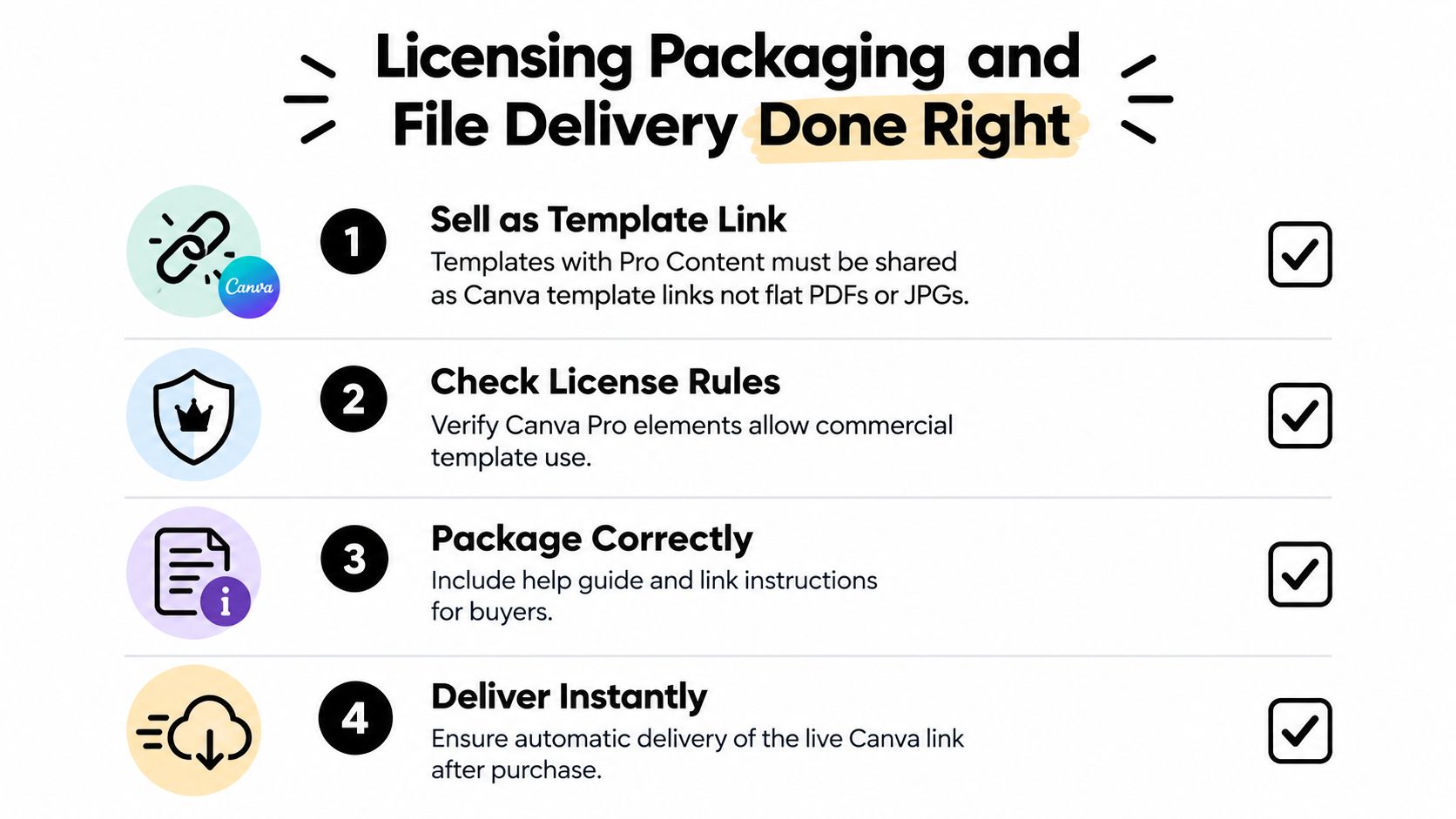
One more detail gets overlooked too often. Sellers usually bundle the template with the guide, but they forget to explain how the buyer should use the link alongside any extras. If you make the bundle too mysterious, you'll spend more time answering basic questions than making new products.
Pricing Your Packs and Building Product Pages That Convert
Pricing Canva templates as single files usually leaves money on the table. Bundles do better because buyers feel like they're getting a system, not a one-off asset. That also improves your unit economics, since one strong pack can support a higher ticket without needing a custom sales call.
Price around bundle value
One industry guide recommends single-use templates at about $9 to $19, template packs at $19 to $49, and larger bundles at $49 to $99 pricing guidance for selling templates online. Those ranges work because they match how buyers think about risk and utility. A single template is an impulse buy, while a bundle feels like a more complete purchase.
The question isn't whether you can charge more. It's whether your product page communicates why the bundle earns a higher price. If the page looks thin, the buyer will anchor low. If the page shows the variety, editability, and use case clearly, the bundle feels justified.
| Canva Template Pricing Tiers That Convert | Price Range | Best For |
|---|---|---|
| Single-use template | $9 to $19 | Quick buyer decisions, simple use cases |
| Template pack | $19 to $49 | Related layouts, niche collections |
| Larger bundle | $49 to $99 | Multi-asset systems, fuller brand or business kits |
Direct sales usually preserve more margin, while marketplaces can help with early organic traffic. That trade-off matters because a marketplace can bring discovery, but it won't own the relationship the way your own page can. A common mistake is relying on marketplace traffic and forgetting to capture email leads or proof assets like demos, screenshots, or walkthrough videos.
Build the product page like a sales page
A page that converts needs proof, clarity, and next steps. Demo images show what's inside, a short walkthrough video reduces friction, a what's-included list removes guesswork, and license clarity reduces fear. If the buyer still has to guess what they're buying, the listing isn't ready.
I also like to borrow a lesson from broader landing page work. A clear visual hierarchy, a clean call to action, and tight message matching matter just as much on a product page as they do on a campaign page, which is why this landing page optimization guide can be a useful companion if you're refining your first listing.
For a deeper look at pricing logic beyond template packs, taap.bio's digital product pricing strategy guide is a practical supplement. Use it to sanity-check whether your bundle price reflects the buyer's perceived value, not just your design time.
The best product pages don't feel clever. They feel obvious. The buyer sees the pack, understands the use case, knows what files they'll get, and can pay without wondering what happens next.
Set Up Instant Checkout and Delivery on Your taap.bio Page
A single-page store works well for Canva templates because the sale is simple. The buyer wants to see the offer, pay, and get the file immediately. Anything that interrupts that flow adds friction, especially for lower-priced digital products where attention is already thin.
Build one page, not a stack of tools
A bento-style page lets you keep the product, the checkout, the email capture, and the proof assets in one place. taap.bio does that by combining a drag-and-drop creator store, built-in checkout, instant digital file delivery, email signup, and widget-based analytics on a single page. It also supports 0% platform fees, GDPR-friendly hosting in France, and real-time analytics per widget, so you don't need a separate stack just to see what's working.
That setup matters because low-priced templates can get crushed by tool sprawl. If you pay fees in too many places, the margin disappears fast. If you push people through multiple tabs, some of them won't finish the purchase.
Buy where the template is shown, paid for, and delivered. If the buyer has to leave the page to complete any of those steps, you've already introduced drop-off.
Make the page earn attention twice
The first job is checkout. The second job is audience capture. Add your email signup widget right on the page so visitors who aren't ready to buy can still subscribe, and export those contacts as CSV when you want to move them into a launch list. That turns a page view into an owned relationship instead of a one-time visit.
A practical page flow looks like this:
- Top section: one-sentence value proposition for the template pack.
- Visual block: preview images or a short embedded demo.
- Product block: price, instant checkout, and delivery note.
- Email signup: a simple reason to subscribe for updates or new packs.
- Support note: short instructions for what happens after purchase.
If you also sell appointments or custom work, complete your booking can be a useful reference point for how other creators think about on-page conversion and paid flow. The important part is not the tool itself, it's the principle that the transaction should happen where attention is already highest.
For setup details around a storefront flow, taap.bio's digital product store guide gives a clean overview of the broader structure. Pair that with a custom domain if you want the page to feel branded instead of temporary.
The strongest version of this model is boring in the best way. One page, one checkout, one instant delivery path, one email capture loop. That's enough to sell templates without babysitting every transaction.
Market Support and Scale Your Template Shop
Once one pack starts selling, the work shifts from creation to repetition. The sellers who keep momentum don't keep reinventing the wheel. They extend the pack, improve the page, answer buyers quickly, and launch the next related product before attention cools off.
Keep the store visible and the support light
Promotion works best when the page is easy to share. Pin your store link on social bios, use preview widgets where they fit, and keep the product title specific enough to match search intent. If your title is vague, search traffic won't know where to place you, and people who do click may not recognize what you sell.
For promotion ideas that fit a digital product shop, taap.bio's guide to promoting digital products is a useful companion. The same logic applies here, lead with one strong product and point everything back to the same purchase path.
Support should stay simple. Give buyers a short set of instructions, keep a visible help note, and update the product when a layout starts to feel dated. Most template businesses don't need elaborate customer service systems, they need fast answers and clean files.
Scale by variation, not by chaos
The next products should usually be adjacent, not random. Add new colorways, create a niche variation, or turn one presentation pack into a family of related business assets. That's how you build a catalog people can recognize without forcing yourself into completely new categories every time.
A good scaling loop looks like this:
- Launch one focused pack: prove the niche first.
- Watch which block gets clicks: use the page's widget analytics.
- Add a variation: expand the winner instead of starting over.
- Capture emails on-page: announce the next pack to people who already showed interest.
- Refine the listing: improve the title, preview, and instructions based on real buyer behavior.
The biggest advantage here is compounding. Each good product improves the odds of the next one, because the same audience, page structure, and email list can support multiple launches. That's the practical difference between a hobby upload and a template shop.
You don't need a giant catalog to make this work. You need one useful pack, one page that converts, and one repeatable way to bring people back.
If you want a cleaner way to sell Canva templates without patching together a separate storefront, checkout, and email tool, set up a taap.bio page and build the whole buyer flow in one place. It's a straightforward way to publish a template pack, collect emails, and deliver digital files instantly from the same page. Visit taap.bio and turn your next Canva pack into a simple revenue page instead of another scattered link.