
Most creators who sell digital art in the early years earn under $10,000 a year, while only 5.7% of creators reach $100,000 or more. That's why selling digital art works best when you treat it like a system, not a side hustle.
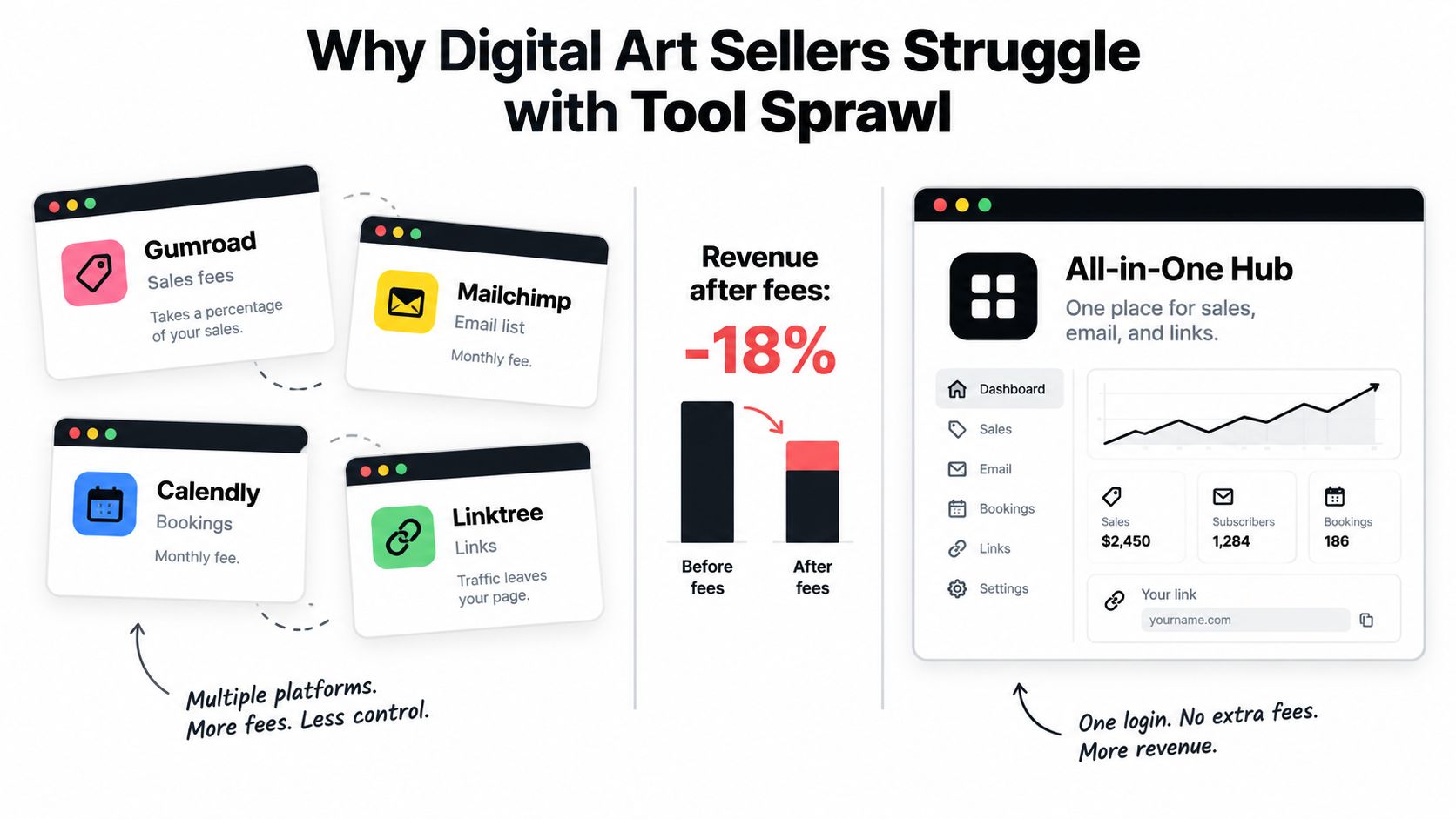
You're probably already doing too much. One tab for uploads, another for email, another for bookings, another for link-in-bio, and by the time a buyer clicks around, half the revenue is gone to friction, fees, and distractions.
Table of contents
Why Digital Art Sellers Struggle with Tool Sprawl
The usual setup is messy in a way that feels normal until you audit it. You post a print on one platform, send people to a separate email tool, book custom work through another app, and then stitch the whole thing together with a link page that sends visitors somewhere else. Every extra handoff gives buyers another chance to leave.
I've watched creators blame weak demand when the actual issue was their stack. They weren't short on interest, they were leaking it. A cleaner store turns scattered curiosity into one path: browse, subscribe, buy, book.
The point isn't just convenience. It's margin. When you replace a pile of subscriptions and redirects with a single-page storefront, you keep the buyer on one screen and you stop paying for tools that mostly duplicate each other. If you want a simple way to compare that kind of consolidation against the usual app stack, compare productivity apps side by side is a useful way to think about the tradeoffs.
Practical rule: if a tool doesn't help a buyer complete an action on the same page, it's probably adding drag instead of value.
A lot of creators also hide the most important links behind a generic landing page. That's a mistake. Your store should do the work of a storefront, an email capture page, and a booking page without making people hop around. If you're still piecing together your stack, the best creator tools guide is a useful benchmark for what belongs in a lean setup and what doesn't.
The fastest path to first sales is usually not the fanciest stack. It's the simplest one that keeps attention in place long enough for someone to buy.
File Formats and Preparation That Actually Convert
Buyers don't want mystery files. They want a clean download, a clear purpose, and a format that opens without drama. If you sell crisp raster art, PNG is the safest default. If your work is vector-based, SVG keeps it scalable. If you're selling printable artwork, PDF is the format most buyers expect because it's easy to print and share.
The expensive mistake is uploading the art and skipping the prep. Bad previews, bloated files, and vague naming make the listing look amateur even when the artwork is strong. That's how you lose trust before the first sale lands.
Prep the listing before you upload
Use a repeatable workflow. Export the final version in the right format, compress it enough to load quickly, then open the file yourself on desktop and mobile to confirm that the colors, margins, and resolution still look right. If you're offering premium add-ons, package source files like Procreate or layered PSD files separately so the buyer knows exactly what they're getting.
A listing also needs the basics buyers scan for fast. Don't improvise these every time.
- Primary file: the exact downloadable format the buyer will receive.
- Preview image: a polished mockup or thumbnail that shows the art in context.
- Title and short description: clear enough that a buyer knows the use case immediately.
- License note: plain-language terms for personal use, commercial use, or extended rights.
- Support note: a quick line that explains what happens if the buyer has a file issue.
Good prep protects you from refund requests because it removes confusion before payment happens.
If you sell digital products often, use a setup that makes file delivery automatic instead of manual. The digital downloads overview is helpful if you want to map the difference between a product that feels polished and one that feels thrown together.
The strongest listings don't just look better. They reduce support load, prevent bad reviews, and make buyers trust the process enough to click without hesitation.
Pricing Your Digital Art for Profit and Growth
Pricing is where most creators leave money on the table. They either panic and price too low, or they guess too high and never test the gap between interest and conversion. The smarter move is to anchor each SKU to the buyer's use case and the asset's complexity, then test nearby price bands for 4 to 6 weeks while watching views, favorites, and conversion rate, which is sales divided by views. Independent benchmarking puts healthy art-product conversion at roughly 1% to 3%, with strong listings reaching about 4% to 7% when the intent matches the product closely Etsy digital product benchmarks.
That benchmark matters because not every file should be priced the same way. A single printable quote poster doesn't deserve the same pricing logic as a bundle with multiple sizes, layered source files, and licensing rights. If you want predictable growth, stop thinking in terms of “what feels fair” and start thinking in terms of “what this buyer is solving.”
Price for the format, then raise value with bundles
For marketplace-style sales, a strong working range is $3 to $12 for individual files and $10 to $45 for bundles. Bundles work because they raise perceived value without forcing you to create a brand-new product every time. They also improve revenue per buyer, which matters more than bragging about traffic.
The other lever is social proof. Once a listing has steady monthly sales and about 20 reviews, a 20% to 30% price increase is a reasonable rule of thumb. That doesn't mean every product should jump immediately, but it does mean you should stop apologizing for pricing that matches demand.
License terms need to be plain, not clever
Personal use means the buyer can use the file for themselves, not for resale or client work. Commercial use means they can use it in a business context within the limits you set. Extended licenses go further and should be reserved for buyers who need broader rights, higher distribution, or resale-adjacent use.
Vague licensing kills trust. If buyers have to guess what they're allowed to do, they stall or choose a competitor who explains it better.
The biggest pricing mistakes are boring but costly.
- Underpricing bundles: you train buyers to expect too much for too little.
- Hiding license limits: you invite pre-sale confusion and post-sale disputes.
- Ignoring complexity: a simple file and a custom package should not sit in the same price bucket.
For a practical pricing framework you can adapt to your own store, digital product pricing strategy is the right internal reference point.
If you want profit, don't race to the bottom. Price the file for the buyer's outcome, then test the market instead of begging it to validate your work.
Listing Setup and Instant Digital Delivery Workflow
A good listing has a job to do, and it only has four parts that matter: the title, the thumbnail, the description, and the license. Get those wrong and the product feels unfinished before anyone sees the art. Get them right and the sale starts to feel obvious.
Start with a title that names the use case, not just the medium. A buyer should know whether they're getting a printable, a vector asset, a template, or a commissioned digital piece. Then use the thumbnail to show the result in context, not just a flat preview on white.
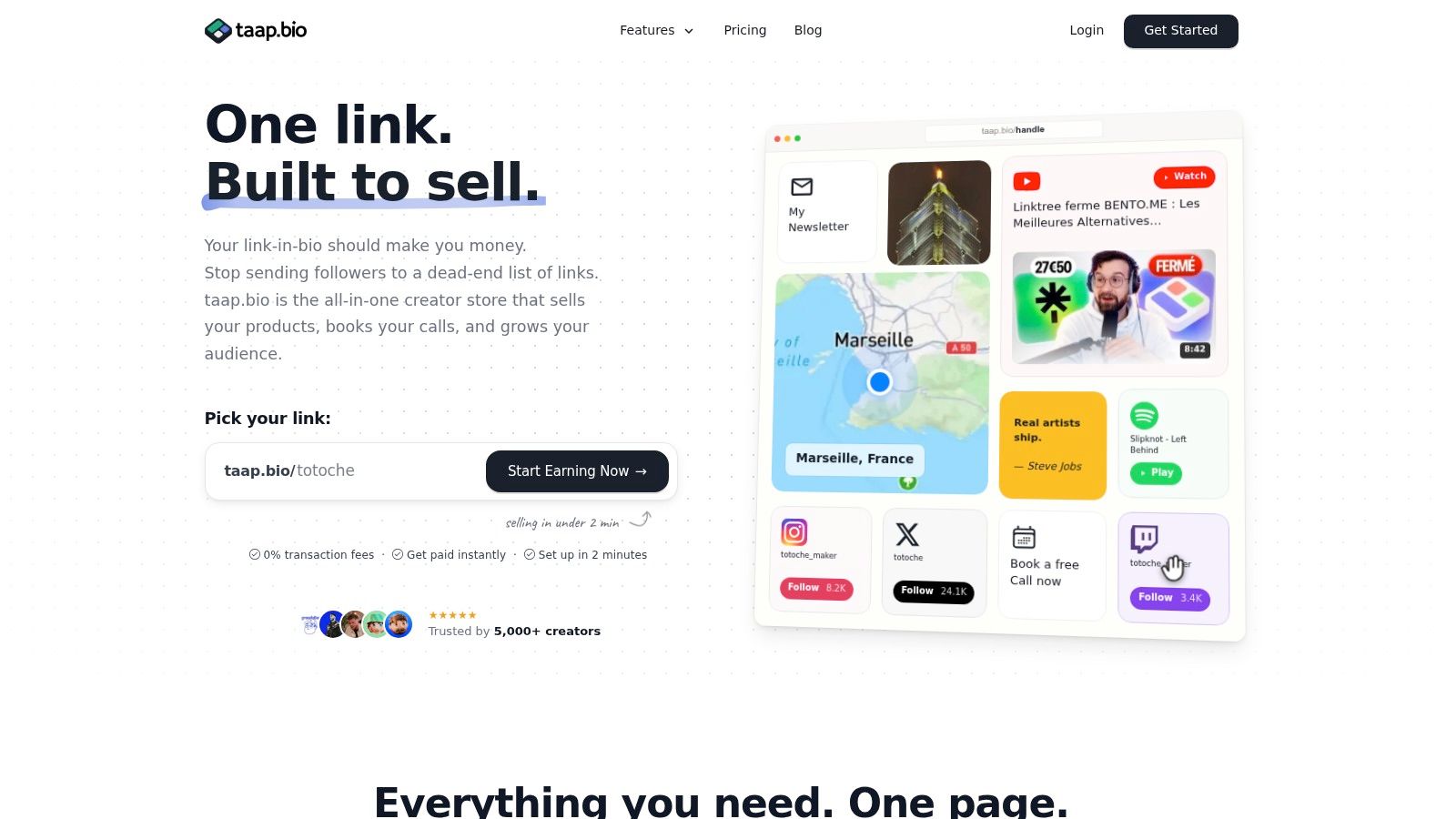
The fastest setups remove friction after checkout. With built-in delivery, the buyer pays and gets the file immediately, which is exactly how low-ticket digital art should work. If you're selling consultations or custom commissions too, on-page bookings let people reserve time, pay upfront, and receive the invite automatically instead of clogging your inbox.
Here's the workflow I'd use if I were setting this up from scratch today:
- Build the page: use one drag-and-drop layout for the storefront, booking block, and email capture.
- Add the product: upload the digital file, write the description, and set the license clearly.
- Connect checkout: let buyers complete payment without leaving the page.
- Trigger delivery: send the file instantly after purchase.
- Collect leads: capture email before or after purchase, then export contacts when needed.
The reason I like a consolidated page for this is simple. Fewer moving parts means fewer places for buyers to get lost. taap.bio does this as a single-page store with built-in checkout, scheduling, and email capture, and it's priced at $19/month after a 14-day trial with 0% platform fees, which matters a lot when your items are low-priced and every dollar of margin counts. If you want the mechanics in more detail, the instant digital delivery guide is a good place to see how the flow should feel.
The most reliable digital product stores feel boring in the best way. The buyer clicks, pays, gets the file, and never has to wonder what happens next.
Marketing Tactics That Turn Views Into Buyers
Social reach gets attention. Owned systems turn that attention into revenue. If you keep pushing people from your post to a marketplace page to a separate link page to a signup form, you're making them work too hard, and buyers usually won't.
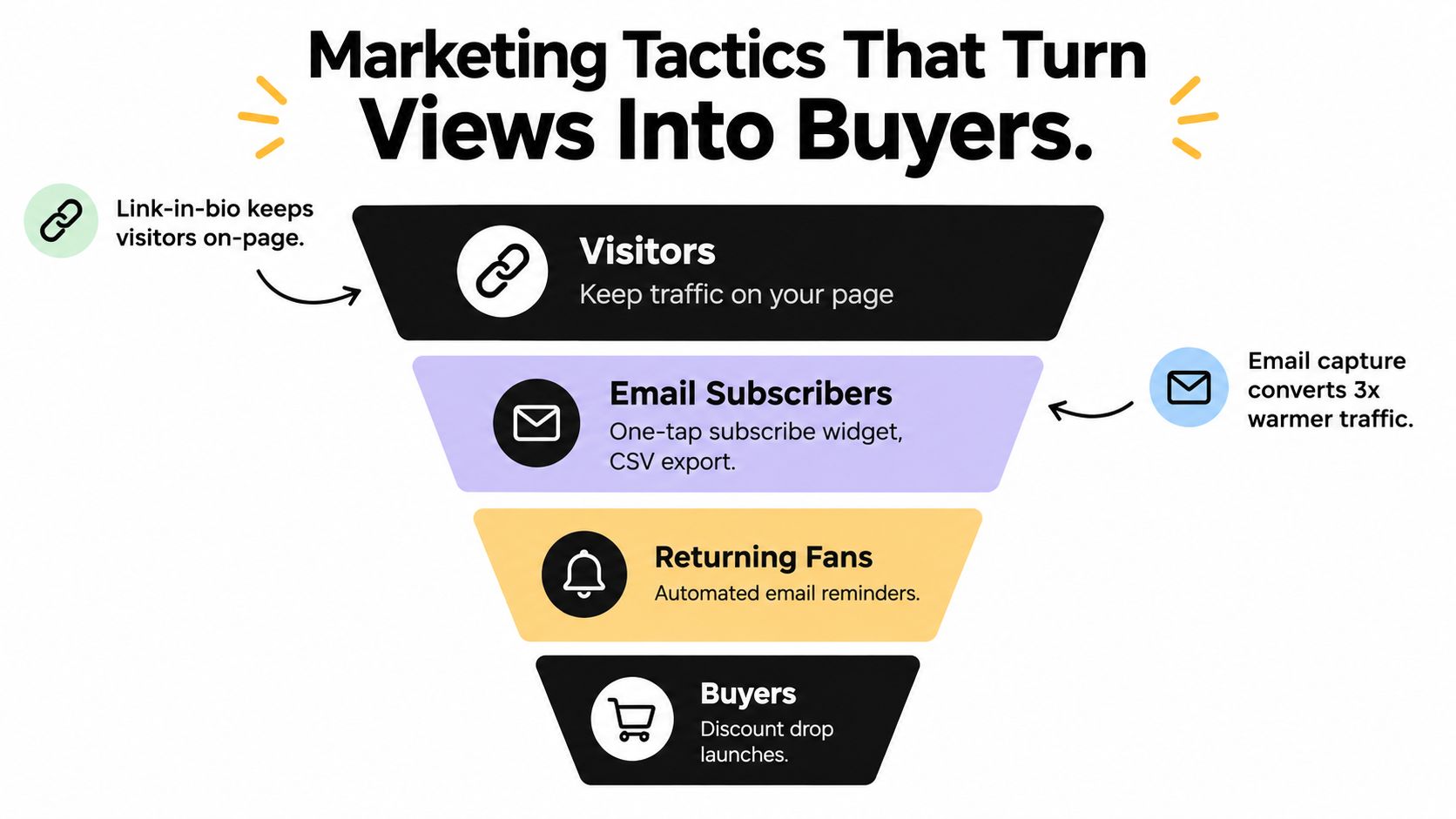
The smarter move is to keep the first click inside your own page. A link-in-bio store can route visitors to products, email signup, and paid bookings without throwing them out into someone else's ecosystem. That matters because social platforms dominate discovery, but they don't guarantee monetization.
Build the audience you can actually keep
Email capture is still the cleanest way to own your audience. A one-tap subscribe widget is better than a long form, and CSV export matters because portability keeps you from being trapped in one tool forever. Once people are on your list, you can announce new drops, bundle launches, or custom commission slots without depending on the algorithm.
Direct-to-fan sales also improve the quality of the relationship. Someone who has subscribed, returned, and bought before is warmer than a stranger who found you through a random post. That's why I'd rather see a small list of buyers than a huge audience that never leaves the feed.
You should also use paid bookings as a filter. If a request needs a conversation, charge for the time. That simple move cuts out the casual messages that turn into unpaid scope creep and endless back-and-forth.
Keep traffic moving toward owned pages
The marketing mistake most artists make is thinking the post itself is the product. It isn't. The post is only the doorway. Your page should do three jobs at once, move traffic, capture email, and present a purchase option before attention disappears.
The broader creator economy data back this up. A 2026 report says the sector is expanding at roughly 10% to 23% a year depending on methodology, and a separate 2026 summary says 48.7% of U.S. creators earn under $10,000 annually while only 5.7% earn $100,000 or more creator economy report. That spread tells you exactly what matters, recurring relationships, not one-off visibility.
For a sharper playbook on promotion, marketing digital products is worth reading alongside this. The pattern is simple, owned audiences compound, marketplace traffic usually doesn't.
Legal Basics, Metrics, and Ongoing Optimization
Selling digital art like a professional means you stop guessing and start maintaining the business. Copyright is still yours unless you transfer it. Licensing should spell out what the buyer can do. If AI meaningfully contributed to the work, disclosure matters because many marketplaces now expect transparency around process. And if you want a cleaner setup, GDPR-friendly hosting helps you avoid the cookie-banner clutter that makes a page feel bloated before it loads.
If you're separating your creative income into a real business, it's smart to understand the entity side too. The LA Law Group, APLC entity formation basics are useful context if you're deciding how formal you want your operations to be.
Track what buyers actually do
Don't obsess over vanity metrics. Watch visitor counts, widget-level clicks, and conversion behavior. If views are healthy but sales are flat, the problem is usually the thumbnail, the offer, or the price. If email signups are strong but purchases lag, your follow-up or product ladder needs work.
Use a simple review rhythm.
- Weekly: check which listings get attention and which ones stall.
- Monthly: test thumbnail changes or small price adjustments.
- Quarterly: prune weak products and expand the ones that keep selling.
If buyers keep visiting but don't buy, fix the offer before you chase more traffic.
The market is moving too fast to rely on intuition alone. The digital art market is projected to grow from USD 6.69 billion in 2026 to USD 13.26 billion by 2031, with a 14.66% CAGR over that period, and digital painting accounted for 39.24% of revenue in 2025 digital art market projection. That kind of growth rewards creators who measure, adapt, and keep their listings tight.
The practical takeaway is simple. Protect your rights, make your terms legible, watch your data, and improve one piece at a time.
taap.bio gives you a single-page creator store with product checkout, paid bookings, email capture, and analytics in one place, so you can sell digital art without juggling a pile of separate tools. If you want a cleaner path from post to purchase, visit taap.bio and build a page that keeps the whole sale on one screen.


