Ever felt like you're drowning in a sea of information? You've got your favorite news sites, a handful of must-read blogs, endless social media feeds, and that one YouTube channel you can't miss. Trying to keep up with it all means bouncing between dozens of tabs. It's exhausting.
This is exactly the problem a content aggregator is built to solve.
Think of it as your own personal digital librarian. It's a tool—either a website or an app—that automatically scouts the internet, gathers content from all your go-to sources, and neatly arranges it all in one single, convenient place for you. It's like having a personalized newspaper delivered to your screen, curated specifically for your interests.
Table of contents
Understanding the Digital Curator
Instead of you hunting down the content, a content aggregator brings the content to you. It cuts through the noise and transforms the chaos of the open web into a streamlined, easy-to-scan feed.
At its heart, an aggregator is all about efficiency. It helps you manage the overwhelming flood of digital information, often using clever tools like smart summaries to reduce information overload. This is why they've become so essential for anyone who needs to stay in the know without spending all day doing it.
And it’s not a niche concept. The demand for this kind of personalized content delivery is booming. The news aggregator market alone is on track to hit a staggering $45 billion by 2033, which shows just how much we crave a better way to consume information. You can see the full market breakdown on Archive Market Research.
Core Functions of a Content Aggregator
So, what’s actually happening behind the scenes? While the technology can get pretty technical, the core job of an aggregator boils down to three simple steps: gathering, organizing, and displaying.
To make this clearer, let's look at what each function really means.
| Function | What It Means | Example |
|---|---|---|
| Gathering | The tool automatically pulls in new content from different websites using things like RSS feeds, APIs, or web scrapers. | A news aggregator fetching the latest headlines from CNN, BBC, and The Verge. |
| Organizing | All that collected content is then sorted and grouped by topic, keywords, or preferences you've set. | Your feed is split into categories you care about, like "AI Startups" or "Marketing Trends." |
| Displaying | Finally, everything is presented to you in a single, unified interface, like a clean, scrollable feed or a dashboard. | Instead of 10 browser tabs, you have one app showing everything in a neat list. |
This process transforms a messy, time-consuming routine into a simple, elegant experience.
A classic example of this in action is a tool like Feedly. You tell it which blogs, publications, and YouTube channels you want to follow, and it pulls all their latest updates into one place for you.
As you can see in the screenshot, Feedly lets you create distinct feeds for "Tech" or "Marketing," presenting headlines from multiple sources in a format that's incredibly easy to scan. It’s a huge time-saver.
It's important to note that an aggregator focuses on pulling in external, third-party content. This makes it different from a content hub, which is designed to centralize and showcase your own brand assets. If you're looking to organize your own materials, you can learn more about creating a content hub in our guide.
How Content Aggregators Actually Work
Content aggregators can feel like a bit of magic, but what’s happening behind the curtain is all about smart technology built to fetch, sort, and display information. Think of them as your personal, automated librarians, tirelessly scanning the web for new material that fits your specific interests. At their core, they rely on a few key methods to pull content from millions of different sources.
The classic, and still surprisingly common, method is the RSS feed. Standing for Really Simple Syndication, RSS is basically a standardized format that lets websites announce their latest updates. When a blog posts a new article, its RSS feed updates with a headline, a quick summary, and a link back to the full content.
An aggregator simply subscribes to thousands of these feeds. It checks them constantly for new entries and pulls everything it finds into one clean, organized dashboard for you. It's a straightforward, permission-based system that’s been the backbone of content aggregation for years. In fact, over 50,000 websites still use RSS-based tools to power their news feeds, which tells you just how reliable it is.
The Evolution from RSS to APIs
RSS is great for news sites and blogs, but the modern internet is far more interactive and complex, dominated by social media giants and dynamic platforms. This is where Application Programming Interfaces, or APIs, take over.
An API is like a secure, controlled doorway that lets one application talk to another and request specific pieces of data. Instead of just a simple text feed, an API can deliver rich, structured information—think your latest Instagram posts, a feed of YouTube videos, or even live-updating data.
This whole process can be boiled down to three main stages: gathering, organizing, and displaying.
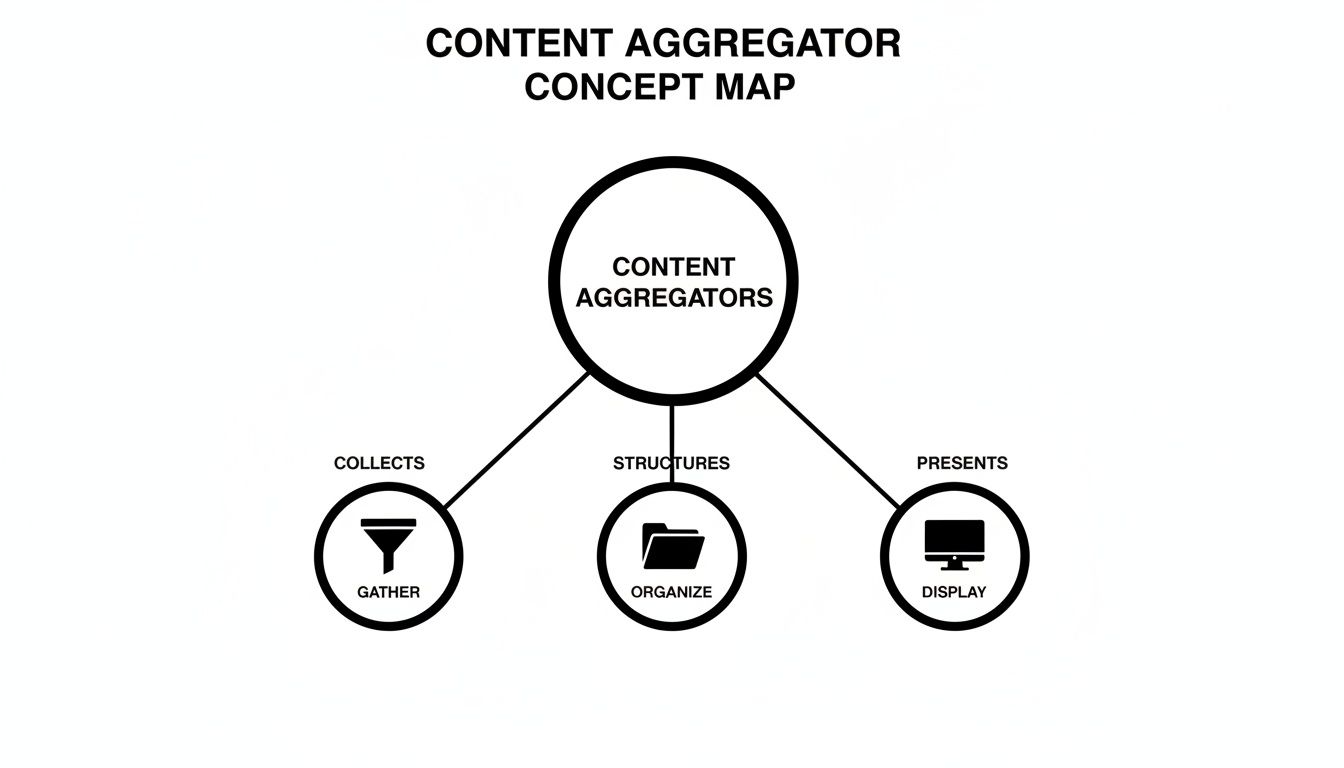
As you can see, it’s a continuous cycle. The aggregator collects content, structures it based on predefined rules, and then presents it to you in a fresh, easy-to-digest format.
Different Tools for Different Jobs
Not all aggregators are built the same. The method they use depends entirely on what they’re trying to accomplish. Knowing the difference helps you understand what's really going on with your favorite apps and platforms.
Here’s a quick look at the most common approaches:
- Social Media Aggregation: These tools tap into the official APIs from platforms like Instagram, X (formerly Twitter), and TikTok. They're designed to pull in posts based on specific hashtags, user accounts, or keywords, which is perfect for creating those live social walls you see at events or on websites.
- Manual Curation: Some platforms, like Flipboard, mix automation with a human touch. Algorithms do the heavy lifting by suggesting relevant content, but human editors often have the final say. They curate collections and themed "magazines" to ensure everything is high-quality and genuinely interesting.
- Link-in-Bio Smart Widgets: This is a more modern take, and you’ll see it in tools like Taap.bio. Instead of just scraping links, they use APIs to embed live, interactive content directly onto a single page. So, rather than a boring link to a YouTube video, you get a fully playable video grid right there—a much richer experience for your audience.
From the humble RSS feed to sophisticated APIs, these technologies are what turn the chaos of the web into a personalized, manageable stream of content. To see this in action on social media, dive into our guide on social media aggregator tools.
Weighing the Pros and Cons of Content Aggregation
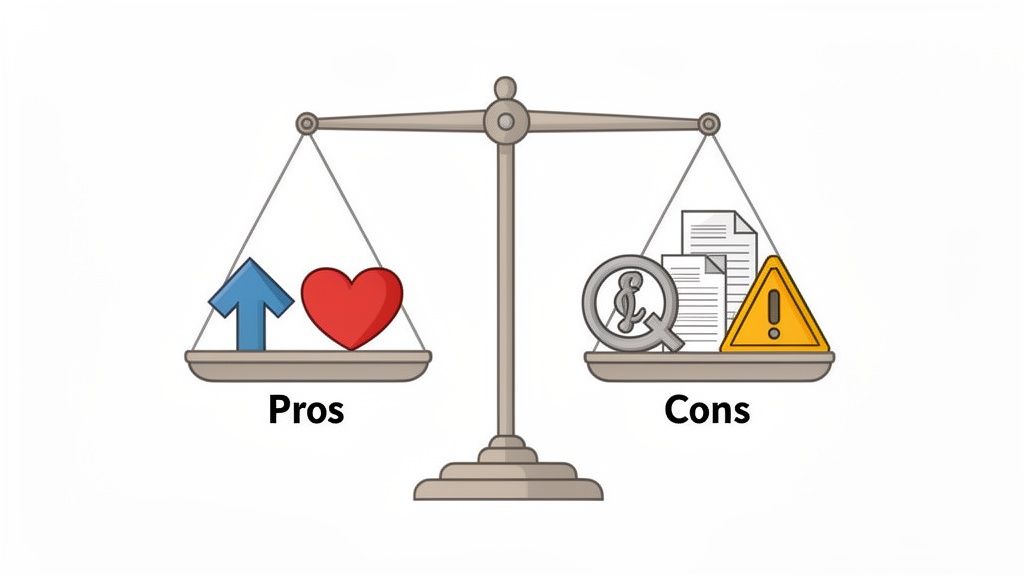
Content aggregation is a classic double-edged sword. On one hand, it can be an incredible tool for getting your work in front of new people and growing your audience. On the other, it comes with some serious risks you need to watch out for.
When it's done right, a good aggregator is basically a powerful distribution channel. Think of it this way: by featuring your headline and a short snippet, a reputable platform sends a wave of interested readers back to your website. This isn't just about traffic; it's about building high-quality backlinks that search engines love, giving your own site a nice little SEO boost.
The Creator's Advantage: What’s In It for You?
For anyone creating content online, the upsides are pretty compelling. It’s a shortcut to tapping into communities that are already built, saving you the hard work of starting from zero.
Here's what you stand to gain:
- Massive Reach and New Eyeballs: Your content lands in front of people actively searching for your expertise who might never have stumbled upon your blog or channel otherwise.
- Highly Relevant Traffic: Since most aggregators sort content by niche, the visitors they send your way are already interested in what you have to say. They’re far more likely to stick around and become genuine fans.
- Building Your Authority: Platforms like Reddit or specialized forums are more than just content dumps. They let you jump into conversations about your work, answer questions, and build a reputation as the go-to expert.
The digital content market is exploding—it’s projected to hit $71.19 billion by 2031. Using aggregation smartly is one way to carve out your slice of that pie. You can see more stats on the digital content market's growth for yourself.
Navigating the Potential Risks
But it's not all smooth sailing. The dark side of aggregation can be a real headache for creators, with the biggest worry being the theft of your hard work. Not every platform plays fair, and some blur the line between sharing and stealing.
Copyright Infringement: This is the big one. Some sites, known as scrapers, will lift your entire article and republish it without your permission. Let's be clear: that's not aggregation, it's plagiarism. It can completely dilute your brand and siphon away your traffic.
Another serious problem is the potential SEO damage. When your full article gets reposted on another domain, search engines can get confused. They see it as duplicate content and might struggle to figure out which one is the original, which could end up hurting your rankings.
And let's not forget the user's side of things. A poorly managed feed is a recipe for information overload, flooding people with low-quality, repetitive, or irrelevant posts. Even worse, some automated systems can accidentally spread misinformation just as fast as they share legitimate news. Knowing these risks is crucial before you let your content out into the wild. For a closer look at platforms that can help you manage this, check out our comparison of social media management tools.
Real-World Examples of Content Aggregators
Knowing the definition of a content aggregator is one thing, but seeing how they work in the wild makes the whole concept click. Chances are, you’re already using several of them every single day without even thinking about it.
They show up in all sorts of shapes and sizes, each built for a different type of content and a specific audience. Let's walk through a few common examples you’ve probably bumped into.
Comparing Different Types of Content Aggregators
To get a clearer picture of the landscape, it helps to see these tools side-by-side. The table below breaks down some popular aggregators by their main job, the kind of content they handle, and how much human touch is involved in what you see.
| Aggregator Type | Example | Primary Use Case | Level of Curation |
|---|---|---|---|
| News Aggregator | Google News | Catching up on global headlines and current events. | Mostly Algorithmic |
| Feed Reader | Feedly | Creating a personalized feed from specific blogs and sites. | User-Curated |
| Visual Curator | Discovering content in a visually appealing, magazine format. | Hybrid (Algo + Human) | |
| Social Aggregator | Finding and discussing niche content voted on by a community. | Community-Curated | |
| Link-in-Bio Tool | Taap.bio | Centralizing a creator's own links and content on one page. | Self-Curated |
As you can see, the core idea of "gathering content" plays out in very different ways, from a purely automated news stream to a highly personal, self-managed hub.
News and Publication Aggregators
This is the classic example, the one most people think of first. These platforms are built to pull headlines, summaries, and links from thousands of news sites, magazines, and blogs into one convenient spot. The goal is to give you a bird's-eye view of what’s happening without making you hop between dozens of different websites.
Take Google News, for instance. It’s been a titan in this space since it launched way back in 2002. It’s no surprise that the global news aggregator market is now worth $2.5 billion and is projected to double by 2032. Google News alone pulls content from over 65,000 different publishers to feed its massive audience. You can dive deeper into the news aggregation market on xpert.digital.
Beyond Google, a few other heavy hitters include:
- Feedly: This is for the person who wants total control. You subscribe to the RSS feeds of your favorite sites and build a news dashboard that’s 100% yours.
- Flipboard: This one feels more like a digital magazine. It uses a mix of smart algorithms and human editors to present articles in a beautiful, visual layout tailored to your interests.
This is what Flipboard looks like in action. It’s all about creating a more curated, almost leisurely reading experience.
Instead of just a boring list of links, it uses a dynamic grid that makes discovering new content feel like you're flipping through a high-end magazine.
Social and Community-Driven Aggregators
These aggregators run on people power. Instead of algorithms doing all the heavy lifting, these platforms rely on their users to find, share, and vote on what’s important. The community itself becomes the filter, pushing the most interesting stuff to the top.
Reddit is the king of this model. It’s made up of thousands of niche communities, or "subreddits," for just about any topic you can imagine. Users post links, and the community’s upvotes and downvotes decide which ones get the most visibility.
Other popular spots for community-driven content include:
- Hacker News: A no-frills forum for the tech crowd. Programmers and startup founders share and debate the latest news in their world.
- Product Hunt: A daily showcase where people discover and upvote the best new tech products, from mobile apps to AI tools.
Finally, a new wave of tools is helping creators become aggregators of their own content. Modern link-in-bio pages let you pull all your scattered links, videos, and articles into one central hub. If you're tired of juggling multiple profiles, take a look at our guide to the best Linktree alternatives to see how you can build your own content headquarters.
Moving from Aggregation to Smart Curation
Traditional content aggregators are all about pulling in content from everywhere else. It's a useful model for discovery, sure, but it puts creators in a pretty passive role. You just cross your fingers and hope your work gets noticed and picked up by their algorithms.
But what if you flipped the script? The next step in this evolution is a total role reversal—shifting from a "pull" model to a "push" model where you're the one in the driver's seat.
This is where smart curation comes in. Think of it as a more deliberate, focused way to present your digital world. Instead of a machine scraping content from others, you become the curator of your own universe. You get to hand-pick your absolute best work from every platform and showcase it in one dynamic hub that you control.
Introducing First-Party Aggregation
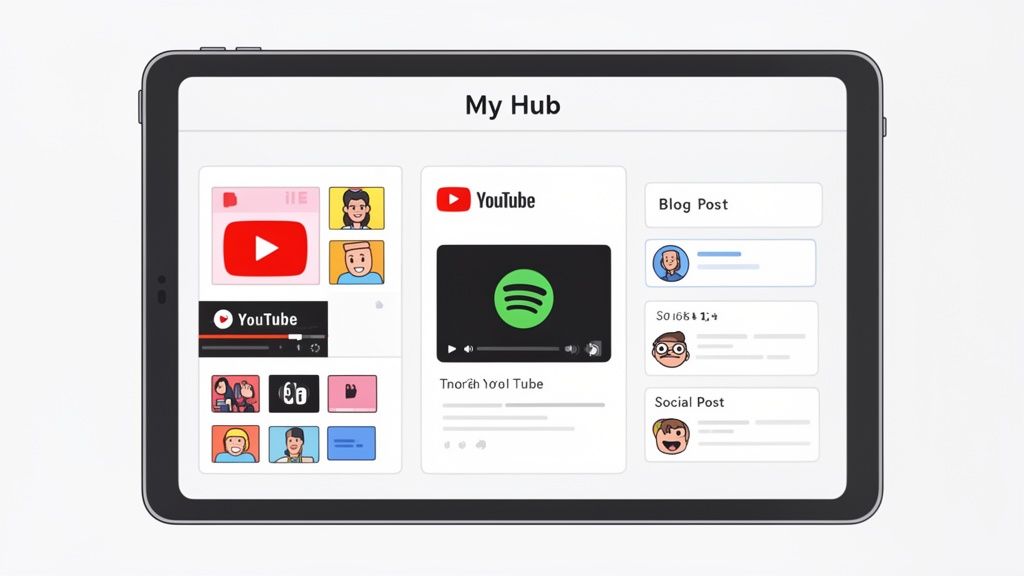
We call this new approach first-party aggregation. It works by using official APIs—the secure, approved gateways that platforms like Spotify and YouTube provide—to embed live, interactive content directly onto your page. This is a massive leap forward because it completely respects copyright, keeps your content perfectly up-to-date, and delivers a far more engaging experience for your audience.
Instead of a simple link, first-party aggregation gives your audience a playable Spotify track, a live grid of your latest YouTube videos, or an interactive gallery of your recent Instagram posts. It transforms a static list into a dynamic digital headquarters.
With this method, you own the entire narrative. You decide what gets featured, what it looks like, and how your audience interacts with it. It’s a fundamental change from hoping some external aggregator finds you to building your own destination. As search habits evolve toward AI-powered answer engines, mastering concepts like Answer Engine Optimization (AEO) is also becoming essential for staying visible.
How Smart Widgets Power This Shift
The tech that makes all this possible is the smart widget. These aren't just your standard embed codes; they are basically mini-apps that display real-time information pulled directly from the source platform.
- For Musicians: A Spotify widget can drop a playable track, a whole album, or even your artist profile—complete with a live monthly listener count—right onto your page. Fans can listen without leaving.
- For Video Creators: A YouTube widget can display your four most recent videos as clickable thumbnails, often alongside your current subscriber count.
- For Designers: A Dribbble or Behance widget can show a live portfolio grid, showcasing your latest work and project stats as they're updated.
This approach gives you the best of both worlds. You get the clean, organized feel of an aggregator but with the rich, interactive functionality of the native platforms. It’s the difference between telling someone about your work and letting them actually experience it, right then and there. To see how these hubs are changing the game for personal branding, it’s worth exploring the bio link meaning in the modern creator economy.
By curating your own content with smart widgets, you’re not just building a page of links. You're creating a true reflection of your digital presence—ethically, effectively, and entirely on your own terms.
Got Questions? We've Got Answers
Stepping into the world of content aggregation can feel a little confusing. Creators worry about their work, and users want to make sure they're playing fair. Let's clear up some of the most common questions that pop up.
Is Using a Content Aggregator Even Legal?
Yes, as long as everyone is playing by the rules. Legitimate aggregators don’t just steal content; they use official channels like RSS feeds to pull in a headline, a short preview, and—most importantly—a direct link back to your original article. This is standard practice, often considered fair use, and it actually helps everyone by sending new readers your way.
The line gets crossed when a site starts "scraping"—that’s just a fancy word for copying and pasting your entire piece of work without your permission. That's not aggregation; it's straight-up copyright infringement. On the flip side, tools you use for personal curation are always in the clear because you’re just organizing links to content you already own on different platforms.
Can Content Aggregators Mess Up My SEO?
They can, but only the shady ones. If a scraper site rips your full article, it creates duplicate content floating around the web. Search engines get confused about which one is the original, and that confusion can ding your search rankings.
But when an aggregator does it right—giving you full credit with a link back to your site—it can actually give your SEO a nice boost. Those links are valuable backlinks. They send traffic your way and signal to search engines that your content is a credible source worth paying attention to. And self-curation hubs like a Taap.bio page? They carry zero SEO risk and actually make your online presence stronger by bringing all your links together.
What's the Difference Between Aggregation and Curation?
People often use these words interchangeably, but they're not the same thing. Here’s a simple way to think about it: aggregation is just gathering the ingredients, while curation is crafting the final dish.
Aggregation is automated and all about quantity. It pulls everything it can find on a certain topic or keyword, like a massive, unfiltered news feed.
Curation is human-powered and all about quality. Someone thoughtfully hand-picks the best, most relevant pieces of content to share, adding their own perspective or context.
Many modern tools for creators actually blend the two. They might automatically aggregate all your new YouTube videos and blog posts, but then you get to curate which ones you want to feature front and center for your audience.
How Do These Aggregator Sites Make Money Anyway?
There’s no single answer, as their business models are all over the map. Most, however, fall into one of a few buckets:
- Advertising: The most common model for free aggregators. They show ads next to the content feeds to pay the bills.
- Freemium/Subscription: Many offer a basic free version but lock premium features behind a paywall. Think advanced search filters, deep analytics, or an ad-free experience for paying subscribers.
- SaaS Model: This is the standard for personal curation and link-in-bio tools. They operate on a Software as a Service (SaaS) basis, offering different subscription tiers for more customization, better analytics, and more powerful widgets.
Ready to stop just collecting links and start creating a real home for your content? With Taap.bio, you can build a stunning, interactive hub using smart widgets that embed your work directly—no scraping and no legal worries. Build your free page today and showcase your work in a way that’s uniquely you.