You're probably in the same spot as a lot of creators right now. You post consistently, your content gets saves, comments, and the occasional spike in reach, but your income still feels random. One month you get a small brand inquiry. The next month, nothing. Meanwhile your bio link sends people into a maze of links, forms, calendars, and storefronts that leak intent at every click.
That setup is the core problem.
If you want to monetize social media, stop treating your audience like traffic and start treating your bio link like a sales surface. Your job isn't just to attract attention. Your job is to capture the post-click moment when someone is ready to buy, book, or subscribe. The creators who make this shift stop obsessing over vanity metrics and start building something they control.
Table of contents
Why Followers Alone Do Not Pay the Bills
A creator posts every day, grows to 50,000 followers, gets solid engagement, and still has no reliable way to get paid. Then the platform has a slow month, brand inquiries disappear, and nothing in their setup catches buying intent after the click.
That is the monetization problem.
Analysts at the IAB digital ad revenue report found that social media ad revenue reached $117.7 billion and made up 40.0% of digital ad revenue, while total digital ad revenue hit $294.6 billion. The money is huge. It just does not flow to creators by default. Platforms keep the ad system, the audience access, and the checkout layer. You get attention. They get the infrastructure that turns attention into revenue.
That gap matters more than follower count.
Platform money exists. Control is the issue.
Creators can make money from affiliates, platform payouts, sponsorships, and paid recommendations. Independent reporting summarized in these creator economy statistics shows affiliate revenue and platform payouts both increased meaningfully over the past few years.
The problem is reliability.
A separate creator payments dataset summarized in these creator economy data points found that payment volume grew fast in 2025, but earnings were concentrated among a small share of creators. That is the part newer creators miss. More money in the system does not mean better odds for your business.
Practical rule: If someone can enjoy your content, leave the app, and never hit your email capture, checkout, or booking page, you built reach instead of revenue.
Owned conversion beats rented attention
Creators who earn consistently do one thing better than everyone else. They own the post-click step.
That means a single bento-style page where a visitor can subscribe, buy, or book without bouncing across five different tools. One page. One decision path. One place to capture intent while it is still warm.
A scattered link list does the opposite. It sends people to a course platform, then a calendar tool, then a payment page, then a separate email form. Each extra click drops conversion. Each handoff gives the platform or tool more control than you need to give away.
If you want social media to pay, stop treating followers as the asset. The asset is the conversion path you control. If you need a reality check on what creators earn, read this breakdown of content creator earnings. Followers create opportunity. Owned conversion creates income.
Choosing Revenue Streams That Fit Your Audience
A follower taps your Reel, likes your post, checks your profile, and is ready to buy something. Then you offer five different things at five different commitment levels. A sponsor inquiry link. A random affiliate stack. A membership waitlist. A coaching CTA. A low-ticket product buried under everything else.
That creator usually stays busy and stays underpaid.
Pick one offer that matches the intent your content creates. Then pick one supporting offer that catches buyers who are not ready for the first one. If you want stable revenue, your audience should land on one bento-style page and see a clear next step they can buy, book, or join without bouncing into a pile of tools.
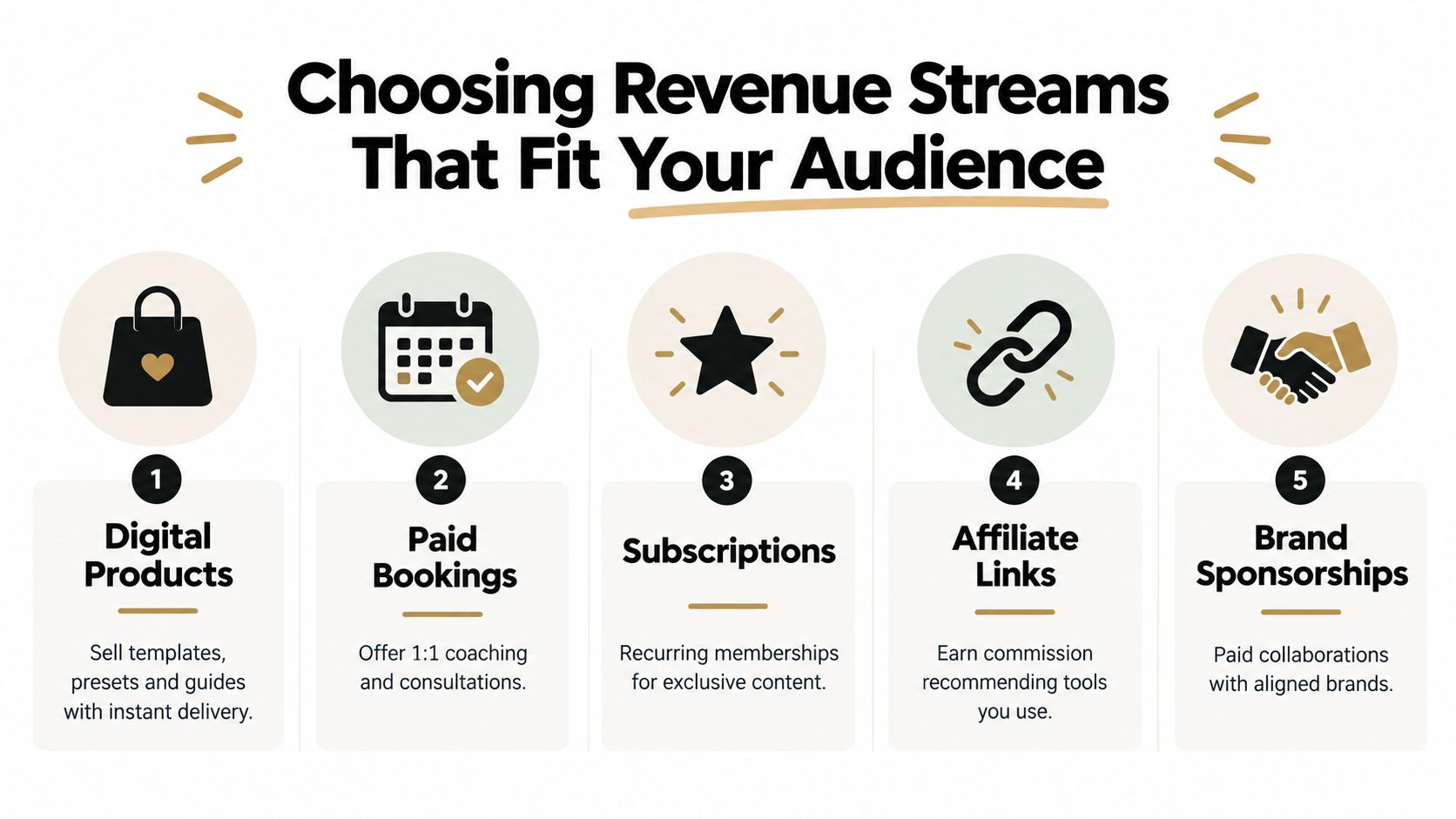
The five revenue streams that matter
Use this filter. Ask what your audience already wants help with, how fast they want the result, and whether that result is better delivered once or on repeat.
| Revenue Stream | Best For | Effort and Payout Speed |
|---|---|---|
| Digital Products | Educators, designers, musicians, creators with repeatable knowledge or assets | Medium upfront effort, fast payout after setup |
| Paid Bookings | Coaches, consultants, freelancers, agents, service providers | Low setup, fast payout, time-limited delivery |
| Affiliate Links | Tool-heavy creators, reviewers, educators, niche recommenders | Low setup, slower and variable payout |
| Subscriptions | Community-led creators, recurring education, exclusive content | Ongoing effort, steadier recurring payout |
| Brand Sponsorships | Strong niche authority, consistent audience trust, clear content fit | High outreach or inbound dependency, uneven payout speed |
Platform money is real, but unreliable for most creators outside the top tier
Brand deals and platform payouts look attractive because they feel simple. Post content. Get views. Wait for money.
That model breaks fast for the average working creator because you do not control the demand, the pricing, or the close. Someone else decides if your content gets distributed, if a campaign budget exists, and if your niche is worth paying this month. You need revenue streams that convert on your page, not revenue streams that depend on an inbox invitation.
Start with offers you own.
- Digital products fit creators who can package a repeatable outcome. Sell templates, swipe files, checklists, mini-guides, presets, contracts, teardown videos, or lesson packs.
- Paid bookings fit creators whose audience already asks for help. Sell audits, reviews, strategy calls, custom feedback, consults, or short sessions with a defined result.
- Affiliate links belong in the supporting slot. Use them after you have your own offer live.
- Subscriptions work once people want ongoing access, recurring education, or community.
- Brand sponsorships come after you have authority, proof, and an audience segment that buys.
A stronger framework for choosing the right mix is this guide to creator monetization strategy for owned revenue. Use it to narrow your first paid offer before you add anything else.
What to build first
Smaller creators should usually launch one of these first:
- A low-friction booking if your audience wants your opinion, feedback, or strategy.
- A focused digital product if your audience wants a shortcut, system, or asset they can use on their own.
Charge enough to matter.
A paid audit, strategy call, or review should not be a token offer. Price it like a real service with a narrow promise and a fixed scope. A small digital product should solve one painful problem fast, not try to become your life's work in version one.
Here is the practical match:
- Coach or consultant: Start with a paid audit or strategy call. Add a small template or worksheet after the service sells.
- Musician or producer: Start with sample packs, presets, stems, tabs, or paid feedback sessions.
- Info creator: Lead with one narrow low-ticket product. Add a workshop or recurring offer after buyers ask for more help.
- Freelancer: Sell a paid discovery call, teardown, or portfolio review before custom retainers.
- Real estate agent or broker: Offer a booked consult first. Support it with a local guide or buyer checklist.
What to skip at the start
Skip any revenue stream that adds complexity before it adds proof.
- Skip chasing sponsors early. If your income depends on brand approvals, you do not have a reliable business.
- Skip broad memberships. Sell one clear outcome before you ask people to subscribe every month.
- Skip custom everything. Tight offers convert faster and are easier to fulfill.
- Skip free calls. If people want access to your judgment, put a price on it.
Your first monetization stack does not need five tools and six offers. It needs one offer people understand, one supporting path, and one page where the sale happens.
Building a Conversion Focused Link in Bio Store
Your bio link should act like a compact storefront, not a directory. One page. One screen. One clear path to action.
That matters because every extra step bleeds intent. A visitor who has to leave your bio page, open a new checkout, then find a scheduler, then come back for a freebie usually disappears somewhere in the middle.
Build the page like a store, not a profile
Most creators organize their page around themselves. Photo at the top. Bio line. Five links. Social icons. That's fine for self-expression. It's weak for revenue.
Organize the page around buyer intent instead:
Top row for the main offer
Put your highest-priority action above the fold. That should be either your featured product or your paid booking.Second block for email capture
Add a lead magnet that solves a narrow problem fast. Keep the form friction low.Third block for a secondary action
This can be a lower-ticket product, a consultation, or a credibility asset like a media embed.Lower section for supporting content
Use YouTube, Spotify, image, or video widgets to build trust without sending people away.
Keep checkout and booking on the same page
Most creator funnels fall apart. They use one tool for the bio page, another for products, another for scheduling, another for forms, and another for analytics. The result is tool sprawl and user drop-off.
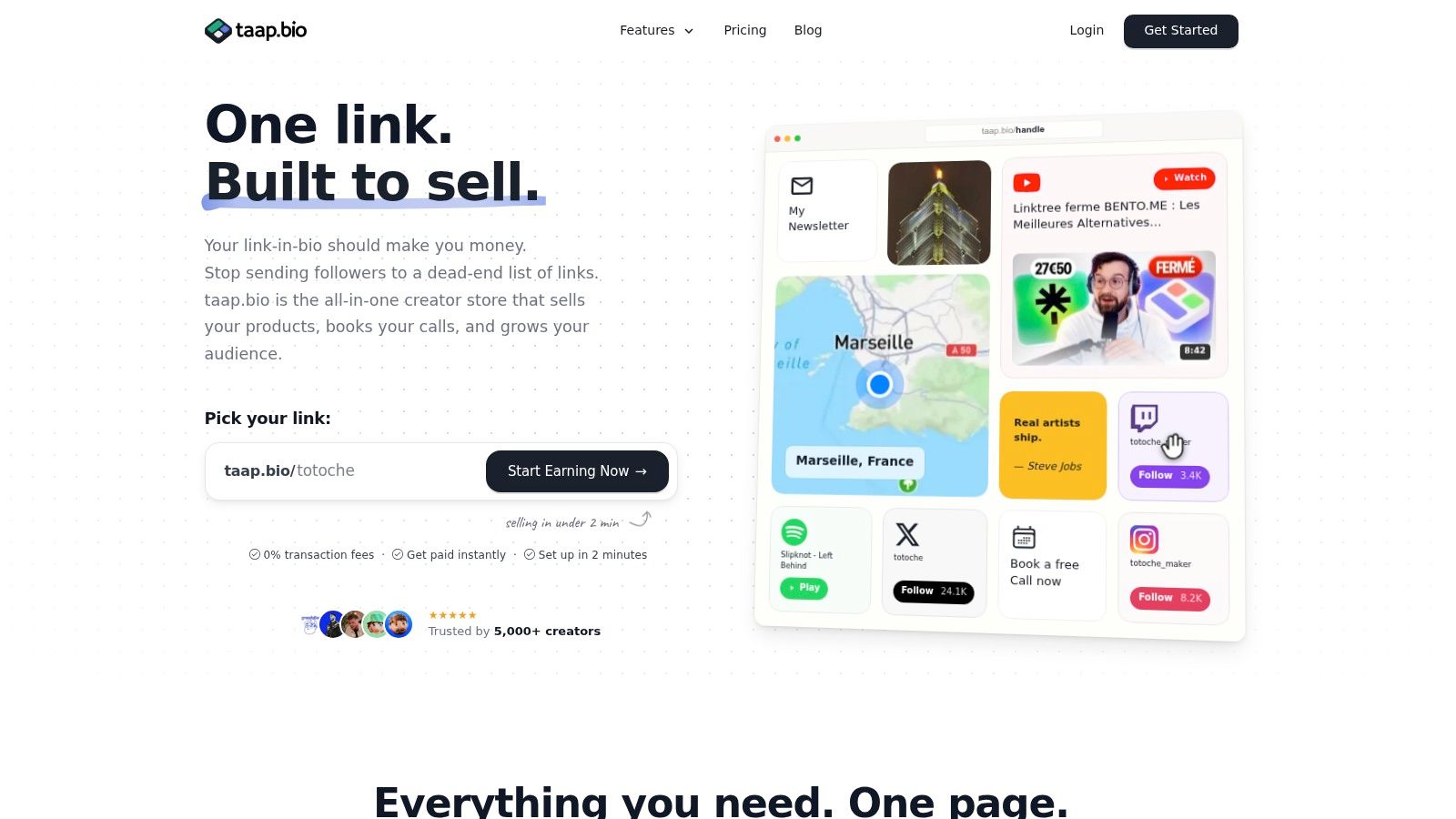
A cleaner option is using a single-page storefront with drag-and-drop blocks, built-in checkout, paid bookings, email signup, analytics, and exports. For example, social media storefronts built on a bento layout let creators put products, scheduling, and email capture in one place instead of splitting them across separate tools. That's the upgrade. Not prettier links. Fewer exits.
A practical layout that converts
Here's the layout I'd use for most creators.
- Hero tile: One sentence with the outcome. Not your life story.
- Product block: Your simplest paid offer with instant delivery.
- Booking block: Your premium access point for buyers who want help now.
- Email block: Free guide, checklist, template, or private resource.
- Trust block: Embedded video, testimonial screenshot, playlist, or sample.
- Footer links: Contact, policies, and optional social links.
If a page asks visitors to choose among too many equal options, nobody knows what to click first.
Make the first screen do the selling
Your top section needs to answer three questions immediately:
- What do you help with
- What can I buy or book right now
- Why should I trust you
That's enough. Save the long story for your content.
If you want a visual walkthrough of how this kind of page works in practice, watch this demo:
Technical details that actually matter
Most platform features are marketing fluff. These are the ones that matter for monetization.
- Instant digital delivery: Buyers should get the file right after payment.
- Upfront payment for bookings: Never let people reserve your time for free if the call is the product.
- CSV export for emails: Your audience should be portable.
- Real-time analytics by widget: You need to know which block gets clicks and which gets ignored.
- Custom domain option: Useful if you want a more branded public URL.
- Privacy-first hosting: Helpful if you serve an EU audience and want simpler compliance.
You don't need a giant site to monetize social media. You need a compact page that turns interest into action without bouncing people across five tools.
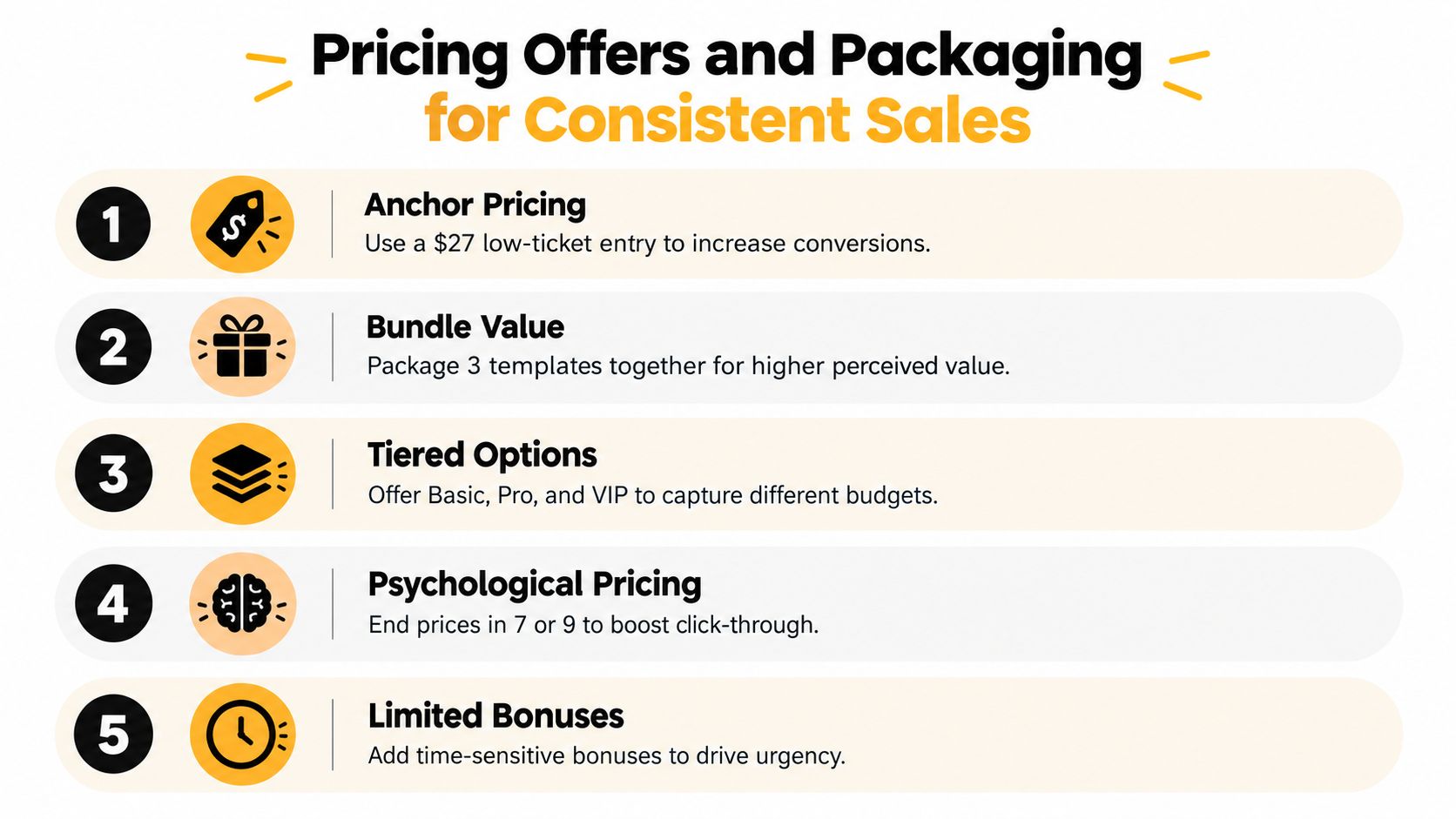
Pricing Offers and Packaging for Consistent Sales
Bad pricing kills good offers.
Most creators either price too low because they want “easy yes” sales, or too high without enough specificity around the outcome. Both are mistakes. Your job is to make the next step obvious.
Start with three tiers
You don't need a giant catalog. You need a short ladder.
- Entry offer at $27 to $49: Great for templates, mini-guides, prompt packs, swipe files, presets, or short workshops.
- Core offer at $79 to $199: Use this for bundles, deeper trainings, multi-asset packs, or implementation resources.
- Premium offer at $150 to $500+ for booked time: Use this for consulting calls, audits, reviews, strategy sessions, or custom feedback.
Those ranges work because they match how social buyers behave. A lower-friction first purchase earns trust. A premium time-based offer captures urgency and higher intent.
Charge for specificity
A generic offer gets compared on price. A specific offer gets judged on usefulness.
Don't sell “Instagram coaching.” Sell “45-minute content audit with hook fixes, CTA rewrite, and 7 post ideas.”
Don't sell “music feedback.” Sell “private track review with arrangement notes and release strategy.”
Don't sell “career consulting.” Sell “30-minute portfolio teardown with next-step action plan.”
Quick test: If a buyer can't explain what they get in one sentence, the offer is too vague.
Bundle for value, not for clutter
A lot of creators bundle random files together and call it a product suite. That isn't packaging. It's dumping.
Bundle assets that complete one job:
- A coach can sell a lead magnet kit with headline prompts, opt-in copy, and a follow-up email.
- A musician can sell a release pack with cover templates, promo captions, and pre-save assets.
- A freelancer can sell a client starter pack with proposal templates, onboarding emails, and scope language.
The bundle should save time or reduce uncertainty. If it does neither, cut it.
Protect your margin
Creators lose money through platform fees, payout delays, separate scheduling tools, separate email tools, and storefront subscriptions that chip away at a low-ticket sale fast.
If you're selling lower-priced digital products, simpler economics matter. Built-in checkout, instant payouts, and 0% platform fees on every sale help preserve margin because you keep full proceeds instead of losing part of already modest orders. That matters more than fancy branding when your goal is consistent revenue.
Raise prices the right way
Don't sit on the same rate forever because a few buyers said yes.
Use a simple test cycle:
- Sell the offer at your starting price.
- Tighten the promise based on buyer questions.
- Add one useful bonus or improved delivery asset.
- Raise the price for the next batch of buyers.
- Watch whether conversions hold.
If sales stay healthy, keep the higher price. If they slow sharply, improve the offer before discounting it.
Turning Content Into Email Capture and Repeat Revenue
Most creators lose money after the first click. Not because the content failed, but because the post-click path is clumsy.
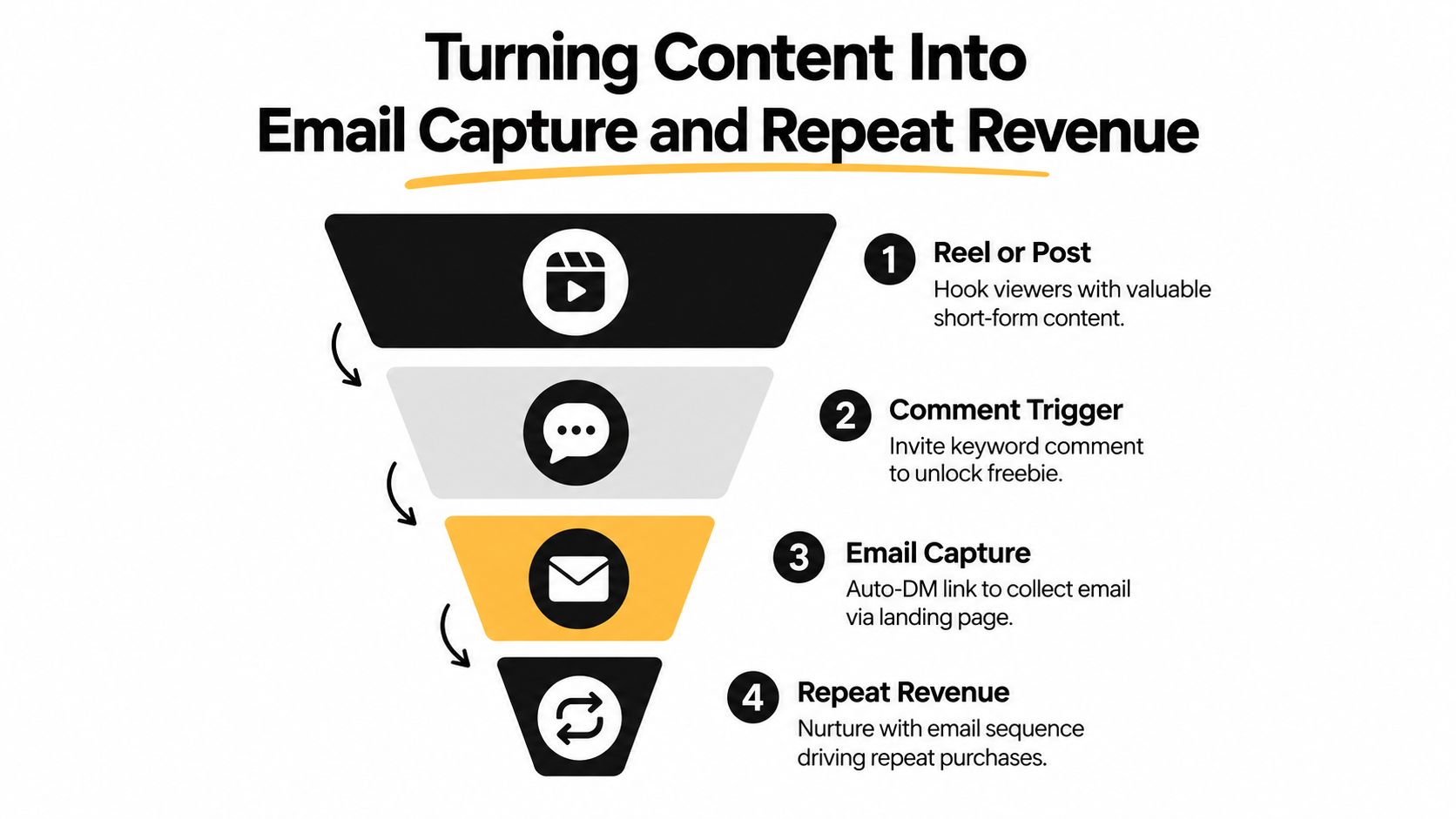
The fix is simple. Your content should push one next action, and that action should move the person into an owned channel you can use again.
Each extra step costs you
There's real drop-off across the common social funnel. Email capture on a standalone landing page reached from a link-in-bio is estimated at 5–10% in 2026, while Reel-to-comment conversion is about 0.5–2%, comment-to-DM-opened is 80–90%, and DM-to-email is 30–50%, according to these creator economy benchmarks. Small leaks compound fast.
That's why I prefer the shortest possible path. Put the freebie, the email capture, and the paid offer on the same screen when you can. Don't force people through a scavenger hunt.
A low-friction funnel that works
A strong creator funnel often looks like this:
- Post or Reel: Teach one sharp idea and name the pain clearly.
- CTA in content: Ask viewers to comment a keyword or tap the bio for the resource.
- Single landing surface: Collect the email and present the logical paid next step.
- Follow-up email: Deliver the promised asset, then point to the related offer.
A lot of creators overcomplicate things with automation theater. They build endless branches before proving one clean path converts.
A practical starting point is learning how to collect emails from Instagram with a simple bio-link flow instead of pushing people through disconnected forms and DMs.
Segment early, not later
Not every subscriber wants the same thing. Someone who downloaded your content planner isn't identical to someone who booked a consult.
Segment by behavior from day one:
- Lead magnet topic: What they asked for tells you what they care about.
- Offer type: Buyers and free subscribers should not get identical emails.
- Repeat purchase behavior: Returning customers are ready for a stronger pitch.
- Booking intent: Consultation leads need different follow-up than product buyers.
If you want a practical primer on organizing those groups, these email list segmentation strategies are worth reviewing. Segmentation sounds advanced, but at the start it just means sending better follow-up based on what people did.
Send fewer emails with tighter relevance. Broad blasts train subscribers to ignore you.
Use a weekly rhythm instead of constant pitching
A sustainable cadence beats random selling.
Try a simple weekly pattern:
- Value post: Teach something useful and point to your freebie.
- Soft pitch post: Show a result, workflow, or behind-the-scenes use of your offer.
- Direct CTA post: Ask for the sale, booking, or signup clearly.
Then look at your page analytics. If one widget gets attention and another gets ignored, change the order, rewrite the headline, or swap the offer. Revenue improves when you respond to behavior, not when you post more just to feel productive.
Launch Checklist and How to Measure What Pays
You do not need another month of planning. You need to launch a tighter system this week.
Start with a page that has one paid offer, one email capture, and one premium booking option. Put it in your bio. Mention it in your next posts and stories. Then watch what people do.
Your fast launch checklist
Use this before you publish.
- Write one clear promise: Tell people the result, not your background.
- Add one entry offer: Pick a digital product or focused resource people can buy fast.
- Add one paid booking block: Charge upfront for access to your time.
- Add one lead magnet: Use a free asset that naturally leads to your paid offer.
- Check the page flow: Make sure buyers can act without bouncing across tools.
- Publish and promote: Put the page in your bio, pinned content, and story highlights.
Track behavior, not ego metrics
A monetization page lives or dies on conversion efficiency. If traffic is decent and nobody clicks, your messaging is weak. If clicks happen and no one buys, your offer or checkout flow needs work. If bookings happen but product sales don't, your audience may value access over assets.
Review these signals weekly:
- Widget clicks: Which block earns attention
- Email signups: Which content themes pull owned leads
- Product sales: Which offer gets first-time buyers
- Bookings: Which call-to-action attracts higher-intent visitors
- Visitor behavior over time: Whether your page improves after each content cycle
Use a simple process for tracking conversions so you know what pays and what just looks active.
Cut faster and double down sooner
Creators waste time because they keep weak offers alive out of hope.
Kill or rewrite an offer when:
- it gets clicks but no purchases
- it attracts the wrong buyer questions
- it requires too much custom explanation
- it cannibalizes a stronger offer
Push harder on an offer when:
- people buy without long DMs
- subscribers reply with implementation questions
- content about that topic consistently drives clicks
- buyers come back for a second purchase or booking
The economics matter too. A consolidated stack is easier to manage than paying for separate link pages, checkout tools, schedulers, email software, and analytics. A setup with a 14-day trial and $19/month after trial gives you cleaner cost control than a scattered tool pile, especially when your goal is to validate offers quickly.
Launch in under a day. Improve it every week. That's how you monetize social media without becoming a full-time tool manager.
If you want one page to sell a digital product, take paid bookings, and collect emails without stitching together five separate tools, taap.bio is built for that exact job. Set up the page, put the right offer above the fold, and use your bio link like a revenue surface instead of a link list.