
To monetize a YouTube channel, you need 1,000 subscribers plus either 4,000 valid public watch hours in the last 12 months or 10 million valid public Shorts views in the last 90 days, along with policy compliance, 2-step verification, and an AdSense account. But if you're asking how to monetize a YouTube channel in 2026, the answer isn't "turn on ads." It's build a stacked revenue system the moment your audience shows buying intent.
Most advice on this topic is outdated because it treats YouTube like an ad slot machine. Hit the threshold, flip monetization on, wait for revenue. That's lazy advice. YouTube itself isn't built that way anymore. In 2025, YouTube's total revenue reportedly exceeded $60 billion, with about $40.4 billion from ads and about $15 billion from subscriptions, and it has paid more than $100 billion to creators, artists, and media companies over four years according to YouTube revenue and creator payout figures compiled here. That means the platform's own business already depends on more than pre-roll.
So stop asking only how to qualify for monetization. Ask how to stack revenue from the same audience.
The channels that turn YouTube into a business usually combine five layers: YPP ad share, fan funding features like memberships and Super Thanks, sponsorships, affiliate or digital product sales, and a single conversion page that captures intent from every video. Subscriber count matters. But niche, format, and what you sell after the click matter more.
Table of contents
Why Ads Alone Won't Pay Your Bills in 2026
Ads are the floor, not the business.
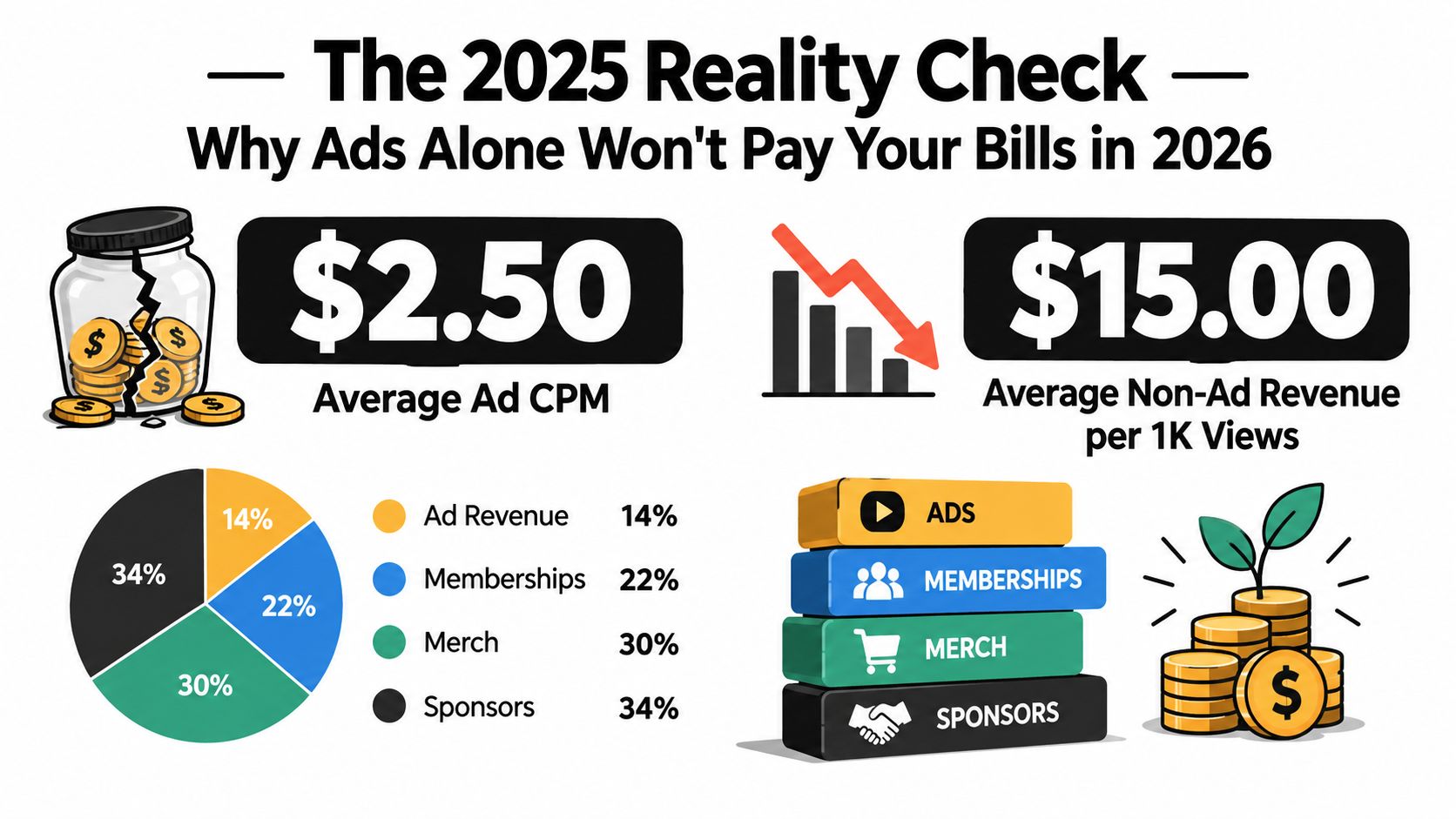
Creators who rely on AdSense usually hit the same wall. Revenue swings with seasonality, RPM shifts by topic, and a good month can get erased by one weak upload cycle. That is not a stable creator business. It is a platform-dependent payout stream.
You need a revenue architecture. Every video should have more than one job. First, it should earn on-platform through YPP features. Second, it should surface buyer intent. Third, it should send that intent to one place where a viewer can take action without hunting through your description.
YouTube already operates like a multi-stream business
As noted earlier, YouTube makes money from more than ads. That matters because creators who copy the platform's revenue mix build sturdier channels than creators who chase views and hope pre-roll fills the gap.
The wrong model is simple. Publish broad content, collect cheap views, and wait for ads to do the heavy lifting.
The right model is stricter. Publish content tied to a specific problem, attract viewers with clear intent, monetize the view inside YouTube, then capture the click off YouTube.
Rule: Build for commercial intent first, reach second.
The stack that actually pays
A channel that pays bills consistently usually combines five revenue layers:
- YPP ad revenue for baseline cash flow on long-form videos
- Memberships, Super Thanks, and fan funding for audience support and recurring revenue
- Sponsorships for higher-value payouts tied to niche trust
- Affiliate offers or digital products for stronger margins per viewer
- A single-page creator store or conversion page that collects clicks, leads, bookings, and purchases from every video
That last piece gets ignored, and it costs creators money. Scattered links under a video do not convert well. One clear page with the right next step does.
Subscriber count is a weak revenue metric
A 20,000-subscriber channel in software, investing, or B2B education can out-earn a 500,000-subscriber entertainment channel if the audience is closer to a purchase. Subscriber count helps distribution. It does not guarantee revenue.
Qualified attention pays. Casual attention rarely does.
If you want YouTube to function like a business in 2026, stop treating monetization like a switch you turn on at 1,000 subscribers. Treat it like a stack you design on purpose.
YPP Eligibility and the 2027 Threshold Change
You need to know the rules, but don't confuse the rules with the strategy.
The current full YPP gate
The standard monetization threshold is straightforward. To join the YouTube Partner Program at the full ad-revenue tier, creators need 1,000 subscribers and either 4,000 valid public watch hours in the last 12 months or 10 million valid public Shorts views in the last 90 days, plus policy compliance, 2-step verification, and an AdSense account, as detailed in this YPP eligibility overview.
Here's the clean comparison:
| Requirement | Standard Tier | Lower Tier (Fan-Built) |
|---|---|---|
| Subscribers | 1,000 | 500 |
| Long-form path | 4,000 valid public watch hours in the last 12 months | 3,000 public watch hours |
| Shorts path | 10 million valid public Shorts views in the last 90 days | 3 million Shorts views |
| Recent uploads | Required for active applicants | 3 uploads in the last 90 days |
| Main unlock | Ads and broader revenue access | Fan funding and select monetization features |
If you want a walkthrough of the application flow inside Studio, this guide on how to apply for YouTube Partner is a useful reference.
What these signals actually measure
Watch hours measure retention. They tell YouTube people stick around.
Shorts views measure reach. They tell YouTube your content can travel fast.
Subscribers matter, but they're a weak proxy for revenue by themselves. A subscriber who never watches, clicks, or buys is just decoration.
Don't build for the milestone alone. Build the content pattern that gets you through the milestone and still earns after it.
The 2027 change creators should plan for now
A 2027 update for new applicants raises the full ad-revenue threshold to 8,000 watch hours or 20 million Shorts views, while keeping the 1,000-subscriber requirement, according to this 2026 YPP requirements guide. That's not a small tweak. It makes weak, scattered publishing even less viable.
The smart move is to pick one core format and build a watch-time engine around it. If long-form is your lane, optimize retention and session depth. If Shorts are your growth lever, don't mistake velocity for durability.
What to set up before you request review
Before you apply, open YouTube Studio and clean up the admin side:
- Link AdSense: Don't wait until approval to sort payments.
- Complete tax details: Get the paperwork out of the way early.
- Check the monetization page: Make sure every requirement is green.
- Review your content mix: Remove or archive anything that weakens your channel's originality.
- Turn on 2-step verification: This is basic, and too many creators still miss it.
Creators get rejected all the time after hitting the threshold because they treated eligibility like a math problem. It isn't. YouTube reviews the whole channel.
RPM, CPM, and Why Niche Beats Subscriber Count
Most creators talk about CPM because it sounds bigger. That's the wrong number to obsess over.
RPM is the number that pays you
CPM is what advertisers pay per 1,000 impressions. RPM is what you receive per 1,000 views after platform share and other revenue realities. If you're trying to answer how to monetize a YouTube channel profitably, RPM is the operational metric.
Benchmark pages in 2026 report average YouTube CPMs around $3.50, common long-form CPM ranges of $3 to $12, and typical RPMs around $2.75 to $4.40 for average creators, with higher-intent niches like finance, business, and tech often earning more, based on these YouTube CPM and RPM benchmarks.
For a deeper plain-English breakdown, this article on how much YouTubers make per 1000 views is worth reading.
The niches with better economics
Not all views are worth the same. Buyers in finance, business, and tech attract more valuable advertisers because those viewers often have commercial intent.
| Niche | Typical CPM | Creator RPM | Volume vs. Value |
|---|---|---|---|
| Average creator mix | Around $3.50 | About $2.75 to $4.40 | Usually moderate value |
| Finance | Often higher-end niche CPMs | Around $4 to $20 | Lower volume, high value |
| Business and marketing | Often higher-end niche CPMs | Around $4 to $15 | Moderate volume, high value |
| Tech | Can command materially higher RPMs | Higher than average in many cases | Strong commercial intent |
| Broad entertainment | Often lower-value than intent-heavy niches | Usually lower than top intent niches | High volume, lower value |
The pattern is obvious. High-intent niches can make fewer views worth more money.
Shorts are a discovery tool, not an ad strategy
Generic monetization advice falls apart. Shorts RPM can be around $0.04 to $0.08 per 1,000 views, while long-form RPM is around $3.82 per 1,000 monetized views overall and $14.60 in personal finance, according to these Shorts versus long-form monetization statistics.
That's the gap most creators ignore.
If your channel is Shorts-heavy, don't build your business around Shorts ad share. Use Shorts to feed long-form, email capture, affiliate clicks, or product sales. Shorts can bring attention. They usually won't carry the business alone.
A million cheap views can flatter your ego and starve your bank account.
Building the On-Platform Revenue Stack
Turning on monetization isn't enough. You need to activate each YouTube revenue feature on purpose and match it to the content format that supports it.
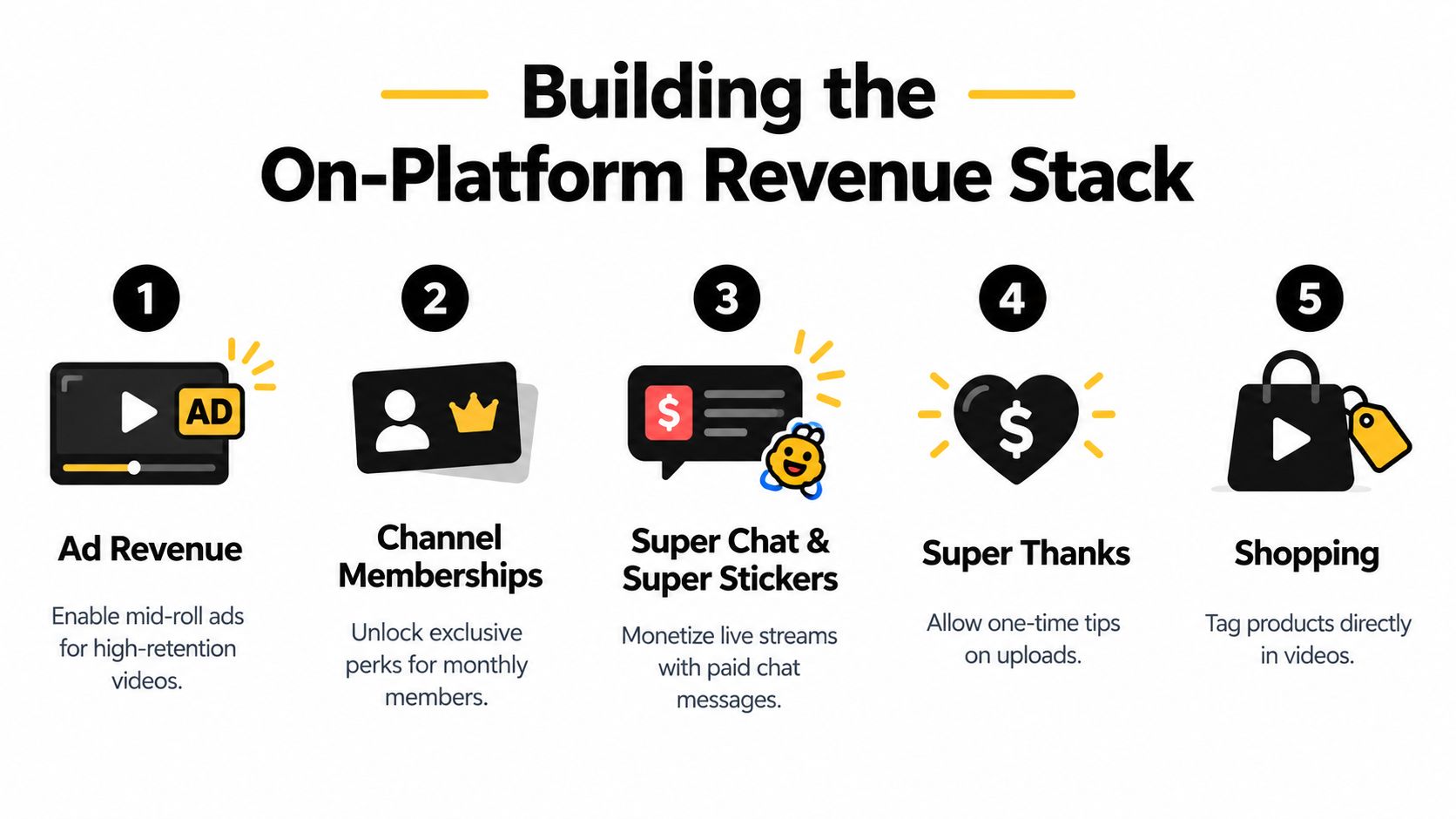
Ads are the base layer, not the stack
Long-form ad revenue matters most when your videos hold attention. The eligibility metric itself is based on qualified watch hours, which is why retention beats raw view count. Videos long enough to support more ad opportunities should place breaks at natural tension points, not in the middle of a payoff.
Inside YouTube Studio, watch which videos generate the most watch time and which ones sustain session depth. Those videos deserve your monetization attention first.
Fan funding features are where smaller channels get leverage
Once available, set up channel memberships, Super Chat, and Super Thanks as separate products, not afterthoughts.
Membership perks that small channels can deliver include:
- Badges and recognition: The easiest perk. People like visible status.
- Members-only Shorts: Fast to produce and doesn't create a huge editing burden.
- Behind-the-scenes vlogs: Good for creator-led channels with personality.
- Early access: Works well if your uploads already have anticipation.
- Monthly Q&A: Strong for education, commentary, and expert niches.
The usual YouTube pricing ladder for memberships runs from $0.99 to $99.99, and commerce-style fan funding features commonly use a 70/30 revenue split, based on the revenue-share framework outlined in the background research. Treat that as a product ladder, not a tip jar.
If you're publishing Shorts consistently, posting cadence still matters for discovery. A schedule guide like the iHatePosting YouTube Shorts schedule can help you tighten your release timing while Shorts serve as your top-of-funnel content.
Build the checklist and finish it in one afternoon
This walkthrough is helpful before you start toggling features: YouTube monetization tools.
Then do the actual setup:
- Connect payouts first: Link AdSense and confirm payment readiness.
- Turn on Super Thanks: This is one of the simplest ways to collect one-off support on regular uploads.
- Create membership tiers: Keep the first version lean. You can always add perks later.
- Enable live monetization features: If you use livestreams or premieres, set up Super Chat and related options before the event.
- Check shopping eligibility: If your content naturally fits products, don't leave that shelf empty.
A lot of creators skip these steps because they're waiting to feel "big enough." That's nonsense. Revenue systems should be installed before the audience spike, not after.
A quick visual walkthrough helps if you're setting these up for the first time:
Sponsorships, Affiliate, and Digital Products Compared
Off-platform monetization is where creators stop acting like publishers and start acting like businesses.
Sponsorships pay well, but they're unstable
Sponsorships can become meaningful income fast if your niche has real buyer intent. Brands care less about subscriber vanity and more about whether your audience matches their customer profile. A small B2B software channel can be more sponsor-friendly than a broad comedy channel with far more subscribers.
The downside is operational drag. You have to pitch, negotiate, revise talking points, handle approvals, disclose the deal, and then do it again next month.
Affiliate is the fastest layer to add
Affiliate revenue is simpler. You recommend tools you use, add tracked links, and attach them to high-intent videos. Tutorials, gear reviews, software comparisons, and resource roundups usually fit this model well.
The ceiling is lower if you only rely on one-time commissions, but the setup is light and the time-to-first-dollar is often faster than sponsorships.
Digital products are the margin play
Digital products, templates, paid guides, workshops, mini-courses, and lightweight communities give you the cleanest control. You own the offer, the pricing, the messaging, and the customer relationship.
If your audience trusts your process, don't wait for a sponsor to validate your value. Package what you already know.
| Dimension | Sponsorships | Affiliate Marketing | Digital Products / Merch |
|---|---|---|---|
| Time to first dollar | Slower | Faster | Moderate |
| Gross margin | Strong, but tied to deal structure | Good, but commission-based | Usually strongest on digital offers |
| Predictability | Inconsistent | Moderate | More controllable |
| Recurring potential | Deal dependent | Program dependent | Strong if offer ladder exists |
| Operational drag | High | Low | Moderate upfront, lower after setup |
If you're building products from your channel audience, this guide on how to sell digital products gives a practical starting point.
The blunt decision matrix
Use this if you're stuck:
- You have trust but no offer: Start with a simple digital product.
- You recommend tools every week: Add affiliate links now.
- You serve a niche brands already pay to reach: Pitch sponsorships as a premium layer.
- You can teach, diagnose, or review: Add paid calls or audits.
- You already have all three opportunities: Don't choose one. Stack them.
The mistake is waiting for ad revenue to become large enough before building anything else. By the time ads become meaningful, channels that win have already installed the rest of the machine.
Turning Every Viewer Into a Customer With a Creator Store
Most YouTube channels lose money in the handoff between attention and action. The viewer is interested, checks the description, sees a cluttered pile of links, and leaves.
That's avoidable.
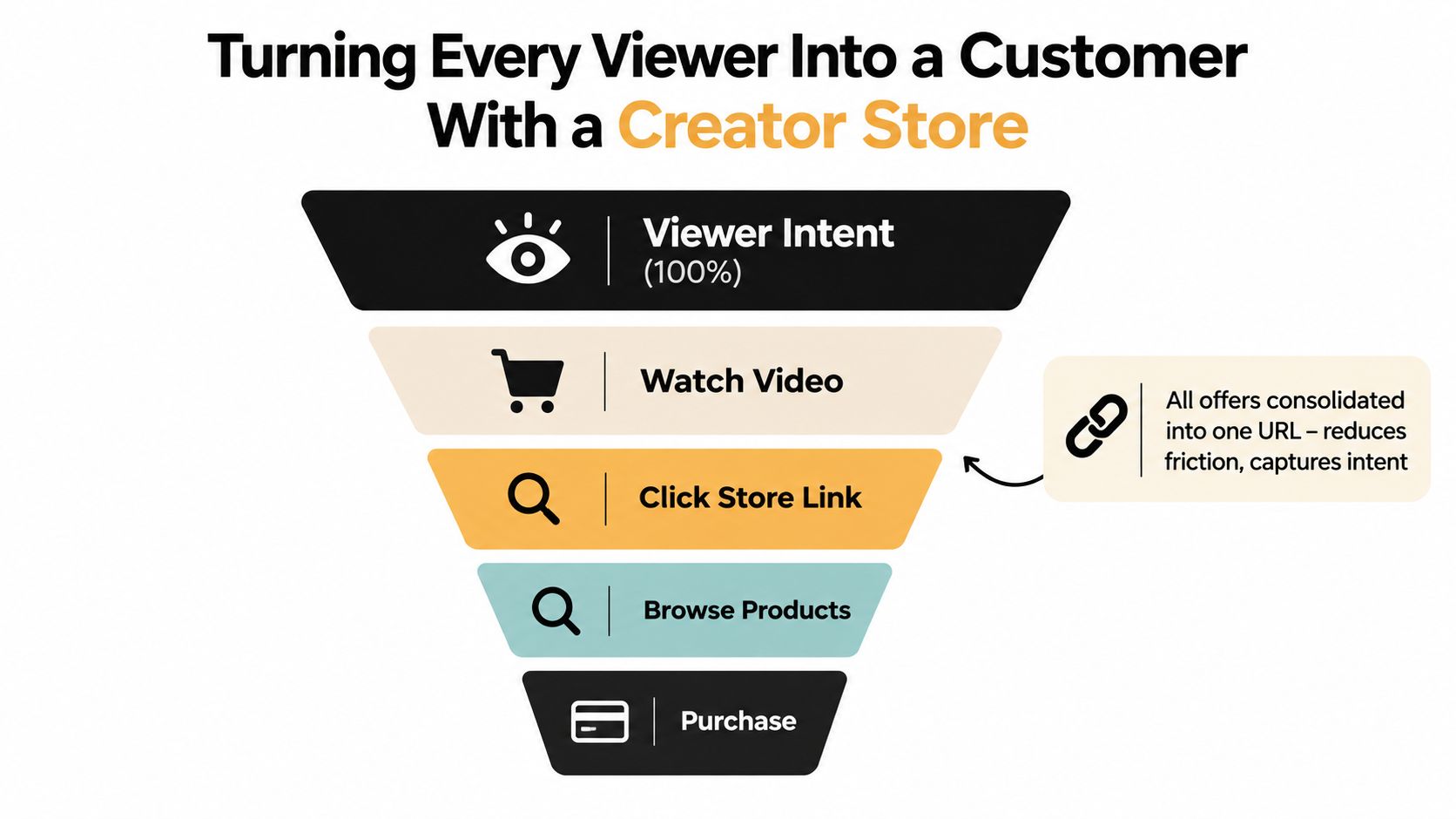
One page beats a scattered link list
A creator store works because it consolidates intent into a single destination. Instead of sending viewers to one page for a freebie, another for bookings, another for products, and another for email signup, you give them one clean page that matches the video's context.
That page should do five jobs:
- Capture email with a free asset.
- Sell one paid product.
- Feature a small affiliate stack.
- Offer one paid service or booking CTA.
- Route repeat viewers toward your main owned channel.
The bento-page workflow that makes this work
A practical setup looks like this:
- Tile one: Free template, checklist, or mini-course.
- Tile two: Your flagship paid product.
- Tile three: The few tools you use and recommend.
- Tile four: Booking for consulting, audits, coaching, or creative services.
- Tile five: Email opt-in for your weekly drop, recap, or resource list.
Then match the CTA to the video.
A tutorial should push the free template.
A gear review should push affiliate links.
A strategy video should push the paid product.
A personal story or authority-building video should push the email list or booking offer.
The store isn't the business. It's the conversion layer between YouTube discovery and revenue you control.
If you want a model for this kind of setup, social media storefront examples show how creators consolidate products, bookings, and lead capture on one page. One option in this category is taap.bio, which combines a bento-style page builder, checkout, bookings, email capture, and analytics in a single page.
Keep the workflow simple
Don't overbuild this.
Write the tile copy in plain language. Use one promise per tile. Add tracking so you know which videos send buyers, not just clicks. Then pin that page everywhere for the next month: descriptions, pinned comments, channel links, and end screens.
Creators obsess over CTR on thumbnails and ignore conversion after the click. That's why so many channels look successful and still don't make much money.
Your 30-60-90 Day Monetization Execution Plan
You don't need more theory. You need a sequence.
Days 1 to 30
Audit your current library against the monetization path you're pursuing. If you're aiming at long-form eligibility, identify the videos already producing watch time and double down on that format. If you're chasing Shorts discovery, use those uploads to feed viewers into something you own, not just more scrolling.
Set up the conversion layer now, not later.
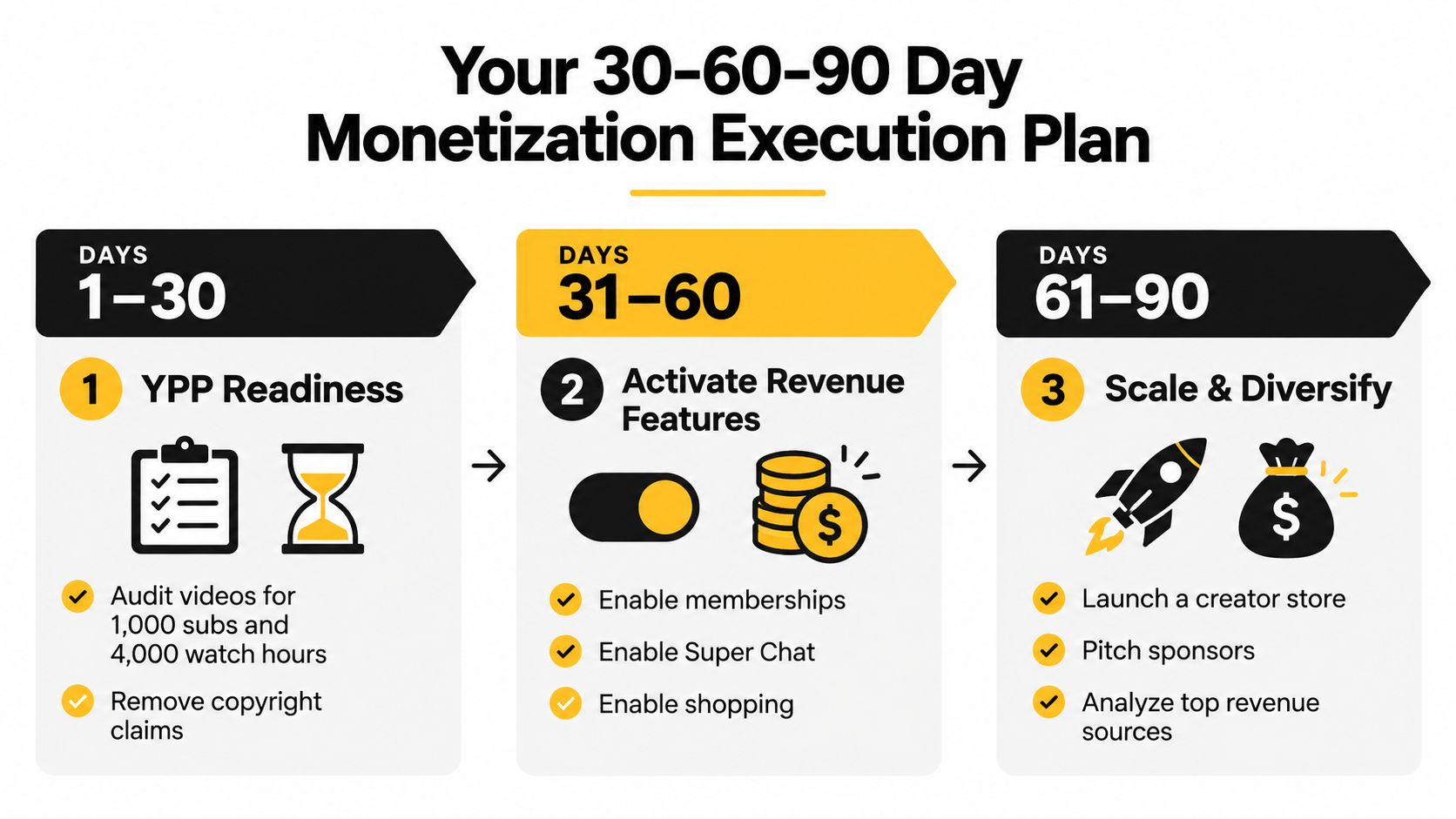
Use this first-month checklist:
- Audit your best videos: Find the topics already earning watch time or strong viewer intent.
- Fix weak packaging: Replace low-performing thumbnails and vague titles.
- Publish consistently: Focus on a repeatable niche and format.
- Install your store page: Every video needs a destination beyond YouTube.
- Clean your channel for review: Remove anything that weakens originality or compliance.
Days 31 to 60
Apply for YPP as soon as you're eligible. Then turn on every revenue feature that fits your channel. Don't wait for momentum to become perfect.
At the same time, launch your first off-platform layer:
- Add affiliate links to your highest-intent videos.
- Ship one digital product that's easy to fulfill.
- Pitch sponsors if your audience is commercially valuable.
- Enable memberships or fan support if your community responds to access and direct connection.
Days 61 to 90
This is the optimization phase. Keep the content engine running, but start measuring monetization by source. Which videos drive email signups? Which ones sell products? Which formats attract sponsor interest? Which calls to action get ignored?
Track progress with visible checkpoints:
- Subscriber count: Are you closing the YPP gap or compounding beyond it?
- Watch hours or Shorts views: Are you building the right eligibility path?
- Store clicks: Are viewers leaving YouTube with intent?
- Sales and bookings: Which offers convert from which topics?
- Sponsor response quality: Are brands seeing a clear fit?
Most creators make this harder than it is. The channel grows. The revenue stack gets installed. Then you keep the pieces that produce money and cut the ones that only produce noise.
If you want one page that sells products, takes paid bookings, captures emails, and gives every YouTube video a clear conversion destination, taap.bio is built for that job. It's a practical way to turn scattered monetization ideas into a single revenue layer you can track and improve.


