
You publish a video, add a few links under it, and expect the description to do its job. Then nothing happens. Views come in, comments show up, but the course link, affiliate offer, newsletter signup, or booking page barely moves.
That problem usually isn't about demand. It's about setup.
Most creators treat the description like storage. They dump links there, paste a quick summary, and move on to the next upload. That's a mistake. A link in youtube description can become a reliable traffic path, but only when it's built like a conversion asset instead of a forgotten text field. The creators who get results don't just add links. They control visibility, phrasing, order, and the action they want the viewer to take next.
Table of contents
Your Description Is More Than Just a Text Box
A YouTube description does two jobs at once. It helps people understand the video, and it guides the next click. If you only use it for the first job, you're leaving money and momentum on the table.
The technical side matters first. A lot of creators still paste a domain and assume YouTube will convert it into a working link. It won't always do that. Some channels also discover that clickable external links are gated behind account features, which creates confusion when everything looks correct but nothing works. That friction is one reason creators should think about the description as owned conversion space, not a casual add-on.
What the description is really for
The strongest descriptions are built around a single question: what should a viewer do after this video?
That answer changes by business model:
- Course creators send people to a lead magnet, waitlist, or sales page.
- Coaches and consultants send viewers to a booking page or application form.
- Affiliate creators route traffic to a recommendation page with clear disclosures.
- Personal brands push email signup before anything else.
If you haven't thought through your broader YouTube bio strategy for creators, the description tends to become cluttered fast. The result is familiar. Too many options, weak calls to action, and no clear path from viewer to customer.
Practical rule: Every video description should support one primary business goal, not ten equal priorities.
A good description doesn't need to be long. It needs to be intentional. The first lines should carry the main action. The rest should support it.
The Foundation How to Make Your Links Clickable
Before you optimize for clicks, you need a link that works. This oversight causes many channels to lose traffic unknowingly.
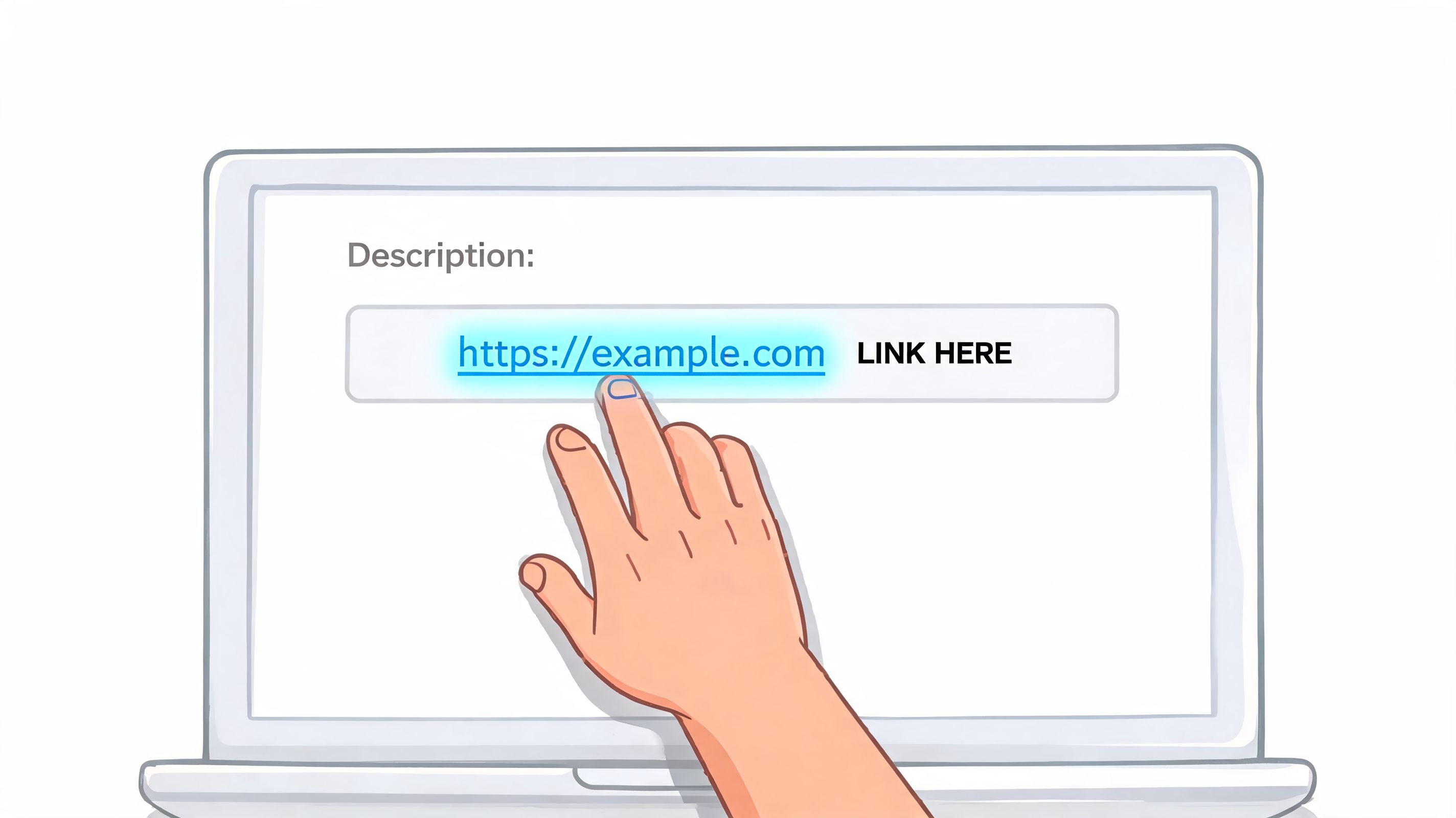
YouTube's link rendering system requires the https:// or http:// prefix to turn text into a clickable hyperlink. A bare domain like yourbrand.com can appear as plain text instead. Clickable external links are also often gated behind Advanced Features, which need to be enabled on the account, as noted in this guide on YouTube description link formatting and Advanced Features.
The non-negotiables
If your link in youtube description isn't clickable, check these first:
Use the full URL Paste the complete address, including
https://. Don't assume YouTube will fix it for you.Confirm account capability If the link still shows as text, check whether your channel has access to Advanced Features.
Preview before you leave Open the published video and test the link from the viewer side. Don't trust the editor alone.
Avoid sloppy substitutions Creators sometimes shorten the visible text or remove the protocol to make the description look cleaner. That can break the clickability.
Why mechanics turn into strategy
Once the link works, the next mistake is stuffing the description with every destination you own. That feels productive, but it usually weakens the click path. Viewers don't need a menu with no hierarchy. They need one obvious next step.
If you're learning the broader skill of getting people from content to destinations you control, this beginner guide on how to start link building is useful because it explains the logic behind link value, context, and placement. The same principle applies on YouTube. A link doesn't perform because it exists. It performs because it appears in the right place, with the right framing, at the right moment in the user journey.
A cleaner workflow for creators
Use a repeatable publishing checklist:
- Primary CTA first: Put the main action at the top.
- One destination per goal: If the video sells one thing, don't compete against yourself.
- Test on mobile and desktop: The description behaves differently in practice depending on device and view context.
- Standardize your setup: Save a template so every upload follows the same logic.
For creators who keep changing channel assets, custom URLs, and destination pages, it's worth understanding how YouTube URL links work across channel touchpoints. It helps keep your link structure consistent instead of reinventing it on every upload.
Optimize Your Description for Maximum Clicks
A clickable link is only the starting line. Clicks come from visibility and wording.
Research on creative how-to videos found that the highest-performing videos averaged 3.22 different link types in their descriptions, while YouTube only shows the first two lines before a viewer has to click “show more,” according to this BYU YouTube description link analysis. The useful lesson isn't “add more links.” It's that placement matters more than link volume.
The first two lines do the heavy lifting
Those top lines are premium real estate. If your best CTA sits below timestamps, gear lists, coupon codes, and social handles, most viewers won't even see it.
Weak version:
- Check out my stuff below
Stronger version:
- Download the checklist here
- Book a coaching call here
- Get the template pack here
Short, direct, specific. The viewer instantly knows what happens after the click.
Most description links fail because the copy is vague, not because the offer is bad.
Write CTAs like prompts, not labels
Bare URLs rarely earn attention. A strong CTA gives the viewer a reason to click now.
Here are templates that work well when matched to the actual offer:
| Goal | Template |
|---|---|
| Email signup | Download the free guide here |
| Digital product | Get the template pack here |
| Coaching | Book your session here |
| Affiliate recommendation | See the gear I use here |
| Community | Join the newsletter here |
The one thing most creators forget
Your description doesn't exist in isolation. The video script should support it.
If you tell viewers exactly what they'll get by clicking, the description becomes the completion of the promise. If you never mention the link out loud, many viewers won't look for it. The most reliable setup is simple: present the value in the video, repeat the action in the first lines of the description, and make the destination match the promise.
Measure intent, not just traffic
Use tracking parameters if your analytics stack supports them. That helps separate clicks from your tutorial videos, product demos, interviews, and livestream replays. Over time, patterns show up. Some videos attract broad attention but weak commercial intent. Others send fewer people, but those viewers are much closer to buying.
If you want to tighten the copy itself, this guide on improving click-through rates across creator funnels is worth reading. Better click performance usually comes from stronger alignment between the promise in the content and the wording around the link, not from cosmetic tweaks.
The One-Link Strategy to Rule Them All
Descriptions get messy fast. One video promotes a lead magnet. The next pushes an affiliate tool. Another sends people to a podcast, merch page, sponsor, waitlist, and booking form. Before long, the description reads like a cluttered sidebar from an old blog.
That's why the best move for many creators is not adding more links. It's reducing the choice set.
Many links vs one smart link
Here's the trade-off in plain terms:
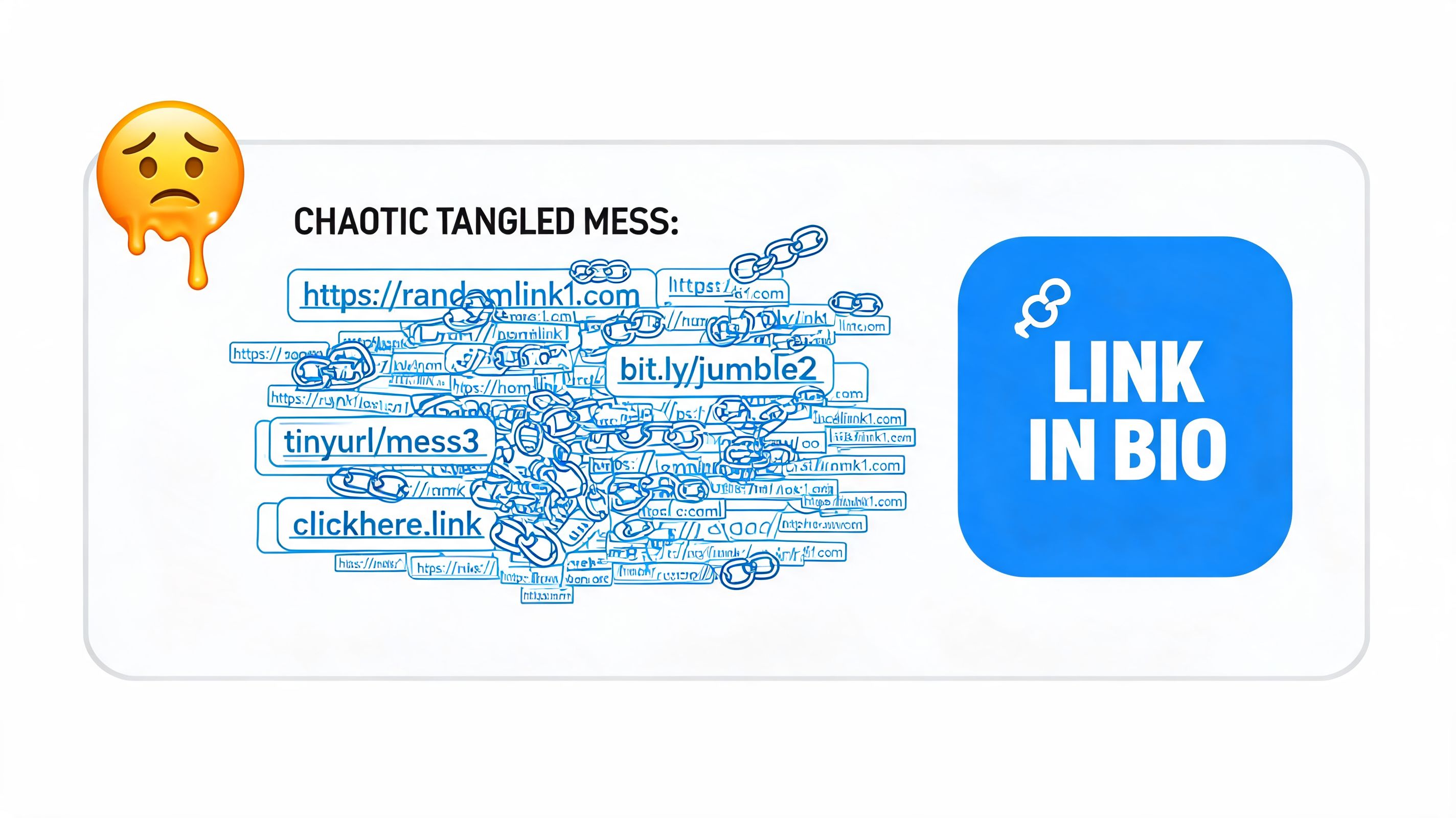
Many direct links Good when a video has one narrow purpose and one obvious offer. Bad when every upload promotes something different.
One hub link Good when your business has multiple offers, platforms, or audience paths. Bad if the destination page is generic and poorly organized.
A strong hub page works because it keeps the YouTube description clean while letting the viewer choose the right next step. That matters when your audience isn't all at the same stage. Some people want the free resource. Others want to buy. Others just want to browse your content and see whether they trust you.
Why this works better across a creator business
A single destination gives you flexibility without forcing viewers to dig through a crowded description. You can update products, offers, booking links, featured videos, and lead magnets without editing every past upload.
This also creates continuity across platforms. Your YouTube description, Instagram profile, TikTok bio, and newsletter can all point to the same conversion hub instead of scattering attention. If you're studying better conversion design in creator funnels, these Wojo Media performance marketing insights are a helpful reference point because they reinforce the same basic truth: cleaner paths usually outperform crowded ones.
When viewers have to sort through your links, you've already added friction.
A single branded destination also helps with long-tail videos. Older uploads keep working because the link in the description doesn't age out as quickly as a direct campaign page.
For creators who also want to surface video content inside that destination, this walkthrough on using a full video link in bio setup shows how to think beyond a plain list of buttons. That's usually the difference between a dead-end link page and something that feels like an actual storefront.
Beyond the Description Link Placement Alternatives
The description is powerful, but smart YouTube traffic strategy doesn't stop there. Different placements do different jobs.
Where each placement helps
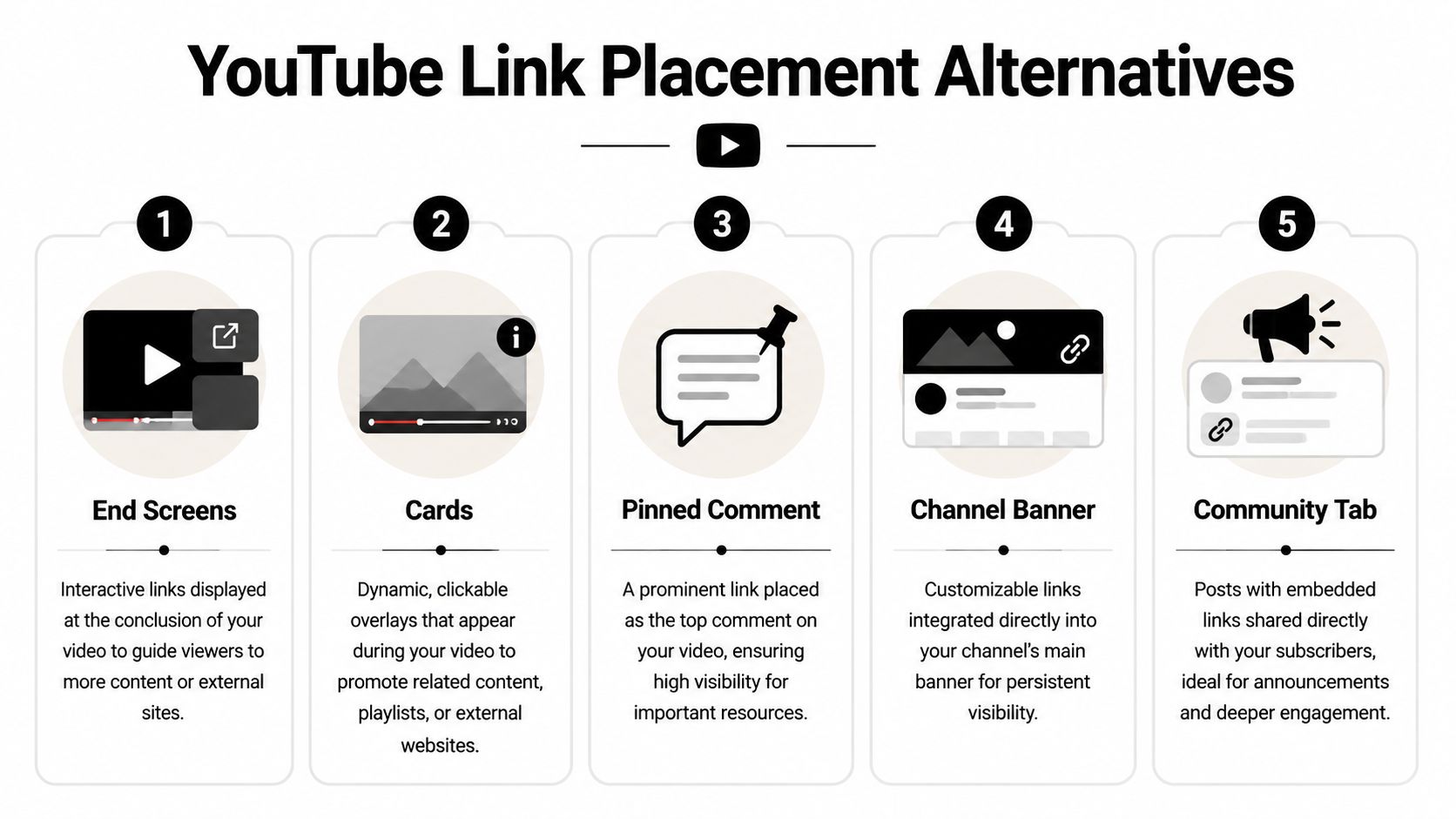
Pinned comment Good for repeating the main CTA in a visible place below the video. It works well when viewers scroll into comments right after watching.
Cards Useful inside the video when a specific moment naturally connects to another piece of content or approved destination.
End screens Best for keeping viewers in motion at the end of a video. They're especially useful when your immediate goal is another video or channel action.
Channel banner and channel links Helpful as persistent channel-level navigation. Less effective for campaign-specific intent.
Community posts A strong option when you're launching something, reminding your audience about a resource, or creating repeated visibility outside the video itself.
The Shorts limitation changes the game
There's one platform constraint creators need to understand clearly. Links in YouTube Shorts descriptions and comments are non-clickable, according to YouTube's official Shorts linking documentation. If Shorts drive a large share of your audience growth, you can't rely on the same direct-click behavior you'd use in long-form videos.
That changes the strategy:
Say the destination out loud Your verbal CTA matters more in Shorts.
Use a memorable link destination The easier it is to remember, the more likely viewers will find it later.
Push viewers to channel-level assets Your channel page and linked destinations become more important when the Short itself can't carry the click.
Shorts can create attention. They don't always support direct action the way long-form videos do.
Trust matters in every placement
Wherever you place links, be transparent. If a pinned comment contains an affiliate recommendation, say so. If an end-screen path supports a sponsored offer, make that clear in the surrounding content and description. Clean disclosure builds more trust than polished persuasion ever will.
For streamers and live creators who also repurpose content into YouTube, the production side affects how well these placements work. If your recordings need cleanup before they become useful traffic assets, this Budget Loadout streaming configuration guide is a solid resource for tightening your setup before distribution. And if your next step after YouTube is driving people to a site you control, this guide on embedding YouTube videos on your website helps connect platform traffic with owned channels.
Compliance Disclosures and Building Trust
A description that drives clicks but loses trust isn't a good asset. It's a short-term win with long-term cost.
If you're using affiliate links, say so in plain language. If a product mention is sponsored, disclose that clearly. Don't bury it under hashtags or hide it below a pile of links. Viewers can tell when a creator is dodging the obvious, and that weakens every recommendation that follows.
Good disclosure language is simple:
- Affiliate disclosure: Some links below are affiliate links, which means I may earn a commission if you buy through them.
- Sponsor disclosure: This video includes a paid promotion for [brand].
- Mixed monetization disclosure: Some resources below are my own products, and some are affiliate links.
The bigger point isn't compliance alone. It's consistency. A clean link structure, clear CTA, honest disclosure, and a destination that matches the promise all work together. That's how a link in youtube description stops being an afterthought and starts acting like a monetization system.
If you want one clean link that can sell digital products, book coaching calls, collect emails, and showcase your content in one place, taap.bio gives you a creator storefront instead of a plain link list. It's a practical way to turn YouTube traffic into something you own and monetize.


