

Let’s cut to the chase: trying to manage your online brand can feel like spinning plates. For anyone serious about growth in 2026, knowing how to link Instagram accounts is less of a "nice-to-have" skill and more of a fundamental part of the game. This is about building a cohesive world for your followers, especially if you’re balancing a personal brand with a business page.
Table of contents
Why You Must Link Your Instagram Accounts Now
Look, just connecting your profiles isn’t the end goal. The real prize is creating a powerful, unified brand experience without dropping thousands on a custom website. If you’re a freelancer, a musician, or a small business owner, you know that every single click and impression matters.
We’ve all felt the frustration of Instagram's "one link in bio" rule. But what if we stopped seeing it as a limitation? What if we treated that single link as the front door to our entire online universe—a command center for our brand?
The Power of a Unified Presence
When your digital presence is connected, you’re telling a complete story. You're making it effortless for a follower to discover your personal thoughts, your business offerings, and your creative portfolio. By removing the friction between your accounts, you keep people locked into your world.
It's a game-changer for anyone who wears multiple hats.
- Build a Stronger Brand: A unified look and feel across all your profiles builds instant trust and makes you unforgettable.
- Create Follower Crossover: You can actively funnel followers from your high-engagement personal account to your new business page. For more on this, check out our guide on how to increase your Instagram followers organically.
- Promote Content Seamlessly: Imagine launching a new product on your business profile and instantly sharing it to your personal story with a simple tap. That’s the efficiency we're talking about.
Seizing the Opportunity in a Crowded Space
The sheer scale of Instagram has made linking accounts a non-negotiable. The platform is on track to hit a staggering 3 billion monthly active users by 2026—a massive jump from 1.3 billion back in 2019. In a sea of 95 million posts uploaded every single day, consolidating your presence into a single, elegant 'link in bio' page is how you cut through the noise.
This simple shift transforms your profile from a dead end into a gateway. With half of all users admitting they discover new brands through their feed, Reels, and Stories, a smart, interconnected presence isn't just a good idea—it's your most powerful tool for growth.
Mastering Multiple Instagram Profiles in the App
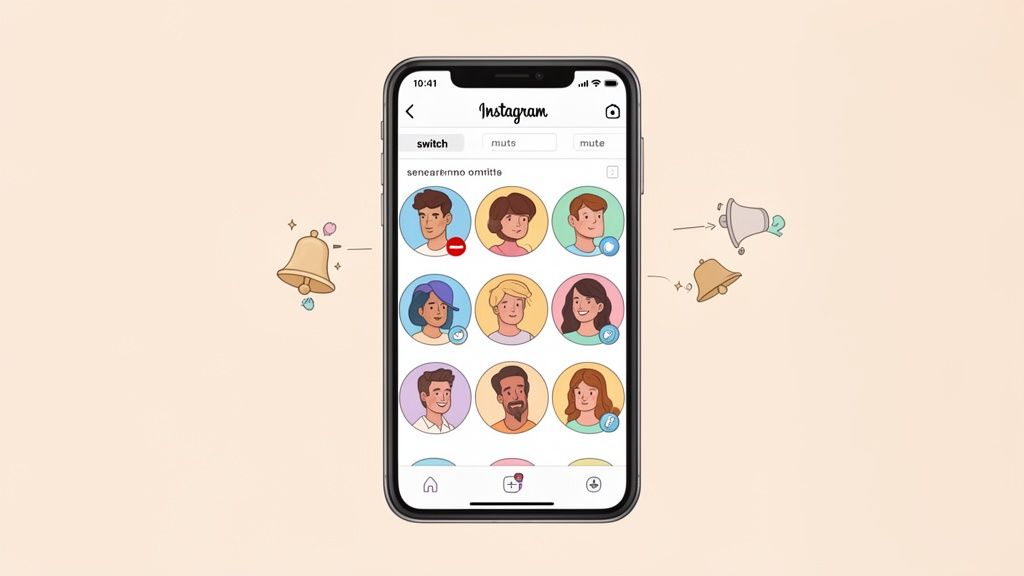
If you’re still logging in and out of Instagram to manage different profiles, I have some great news. You can stop. The days of that clumsy, time-wasting shuffle are long gone. The real pros know that Instagram’s own app has everything you need to manage it all—your personal brand, your agency, and your side hustle—without breaking a sweat.
Getting set up is a breeze. Just head to your profile, tap your username at the very top of the screen, and you'll see an option to “Add Account.” Once you’ve added all your profiles, they’re all right there, linked and ready to go. This is the foundation for a truly efficient workflow.
The Pro-Level Switching Trick
With your accounts linked, switching between them becomes an afterthought. My favorite shortcut? Just long-press your profile icon in the bottom-right corner of the app. A menu pops up instantly, letting you jump between accounts in a single tap. It might only save a few seconds each time, but when you're managing multiple active profiles, those seconds add up fast.
Think of each account as its own little world with its own rules. That’s how I approach it.
- My Personal Art Account: This is all about spontaneity. I might post behind-the-scenes content several times a day, whenever inspiration strikes.
- Our Design Agency Account: Everything here is polished and planned. Posts are scheduled and strategically aligned with our marketing goals.
- My Side Hustle Profile: This one is all about speed and engagement. The priority is responding to customer DMs and comments as quickly as possible.
Keeping these worlds separate is crucial for brand consistency. And if you’re ever worried about keeping those worlds secure, it’s always a good idea to review your login details and maybe even change the email on your Instagram account for added peace of mind.
Your Secret Weapon: Custom Notifications
Now for the real game-changer, a feature that many people completely overlook: custom push notifications. If you let every single account send you alerts for every like, follow, and comment, you’ll be drowning in digital noise. You have to take control.
For each account, go into Settings > Notifications > Push Notifications. From here, you can pause them all for your less critical profiles, or get granular and choose exactly which alerts you want to receive.
For my main business account, I need to see DMs instantly. For a personal project account I use for experiments, I might turn everything off completely. This simple adjustment lets you stay responsive where it counts and reclaim your focus. This isn't just a nice-to-have; it's the final piece of the puzzle to truly link Instagram accounts and manage them like a professional.
Expanding Your Reach Beyond Instagram
Think of your Instagram profile as your brand’s home base. It’s powerful, for sure, but if it’s not connected to anything else, it's just an island. The real growth happens when you build bridges from that island to every other platform you’re on, creating a network that constantly brings new people back home. This is how you go from just having a profile to running a true digital command center.
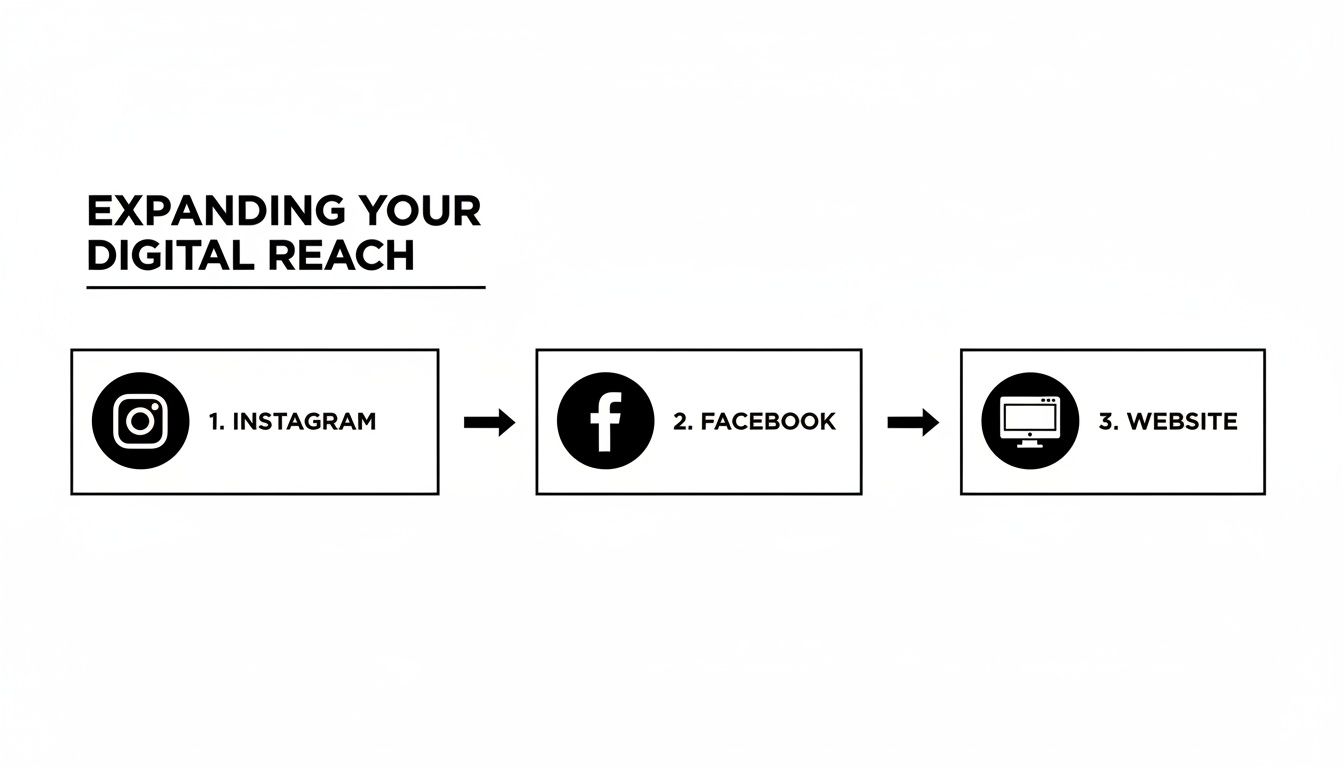
The most obvious and powerful connection to make is with Facebook. Linking the two lets you cross-post your Reels and Stories automatically, which is a game-changer for anyone juggling a busy schedule. Since Meta owns both, the integration is smooth and gives you access to a massive combined audience. This isn't just about saving time; it's a core strategy for efficiency.
From there, you can link up with X (formerly Twitter) to push your content out to an entirely different crowd. Each platform has its own vibe and user base. By connecting them, you’re not just reposting—you’re ensuring your best stuff gets seen by the widest possible audience, no matter where they hang out online.
To give you a clearer picture, here’s a quick breakdown of what you gain by linking Instagram to the major players.
Platform Linking Benefits at a Glance
| Platform | Primary Benefit | Best For |
|---|---|---|
| Automatic cross-posting of Reels & Stories, unified ad management. | Content creators and businesses looking to save time and streamline marketing. | |
| X (Twitter) | Sharing posts and updates to a fast-paced, news-oriented audience. | Brands and individuals focused on real-time engagement and community building. |
| Website/Blog | Driving traffic from social media to your owned digital property. | E-commerce stores, bloggers, and service providers wanting to convert followers into customers. |
| TikTok | Cross-promoting to a different, highly engaged video-first audience. | Creators looking to build a multi-platform video presence and capture trends. |
Each connection serves a different purpose, but they all work together to strengthen your overall online brand.
Weaving Your Instagram Into Every Digital Touchpoint
The most effective promotion is often the most subtle. Look at all the digital real estate you already control—your website, your email signature, your other social profiles. Every single one is a missed opportunity if it’s not pointing people toward your Instagram.
Here are a few simple but powerful places to add your Instagram link:
- Website Footer: A clean Instagram icon in your site’s footer is a quiet, constant invitation for visitors to connect.
- Email Signature: Pop a link to your Instagram in your email signature. Suddenly, every email you send is a soft-pitch networking tool.
- Other Social Bios: This one’s a no-brainer. Make sure your Instagram handle is clearly visible and clickable in your bio on X, LinkedIn, and especially TikTok. If you need more ideas for that, our guide on how to link your Instagram to TikTok has you covered.
These small tweaks add up. Someone might love a blog post on your site but never think to look for you on Instagram. A simple, visible link removes the friction and makes it an easy, one-click decision for them.
From Organic Reach to Paid Amplification
Once you’ve built this interconnected web, you’re perfectly positioned to pour some fuel on the fire. To really scale your growth, especially if you’re selling products or generating leads, you need to dive into the world of paid ads. Getting familiar with Instagram ads best practices is the next logical step. Paid campaigns can target hyper-specific audiences, turning a casual Facebook scroller into your next loyal Instagram follower.
A huge side benefit of linking your accounts is richer data. When you can see how a single Reel performs on both Instagram and Facebook, you get incredible insight into what your different audience segments really want. It’s like free market research.
Ultimately, your goal is to map out a seamless journey for your audience. Imagine this: a potential customer discovers your Reel on Facebook, follows you on Instagram, clicks your Taap.bio link, and lands on your website to buy a product. Every link in that chain is critical. Building this kind of connected ecosystem is what separates amateur accounts from a truly professional online presence in 2026.
Turn Your Bio Link into a Powerful Hub with Taap.bio
Let's be honest: that one little link in your Instagram bio has always felt like a bottleneck. You’re forced to funnel your entire audience—every follower, every potential client, every curious visitor—through a single, narrow doorway. But what if that doorway opened up into a vibrant, interactive hub instead of just a static list of links?
That's where a tool like Taap.bio completely changes the game. It allows you to truly link instagram accounts and all your other digital properties into one cohesive, engaging story. This isn't just another link-in-bio tool; it's a creative canvas. With the Bento.me shutdown planned for 2026, many creators are looking for a more powerful and flexible home base, and Taap.bio is exactly that. It’s designed to help you build a visually stunning page that tells a much richer story than any simple list ever could.
Build a Living, Breathing Instagram Snapshot
The real magic happens with Taap.bio’s smart Instagram widget. Forget sending people away to your profile. You can embed a live, interactive snapshot of your account directly onto your page, keeping visitors right where you want them.
This widget automatically pulls in and displays:
- Your latest six photos, giving everyone a fresh, up-to-the-minute look at your content.
- Your live follower count, which acts as powerful social proof.
- A prominent follow button, making it incredibly easy for visitors to join your community without leaving the page.
This is all about creating a smoother journey for your audience. Instead of making them jump from platform to platform, you bring the best of your content to them in one centralized place.
By consolidating the user's path, you dramatically reduce the risk of them getting distracted or dropping off.
Design Your Page with Bento Box Freedom
Tired of rigid, boring templates? Taap.bio’s drag-and-drop editor is built around the "bento box" concept, giving you total freedom to arrange your content. You can place your Instagram widget next to a YouTube video, a Spotify track, or your latest blog post in a cool, asymmetric layout.
This isn't just about looking good; it's about telling a better story. Imagine placing your Instagram grid right beside your Dribbble portfolio or a clip from your recent podcast. This creates a powerful narrative about who you are and what you do, all in one glance. For creators, it's the perfect way to showcase the full scope of your work.
This interconnected approach is especially crucial for anyone in the creator economy. With 46.7% of marketers now using Instagram for brand collaborations, having a standout portfolio is non-negotiable. A well-designed Taap.bio page that embeds your content serves as a professional media kit that works for you 24/7. You can dive deeper into Instagram’s influence in this detailed report.
Taap.bio transforms your link in bio from a simple menu into a destination. It’s a space where your audience can explore, interact, and connect with all facets of your brand without ever hitting a dead end.
Go Beyond Social Media with Strategic Links
While integrating your social feeds is a huge plus, a great bio hub is also a launchpad for your business. It's the perfect place to add custom links to your newsletter, online store, or even learn how to start affiliate marketing to turn your bio into a real revenue stream.
The best part? You have complete visual control. You can make your most important call-to-action a large, unmissable block at the top, while secondary links can be smaller and more subtle. This kind of visual hierarchy ensures your audience sees exactly what you want them to see, in the order you want them to see it. It’s your space, your rules.
Designing Your Ultimate Link in Bio Experience
This is where the real magic happens. We're moving past a simple list of links and into building your personal digital headquarters. A great link in bio page isn't just a directory—it's a destination that tells a rich, visual story about your brand.
Think about it this way: a musician could embed a Spotify player with their latest single right next to their dynamic Instagram grid. A fan lands on the page, hits play on the new track, and immediately sees the album art and behind-the-scenes content on the Instagram feed. It's a cohesive, immersive experience that a static link just can't touch.
This is so effective because it taps into how people actually browse and buy today. Instagram isn't just for photos anymore; it's a discovery and shopping powerhouse. In fact, projections show that by 2026, 47% of U.S. social buyers will make purchases directly on the platform, all sparked by what they see in their feeds, Reels, and Stories. When you place your interactive Instagram feed next to your other offers, you capture that buying impulse in real-time. If you want to dive deeper into these trends, Meltwater has some fantastic Instagram statistics.
Crafting Your Personal Dashboard
Your Taap.bio page is a blank canvas. Treat it like your brand’s personal dashboard. I’ve seen designers showcase a live Figma prototype next to their Dribbble feed, giving potential clients a seamless view of their process and finished work. A podcaster could embed their latest episode, letting visitors listen right away while scrolling through the guest’s Instagram profile on the same screen.
Here are a few layout ideas I’ve seen work wonders:
- The Creator Combo: Your Instagram widget sits right next to a YouTube widget pulling in your latest videos. This is a must for vloggers and influencers looking to cross-promote their core channels.
- The Professional Portfolio: Pair your Instagram feed with a few text blocks highlighting client testimonials and a big, bold button for your "Book a Call" page. This transforms your page into a lead-gen machine.
- The E-commerce Showcase: Feature your Instagram grid alongside individual image blocks of your best-sellers, with each one linking directly to its product page. Frictionless shopping.
The key is to create a visual hierarchy. Use larger blocks for your most important content—the stuff you want people to see first. Smaller blocks can then be used for secondary links. For more on creating layouts that feel intuitive, definitely check out our guide on mobile-first design principles.
Troubleshooting Common Widget Issues
Sooner or later, you might notice your Instagram widget isn't updating with your new posts. Don't panic. This happens, and it's almost always an easy fix.
The number one culprit is a disconnected account. For security, Instagram periodically requires you to re-authenticate third-party apps. If your feed looks frozen in time, your first move should always be to reconnect it.
Just pop into your Taap.bio editor, click on the Instagram widget, and look for a "Refresh" or "Reconnect" button. Following the prompts will re-establish the connection. If that doesn't do the trick, the next step is to remove the widget completely and add it back. This creates a brand-new, clean connection and clears up any stubborn glitches.
And one last tip: if you ever change your Instagram password, it will automatically revoke access for all connected apps, including Taap.bio. After a password update, you'll always need to go back and re-authenticate your widgets. Taking these quick steps ensures your efforts to link instagram accounts to your bio page pay off with a smooth, reliable experience for your audience.
Common Questions About Linking Instagram Accounts
Juggling multiple Instagram accounts can sometimes feel like a circus act, and it's completely normal to hit a snag or two. Whether you’re a creator managing your personal brand and a side hustle, or a social media pro handling a roster of clients, questions are bound to pop up.
Let's tackle some of the most common ones I hear from people trying to get their accounts connected and optimized.
Can I Link More Than 5 Instagram Accounts In The App?
You bet. For a long time, the limit was five, which was a real headache for power users. Thankfully, Instagram listened, and as of 2026, you can now add and switch between up to 7 accounts right inside the app.
This was a game-changer for anyone managing multiple brands. To hop between profiles, just press and hold your profile picture in the bottom-right corner. A menu pops up, and you can instantly jump to the account you need. Pro tip: tweak your push notification settings for each account so you're only getting alerts for the ones that matter most in the moment.
Why Is My Taap.bio Instagram Widget Not Updating?
I see this one all the time, and thankfully, it's almost always a simple authentication hiccup. For security reasons, the connection between Taap.bio and Instagram needs to be refreshed every so often, especially if you've changed your password.
Here’s the quick fix:
- First, pop into your Taap.bio editor and click on your Instagram widget.
- You should see an option like "Reconnect" or "Refresh." Clicking this will prompt you to log back into Instagram, which usually solves the problem instantly.
- If that doesn't do the trick, remove the widget completely and then add it back. This forces a brand-new, clean connection.
This happens with any third-party app when you update your Instagram password—it’s a security feature, not a bug!
Should I Cross-Post Every Reel to Facebook?
The automated cross-posting feature is a massive timesaver, but blindly posting everything isn't the best strategy. The real answer is: it depends entirely on your audience.
If your Facebook page and Instagram profile attract a similar crowd that enjoys the same style of content, then go for it! It's an incredibly efficient way to keep both platforms active. But be mindful of Reels that rely heavily on Instagram-specific trends, audio, or stickers that just won't land—or work—on Facebook.
A good rule of thumb is to cross-post your evergreen or high-performing content that has broad appeal. For those super-niche, inside-joke Reels that only your Instagram community will get? It's better to keep those native to Instagram to preserve that authentic connection.
What Makes The Taap.bio Widget Better Than A Simple Link?
A simple link in your bio is just a signpost. It works, but it immediately sends people away from your page, creating an extra step where you can lose their attention.
The Taap.bio smart widget, on the other hand, creates a living, interactive showcase right on your bio page. It brings your brand to life. Visitors can see your latest 6 posts, check your follower count, and even follow you with a single tap—all without ever leaving your Taap.bio page.
This is huge because it slashes the friction between discovery and action. Instead of a static list of links, your page becomes a dynamic preview of your best content, proven to drive more follows and engagement. It’s the difference between pointing to your store and opening the front door for them.
Ready to stop sending followers away and start capturing their attention? Build your ultimate link-in-bio page with Taap.bio and see what our smart widgets can do for your brand. Get started for free and make your bio work smarter, not harder.


