

We’ve all been there. You hit “Publish” on a new Instagram post, feel that initial rush, and then… you spot a typo. Your first instinct is to jump in and fix it. It seems simple enough, right? Just tap the three dots, hit edit, and you're done.
But hold on. While the how is easy, the when is what truly matters. Making a quick edit at the wrong time can completely derail your post’s momentum, and I've seen it happen to creators time and time again.
Table of contents
The Hidden Dangers of Hitting 'Edit'
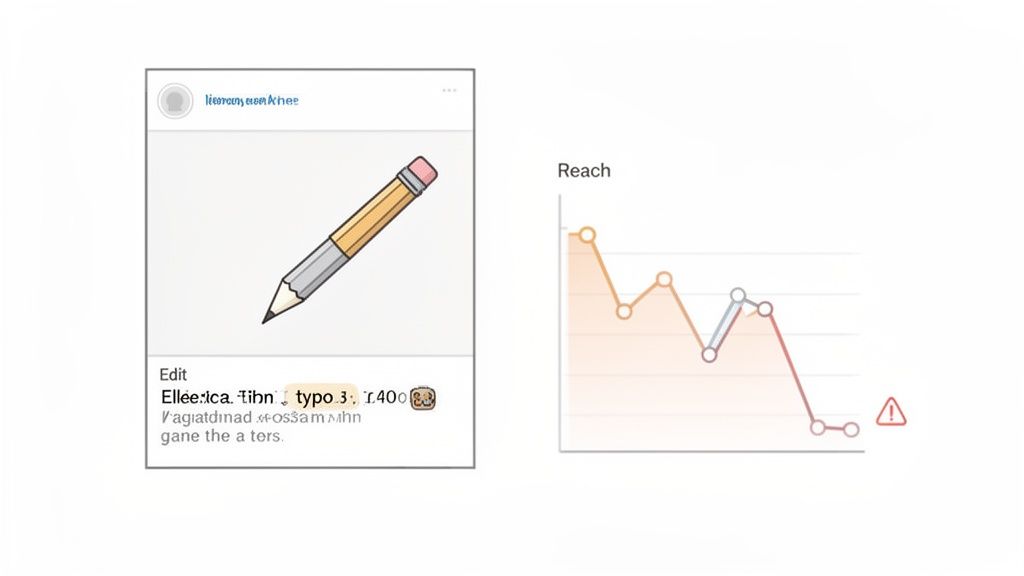
Before you rush to correct that misplaced comma, you need to understand what's really at stake. The danger isn’t in the edit itself, but in how the Instagram algorithm perceives it. A seemingly harmless change can inadvertently signal to the platform that your content is flawed, causing it to lose favor in the feed.
Think of the first 24 to 48 hours as the golden window for your post. This is when the algorithm is working overtime, tracking every like, comment, share, and save to decide if your content is worth showing to a wider audience. If you edit the caption or hashtags during this critical period, you essentially hit a reset button on all that valuable early engagement.
How a Simple Edit Can Crush Your Reach
I’ve watched perfectly good Reels start to take off, only to have their views flatline moments after the creator made a small tweak to the description. This isn’t just bad luck; it's a known consequence of how the algorithm functions.
Since a major algorithm update in early 2026, Instagram has placed an enormous emphasis on that initial burst of interaction. In fact, some analyses have shown that editing a post shortly after publishing can cause reach to plummet by as much as 35%. It's a brutal penalty for a minor mistake.
The bottom line: When you edit a new post, you’re basically telling Instagram the original version wasn't ready. The algorithm often responds by pulling back, reducing its visibility on user feeds and the Explore page.
To help you navigate this, here’s a quick rundown of what to expect when you edit different parts of your content.
Instagram Edit Actions and Potential Algorithm Impact
This table summarizes the potential consequences of editing different parts of your Instagram profile and posts based on the current algorithm.
| Edit Action | Best Time to Edit | Potential Reach Impact |
|---|---|---|
| Post Caption/Hashtags | After 48 hours or pre-schedule | High. Editing within the first 48 hours can reset engagement metrics and significantly lower reach. |
| Profile Bio/Website Link | Anytime | Low. Changes here don't affect existing post performance. |
| Adding a Location Tag | After 48 hours | Medium. Can disrupt initial distribution patterns if done too soon. |
| Tagging Accounts | After 48 hours | Medium. Adding tags later can be less effective and may slightly alter the post's initial signals. |
As you can see, the timing of your edit is everything. Some changes are safe, while others carry a significant risk of undoing all your hard work.
This is why understanding how to edit a description on Instagram goes far beyond just the technical steps. You have to weigh whether that typo is worth sacrificing your post’s potential visibility. It's a strategic decision, not just a quick fix. If you're looking for more ways to optimize your content strategy, you might find our guide on how to share stuff on Instagram helpful.
Crafting an Instagram Bio That Converts
Your Instagram bio is your digital handshake—it’s often the first and only chance you get to convince someone you're worth their time. Sure, you know how to edit it, but what you put in that tiny 150-character space can make or break your growth. A killer bio needs to be sharp, compelling, and turn profile visitors into actual followers.
A truly effective bio nails three things: it shows who you are, what you do, and why anyone should follow you. Vague descriptions just don't cut it anymore. Instead of "Lifestyle Blogger," get specific: "Sustainable living tips for city dwellers." See the difference? You’re instantly speaking directly to your ideal audience.
Optimize Your Name for Search
Here’s a pro tip that most people miss: the Name field in your bio is completely searchable. This is separate from your @username and is prime real estate for discoverability. Don't just put your name there—add a keyword that describes exactly what you do.
For instance, a freelance writer could set their name to "Maria | SEO Content Writer." Now, when a potential client searches Instagram for an "SEO content writer," Maria’s profile has a much higher chance of popping up. It's a simple tweak that puts you directly in front of people actively looking for your skills.
Use Keywords and a Clear Call to Action
Think of your bio text as a super-condensed summary of your value. Weave in a few keywords that your target audience would search for.
To build a bio that works, try to include:
- Who you help and how: "Helping SaaS startups scale with branding."
- A quick dose of credibility: "Featured in Forbes | 50k+ subscribers."
- A strong call to action (CTA): "👇 Get my free email templates!"
That CTA is the most critical part of the job. It’s your one chance to direct traffic, and its whole purpose is to get people to click that one precious link in your bio. Make the offer impossible to ignore.
A well-crafted bio isn't just a description; it’s a conversion tool. Every character should work towards convincing a visitor that your profile is worth following and your link is worth clicking.
This mindset shifts your bio from being a static label to an active part of your sales funnel. For even more inspiration, check out our full guide on the best things to put in your IG bio.
The Delicate Art of Editing an Instagram Caption
We’ve all been there. You hit “Share,” take a deep breath, and then spot it—a glaring typo or a bungled tag in your brand new post. Your first instinct is to rush in and fix it. But hold on a second.
While editing a caption is technically simple, the real skill is knowing when to do it. A knee-jerk edit can actually sabotage a post just as it’s starting to find its audience.
The When and Why of Editing
Before you make a move, ask yourself what you’re really fixing. Is it a minor spelling mistake that most people will scroll right past? Or is it something more serious, like a broken link or tagging the wrong account, that breaks the post's functionality?
If you catch a small typo a day or two after posting, it’s generally safe to correct. By then, the critical first 24-hour engagement window has passed, and the algorithm has already done its initial work.
But making major changes shortly after posting is a risk. I’ve seen it happen: someone swaps out their entire hashtag set 20 minutes after going live, and their reach flatlines. Making big changes to the caption or tags early on can confuse the algorithm, essentially forcing it to restart the distribution process and killing your momentum.
My advice? Learn to live with minor imperfections, especially within the first day. Your followers will forgive a small typo, but the algorithm might not be so forgiving of an interruption.
This kind of strategic thinking—weighing the pros and cons before acting—is just as important for your bio as it is for your captions. Every piece of your profile should be a deliberate choice designed for maximum impact.
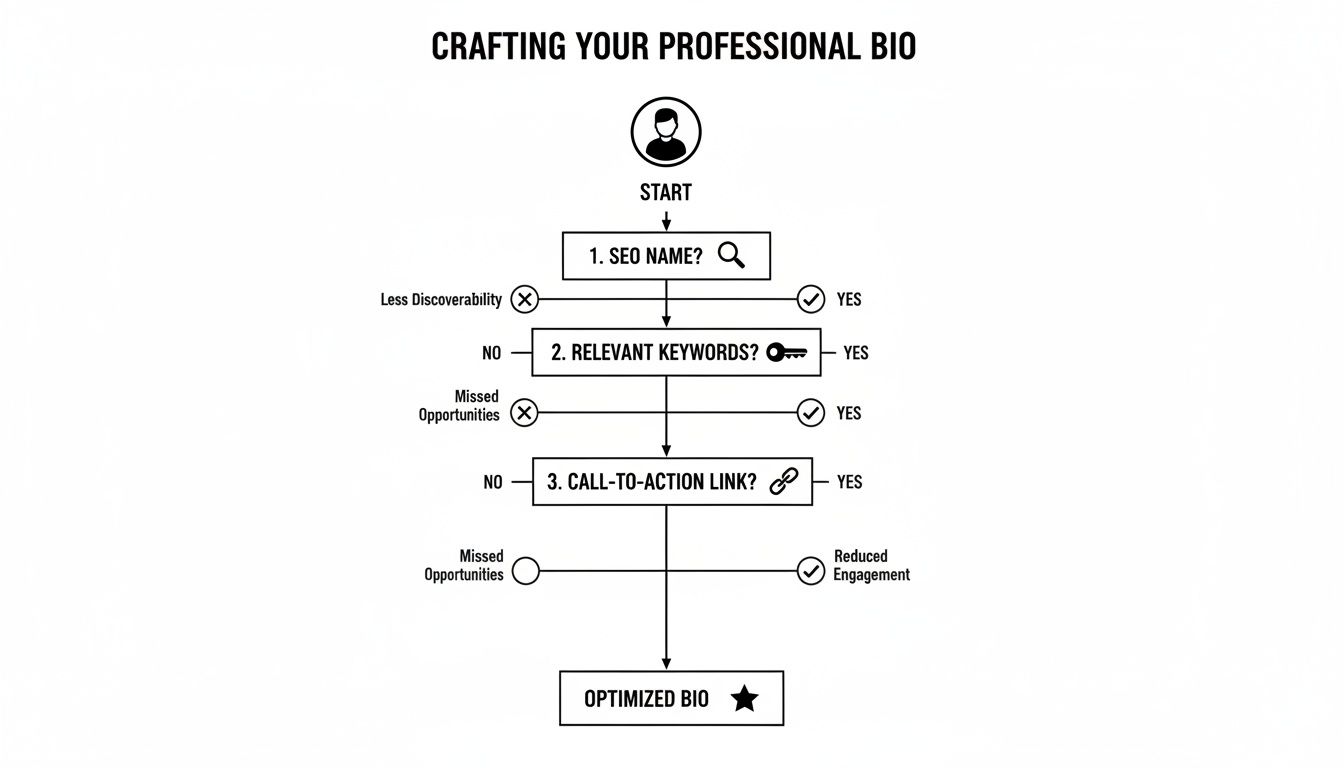
As you can see, a powerful bio is built from a few key ingredients: an SEO-friendly name, a keyword-rich description, and a clear call-to-action link. It's all about making every element work for you.
Ultimately, your goal is to find the right balance between perfection and performance. With a generous 2,200-character limit for captions, you have plenty of space to get your message across. To master that space, have a look at our guide on the Instagram post character limit and make every word count.
Formatting Descriptions for Maximum Engagement
Knowing how to edit your Instagram description is just the first step. The real magic happens when you format it to actually stop people from scrolling. Let’s be honest, a huge wall of text is an instant turn-off and the fastest way to get your message ignored.
The single biggest formatting headache on Instagram has always been creating clean line breaks. You’ve probably felt the frustration—you write a perfectly spaced caption, hit publish, and it collapses into a jumbled mess.
Here’s a trick that has never failed me: write your caption in your phone's Notes app first. Get your spacing and line breaks exactly how you want them, then simply copy and paste it straight into Instagram. It works every time.
Using Visuals to Guide the Reader
Beyond just adding white space, emojis are your best friend for injecting personality and directing your reader’s eyes. Think of them less as cute icons and more as powerful visual cues.
You can use emojis to:
- Draw attention to key info: A simple pointer (👉) or a star (✨) is perfect for highlighting your call-to-action or a can't-miss tip.
- Make lists easy to scan: Ditch the boring dashes. Try using checkmarks (✅), location pins (📍), or other relevant icons to make your lists pop.
- Set the right vibe: A few well-chosen emojis can instantly communicate humor, excitement, or sincerity, making your brand feel much more human.
Another powerful tool in your arsenal is tagging. When you @mention another account, your post can show up in their "Tagged" tab, which is a fantastic way to get in front of a whole new audience. It's essential for collaborations, crediting creators, or shouting out a brand you love.
The goal is to make your caption feel like an inviting conversation, not a textbook. You have a 2,200-character limit for captions, so make every word count and every visual element serve a purpose.
If you're looking for more ideas to get your creative juices flowing, we have a ton of inspiration in our guide to Instagram captions for life.
Ultimately, great formatting gets people to read your post. But to get them to act, you need a smart strategy to increase social media engagement from top to bottom.
The "One Link to Rule Them All" Strategy for Your Bio
Tired of the frantic scramble to swap out your bio link every time you have something new to share? If you're constantly wondering how to edit the description on Instagram just to point people to your latest video or blog post, you’re stuck in an old-school loop.
Not only is it a hassle, but some creators find that constantly tweaking their profile can feel like you're fighting the algorithm. There’s a much smarter way to handle this.
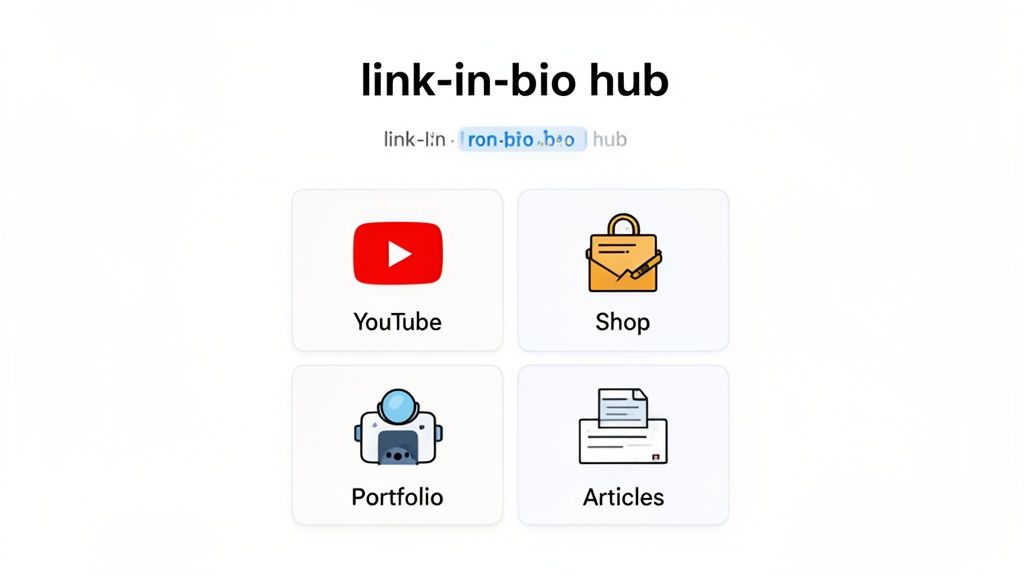
The best move I’ve seen savvy creators make is adopting a "set it and forget it" mindset by using a link-in-bio hub. Instead of one link that changes weekly, you use a single, permanent link that directs followers to a beautiful, custom landing page.
Give Your Followers a Real Destination
Think about it: one click takes them to a page showcasing your newest YouTube video, your online shop, your professional portfolio, and your latest articles—all at once. This is exactly what you can build with a tool like Taap.bio. It turns that single bio link from a simple redirect into a true hub for your entire brand.
This is about more than just convenience. You're creating a richer, more complete experience for your audience. They get a full picture of who you are and what you do, all without you having to sacrifice that precious bio real estate. We dive deeper into this in our complete guide to a winning Instagram link in bio strategy.
By bringing all your important content under one roof, you build a cohesive brand experience that invites people to explore everything you offer, not just the link of the day.
For creators, this is a total game-changer. Imagine embedding dynamic widgets that pull in your latest Instagram posts right alongside your YouTube thumbnails, TikTok clips, or even your Spotify monthly listeners. This modular setup tells your whole story without the risk of an algorithm penalty from constant profile edits.
For small businesses and musicians, this gets even better. You can use features like inline audio playback to let visitors listen to your tracks right on the page. This is huge for boosting the time people spend with your content—a critical metric when average business accounts with under 10k followers often see engagement rates below 0.65%.
And as you grow, this hub becomes your command center for more than just content. Knowing how to find someone's email on Instagram is a great skill for networking, and your link-in-bio page is the perfect place to point potential collaborators.
Common Questions and Costly Mistakes
Let's talk about a few common questions that pop up all the time when it comes to editing your Instagram descriptions. Getting these wrong can be a real headache, and I've seen them tank an otherwise great post's performance more times than I can count.
The biggest one is timing. You hit publish, and then you spot a typo. Your first instinct is to fix it immediately, right? Fight that urge. My rule of thumb is to wait at least 48 hours before touching a post's caption or hashtags. The algorithm needs that initial window to work its magic based on early engagement.
Rushing in to edit within the first day—especially the first few hours—is the riskiest move you can make. It can absolutely crush your reach.
Think of it this way: a quick edit signals to the algorithm that something was wrong with your original post. In response, it often just stops showing it to new people. Trust me, a minor typo isn't worth sacrificing all your hard-earned momentum.
Another thing I see people asking about is adding clickable links to their captions. The short answer is, you can't. Instagram does not support clickable hyperlinks in the captions of feed posts, Reels, or videos. It's a platform-wide rule meant to keep people on the app. The only spot for a live link is in your profile bio, which is exactly why a link-in-bio service is non-negotiable for anyone serious about driving traffic.
Will Editing Hashtags Reboot My Post?
This is the big one. Your post isn't performing as well as you'd hoped, and you're tempted to swap out the hashtags for a fresh set, hoping for a second wind. I get it, but unfortunately, it’s mostly wishful thinking.
Editing your hashtags won't magically reboot your post and send it to the Explore page. A post's fate is largely sealed within the first few hours based on its initial performance. Changing the hashtags later has a tiny effect, if any at all. It’s simply not a reliable strategy for reviving a post. Your best bet is to focus on nailing your hashtag research before you publish.
Ready to stop worrying about constantly editing your bio link? Taap.bio lets you build a beautiful, permanent hub for all your content. Create your free page today at https://taap.bio.


